Use this process in order to create a voucher in Seller Central. Vouchers (called Coupons in USA) are different to discount codes in that they are visible on the listing itself and can be clipped and redeemed by all customers. Whereas discount codes need to be given to customers in order for them to use them at checkout.
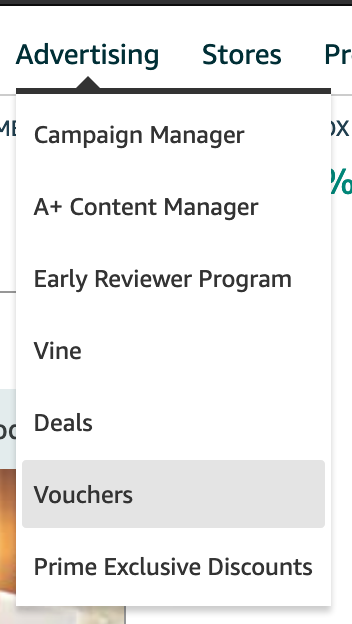
To create a voucher, first navigate to Advertising > Vouchers.
Next, click 'Create a new voucher'
Find the correct product by searching using either:
- SKU - identify the correct SKU from the Inventory page
- Keywords - this is usually the easier option. Use keywords related to the product(s) and search.
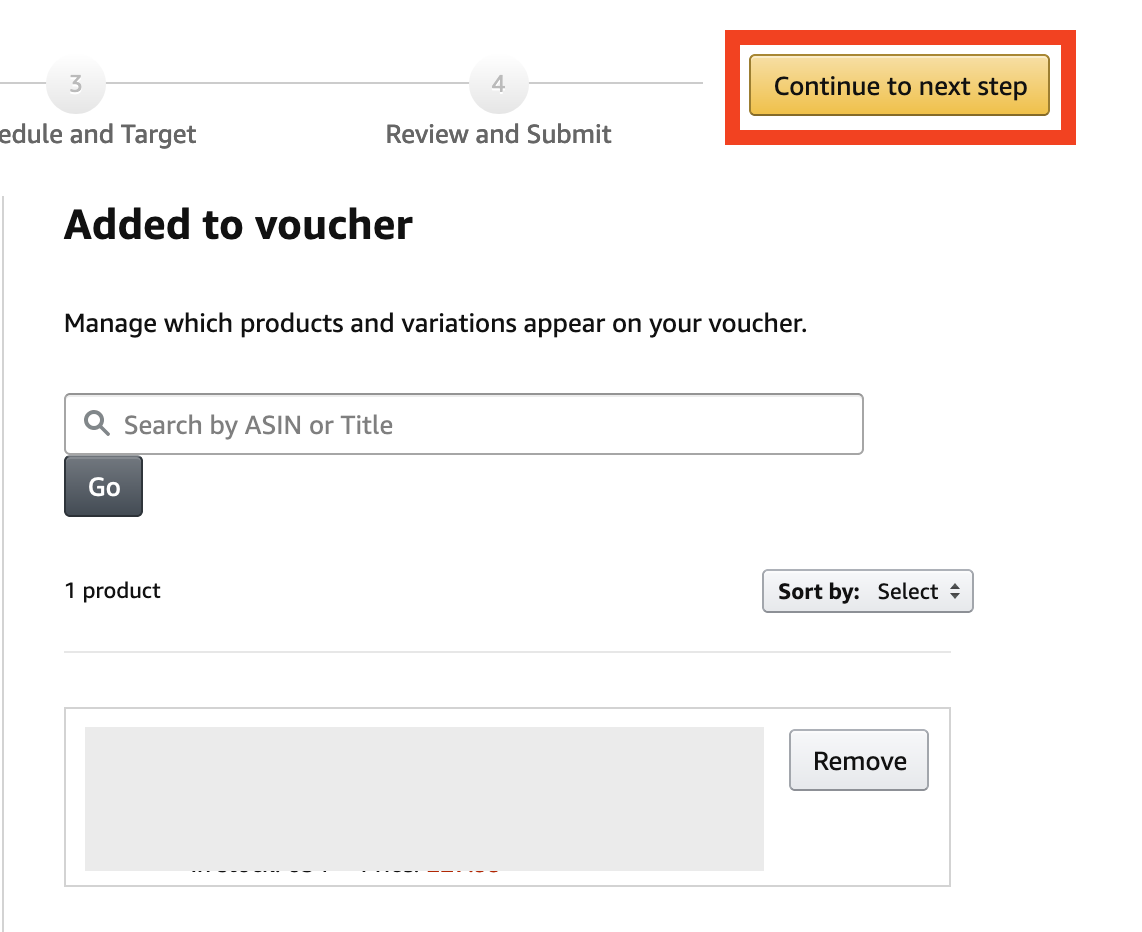
Look through the list and add the necessary products to the voucher. You can add multiple products to one voucher.
Once the correct product(s) are added to the voucher, click 'Continue to next step'
Select either percentage off or money off, enter the amount of discount, and allocate a budget. Usually a large budget (eg £1000) is fine as we only use small discount vouchers. If however this is for a product launch, and not already communicated, double-check with line manager if there should be a smaller budget (eg £200) in place.
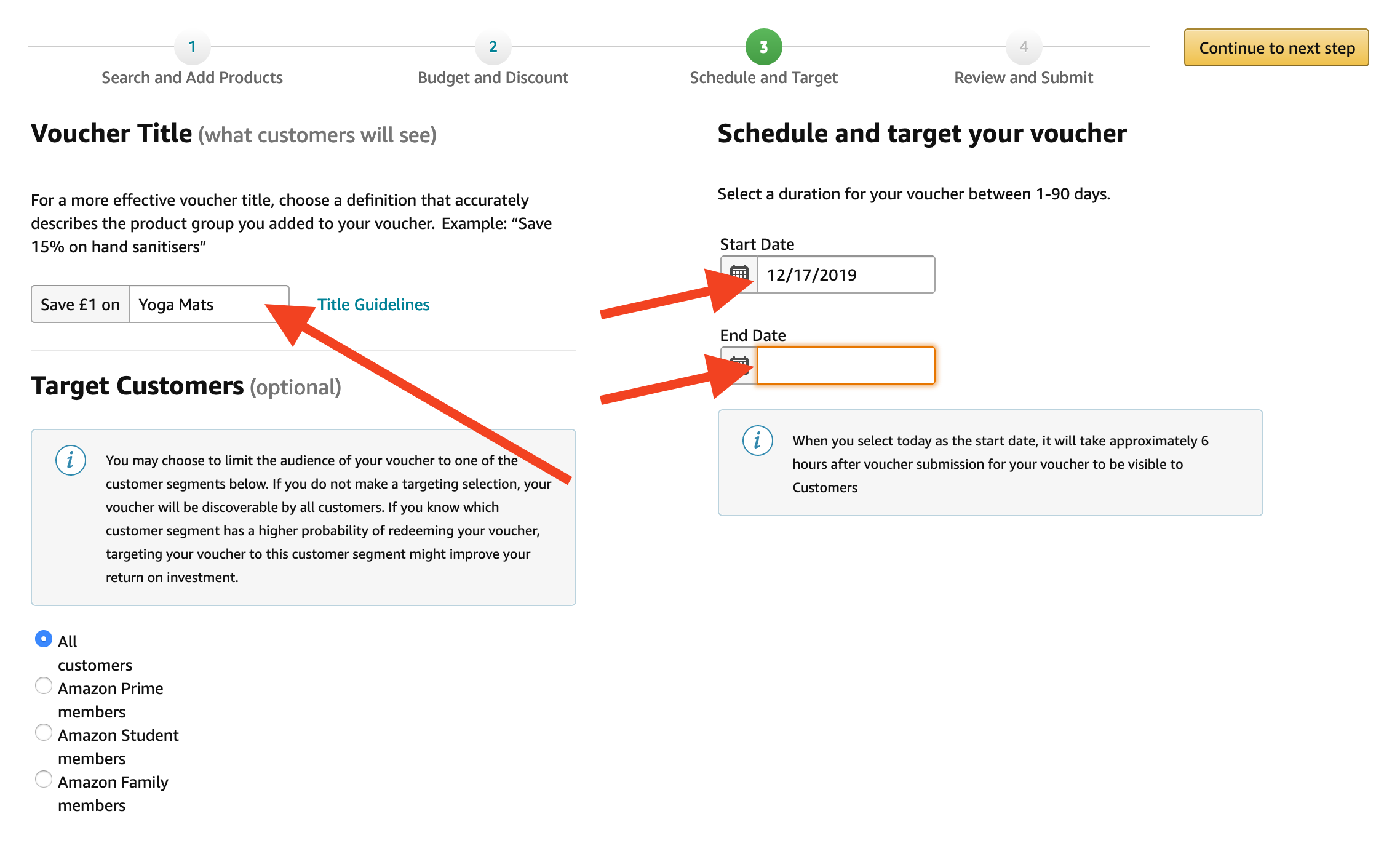
Set a label for the discount that is related to the type of product included in the voucher, then apply start and end dates. Note: The maximum length a voucher can be created for is 90 days
Finally, if everything is in place, slick 'Submit voucher' and the voucher should be live on the listing(s) within 6 hours.