Review client TOV on http://wearearticulate.com/client-guides
4
Identify whether it is a list type blog post or a blog post about a product/service?
5
Research topic using Google
6
Brainstorm headers and key points you want to make
7
Upload your word document into Basecamp and have someone in your POD check through your initial structure idea
8
Amend Basecamp action to 'REVIEW' and assign it to the person you want to check it.
9
Once you have received your feedback - you can begin writing your blog post
10
Writing your blog post tips and hints: (sub tasks)
11
Well done! You've just finished your first draft...
12
Review your blog post
13
Once you've written blog post send it to a peer to REVIEW on Basecamp
14
Review amendments and feedback using track changes on word
15
Once changes have been made upload the document to Basecamp for a final sign off
16
Once your account manager has signed this off assign it to your client to review
17
Log in to Basecamp
You should have a personal login provided by articulate. (See Matthew for this information)
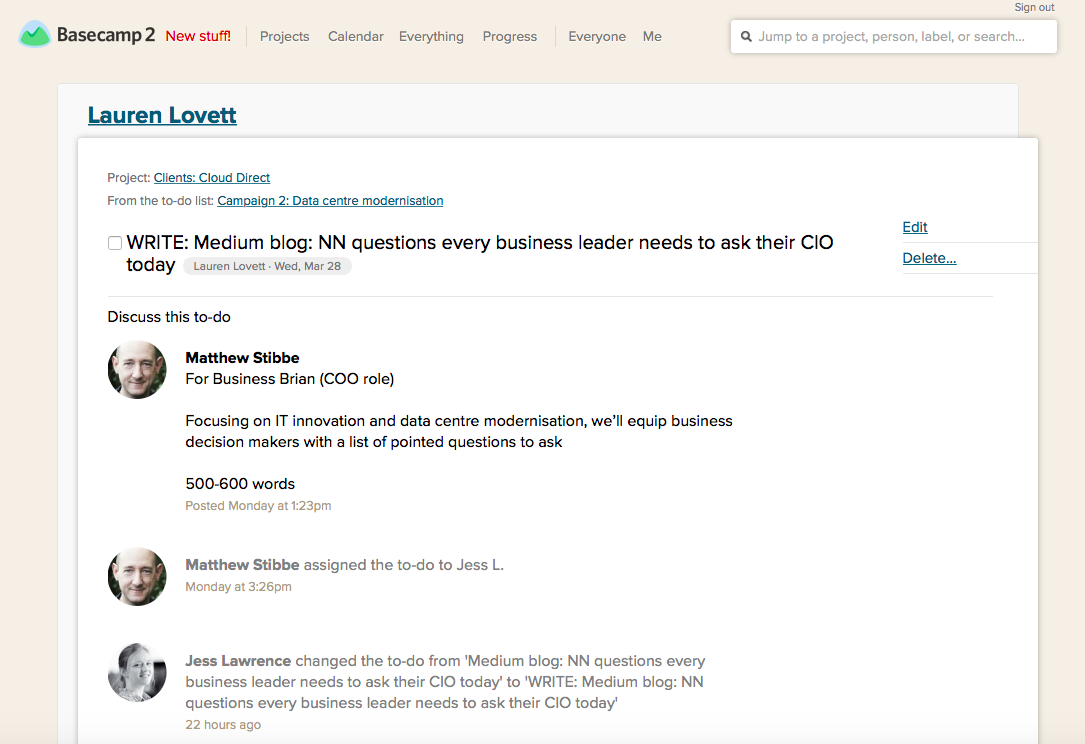
Review the brief for your blog post
To find your brief/tasks for your blog post click on ME in the top nav and scroll down to find your task
Once you've clicked on your task you will find your brief and task information below.
If you have any questions or issues then scroll to the bottom of that page and post your question. You can select WHO will receive your questions by clicking on change and selecting your account manager. When you're ready to post your question simply click 'add this comment.'
Review client TOV on http://wearearticulate.com/client-guides
Find your relevant client and click to open up their client information page. See below for an example:
Identify whether it is a list type blog post or a blog post about a product/service?
A list type blog post title would look like: 'X trends for the workplace in 2018'
A product/service focused blog post title would look like: 'Why your business needs Office 365'
If it is neither of these then make sure you identify the focus of the blog post before you begin your research to avoid wasted research time.
Research topic using Google
Brainstorm headers and key points you want to make
This will help to navigate your blog posts direction, it also means that you'll find it much easier to get down and write your blog post once you know the structure and key points you want to make.
Upload your word document into Basecamp and have someone in your POD check through your initial structure idea
You upload your document by dragging the files into your commend box or by selecting the file from your computer. Remember to check WHO will be reviewing your structure and ensure it doesn't go to the client
Amend Basecamp action to 'REVIEW' and assign it to the person you want to check it.
Make sure you give them a date to return it to you - especially if this blog post is time sensitive for the client.
Once you have received your feedback - you can begin writing your blog post
Writing your blog post tips and hints: (sub tasks)
1
Depending on how you like to write - it is often best to leave the intro until later on in your writing
2
Start by fleshing out your key points/headlines using the research you have previously done
3
Try and add in relevant links and stats to each point you are making. This provides necessary authority to your article and link juice
4
Write your intro and summary and then walk away!
Well done! You've just finished your first draft...
Take a minute, stretch your legs, get a drink (non-alcoholic) and come back to your desk with some rested eyes