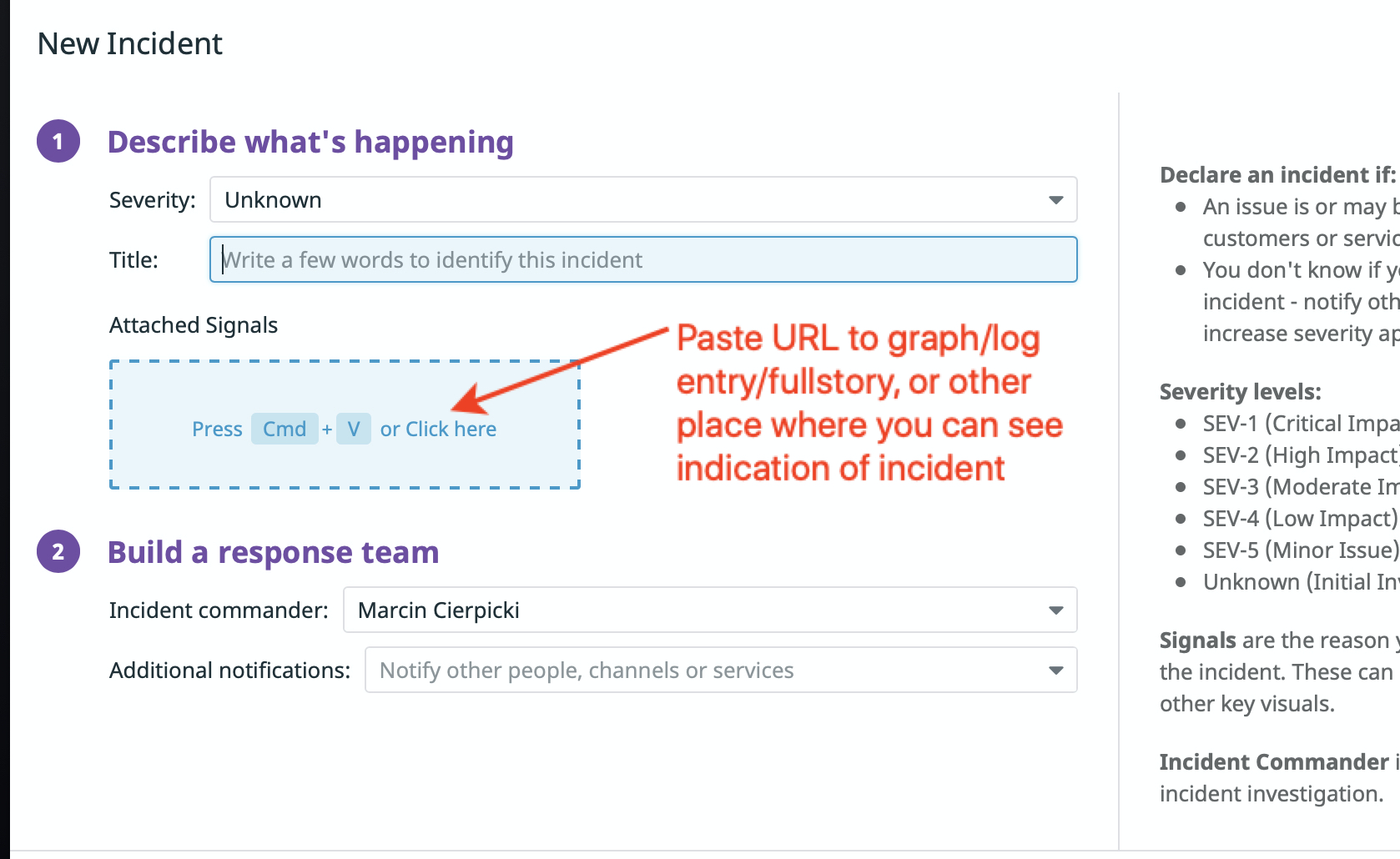
Set "slack-packhelp-dev-incidents" as additional notification
If you have URL to a place where incident indicators are visible, or you can create any graph that shows data related to incident, then create it and add it to incident:
1
Add URL, or Graph to "Attached Signals"
Add info to Slack Notification
1
Copy URL to incident from DataDog (example: https://app.datadoghq.com/incidents/2)
2
Go to https://packhelp.slack.com/archives/CLH5E4QMT
3
Paste this link in Slack Notification Thread of this Incident
4
Mention @backend, @frontend, @devteam, @devops, or particular developer that could potentially know solution to issue
Add Detection Method
Click here to add Detection Method
Add Root Cause
Add Impact entry
Create tasks that need to be performed
Depending on the issue, create and update list of tasks that need to be performed. Examples:
Update pricings
Migrate WordPress DB
Asses severity/impact of the issue on users
Find root cause
Revert changes
Prepare temporary fix
Prepare proper fix
...
Create DataDog Notebook with more data
If possible, create, and attach DataDog Notebook with graphs and data that shows the scope of Incident.