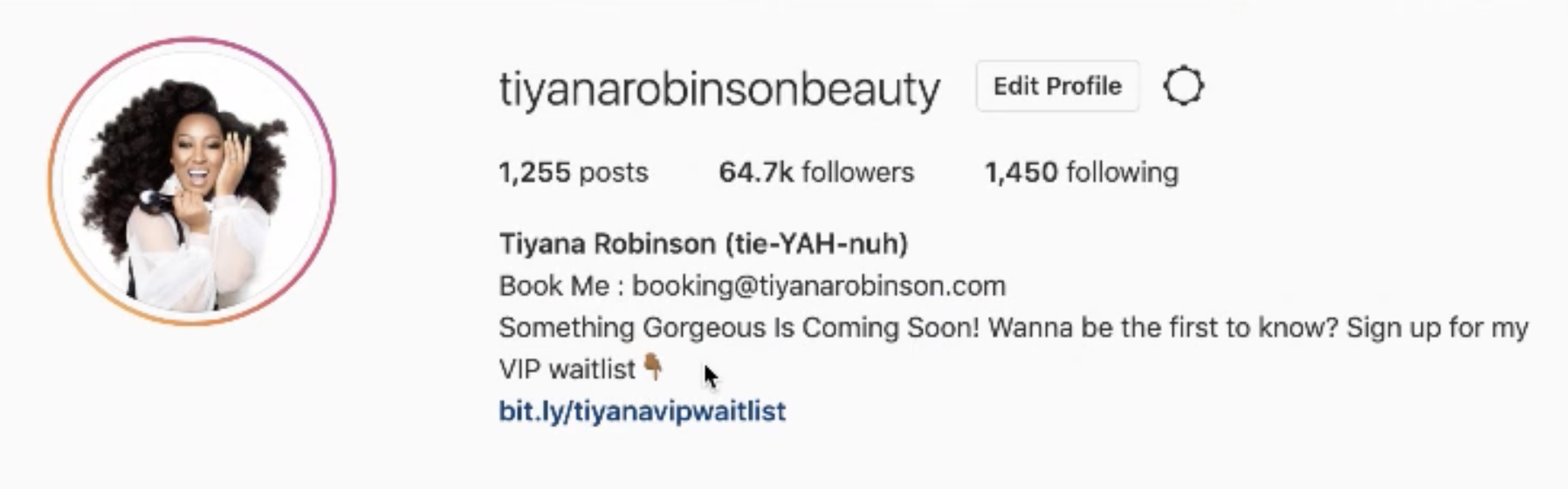
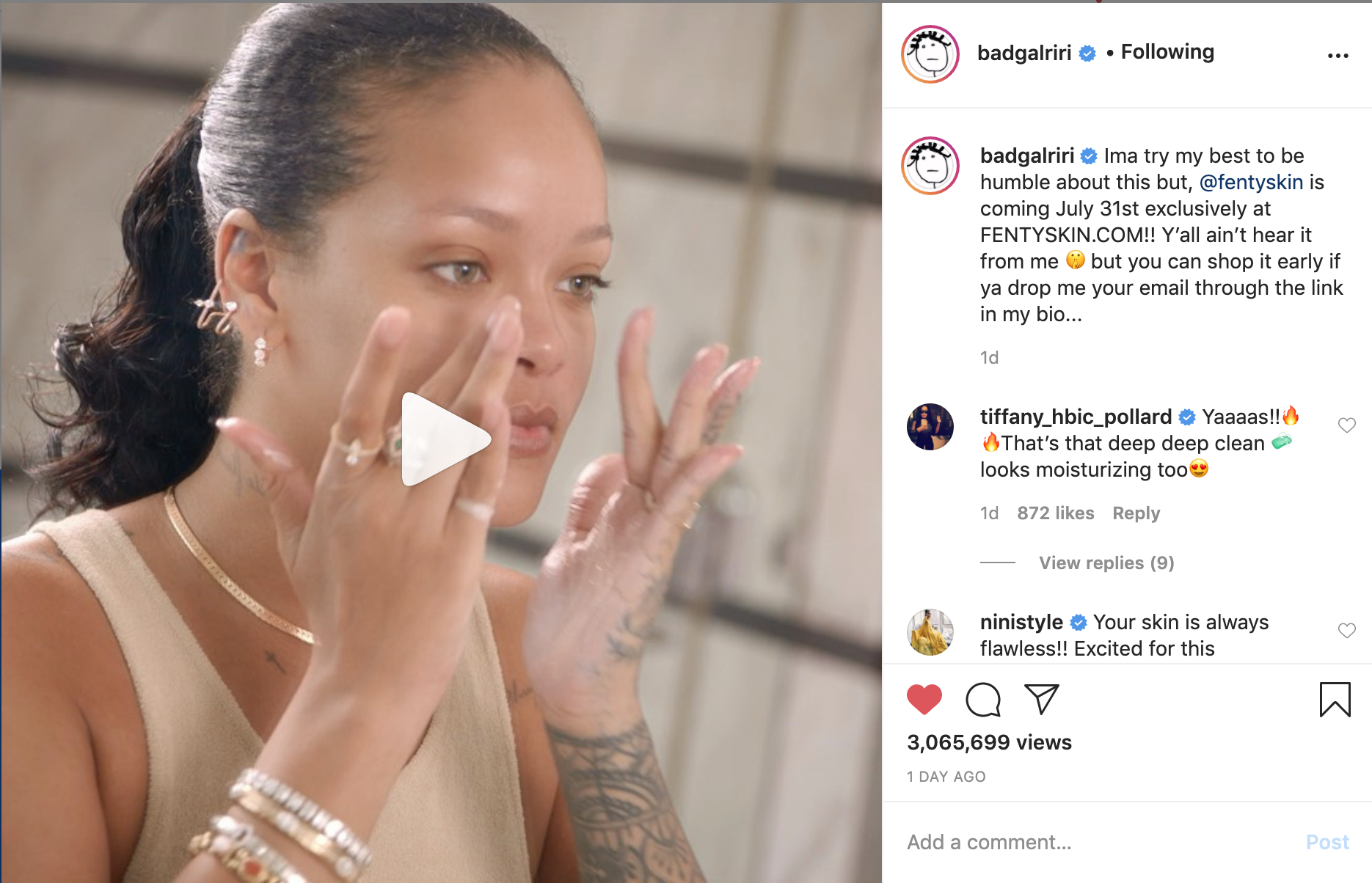
Now that everything is set up, it's time to announce to your audience that something is coming! Let's start with Instagram :
When choosing the photo or video that you're going to use to announce your waitlist, I recommend that you repurpose a piece of content that did really well in the past (i.e. a selfie or photo/video of my work).
However, there are no limits! Feel free to get creative here!
For example, if it resonates with you to post a video but you don't want to re-post a previous piece of content, feel free to record a new video of yourself speaking directly to camera, talking about your waitlist.
Or, you can go live to talk about your waitlist and post the video in your main feed -- the choice is yours!
The most important thing, though, is that you choose (or create) a piece of content that will make your followers stop scrolling and pay attention to what you have to say in the caption or in the video itself!
COMPOSING YOUR CAPTION
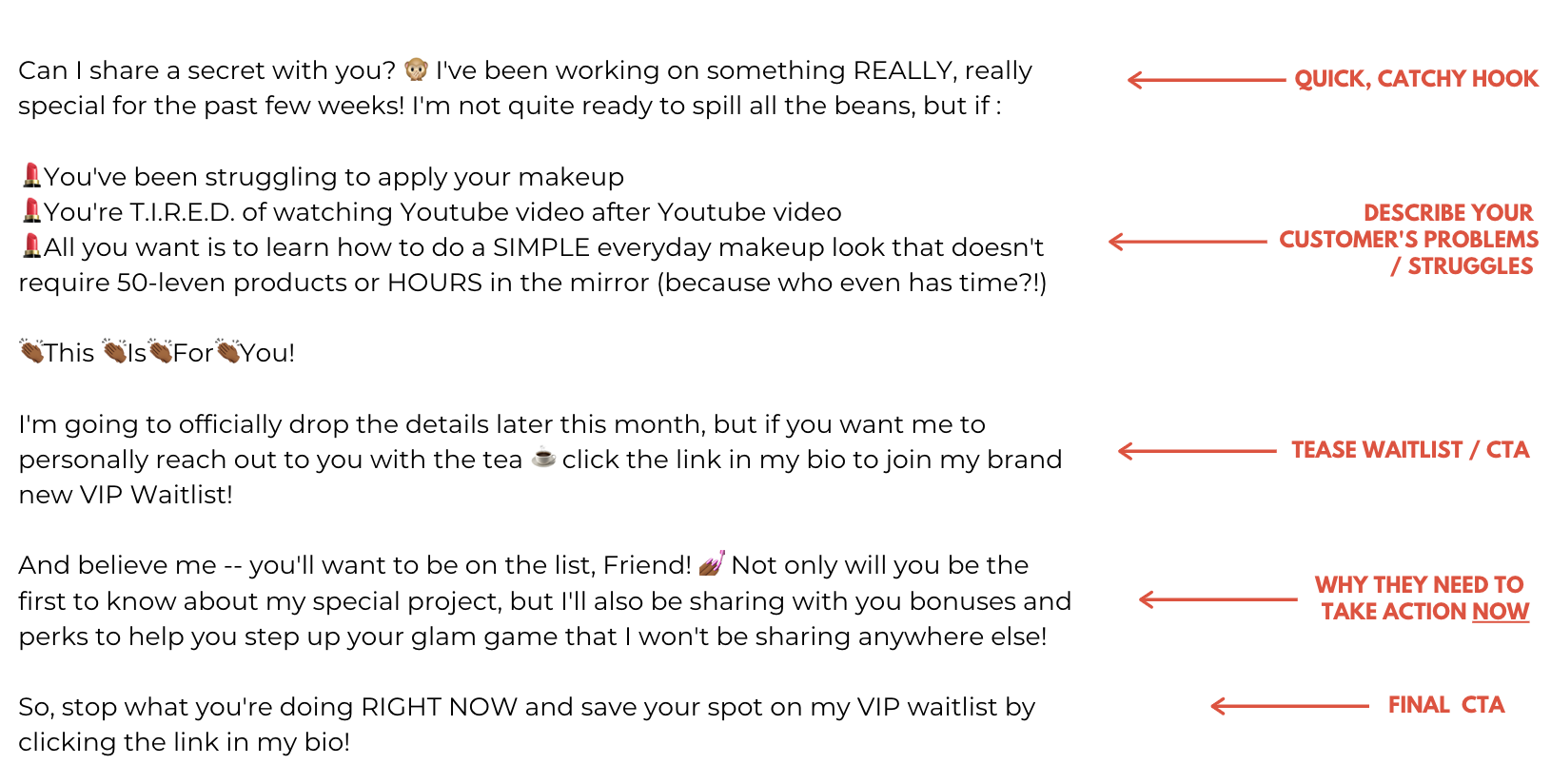
Let me share with you a caption that I might create to announce the waitlist for an upcoming class for everyday women :
Can I share a secret with you? I've been working on something REALLY, really special for the past few weeks! I'm not quite ready to spill all the beans, but if :
You've been struggling to apply your makeup
You're T.I.R.E.D. of watching Youtube video after Youtube video
All you want is to learn how to do a SIMPLE everyday makeup look that doesn't require 50-leven products or HOURS in the mirror (because who even has time?!)
This IsForYou!
I'm going to officially drop the details later this month, but if you want me to personally reach out to you with the tea ☕️click the link in my bio to join my brand new VIP Waitlist!
And believe me -- you'll want to be on the list, Friend! Not only will you be the first to know about my special project, but I'll also be sharing with you bonuses and perks to help you step up your glam game that I won't be sharing anywhere else!
So, stop what you're doing RIGHT NOW and save your spot on my VIP waitlist by clicking the link in my bio!
LET'S BREAK IT DOWN :
1. Begin your caption with a short, catchy hook
Use the first line of your caption to draw people in! Phrases like :
- Can I share a secret with you?
- Can I tell you something?
- I've been keeping a secret!
- Stop your scroll I have something to tell you!
Are a great way to begin your caption because.... people are nosey! 🙂 They're going to want to know more! Can you think about another hook? TRY IT!
2. Describe your customer's problems, struggles, or pain points
Next, describe the pain points that your offer will address. Be specific! I tend to like to create a bulleted list, using emojis as bullets. This helps to break up your texts, and it keeps your customers' eyes moving downward.
It's important to specifically call out your clients' pain points, because it helps them to say "hey... that's ME!", and further entices them to not only continue reading, but it increases the likelihood that they'll click the link to sign up!
3. Tease your waitlist + include a call to action (CTA) for people to sign up
Now, you want to begin "tease" that the details are coming soon, then follow that with a CTA for them to click the link in your bio to join your waitlist.
4. Give reason for why they need to take action and join your waitlist
**This is important** Whenever you ask people to take an action, you must tell them why! What's in it for them?
Will they be the first to know? Will they get special access? Will they get extra bonuses or a discount that no one else will get?
People don't take action unless it's worth their while, so you need to specifically tell them why they should stop what they're doing and sign up for your waitlist!
5. End with one final CTA to click the link in your bio and join your waitlist
In addition to posting your waitlist announcement in your main feed, you also want to post in your IG stories, on your FB personal page, and your FB business page (if you have one). The intention is to cast the widest net by sharing your waitlist on ALL of your platforms!