“LSI keywords” is really just a technical term form “related keywords” and while there is much debate about how useful they are for optimizing content…
…they are a great source to find related keywords we can use to build internal links!
For example, if we take the keyword ‘product launch formula’…
An LSI keyword could be:
- ‘product launches’
- ‘launching a product’
- ‘how to launch a product’
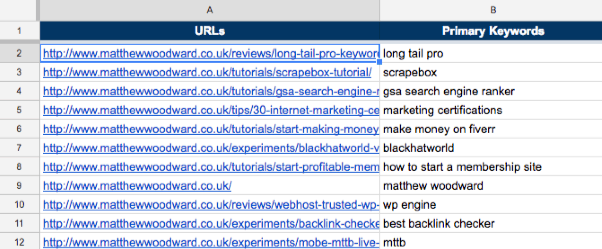
And because you’ve already got a list of keywords for each of your URLs…
Finding LSI keywords should be a breeze!
Start by brainstorming related keywords. Add them to your spreadsheet.
Still, brainstorming will only get you so far. So here are a couple of other methods:
How To Find LSI Keywords With Google
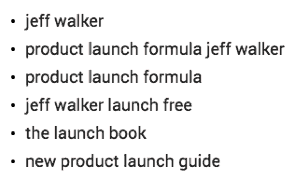
Copy one of the keywords from your Google Sheet and paste it into Google.
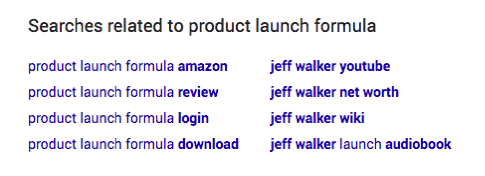
Scroll to the bottom of the results page and you should see a list of related searches.
Copy relevant keywords into the LSI Keywords column in your Google Sheet
Note: not all keywords will be relevant, so be picky!
Rinse and repeat for the rest of the keywords (and for all the URLs) on your list.
How To Find LSI Keywords With LSIGraph.com
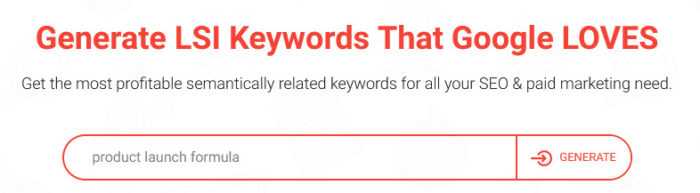
To find LSI keywords easily you can use LSIGraph…
Go to LSIGraph.com and paste in a keyword from your spreadsheet.
Then click Generate.
It should then find and kick back a bunch of LSI keywords.
Add any relevant ones to the LSI Keywords column in your spreadsheet.
Then repeat for each keyword on your list.