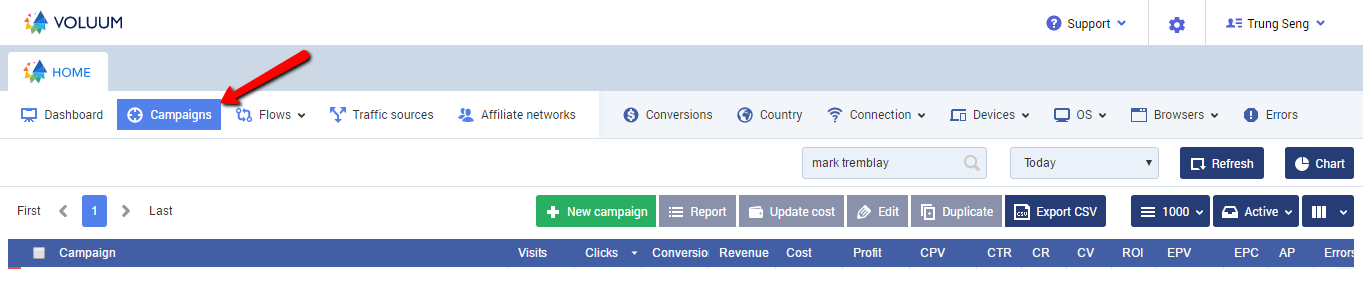
Look for the Campaign to optimise. Set the Variables.
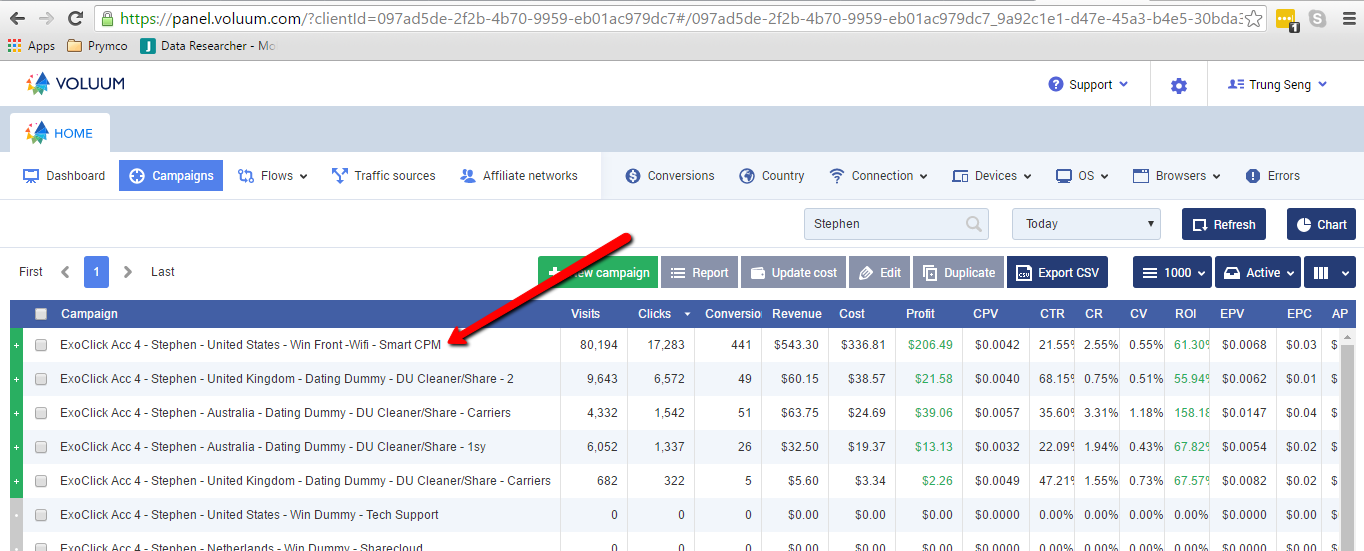
Using the search option, look for the Account you need to optimise. eg: Stephen. All of Stephen's campaigns will show up.
Double click on the campaign to optimise.
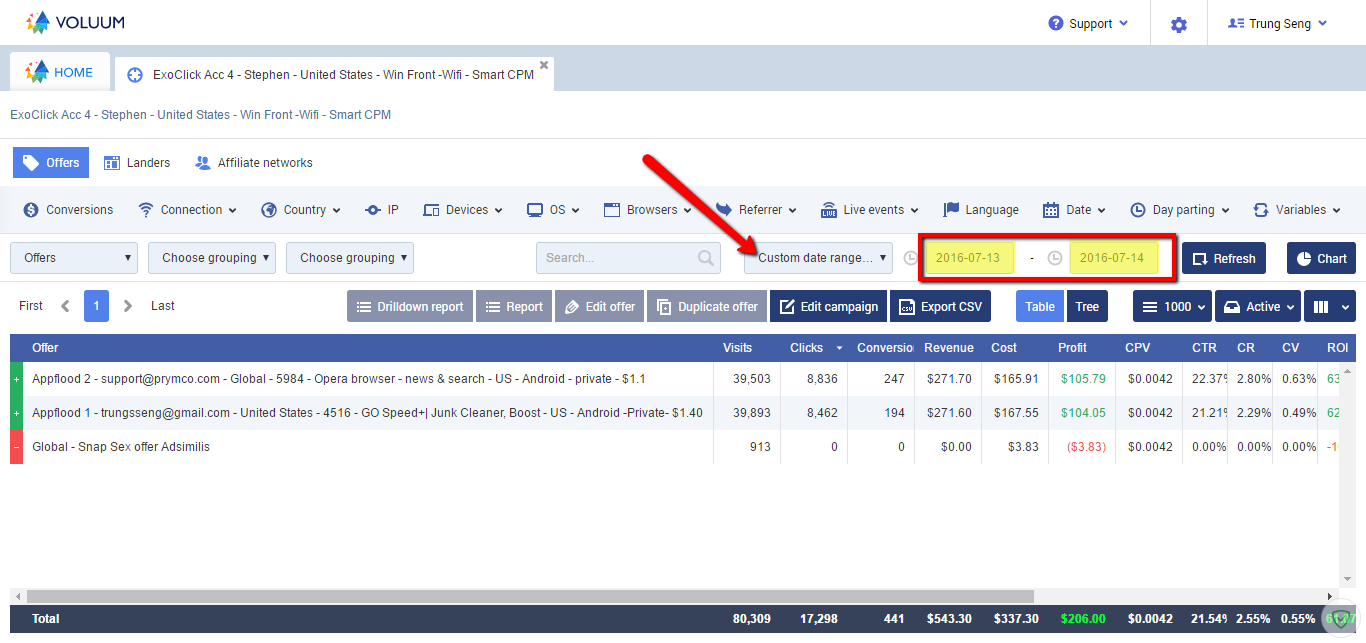
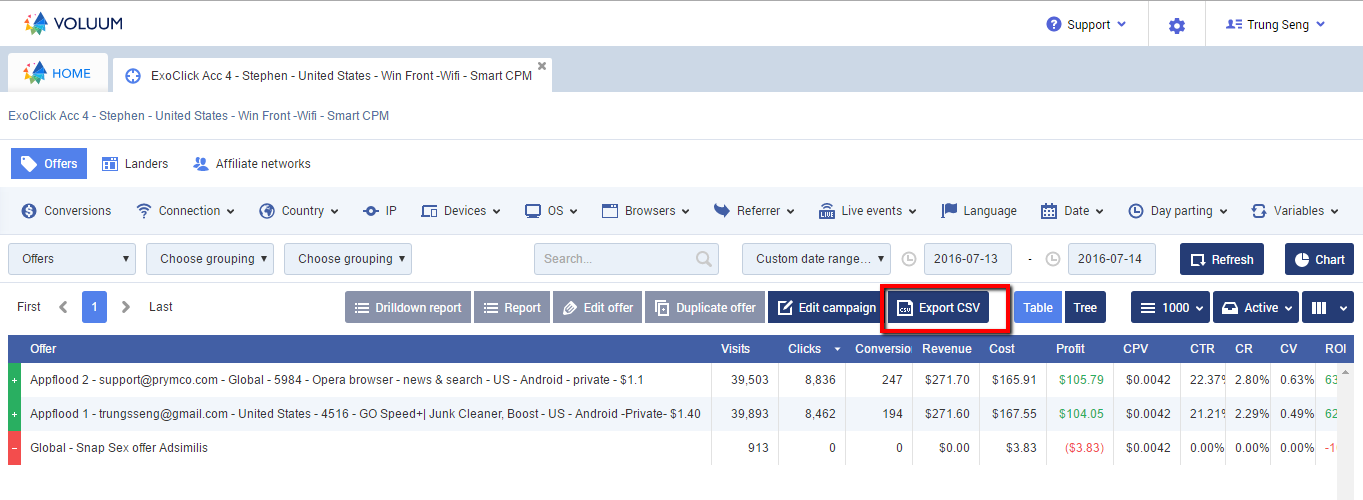
The campaign will open in a new tab. Click on the date range you want to optimise. eg: custom date range. Set the start and end date.
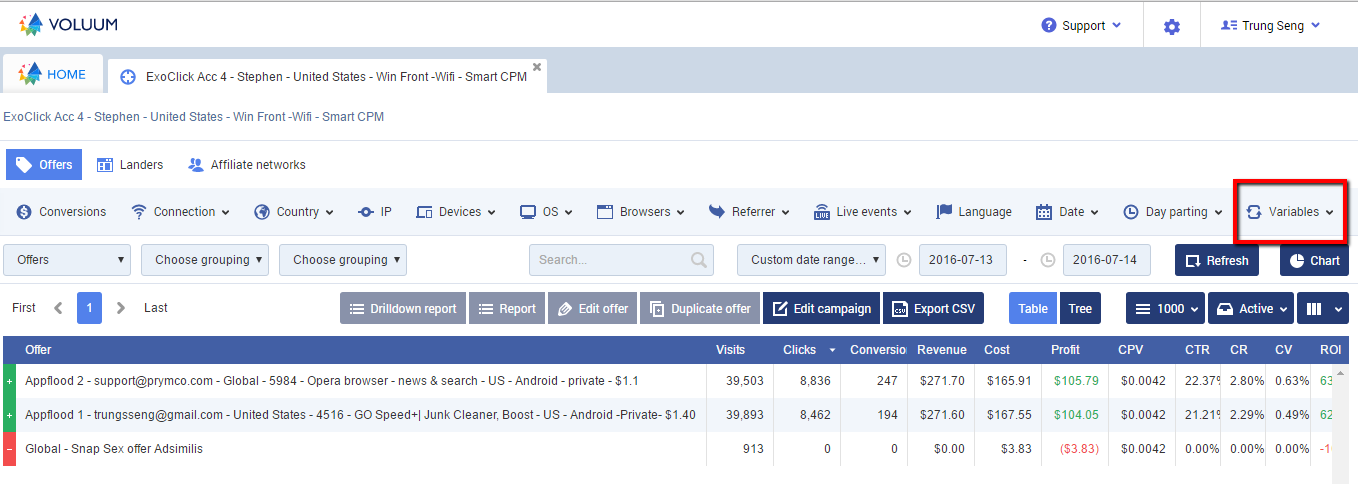
Click Variables and choose V3:Domain. The sites will show up.
Export CSV
Click Export CSV.
Rules:
1. All visits above 30, 0 clicks.
2. All visits above 30, more than 1 click, 0 conversions and less profit. (profit = Pay-out x -3)
3. All with more than 1 click, more than 1 conversion, less profit and EPV.
Filter the sites to Block. (1)
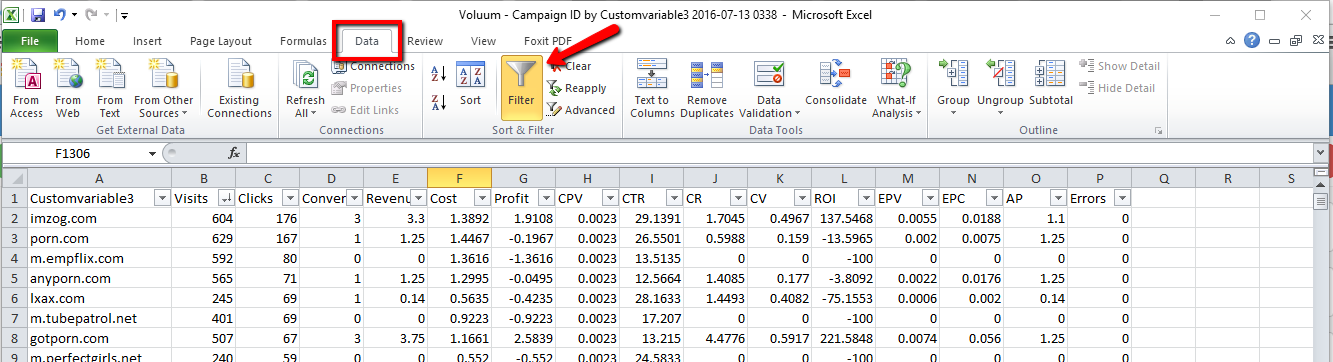
An Excel Sheet will be downloaded. Open the Excel.
On the Data Tab, Click Filter.
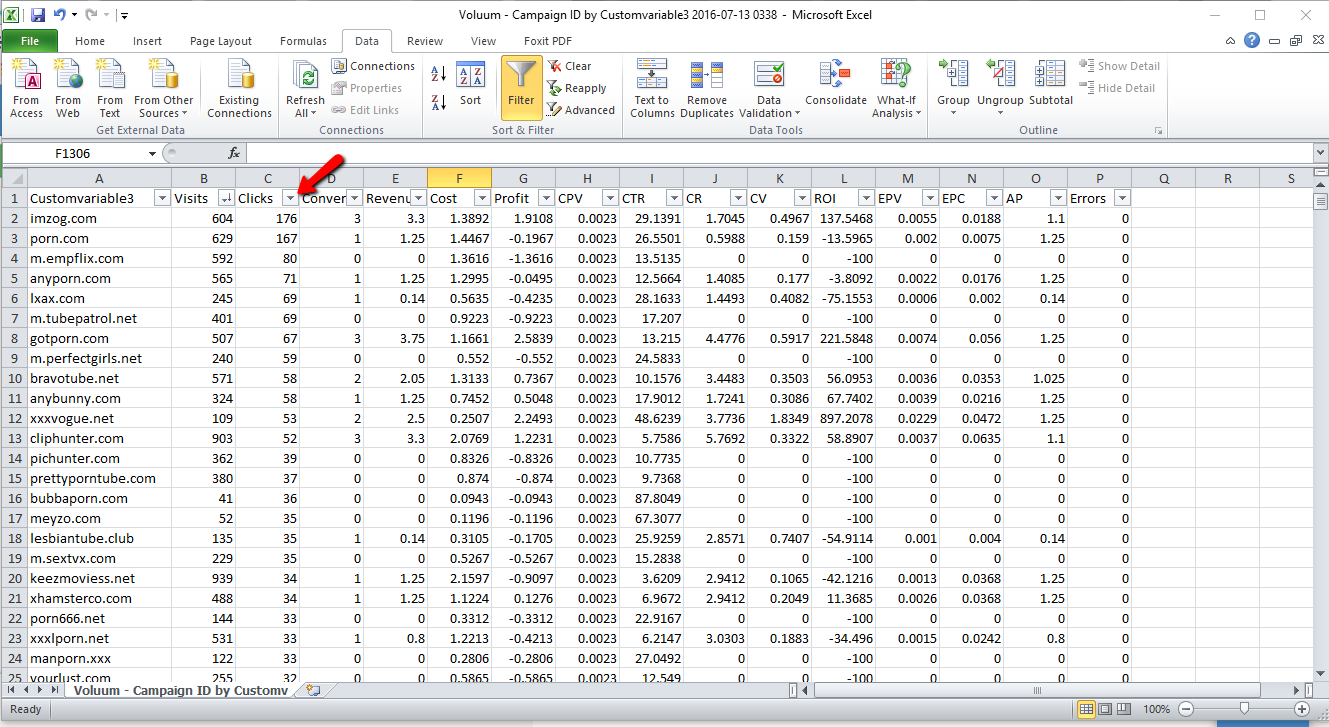
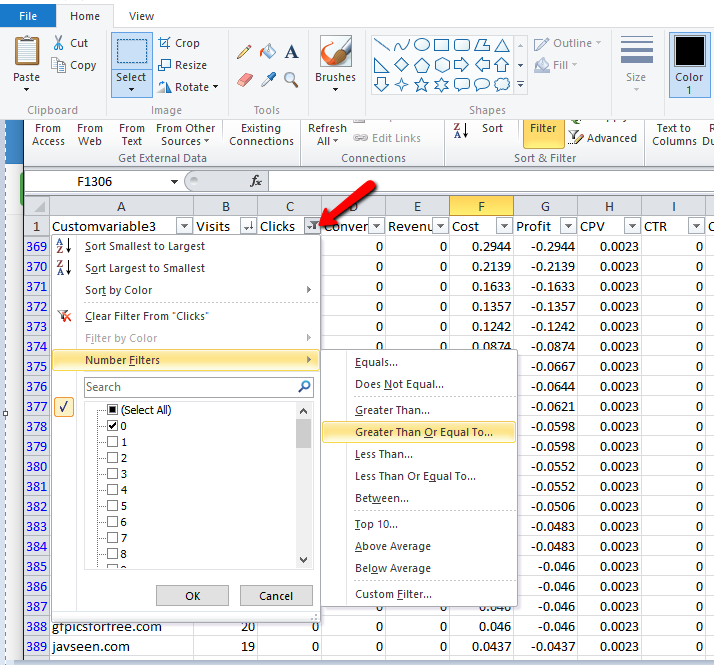
Click the arrow button beside clicks.
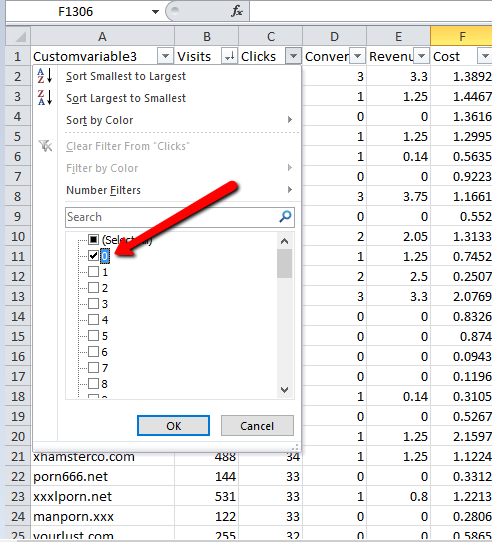
Deselect all and tick 0.
Copy all sites with above 30 visits and paste on the notepad.
Filter the sites to Block (2)
Click the arrow besides click again, choose Number Filters, choose Greater Than or Equal To. Type 1. Click ok.
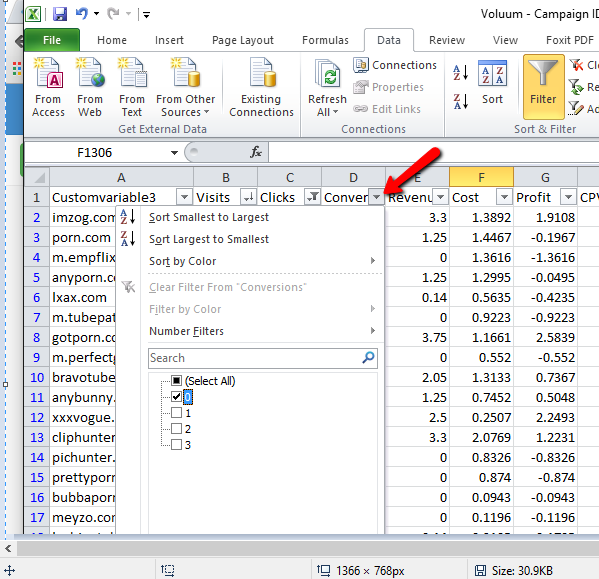
Click the arrow beside Conversions. Deselect all and tick 0.
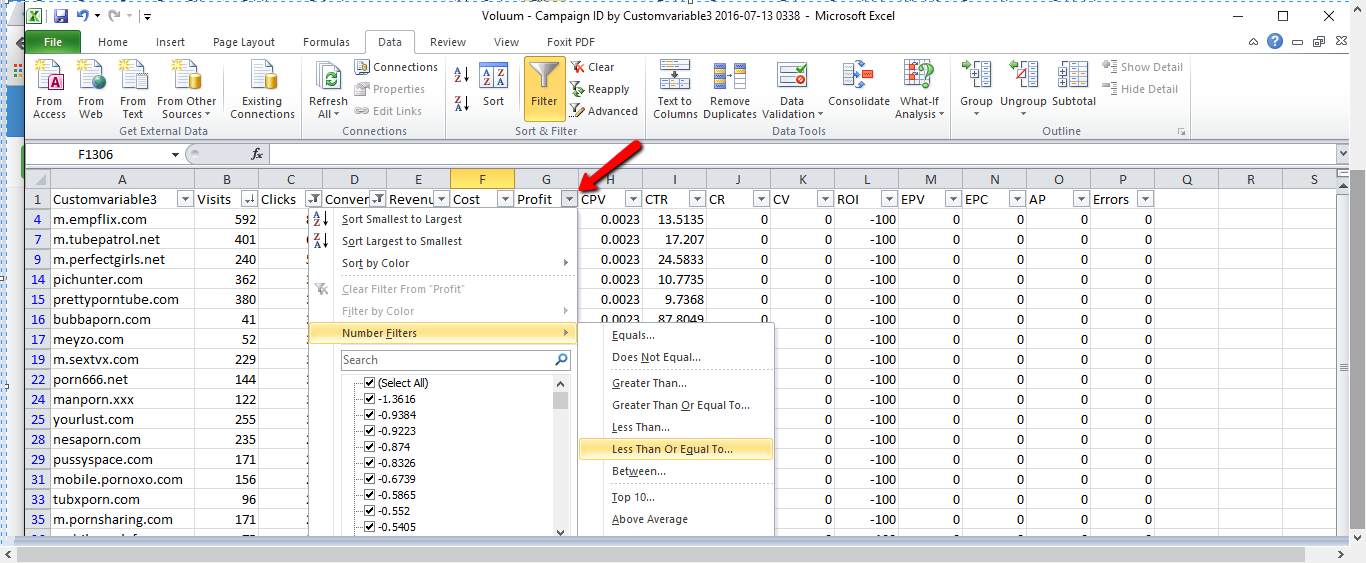
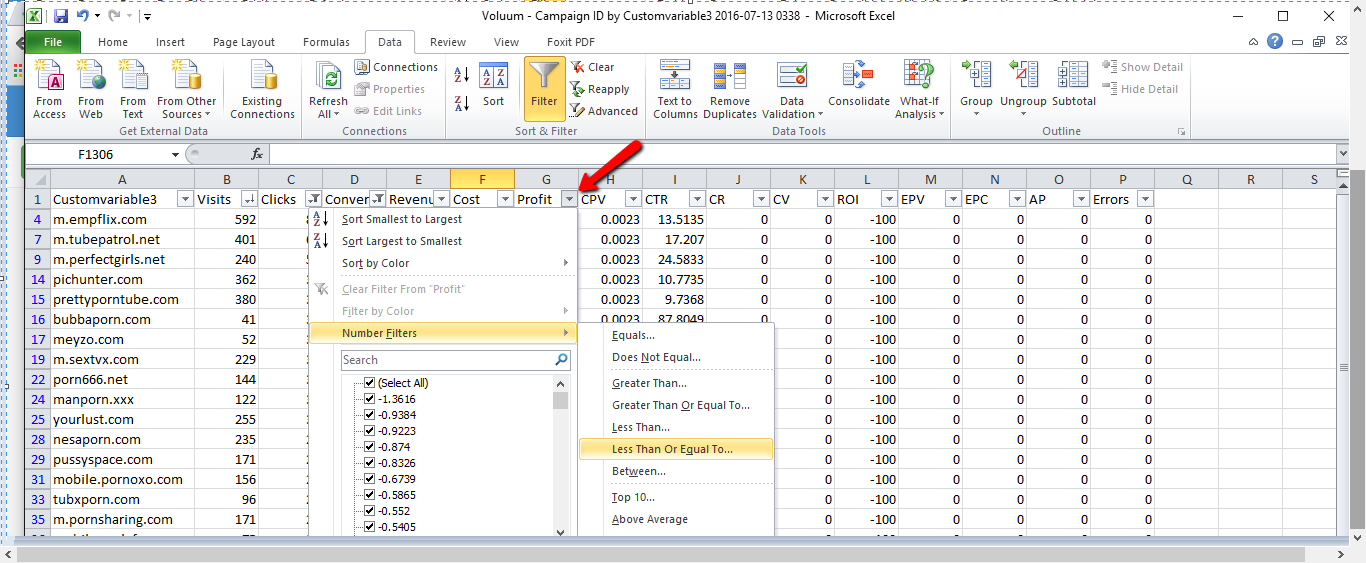
Click on the arrow button beside profit, choose Number Filter, choose Less than or Equal to. Type the amount (pay-out x -3). Click OK **Note: Check Voluum for pay-out amount and multiply it by -3.
Copy the sites with more than 30 visits and paste/add to the list on Notepad.
Filter the sites to Block (3)
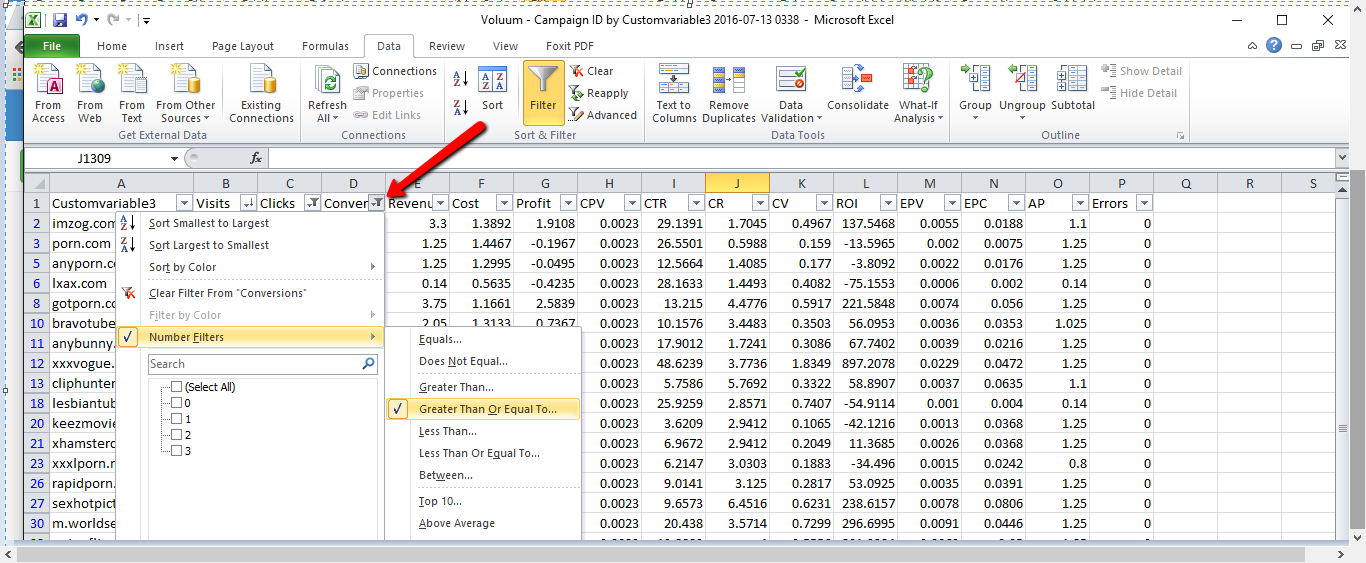
Click on conversion, choose Number Filters, choose Greater Than or Equal To. Type 1. Click OK.
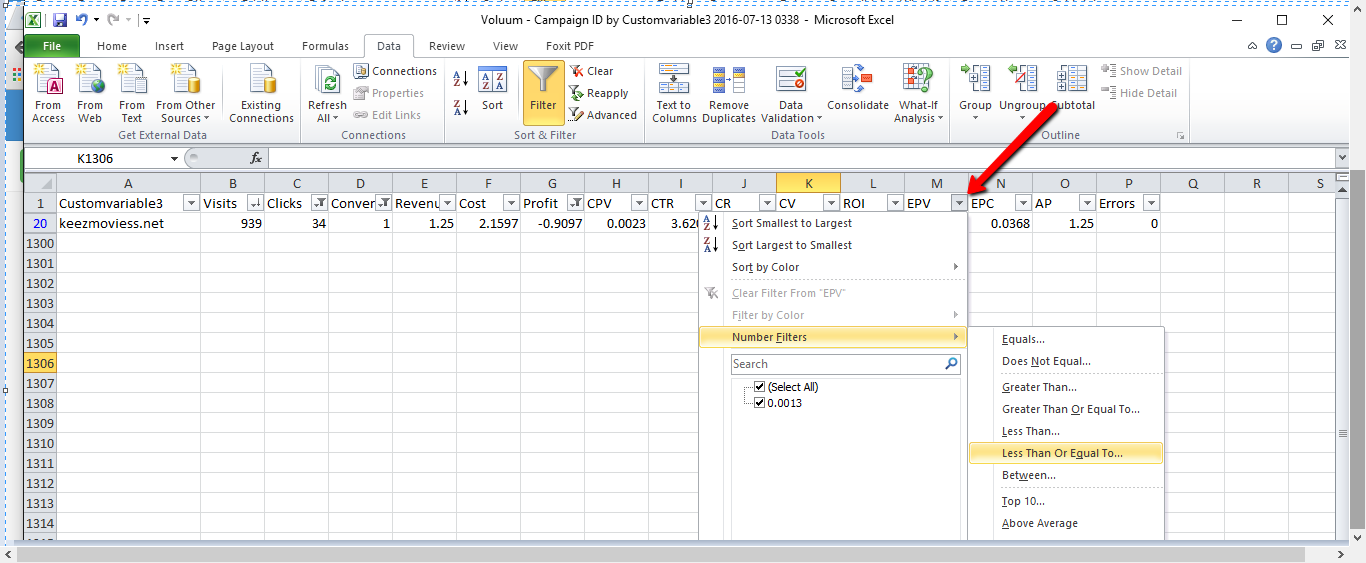
Click the arrow for EPV, choose number filters, choose less than or Equal To. Type the CPV amount. Click OK. **Note: CPV = eCPM/1000. eCPM is found on exoclick.
Filter profit again.
Copy the sites and add to the list on Notepad.
**Note: doublecheck the cost on Exoclick to verify the profit.
Adding (-) on the sites to block
Copy and paste the sites on Notepad ++ or Sublime
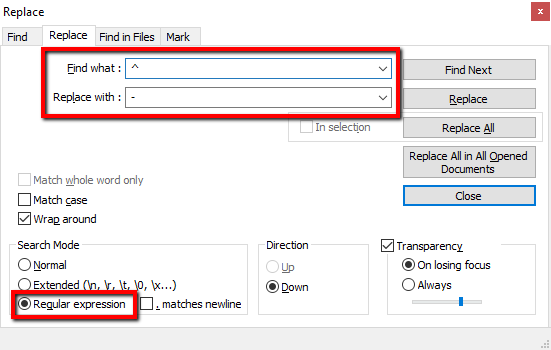
For Notepad++: Press Ctrl +H.
Type ^ in Find what and - in Replace with. Make sure the regular expression is ticked. Click Replace All.
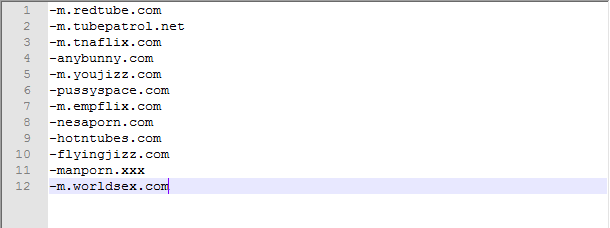
It should look like this.
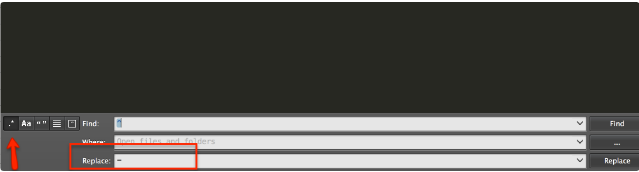
For Sublime: Press Command+Shift+F.
Type - in Replace.
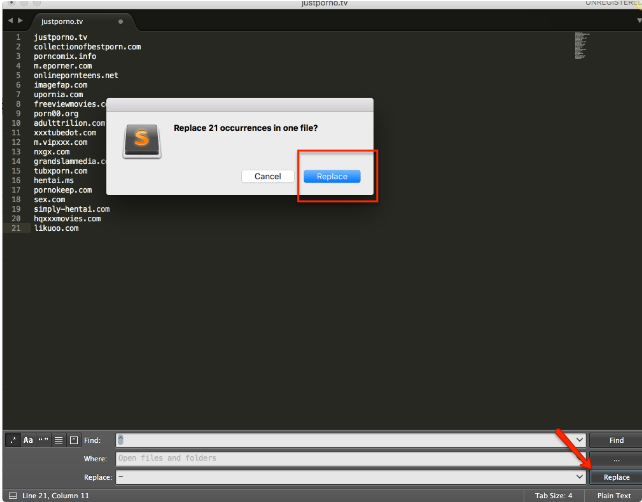
Click Replace.
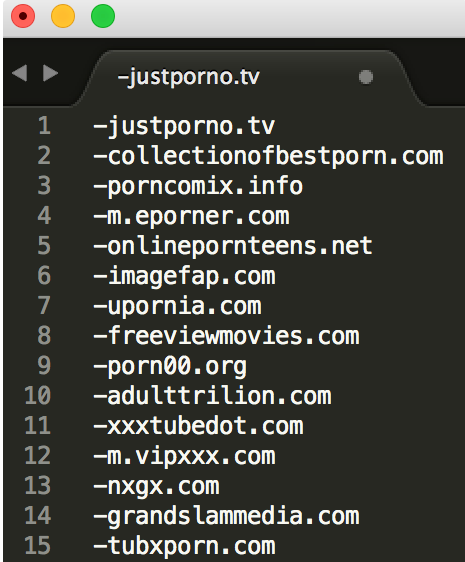
It should look like this.
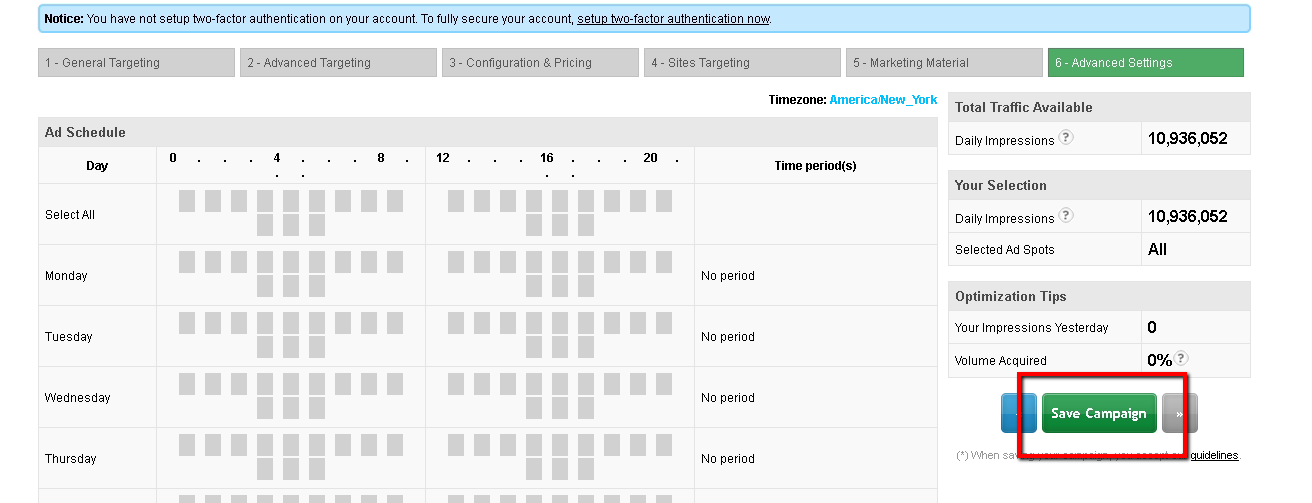
Copy the sites to block and paste in exoclick.
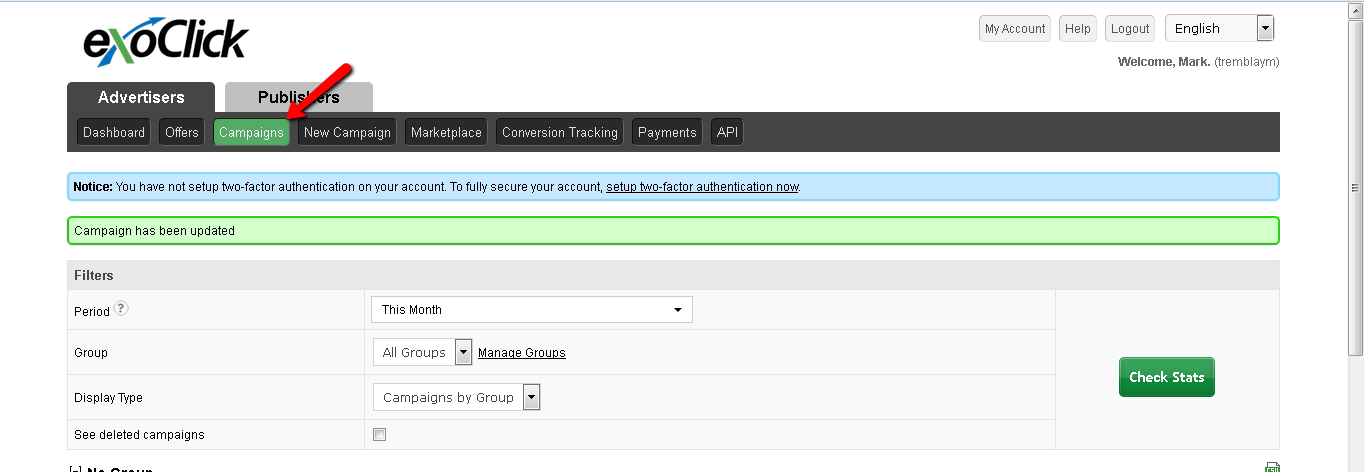
Click Campaigns.
Look for the campaign you are optimising and click on the edit icon.
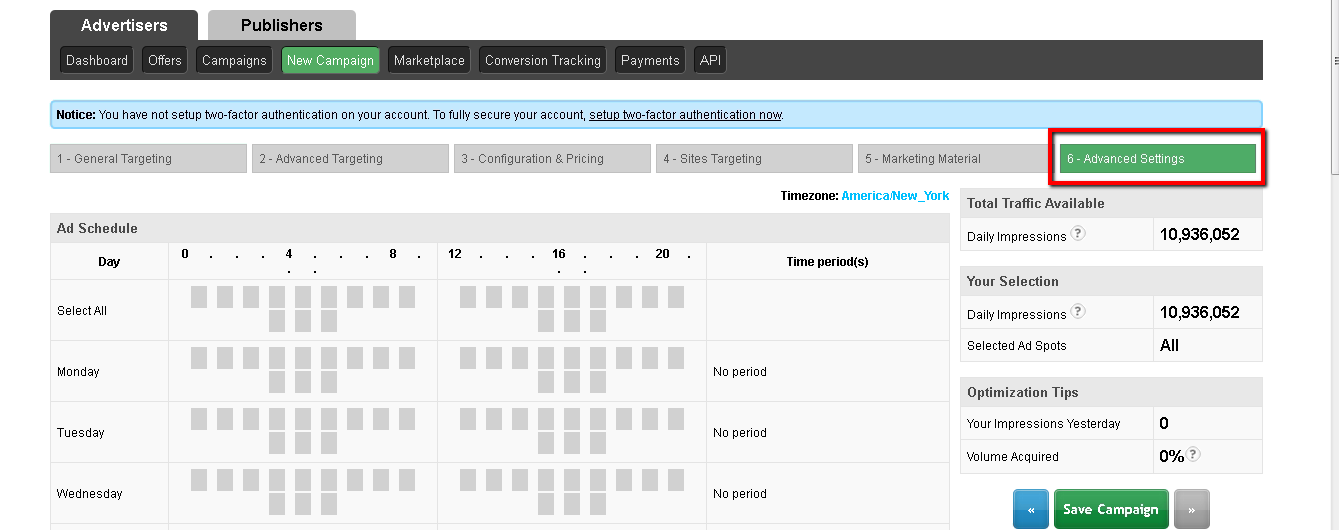
Click on the 6-Advance Settings
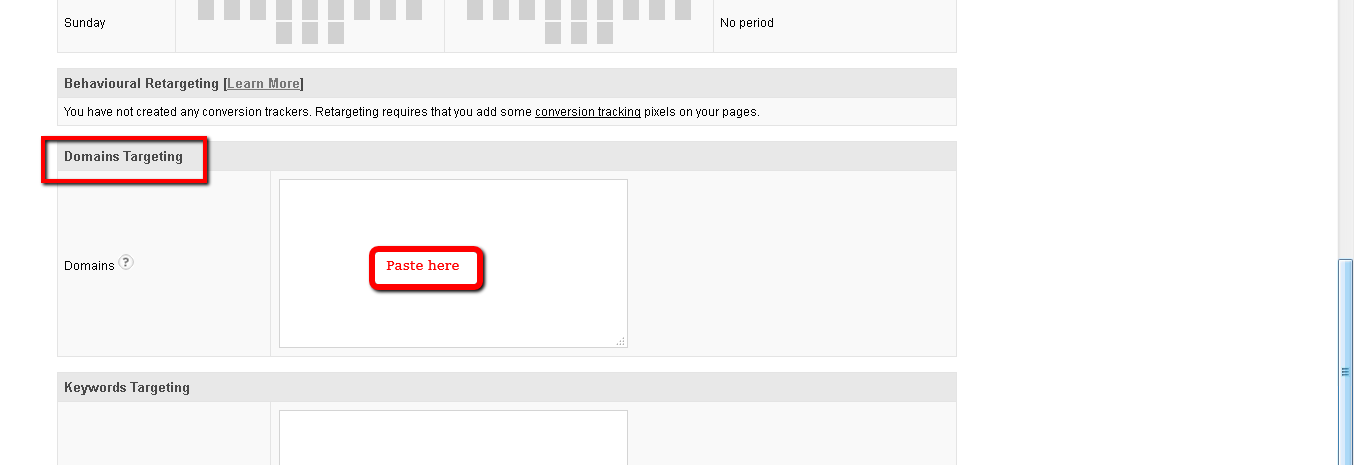
Go to Domain Targeting and paste the sites to be blocked.
Optional cookies and similar technologies support analytics, advertising and visitor identification, and embedded content. Change or withdraw consent in Cookie settings. Cookie policy.