Device Set Up Procedure – Using Your Own Android Phone/Tablet Device
Device Set Up Procedure – Using Your Own Android Phone/Tablet Device
1
Installation on Android Devices:
2
Connect to Wifi (Where possible)
3
Download The App
4
Install the app, perform steps outlined in the video
5
Open the app
6
Install "Crosswalk" app if prompted to do so
7
Scan QR Barcode or enter system URL
8
Hit green "SAVE" button when it appears
9
Login with username and password
Installation on Android Devices:
Connect to Wifi (Where possible)
It will be a good idea to connect to WiFi if possible, you’re about to download an app that will be between 50mb-100mb
Download The App
You can find the VM App in many places:
1) Clicking this link to take you straight to the Google Play Store
2) Going to www.virtualmgr.com/au and scroll to the bottom of the page and click the "Play Store" Button
The Play Store button at the bottom of the virtualmgr.com/au Homepage
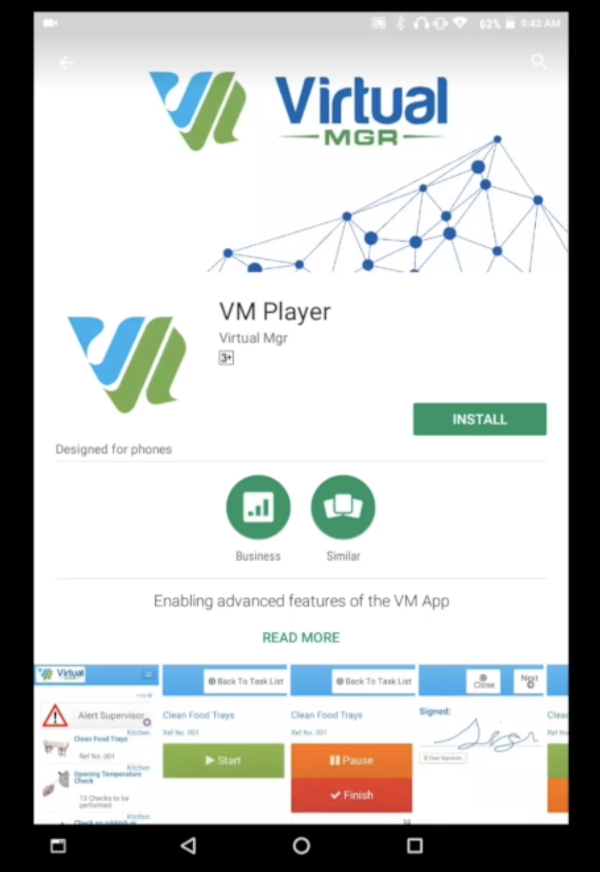
3) Searching "VM Player" on the Google Play Store
Install the app, perform steps outlined in the video
Open the app
Install "Crosswalk" app if prompted to do so
NOTE: Sometimes our clients report that their Android device asks them to install "Crosswalk" at this point of the installation process, please install this extra app and then resume at step 5.
Scan QR Barcode or enter system URL
You'll be asked for a URL or to scan a barcode, your barcode has been emailed to you independently, or you can type in "yourcustomURL.getsmartcleaner.org" (no "www" or "http://"). Your custom URL has been emailed to you upon setting up your system.
Optional cookies and similar technologies support analytics, advertising and visitor identification, and embedded content. Change or withdraw consent in Cookie settings. Cookie policy.