What is Process Street?
Request a demo
Share
Copy link
Edit
in
Process Street
Templates
/
IS Prospects and ROI
Uncategorized
IS Prospects and ROI
1
Introduction
2
To search contacts by their lead source
3
Perfect example of report
Introduction
1
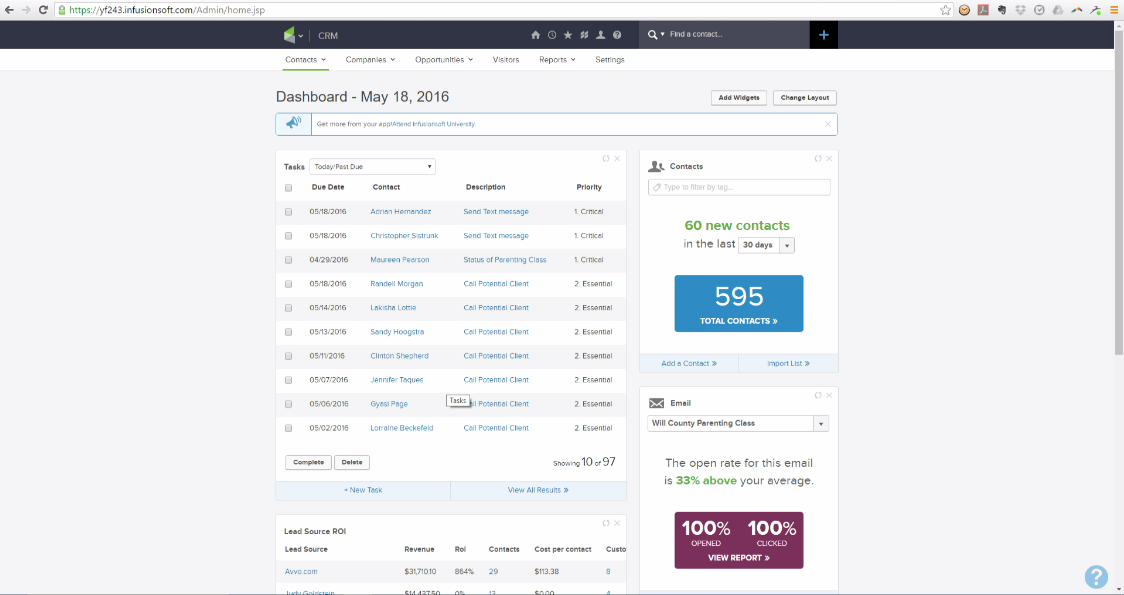
This is Brian's home screen and it includes his well over due task.
1
This process is about how lead source ROI track in a simple and easy way.
To search contacts by their lead source
1
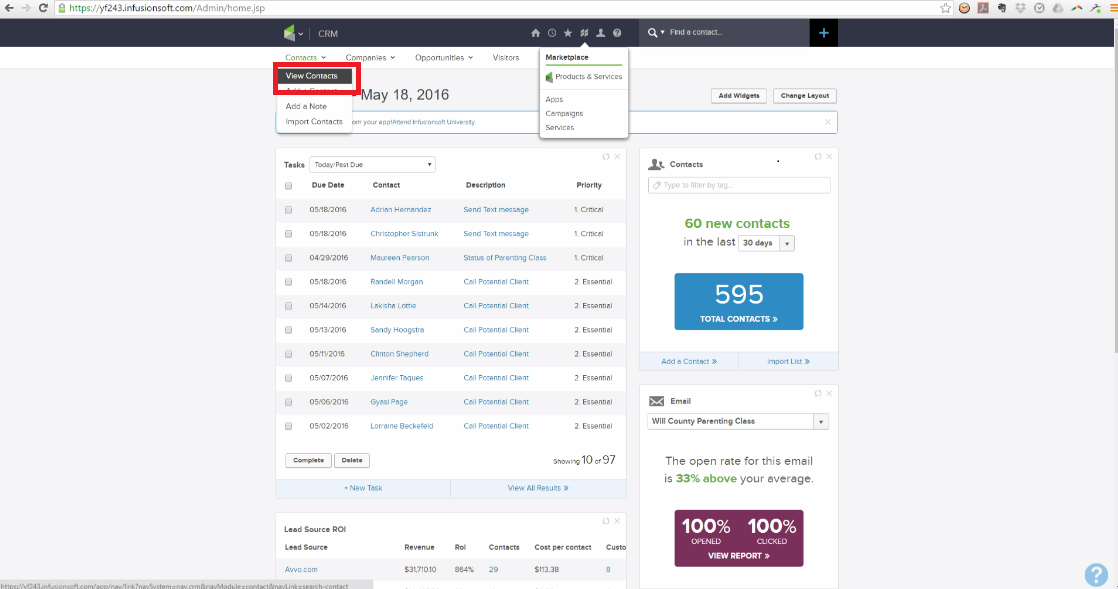
Click contact.
2
Find the view contact.
1
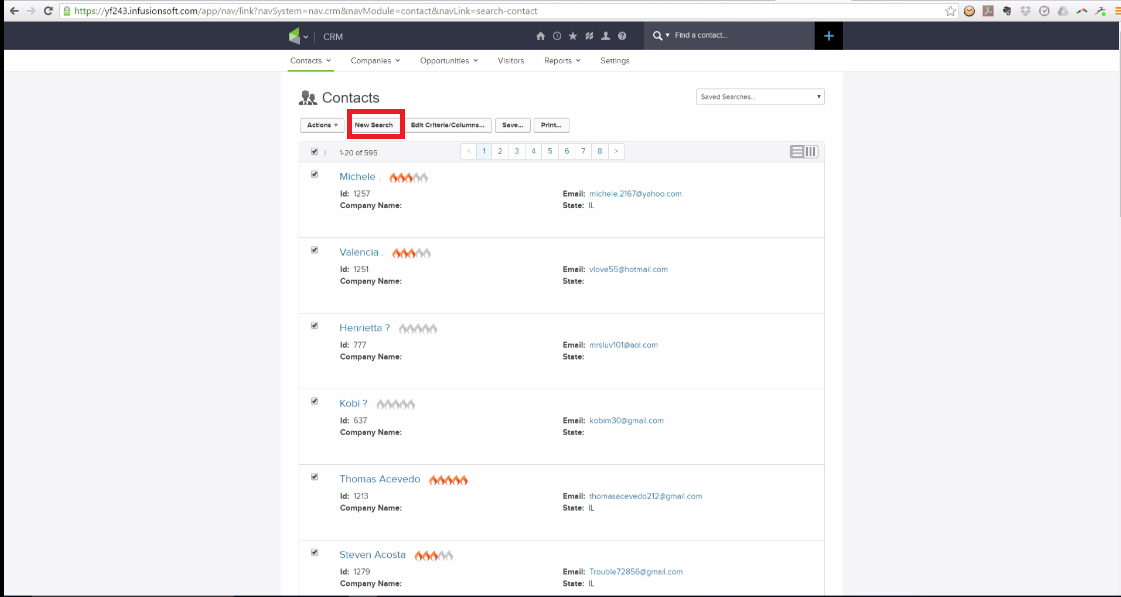
Click the new search.
1
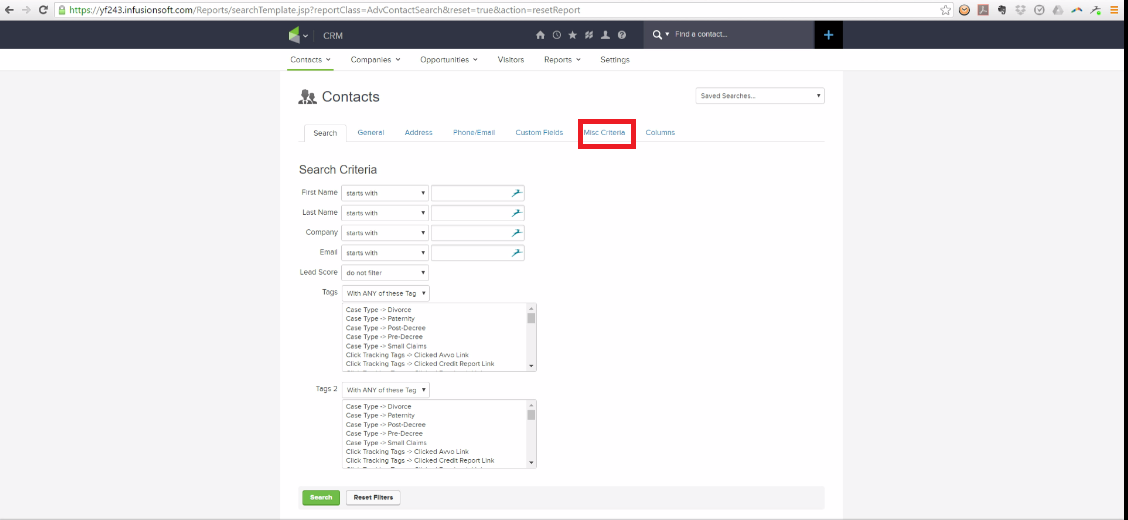
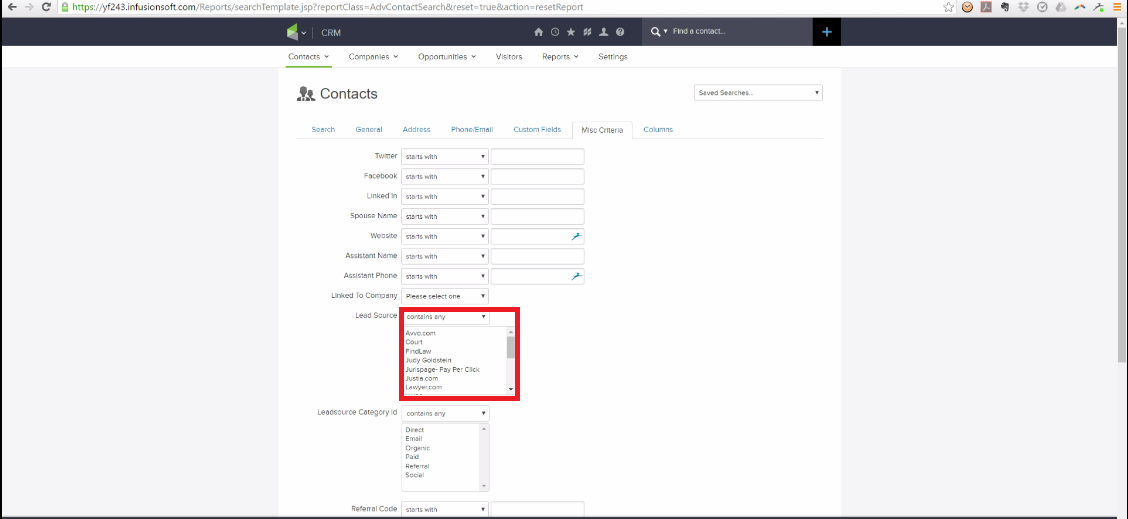
Click the miscellaneous criteria or misc criteria.
1
Choose the lead source that your are looking for or you want to search.
1
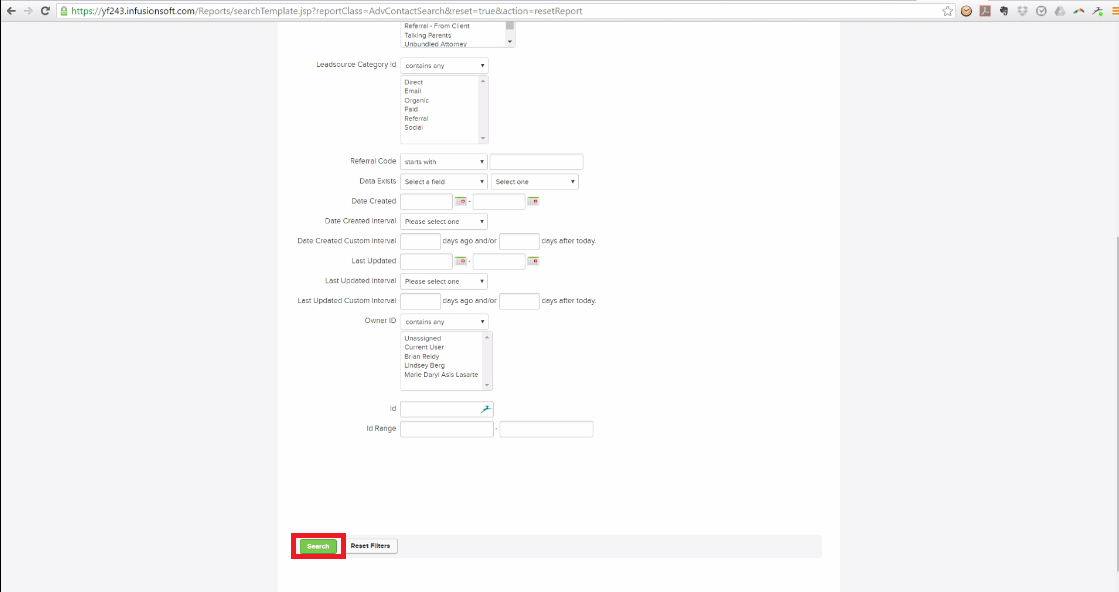
Then click search.
1
Then the contacts under the lead source that you've search will appear.
2
You will get the total number of lead source and how many appointments are set.
Perfect example of report
1
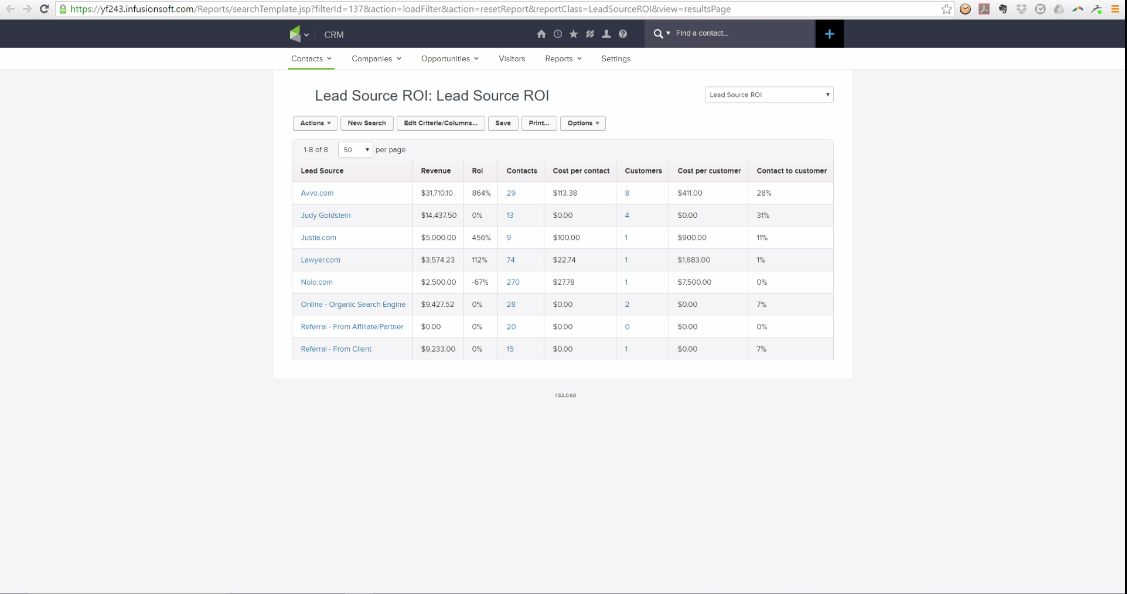
You will see lead source, revenue, cost per contact and how many became costumers. This is the perfect report what Brian wants to look like.
2
Brian wants to know how many sets of appointments and became appointments but he wants to see where it came from.
3
All numbers are not up to date and Brian will put how much money are spent in different places.
Browse all templates
Edit in Process Street
Stay updated—subscribe to our blog!
More templates like this
Payroll Processing – User Guide
PROCEDURE PAYROLL PROCESSING-TSHEETS &QB-Payroll Processing
How to Build a Process from Resources (Copy)
2. Entrega de proyecto
12 Month Maintenance Schedule
Resource Based Economy Transition Team Support
View all Uncategorized templates