What is Process Street?
Request a demo
Share
Copy link
Edit
in
Process Street
Templates
/
Lexicata-CC
Uncategorized
Lexicata-CC
Lexicata-CC
1
Introduction
2
Sending by CC on Lexicata
Introduction
This process is about how to send by CC.
Sending by CC on Lexicata
1
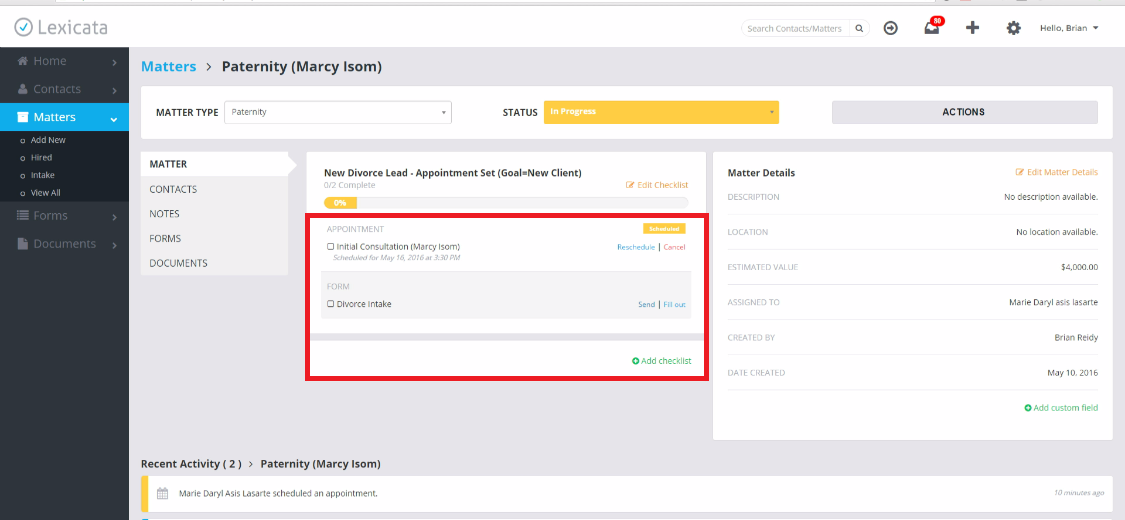
Look at the initial consultation schedule.
2
Click the edit schedule.
1
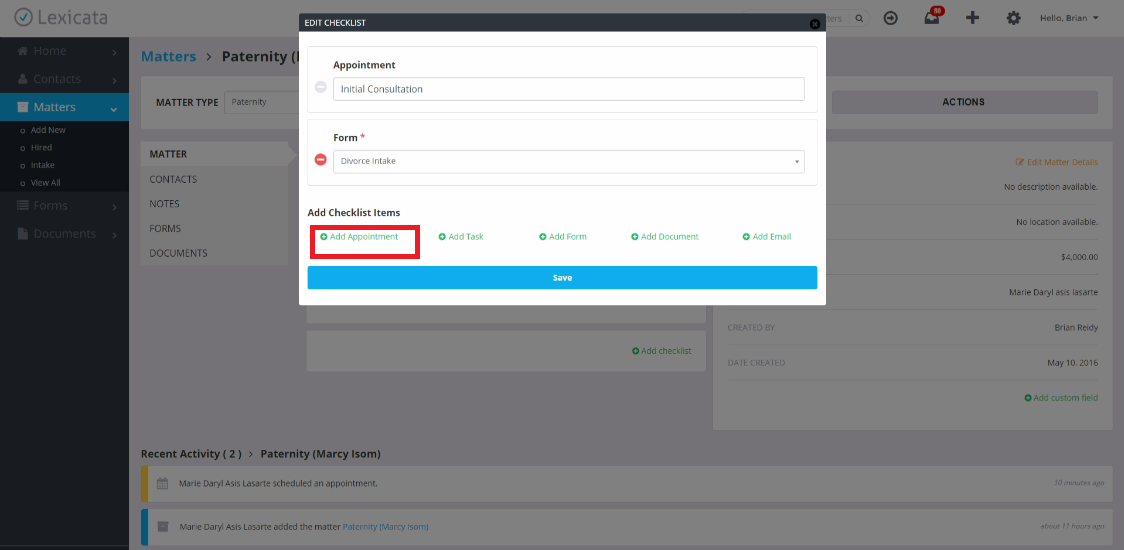
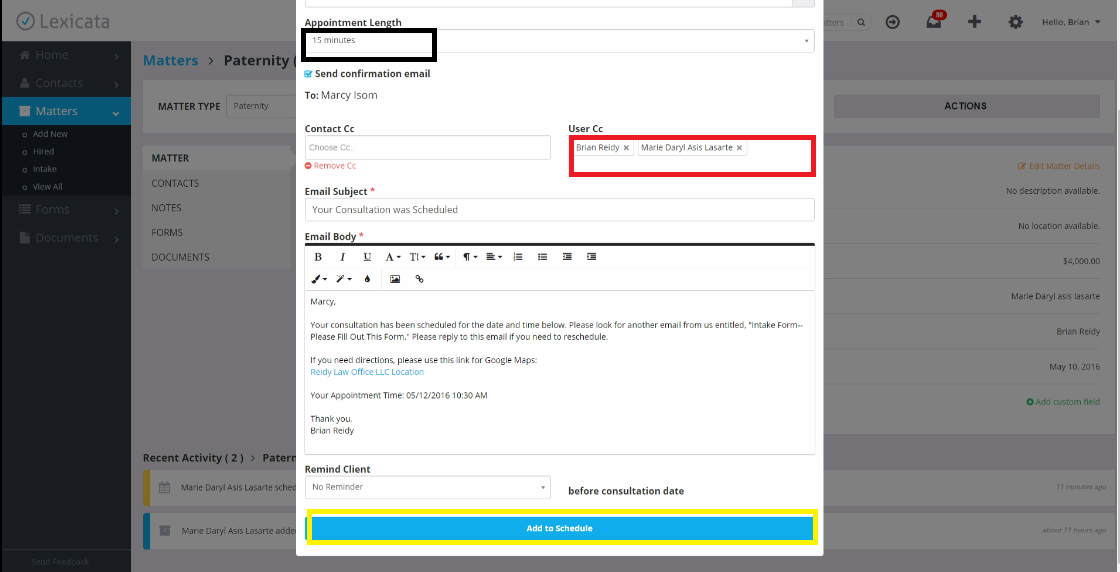
Click add appointment.
1
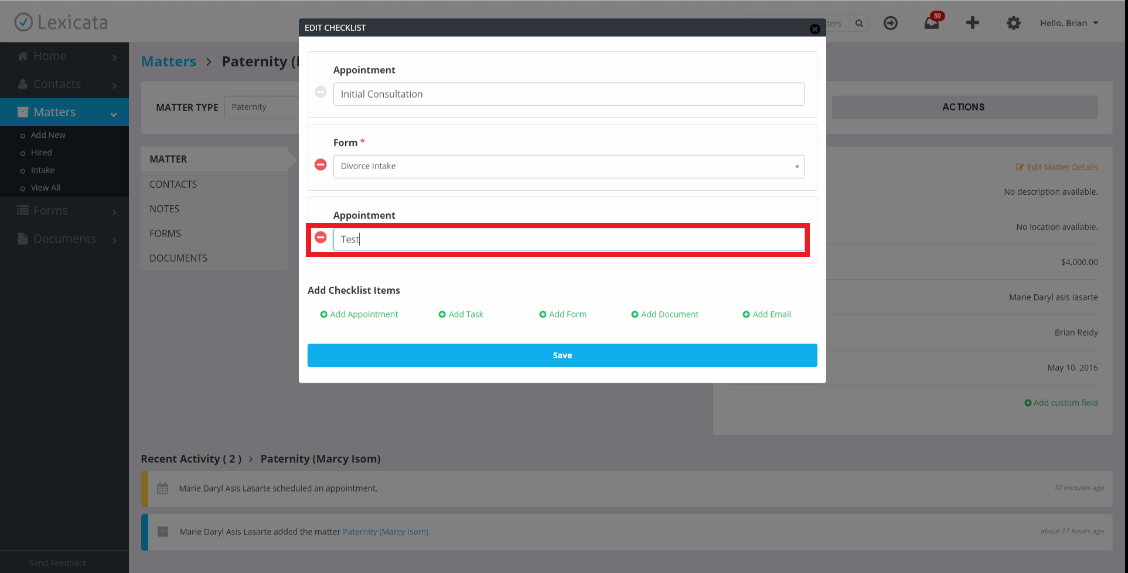
Put the desired appointment.
1
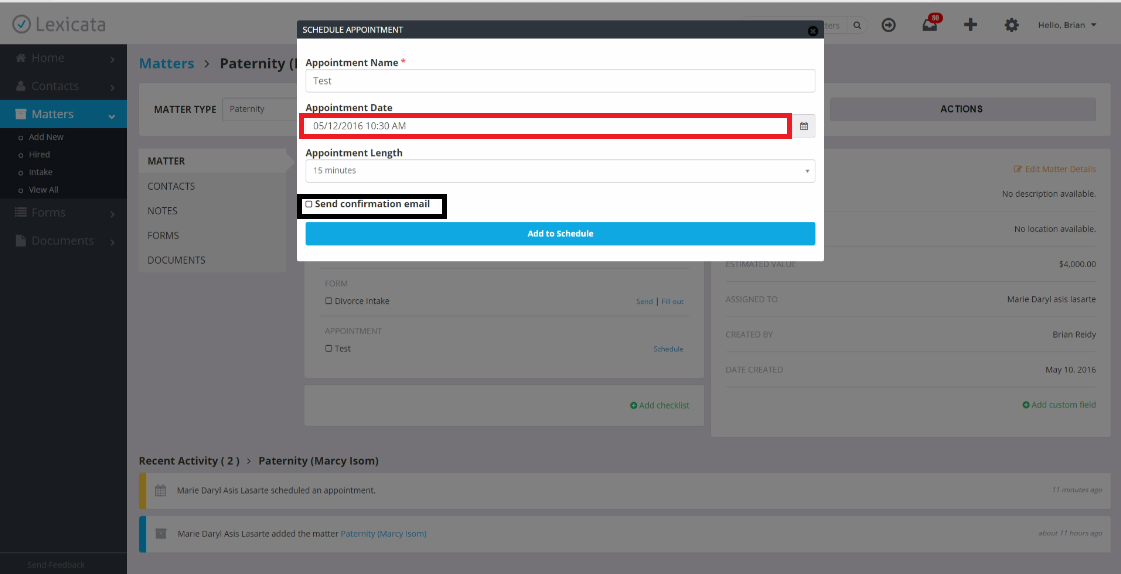
Put the appointment date and time.
2
Check the send confirmation email.
1
Put your name as a user cc
2
Put the desired appointment length of time.
3
Add the scheduled appointment.
1
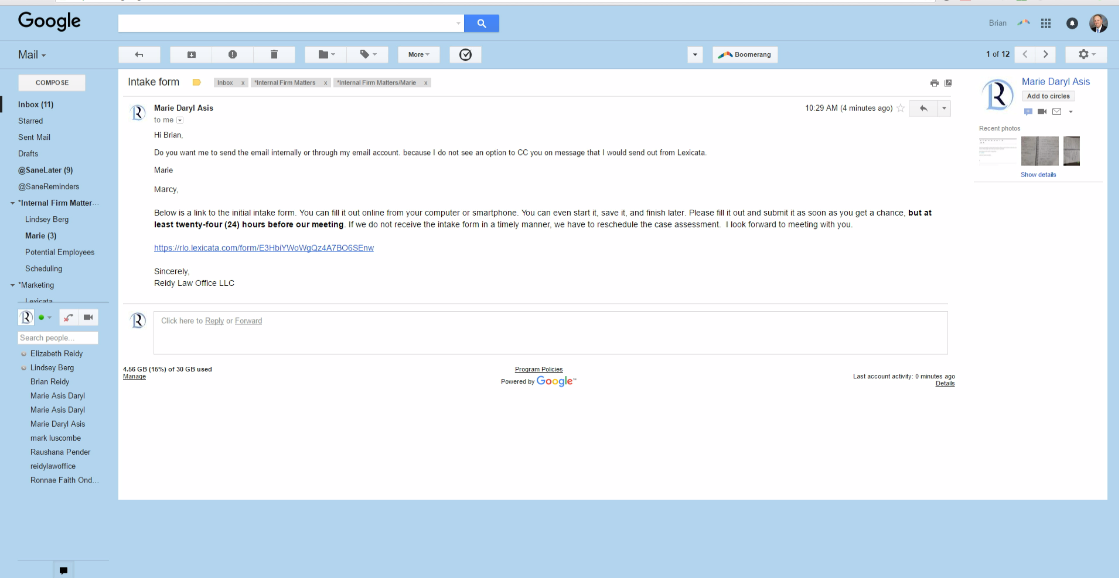
To make sure that it's already done or sent kindly check your email.
Browse all templates
Edit in Process Street
Stay updated—subscribe to our blog!
More templates like this
Payroll Processing – User Guide
PROCEDURE PAYROLL PROCESSING-TSHEETS &QB-Payroll Processing
How to Build a Process from Resources (Copy)
2. Entrega de proyecto
12 Month Maintenance Schedule
Resource Based Economy Transition Team Support
View all Uncategorized templates