What is Process Street?
Request a demo
Share
Copy link
Edit
in
Process Street
Templates
/
YouTube Campaign Setup: Link YouTube to AdWords (SEM)
Uncategorized
YouTube Campaign Setup: Link YouTube to AdWords (SEM)
1
Start by watching the video
2
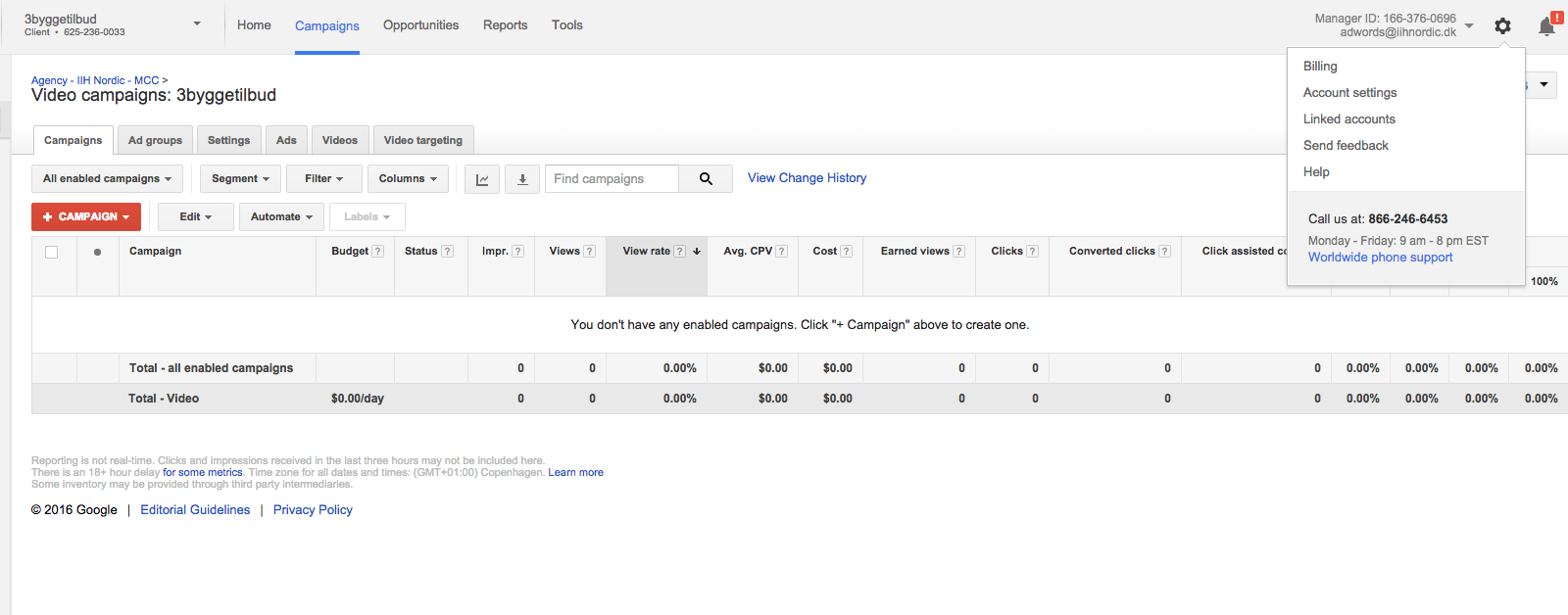
Click on the cogwheel which you'll find in the right top corner
3
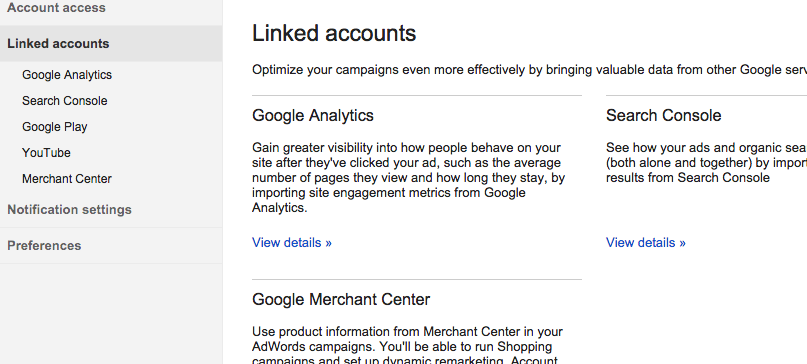
Click on Linked accounts
4
Click on YouTube on your left hand side
5
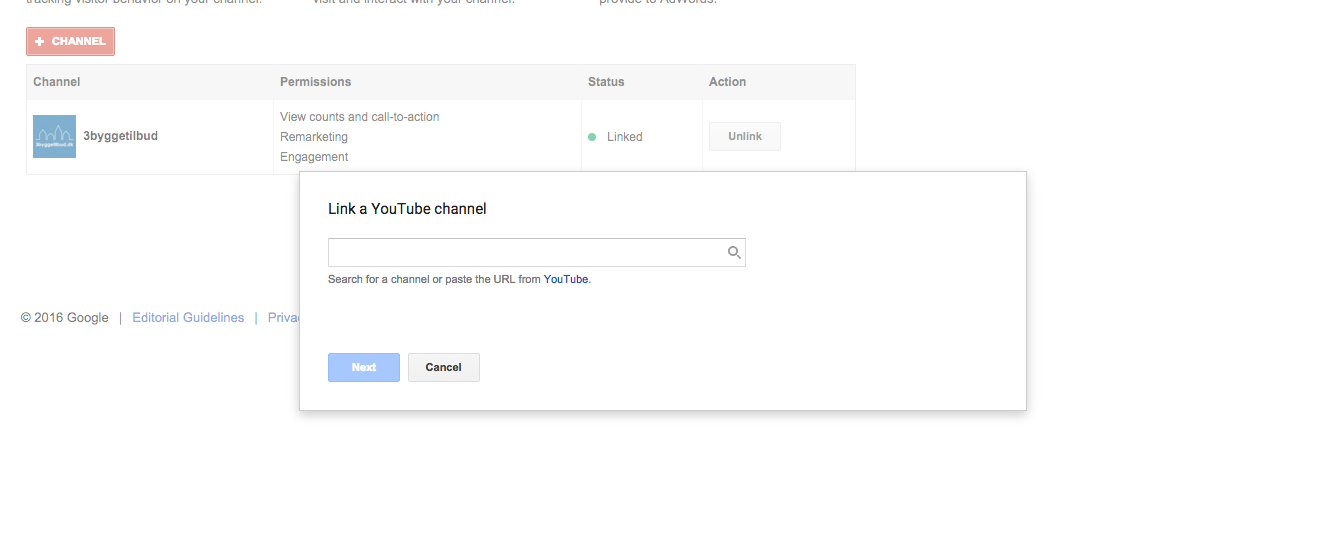
Click on + channel and search for the YouTube channel that you want to link to and press next
6
The owner of the channel now needs to approve your request
Start by watching the video
Click on the cogwheel which you'll find in the right top corner
Click on Linked accounts
Click on YouTube on your left hand side
Click on + channel and search for the YouTube channel that you want to link to and press next
The owner of the channel now needs to approve your request
Browse all templates
Edit in Process Street
Stay updated—subscribe to our blog!
More templates like this
Payroll Processing – User Guide
PROCEDURE PAYROLL PROCESSING-TSHEETS &QB-Payroll Processing
How to Build a Process from Resources (Copy)
2. Entrega de proyecto
12 Month Maintenance Schedule
Resource Based Economy Transition Team Support
View all Uncategorized templates