What is Process Street?
Request a demo
Share
Copy link
Edit
in
Process Street
Templates
/
Campaign Monitor Training 4
Uncategorized
Campaign Monitor Training 4
1
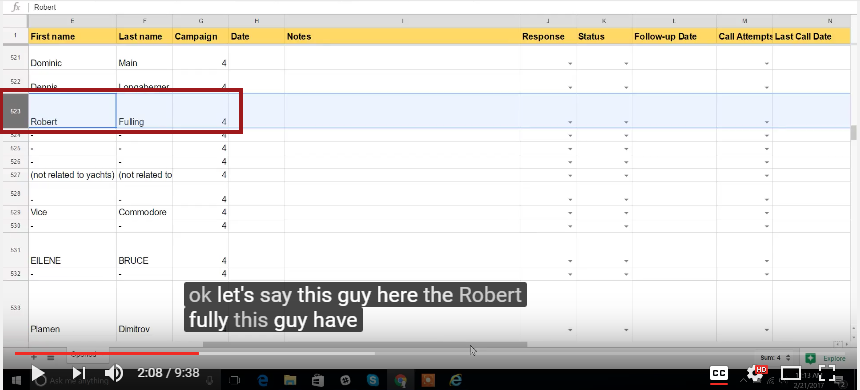
Updating the Campaign spreadsheet (2:08):
2
Select the client (2:08)
3
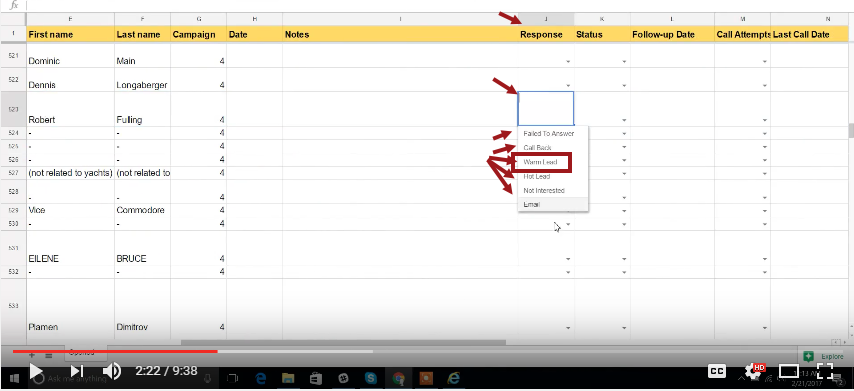
Change the response column into "Warm Leads" (2:22)
4
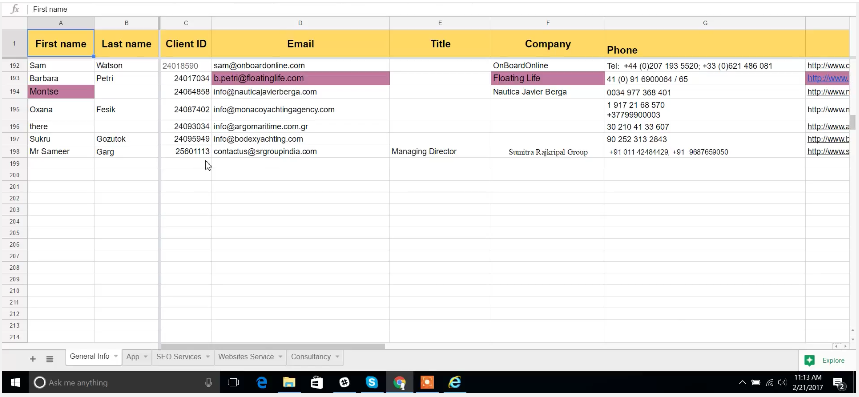
Check if the client ID was processed (3:01)
5
Check if the client is also added in the email to questionnaire sheets (3:26)
6
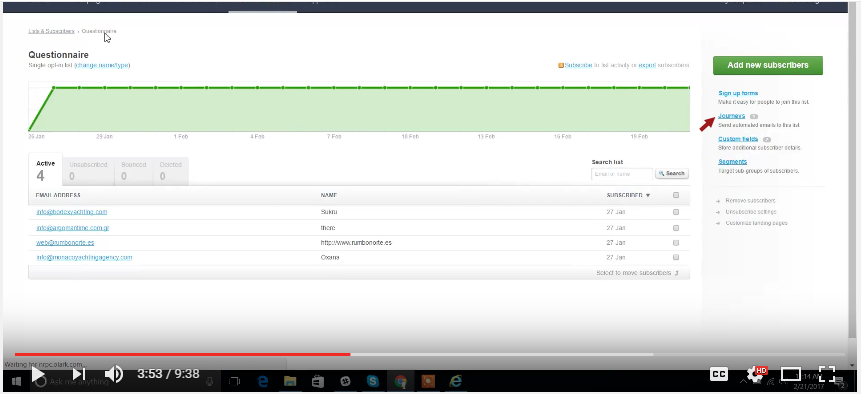
Changing the name of the client in the questionnaire list (3:53):
7
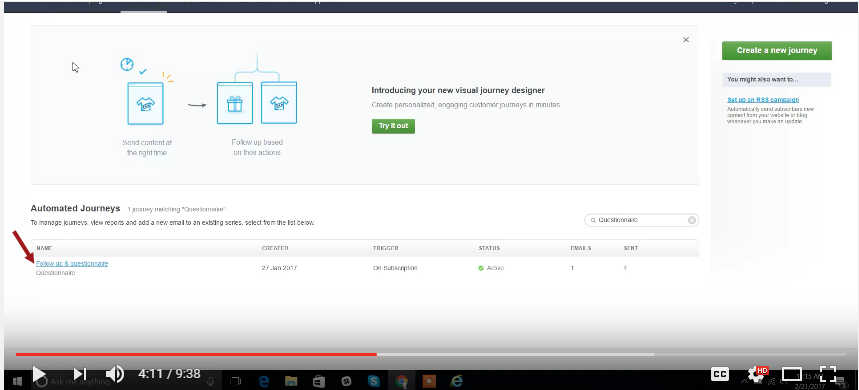
Click Journey (3:53)
8
Click "Follow-up and questionnaire" (4:11)
9
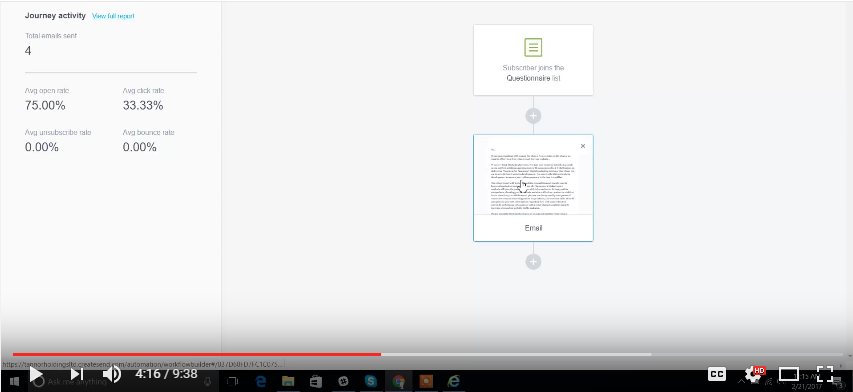
Click The email template (4:16)
10
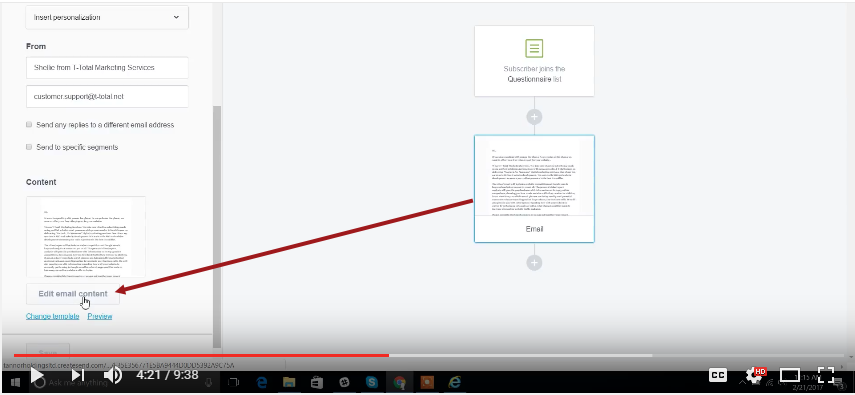
Click Edit email template (4:21)
11
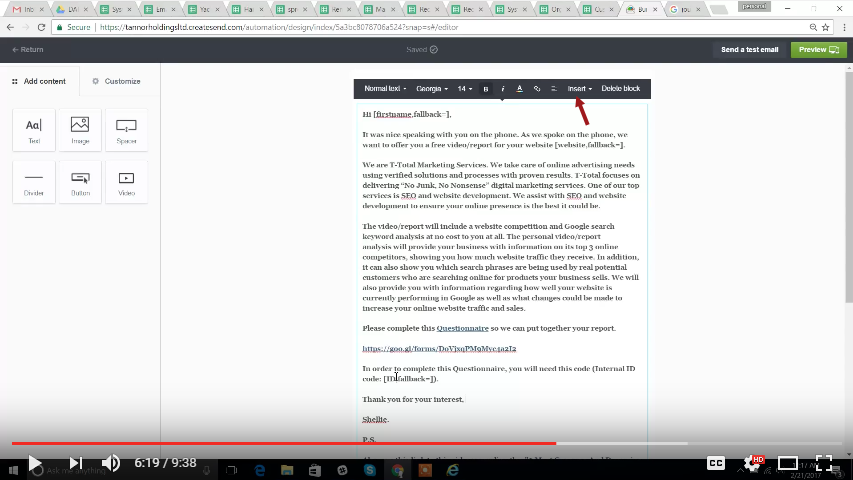
click the Insert to update (6:19)
12
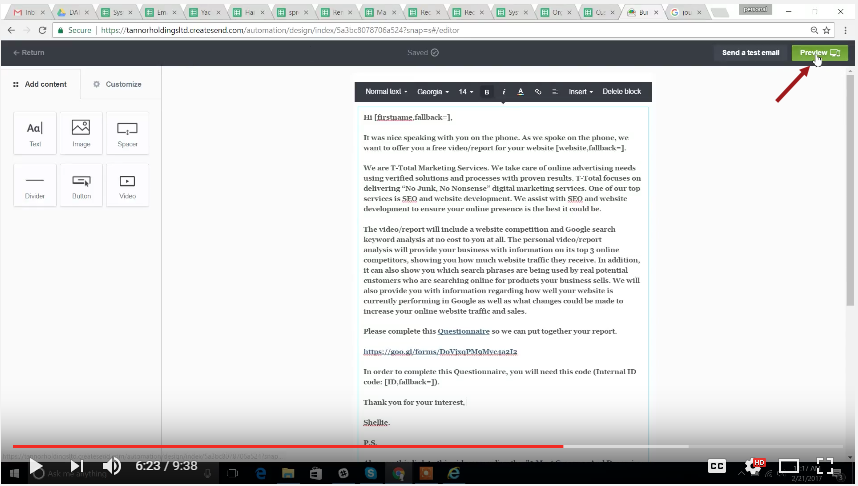
Click Preview (6:23)
13
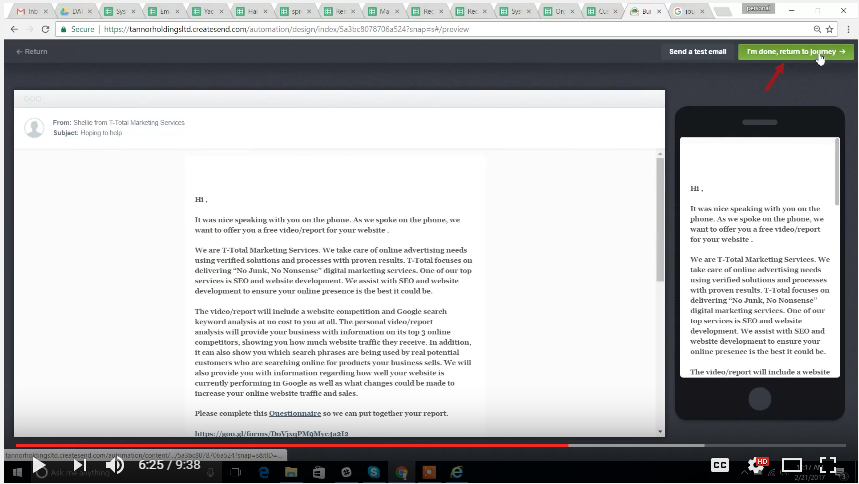
Click Done (6:25)
14
Video Tutorial:
Updating the Campaign spreadsheet (2:08):
Select the client (2:08)
Select the client
Change the response column into "Warm Leads" (2:22)
Select warm leads in order for this client to be added in the customer record.
You will do this once the customer is already has been called and interested in the campaign.
Check if the client ID was processed (3:01)
The client will be then added to the customer record spreadsheet and the Client ID will be added as well.
Check if the client is also added in the email to questionnaire sheets (3:26)
Changing the name of the client in the questionnaire list (3:53):
Click Journey (3:53)
Click "Follow-up and questionnaire" (4:11)
Click The email template (4:16)
Click Edit email template (4:21)
click the Insert to update (6:19)
Click the insert for
Personalization - email, full name
Custom fields.
Click Preview (6:23)
Click Done (6:25)
Video Tutorial:
Browse all templates
Edit in Process Street
Stay updated—subscribe to our blog!
More templates like this
Payroll Processing – User Guide
PROCEDURE PAYROLL PROCESSING-TSHEETS &QB-Payroll Processing
How to Build a Process from Resources (Copy)
2. Entrega de proyecto
12 Month Maintenance Schedule
Resource Based Economy Transition Team Support
View all Uncategorized templates