Onboarding Software Legal Client Onboarding Automation Software
 
LEGAL CLIENT ONBOARDING AUTOMATION

Legal Client Onboarding Automation Software

Move every new legal client from accepted matter to ready-to-work file with controlled intake, conflict checks, engagement letters, identity verification, document requests, payment steps, and matter setup. Process Street assigns owners, routes exceptions, sends reminders, captures approvals, and preserves proof without replacing your practice-management system. Teams can clearly see missing requirements early and resolve them before legal work begins.
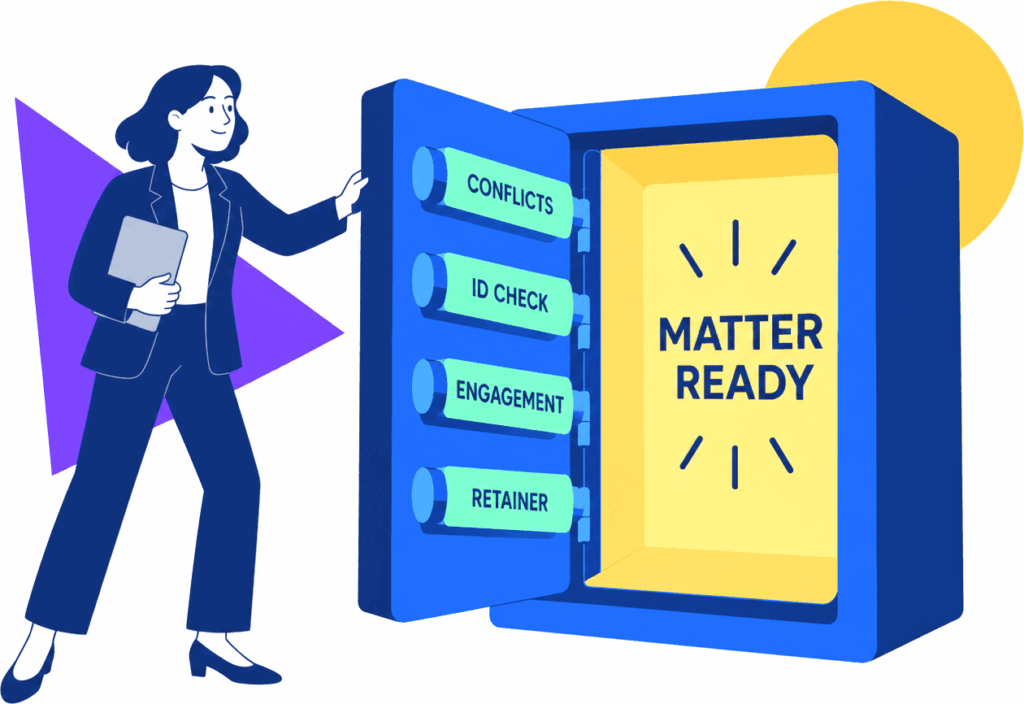
Legal operations manager aligning labeled client onboarding controls before a matter opens.

Trusted by more than 3000 companies

Salesforce logo
Cisco logo
Slack logo
TPG logo
Toast logo
Bettement logo
Colliers logo
Third Rock logo
Drift logo
Airtree logo
Blackbird logo
Evanston logo
Salesforce logo
Cisco logo
Slack logo
TPG logo
Toast logo
Bettement logo
Colliers logo
Third Rock logo
Drift logo
Airtree logo
Blackbird logo
Evanston logo
BUYER GUIDE

Stop incomplete matters from reaching legal work

A signed engagement can still stall when a conflict check is unresolved, identification is missing, the retainer is unpaid, or nobody owns the next request. Process Street turns those dependencies into one conditional workflow with required fields, named owners, due dates, approvals, and escalation rules. Robbins Estate Law uses Process Street for estate planning and probate case management, showing how legal work can run with greater consistency. Keep your CRM, portal, e-signature, billing, and practice-management tools, then use Process Street to control the work between them. The broader employee onboarding tools guide covers the separate people-onboarding category: https://www.process.st/employee-onboarding-tools/.

Legal client onboarding stages from intake through matter readiness.

Where Process Street fits

Ops

Run a distinct onboarding path by practice area, client type, jurisdiction, risk, fee arrangement, or matter complexity. Required steps prevent staff from opening work before conflicts, terms, identity checks, and funding conditions are complete.

Learn more about Ops
Docs

Keep intake standards, conflict procedures, engagement requirements, escalation rules, and matter-opening instructions connected to the workflow that applies them. Updates reach future onboardings without rebuilding the process in every system.

Learn more about Docs

What to compare before choosing legal onboarding software

Controlled client intake

Collect client details, related parties, documents, goals, fee information, and matter-specific facts through conditional forms.

Conflict and risk gates

Require review of conflicts, identity, source-of-funds, engagement terms, and exceptions before the matter advances.

Practice-area routing

Branch tasks and approvals for estate planning, corporate, family, immigration, litigation, probate, or other matter types.

Automatic follow-up

Remind clients and staff about missing forms, unsigned agreements, unpaid retainers, open reviews, and overdue setup tasks.

Named ownership

Assign each handoff to intake, conflicts, finance, paralegals, attorneys, or matter-opening staff with clear due dates.

Matter-readiness proof

Keep files, decisions, approvals, timestamps, comments, exceptions, and outstanding requests attached to each onboarding run.

Related solutions

More from the Onboarding Software hub

Professional services client onboarding workflow software helps agencies, consultants, accounting firms, legal teams, and service operations groups move new clients from signed agreement to active delivery without losing work in email, spreadsheets, or project notes. Process Street gives service teams assigned workflows, intake forms, approvals, reminders, integrations, and a clear record of every onboarding step.
Turn a Salesforce closed-won event into controlled customer onboarding. Process Street coordinates the handoff, assigns cross-team work, routes exceptions, captures approvals and evidence, and returns verified milestones to the customer record without another layer of manual status chasing.
M&A onboarding automation software turns post-close handoffs into triggered, assigned workflows across HR, IT, legal, security, managers, and acquired teams. Process Street adds conditional routing, approvals, reminders, integrations, exception handling, evidence capture, and audit history around the systems you already use.

Backed by happy clients

Colliers logo
With Process Street we've been able to bring documentation to life… allowing us to adapt processes quickly, improve governance and achieve consistent results
Linda White
Linda White
Head of Technology Services, Colliers
“A huge win. Delivers cross
functional team collaboration.”
Salesforce logo
Alex Hauer
Alex Hauer
Senior Success Consultant, Salesforce
Read case study
"It was the right choice for us. It helped our team move quicker"
BentoBox logo
Chelsea Lynch
Chelsea Lynch
Manager of CS operations, Bentobox
Watch case study

Frequently asked questions

Can't find the answer you need? Contact our support team.

What is legal client onboarding automation software?
Does Process Street replace legal practice-management software?
Can different practice areas use different onboarding paths?
What should a law firm compare before choosing a tool?

Open every legal matter with the required work complete

Build one controlled onboarding workflow around the legal systems your firm already uses.
No credit card required

An industry-leading solution

Process Street Badge 10
Process Street Grid Leader 2025
Process Street High Performer 2025
Process Street Regional Leader 2025
Process Street Badge 13
Process Street Best Est. ROI 2025
Process Street Users Most Likely To Recommend 2025
Process Street Easiest To Use 2025
Process Street Fastest Implementation 2025
Process Street Badge 12
Process Street Badge 11
Process Street Users Love Us
Process Street Top 50 2024

Support that's actually there for you

Can't find the answer you need? Contact our support team.

5 minutes
average response time
98% customer rating
average rating
Customer support