Onboarding Software Onboarding Checklist Automation Software
 
ONBOARDING CHECKLIST AUTOMATION SOFTWARE

Onboarding Checklist Automation Software

Onboarding checklist automation software launches the right checklist from a hiring, customer, vendor, or intake event, then moves every handoff forward automatically. Process Street assigns owners, prefills data, branches tasks, sends reminders, routes approvals, runs connected actions, and records completion proof without requiring a coordinator to restart the process at every handoff.
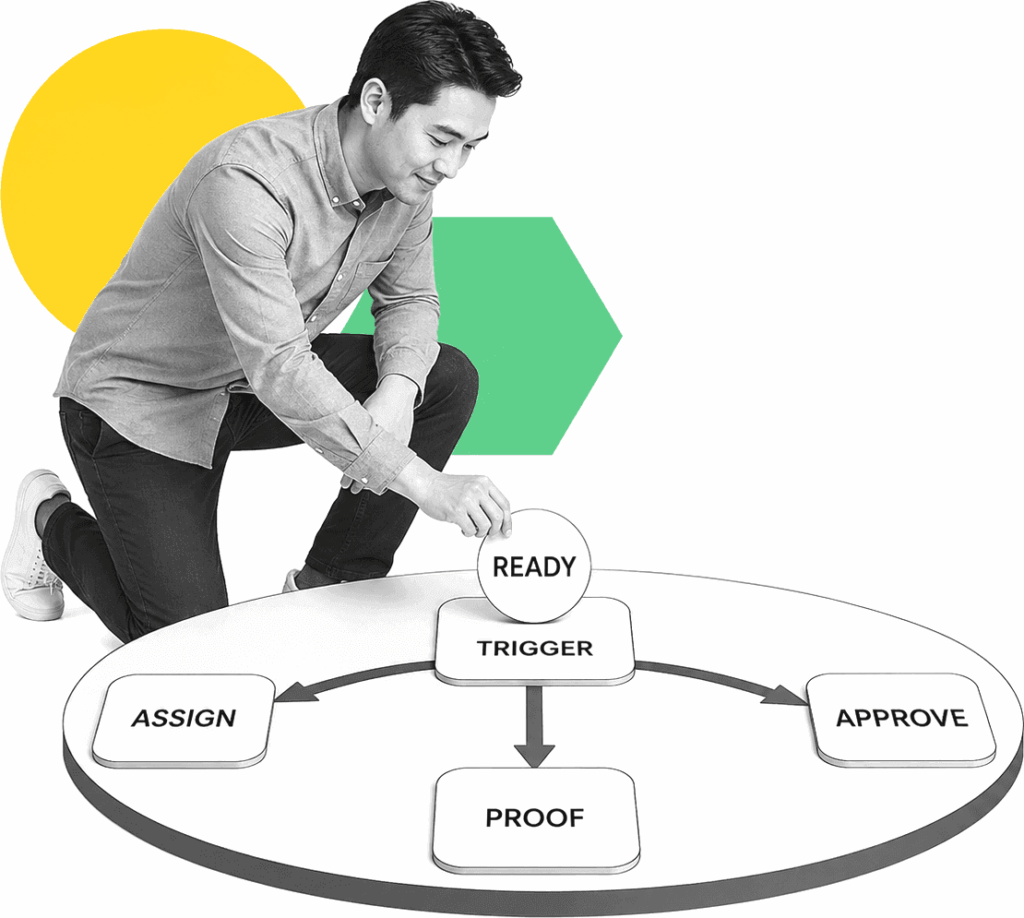
Operations manager activating an onboarding automation sequence from a labeled trigger panel.

Trusted by more than 3000 companies
Salesforce logo
Cisco logo
Slack logo
TPG logo
Toast logo
Bettement logo
Colliers logo
Third Rock logo
Drift logo
Airtree logo
Blackbird logo
Evanston logo
Salesforce logo
Cisco logo
Slack logo
TPG logo
Toast logo
Bettement logo
Colliers logo
Third Rock logo
Drift logo
Airtree logo
Blackbird logo
Evanston logo
AUTOMATION BUYER GUIDE

Automate the work around every checklist

Choose automation when copying a checklist is not the real bottleneck. The real delay is re-entering intake data, deciding which path applies, chasing owners, updating systems, and proving readiness. Process Street fits cross-functional onboarding that needs workflow automation around an HRIS, CRM, service desk, or other system of record. For broad employee-tool evaluation, use https://www.process.st/employee-onboarding-tools/.

Where Process Street fits

Ops

Ops turns intake events into active onboarding runs. It assigns tasks, applies conditional logic, calculates due dates, sends reminders, routes approvals, and triggers connected actions while dashboards expose stalled work.

Learn more about Ops
Docs

Docs governs the approved procedures, role instructions, policies, and checklist standards behind each automation, so changes are reviewed before they alter live execution.

Learn more about Docs

What to compare in checklist automation

Event-driven launches

Start onboarding from a form submission, approved hire, signed agreement, CRM stage, or scheduled event instead of waiting for someone to copy a template. Compare whether triggers are native, integration-based, or dependent on custom development.

Conditional routing

Change tasks, owners, approvals, documents, and deadlines by role, location, service tier, risk level, access need, or onboarding type. Test how easily operators can maintain those rules without engineering support.

Data and system actions

Prefill known details, collect missing information, and coordinate updates across the tools that hold employee, customer, vendor, or account records. Check that failed actions remain visible and recoverable.

Automatic follow-through

Send reminders, escalate overdue work, request approvals, and keep dependencies blocked until the required task or evidence is complete. Buyers should confirm that escalation rules work across internal and external participants.

Completion proof

Keep assignments, timestamps, files, approvals, comments, exceptions, and completed actions together so readiness can be checked without rebuilding the history.

Related solutions

More from the Onboarding Software hub

SaaS customer onboarding workflow software helps customer success, implementation, and operations teams move new accounts from sales handoff to first value without losing work in spreadsheets, Slack, or email. Process Street gives SaaS teams assigned workflows, approvals, reminders, forms, integrations, and a clear record of every onboarding step.
Customer success onboarding workflow software helps CS and implementation teams move new accounts from handoff to first value without chasing tasks across Slack, email, spreadsheets, and project boards. Process Street turns every onboarding path into assigned, auditable work with owners, due dates, forms, approvals, reminders, and proof of completion.
M&A employee onboarding software helps HR, IT, legal, compliance, and integration teams move acquired employees through Day 1 readiness, policy acknowledgments, access setup, training, and manager handoffs without losing work in spreadsheets or message threads. Process Street gives acquisition teams assigned workflows, approvals, reminders, evidence capture, and a clear audit trail around the HRIS, identity, and communications tools they already use.

Backed by happy clients

Colliers logo
With Process Street we've been able to bring documentation to life… allowing us to adapt processes quickly, improve governance and achieve consistent results
Linda White
Linda White
Head of Technology Services, Colliers
“A huge win. Delivers cross
functional team collaboration.”
Salesforce logo
Alex Hauer
Alex Hauer
Senior Success Consultant, Salesforce
Read case study
"It was the right choice for us. It helped our team move quicker"
BentoBox logo
Chelsea Lynch
Chelsea Lynch
Manager of CS operations, Bentobox
Watch case study

Frequently asked questions

Can't find the answer you need? Contact our support team.

What is onboarding checklist automation software?
How is automation different from a checklist template?
Should I use an HRIS or Process Street?
Can this automate non-employee onboarding?

Run onboarding from trigger to proof

Launch the right checklist, route every handoff, automate follow-through, and confirm readiness without spreadsheet updates or status-chasing messages. Keep exceptions visible until an owner resolves them.
No credit card required

An industry-leading solution
Process Street Badge 10
Process Street Grid Leader 2025
Process Street High Performer 2025
Process Street Regional Leader 2025
Process Street Badge 13
Process Street Best Est. ROI 2025
Process Street Users Most Likely To Recommend 2025
Process Street Easiest To Use 2025
Process Street Fastest Implementation 2025
Process Street Badge 12
Process Street Badge 11
Process Street Users Love Us
Process Street Top 50 2024

Support that's actually there for you

Can't find the answer you need? Contact our support team.

5 minutes
average response time
98% customer rating
average rating
Customer support