The Process Street Slack app now lets you move through tasks, read and write comments, and see everything on your plate, all without switching to a browser.
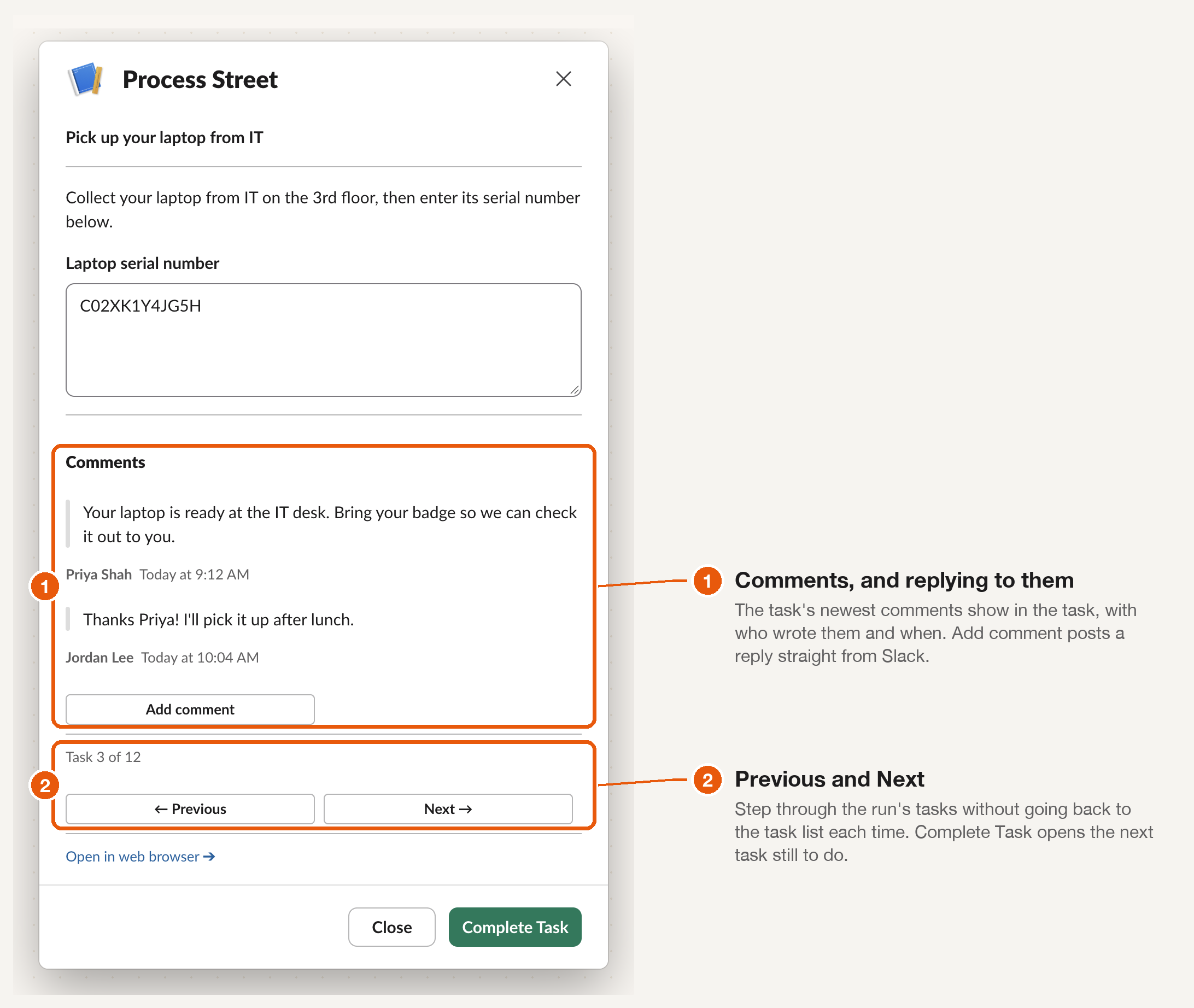
Previous and Next between tasks. Open any task from a run’s task list in Slack, and you’ll see where you are (“Task 3 of 12”) along with Previous and Next buttons. Complete a task, and you’ll jump straight to the next one that still needs attention.
Comments in the task view. The five most recent comments appear right below the task. Add a comment to post a reply from Slack, so conversations stay with the work they’re about. For more on commenting from Slack on finished runs, see Comment on Completed and Archived Workflow Runs.
My Work in the Home tab. Open the Process Street app in Slack, click Home, and you’ll see everything on your plate grouped by due date: overdue, due today, due this week, due this month, due later, and no due date. Tap Refresh to pull the latest, then hit View on any item to open it in Slack and get it done.
Due reminders for run assignees. When a task with no individual assignee comes due, the run’s assignees are now notified across Slack, email, Teams, and mobile, so nothing slips through.
DMs stay in sync. Run assignment, run due, and approval DMs now update as the work changes. When a run is completed, archived, or deleted, the DM is crossed out and its action button is removed, so your message list reflects what’s current.
Also in this release: comment DMs now preserve formatting (bold, links, bullets) instead of showing raw Markdown, and approval DMs wait until there is something to review.
For the full setup and feature guide, see Slack App.