


Turn every policy into automated workflows with built-in enforcement and audit-ready proof.



Viktor Alternatives: Best AI Coworkers for Slack

Viktor alternatives are AI coworkers that work in team chat, connect to business systems, and complete tasks with appropriate controls. Dash is the best overall fit for most small and mid-sized Slack or Microsoft Teams teams because it combines shared context, 3,000+ integrations, and approval-gated execution, while the other options lead in narrower use cases.
This comparison focuses on tools that can reasonably sit near the Viktor buying decision: Dash, Lindy, Gumloop, Glean Agents, Claude Tag, Zapier Agents, and Dust. The goal is not to rank every AI assistant in the market. The goal is to help a team decide which AI coworker belongs in Slack, where Process Street workflows, approvals, and SOPs can become the system of record for work that should not stay trapped in chat.
In this comparison, we cover:
- What is Viktor?
- Best Viktor alternatives at a glance
- How should you choose the best Viktor alternative?
- What criteria matter most for AI coworkers in Slack?
- Which Viktor alternatives are best for Slack, Teams, and workflow building?
- Where does Process Street fit with Viktor alternatives?
- How can you switch from Viktor without disrupting work?
- Best Viktor alternative for Slack and Teams: final recommendation
- Viktor alternatives FAQ: best tools, pricing, and use cases
What is Viktor?
Viktor is an AI employee for Slack and Microsoft Teams that connects to 3,200+ tools and produces reports, dashboards, apps, code, and other finished work. It is the incumbent benchmark on this page, not one of the alternatives ranked below. Its Slack Marketplace listing also documents shared workspace context and approval before sensitive actions.
Read Viktor as the baseline every alternative on this page is measured against on workflow depth, governance, setup effort, and how much work the agent can safely complete without creating new operational risk. If you are still evaluating Viktor itself, test the exact work your team needs repeated every week rather than trusting the demo. The tools below are the strongest alternatives when you want a different balance of chat-native execution, approvals, visual workflow building, or enterprise knowledge.
Best Viktor alternatives at a glance
Use this table to narrow the shortlist before reading the deep dives. Dash is the Process Street-owned recommendation for teams that want an approval-first teammate in Slack or Microsoft Teams. The other products can be the right choice when the buyer cares more about browser-style execution, visual workflow building, enterprise search, broad app automation, or assistant-quality reasoning.
| Tool | Surface | Guardrail or model | Connector count | Pricing entry point |
|---|---|---|---|---|
| Dash | Slack, Microsoft Teams, and web | Approval flow on every action | 3,000+ | Current plans |
| Lindy | Slack, web, inbox, meetings, and calendar | Model selection; actions with outside impact wait for approval | Thousands, per vendor wording | Plus from $29.99/user/month with 3,000 credits |
| Gumloop | Web agent builder, Slack, Microsoft Teams, and Gmail | 35+ models; agent-scoped connector policies and guardrails | 300+ connectors | Pro from $37/month with 20,000 credits, plus an 8% orchestration fee |
| Glean Agents | Glean workspace, Slack, and Microsoft Teams | Permission-enforced enterprise context and app controls | 275+ | No public list price; request a demo |
| Claude Tag | Slack; Microsoft Teams coming soon | Claude models; admin-configured Agent Identity and per-channel tool access | Any API-capable tool through Agent Identity; no published total | Included with Team and Enterprise; Team Standard from $20/member/month billed annually, or $25 monthly |
| Zapier Agents | Agents workspace plus app-triggered runs, including Slack | Agent instructions; app controls and action restrictions on higher tiers | 9,000+ | Free with 400 activities; Agents Pro $33.33/month billed annually |
| Dust | Dust workspace and Slack | 20+ frontier models; agent skills, knowledge, and tools | connectors plus custom MCP | Pro from $24/user/month billed annually with 8,000 credits |
How should you choose the best Viktor alternative?
Choose a Viktor alternative by matching the product to the work surface, action risk, and operating model. Dash fits shared execution in Slack or Microsoft Teams; Lindy and Gumloop fit builder-led workflows; Glean Agents and Dust fit enterprise knowledge; Claude Tag fits Slack delegation; Zapier Agents fits existing Zapier estates.
Then inspect the safety model. AI coworkers create value when they can touch live systems. That same access is why approvals matter. The best Viktor alternative for an operating team is the one that makes risky actions visible before they happen: sending email, posting to a public channel, writing to CRM, changing a record, or spending money. This is where Process Street fits naturally. Chat can be the request surface, while Process Street holds the workflow, approval trail, role assignment, and SOP context.
- Choose Dash when the team wants chat-native work execution with approvals and shared memory.
- Choose Lindy or Gumloop when the buyer wants to build workflows visually.
- Choose Glean Agents or Dust when the first job is enterprise knowledge retrieval.
- Choose Claude Tag when the most important job is reasoning, drafting, summarizing, or coding help in Slack.
- Choose Zapier Agents when the team already has a large Zapier footprint and wants AI on top of that catalog.
What criteria matter most for AI coworkers in Slack?
The best Viktor alternative should fit five operating requirements: chat access, permission-aware tool use, shared memory, human approval for risky actions, and a durable workflow handoff. A strong model is not enough if the tool cannot show what it changed, respect access boundaries, or leave decisions and evidence in a system of record.
| Criterion | Why it matters | What to look for |
|---|---|---|
| Chat fit | The agent has to meet people where requests already happen. | DMs, channel mentions, threads, and mobile-friendly review. |
| Tool access | Real work needs connected systems, not copied context. | OAuth connections, permission awareness, and clear tool boundaries. |
| Memory | The agent should remember team preferences and recurring context. | Team memory, source citations, and editable instructions. |
| Approvals | Write actions need human review. | Approve, hold, edit, and audit controls before mutating systems. |
| Workflow handoff | Chat is not the right final home for every process. | A path into SOPs, checklists, approvals, evidence, and tasks. |
| Buyer fit | The right tool differs by team size and maturity. | SMB rollout, enterprise governance, or builder-first automation. |
How we evaluated these Viktor alternatives
We reviewed official product, documentation, integration, and pricing pages for every listed tool. Rankings prioritize fit for teams working in Slack or Microsoft Teams that need connected execution, human control, and realistic rollout effort. Dash is a Process Street product, so this page states that relationship and evaluates its limitations alongside every competitor’s strengths.
Editorial owner: Vinay Patankar. Last updated: August 27, 2026. Last verified: August 27, 2026.
Which Viktor alternatives are best for Slack, Teams, and workflow building?
The seven best Viktor alternatives serve different operating models. Dash ranks first for shared, approval-gated execution in Slack or Microsoft Teams; Lindy and Gumloop favor configurable workflows; Glean Agents and Dust lead on company knowledge; Claude Tag centers on Slack delegation; Zapier Agents favors broad app automation.
Dash
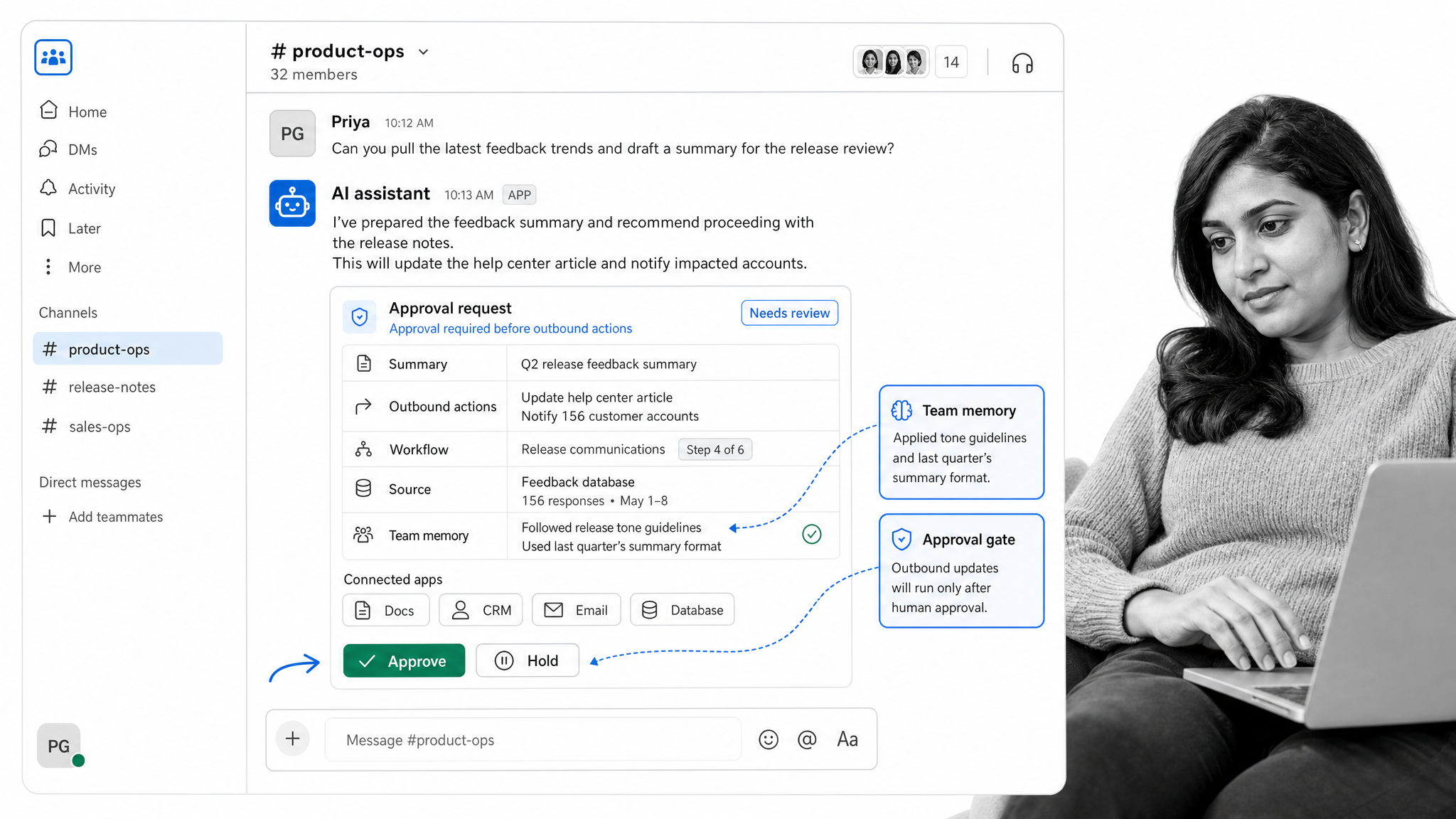
Dash. Dash is the best first choice for Process Street readers who want an AI teammate in Slack or Microsoft Teams. It connects to 3,000+ tools, learns the team’s working context, and asks before sending, posting, writing, or spending. That approval-first model matters because the best AI coworker is not the one that acts most aggressively. It is the one that can do useful work while keeping the human in control at the moment of risk.
Pick Dash when the team wants reports, follow-ups, outbound drafts, vendor research, workflow handoffs, and recurring operating rhythms to happen from chat without turning every request into a custom automation project. For the category boundary and trust model, read what an AI coworker is.
Bottom line: Dash is the strongest Viktor alternative for teams that want one shared AI teammate to complete cross-tool work from Slack or Microsoft Teams with human approval before risky actions.
- Choose Dash if: your team wants a chat-native teammate with shared context, connected tools, and explicit approval before it changes business systems.
- Skip Dash if: your priority is designing a fleet of specialized agents around company data in a separate multi-agent workspace; Dust is stronger for that operating model.
Lindy
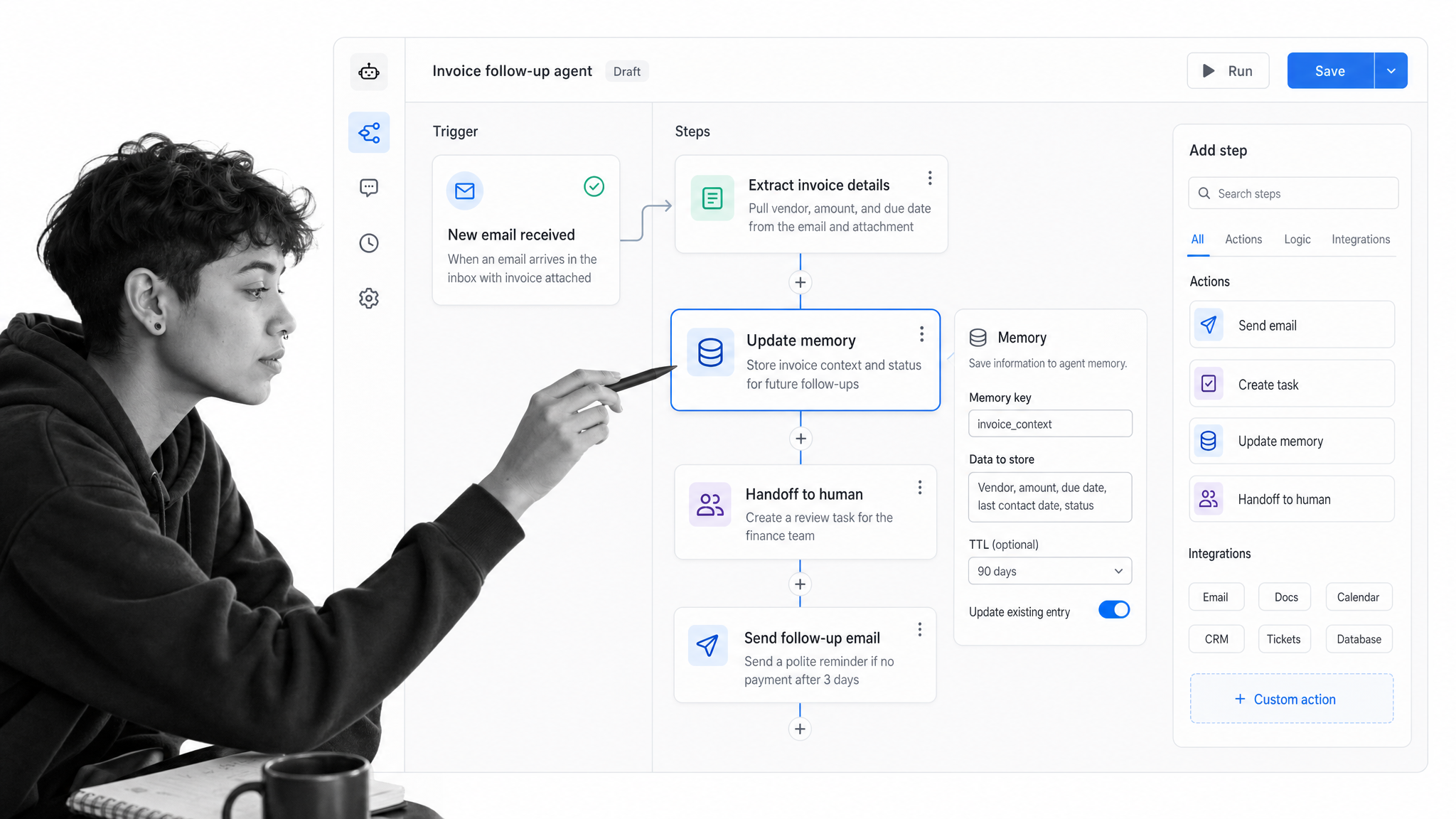
Lindy. Lindy is strongest when the buyer thinks in agents, workflows, steps, integrations, and memory. Its documentation frames a custom agent as those pieces working together to run a job automatically. That makes it a strong option for people who want to design assistants around repeatable business activities.
Pick Lindy when the team wants a builder-friendly assistant and is willing to spend time shaping workflows. It is less direct than Dash for a Slack-first team that wants to ask, review, and ship from chat. See the Lindy alternatives guide for a wider assistant and agent-builder shortlist.
Bottom line: Lindy is a strong Viktor alternative for teams that want customizable assistant workflows around inbox, meeting, calendar, and follow-up work, and that accept more setup than a ready chat-native teammate.
- Choose Lindy if: your priority is shaping specialized assistant workflows around personal productivity and connected business tools.
- Skip Lindy if: your team wants one shared Slack or Microsoft Teams teammate with approval-first execution and minimal workflow-building overhead.
Gumloop
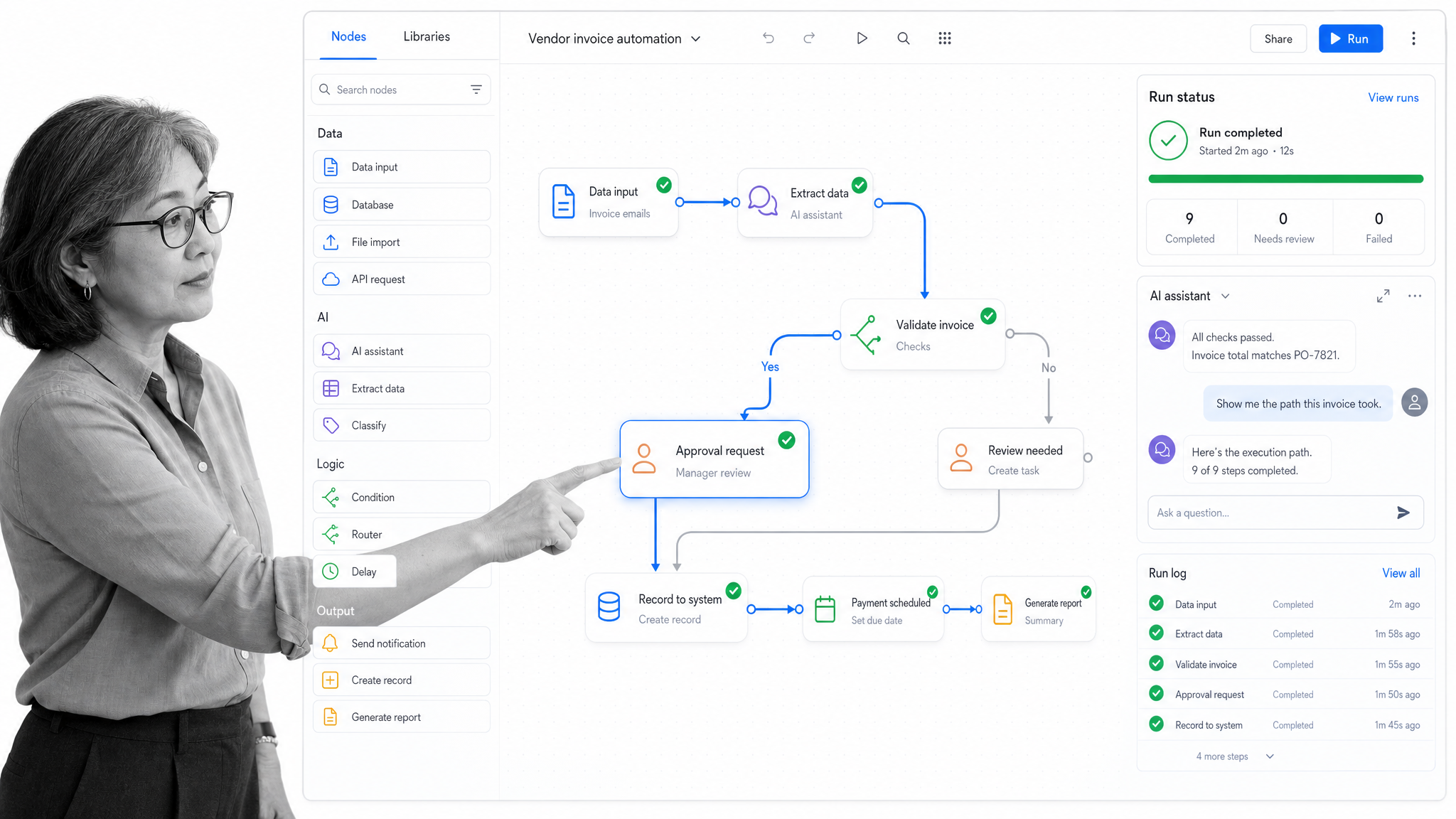
Gumloop. Gumloop is the visual automation option in this set. Its documentation describes agents as AI-powered assistants and highlights visual drag-and-drop automations with 300+ connectors. Its pricing page frames usage around credits, seats, concurrent runs, and agent interactions.
Pick Gumloop when operators want to see the workflow as a node canvas and control the flow directly. It is a stronger fit for workflow builders than for teams that want an AI coworker to live primarily in Slack. See the Gumloop alternatives guide for more visual workflow options.
Bottom line: Gumloop is a strong Viktor alternative for teams that want a visual canvas to design and maintain AI workflows rather than a ready-made coworker centered on team chat.
- Choose Gumloop if: operators want direct control over nodes, branches, triggers, and reusable automation logic.
- Skip Gumloop if: nontechnical teammates mainly want to delegate from Slack or Microsoft Teams without owning a workflow canvas.
Glean Agents
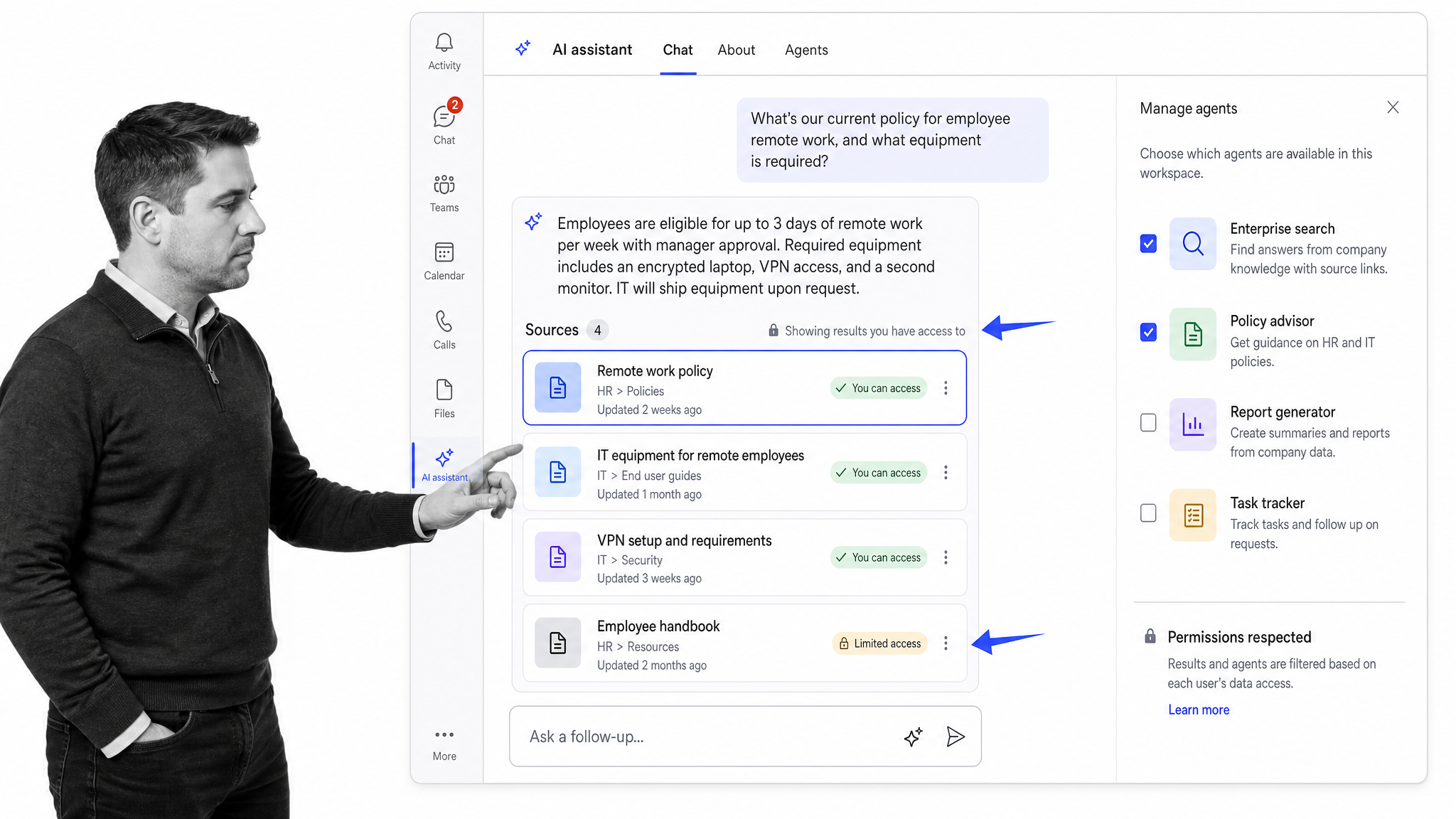
Glean Agents. Glean is strongest for enterprise knowledge. Its positioning centers on a Work AI platform connected to enterprise data for search, creation, and automation. Its Microsoft Teams agent documentation also makes clear that admins decide which agents are added for Teams access.
Pick Glean Agents when the enterprise knowledge base, permission model, and Microsoft Teams governance are the main buying criteria. It is less likely to be the simplest Viktor alternative for a smaller Slack-first team. See the Glean alternatives guide for more enterprise knowledge options.
Bottom line: Glean Agents is a strong Viktor alternative when permission-aware enterprise search, governed company knowledge, and large-scale deployment matter more than simple chat-native adoption.
- Choose Glean Agents if: your buying decision starts with enterprise knowledge, source permissions, and centralized governance.
- Skip Glean Agents if: a smaller Slack-first team primarily wants a practical shared operator for everyday execution.
Claude Tag

Claude Tag is Anthropic’s Slack team agent, currently available in beta for Claude Team and Enterprise customers. Teams can tag Claude into a thread, give it standing instructions, connect tools through Agent Identity, and scope access by channel. Anthropic lists Microsoft Teams support as coming soon.
Pick Claude Tag when Slack-based reasoning, writing, coding, thread context, and delegated long-running work matter most. For a broader shortlist around Anthropic’s team agent, see the Claude Tag alternatives guide.
Bottom line: Claude Tag is a strong Viktor alternative for Anthropic-centered teams that want reasoning and delegated work inside Slack, but it is not yet a direct Microsoft Teams replacement.
- Choose Claude Tag if: your team wants Claude to work from Slack threads, use connected tools, and follow standing instructions.
- Skip Claude Tag if: Microsoft Teams availability is required now or the team wants a lower-cost workspace plan without per-member pricing.
Zapier Agents
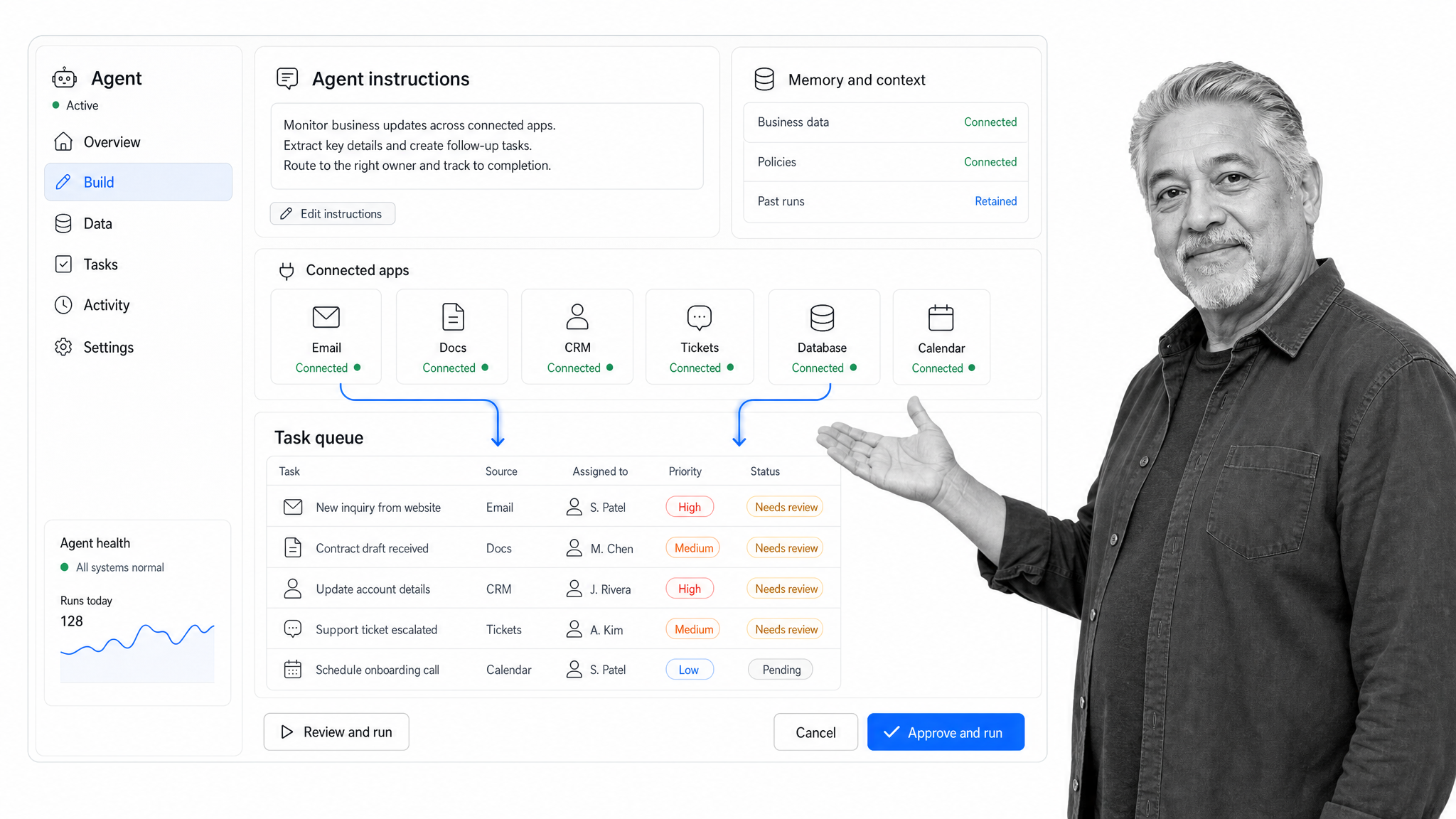
Zapier Agents. Zapier Agents sits on top of one of the broadest automation ecosystems. Zapier says Agents can work across 9,000+ apps, and its help center describes Agents as a way to use AI and Zapier to automate tasks. That breadth is useful when the team already trusts Zapier as its connection layer.
Pick Zapier Agents when the company already has a mature Zapier footprint and wants AI-assisted automation on top of that catalog. Keep Process Street close when the workflow needs approvals, evidence, owner assignment, and recurring review. See the Zapier Agents alternatives guide for a broader automation shortlist.
Bottom line: Zapier Agents is a strong Viktor alternative for teams that already depend on Zapier and want specialized agents to act across its broad application ecosystem.
- Choose Zapier Agents if: your organization already owns automation in Zapier and wants AI roles layered onto that infrastructure.
- Skip Zapier Agents if: the goal is one shared teammate that accepts varied requests without designing and maintaining several agent roles.
Dust
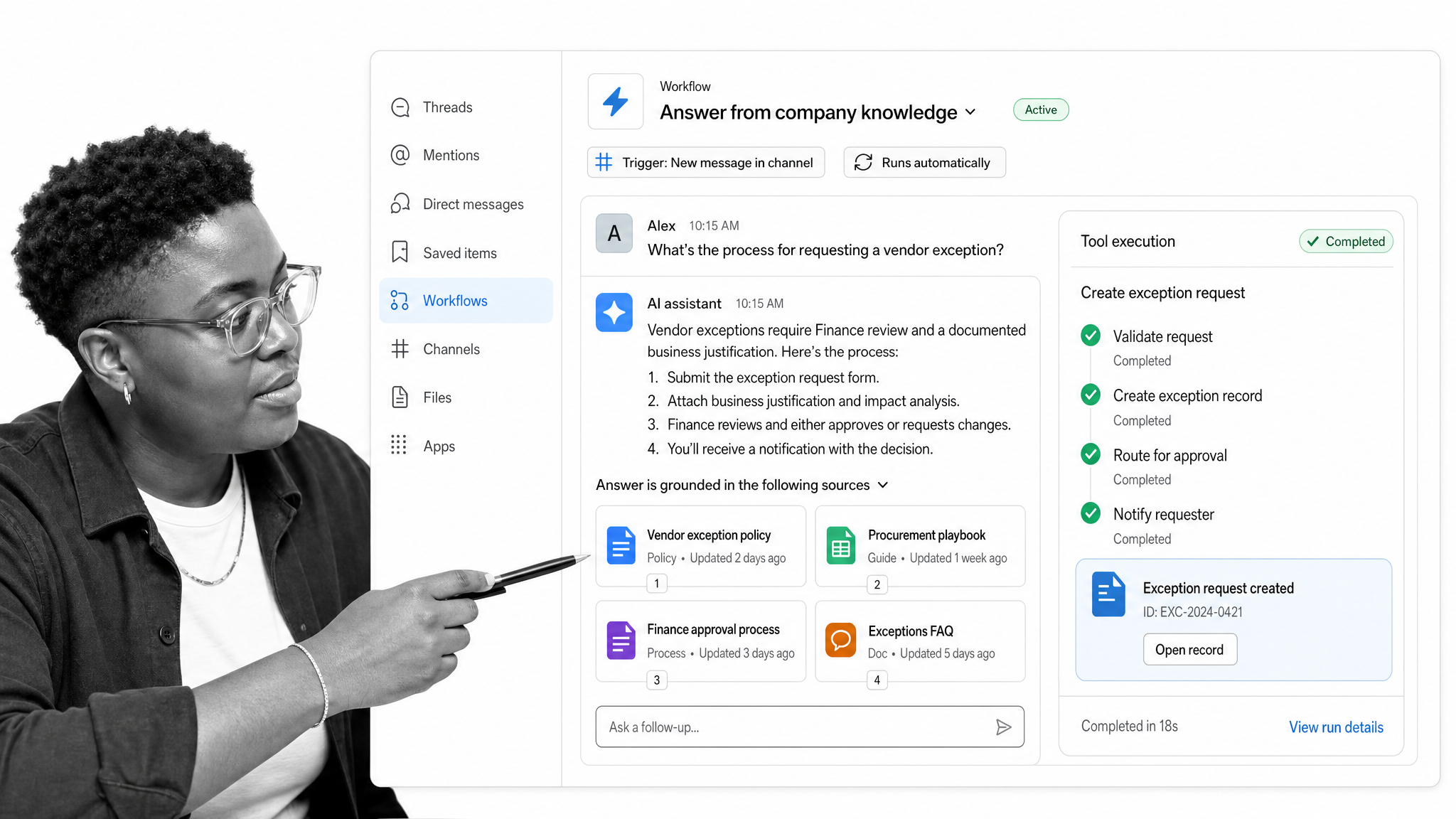
Dust. Dust is strongest for company knowledge in Slack. Its Slack integration page describes agents surfacing company knowledge in conversations, retrieving data, executing tasks across tools, and connecting agents to Slack workflows for automated responses and proactive task management.
Pick Dust when the main job is retrieval, knowledge-grounded answers, and Slack workflow support. It becomes stronger when paired with a workflow system that can hold the procedure and approval trail after the answer is found. See the Dust alternatives guide for more knowledge-agent options.
Bottom line: Dust is a strong Viktor alternative for teams that want knowledge-grounded agents, collaborative workspaces, and Slack access around company data.
- Choose Dust if: retrieval, governed company knowledge, and configurable agent collaboration are the core jobs.
- Skip Dust if: a smaller team wants one ready coworker in Slack or Microsoft Teams with simpler workspace-wide adoption.
Where does Process Street fit with Viktor alternatives?
Process Street complements Viktor alternatives by turning chat-driven requests into governed workflows with owners, approvals, evidence, and audit history. The AI coworker can gather context or perform connected actions, while Process Street holds the repeatable process and control points. It is the system of record, not another chatbot in the ranking.
A practical pattern is simple: let the AI coworker sit in Slack, then use Process Street for the process that should be repeatable. A renewal review can start with a chat request, but the renewal checklist, approval task, risk note, owner assignment, and evidence should live in a workflow. A vendor evaluation can begin with an AI-generated shortlist, but the scoring rubric and final approval should not be trapped in a thread.
For deeper workflow context, see Process Street resources on workflow management, workflow automation, approval workflows, and process documentation.
How can you switch from Viktor without disrupting work?
Do not migrate every use case at once. Pick one repeatable job with visible value and manageable risk: weekly pipeline summary, renewal prep, content brief, vendor shortlist, meeting follow-up, or support escalation triage. Write down the current inputs, tools, approval points, and outputs before testing an alternative. That gives the team a fair comparison instead of a vague demo impression.
- Choose one recurring workflow that already happens in Slack.
- List the systems the AI coworker must read or write.
- Decide which actions require approval before execution.
- Run the same request in two finalist tools.
- Score output quality, review effort, setup effort, and audit trail.
- Move the winning workflow into Process Street workflow automation when it needs repeatability.
Best Viktor alternative for Slack and Teams: final recommendation
Dash is the best overall Viktor alternative for teams that want one shared AI coworker in Slack or Microsoft Teams with connected tools and approval before risky actions. Choose Lindy or Gumloop for builder-led workflows, Glean Agents or Dust for enterprise knowledge, Claude Tag for Slack delegation, and Zapier Agents for Zapier-centered automation.
The deciding question is not which product sounds most autonomous. The deciding question is where work becomes controlled. If the answer is only chat history, the team will eventually lose track of decisions. If the answer is chat plus Process Street workflows, the AI coworker can accelerate the work while the business keeps the process.
Start Dash free, then test one real Slack or Microsoft Teams workflow with approval before any external action.
Viktor alternatives FAQ: best tools, pricing, and use cases
The most common Viktor alternatives questions concern the best option for Slack or Microsoft Teams, Dash versus Viktor, pricing, visual workflow builders, enterprise knowledge, and Process Street integration. The answers below use current official product and pricing information, then separate broad recommendations from narrower product strengths.
What is the best Viktor alternative for Slack teams?
Dash is the best overall fit for small and mid-sized Slack teams that want shared context, connected actions, and approval before risky changes. Claude Tag is stronger for Anthropic-centered reasoning and long-running Slack work, while Dust and Glean Agents are stronger when governed company knowledge is the primary need.
What is the best Viktor alternative for Microsoft Teams?
Dash is the strongest fit when a Microsoft Teams group wants one shared teammate with connected tools and approval-gated execution. Viktor also runs in Teams and is the direct benchmark. Glean Agents fits enterprise knowledge and governance, while Gumloop fits teams that prefer to build visual automations.
Dash vs. Viktor: which is better for Slack and Microsoft Teams?
Choose Dash when approval-first execution, shared team context, and the Process Street product relationship matter most. Choose Viktor when you want the incumbent AI-employee experience and its current Slack or Microsoft Teams implementation. Test both on the same recurring workflow, permissions, and approval points before deciding.
How does Viktor pricing compare with Dash and other alternatives?
Viktor advertises $100 in starting credits and shows its Team plan at $100 per month. Dash publishes its current plans on its pricing page. Current entry points for the other listed products range from free Zapier and Dust tiers to per-user or usage-based plans; Glean does not publish a list price. Verify the linked official pricing pages before purchasing.
Which Viktor alternative is best for visual workflow building?
Gumloop is the clearest choice for teams that want a node-based canvas and direct control over workflow logic. Lindy is stronger when the same builder needs assistant-style workflows around meetings, inboxes, calendars, and follow-ups. Dash fits teams that want less canvas ownership and more delegation from chat.
Which Viktor alternative is best for enterprise knowledge search?
Glean Agents is the strongest enterprise choice when permissions, governed search, and centralized deployment lead the decision. Dust is a strong alternative for collaborative, knowledge-grounded agents in Slack. Smaller teams that value chat-native execution over enterprise search may find Dash simpler to adopt.
Can Claude Tag replace Viktor in Slack?
Claude Tag can replace Viktor for many Slack tasks involving thread context, analysis, writing, coding, scheduled instructions, and connected tools. It is currently in beta for Claude Team and Enterprise customers, and Microsoft Teams support is still listed as coming soon, so it is not a direct replacement for every deployment.
Which Viktor alternative is best for Process Street users?
Dash is the best default for Process Street users who want a shared AI coworker in Slack or Microsoft Teams, because Dash is Process Street-owned and designed for approval-first execution. Any listed tool can still work with Process Street when its outputs need a governed workflow, assigned owner, approval trail, or audit evidence.
Comparing something else? The full directory of software alternatives and competitor comparisons covers AI agents, workflow and BPM platforms, integration tools, and more.
