


Turn every policy into automated workflows with built-in enforcement and audit-ready proof.



13 Best CRM Software Platforms for Modern Sales Teams
The best CRM software gives a sales team one dependable place for customer relationships, opportunities, conversations, forecasts, and next steps. The right choice is not the platform with the longest feature list. It is the system that fits your sales motion, earns rep adoption, keeps data trustworthy, and connects cleanly to the procedures that move a deal from first contact through onboarding and renewal.
Summary: Salesforce Sales Cloud is the strongest fit for complex enterprise selling, HubSpot Sales Hub suits connected growth teams, Attio gives teams a flexible data model, Pipedrive keeps pipeline work visual, and Process Street is the best workflow layer for governing the repeatable work around any CRM.
- Best for enterprise complexity: Salesforce Sales Cloud
- Best connected sales workspace: HubSpot Sales Hub
- Best flexible CRM data model: Attio
- Best visual sales pipeline: Pipedrive
- Best for governed execution around CRM: Process Street
By Vinay Patankar, Process Street co-founder and CEO. This guide evaluates established CRM suites, focused sales CRMs, flexible relationship platforms, and newer AI-native systems against the work a modern revenue team actually needs to run.
In this article:
- Best CRM software at a glance
- How did we evaluate the best CRM software?
- Which CRM platforms are best for modern sales teams?
- How should you choose CRM software?
- How do CRM and workflow execution fit together?
- Best CRM software FAQs
- About the author
Best CRM software at a glance
Start with fit, not brand recognition. Use the table to narrow the field, then test the finalists with one real opportunity, one manager forecast, one handoff, and one reporting question.
| Platform | Best for | Standout operating surface | Main evaluation question |
|---|---|---|---|
| Process Street + CRM | Governed sales procedures around a system of record | Qualification, approval, handoff, onboarding, and renewal workflows | Which work needs proof, ownership, and controlled completion? |
| Salesforce Sales Cloud | Complex enterprise sales organizations | Opportunity management, forecasting, and configurable controls | Can the team support administration and change governance? |
| HubSpot Sales Hub | Growing teams connecting CRM and sales engagement | Sales workspace, sequences, pipeline automation, and reporting | Which capabilities and limits matter at the target tier? |
| Attio | Teams designing a flexible relationship data model | Objects, attributes, lists, table views, and kanban views | Can the team define a shared model before customization spreads? |
| Microsoft Dynamics 365 Sales | Microsoft-centered enterprises | Forecast grids, relationship intelligence, and Microsoft collaboration | How much configuration and licensing complexity is acceptable? |
| Pipedrive | Pipeline-focused sales teams | Visual deal pipeline, activities, and stage automation | Is pipeline simplicity more important than suite breadth? |
| Zoho CRM | Value-conscious teams needing broad CRM coverage | Sales automation, analytics, customization, and AI assistance | Can the team configure the wider feature set without clutter? |
| monday CRM | Teams wanting a configurable revenue workspace | Boards, dashboards, automations, and shared work context | Will board flexibility strengthen or weaken data governance? |
| Freshsales | Small and midsize teams wanting sales communication in CRM | Customer view, sequences, workflows, forecasting, and Freddy AI | Which sales and marketing capabilities belong in one system? |
| Close | High-activity inside sales teams | Calling, email, SMS, inbox, and multichannel workflows | Does the communication-first model match daily rep behavior? |
| Clarify | Teams reducing manual CRM maintenance | Automatic records, meeting context, Rep, and background agents | How will the team review AI-suggested updates and control usage? |
| Day AI | GTM teams organizing work around customer memory | Conversation context, meeting outputs, skills, and agent actions | Does the agent model cover the required pipeline controls? |
| Lightfield | Teams wanting an agent-native CRM and context graph | Customer interaction memory, agent chat, automations, and sequences | Can the operating model meet governance and integration needs? |
| folk | Relationship-driven sales, partnerships, and agencies | Shared pipelines, enrichment, messaging, and AI assistants | Is lightweight relationship context enough for reporting needs? |
How did we evaluate the best CRM software?
We evaluated each CRM as an operating system for revenue work, not as a checklist of isolated features. The criteria reflect what teams must do after the demo: capture customer context, move opportunities, coordinate next actions, inspect risk, forecast, hand work across functions, and maintain records people can trust.
- Rep workflow: How quickly can a seller understand priorities, update a deal, and complete the next action?
- Data model: Can accounts, contacts, opportunities, activities, and custom relationships represent the real sales motion?
- Manager visibility: Do pipeline, forecast, activity, and risk views support useful coaching and decisions?
- Automation and AI: Does the product remove administrative work while keeping consequential changes reviewable?
- Governance: Can leaders define ownership, permissions, required data, handoffs, and evidence without creating avoidable friction?
- Ecosystem fit: Can the CRM exchange the right data with communication, enrichment, finance, support, and workflow systems?
Process Street’s sales workflows and template library shaped the execution criteria. A CRM can hold the opportunity record, but qualification, proposal review, discount approval, implementation handoff, customer onboarding, and renewal preparation often require a governed workflow with owners and completion evidence.
Which CRM platforms are best for modern sales teams?
1. Salesforce Sales Cloud
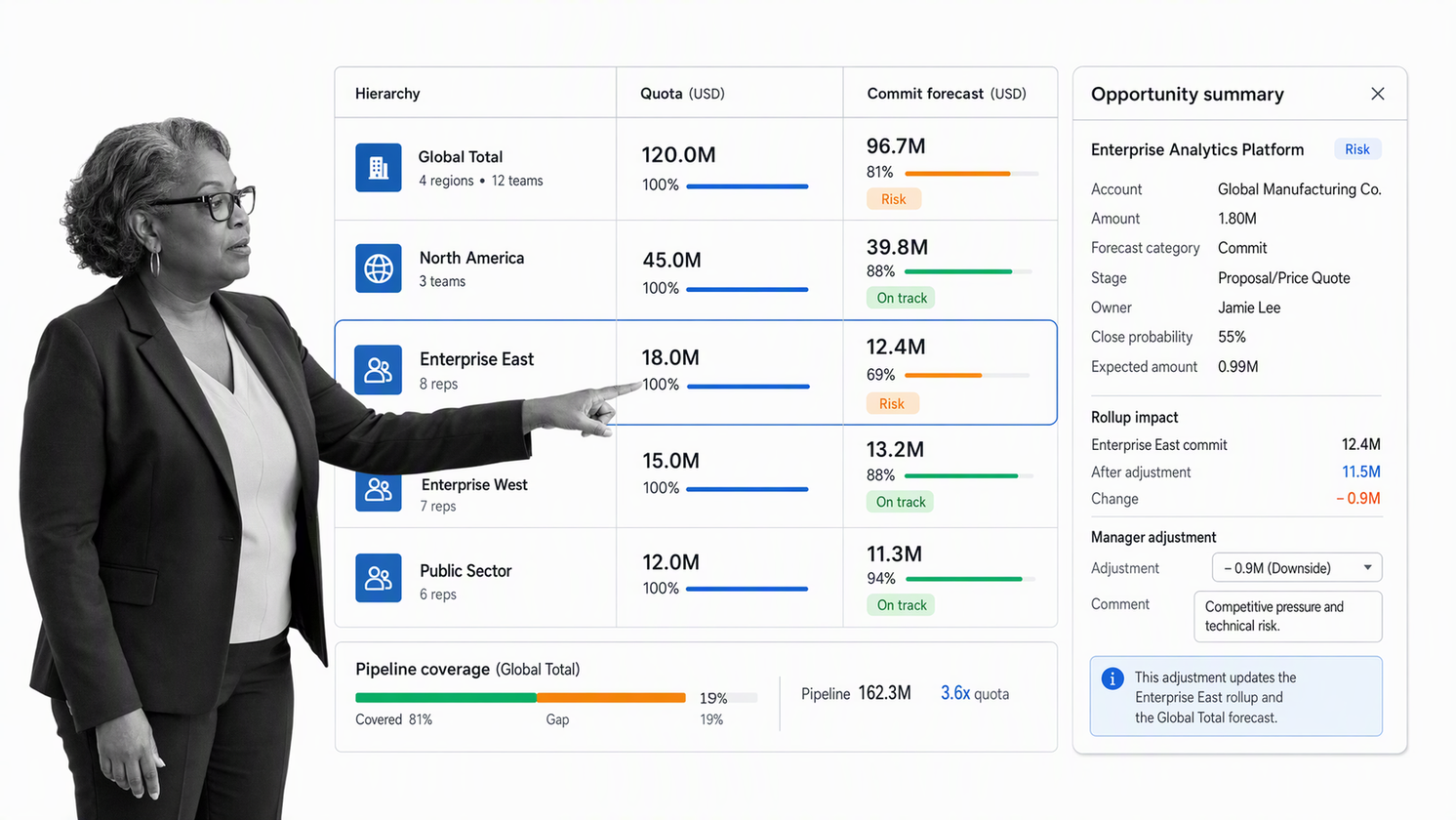
Best for: Complex enterprise sales organizations that need deep configurability, layered forecasting, and a large operating ecosystem.
Salesforce Sales Cloud remains a durable choice when many teams, territories, products, approval paths, and reporting requirements must share one customer system. Its opportunity model and collaborative forecasting support structured pipeline inspection, while its configuration depth lets specialists adapt objects, fields, permissions, and automation to the business.
The tradeoff is operational ownership. A highly configurable CRM can become inconsistent when teams add fields, stages, and automations without clear governance. Evaluate the official Salesforce forecasting guidance, then test how admins, revenue operations, managers, and reps will share responsibility for the system.
2. HubSpot Sales Hub
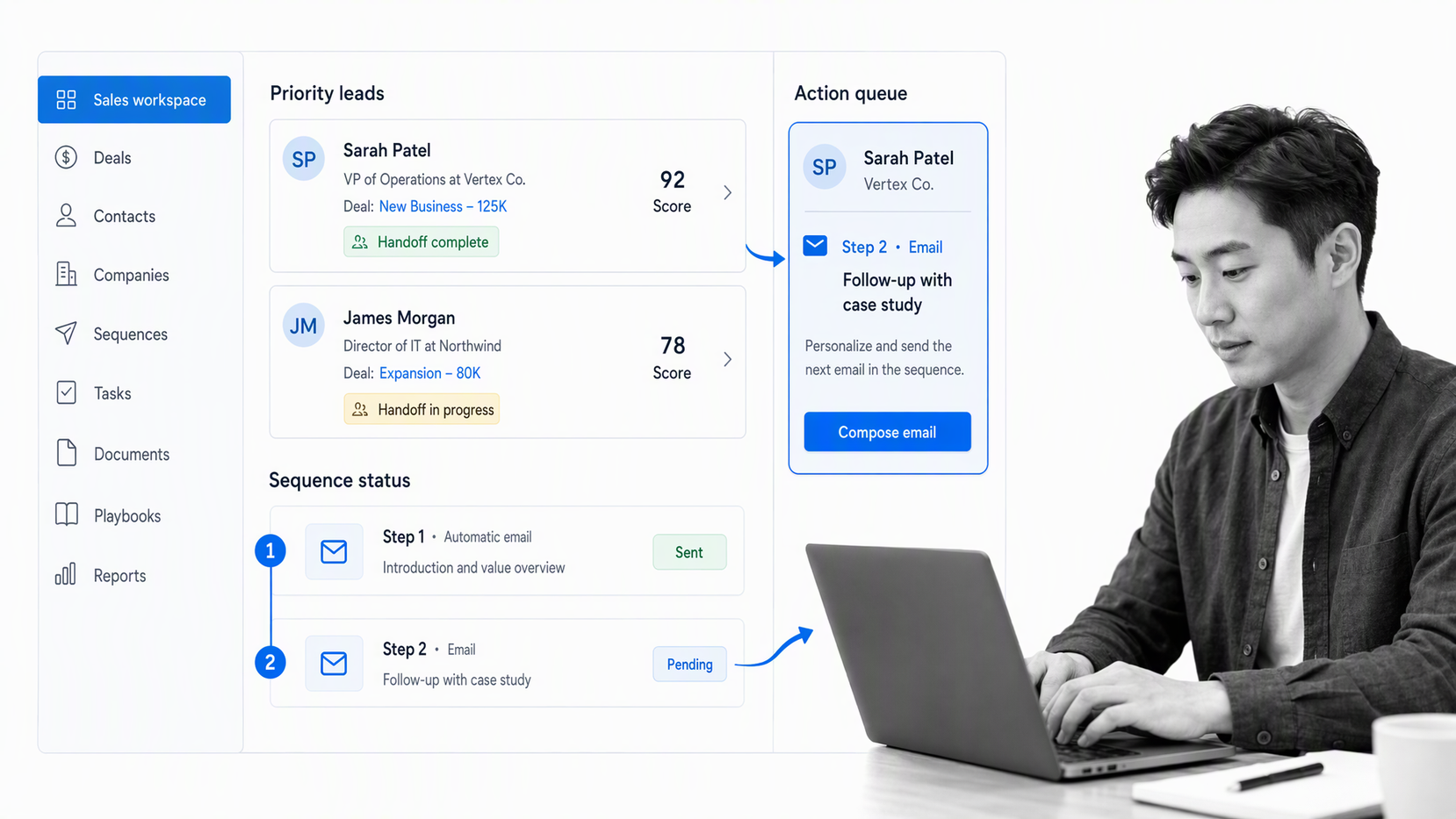
Best for: Growing teams that want CRM, prospecting, communication, pipeline automation, and reporting in a connected workspace.
HubSpot Sales Hub combines daily rep work with a broader customer platform. Sales teams can organize pipeline activity, prioritize leads, run sequences, automate handoffs, and monitor performance from a familiar workspace. That makes it attractive when marketing, sales, and service need shared context without starting from a heavily customized enterprise implementation.
Buyers should map required capabilities to the target subscription before rollout. The official HubSpot sales guide shows how pipeline automation, workflows, sequences, and the sales workspace fit together. Use a realistic user and data model in the pilot so tier limits and process gaps appear early.
3. Attio
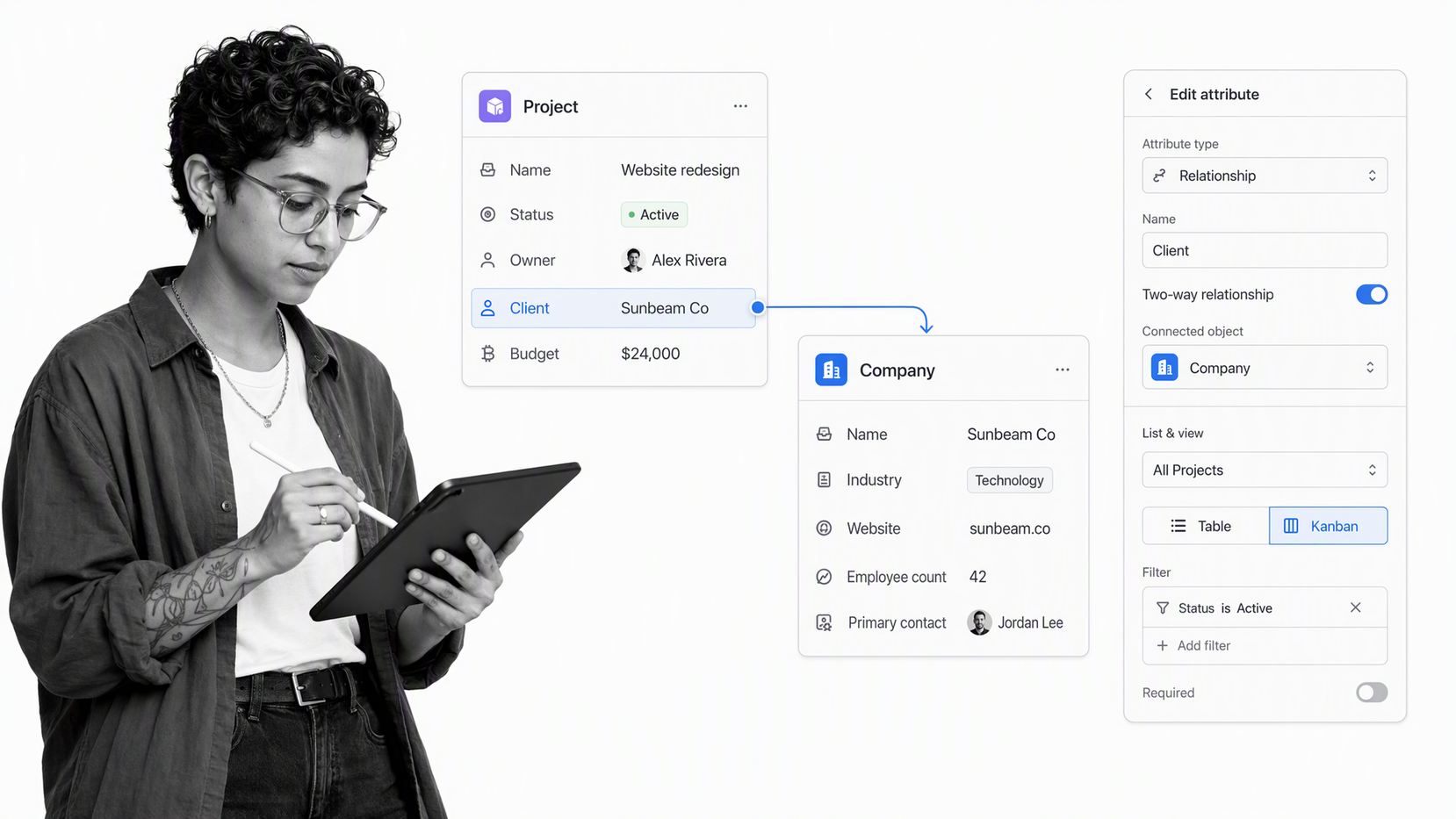
Best for: Modern go-to-market teams that want to model relationships, deals, subscriptions, funds, partners, or other entities around their own operating model.
Attio’s strength is a flexible data layer. Teams can organize records with objects and attributes, then create views and lists for specific processes. A sales team might use a kanban view for deal stages, a filtered table for the current quarter, and a list for a manager-selected review without duplicating the underlying record.
That flexibility rewards deliberate design. The official Attio data-model guide distinguishes attributes, views, lists, and objects. Define shared entities, ownership, required fields, and reporting needs before individual teams build competing structures.
4. Microsoft Dynamics 365 Sales
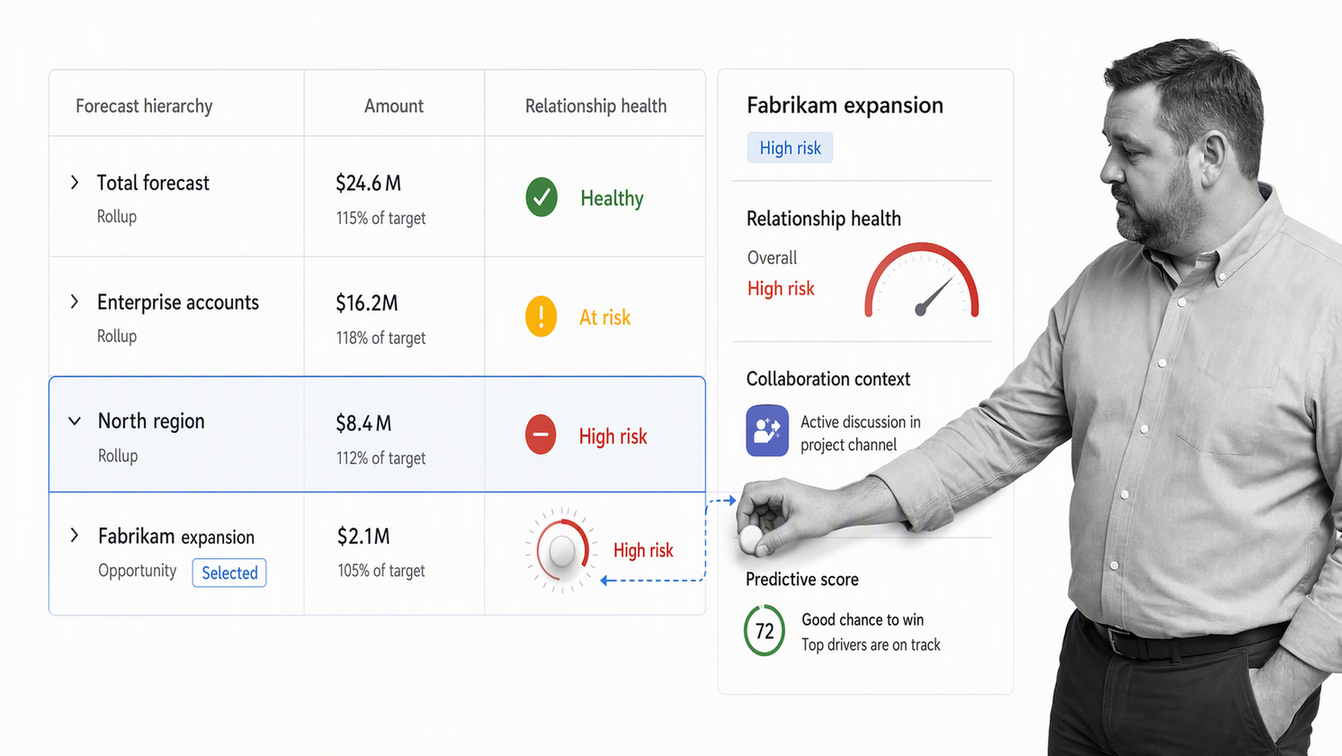
Best for: Enterprises already committed to Microsoft business applications, collaboration tools, and data infrastructure.
Dynamics 365 Sales covers account and opportunity management, forecast configuration, sales acceleration, relationship intelligence, conversation intelligence, predictive scoring, and collaboration with Microsoft tools. Its forecast surfaces can combine pipeline activity, forecast categories, quotas, and hierarchy rollups for sellers and managers.
The main buying question is architecture. Determine which capabilities belong in Dynamics, Microsoft 365, Power Platform, and connected systems, then define ownership for each workflow and dataset. A coherent Microsoft estate can reduce context switching, but overlapping licenses and poorly governed customizations can make the system harder to operate.
5. Pipedrive
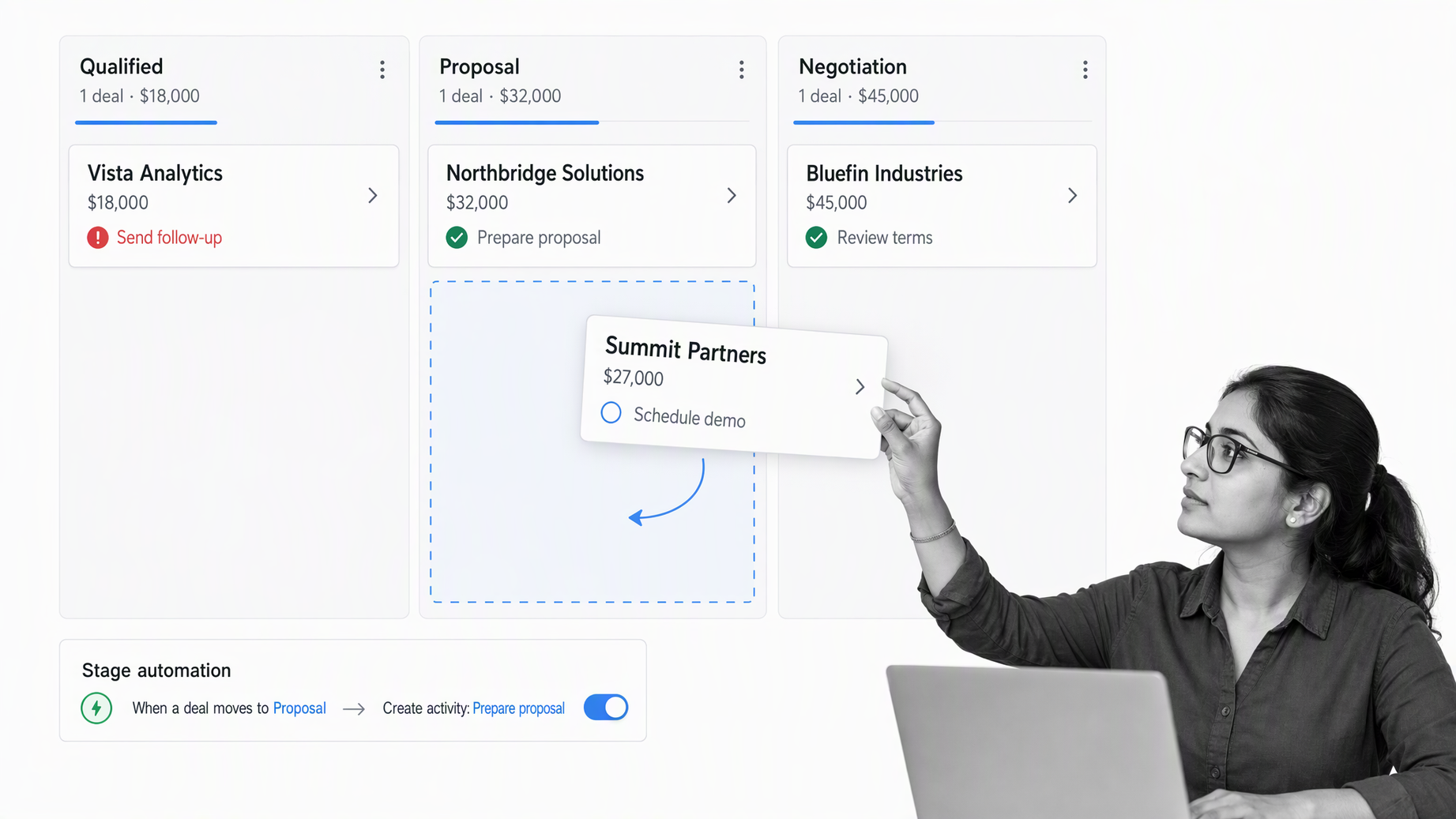
Best for: Pipeline-focused teams that want a clear visual sales process and strong next-action discipline.
Pipedrive centers the experience on deals moving through customizable stages. Teams can connect activities to deals, keep calls and follow-ups visible, create multiple pipelines, use custom fields, automate stage-based actions, and inspect performance through reporting and dashboards.
This focus is valuable when adoption and pipeline movement matter more than an all-in-one customer platform. During evaluation, reproduce the full lead-to-close process and test exceptions such as stalled deals, multi-product opportunities, reassignments, and post-sale handoffs. A clean pipeline only helps when stage definitions and required actions stay consistent.
6. Zoho CRM
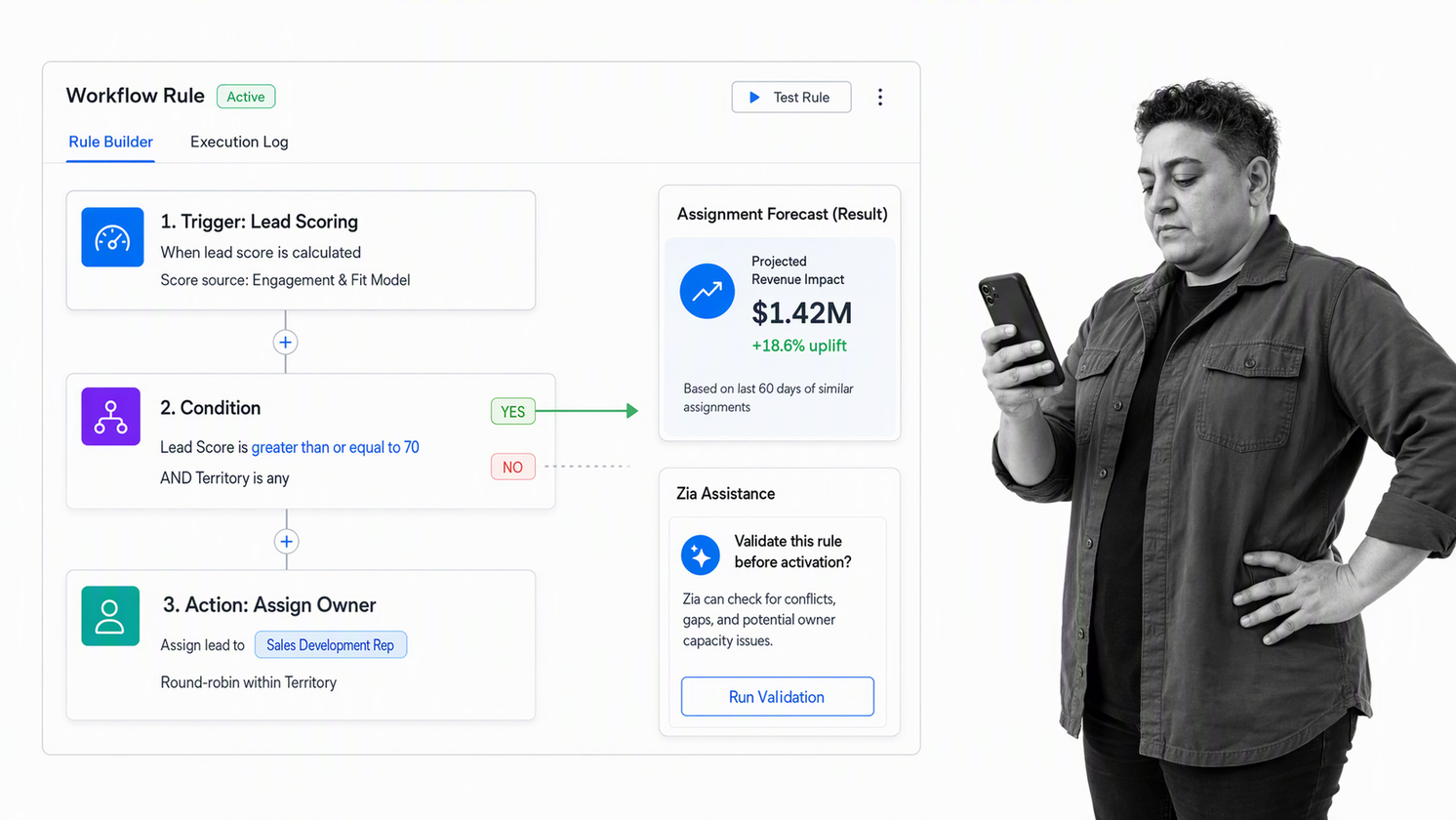
Best for: Value-conscious teams that want broad sales automation, customization, analytics, and AI assistance.
Zoho CRM supports lead and deal management, workflow rules, cadences, forecasting, analytics, process customization, and Zia-assisted sales work. It can suit organizations that want substantial CRM coverage and may also use other products in the Zoho ecosystem.
Breadth makes scope control important. Choose the few surfaces that must work on day one, define the fields and automations that support them, and delay optional modules until the team has reliable usage patterns. Test administration, reporting, and permission changes with the people who will maintain the system, not only with the buying team.
7. monday CRM
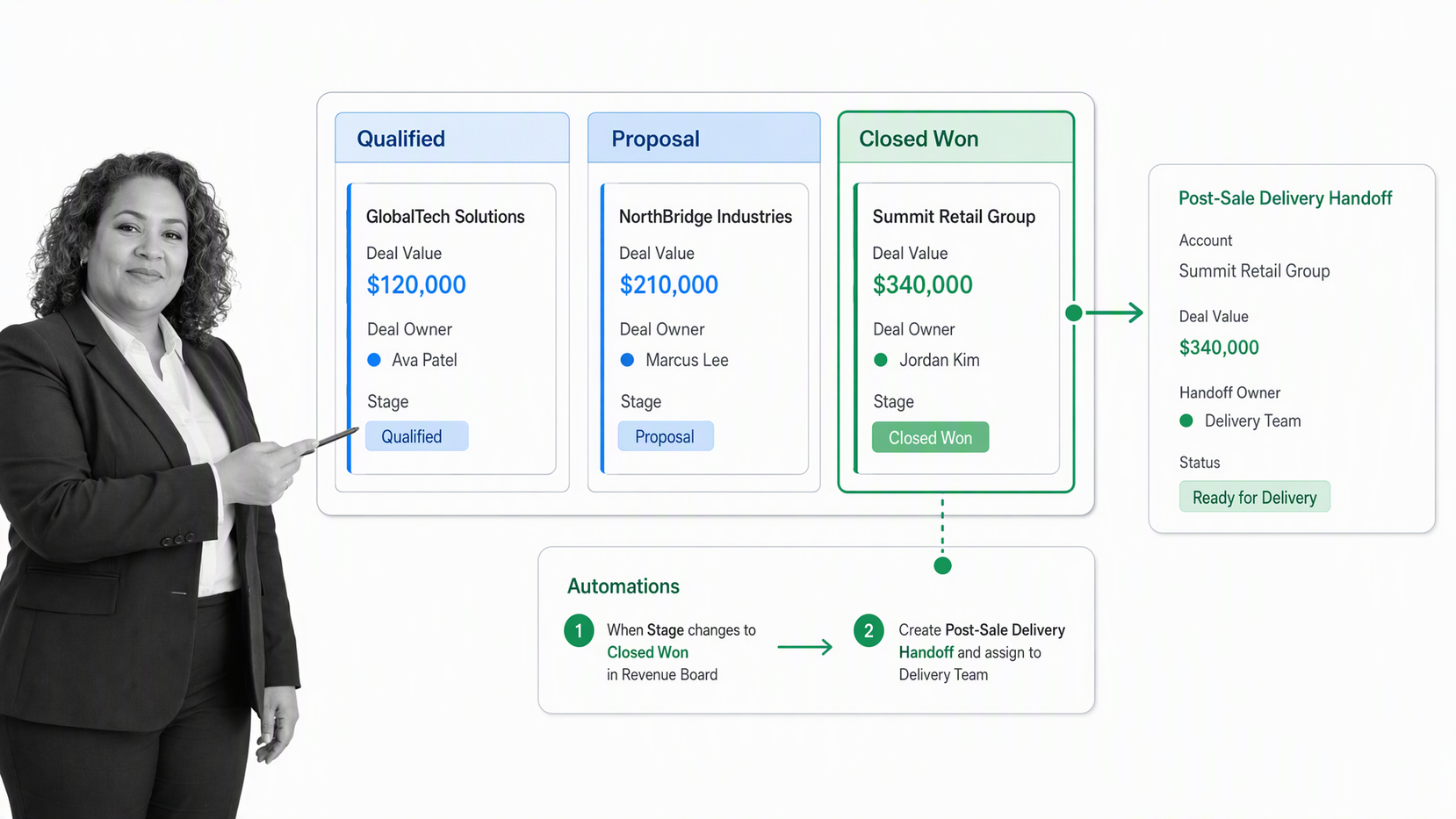
Best for: Teams that want customer work, deal management, and cross-functional execution in a configurable board-based environment.
monday CRM brings leads, contacts, accounts, deals, activities, dashboards, forecasts, communication, and automations into a flexible work platform. Teams can adapt boards and dashboards as their motion changes and connect revenue work to delivery activities without moving every handoff into a separate project tool.
The same flexibility can create inconsistent structures if every team builds its own version. Establish a canonical pipeline, field dictionary, ownership model, and archive policy. Then test whether automation and AI workflows reduce manual work without hiding the reason a deal moved or a task changed.
8. Freshsales
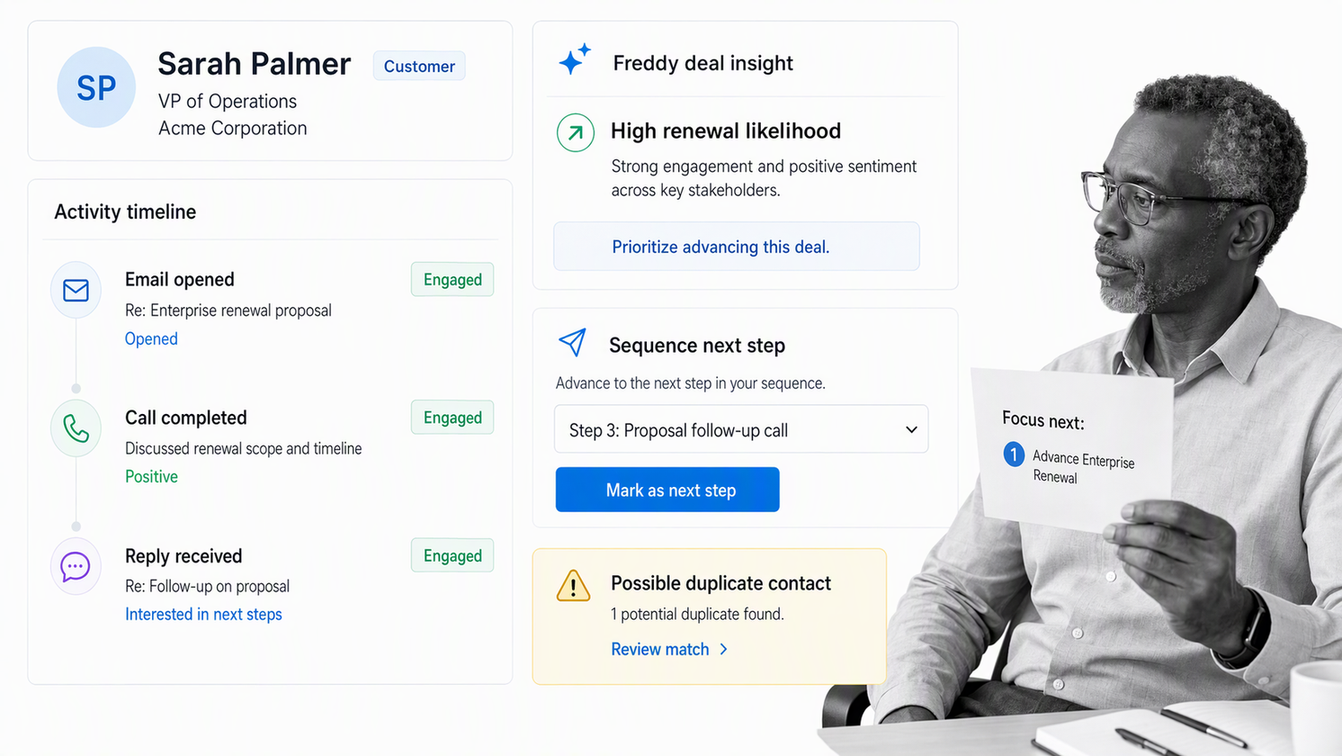
Best for: Small and midsize teams that want customer context, sales communication, automation, forecasting, and AI assistance in one CRM.
Freshsales supports custom fields and modules, tasks, lead assignment, sales sequences, workflows, activity timelines, multiple pipelines, forecasting, reports, and Freddy AI capabilities such as contact scoring, deal insights, and deduplication. The combined surface can reduce the number of tools a growing team must coordinate.
Evaluate how sales communication, marketing activity, and customer data will be separated or shared. Test lead routing, duplicate handling, pipeline reporting, and the permissions around sensitive customer fields. A broad suite is most useful when each team understands which record is authoritative and who owns exceptions.
9. Close
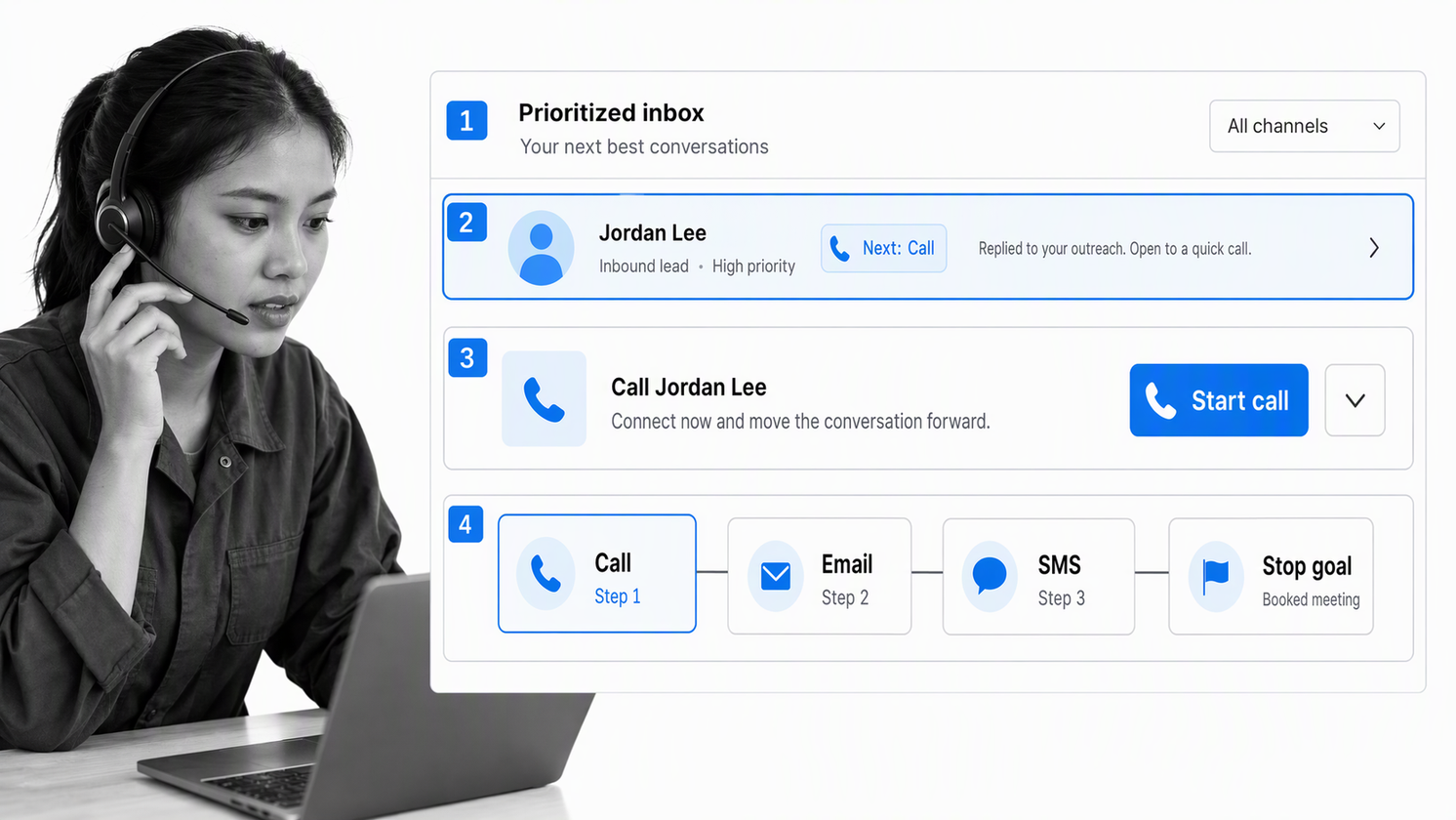
Best for: High-activity inside sales teams that work across calls, email, SMS, meetings, tasks, and follow-up sequences.
Close brings core sales communication into the CRM. Lead pages and the inbox centralize conversations and work, while workflows can combine triggers with email, SMS, call, and task steps. This makes it a strong candidate when fast follow-up and rep focus are more important than a broad marketing or service suite.
Pilot the actual communication mix, not a sample contact list. Confirm number management, recording practices, consent requirements, inbox ownership, workflow stop conditions, and handoffs after a deal closes. Communication speed should not come at the cost of incomplete customer context or unclear responsibility.
10. Clarify
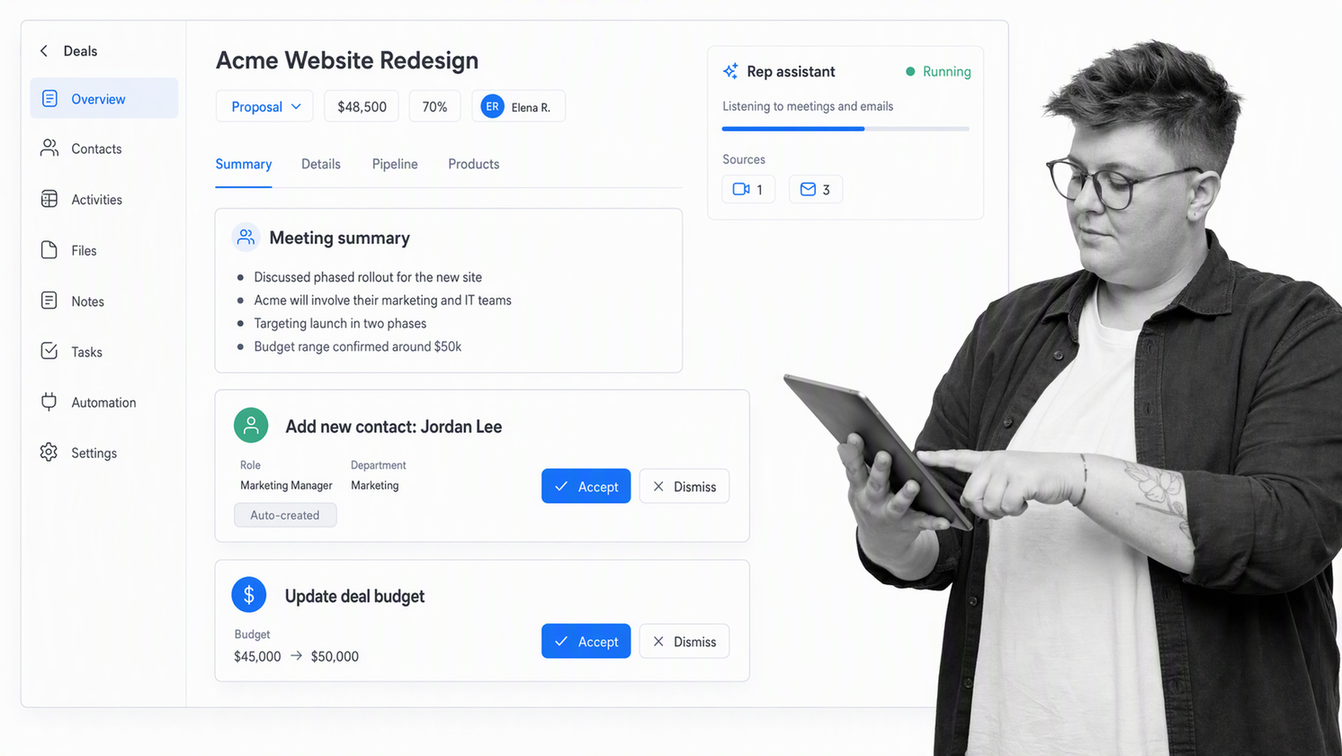
Best for: Fast-moving teams that want email, calendar, and meeting activity to maintain CRM context with less manual entry.
Clarify creates and updates customer records from connected work, summarizes recorded meetings, suggests deals and updates, and gives users an AI assistant called Rep. Rep can prepare calls, draft follow-ups, create records and lists, build dashboards, and set up background agents for repetitive CRM work.
The evaluation should focus on control as much as convenience. Decide which emails and meetings the system may process, how visibility works, which updates require review, how credits are monitored, and how a human can trace a record change back to its source. Automatic CRM maintenance is valuable only when the resulting data remains trusted.
11. Day AI
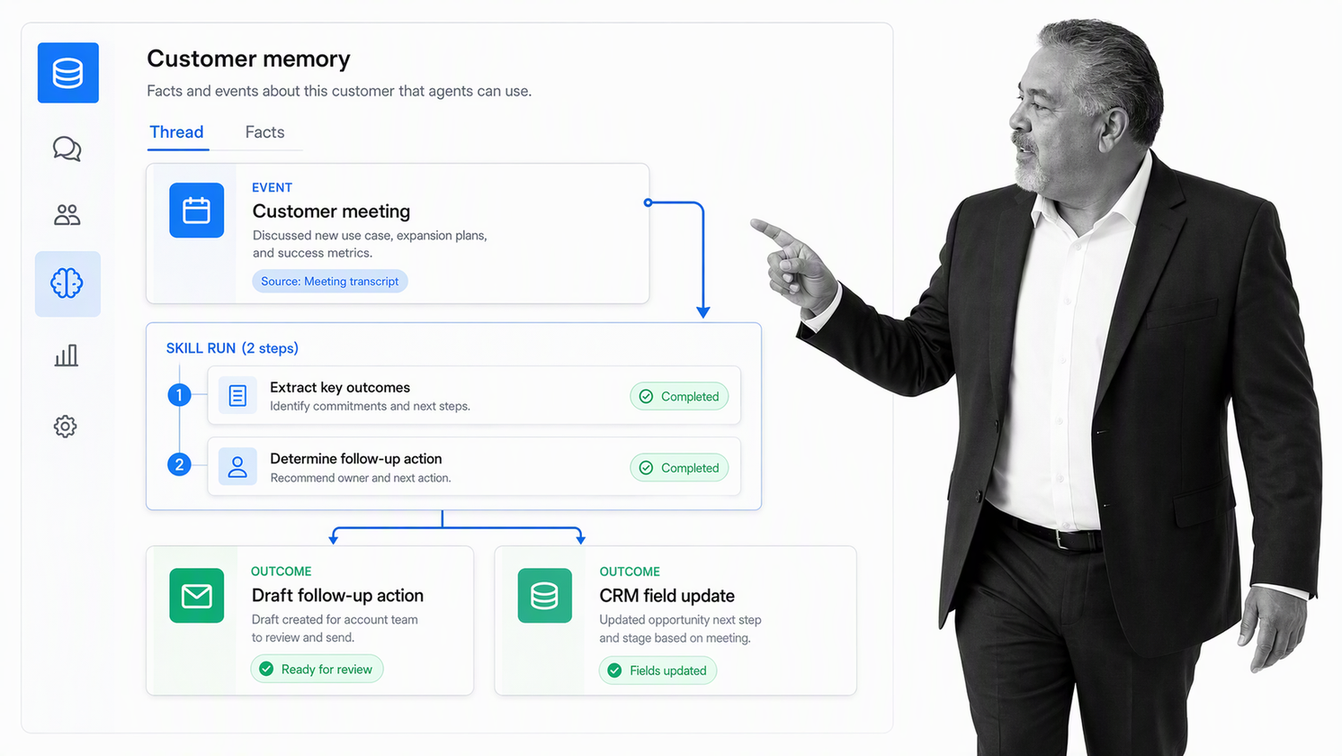
Best for: Go-to-market teams that want agents grounded in customer memory from meetings, email, and connected conversations.
Day AI combines CRM records with meeting capture, customer memory, agent tools, and configurable skills. Skills can run manually, on events, or on schedules to draft follow-ups, update CRM fields, create actions, or send configured notifications. The product emphasizes acting on conversation context instead of asking reps to reconstruct it later.
Buyers should test the complete loop from conversation capture to an approved record change. Confirm what the agent can read, what it can change, which actions are reversible, and whether pipeline analytics answer the manager’s real questions. New interaction models should still produce a clear system of record.
12. Lightfield
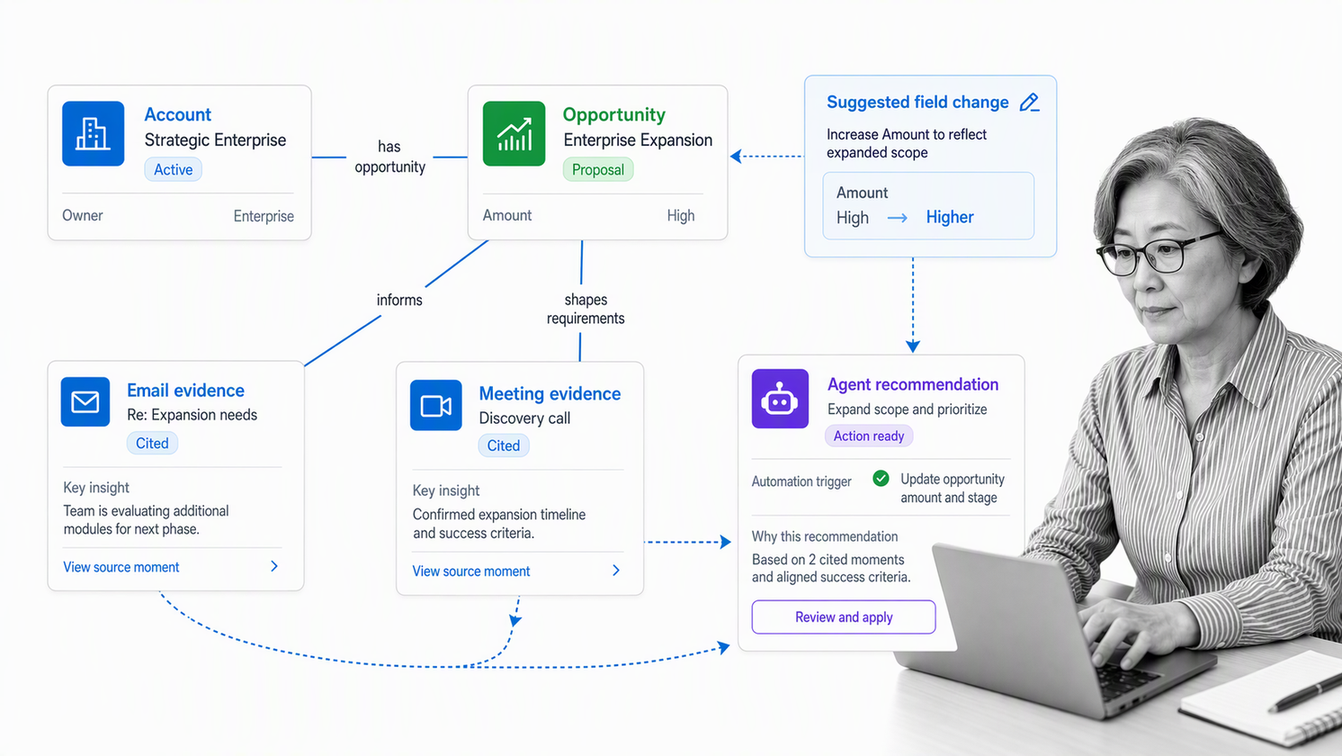
Best for: Teams that want an agent-native CRM built around customer interaction memory and natural-language actions.
Lightfield captures email and meeting context, relates that unstructured history to accounts, contacts, opportunities, and tasks, then lets agents reason over the combined context. Agents can update fields, create records, draft follow-ups, summarize meetings, and suggest changes. Automations and sequences turn those capabilities into repeatable work.
The official Lightfield documentation describes its context graph, agent layer, automations, and sequences. In a pilot, inspect citations, field-update controls, data visibility, API coverage, and recovery from a wrong automated conclusion. Rich memory raises the value of clear permissions and review paths.
13. folk
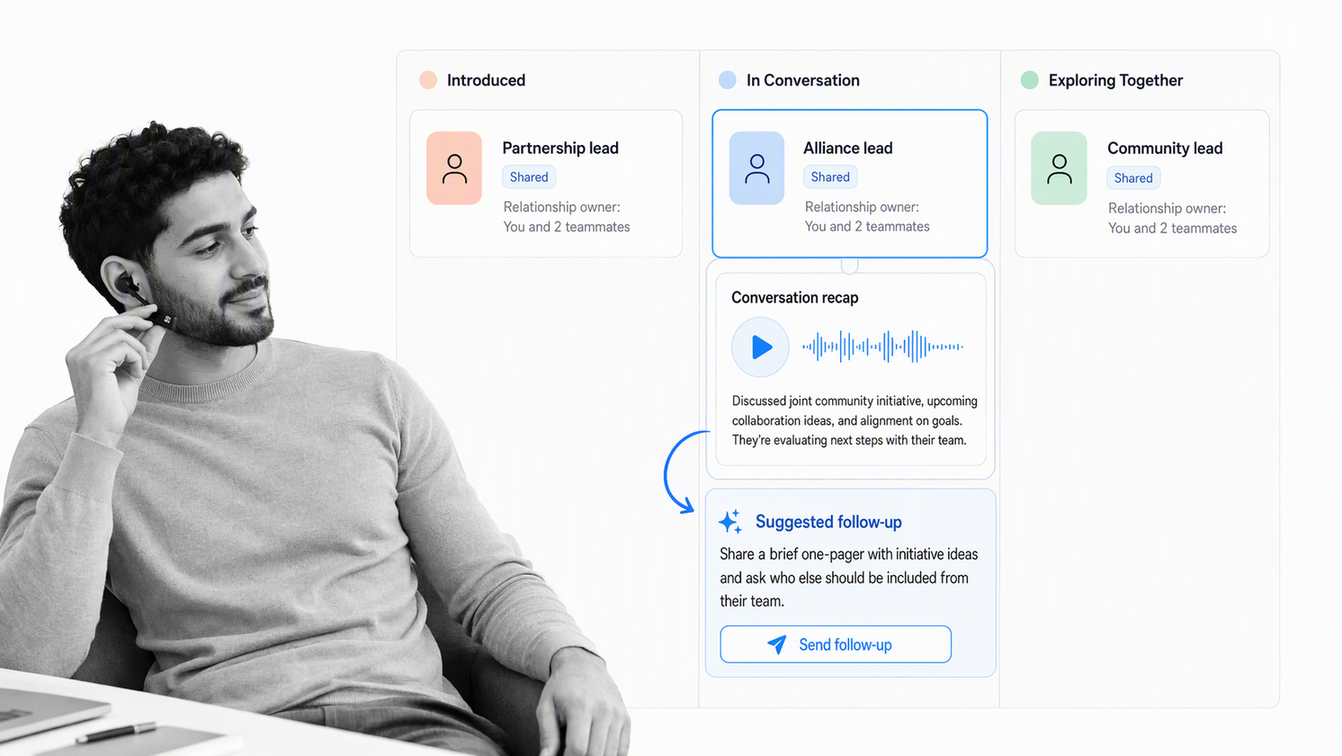
Best for: Relationship-driven teams in sales, partnerships, recruiting, investing, and agencies that want a lightweight collaborative CRM.
folk brings contacts, shared pipelines, enrichment, messaging, email and calendar context, and AI assistants into a simpler workspace. Its follow-up, recap, research, and workflow assistants support relationship work where context and timely outreach matter more than a heavily engineered enterprise opportunity model.
Test whether the lightweight approach covers required forecasting, permissions, auditability, and reporting. Teams with complex territories, product hierarchies, or revenue recognition needs may need more structure. Teams that win through networks and collaborative outreach may benefit from a system that emphasizes the relationship history instead.
How should you choose CRM software?
Choose the system that fits the motion you run now and the governance you can maintain. A serious pilot should use real roles, representative data, a real opportunity, and the downstream work that follows a win.
- Choose Salesforce Sales Cloud if enterprise complexity, forecasting hierarchy, customization, and ecosystem depth outweigh implementation overhead.
- Choose HubSpot Sales Hub if a growing team wants connected CRM and engagement workflows with a relatively approachable operating surface.
- Choose Attio if your team needs a flexible relationship model and has the discipline to define shared objects and views.
- Choose Pipedrive if visual pipeline movement and consistent next actions are the center of the sales motion.
- Choose Close if calls, email, SMS, and rapid follow-up dominate the rep’s day.
- Choose an AI-native CRM if reducing manual updates matters and the team can establish strong review, privacy, and audit controls.
- Choose Process Street alongside the CRM if qualification, approvals, handoffs, onboarding, or renewals need reliable owners, deadlines, routing, and proof of completion.
For adjacent categories, compare the best project management software and best customer success software. If integration architecture is driving the decision, the Workato alternatives and MuleSoft alternatives guides cover connected automation platforms.
How do CRM and workflow execution fit together?
A CRM should own customer truth: accounts, contacts, opportunities, communication history, pipeline stage, forecast context, and the next commercial action. A workflow platform should own repeatable procedures that require several people, required information, approvals, deadlines, and evidence.
Process Street turns CRM events into governed execution. A qualified opportunity can start a proposal process. A discount request can route to the right approver. A closed deal can launch implementation and customer onboarding. A renewal window can create a controlled review before risk becomes a surprise. Process Street supports popular integrations and connects the record to the work without asking the CRM to become every team’s process engine.
Start with the CRM strategy template, then adapt the sales process flowchart template and sales pipeline review template. The architecture stays clear: the CRM records the relationship and opportunity, while Process Street makes sure the required work is completed correctly.
Best CRM software FAQs
What is the best CRM software for a modern sales team?
Salesforce Sales Cloud fits complex enterprise teams, HubSpot Sales Hub fits connected growth teams, Attio fits teams that need a flexible data model, and Pipedrive fits pipeline-focused sellers. The best choice depends on the sales motion, adoption needs, governance capacity, integrations, and downstream work.
What features should the best CRM software include?
Look for reliable contact and opportunity records, clear pipeline stages, activity history, useful reporting, forecasting, automation, permissions, integrations, and a fast daily workflow for reps. The system should also make ownership and data quality visible.
Which CRM is easiest to customize?
Attio and monday CRM provide flexible structures that many business teams can adapt directly. Salesforce and Microsoft Dynamics 365 support deeper enterprise customization but usually require more administration. Easy customization still needs shared standards to prevent fragmented data.
Is an AI-native CRM better than a traditional CRM?
An AI-native CRM can reduce manual data entry and turn meetings or email into records, summaries, and next actions. A traditional CRM may offer more mature administration, ecosystem depth, and reporting. The better choice depends on process complexity and the controls available for AI-generated changes.
What is the difference between CRM and workflow software?
CRM software stores customer, account, opportunity, activity, and forecast data. Workflow software runs repeatable procedures around that data, such as qualification, proposal approval, security review, implementation handoff, onboarding, and renewal preparation.
How should a company test CRM software before buying?
Use representative data and run a real opportunity through capture, qualification, activity logging, stage changes, forecasting, approval, handoff, and reporting. Include reps, managers, revenue operations, administrators, and downstream teams in the pilot.
How does Process Street work with CRM software?
Process Street runs the controlled workflows around CRM records. A CRM event can start a qualification, approval, handoff, onboarding, or renewal process, while the workflow assigns owners, collects required information, enforces steps, and records completion evidence.
About the author
Vinay Patankar is the co-founder and CEO of Process Street. He writes about workflows, operations, compliance, and the systems teams use to turn customer data into consistent execution.
