


Turn every policy into automated workflows with built-in enforcement and audit-ready proof.



Change Management Process Software

Change management process software is a system for planning, assigning, executing, measuring, and reinforcing organizational change. It turns a change strategy into a live workflow, so sponsors, managers, trainers, and affected teams know what to do, when to do it, and what evidence proves the change is taking hold.
The software does not replace leadership or good judgment. It gives those decisions an operating system. Instead of managing a transformation through slide decks, scattered spreadsheets, meetings, and reminders, you run one controlled process with owners, due dates, approvals, communications, training records, feedback, and adoption signals.
This guide explains the stages the software should support, the features that matter, how to measure adoption, how to choose a platform, and how to implement it without creating another layer of administrative work.
In this article, we are going to cover:
- What is change workflow software?
- What good change management software must cover
- The seven stages a change platform should support
- Core features of a change management platform
- How to measure adoption and change performance
- How to choose a change management platform
- How to implement change management software
- How Process Street runs change management
- FAQs
What is change management process software?
Change management process software coordinates the people side and the execution side of a business change. The people side covers awareness, sponsorship, communication, training, readiness, resistance, and reinforcement. The execution side covers tasks, owners, approvals, dependencies, deadlines, evidence, and reporting. A useful platform keeps both in the same workflow.
Change management software vs project management software
Project management software tracks deliverables, budgets, and schedules. Change management software tracks whether people understand, accept, adopt, and sustain a new way of working. A project can launch on time while adoption fails. That is why a change process needs readiness checks, stakeholder plans, training evidence, feedback loops, and reinforcement after the project team declares delivery complete.
Change management software vs IT change control
Organizational change management is also different from IT change control. IT change control governs technical releases, configuration updates, risk, testing, approval, and rollback. Organizational change management governs how employees and other stakeholders move from the current state to the new one. The two can overlap during a system rollout, but the audience, evidence, and success measures are different.
Why a repeatable process matters
A repeatable process gives every initiative the same minimum discipline without forcing every initiative to look identical. The ACMP Standard for Change Management describes generally accepted practices while remaining method neutral. Software should do the same: provide a governed structure that can flex around the size, risk, and audience of the change.
What good change management software must cover
Strategy translated into action
A change strategy is useful only when it produces decisions and work. The system should translate the case for change into named workstreams, milestones, owners, decision gates, and measurable outcomes. That gives sponsors a concrete way to steer the initiative and gives delivery teams a clear sequence to follow.
Stakeholder impact and ownership
Different groups experience the same change differently. A finance team may get a new approval path, managers may gain reporting duties, and frontline staff may need entirely new habits. A structured stakeholder analysis template helps identify influence, impact, concerns, and engagement needs before communication begins.
Communication and enablement
Software should connect each audience to the messages, channels, training, and support they need. A communication planning template makes the sequence explicit: define objectives, audiences, messages, channels, approvals, delivery, measurement, and feedback. The workflow then assigns the work instead of leaving the plan in a document.
Governance and evidence
High-impact change needs decision rights. The software should show who can approve scope, move a rollout into the next phase, accept a readiness risk, or trigger extra support. It should also retain evidence such as approved plans, completed training, feedback themes, and post-launch reviews. That record turns governance into proof instead of recollection.
The seven stages change management process software should support
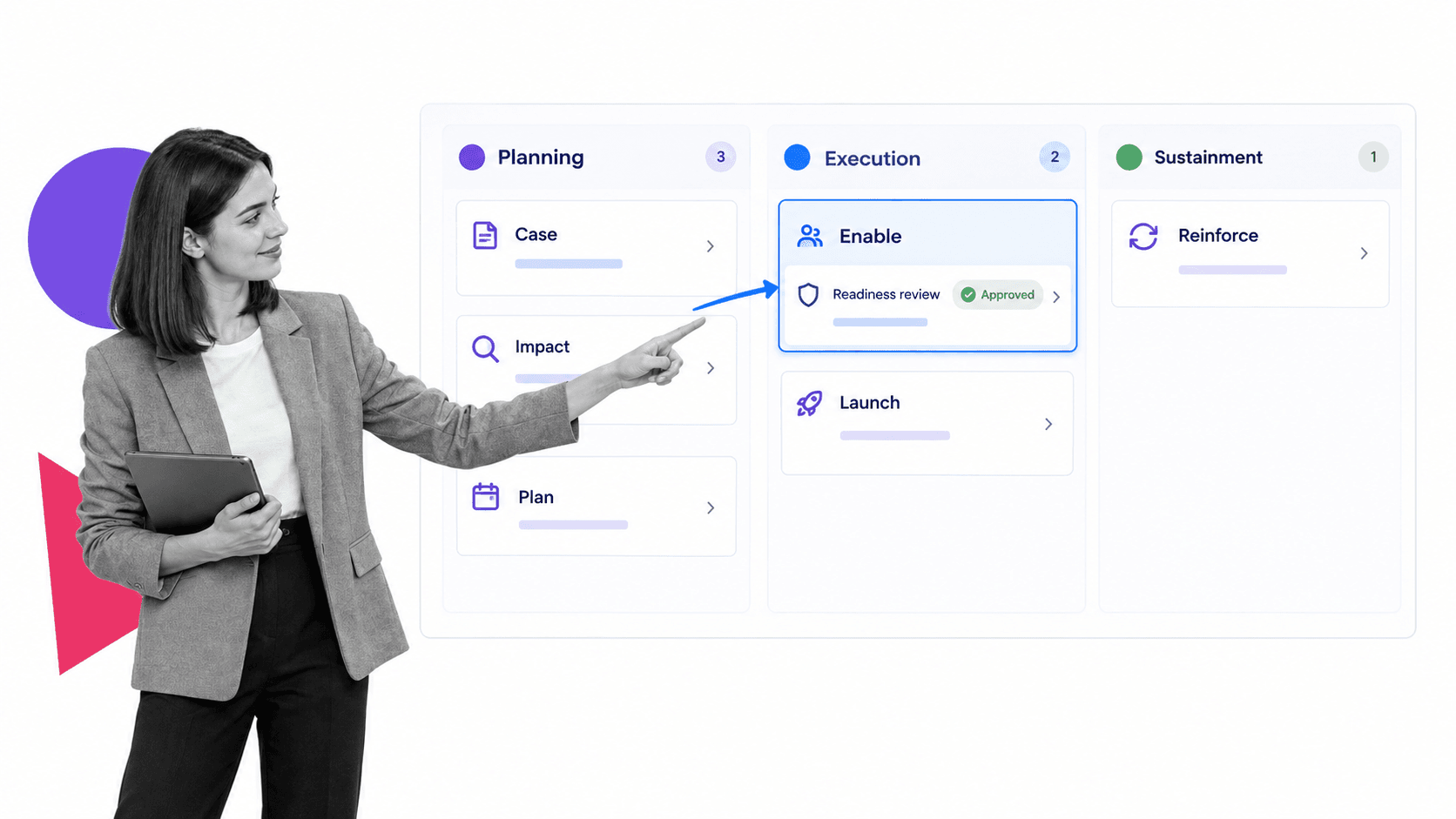
1. Define the case for change
Start with the current state, the desired state, why the change is necessary, and the cost of doing nothing. Capture a sponsor, a change owner, the affected business outcomes, and the boundaries of the initiative. Clear scope prevents the workflow from turning into a general task list.
2. Assess impact and readiness
Identify which roles, teams, locations, systems, policies, and customer experiences will change. Record the size and nature of each impact, then assess readiness. A high-impact group with low readiness needs more communication, training, and manager support than a low-impact group already asking for the change.
3. Build the change plan
Turn impacts into workstreams for sponsorship, communications, training, process updates, data migration, policy changes, and reinforcement. A practical change management process template keeps these activities connected from initial need through post-implementation review.
4. Communicate and involve stakeholders
Communication should answer what is changing, why it matters, when it happens, what each audience must do, and where to get help. The software should schedule messages, route approvals, track delivery, and capture feedback. It should also surface unanswered concerns before they become resistance.
5. Train and prepare teams
Training is not a single attendance checkbox. It should cover the new behavior, give people a chance to practice, verify competence where risk demands it, and route anyone who is not ready to extra support. The Prosci ADKAR model is useful here because it distinguishes awareness, desire, knowledge, ability, and reinforcement.
6. Launch and support the change
Launch with clear decision gates, escalation paths, support coverage, and rollback or contingency plans where appropriate. Microsoft recommends incremental change for sustainable adoption, including defining the change, describing impact, prioritizing, implementing in phases, and creating action plans. That approach is detailed in its change management roadmap.
7. Reinforce and improve
After launch, measure behavior, resolve barriers, recognize adoption, refresh training, and update the process. Reinforcement is where temporary compliance becomes a durable operating habit. The workflow should stay open long enough to confirm the new process is normal, not merely announced.
Core features of change management process software
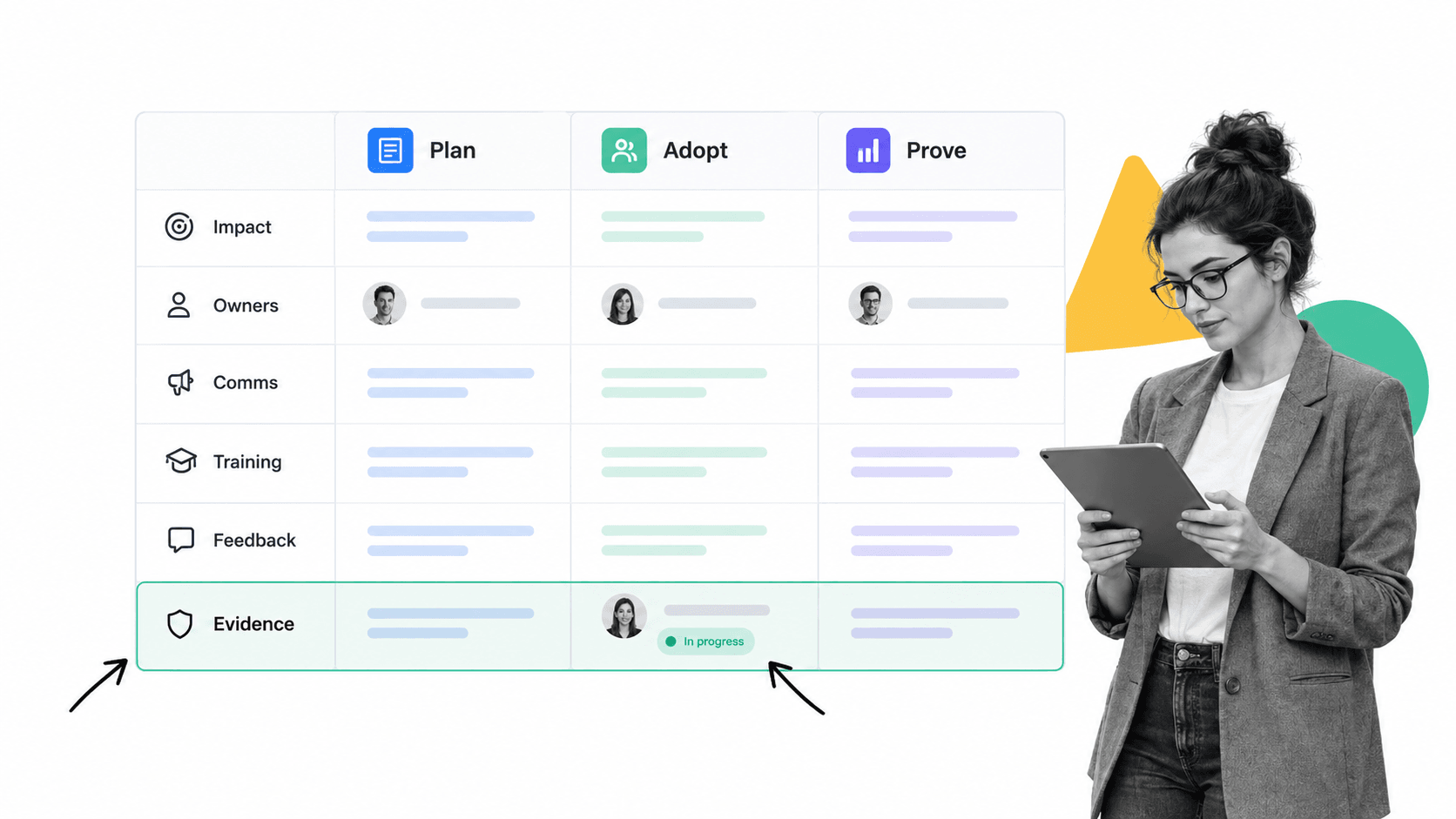
Configurable workflows
Every organization has a different approval structure, risk tolerance, and communication cadence. Look for configurable workflows with conditional paths, role-based assignments, required fields, dependencies, and reusable templates. This is the foundation of effective workflow process management.
Approvals and decision gates
Major decisions should be visible and controlled. The system should route a plan, readiness review, communication, training package, or launch decision to the right approver and record the outcome. Built-in workflow approvals prevent the initiative from moving forward before a required decision is made.
Stakeholder and communication tracking
The system should relate stakeholder groups to impacts, messages, channels, owners, and feedback. This prevents a common failure: a polished communication plan that is disconnected from the people it is supposed to reach.
Training and readiness evidence
Look beyond course completion. Useful evidence includes manager briefings, practice exercises, role-based signoffs, knowledge checks, access confirmation, and readiness exceptions. The workflow should make missing evidence visible before launch.
Dashboards, feedback, and audit history
A dashboard should show progress and risk, not just activity. It should make overdue work, unapproved gates, low-readiness groups, recurring concerns, and post-launch issues easy to see. An audit history should preserve who completed, reviewed, changed, or approved each item.
Integrations and automation
Change work touches HR, learning, communication, ticketing, identity, document, and analytics systems. Integrations should move data and trigger work without manual copying. That is the practical value of process automation: fewer handoffs and fewer places for the rollout to lose momentum.
How to measure adoption and change performance
Separate delivery from adoption
Delivery metrics tell you whether the project completed its tasks. Adoption metrics tell you whether people changed behavior. Both matter. A training program can finish on schedule while the new process remains unused. Keep milestone completion, training completion, and communication delivery separate from usage, proficiency, error rates, exceptions, and business outcomes.
Use leading and lagging indicators
Leading indicators warn you early: sponsor activity, manager briefings, message reach, training participation, readiness scores, unresolved concerns, and support demand. Lagging indicators confirm the result: adoption rate, cycle time, quality, policy adherence, rework, customer outcomes, and sustained use. The software should connect early signals to later outcomes so teams learn which interventions work.
Measure by impacted group
A single average hides where a rollout is failing. Segment adoption by role, team, location, manager, process, or risk group. That allows targeted support. A team that understands the change but lacks access needs a different intervention from a team that has access but rejects the new behavior.
Measurement should feed improvement, not become a reporting ritual. The CIPD change management guidance emphasizes enabling and embedding change, which requires learning from what people experience rather than treating launch day as the finish line.
How to choose change management process software
Start with your operating problem
Write down the failure you need to stop. Is work scattered across tools? Are approvals invisible? Do managers miss their responsibilities? Does training evidence arrive too late? Do rollouts repeat without learning? The clearest buying criteria come from the operational failure, not a generic feature list.
Test one real change
Use a current initiative as the evaluation case. Build the impact assessment, stakeholder plan, communications, training, approvals, launch, and reinforcement steps. Then test how the platform handles exceptions. A polished demo is less useful than seeing your actual rollout survive a late scope change, a low-readiness team, or a missed approval.
Check usability and governance together
Software that is easy but loose becomes another checklist. Software that is strict but difficult gets bypassed. The right balance is simple execution with strong control where risk matters. Compare that balance against adjacent categories such as process management software and workflow management software before deciding what you actually need.
Demand evidence of fit
Ask the vendor to show how the system handles stakeholder segmentation, conditional support, approval history, training proof, and adoption reporting. Confirm that the workflow can change without a long services project. Also check exportability, permissions, accessibility, security, and how the platform connects to your current systems.
Include the people who will operate the process in the evaluation. A transformation lead may care about portfolio visibility, while a manager needs a clear task list and a trainer needs reliable evidence. Give each role a realistic scenario and record where they hesitate, work around the system, or lose context. Those observations expose adoption friction before procurement turns it into a long-term constraint.
How to implement change management software
Choose a visible pilot
Start with a change that matters but is not existential. It should involve more than one team, have a clear sponsor, and produce observable adoption signals. A pilot that is too small proves nothing. A first rollout that is too risky makes every configuration mistake expensive.
Document the minimum standard
Define the steps every change must include and the conditions that add extra controls. Document owners, decision rights, evidence requirements, and escalation paths. Good process documentation keeps the workflow understandable and prevents local improvisation from weakening the standard.
Configure roles, paths, and evidence
Build the workflow around roles rather than individual names where possible. Add conditional paths for different risk, impact, or readiness levels. Make critical fields required, place approvals at the real decision points, and capture evidence as part of task completion.
Train the operators of the process
The first people to train are sponsors, change leads, managers, trainers, and process owners. They operate the system that helps everyone else adopt the change. Teach them how to interpret readiness, respond to concerns, use escalation paths, and close the feedback loop.
Review the pilot and scale
After the pilot, examine what stalled, which fields were ignored, where responsibilities were unclear, and which reports changed decisions. Update the standard before expanding. The discipline is similar to the broader process management cycle: design, execute, measure, improve, and repeat.
How Process Street runs change management
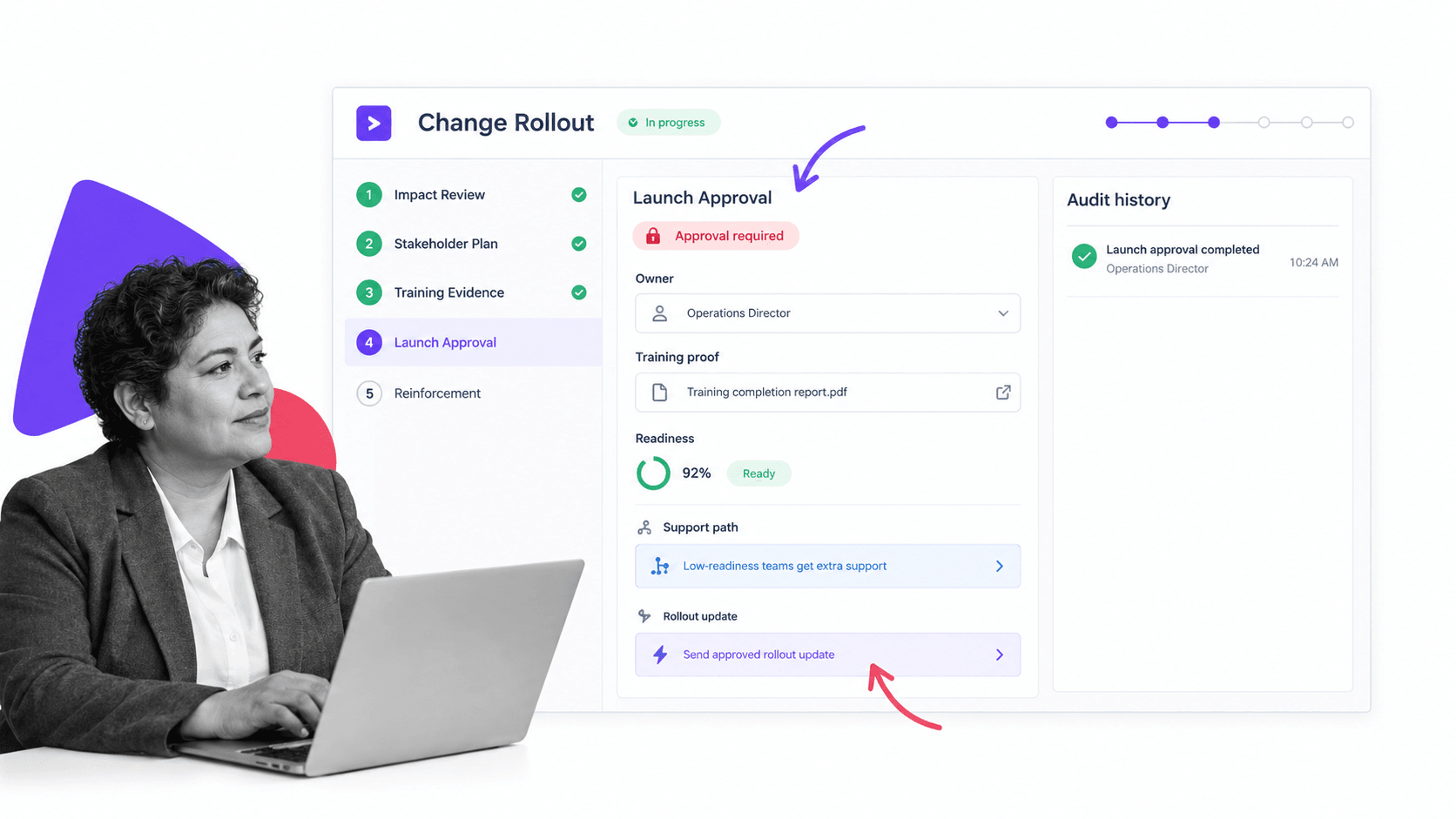
Process Street is an agentic process automation platform for high-stakes operations. It turns a change plan into a workflow that assigns owners, enforces required steps, routes approvals, captures evidence, automates handoffs, and records what happened. The strategy and the execution live in the same operating system.
A change team can start with an impact assessment, route the plan for approval, generate audience-specific work, require training proof, branch low-readiness groups into extra support, and block launch until the sponsor accepts the evidence. After rollout, the same workflow can collect feedback, assign remediation, measure adoption, and schedule reinforcement.
Process Street has direct, universal integrations to 5,000+ systems. Need a new one? An AI agent builds it on the fly. That allows a change workflow to connect the HR, communication, learning, support, document, analytics, and system-of-record tools already in use without making one team manually reconcile every update.
Teams can launch from an organizational change management template and adapt the workflow to the initiative. A broader change and process improvement workflow supports the feedback and continuous-improvement loop after launch. The result is a repeatable system that makes accountability visible and gives leaders proof that the change is being adopted.
The approach also connects change management to everyday operations. Better workflows reduce manual coordination, a benefit explained in the guide to business process automation benefits. Teams can use a central process without losing the flexibility to tailor tasks and support to each impacted group.
Frameworks still matter. The Kotter 8 Steps for Leading Change offers a leadership framework, while ADKAR focuses on individual adoption. Process Street gives those frameworks an execution layer: the tasks, ownership, approvals, evidence, and follow-through needed to use the model consistently.
FAQs
What is change workflow software?
Change workflow software turns an organizational change plan into a governed process. It coordinates impact assessment, stakeholders, communications, training, approvals, launch support, feedback, measurement, and reinforcement so the change is executed consistently and adoption can be proved.
What should a change management platform include?
It should include configurable workflows, assignments, approvals, stakeholder and communication tracking, training evidence, conditional support paths, dashboards, feedback, integrations, and audit history. The best system connects strategy, execution, adoption, and reinforcement rather than managing them in separate tools.
Is change management software the same as project management software?
No. Project management software tracks delivery, schedules, resources, and milestones. Change management software focuses on whether affected people understand, accept, adopt, and sustain a new behavior or process, although the two systems may exchange data during the same initiative.
How does change management software improve adoption?
It makes responsibilities, messages, training, readiness, feedback, and support visible in one workflow. Teams can identify low-readiness groups early, route them to targeted support, and keep reinforcement work active after launch instead of treating delivery as the finish line.
How do you choose a change management platform?
Start with a real operating problem and test one current change. Confirm the platform can handle stakeholder impacts, conditional paths, approvals, training proof, feedback, adoption reporting, permissions, integrations, and changes to the workflow without a long services project.
Can Process Street be used for change management?
Yes. Process Street can run organizational change as an executable workflow with owners, required fields, conditional paths, approvals, evidence, automations, dashboards, and audit history. Teams can use it to connect planning, communication, training, launch, feedback, and reinforcement in one controlled process.
