





Workflow Automation Compliance
Workflow automation compliance is the practice of designing automated workflows so they enforce policy, preserve approvals, capture evidence, and produce an audit trail as work happens. It is not just automation with a compliance label. It is automation built with controls inside the path of execution.
That distinction matters because automation can scale both good process and bad process. A workflow that skips approvals faster, routes sensitive data to the wrong place faster, or hides exceptions faster creates more risk than a manual process. The goal is to make the compliant path the easiest path.
For compliance, risk, operations, and quality teams, the question is simple: can you prove the right person did the right step, at the right time, with the right evidence? If the answer depends on a spreadsheet cleanup before the audit, the workflow is not compliant enough.
This guide covers how workflow automation compliance works, which controls matter most, how to design compliant automations, and how Process Street helps teams enforce policy, track steps, and prove compliance.
In this guide, we will cover:
- What workflow automation compliance means
- Why compliance breaks in automated workflows
- Workflow automation compliance controls to build in
- How to design compliant workflow automation
- Where Process Street fits
- Workflow automation compliance examples
- Common mistakes to avoid
- Workflow automation compliance checklist
- FAQs
What workflow automation compliance means
Workflow automation compliance means the workflow itself carries the requirements that used to sit in policy documents, checklists, meeting notes, and audit folders. Required approvals, role-based routing, evidence collection, timestamps, exception handling, and review steps are not optional side tasks. They are part of the automated workflow.
Automation is the execution layer
A policy explains what should happen. A workflow decides what actually happens. When teams automate recurring work, that workflow becomes the execution layer for the policy. If the workflow lacks a required approval, ignores segregation of duties, or lets a task close without evidence, the policy is not being enforced in practice.
This is why workflow automation compliance sits between operations and governance. It turns a compliance requirement into a repeatable sequence of assignments, decisions, data capture, and proof. Good systems also preserve who changed the workflow, who approved the change, and which version was active when work occurred.
Compliance is more than an audit trail
Audit trails matter, but they are only one part of the model. A compliant automated workflow should prevent obvious violations before they happen. It should make exceptions visible while there is still time to fix them. It should keep evidence attached to the work item, not scattered across email, chat, and shared drives.
The best test is whether the workflow can answer examiner-style questions without a special project. Who approved this? Which policy applied? What evidence supports it? Was the task overdue? Was the exception reviewed? What changed after the issue was found?
Why compliance breaks in automated workflows
Workflow automation compliance breaks when teams treat automation as speed first and governance later. The workflow moves work forward, but the control design never catches up. That is how teams end up with automated handoffs that are faster than email but no easier to defend in an audit.
The automation copies an informal process
Many teams automate the process they already have, including the hidden workarounds. A manager approval becomes a notification. Evidence collection becomes a comment field. Risk review becomes a task someone can skip. The workflow looks modern, but the control environment is still informal.
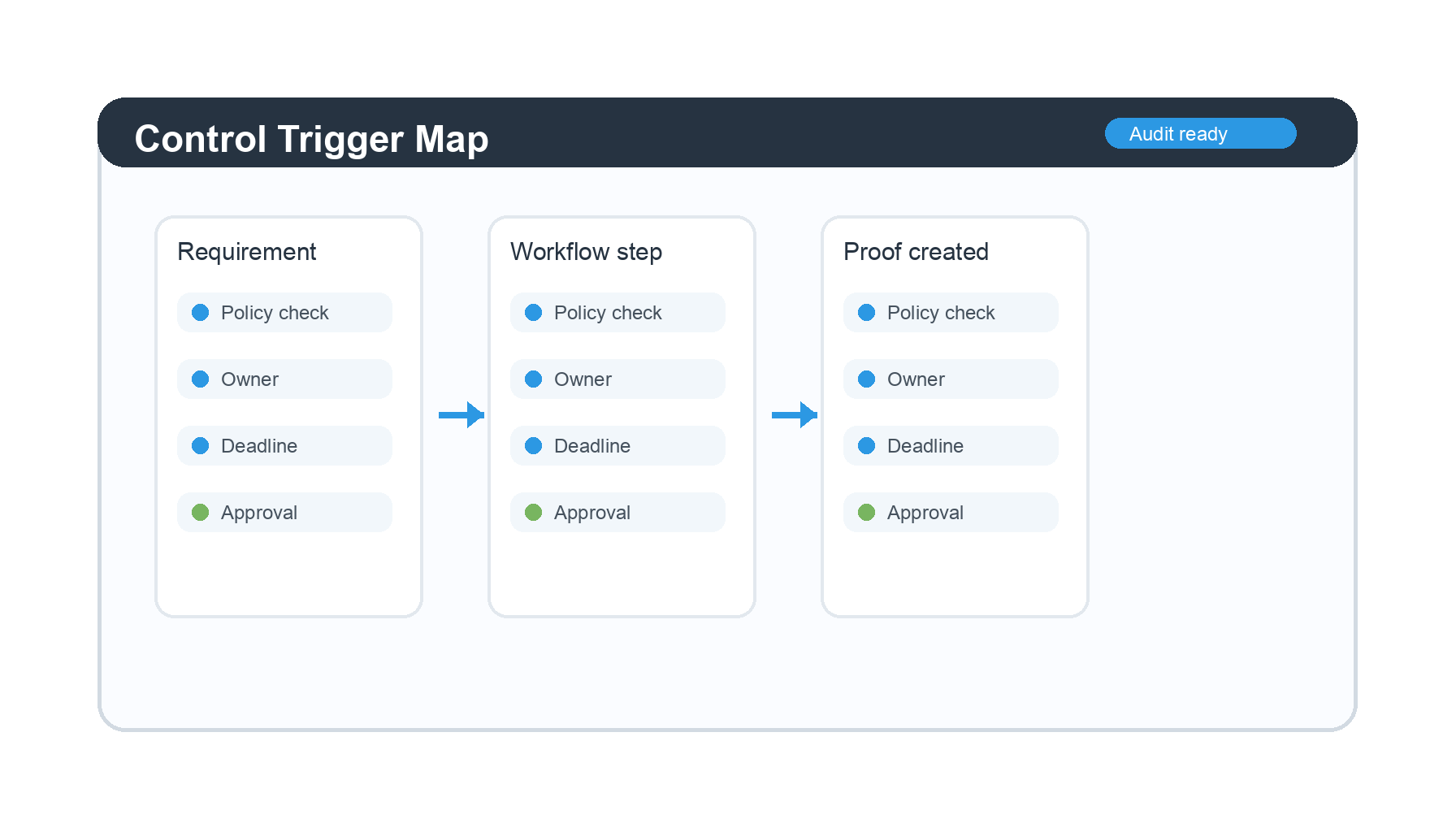
Before automating a compliance-sensitive process, map the required control points. This is especially important for regulated workflows in finance, healthcare, manufacturing, and information security, where approvals and evidence are not administrative details. They are the proof that the process was followed.
Ownership is unclear
Automated workflows can create a false sense of ownership. The system assigned the task, so everyone assumes someone else is accountable. A compliant design names the task owner, approver, reviewer, escalation owner, and process owner. It also defines what happens when a due date passes or a required field is missing.
Evidence is collected after the fact
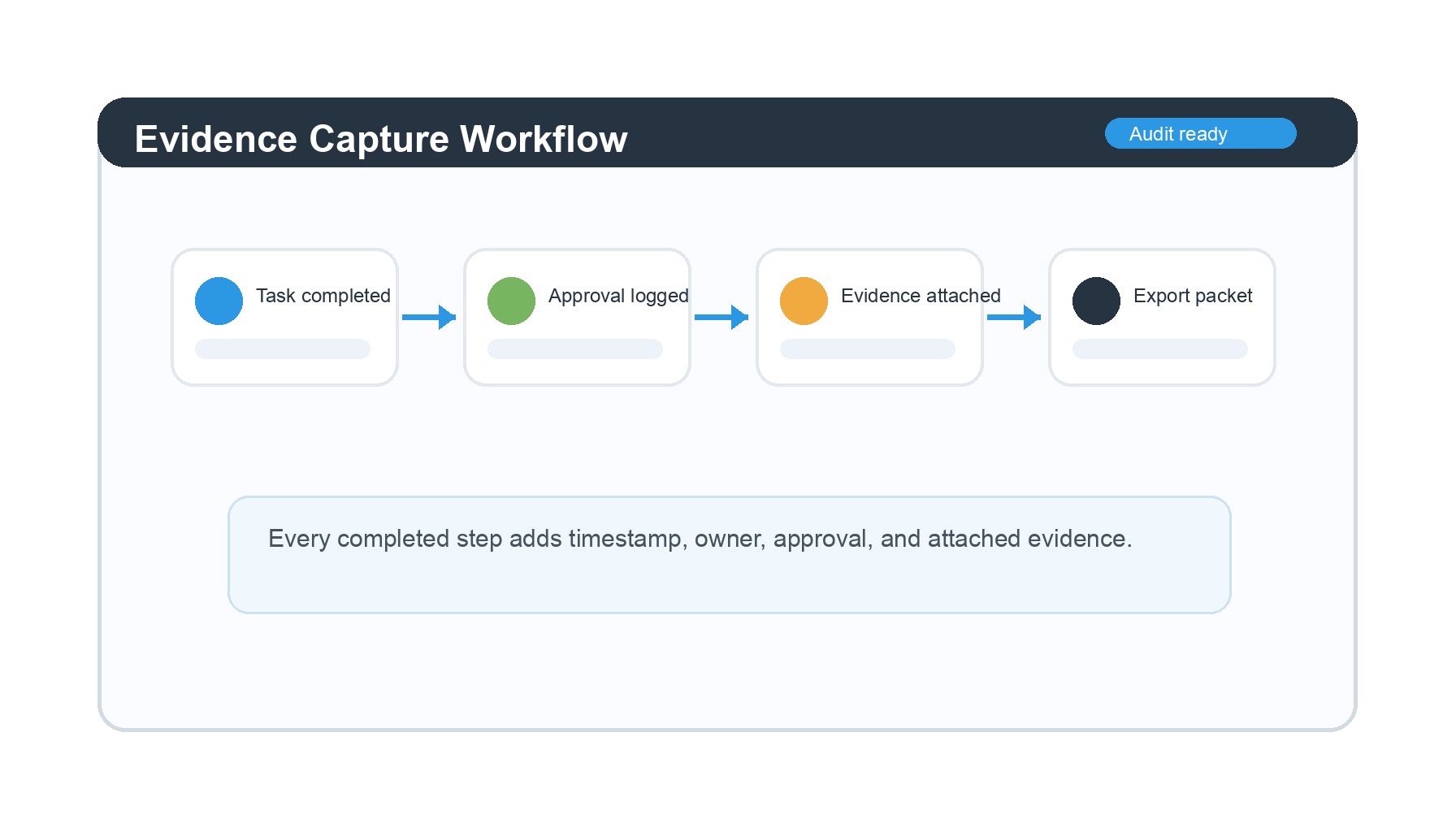
The most expensive compliance work often happens after the work is done. Teams reconstruct the trail from messages, exports, screenshots, and calendar notes. A compliant workflow collects evidence at the point of work. That can include form responses, uploaded files, approval decisions, integration logs, timestamps, and linked records.
This is the same operating problem behind compliance fire drills. If evidence is not created by the workflow, the audit becomes a reconstruction exercise.
Workflow automation compliance controls to build in
Strong workflow automation compliance starts with a small set of controls that apply across most regulated processes. The exact requirements differ by framework, but the operating pattern is consistent: define the control, enforce it in the workflow, capture proof, and review exceptions.
Role-based access and task ownership
Access control determines who can start, edit, approve, and complete each part of a workflow. Task ownership determines who is accountable for the work. Together, they reduce the risk that a person can approve their own work, bypass a review, or change a procedure without oversight.
For public guidance on security and access practices, the NIST Cybersecurity Framework is a useful reference point for teams connecting operational workflows to risk management.
Approval gates
Approval gates stop work from moving forward until a qualified person reviews it. In a compliant workflow, the approval should record the approver, timestamp, decision, comments, and any evidence reviewed. The workflow should also define what happens when approval is rejected or not completed on time.
Version control
Version control matters when policies, SOPs, and workflow templates change. Teams need to know which version was active for a completed workflow run. Without that, it is hard to prove whether the team followed the correct procedure at the time.
Process documentation should connect to execution. For a broader foundation, see the Process Street guide to what a workflow is and how structured workflows help teams standardize recurring work.
Evidence capture
Evidence capture should happen inside the workflow. A task can require an upload, a form response, a linked record, an approval, or a generated document before completion. This keeps evidence close to the action it proves.
Exception handling
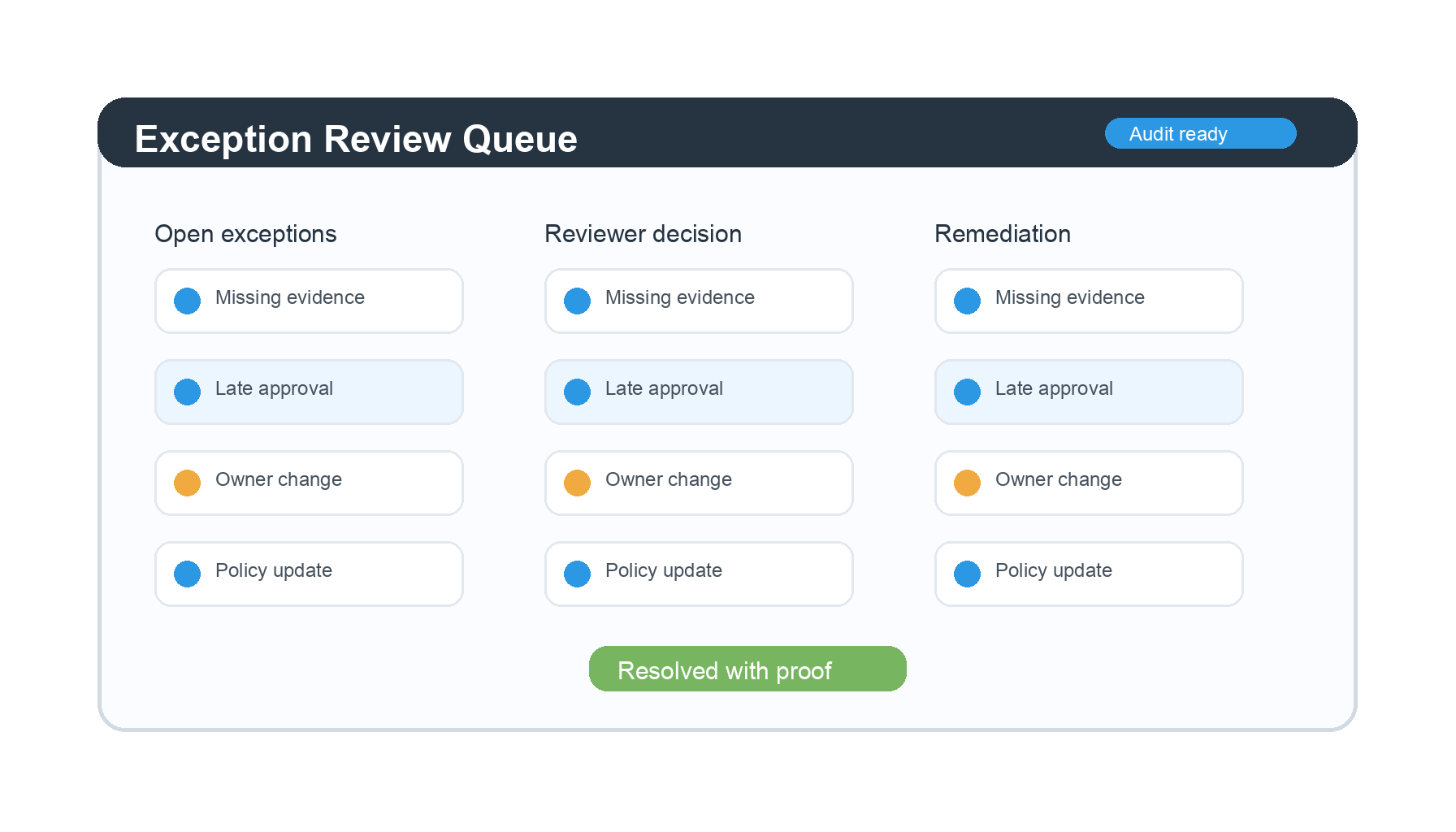
Every compliance-sensitive workflow needs an exception path. Exceptions are not failures by default. They become failures when no one reviews them, approves them, documents the rationale, or remediates the issue.
How to design compliant workflow automation
Designing compliant workflow automation is a practical exercise. Start with the process, identify the obligations, convert those obligations into workflow rules, then test whether the workflow produces enough proof for a reviewer who was not there when the work happened.
1. Define the compliance outcome
Do not start with the tool. Start with the outcome the workflow must prove. For example: vendor risk was reviewed before onboarding, access was approved before provisioning, a policy was acknowledged before a role change, or a corrective action was completed before closure.
For privacy and personal data workflows, official sources like the GDPR resource center can help teams understand why records of processing, consent, and data handling steps need structured evidence.
2. Map the control points
Control points are the moments where the workflow must enforce a rule. Common examples include required fields, approval gates, conditional routing, due dates, segregation of duties, document review, evidence upload, and escalation.
3. Convert policy into workflow rules
A policy that says “all access requests must be approved” becomes a workflow rule: the access task cannot complete until an authorized approver records a decision. A policy that says “evidence must be retained” becomes a workflow rule: the run cannot close until evidence is attached or linked.
4. Test the workflow against audit questions
Before launch, test the workflow with questions an auditor, regulator, or internal reviewer might ask. Can you show the approval? Can you show the evidence? Can you show who changed the workflow? Can you show which version was active? Can you show exceptions and remediation?
5. Monitor and improve
Compliance does not end when the automation goes live. Review overdue tasks, rejected approvals, reopened items, missing evidence, and exception trends. These signals show where the workflow needs clearer rules, better routing, or stronger controls.
Where Process Street fits
Process Street helps teams turn policies and SOPs into automated workflows that are easier to follow and easier to prove. Docs gives teams a governed place to manage procedures. Ops turns those procedures into executable workflows. Cora adds an AI compliance layer that helps monitor risk, surface gaps, and improve processes over time.
Turn SOPs into controlled workflows
Instead of keeping SOPs in static documents, teams can build workflows with required tasks, form fields, approvals, due dates, role assignments, and conditional logic. That makes the compliant path operational, not theoretical.
Teams building core procedures can start with public templates such as the internal audit procedure template, the ISO 9001 internal audit checklist, or the risk management process template.
Capture evidence as work happens
Workflow runs create a living record of assignments, task completion, form responses, approvals, and uploaded evidence. For teams that need defensible operating records, that is more useful than a last-minute evidence folder.
Process Street help docs on approvals and workflow runs explain how teams can structure review steps and recurring execution inside the platform.
Connect compliance and operations
Compliance teams often need proof, while operations teams need work to move. Workflow automation compliance brings those needs together. When the workflow is designed correctly, each completed task advances the operation and strengthens the evidence trail.
For related demand-page context, see what compliance operations means, compliance as proof of control, and how teams move from frameworks to execution.
Workflow automation compliance examples
The same design pattern applies across many teams. The workflow must route the work, enforce the requirement, capture proof, and make exceptions visible. The details change by department. The control logic does not.
Vendor onboarding
A vendor onboarding workflow can require risk classification, security review, contract approval, tax documentation, and final signoff before the vendor is approved. Evidence is captured as each task completes. Templates like the vendor management process help teams standardize the sequence.
Employee access requests
An access request workflow can enforce manager approval, system owner approval, least-privilege notes, provisioning evidence, and periodic review. Security teams can connect this operating model to guidance from sources like the CISA Secure by Design program.
Policy acknowledgment
A policy acknowledgment workflow can route new or updated policies to affected roles, capture acknowledgments, escalate overdue responses, and preserve the active policy version. This is especially useful when policies change frequently or apply to distributed teams.
Corrective action
A corrective action workflow can assign remediation tasks, require evidence, route review, and record final closure. Quality and compliance teams can use templates such as the corrective action plan to reduce ambiguity.
Common mistakes to avoid
Most workflow automation compliance problems are design problems. They usually come from moving too fast, treating governance as documentation, or assuming that an automation log is the same thing as audit-ready evidence.
Automating before simplifying
If the process is unclear, automation will make the confusion repeatable. Simplify the workflow first. Remove duplicate approvals, define ownership, and clarify required evidence before building logic.
Letting exceptions disappear
A workflow that sends exceptions into comments, email, or private messages weakens the control. Exceptions need their own route, owner, due date, rationale, approval, and remediation path.
Ignoring workflow changes
When a workflow template changes, the change itself may need review. Teams should record who changed it, why it changed, who approved it, and when the new version took effect.
Measuring speed only
Automation metrics should include more than cycle time. Track missing evidence, overdue approvals, reopened items, exception rates, and remediation time. Those metrics show whether the automation is improving control, not just moving work faster.
Treating integrations as controls
An integration can move data, but movement is not the same as control. A compliant workflow still needs a defined trigger, a required owner, a decision record, and proof that the right data reached the right system. If the integration fails, the workflow also needs a visible recovery path instead of a silent gap.
This matters most when automation crosses systems of record. A CRM update, HRIS change, ticket status, or e-signature event may be part of the evidence trail, but the workflow should explain why the event happened and who approved it. Otherwise the audit trail shows activity without enough context to prove compliance.
The fix is to design the integration around the control objective. Decide what the workflow must prove, then choose which system update, attachment, approval, or timestamp supports that proof. That keeps automation useful for operators and legible for reviewers.
Workflow automation compliance checklist
Use this checklist before launching or refreshing a compliance-sensitive automation. It is intentionally practical. If you cannot answer these questions, the workflow probably needs more control design before it goes live.
- The workflow has a named process owner and task owners.
- Each compliance requirement maps to a workflow step, rule, approval, or evidence requirement.
- Approvals record the approver, decision, timestamp, and review context.
- Evidence is captured during execution, not reconstructed later.
- Exceptions have a defined route, owner, deadline, rationale, and remediation step.
- Workflow template changes are reviewed and versioned.
- Access permissions prevent unauthorized editing, approval, or completion.
- The workflow can answer audit questions without a separate cleanup project.
- Monitoring reports flag overdue work, missing evidence, and recurring exceptions.
If the checklist feels heavy, start with one proof-heavy workflow. Vendor onboarding, access requests, policy acknowledgment, internal audit, and corrective action are strong candidates because the value of better evidence is easy to see.
FAQs
What is workflow automation compliance?
Workflow automation compliance is the practice of designing automated workflows so they enforce policies, route approvals, capture evidence, and preserve an audit trail as work happens. It makes compliance part of execution instead of a manual cleanup step after the work is done.
Why does workflow automation create compliance risk?
Workflow automation creates compliance risk when it speeds up an informal or poorly controlled process. If approvals, access rules, evidence requirements, and exception paths are missing, the automation can make mistakes happen faster and make them harder to detect.
What controls should compliant workflow automation include?
Compliant workflow automation should include role-based access, clear task ownership, approval gates, version control, evidence capture, exception handling, monitoring, and audit logs. The right mix depends on the workflow and the regulatory or internal standard it supports.
How does Process Street support workflow automation compliance?
Process Street supports workflow automation compliance by turning SOPs and policies into executable workflows with tasks, form fields, approvals, assignments, due dates, and evidence capture. Teams can use it to enforce the process and keep proof connected to each workflow run.
How do you audit an automated workflow?
Audit an automated workflow by reviewing the workflow design, permissions, approval records, evidence requirements, version history, completed runs, exceptions, and remediation records. The goal is to prove that the workflow enforced the requirement and preserved enough evidence to support the outcome.
