






Communicating with your team can be a pain in the ass. Keeping track of who said what and when can become a rabbit hole of wasted time and energy, especially if you work remotely with a team and need everyone to develop efficient habits around communication.
Email is still the most popular form of communication between teams, but it is not always the best option. The best email alternatives for team communication are chat and video tools, mobile messaging for quick updates, and project or workflow management tools for decisions, tasks, files, approvals, and proof.
Alternative 1: Team chat, calls, and video messages

Skype used to be the obvious choice for audio and video chat. It had conference calling, chat messaging, file transfer, and chat history so you could recover information after team meetings or long distance calls.
Microsoft retired Skype on May 5, 2025 and moved users toward Teams Free, but the core communication job still matters. Tools like Microsoft Teams, Slack, Google Chat, Zoom Team Chat, and Loom let teams talk through decisions without turning every quick question into an email thread.
Use this channel when the team needs speed, tone, or context. If the conversation needs nuance, a direct option like chat, huddles, video calls, or a short Loom can simplify communication and keep the decision close to the people doing the work.
Alternative 2: Mobile messaging for fast updates
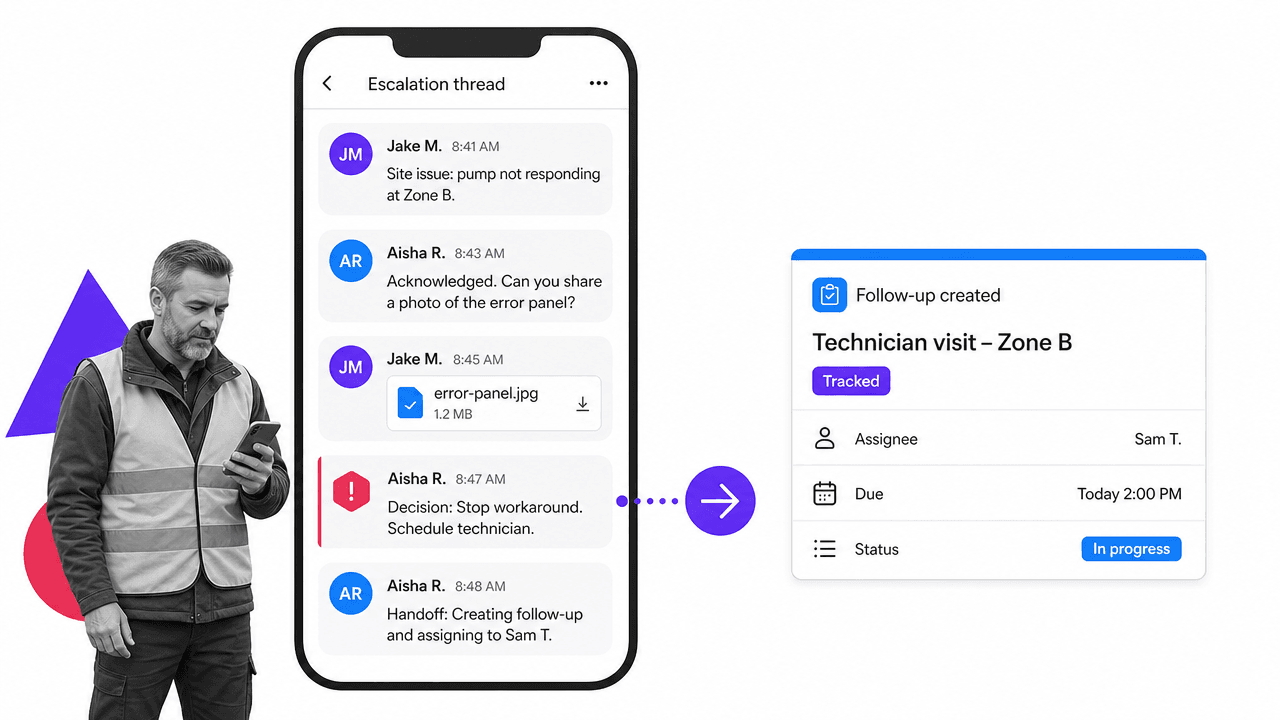
With the wealth of apps available to smartphone users, mobile technology is still one of the best ways to stay in touch while on the go. Email on a phone can be clunky, and sometimes a more direct option is preferable when team members are in the same country, regularly moving between sites, or working across time zones.
Mobile messaging apps such as WhatsApp, Teams, Slack, and similar tools allow people to instant message, call, share video, share audio, and exchange images while traveling or working away from a desk, regardless of their smartphone platform, provided they have an internet connection.
The benefit is portability. A traveling entrepreneur, CEO, field manager, or support lead can keep communications moving without waiting to sit down at a laptop. The limit is accountability. If the message creates a task, approval, file, decision, or compliance-sensitive record, move it into a governed system with retention, ownership, and proof.
Alternative 3: Project and workflow management tools
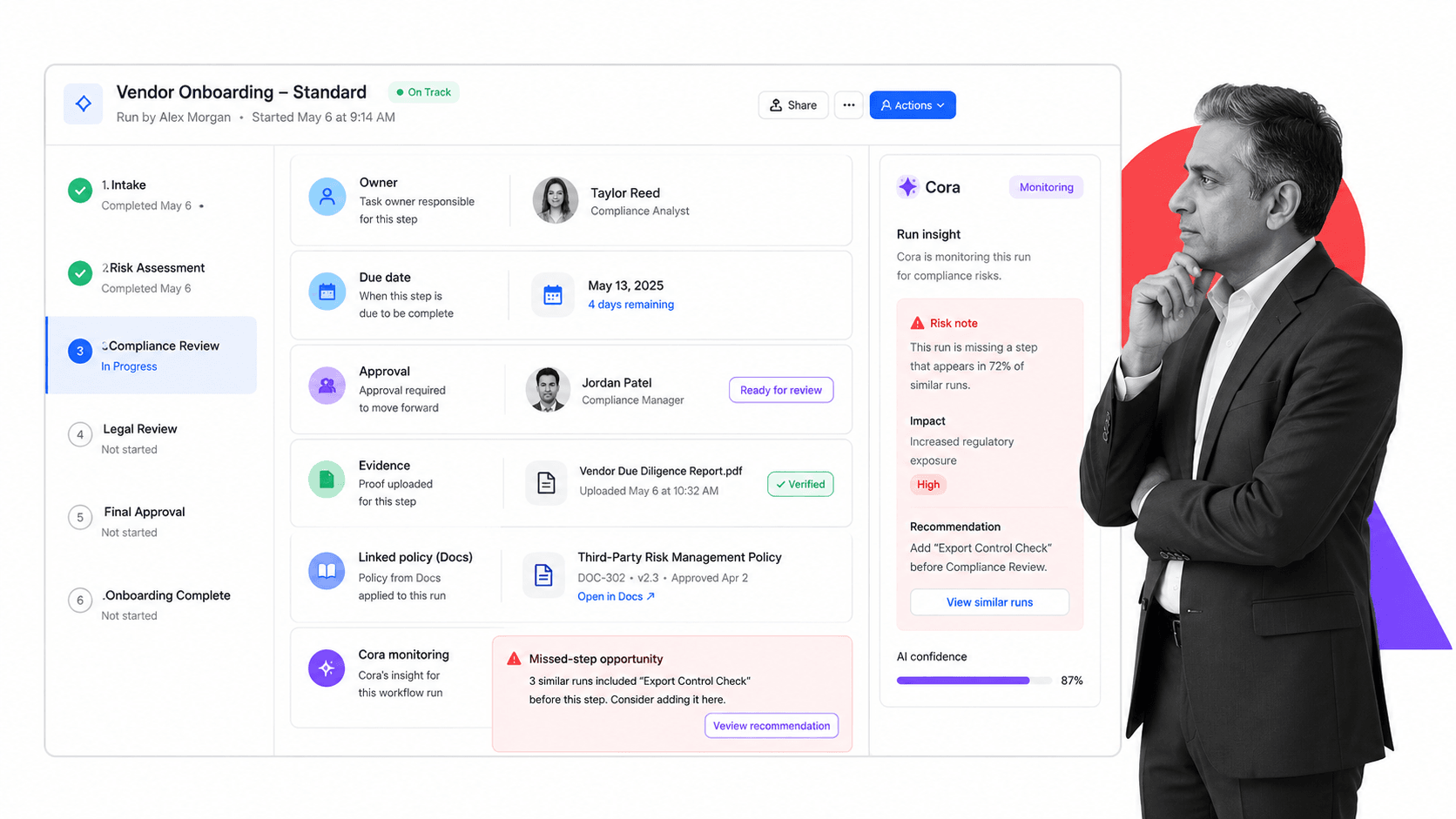
Project management tools are popular for a very good reason. They allow you to manage the work for one project in an easy to use dashboard. You can see relevant updates and information straight away, and you can communicate with your team where the work already lives.
A clear example is Basecamp. Its value is not only messages. It gives the team a page where nothing gets lost and everyone knows where things are. You can create to-do lists, upload files, store idea concepts, draft documents for later use, give feedback, and keep track of the project without looking for lost files or hunting for a needle of an email in a haystack of information.
Tools like Asana solve a similar project management problem. For repeatable work, a workflow system goes further. Process Street is a Compliance Operations Platform: Docs holds the procedure, Ops runs the workflow, and Cora monitors for missed steps and improvement opportunities. The key to efficiency is simplicity, and workflow management tools simplify not only your communication but your entire business by connecting discussion to owners, due dates, approvals, and proof.
So is email dead? Definitely not. Nothing can match the wide user base that email has, and this means that it will live on for many years to come. But email should not be where every internal conversation, decision, file, and task goes to disappear.
If the real problem is remote team communication, start with the communication channel. If the problem is repeatable work, move the conversation into the system where the work is owned, tracked, approved, and proven.