


Turn every policy into automated workflows with built-in enforcement and audit-ready proof.



Free Business Process Management Software
Free business process management software helps a team map, run, monitor, and improve recurring work without paying for a full platform at the start. It can be a sensible way to prove that a process deserves structure before the organization commits budget, integrations, and governance resources.
Free does not mean complete. A no-cost tool may support diagrams, checklists, basic assignments, or a limited number of active workflows. It may not provide the controls, evidence, permissions, reliability, or scale required for high-stakes work. The right question is whether the free setup can run the chosen process safely enough to learn from it.
This guide explains what free BPM software is, what it can and cannot do, how to evaluate it, how to build a no-cost pilot, and how to recognize the point where a stronger process system becomes necessary.
In this article, we are going to cover:
- What is free business process management software?
- What free business process management software can do
- What free BPM software cannot do
- How to choose free BPM software
- How to implement BPM software at no cost
- When to move beyond free software
- Use Process Street to operationalize business process management
- FAQs
What is free business process management software?
Business process management is the discipline of understanding, designing, running, measuring, and improving repeatable work. IBM describes BPM as a broader practice than task or project management because it looks at the complete process across people, systems, decisions, and outcomes.
Free business process management software applies some of that discipline through a no-cost product tier, open access tool, or collection of free operating resources. Unlike broad business process software that may support many kinds of work, BPM software should make a recurring end-to-end process clearer than it was before. At minimum, it should help the team represent the flow, assign responsibility, and see whether the process reached its intended outcome.
BPM is more than process mapping
A diagram is useful, especially when teams use a shared notation. The Object Management Group BPMN standard gives business and technical users a common way to represent events, activities, gateways, and flows. But a diagram does not run the process. A usable BPM setup connects the model to real owners, work items, decisions, and results.
Free BPM can be software or a starter operating system
Some teams begin with a no-cost application. Others combine a map, a business process management template, and a simple tracking method. Both approaches can work for discovery and a pilot. The test is whether the team can move from the process design to repeatable execution without losing ownership or proof.
The unit of value is a completed process run
Do not judge BPM software by the number of shapes in its editor. Judge it by whether a real process can begin from a clear trigger, move through the right people and systems, handle an exception, and finish with an observable result. A free tool that completes one useful process is more valuable than a complex suite that never leaves the workshop.
What free business process management software can do
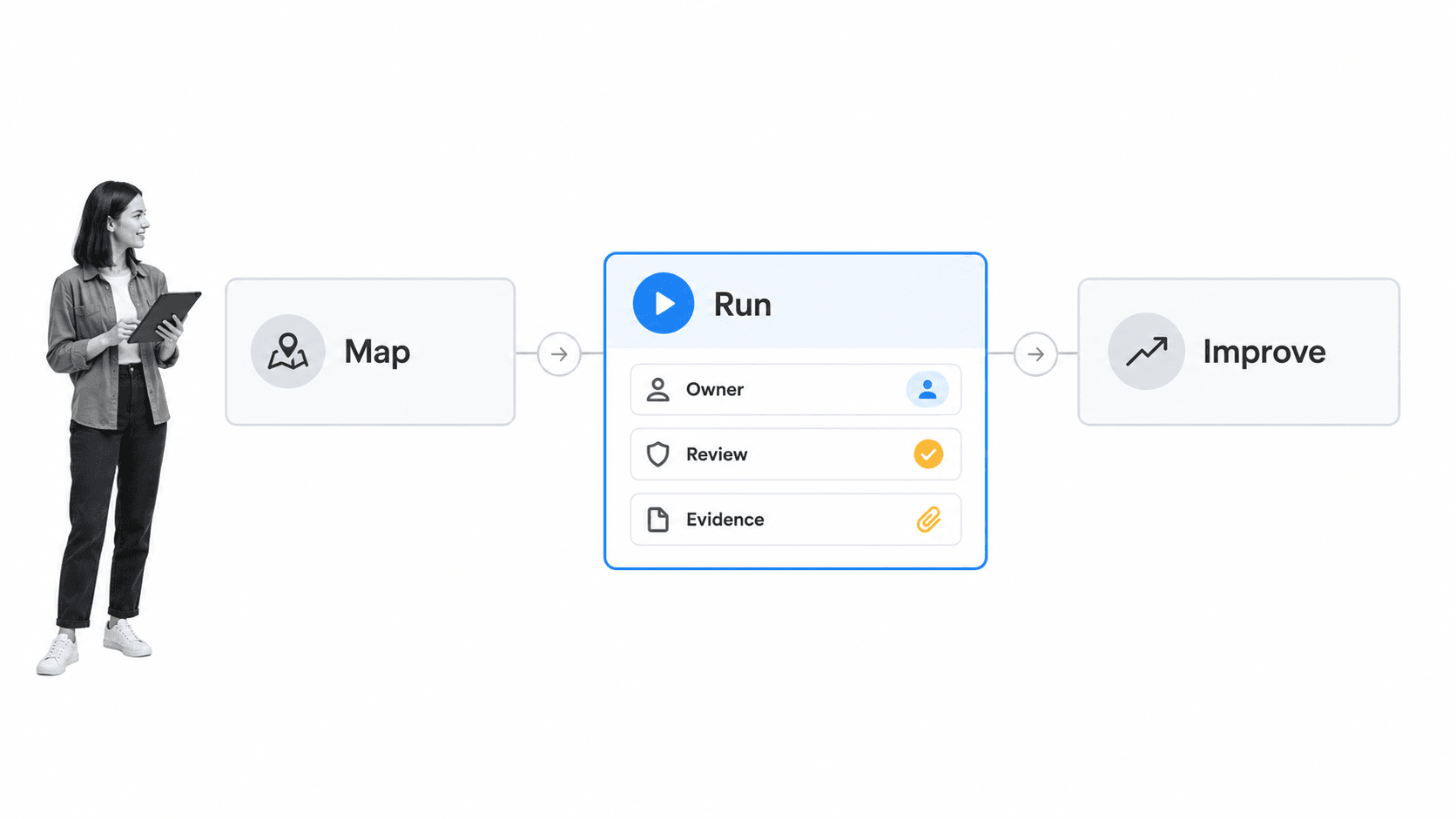
A well-chosen free BPM setup can create enough structure to improve a small or early-stage process. It is most useful when the workflow has a clear boundary, a manageable number of users, and limited compliance or integration risk.
Map the current process
Start by capturing the trigger, outcome, tasks, owners, handoffs, decisions, systems, and known exceptions. The first map should reflect how the work actually happens, including delays and workarounds. A clean ideal-state diagram built without operators will hide the problems the pilot needs to solve.
Turn repeated steps into a runnable sequence
A free tool should let the team move from a map to an ordered workflow. That might begin with a standard operating procedure template and then become a checklist or workflow run with named owners. The sequence makes the next action clear and reduces dependence on memory.
Assign ownership
Every task and decision needs an accountable owner. Basic assignments and due dates are often enough for a pilot because they expose where responsibility is unclear. If the process still relies on someone chasing people in email, the software has not solved the handoff problem.
Test an approval or exception path
Even simple processes encounter cases that do not follow the happy path. Add one real decision, such as approving a request, returning incomplete information, or escalating an exception. This reveals whether the free software can express the process or only display a static checklist.
Collect basic process evidence
A pilot should retain the information needed to understand what happened. Evidence might include completed steps, submitted fields, an approval decision, an uploaded file, or a short exception note. The goal is not an enterprise audit system. It is a reliable record that lets the process owner review the run.
Create an improvement loop
Record delays, rework, missing information, and repeated exceptions in a process improvement tracker. The first version of a process will be imperfect. Free BPM software earns its place when each run teaches the team how to make the next run better.
What free BPM software cannot do
Free BPM software has limits by design. Those limits may be acceptable for a pilot, but they become expensive when the process grows, carries risk, or becomes essential to customers and employees.
It cannot fix an undefined process
Software cannot decide the outcome, owner, rules, or acceptable exceptions for the business. If the team disagrees about how work should happen, automating the disagreement will create faster inconsistency. Use the pilot to make decisions explicit before adding complexity.
It may not govern changes
A free tier may let anyone edit a workflow without review, version control, or a clear release process. That is risky when active work depends on the process definition. Teams need to know who owns changes, how updates are tested, and what happens to work already in progress.
It may not enforce controls
High-stakes processes need permissions, required information, stop points, approvals, evidence retention, and a trustworthy history. A free checklist can remind someone to perform a control, but it may not prevent the process from advancing when the control is incomplete.
It may create integration work
A free tool can look inexpensive while forcing people to copy data between forms, spreadsheets, email, storage, and systems of record. Count that coordination as a cost. If the process depends on several systems, integration reliability matters as much as the workflow editor.
It may cap the wrong resource
Free plans often limit users, workflows, active runs, automation, storage, history, or advanced permissions. A limit is not automatically bad. It becomes a problem when it blocks the process outcome or pushes critical work outside the system. Test the constraint against realistic volume, not a one-run demo.
It cannot replace process ownership
A process still needs an owner who reviews performance, resolves exceptions, approves changes, and decides when the pilot should expand or stop. Without that ownership, the free tool becomes another abandoned workspace.
How to choose free BPM software
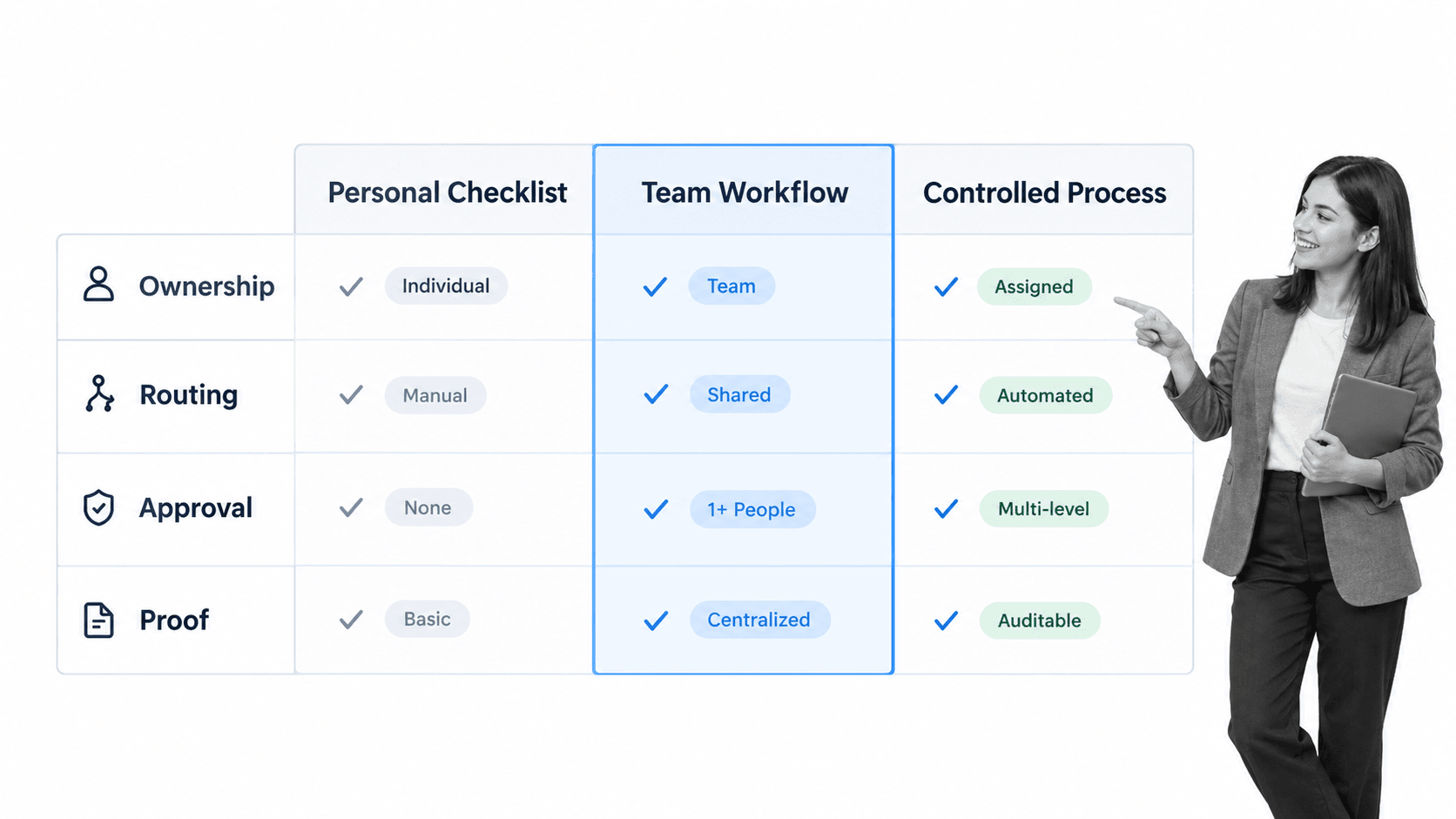
Choose free BPM software by matching it to one real workflow. A generic feature comparison creates noise because every product uses different limits and labels. A process test reveals whether the tool can support the work your team actually performs.
1. Define the pilot outcome
Choose a result that matters, such as a completed employee onboarding, approved vendor request, resolved incident, released policy, or reviewed customer handoff. The outcome should be observable and occur often enough to test within a short period.
2. List the minimum process requirements
Write down the trigger, roles, steps, decisions, information, evidence, systems, and finish condition. Separate required controls from conveniences. This prevents an attractive free feature from distracting the team from a missing operational need.
3. Test the complete path
Build and run the process from start to finish. Include at least two owners, one decision, and one exception. Test the operator experience as carefully as the builder experience. The process will fail if the people doing the work cannot see the next action quickly.
4. Inspect the free-plan boundaries
Check limits on users, workflows, runs, storage, history, forms, automation, approvals, permissions, and support. Use the vendor’s current documentation rather than a third-party pricing summary. Plan limits change, and an old comparison can turn a good pilot into a surprise migration.
5. Evaluate proof and control
Ask what record remains after the process finishes. Can the owner see who completed each step, what information was submitted, which decision was made, and how the exception was handled? For regulated or customer-critical work, weak evidence is a reason to stop the free pilot early.
6. Check export and migration
A free tool should not trap the process. Confirm that you can export process definitions, run data, attachments, or reports in a usable form. If the pilot succeeds, the organization should be able to scale or migrate without reconstructing the process from screenshots.
7. Compare total operating cost
A no-cost license can still create manual work. Compare the tool against the broader business process management solution the organization needs. Include administration, integration maintenance, duplicate data entry, reporting, training, and control failures. The cheapest tool is the one that produces reliable outcomes with the least avoidable coordination.
How to implement BPM software at no cost
A no-cost implementation should be narrow, useful, and measurable. The goal is to prove an operating model, not to recreate an enterprise platform with disconnected free tools.
Choose one bounded process
Start with a workflow that has a clear owner and finish line. An employee onboarding checklist can expose HR and IT handoffs. An internal audit procedure can expose evidence and review requirements. Avoid a pilot that spans every department.
Capture the current state
Interview the people who perform the work and observe one real case. Record waiting, rework, missing information, side conversations, and unofficial approvals. Those details explain why the process behaves differently from its written procedure.
Build the minimum runnable workflow
Create only the tasks, fields, assignments, and decisions needed to reach the outcome. Remove duplicate reviews and information that nobody uses. A small process that runs is more valuable than a complete-looking model that remains unfinished.
Add one control at the highest-risk point
Use a required field, stop point, or approval where a mistake would have the largest impact. A root cause analysis and corrective action workflow can help when repeated exceptions show that the system needs correction rather than another reminder.
Run the process with real work
Pilot with real operators and real inputs. Watch where users leave the tool, ask for clarification, or recreate data elsewhere. A pilot should reveal friction. If every run looks perfect, the process is probably too simple or the test is too artificial.
Review the evidence and outcome
After each run, confirm that the expected result occurred and that the record is sufficient to explain what happened. Measure cycle time, wait time, rework, missing information, exceptions, and completion quality. Do not measure clicks or logins as the primary outcome.
Improve before expanding
Use a process improvement plan to assign the changes discovered during the pilot. Fix unclear ownership and unnecessary steps before adding more workflows. Scaling a weak process spreads the weakness.
Create a lightweight process standard
Define simple conventions for naming, ownership, task writing, decision points, evidence, and review. The APQC Process Classification Framework can provide a common vocabulary for organizing processes, while the local standard should stay practical for the people building and running them.
When to move beyond free software
Move beyond free BPM software when the process has proven value and the free boundaries create risk, delay, or manual work. Upgrading is not a failure of the pilot. It is evidence that the process has become important enough to deserve stronger infrastructure.
- More teams or external participants need controlled access.
- The workflow needs reliable approvals, conditional routes, permissions, or stop points.
- The organization must retain evidence and history for customers, auditors, regulators, or internal review.
- Manual copying between systems consumes more time than the license would cost.
- Run volume makes limits, delays, or duplicate administration operationally significant.
- Process owners need cross-run reporting, exception trends, and improvement data.
- The process affects revenue, access, safety, quality, privacy, or compliance.
Use risk, not enthusiasm, to time the move
A team does not need advanced software because the demo is impressive. It needs stronger software when the process outcome, proof requirement, scale, or system complexity exceeds what the free setup can support safely. Define those upgrade triggers before the pilot begins.
Preserve what the pilot taught you
Carry forward the validated process, owner, measures, exceptions, and control points. The move to process management software should improve execution without erasing the operational knowledge gathered during the pilot.
Keep continual improvement in the operating model
The ISO 9001 process approach connects process management with continual improvement. The principle is useful beyond formal quality programs: define the process, run it, evaluate results, correct the system, and repeat. A paid platform should make that loop easier, not freeze the first design.
Use Process Street to operationalize business process management
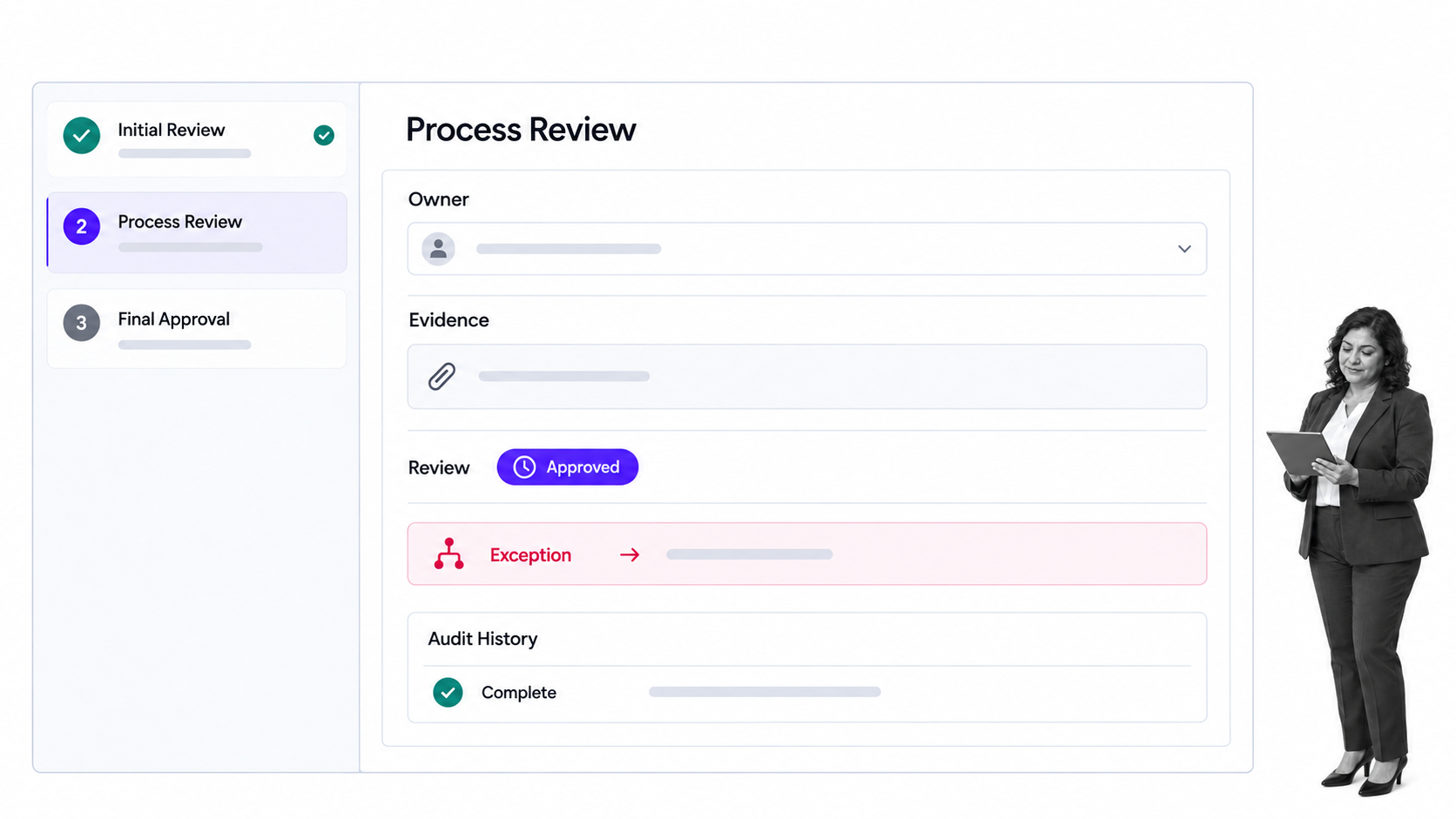
Process Street is an agentic process automation platform that turns recurring work into assigned, controlled, auditable workflows. It helps teams move beyond a free BPM pilot when the process needs reliable ownership, routing, approvals, evidence, automation, and improvement data.
A workflow can begin from the process learned during the pilot. Owners can build the sequence, assign work, collect structured information, apply conditional logic, and insert approval tasks where a decision must be reviewed before work continues.
Process Street has 5,000+ integrations. That lets the workflow coordinate systems that hold customer, employee, finance, support, security, and compliance data while keeping the process logic visible to the people responsible for the outcome.
The platform is useful when a BPM workflow must do more than describe work. It can connect the process definition to live runs, required information, exception routes, approvals, automation, and an audit history.
Teams can also connect the pilot to a wider process management program and a workflow management system without asking operators to reconstruct the process in a different language. The validated process becomes the starting point for controlled execution.
The practical goal is not more software. It is a process that people can follow, owners can improve, and the business can prove. The free pilot establishes whether the workflow matters. The operating platform makes reliable execution normal as the process grows.
FAQs
What is free business process management software?
Free business process management software is a no-cost tool or starter setup for mapping, running, monitoring, and improving repeatable work. It may support process diagrams, checklists, assignments, forms, and basic tracking, but the available controls and scale depend on the product’s current free-plan limits.
What can free BPM software do?
Free BPM software can help a team document a process, turn steps into a runnable sequence, assign owners, test a decision path, collect basic evidence, and review bottlenecks. It works best for a bounded pilot with limited users, integrations, and control requirements.
Is free BPM software enough for a small business?
It can be enough for simple, low-risk recurring work if the tool supports the full workflow and keeps ownership clear. A small business should move beyond the free setup when manual coordination, weak permissions, missing proof, or plan limits begin to affect customers, employees, cash, quality, or compliance.
What are the limits of free business process management software?
Common limits include users, workflows, active runs, storage, history, automation, integrations, approvals, permissions, and support. The most important limit is the one that prevents the process from producing a reliable outcome or retaining the proof the business needs.
How do you choose free BPM software?
Choose it by testing one real process from trigger to outcome. Define the roles, decisions, evidence, systems, and free-plan boundaries first, then run the workflow with real users and confirm that the data can be exported if the pilot succeeds.
When should a team move to a paid BPM platform?
Move when the process has proven value and needs stronger controls, integrations, permissions, evidence, reporting, or scale. Set those upgrade triggers before the pilot so the team can make the decision based on risk and operating cost rather than vendor pressure.
