


Turn every policy into automated workflows with built-in enforcement and audit-ready proof.


8 Best Coda Alternatives & Competitors in 2026
Last updated:

Coda alternatives serve teams that like connected documents but need a different balance of workflow control, knowledge management, project planning, structured data, collaboration, or simplicity. Coda is capable because a single doc can combine narrative pages, tables, views, formulas, buttons, forms, and automations. That flexibility is exactly why it can become central to a team’s operating system.
The reasons to evaluate an alternative are practical, not ideological. Some teams outgrow a doc-centered design and need workflows that assign owners, require evidence, pause for approval, and preserve a reliable history. Others need a more conventional wiki, a deeper project platform, a relational application builder, a Microsoft-native collaboration layer, or a much lighter writing experience. In those cases, a specialist can be easier to govern and easier to adopt.
This comparison ranks Process Street first for its ideal customer profile: operations, human resources, compliance-adjacent, finance, information technology, and customer teams that run recurring procedures where missed steps have consequences. It does not claim Process Street is best for every use case. Notion is stronger for flexible connected knowledge, Confluence for an Atlassian-centered wiki, Airtable for database-backed internal apps, Microsoft Loop for portable Microsoft 365 components, and Slite for maintained team knowledge.
The evaluation criteria are workflow enforcement, core capability fit, ease of ownership, collaboration model, governance, pricing clarity, and migration effort. This page was editorially maintained by the Process Street team and verified against official vendor product, help, and pricing pages in November 2026. Each recommendation names the use case where a specialist is honestly stronger. No review scores, customer counts, or unsupported competitive claims are included.
A good choice should make the important work easier to run, not simply reproduce the same doc in a different interface. The migration should simplify ownership instead of hiding it again. Before you choose, identify what Coda currently does for your team, what breaks under real use, who owns the replacement, and what record must remain when the work is complete.
In this article, we are going to cover:
- What is Coda?
- Coda alternatives at a glance
- How we picked the best Coda alternatives
- Best Coda alternatives and competitors
- Coda alternatives feature comparison
- Which Coda alternative fits your use case
- How to migrate from Coda
- FAQs
What is Coda?
Coda is a collaborative document platform whose central building blocks include pages, connected tables, views, formulas, buttons, forms, Packs, and automations. Coda’s official help center explains that tables hold structured data and can appear through synchronized views, while automations use triggers, actions, and filters to update tables, duplicate pages, send notifications, or run Pack actions.
That model makes Coda useful when a team wants documents to behave more like applications. A product plan can mix narrative context with a roadmap table. An operations hub can combine instructions, forms, calculated fields, and buttons. A meeting doc can feed decisions into a shared tracker. The incumbent benchmark for this page is therefore not a plain text editor. It is a flexible doc-plus-data system.
Coda remains the right choice when makers are comfortable designing docs, formulas, views, and automation rules, and when the team benefits from keeping narrative and data in one surface. An alternative becomes more compelling when governance, repeatability, enterprise wiki structure, project depth, database scale, Microsoft integration, or simplicity matters more than maker flexibility. Coda is the incumbent and is not ranked against itself.
Before replacing it, identify the Coda-specific behavior people rely on. Connected views may let several teams see the same table through different filters. Buttons may encode business actions that are not written anywhere else. Formulas may calculate priority, route a request, or decide when a status changes. Packs may connect the doc to external systems. Those details determine whether the replacement is a wiki migration, a database migration, a workflow redesign, or several smaller moves.
Coda alternatives at a glance
Process Street leads this list for recurring, enforceable operational work. The other alternatives lead in narrower contexts: Notion for connected knowledge, Confluence for structured enterprise wiki use, ClickUp for broad project management, Airtable for relational apps, Microsoft Loop for Microsoft 365 collaboration, Slite for verified knowledge, and Nuclino for a lightweight wiki.
| Tool | Best for | Standout feature | Free plan | Starting price |
|---|---|---|---|---|
| Process Street | enforceable, trackable, recurring SOP and process workflows | workflow runs with required fields, approvals, conditional logic, and audit trails | 14-day Pro trial | See pricing page |
| Notion | connected docs, wikis, databases, and lightweight projects | one workspace for pages, databases, projects, search, and AI-assisted knowledge work | Yes | $10 per member/month billed annually |
| Confluence | structured team knowledge in the Atlassian ecosystem | spaces, pages, page trees, templates, version history, whiteboards, and permissions | Yes, up to 10 users | See pricing page |
| ClickUp | broad project and productivity management in one workspace | tasks, docs, dashboards, goals, whiteboards, forms, chat, and multiple project views | Yes, Free Forever | $7 per user/month billed yearly |
| Airtable | database-backed workflows and lightweight internal apps | relational records, interfaces, forms, views, automations, and app building | Yes | $20 per user/month billed annually |
| Microsoft Loop | portable collaborative components across Microsoft 365 | Loop workspaces, pages, and components that stay synchronized across supported Microsoft apps | Available with eligible Microsoft accounts | Included with eligible Microsoft 365 access |
| Slite | a maintained team knowledge base with AI search and verification | collaborative docs, Ask, verification workflows, recurring docs, and connected-tool search on higher plans | 14-day free trial | $10 per user/month billed yearly |
| Nuclino | fast, lightweight collaborative docs and wikis | real-time documents, collections, canvases, version history, publishing, and AI on higher plans | Yes | See pricing page |
How we picked the best Coda alternatives
We weighted workflow enforcement and recurring-process fit most heavily because this comparison is published for teams that need reliable operations. We then assessed the job each product is designed to do, how clearly a team can own the system, whether free or trial access supports evaluation, and which specialist use case can honestly beat Process Street. Every material feature and price claim maps to a first-party source in the working document.
Use the same method internally. List the five jobs your current Coda setup performs, such as documentation, project tracking, forms, approvals, relational records, or knowledge search. Mark each job as required, helpful, or unused. Then identify the cost of failure. A missed project update is different from a skipped compliance review or an incomplete employee onboarding. That risk should determine how much enforcement you need.
Next, score each finalist against a real scenario instead of a feature checklist. Give every vendor the same source material and ask a representative user to build one page, import one table, create one intake form, route one approval, find one historical answer, and change one permission. Record where the user needs help, where the model becomes confusing, and which controls are unavailable on the proposed plan. A short hands-on test exposes more than a polished demonstration.
If the work needs owners, required steps, decisions, due dates, and proof, compare a workflow management system or workflow automation software. If the work is mostly pages and institutional knowledge, compare knowledge management software. If the work is portfolio planning, look at project management tools. For a broader category map, use the software alternatives library.
- Core capability fit: does the tool solve the primary job without extensive workarounds?
- Execution model: does it guide work, store knowledge, manage projects, or model data?
- Ownership: can the real process owner maintain it without a specialist bottleneck?
- Governance: are permissions, history, approvals, and exceptions clear enough for the risk?
- Economics: does the pricing model fit makers, editors, reviewers, guests, and occasional users?
Best Coda alternatives and competitors
1. Process Street
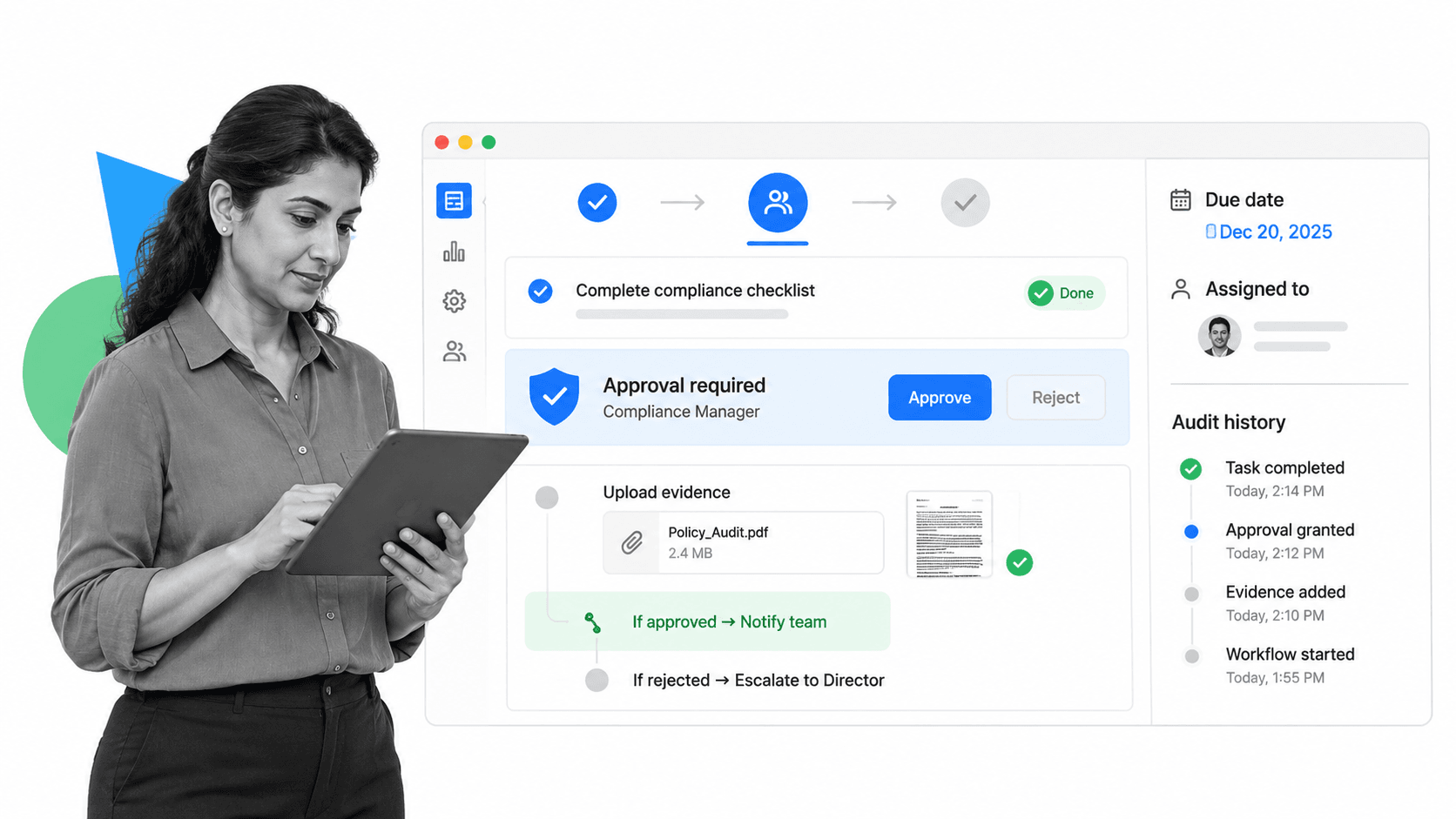
Best for: enforceable, trackable, recurring SOP and process workflows.
Process Street is the best overall Coda alternative for teams whose documents describe recurring work that people must actually complete. It turns the procedure into a workflow run with accountable owners, required tasks, due dates, form fields, conditional paths, approvals, files, and a durable history. That makes the difference visible in onboarding, vendor review, policy acknowledgment, quality checks, finance close, customer operations, and other processes where a skipped step creates real cost.
Process Street earns the top position for this audience because execution is the primary object. A Coda table can track a process, and a button can launch an action, but the team still has to design and govern the operating discipline around it. Process Street gives the operator a guided run, gives the manager a clear status, and gives the organization a record of what was required, completed, approved, or escalated.
The platform is especially useful when several people, systems, and decisions participate in one recurring process. A workflow can collect structured data, assign the next task, change the path based on an answer, pause for review, and retain the evidence with the run. Process Street has 5,000+ integrations, so the governed process can coordinate work across the existing stack while the workflow remains understandable to its business owner.
A practical example is employee onboarding. A Coda doc can hold the onboarding plan, role information, links, and a tracker. Process Street can turn that plan into a run that assigns information technology setup, schedules manager tasks, collects required employee data, waits for approvals, and shows exactly which step is late. The same pattern applies to vendor intake, policy review, incident response, client onboarding, and monthly financial procedures.
The distinction becomes more important as the process crosses departments. A flexible document often depends on one knowledgeable maker who understands the formulas, hidden views, and automation rules. A Process Street workflow exposes the sequence and ownership to the people doing the work. That makes it easier for an operations leader to review bottlenecks, change a requirement, or explain why an exception took a different path.
Process Street is also candidly narrower than Coda in several ways. It is not designed as a general writing canvas, a team wiki for every idea, or a relational database application builder. Teams that need those surfaces should keep or choose a specialist. It earns first place only when the recurring procedure and its completion record matter more than unlimited page flexibility.
Use the official Process Street pricing page for current package details. Process Street publishes Startup, Pro, and Enterprise plan paths plus a fourteen-day Pro trial. Pricing is intentionally not hard-coded beyond what the first-party page currently shows because plan packaging changes.
Process Street key features:
- Structured workflow runs with owners, due dates, required fields, and conditional logic.
- Review gates through approval tasks inside the process.
- Evidence collection, task history, and completion records.
- Recurring schedules, automations, reports, and shared operational data.
- A readable process surface that non-technical owners can maintain.
Process Street pros:
- Strong fit for recurring SOPs and high-stakes operations.
- Keeps instructions and execution in the same governed workflow.
- Makes accountability and exceptions visible.
- Creates a durable record of completed work.
- Supports human work and connected system actions in one process.
Process Street cons:
- Not a free-form wiki or relational app builder.
- Not the best fit when the only requirement is lightweight collaborative writing.
Bottom line: Process Street is the strongest fit for enforceable, trackable, recurring SOP and process workflows. This is the use case where it deserves a place on the shortlist.
Choose Process Street if: enforceable, trackable, recurring SOP and process workflows matches the primary job. Skip it if: its specialist strength would add structure without solving the reason your team is leaving Coda.
For current package details, see Process Street pricing. A flexible document or database tool may fit better when the work does not need enforced execution.
2. Notion
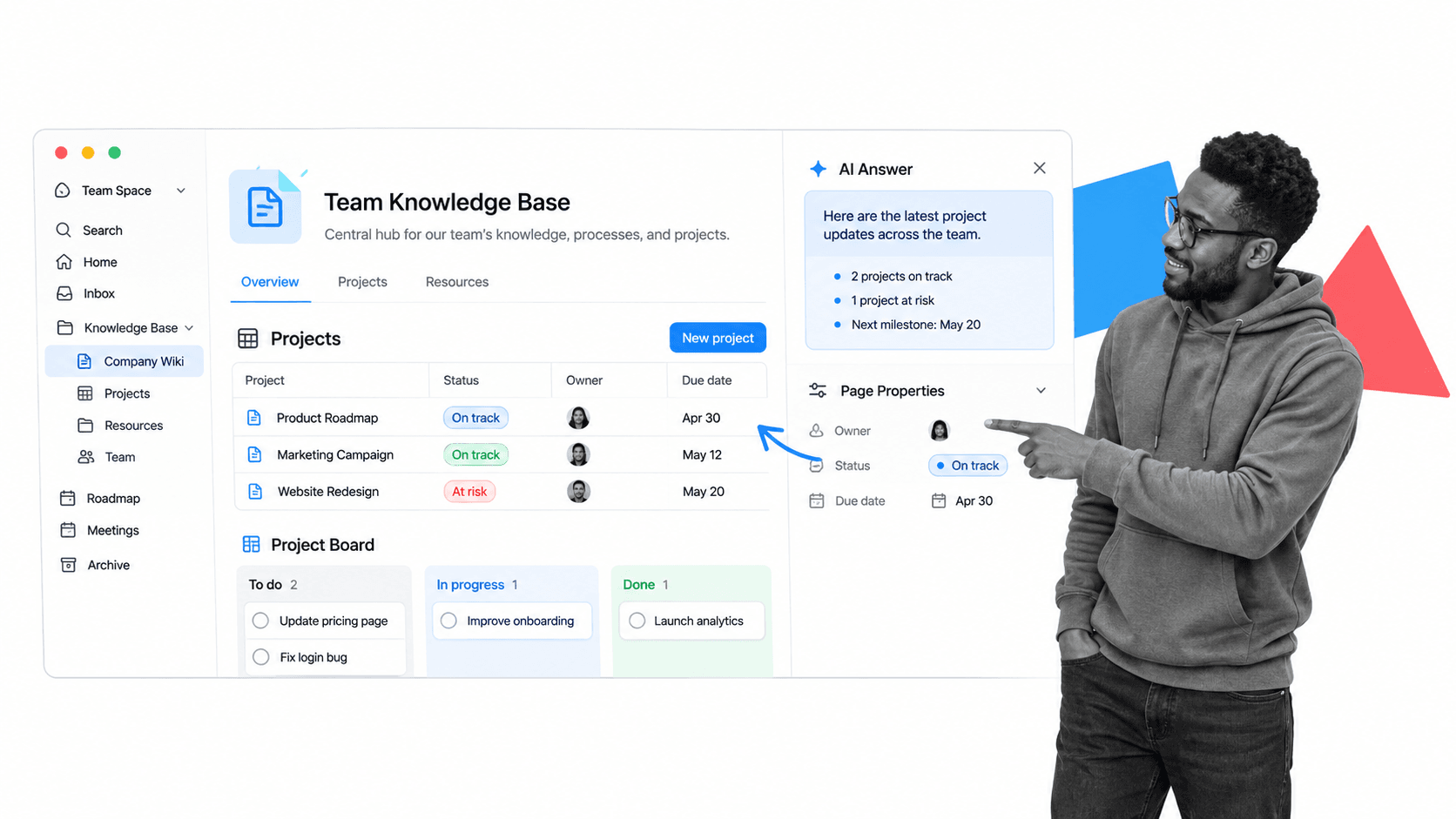
Best for: connected docs, wikis, databases, and lightweight projects.
Notion combines pages, wikis, databases, projects, search, and AI-assisted knowledge work in one connected workspace. Its official product page describes a free plan with core docs, wikis, and databases, while paid plans add deeper collaboration, permissions, and agents.
It beats Process Street when the primary job is flexible knowledge creation, connected pages, and lightweight database projects. Process Street is stronger when a recurring process must require steps, route approvals, collect evidence, and leave a controlled run record.
Notion key features:
- Pages and nested teamspaces for docs and wikis.
- Databases with properties, views, subtasks, and dependencies.
- Projects and tasks connected to knowledge pages.
- AI-assisted search, writing, and workspace actions.
Notion pros:
- Flexible enough to combine knowledge and light project work.
- Strong ecosystem of templates and connected databases.
- Free plan supports meaningful evaluation.
Notion cons:
- Flexibility can produce inconsistent structures across teams.
- A page or database does not automatically enforce process execution.
Bottom line: Notion is the strongest fit for connected docs, wikis, databases, and lightweight projects. This is the use case where it deserves a place on the shortlist.
Choose Notion if: connected docs, wikis, databases, and lightweight projects matches the primary job. Skip it if: its specialist strength would add structure without solving the reason your team is leaving Coda.
For current package details, see Notion pricing. Notion is the better fit when connected knowledge and flexible pages matter more than enforced step-by-step execution.
3. Confluence

Best for: structured team knowledge in the Atlassian ecosystem.
Confluence is Atlassian’s team knowledge platform for spaces, pages, structured page trees, templates, version history, whiteboards, and apps. Atlassian publishes a free plan for up to ten users with unlimited spaces and pages.
It beats Process Street when the requirement is a formal, searchable team wiki that sits beside Jira and other Atlassian products. Process Street is stronger when the documented procedure must actively run as assigned work.
Confluence key features:
- Unlimited spaces and pages on the free plan.
- Structured page trees and templates.
- Page versioning and whiteboards.
- Permissions, analytics, and automation on higher plans.
Confluence pros:
- Natural fit for teams already using Atlassian products.
- Clear hierarchy for extensive documentation.
- Strong history and governance options on paid plans.
Confluence cons:
- Can feel heavier than a lightweight wiki.
- Documentation remains separate from step-by-step process execution.
Bottom line: Confluence is the strongest fit for structured team knowledge in the Atlassian ecosystem. This is the use case where it deserves a place on the shortlist.
Choose Confluence if: structured team knowledge in the Atlassian ecosystem matches the primary job. Skip it if: its specialist strength would add structure without solving the reason your team is leaving Coda.
For current package details, see Confluence pricing. Confluence is the better fit when a formal team wiki and tight Atlassian alignment are the primary requirements.
4. ClickUp
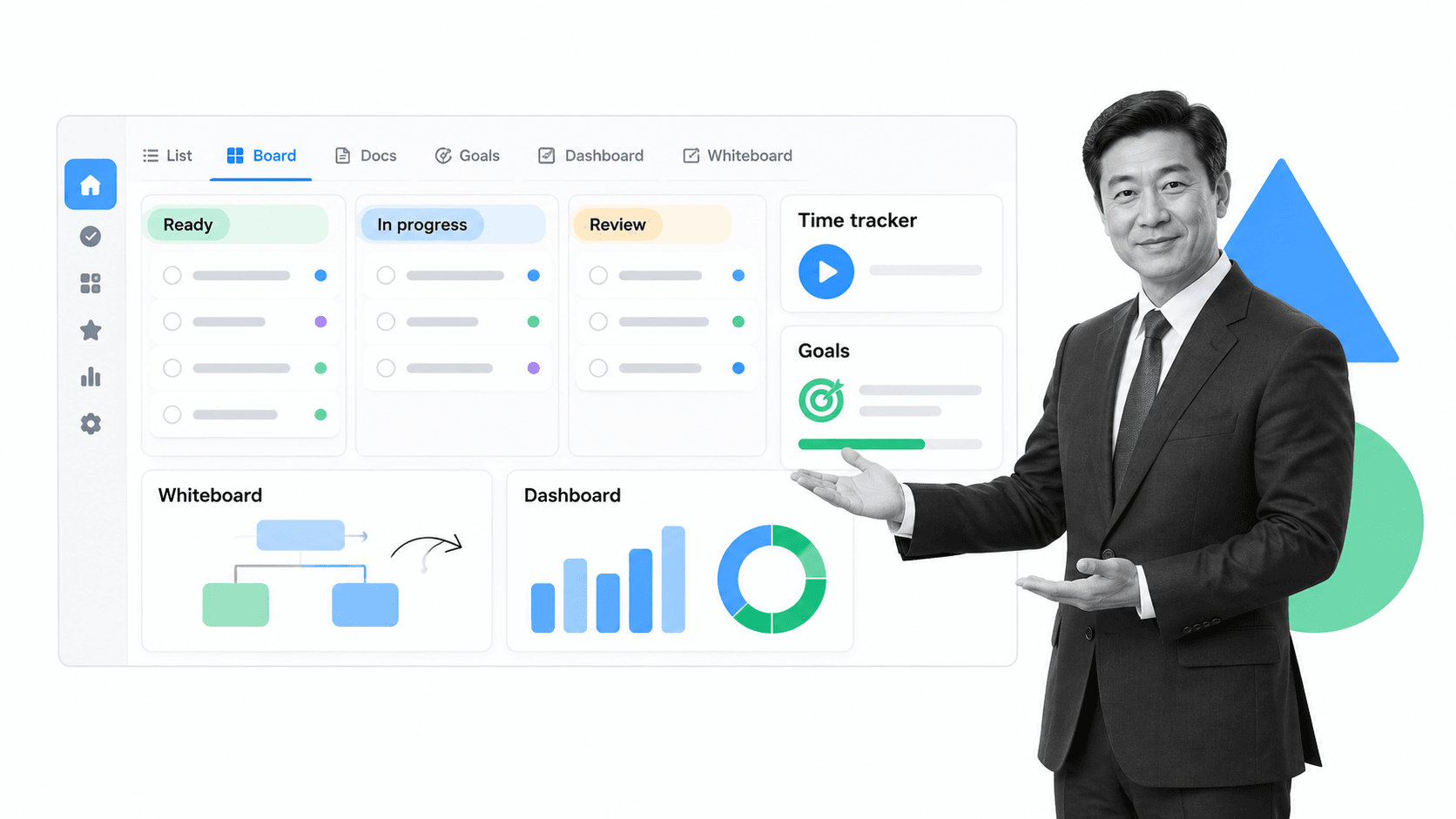
Best for: broad project and productivity management in one workspace.
ClickUp is a broad productivity workspace that brings tasks, docs, goals, dashboards, whiteboards, forms, chat, and multiple project views together. Its official pricing materials publish a Free Forever plan and paid workspace tiers.
It beats Process Street when teams want one configurable surface for project portfolios and day-to-day task work. Process Street is stronger where procedural control and proof matter more than view variety.
ClickUp key features:
- Task lists, boards, calendars, and timelines.
- Docs, whiteboards, forms, and chat.
- Goals, dashboards, and time tracking.
- Custom fields and workspace automation.
ClickUp pros:
- Broad feature coverage for project teams.
- Many ways to view the same work.
- Free plan lowers the cost of evaluation.
ClickUp cons:
- Breadth can increase configuration and training overhead.
- Project flexibility is not the same as enforced SOP execution.
Bottom line: ClickUp is the strongest fit for broad project and productivity management in one workspace. This is the use case where it deserves a place on the shortlist.
Choose ClickUp if: broad project and productivity management in one workspace matches the primary job. Skip it if: its specialist strength would add structure without solving the reason your team is leaving Coda.
For current package details, see ClickUp pricing. ClickUp is the better fit when teams want a broad project workspace with many views and collaboration surfaces.
5. Airtable
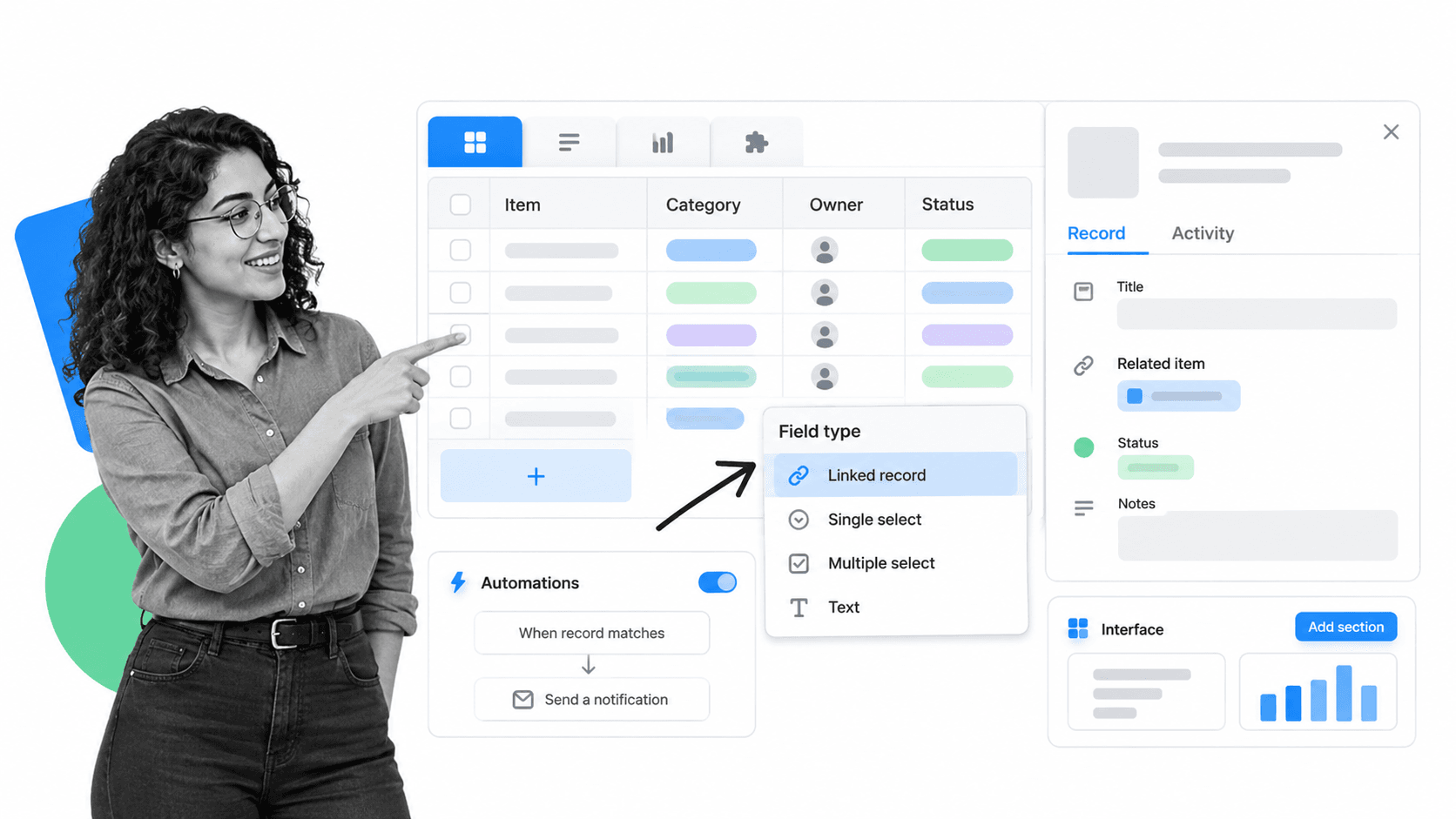
Best for: database-backed workflows and lightweight internal apps.
Airtable is a database-backed platform for building collaborative applications around records, tables, forms, interfaces, and automations. Its official pricing page publishes a free plan and a Team plan priced per user.
It beats Process Street when the main need is a custom data model, relational records, and an internal app interface. Process Street is stronger when each process instance needs a guided sequence, accountable owner, approval, and completion proof.
Airtable key features:
- Relational tables and linked records.
- Forms, views, and Interface Designer.
- Automations and connected actions.
- Custom applications built on shared operational data.
Airtable pros:
- Excellent fit for structured records and custom operational apps.
- Flexible interfaces for different roles.
- Useful bridge between spreadsheets and custom software.
Airtable cons:
- Teams must design their own operating discipline.
- Database records do not inherently guide users through a required sequence.
Bottom line: Airtable is the strongest fit for database-backed workflows and lightweight internal apps. This is the use case where it deserves a place on the shortlist.
Choose Airtable if: database-backed workflows and lightweight internal apps matches the primary job. Skip it if: its specialist strength would add structure without solving the reason your team is leaving Coda.
For current package details, see Airtable pricing. Airtable is the better fit when structured records and custom internal applications are the center of the work.
6. Microsoft Loop
Best for: portable collaborative components across Microsoft 365.
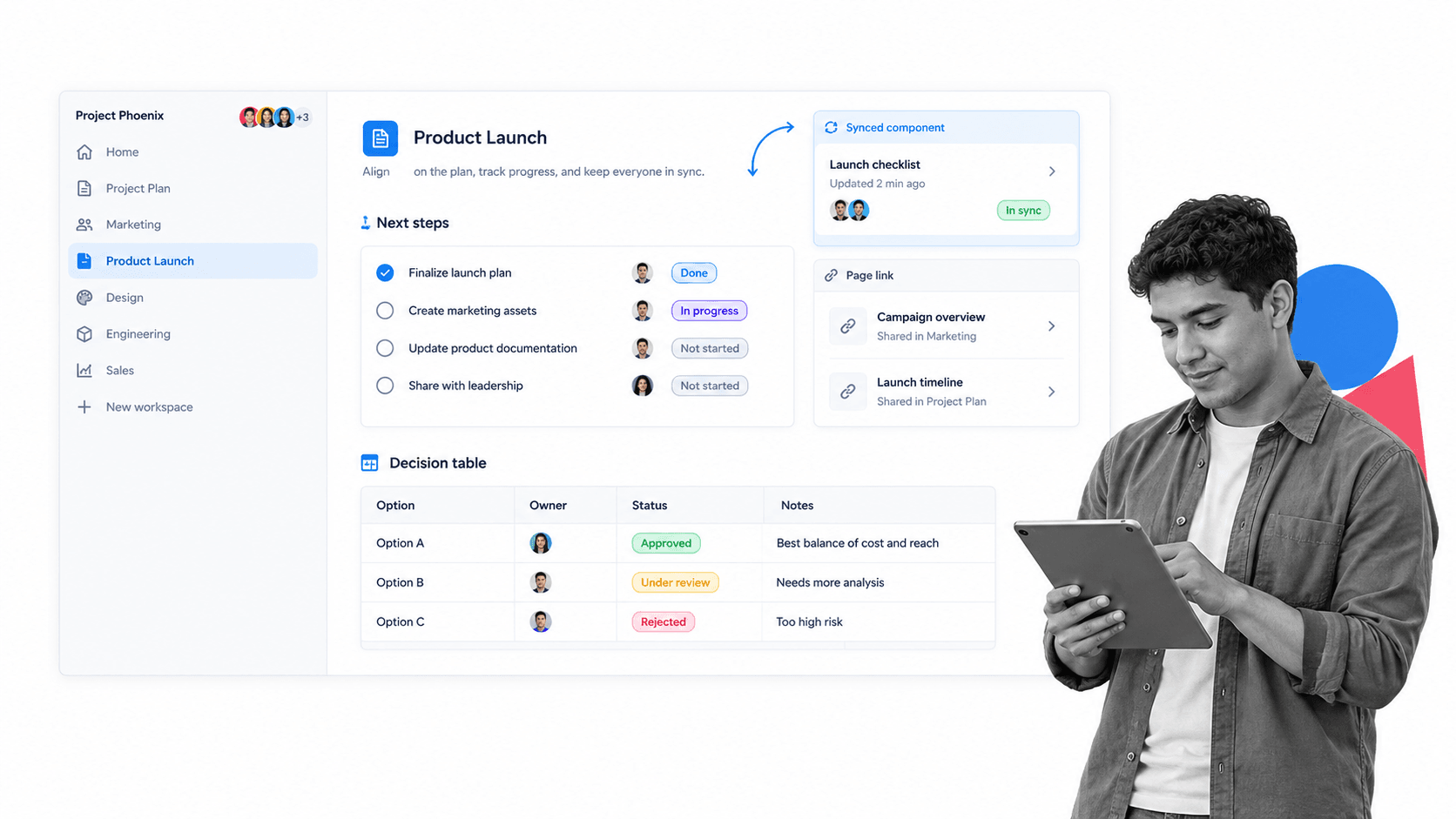
Microsoft Loop organizes collaboration around workspaces, pages, and portable components. Microsoft says Loop components can appear across supported Microsoft apps, while workspaces and pages are available to eligible work or school accounts.
It beats Process Street when the team already lives in Teams, Outlook, and Microsoft 365 and wants synchronized collaborative components. Process Street is stronger when the work needs a governed workflow record independent of any one collaboration suite.
Microsoft Loop key features:
- Collaborative Loop workspaces and pages.
- Portable task lists, tables, and other components.
- Components that stay synchronized across supported apps.
- Microsoft 365 identity and administration alignment.
Microsoft Loop pros:
- Low-friction fit for Microsoft-centered teams.
- Components reduce copy-and-paste between conversations and pages.
- Useful for live planning and shared notes.
Microsoft Loop cons:
- Value depends heavily on Microsoft 365 adoption.
- A synchronized component is not a full recurring process control system.
Bottom line: Microsoft Loop is the strongest fit for portable collaborative components across Microsoft 365. This is the use case where it deserves a place on the shortlist.
Choose Microsoft Loop if: portable collaborative components across Microsoft 365 matches the primary job. Skip it if: its specialist strength would add structure without solving the reason your team is leaving Coda.
For current package details, see Microsoft Loop pricing. Microsoft Loop is the better fit when Teams, Outlook, and Microsoft 365 are already the collaboration center.
7. Slite
Best for: a maintained team knowledge base with AI search and verification.
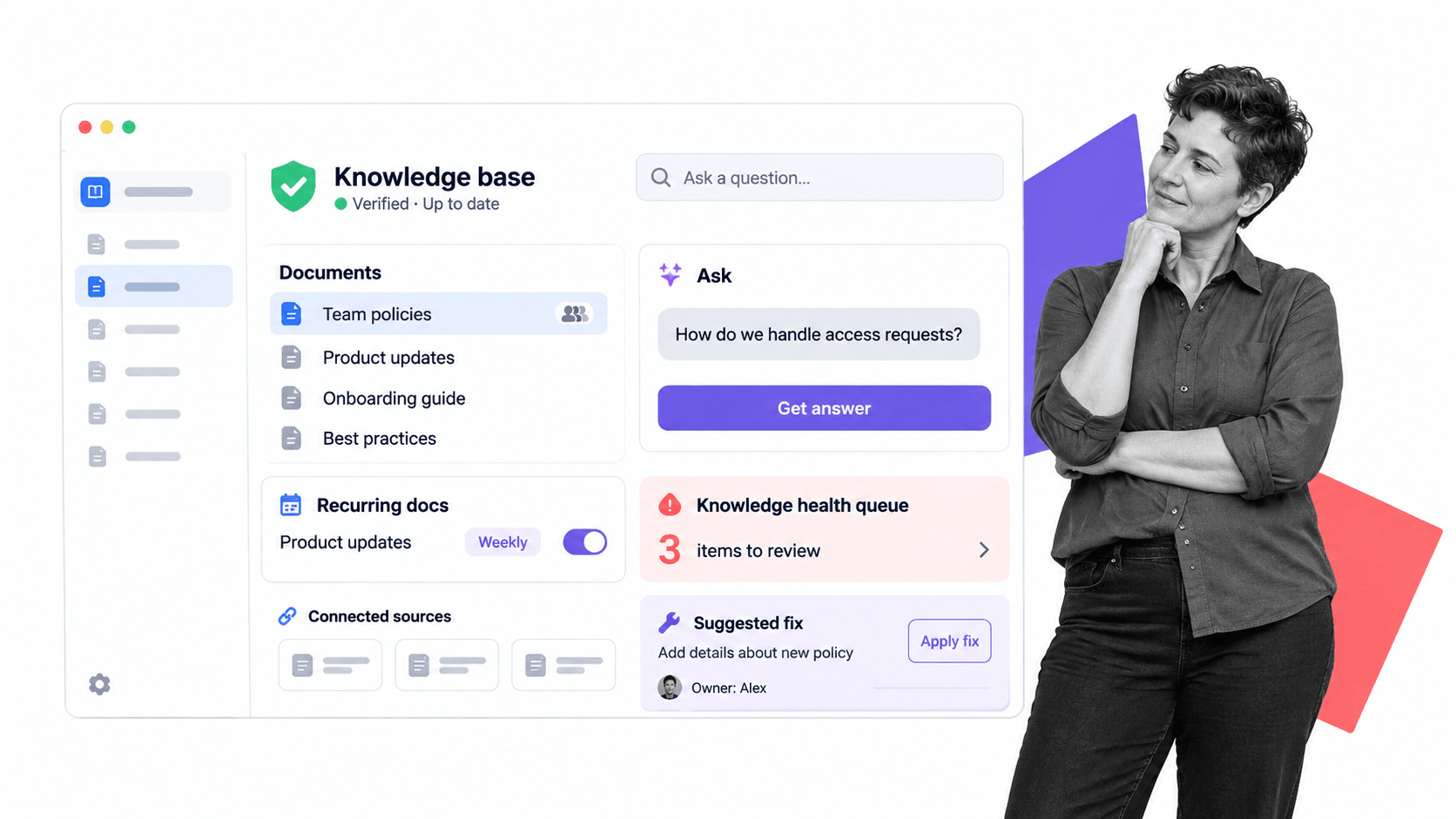
Slite is a team knowledge base focused on collaborative docs, search, answers, document verification, and keeping knowledge current. Its pricing page publishes a fourteen-day trial, Basic and Pro plans, and enterprise options.
It beats Process Street when the main requirement is trusted internal knowledge with verification and AI-assisted retrieval. Process Street is stronger when the documented knowledge must be converted into repeatable assigned work.
Slite key features:
- Real-time collaborative documents.
- Ask for AI search and answers.
- Document verification workflows and recurring docs.
- Knowledge health and connected-tool search on higher plans.
Slite pros:
- Clear focus on knowledge quality and maintenance.
- Verification features reduce stale-document risk.
- Simpler than a general-purpose database workspace.
Slite cons:
- No permanent free plan is advertised.
- Knowledge maintenance does not replace governed process execution.
Bottom line: Slite is the strongest fit for a maintained team knowledge base with AI search and verification. This is the use case where it deserves a place on the shortlist.
Choose Slite if: a maintained team knowledge base with AI search and verification matches the primary job. Skip it if: its specialist strength would add structure without solving the reason your team is leaving Coda.
For current package details, see Slite pricing. Slite is the better fit when the main problem is keeping company knowledge current, searchable, and trusted.
8. Nuclino
Best for: fast, lightweight collaborative docs and wikis.
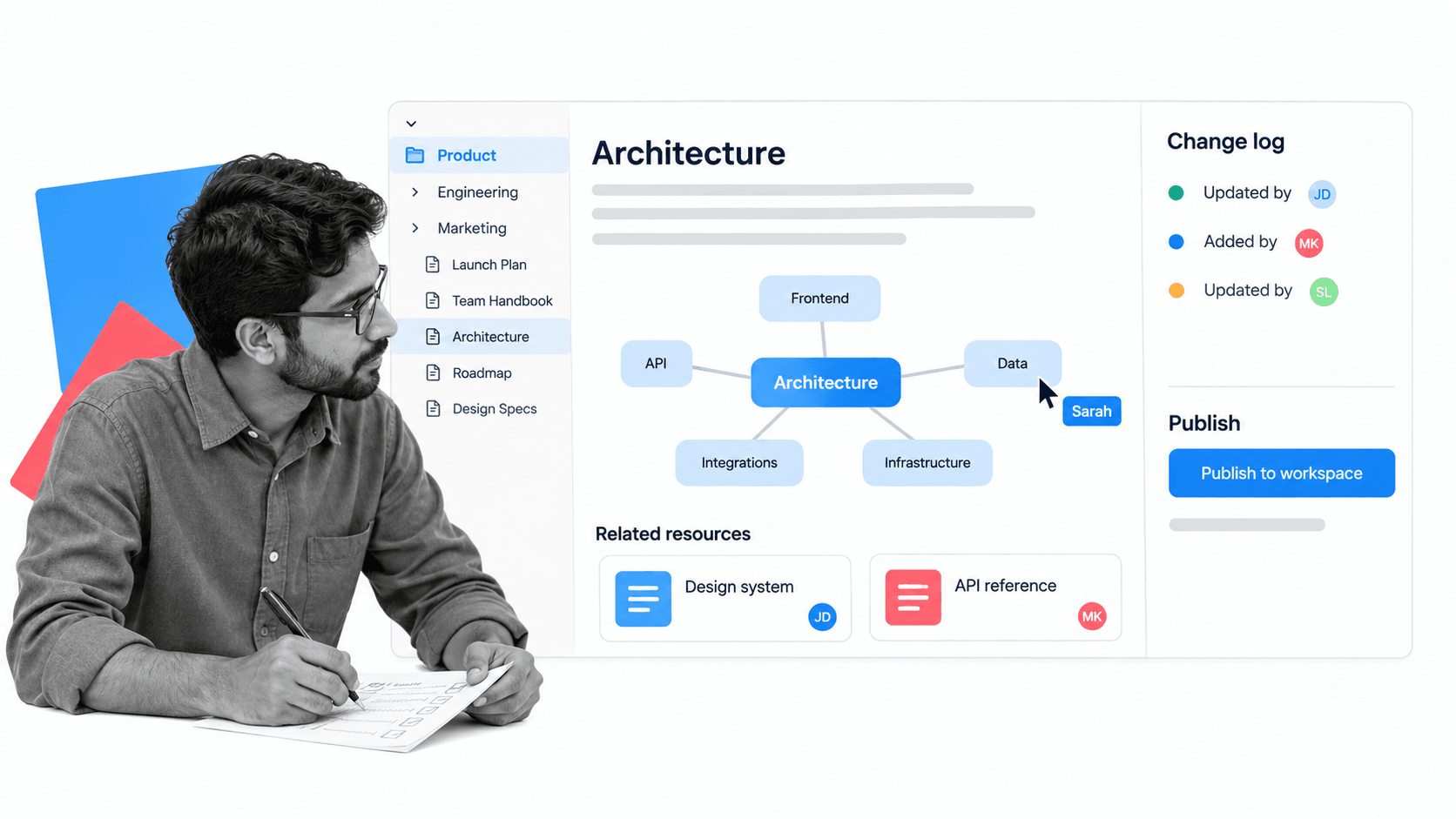
Nuclino is a lightweight collaborative workspace for documents, collections, canvases, and graph-style navigation. Its official pricing page publishes a free plan, a trial for paid capabilities, and higher tiers for administration and AI.
It beats Process Street when a small team wants a fast, uncomplicated wiki without a large configuration burden. Process Street is stronger when documentation must drive approvals, required tasks, due dates, and evidence.
Nuclino key features:
- Real-time collaborative documents.
- Collections, item linking, and graph navigation.
- Canvas views for visual organization.
- Version history, publishing, and advanced controls on paid plans.
Nuclino pros:
- Fast, approachable writing experience.
- Simple structure for small teams.
- Free plan supports lightweight use.
Nuclino cons:
- Free-plan capacity is intentionally limited.
- Less suited to complex relational data or controlled workflow execution.
Bottom line: Nuclino is the strongest fit for fast, lightweight collaborative docs and wikis. This is the use case where it deserves a place on the shortlist.
Choose Nuclino if: fast, lightweight collaborative docs and wikis matches the primary job. Skip it if: its specialist strength would add structure without solving the reason your team is leaving Coda.
For current package details, see Nuclino pricing. Nuclino is the better fit when simplicity and fast team documentation matter more than complex databases or workflow controls.
Coda alternatives feature comparison
The tools overlap at the surface because nearly all can hold text, tasks, and structured information. Their operating models are different. The most useful comparison is what each product treats as the primary object: a workflow run, a page, a wiki space, a project, a record, a portable component, or a maintained knowledge item.
| Primary object | Best-fit tool | What the team gains | Main tradeoff |
|---|---|---|---|
| Workflow run | Process Street | Required execution, approvals, evidence, and history | Less free-form than a maker doc |
| Connected page and database | Notion | Flexible knowledge and lightweight projects | Consistency requires governance |
| Wiki space | Confluence | Structured enterprise knowledge | Heavier administration |
| Project and task workspace | ClickUp | Broad planning and collaboration views | Feature breadth can add complexity |
| Relational record | Airtable | Custom operational apps | Team must design execution discipline |
| Portable component | Microsoft Loop | Microsoft 365 collaboration | Depends on the Microsoft ecosystem |
| Verified knowledge item | Slite | Maintained and searchable knowledge | Not a workflow engine |
| Lightweight wiki item | Nuclino | Fast, simple documentation | Limited depth for complex operations |
Pricing should be modeled against real roles, not a headline seat price. Count makers, editors, occasional contributors, approvers, guests, administrators, and viewers. Test plan limits for history, storage, permissions, automation, external sharing, advanced search, and support. A low entry price can become expensive if every reviewer needs a paid seat, while a higher platform price can be justified when it replaces manual controls or several point tools.
Migration effort is also a feature. A flexible Coda doc may contain hidden formulas, buttons, cross-doc references, Pack actions, and view-specific assumptions. A replacement should make those dependencies explicit. The cleanest move is often to redesign the operating model around the destination tool instead of recreating every table and formula one for one.
Administration should be tested under change, not only during setup. Ask an ordinary owner to add a field, change a review path, retire an old page, restrict a sensitive area, and explain a failed automation. If only the original builder can do those things, the replacement has recreated the same concentration risk in a new product. The best platform is one the accountable team can understand and safely evolve.
Search and reporting deserve separate trials. A knowledge platform should help a new employee find the current answer without knowing the exact page title. A project platform should make late work and capacity constraints visible. A workflow platform should show the state of every active run and the reason an exception is waiting. Do not accept one polished dashboard as proof that the underlying information will remain trustworthy.
Finally, compare the default behavior. Coda can become almost anything, but that freedom asks the team to decide how pages, tables, formulas, and controls should work. A specialist alternative has stronger defaults: Confluence expects spaces and pages, ClickUp expects tasks and projects, Airtable expects records and relationships, and Process Street expects repeatable workflow runs. Strong defaults reduce design effort when they match the job, and create friction when they do not. Choose the default operating model your team will actually maintain after the implementation project ends.
| Decision question | Prefer Process Street | Prefer a specialist |
|---|---|---|
| Must every run follow required steps? | Yes, workflow execution is central | No, flexible pages or records are enough |
| Is knowledge the main deliverable? | Only when it drives an active process | Notion, Confluence, Slite, or Nuclino |
| Is relational data the main product? | Only when attached to governed work | Airtable |
| Is project portfolio depth essential? | For recurring operational projects | ClickUp |
| Must content travel across Microsoft apps? | Use integrations around the workflow | Microsoft Loop |
Which Coda alternative fits your use case
Name the job before naming the vendor. Teams often call a Coda doc an operations hub even when it is really a wiki, a database, a project tracker, or a collection of forms. The replacement becomes obvious only after the primary object and the cost of failure are clear.
Also name the future owner. A knowledge manager may prefer verification and page governance. A program manager may prioritize portfolios, dependencies, and workload. An operations leader may need guided procedures and approvals. A systems builder may need relational data and custom interfaces. If the buyer, administrator, and daily user are different people, include all three in the evaluation so the chosen strength does not create a new maintenance bottleneck.
- Choose Process Street when recurring work needs required steps, owners, approvals, evidence, and audit trails.
- Choose Notion when connected docs, wikis, databases, and flexible team knowledge are the priority.
- Choose Confluence when a structured wiki inside the Atlassian ecosystem is the priority.
- Choose ClickUp when broad project views and all-in-one productivity are the priority.
- Choose Airtable when relational records and custom internal apps are the priority.
- Choose Microsoft Loop when portable components across Microsoft 365 are the priority.
- Choose Slite when maintained, verified, searchable knowledge is the priority.
- Choose Nuclino when a fast and lightweight collaborative wiki is the priority.
A hybrid stack is often reasonable. A team can keep knowledge in a wiki, track relational data in a database, manage engineering in a project tool, and run controlled recurring work in a process platform. The goal is not tool consolidation for its own sake. The goal is a clear owner, a clear system of record, and a clear completion state for every important process.
Avoid splitting one process across tools without a clear boundary. If a policy lives in a wiki, the operational workflow should link to the governed source. If an Airtable base owns the vendor record, the approval workflow should write the final decision back to that record. If a ClickUp project owns delivery milestones, recurring quality checks should report their completion state in a predictable way. Clear boundaries let each specialist do its job without forcing people to reconcile several competing versions of truth.
How to migrate from Coda
Start with an inventory, not an export. List each Coda doc, its owner, active users, important tables, formulas, views, buttons, automations, Packs, external links, and downstream reports. Mark which items are active, archival, duplicated, or unclear. This prevents the new system from inheriting years of unused structure.
Then separate knowledge from execution. Move stable instructions into the destination knowledge layer. Turn recurring procedures into explicit workflows using a standard operating procedure template or project management process template. For people operations, pilot an employee onboarding checklist. For customer work, test a client onboarding checklist. For operational change, use a change management process template so owners, approvals, and rollout evidence are visible.
Map each active automation before rebuilding it. Record the trigger, the conditions, the actions, the credentials involved, the failure behavior, and the person who notices an exception. Rebuild only automations with a clear owner and business purpose. An unexplained automation is operational debt, even if it currently works.
Run a pilot with one representative process and one representative knowledge set. Include the people who create content, complete work, approve decisions, review reports, and administer access. Measure time to start, time to find the latest instruction, completion rate, missing data, approval delay, exception handling, and the effort required to change the process.
Preserve history deliberately. Some Coda tables are operational records, while others are temporary trackers or views of data that lives elsewhere. Decide which rows, comments, attachments, decisions, and timestamps have legal, audit, customer, or institutional value. Export or archive the required history in a format that can be searched and understood later, then document where that archive lives and who owns it.
Communicate the change in terms of work, not software. Tell each group where to find instructions, where to complete tasks, where to request a change, and what happens to old links. Give managers a short exception path for anything the migration missed. This reduces the chance that people quietly rebuild the old Coda tracker in a private spreadsheet because the new system did not explain how real work should move.
Treat document governance as part of the migration. Decide who can edit source procedures, who can approve changes, how versions are communicated, and where superseded material lives. A document management workflow should reduce ambiguity about the current instruction, not create another layer of copied pages.
Finally, set a retirement date for each migrated Coda doc. Change it to read-only when practical, add a clear destination link, and monitor references that still point to the old location. Do not delete the source until the new system has completed enough real cycles to prove that formulas, dependencies, permissions, and historical records were handled correctly.
FAQs
What is the best Coda alternative?
Process Street is the best Coda alternative for teams that need enforceable, trackable, recurring SOP and process workflows. Notion is stronger for flexible connected knowledge, Airtable for relational apps, and ClickUp for broad project management.
Is there a free Coda alternative?
Yes. Notion, Confluence, ClickUp, Airtable, and Nuclino publish free plans or free options. Microsoft Loop access depends on the eligible Microsoft account or subscription, while Slite publishes a free trial.
What is the closest alternative to Coda?
Notion is often the closest broad alternative because it combines pages, databases, projects, and AI-assisted knowledge work. Airtable is closer when Coda is primarily a structured database, while Process Street is closer when the doc runs recurring procedures.
Which Coda alternative is best for small teams?
Nuclino is strong for a simple team wiki, Notion for flexible knowledge and projects, Airtable for structured records, and Process Street for recurring workflows. Small teams should choose the lightest tool that still controls the important work.
Which Coda alternative is best for enterprise teams?
Process Street fits governed recurring workflows, Confluence fits structured enterprise knowledge, ClickUp fits broad project portfolios, Airtable fits managed internal apps, and Microsoft Loop fits organizations centered on Microsoft 365.
Is there a Microsoft alternative to Coda?
Microsoft Loop is the closest Microsoft-native alternative for collaborative workspaces, pages, and portable components. Teams that need a fuller data application or enforced process may still pair Microsoft 365 with Airtable or Process Street.
How do I migrate from Coda to Process Street?
Inventory active docs, tables, formulas, buttons, automations, Packs, and owners. Then translate each recurring procedure into a workflow with a trigger, accountable owner, required tasks, fields, decisions, approvals, evidence, and exception paths.
Why is Process Street ranked first?
Process Street is ranked first for the audience this page serves: teams that need recurring operational work to be enforced, tracked, approved, and proven. It is not the best choice for every wiki, database, project, or collaboration use case.
If your Coda docs have become the place where recurring work is described but not reliably enforced, start with Process Street. Build one controlled workflow, prove the operating model, and expand only after the team can run it without side spreadsheets or private reminders.
