


Turn every policy into automated workflows with built-in enforcement and audit-ready proof.



Free Process Management Software
Free process management software is useful when you need to organize recurring work before committing budget to a full operations platform. The best free options help you map steps, assign owners, collect requests, and test basic workflow automation without forcing a long procurement cycle.
The catch is that process management is not the same as task tracking. A task board can show work moving across columns. A real process system helps people follow the right procedure, collect the right information, route approvals, and leave proof that the work happened. That distinction matters once the process touches customers, finance, compliance, HR, procurement, or service delivery.
This guide compares practical free and trial-based options for process work. Process Street is included because its 14-day Pro trial is the strongest way to test governed SOP execution before buying. Pipefy, monday.com, and Zoho Creator are included because each publishes a free path that can support a different early process-management need, while marketplace categories such as Capterra’s free business process management software directory can help teams widen the comparison set.
- Free process management software at a glance
- What free process management software should include
- How to choose free process management software
- 1. Process Street
- 2. Pipefy
- 3. monday.com
- 4. Zoho Creator
- 5. Trello
- Where free process management software breaks
- Implementation checklist for free process management software
- FAQs
Free process management software at a glance
If you need to test a serious recurring process, start with Process Street’s trial because the trial lets you evaluate workflows, approvals, task permissions, due dates, forms, and evidence capture in one controlled run. If you need a free-forever process board, start with Pipefy. If you need a lightweight visual work board for two people, monday.com is simpler. If you want to build one custom low-code process app, Zoho Creator is the better experiment. If you want a familiar card board for a small recurring routine, Trello is the simplest free kanban option.
| Tool | Best for | Standout feature | Pricing |
|---|---|---|---|
| Process Street | Testing governed SOP execution before rollout | Workflow runs with approvals, enforced task order, due dates, forms, and evidence | 14-day Pro trial, then paid plans |
| Pipefy | Small teams managing a few operational processes | Free Starter plan with process pipes, templates, request tracking, and basic automations | Free Starter plan |
| monday.com | Two-person teams tracking lightweight process work | Free work boards, docs, templates, and column types for simple process visibility | Free plan for up to 2 seats |
| Zoho Creator | Operators building one custom process app | Free Edition for one custom app after a 15-day trial path | Free Edition and 15-day free trial |
| Trello | Small teams turning a recurring routine into a visual board | Free kanban boards with unlimited cards, due dates, checklist badges, Power-Ups, and activity logs | Free plan at $0 for up to 10 collaborators per Workspace |
What free process management software should include
Free process tools should help a team move from memory to a shared operating pattern. At minimum, look for process templates, owner assignment, forms or request intake, task states, comments, due dates, and a way to repeat the same process without rebuilding it every time. That is why a simple project management checklist template can be useful early, but it is not the whole system.
A repeatable workflow surface
A repeatable workflow surface is the core of process management. You need a place where steps, states, owners, and handoffs live together. For simple teams that may be a board. For regulated or recurring work, it may need to become a formal workflow management system with stronger controls.
A way to collect structured information
Most processes start with intake: a request, form, application, invoice, onboarding packet, inspection, vendor review, or internal approval. Free software should let the team collect enough structured data to keep the process moving. If intake is your bottleneck, compare form application software and form engine tools before deciding that a project board is enough.
Approvals and proof
Approvals are where free tools often become weak. A checkbox that says approved is different from a controlled approval step with assigned reviewers and a history of what happened. When the process carries compliance, finance, HR, or customer risk, compare free tools against dedicated approval workflow software and the evidence each tool leaves behind.
How to choose free process management software
The right choice depends on the type of process you are trying to prove. Do not start with the longest feature list. Start with one recurring process that breaks often enough to matter. Then test whether the free plan or trial can run that process end to end without hidden manual work.
- Choose a trial of a governed workflow platform when missed steps, approvals, and audit history are the main risks.
- Choose a free process-board tool when the process is lightweight and your team mostly needs visibility.
- Choose a free work-management board when the process is really a small project with a few repeatable states.
- Choose a free low-code app builder when the process depends on custom records, forms, and internal app logic.
If your process is mostly recurring work, read the tool through the lens of business process management tools. If the process is project-shaped, compare it against free project management tools and free online project management software instead. The categories overlap, but the buying question is different.
1. Process Street
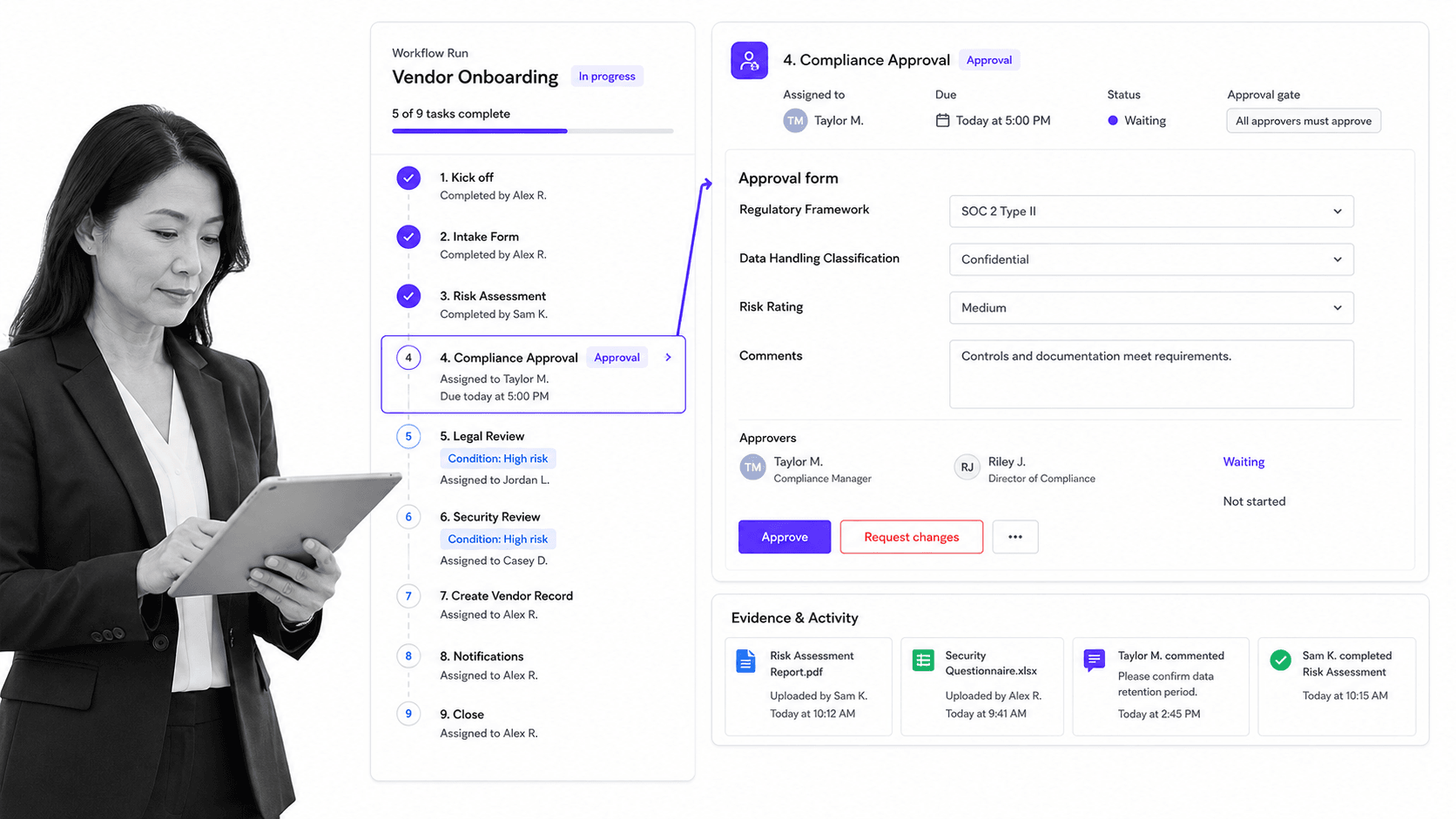
Best for: teams that want to test a controlled process-management system before buying. Process Street’s official pricing page says all new accounts start with a complimentary 14-day Pro trial, and the pricing page lists workflows, tasks, forms, pages, approvals, enforced task order, dynamic due dates, task permissions, role assignments, and workflow run links among plan capabilities: Process Street pricing.
Process Street is not a free-forever process management tool. It belongs in this comparison because a free trial is often the right way to test whether a real process-management platform can replace scattered docs, boards, and spreadsheets. If the process is important enough to need approvals, owners, due dates, forms, and proof, a limited free board may give you the wrong signal.
The strongest use case is recurring operational work: employee onboarding, vendor reviews, finance approvals, customer implementation, audit preparation, quality checks, and compliance workflows. A team can build one workflow, run it repeatedly, route tasks to the right owners, and see whether the execution record is strong enough before rolling it out. That is different from free task management software where the team still has to remember the procedure behind each task.
Process Street is the better test when the question is, “Can we make this process run correctly every time?” It is less appropriate when the question is, “Can two people track a few tasks for free?” For lightweight project work, use a free board. For SOP execution and proof, test a proper process management software platform and decide from evidence.
2. Pipefy
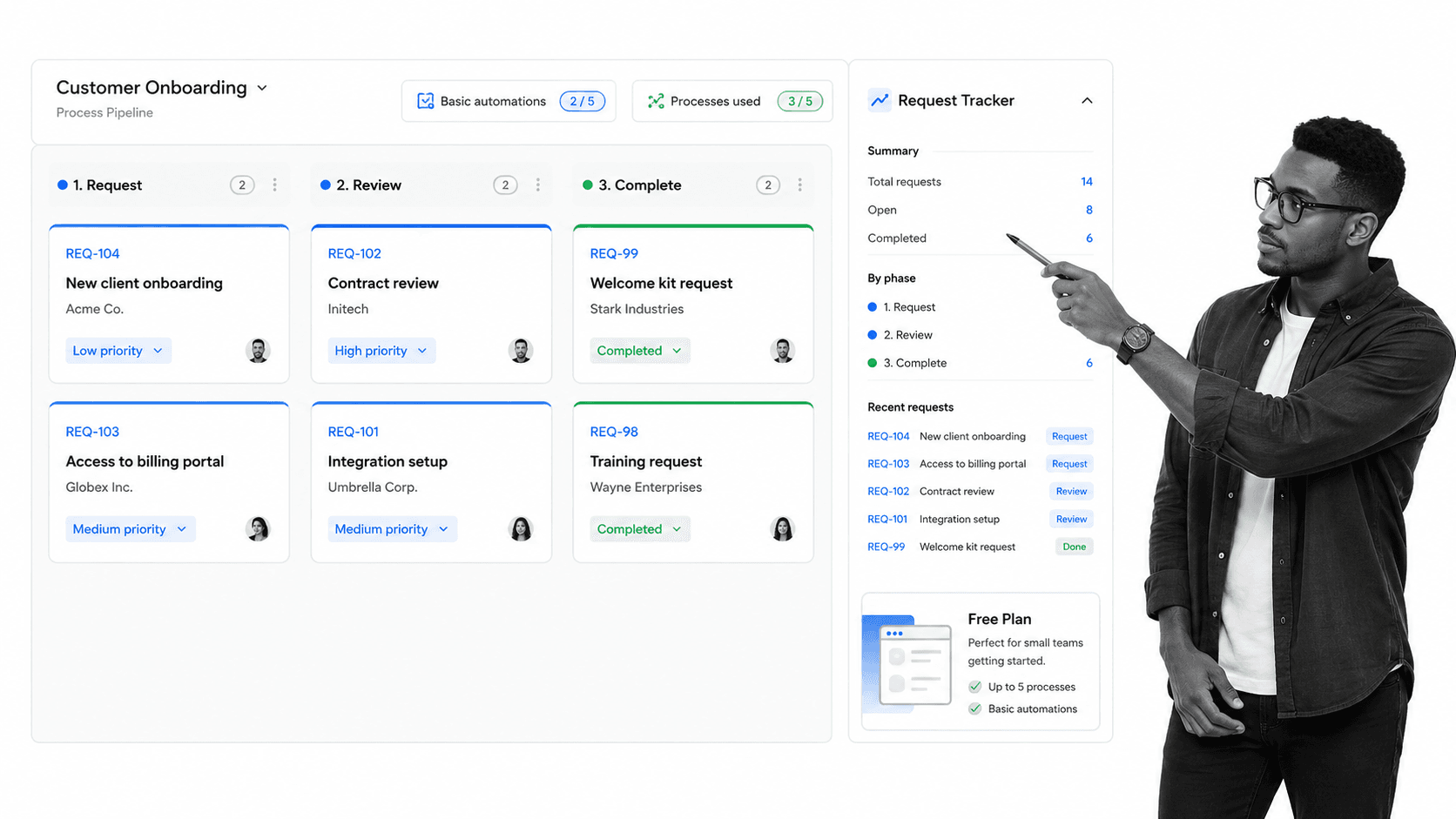
Best for: small teams that want a free-forever process board. Pipefy’s official pricing page lists a free Starter plan with Pipefy AI, up to 5 processes, up to 10 users, basic automations, plug-and-play process templates, request tracker, and visual customization: Pipefy pricing.
Pipefy is the strongest free-forever option in this list when your team wants to organize process work in a pipe-style board. The free limits make it a practical sandbox for a few recurring processes, especially when you want request intake and simple automation without building a custom app.
The limitation is scale and control. The same pricing page separates advanced capabilities into higher plans, including unlimited processes, role-based access, private processes, conditional logic, API access, and larger automation and integration allowances. That means Pipefy can start free, but the free plan is best treated as a controlled pilot rather than the permanent home for every business process.
Use Pipefy when process visibility and intake are the first problem. Move toward Process Street when proof, approvals, SOP governance, and repeatable execution become the stronger requirement. If your process includes formal approvals, compare the free plan against a dedicated approval management system before committing a critical workflow.
3. monday.com
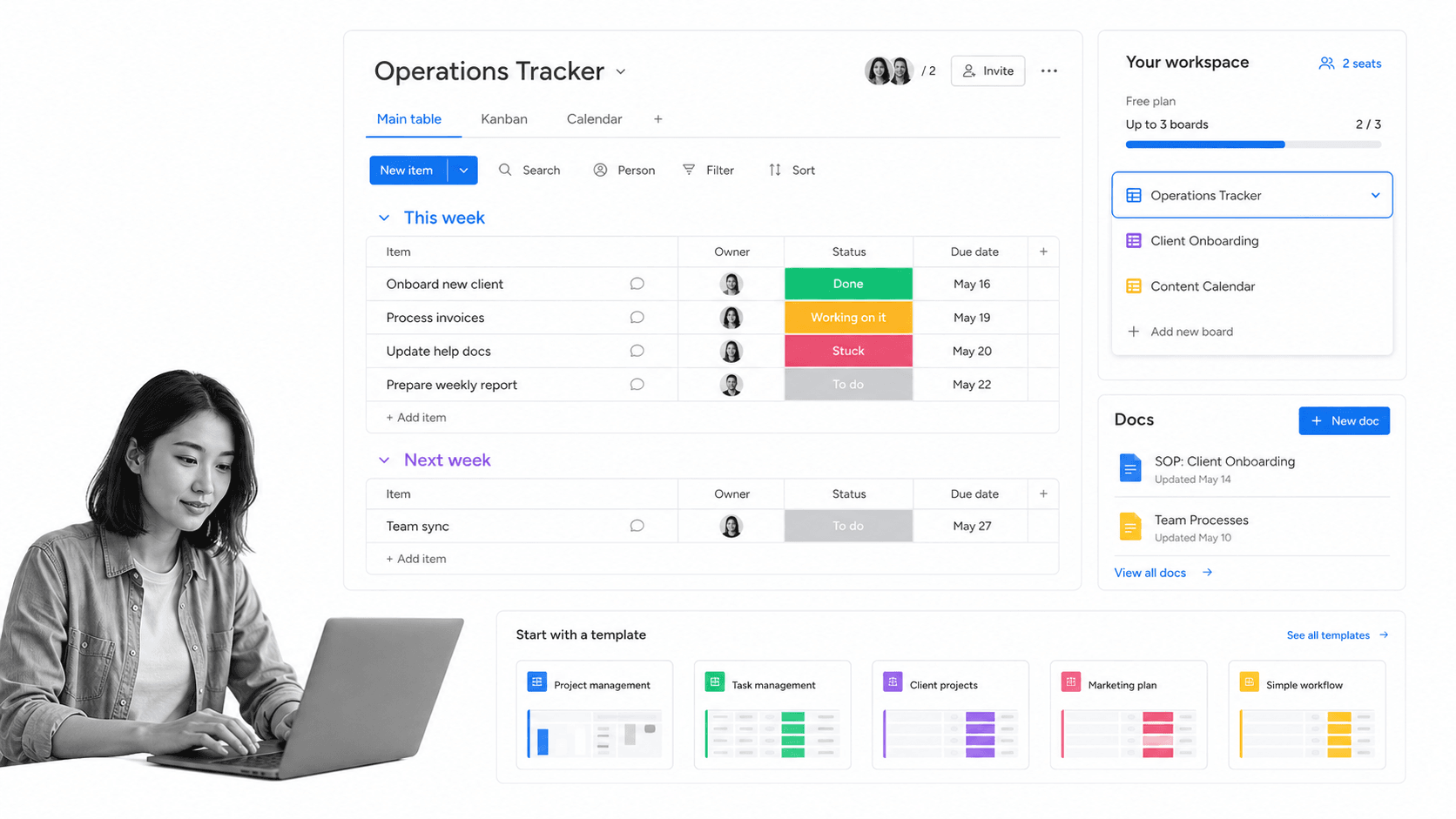
Best for: two-person teams that need simple visual process tracking. monday.com’s official pricing page lists a Free plan at $0 free forever, up to 2 seats, up to 3 boards, up to 3 docs, 200+ templates, 8 column types, and iOS and Android apps: monday.com pricing.
monday.com is a good fit when your process is closer to lightweight work tracking than formal process enforcement. A two-person team can use a board to track repeatable stages, keep a few docs beside the work, and start from templates instead of a blank workspace. That can be enough for simple internal routines.
The free plan is not designed for a large process library. The board, docs, and seat limits are useful guardrails: if your process needs more people, more boards, stronger automation, or more administration, you will quickly know that the free plan is a prototype rather than the system.
Use monday.com when the work is visual, low-risk, and small. Use Process Street when a process needs to be followed, approved, and proven. For teams choosing between broad work management and enforceable workflows, this deeper guide to workflow management software will help clarify the difference.
4. Zoho Creator
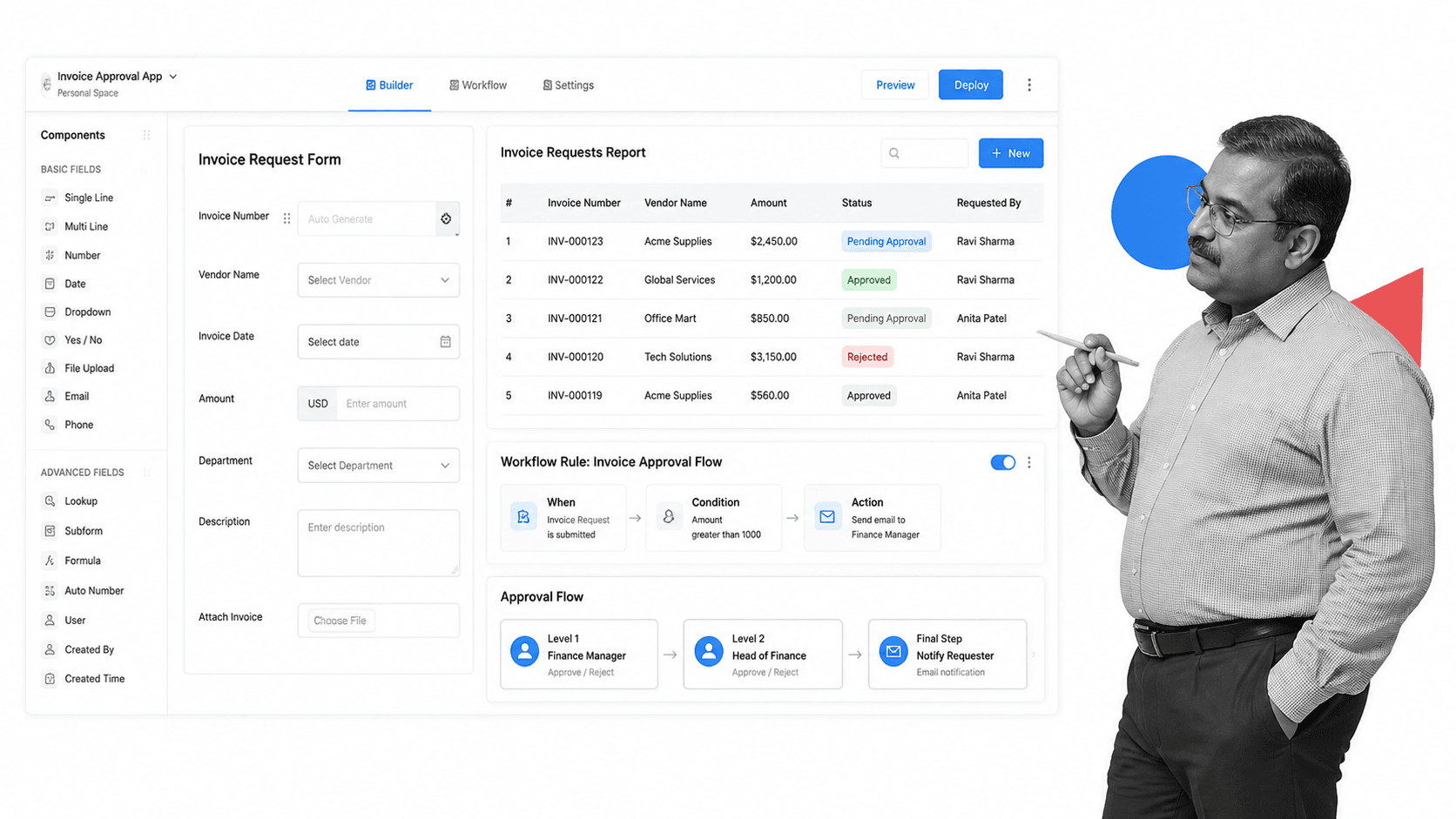
Best for: operators who want to build one custom process app before buying a low-code platform. Zoho Creator’s pricing page lists a 15-day free trial, a Free Edition for individuals or small teams starting with one custom app, and plan comparison details for applications, forms, reports, workflows, approvals, integrations, roles, audit trail, and other app-building capabilities: Zoho Creator pricing.
Zoho Creator is different from the other tools in this list. It is less of a ready-made process board and more of a low-code app builder. That is useful when your process depends on custom records, forms, reports, portals, approval flows, and business rules that do not fit neatly into a generic board.
The free path is best for experimentation. One custom app can prove whether the process should become a structured internal application. If your team needs many apps, many users, deep integrations, developer environments, and governance controls, the free edition becomes a learning path rather than the final architecture.
Use Zoho Creator when you need a custom process app. Use Process Street when the process is an SOP that people need to run repeatedly without waiting for app development. If you are choosing between app-building and workflow execution, map the first process with a business process documentation pass before building anything.
5. Trello
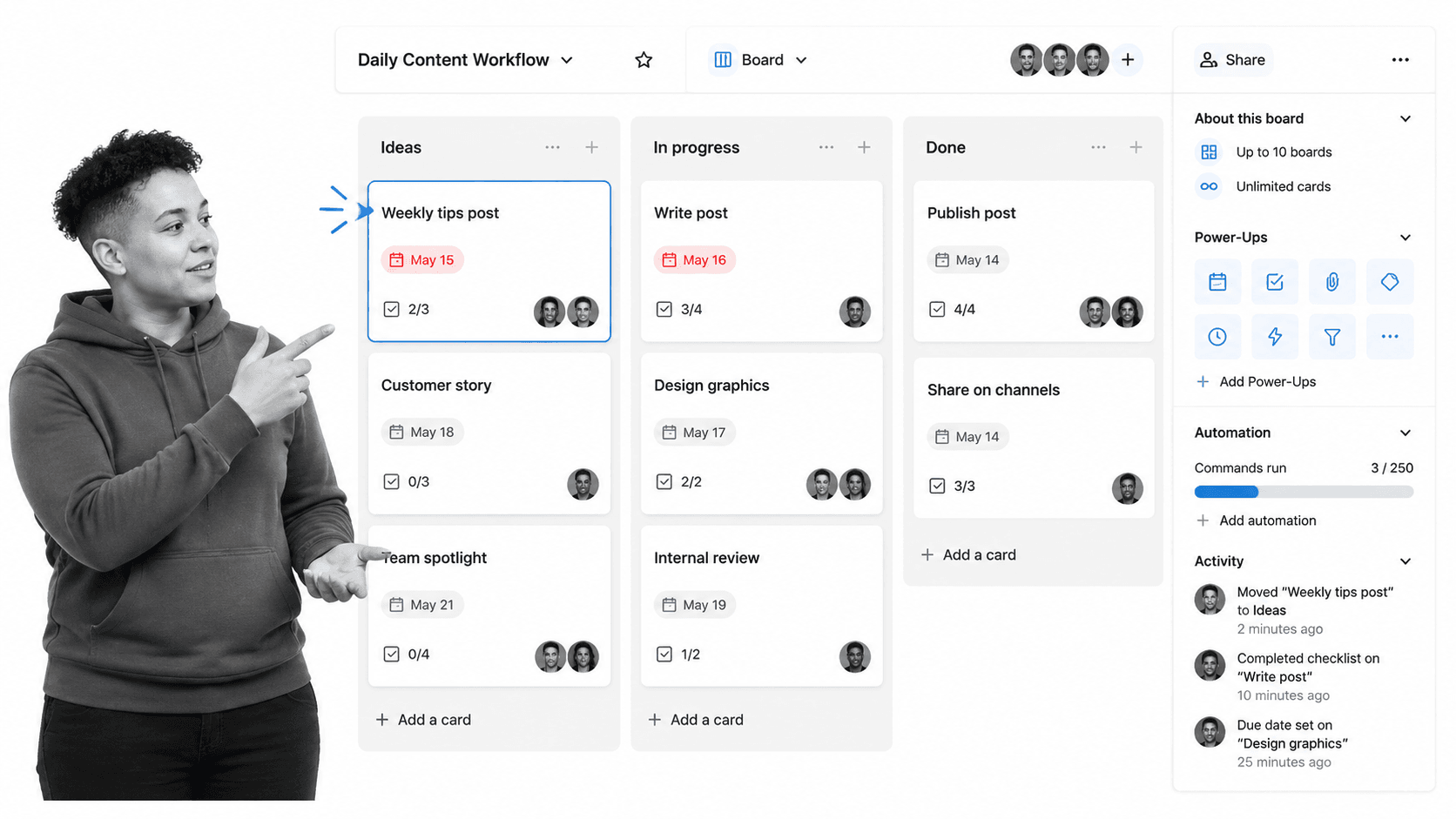
Best for: small teams that want a familiar kanban board for a lightweight recurring routine. Trello’s official pricing page lists a Free plan at $0 USD, free for up to 10 collaborators per Workspace, unlimited cards, up to 10 boards per Workspace, unlimited Power-Ups per board, assignee and due dates, unlimited activity logs, and 250 Workspace command runs per month: Trello pricing.
Trello is useful when the process is simple enough to live as cards moving through lists. A small team can create a board for a content routine, hiring checklist, vendor intake queue, customer request flow, or weekly operations review. Cards can hold owners, dates, comments, checklists, attachments, and activity history, which is enough for many low-risk internal routines.
The tradeoff is enforcement. Trello makes work visible, but it does not turn an SOP into a governed workflow by itself. If a process needs formal approvals, required fields, conditional routing, document control, or audit-ready proof, the board becomes a coordination layer rather than the system of record. That is the point where a free board can hide risk instead of removing it.
Use Trello when your team needs a fast, free way to make a routine visible. Use Process Street when the routine must run the same way every time, with the right person completing the right step and leaving evidence behind. The difference matters most when a missed step creates financial, customer, HR, or compliance exposure.
Where free process management software breaks
Free process management software usually breaks at the same points: user limits, process limits, automation limits, permissions, private workflows, approvals, reporting, audit trail, integrations, and support. Those limits are not bugs. They are how vendors keep the free tier useful for testing while reserving operational control for paid plans.
The bigger risk is not the upgrade cost. The bigger risk is building a critical process inside a tool that cannot enforce it. A free board may be fine for a content checklist. It is not enough for a vendor risk review, finance approval, medical intake routine, ISO evidence workflow, or HR onboarding process that requires documented completion. For those use cases, read the free plan against your process compliance requirements.
Use free tools to prove fit, not to avoid the decision. If the process is valuable, document the current steps, choose one owner, run the process three times, and compare failures. If the free tool cannot prevent skipped steps or show proof afterward, move to a stronger business process automation tool before the process spreads.
Implementation checklist for free process management software
Do not test five tools with five fake processes. Pick one real process and run the same test in each tool. The goal is not to admire software. The goal is to find the tool that makes the process easier to run correctly.
- Choose one recurring process with a clear trigger, owner, deadline, and failure cost.
- Write the current steps before choosing software.
- Mark which steps require forms, approvals, evidence, assignments, or conditional routing.
- Build the smallest working version in the free plan or trial.
- Run the process with real users, not just an admin demo.
- Record what broke: skipped steps, confusing ownership, missing approvals, weak reporting, or manual rework.
- Decide whether the free limit is acceptable, or whether a paid process platform is justified.
Process management works when it changes behavior. A good tool should make the next correct action obvious, prevent avoidable misses, and leave a record. If your test produces another place to move cards around, you have found a tracking tool, not an operating system for the process. Start with the free path, but judge it by execution.
FAQs
What is the best free process management software?
Pipefy is the strongest free-forever process board in this comparison because its Starter plan includes up to 5 processes, up to 10 users, basic automations, templates, and request tracking. Process Street is the better trial when you need to test controlled SOP execution, approvals, task permissions, due dates, forms, and proof before buying.
Is Process Street free process management software?
Process Street is not a free-forever process management tool. Its pricing page says all new accounts start with a complimentary 14-day Pro trial, then teams can buy Process Street to continue using it. Use the trial when you need to test governed workflow execution rather than a lightweight free board.
What should free process management software include?
Free process management software should include a repeatable workflow surface, owner assignment, basic intake, status tracking, templates, comments, due dates, and enough automation to test whether the process can run without constant manual chasing. For higher-risk work, also look for approvals, permissions, audit history, and evidence capture.
When should a team upgrade from free process management software?
Upgrade when the process touches compliance, customer delivery, finance, HR, procurement, or any workflow where skipped steps create real risk. You should also upgrade when free limits block the number of users, processes, automations, permissions, integrations, reporting, or audit records the team needs.
What is the difference between process management software and project management software?
Project management software usually tracks one-off work toward a goal. Process management software manages recurring work that should happen the same way every time. The categories overlap, but process management puts more weight on repeatability, handoffs, approvals, controls, and proof.
