


Turn every policy into automated workflows with built-in enforcement and audit-ready proof.


7 Best WalkMe Alternatives & Competitors in 2026
Last updated:
WalkMe alternatives span two related but different jobs: helping people use software and making sure recurring work is completed correctly. WalkMe is strongest when an organization wants a broad digital adoption layer across applications. Teams usually compare alternatives when they need a narrower product-adoption tool, a simpler pricing model, deeper product analytics, or a workflow system that owns the process itself rather than guiding someone through another application.
This comparison ranks seven options using current vendor product and pricing pages. The evaluation looks at the job each platform owns, the type of user it supports, how guidance or execution is delivered, whether a free plan is published, and how pricing is presented. Process Street is ranked first for operations, compliance, onboarding, and other teams that need enforceable, trackable, recurring workflows. That does not make it the best fit for every digital adoption program.
If your central problem is employee guidance layered across a large application estate, Whatfix or Userlane may fit better. If you need product analytics and in-app engagement for a customer-facing product, Pendo, Appcues, Userpilot, or Gainsight PX may be the more direct choice. The useful question is not which tool has the longest feature list. It is which tool owns the outcome you need.
Compared and verified November 2026. Pricing and packaging change, so use the linked vendor pages for current commercial terms.
Use this table of contents to jump to the comparison that matters to your team:
- What is WalkMe?
- WalkMe alternatives at a glance
- 1. Process Street
- 2. Whatfix
- 3. Pendo
- 4. Userlane
- 5. Appcues
- 6. Userpilot
- 7. Gainsight PX
- How to choose among WalkMe alternatives
- Frequently asked questions
- Choose the right WalkMe alternative
What is WalkMe?
WalkMe is a digital adoption platform that overlays applications with contextual guidance, product tours, tooltips, notifications, surveys, automation, and analytics. Its official pricing and product page describes employee-facing and customer-facing digital adoption packages, with quote-based pricing rather than a public starting amount.
That makes WalkMe the incumbent in this comparison, not one of its own alternatives. It is a credible baseline for enterprises that want to find friction across applications and place guidance where users work. The tradeoff is scope. A broad digital adoption program can require governance, implementation capacity, content maintenance, and a commercial model suited to a large deployment.
Before switching, separate three needs that are often blended together. Digital adoption means guiding users through software. Product experience means understanding and improving behavior inside a customer-facing product. Process execution means assigning, enforcing, and recording the work itself. Teams focused on captured procedures may also compare Tango alternatives or Whale alternatives. The categories overlap, but each is strongest in a different lane.
WalkMe alternatives at a glance
Best overall for enforceable recurring work: Process Street. Best for enterprise in-app guidance: Whatfix. Best for product analytics connected to guides: Pendo. Best for application-portfolio adoption: Userlane. Best for lifecycle engagement campaigns: Appcues. Best for SaaS onboarding with transparent entry pricing: Userpilot. Best for customer-success teams connecting usage with account health: Gainsight PX.
The first row reflects the ranking for teams whose real requirement is a repeatable process or standard operating procedure. If your requirement is strictly an overlay that guides users inside existing software, use the specialist fit statements in the table rather than treating the rank as universal.
| Tool | Best for | Standout feature | Free plan | Starting price |
|---|---|---|---|---|
| Process Street | Enforceable recurring processes and SOP execution | Workflow runs with approvals and audit history | No public free plan | See pricing |
| Whatfix | Enterprise in-app guidance across employee software | Contextual walkthrough authoring and adoption analytics | Not listed | Contact sales |
| Pendo | Product analytics linked to in-app guidance | Funnels, paths, guides, and software experience data | Yes | Contact sales |
| Userlane | Employee adoption programs across application portfolios | Application-based adoption measurement and guidance | Not listed | Contact sales |
| Appcues | Lifecycle engagement inside customer-facing products | Behavior-triggered guides, checklists, and surveys | Not listed | $9,000/year |
| Userpilot | SaaS onboarding and product-growth teams | In-app engagement with product analytics | No | $299/month |
| Gainsight PX | Customer-success teams connecting usage to account health | Product analytics plus omnichannel engagement | No public free plan | Contact sales |
How we picked these alternatives
We reviewed first-party product pages, current pricing pages, and vendor documentation. We weighted core job fit most heavily, followed by deployment surface, analytics depth, guidance or workflow controls, and pricing transparency. We did not use fabricated review scores, acquisition commentary, or claims that could not be traced to a primary source.
1. Process Street
Best for: Operations, compliance, human resources, and service teams that need enforceable, trackable, recurring processes and standard operating procedure execution.
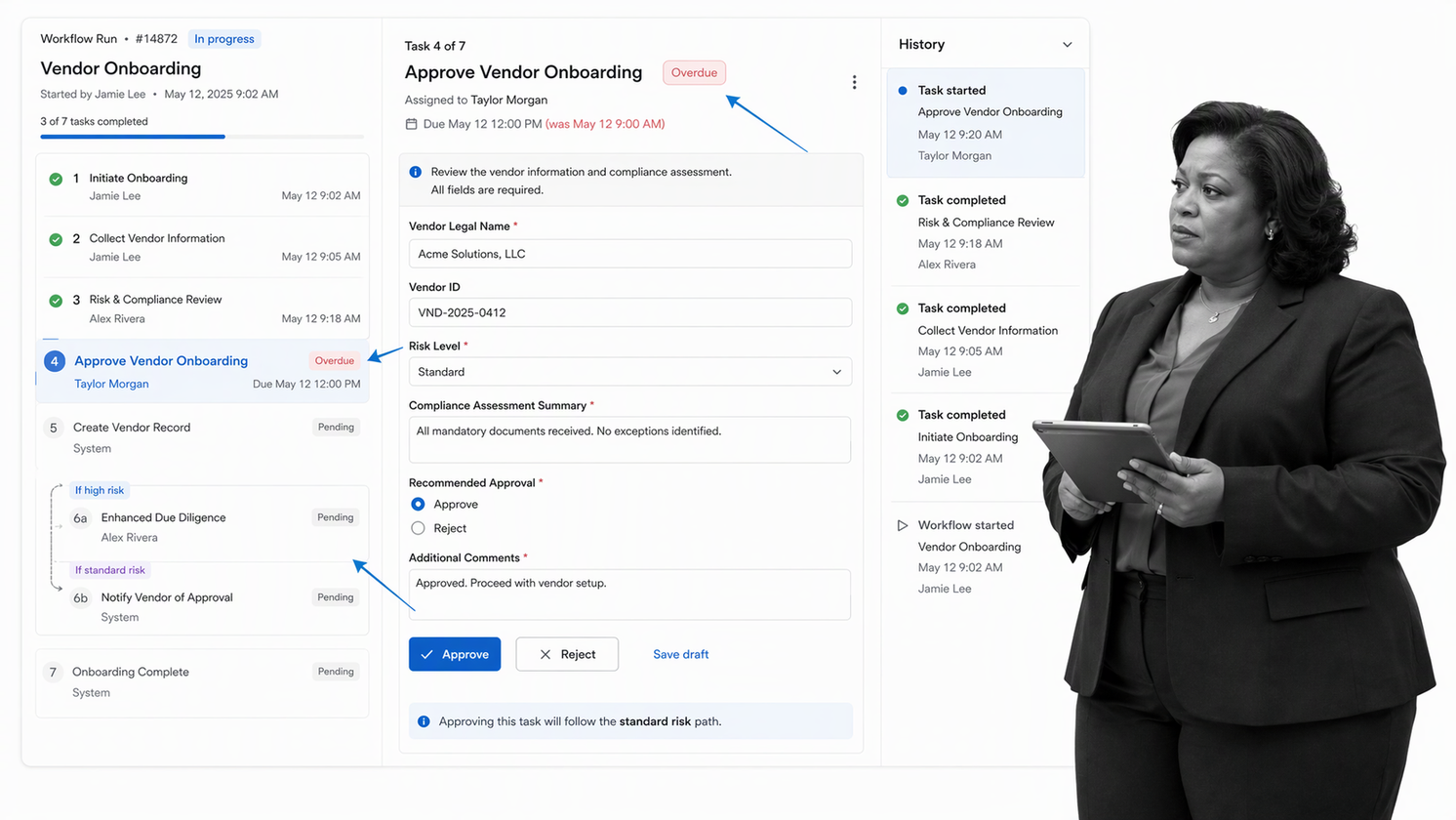
Bottom line: Process Street is the strongest WalkMe alternative when the work must run as a governed workflow, not simply receive an instruction overlay. It owns the process record, assigns the next task, enforces required information, routes approvals, and preserves completion history.
The distinction matters. A digital adoption platform guides someone through a separate application. Process Street turns the procedure itself into the working system. A new-hire onboarding process, security review, client implementation, policy attestation, or recurring quality check can begin from a trigger, move through assigned tasks, collect structured data, pause for approval, branch according to conditions, and close with an auditable record.
That model fits high-stakes work where skipped steps create operational or compliance risk. Teams can start from an employee onboarding checklist, an implementation checklist, or a change management checklist, then adapt ownership, due dates, form fields, approvals, and conditional paths to the real operating policy.
Key Process Street features
- Structured workflow runs with assigned tasks, due dates, and required fields
- Approvals and conditional logic that control what happens next
- Forms and data collection inside the workflow
- Automations and 5,000+ integrations for moving work across the stack
- Activity history and reporting that show what happened, when, and by whom
Process Street advantages
- The process is executable, not a layer of help content
- Recurring workflows create a consistent operating record
- Approvals and required steps make policy enforceable at the point of work
- Templates shorten the path from a documented procedure to a running process
- The same platform can support onboarding, audits, service delivery, finance, and compliance operations
Process Street limitations
- It is not a dedicated cross-application digital adoption overlay for contextual tooltips inside every enterprise application
- It is not a product analytics suite built primarily around monthly active users, session replay, and in-app product growth
Choose Process Street if the success condition is that a recurring business process was completed correctly and can be proved. Skip it if your only requirement is to place tooltips and walkthroughs on top of a broad application estate. For current commercial terms, use the Process Street pricing page.
For rollout, pair the workflow with practical adoption work. The software implementation guide, workflow optimization framework, automated onboarding software guide, and approval workflow software guide help teams define the process, improve it after real runs, and keep decisions controlled. The software alternatives hub provides adjacent comparisons without confusing guidance with execution.
2. Whatfix
Best for: Enterprise teams that need contextual in-app guidance across employee software.
Bottom line: Choose Whatfix when a cross-application employee guidance layer is the main requirement. It can be a better fit than Process Street for tooltips and walkthroughs inside enterprise software. Skip it when the primary need is to run and prove a recurring process end to end.
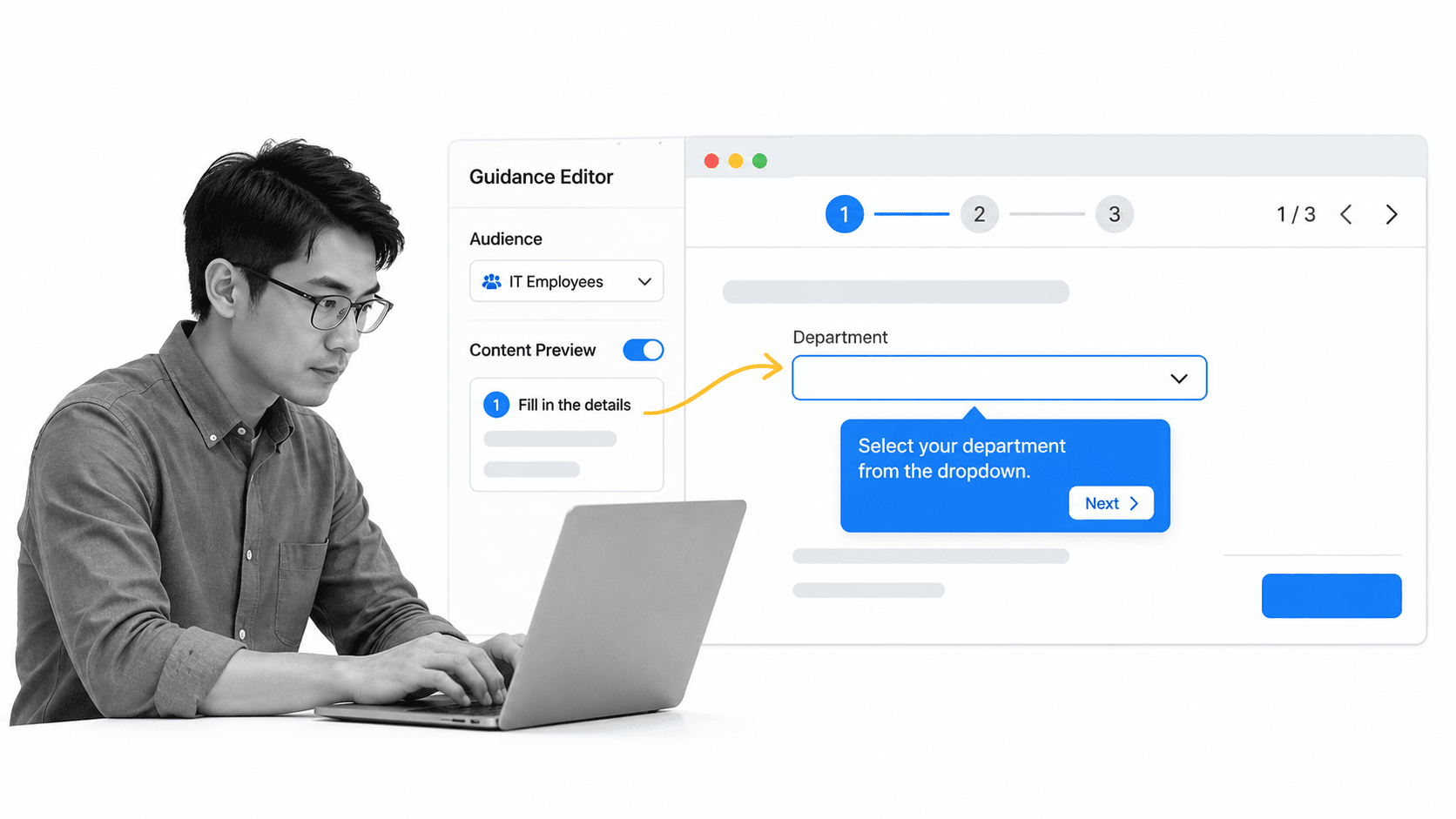
Whatfix describes its digital adoption platform as in-app guidance, self-service support, and analytics layered over applications. Its product page highlights a no-code editor, AI-assisted authoring, governance controls, and support for complex employee workflows. Pricing is based on the applications covered and the users who can access those applications, with current terms available from sales.
The best evaluation starts with a real deployment scenario. Model one representative journey, define the audience and success event, and estimate who will maintain the guidance after launch. Use the vendor’s official product and current pricing information rather than relying on remembered packaging.
During a Whatfix pilot, test the complete operating cycle rather than a polished demo. Build one experience, target it to a real segment, publish it through the normal release process, observe the resulting data, correct an error, and transfer ownership to the person who will maintain it. Record the time and permissions required at each stage. This exposes whether the platform fits your governance model, whether nontechnical owners can make safe changes, and whether the analytics answer the questions the team will actually ask after launch.
Whatfix features
- In-app walkthroughs and contextual guidance
- No-code and assisted content authoring
- Product analytics for friction and completion
- Audience targeting for relevant guidance
- Governance capabilities for controlled releases
Advantages
- Strong direct fit for digital adoption programs
- Designed for guidance inside existing applications
- Useful when IT and change teams manage content across a large rollout
Limitations
- Quote-based buying requires a sales process
- Guidance content still needs governance and maintenance
- It does not replace the underlying operating process or system of record
Choose it if: Choose Whatfix when a cross-application employee guidance layer is the main requirement. It can be a better fit than Process Street for tooltips and walkthroughs inside enterprise software. Skip it if: the primary need is to run and prove a recurring process end to end.
3. Pendo
Best for: Product teams that want analytics, user journeys, and in-app guidance in one platform.
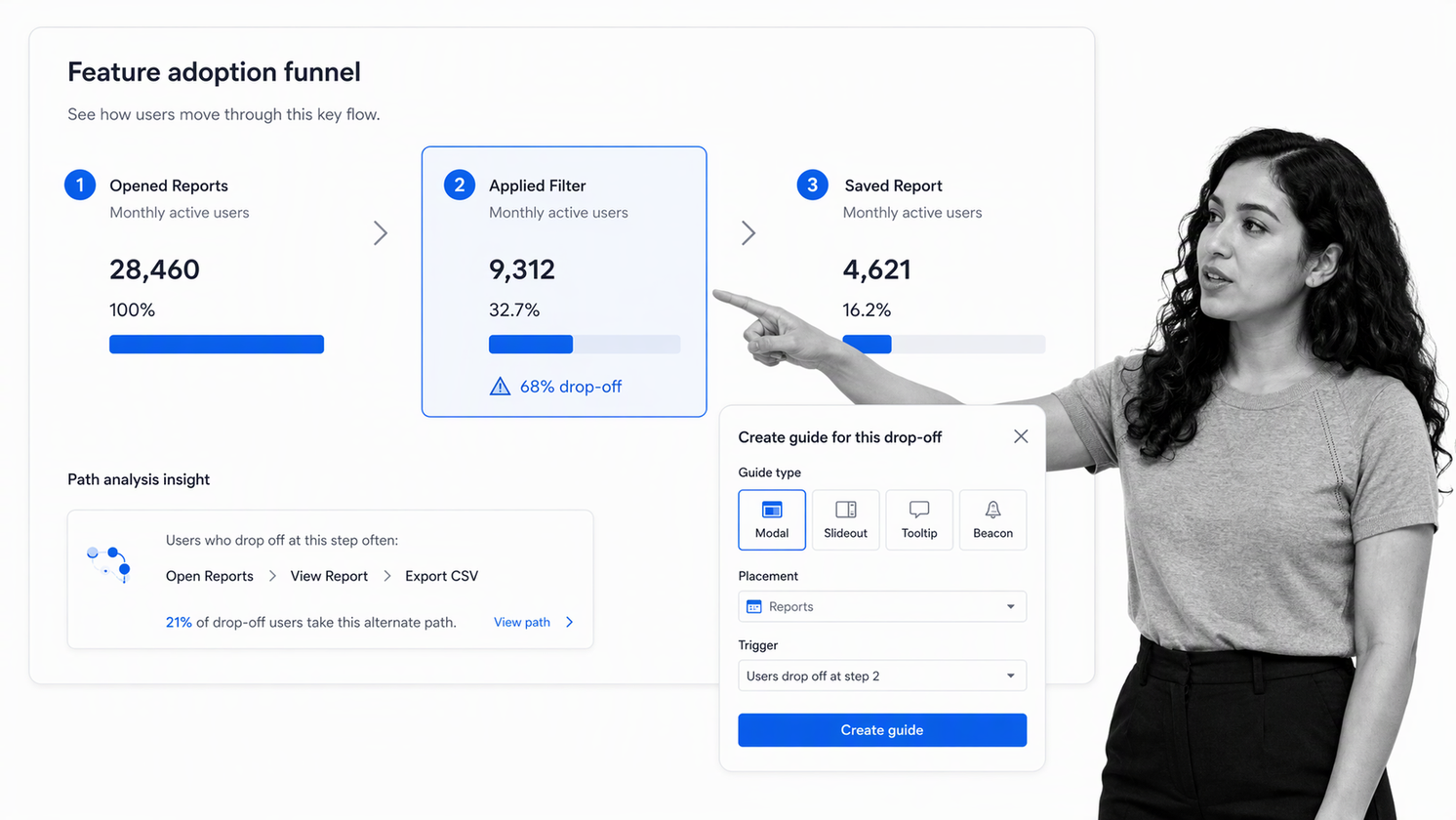
Bottom line: Choose Pendo when you need to measure how users navigate a product and respond with targeted guidance. It can be better than Process Street for product analytics, funnels, and guide creation. Skip it when the main outcome is an enforceable cross-functional operating procedure.
Pendo combines product analytics with in-app guides. Its official pricing page ties paid pricing to monthly active users and selected functionality. It also publishes a free plan for up to 500 monthly active users with foundational analytics and guides, while Base, Core, and Ultimate use request-pricing terms.
The best evaluation starts with a real deployment scenario. Model one representative journey, define the audience and success event, and estimate who will maintain the guidance after launch. Use the vendor’s official product and current pricing information rather than relying on remembered packaging.
During a Pendo pilot, test the complete operating cycle rather than a polished demo. Build one experience, target it to a real segment, publish it through the normal release process, observe the resulting data, correct an error, and transfer ownership to the person who will maintain it. Record the time and permissions required at each stage. This exposes whether the platform fits your governance model, whether nontechnical owners can make safe changes, and whether the analytics answer the questions the team will actually ask after launch.
Pendo features
- Product analytics and feature adoption data
- Funnels and paths for understanding user journeys
- In-app guides connected to observed behavior
- Session replay on applicable paid plans
- Surveys and sentiment capabilities by plan
Advantages
- Analytics and action live in the same product context
- A published free plan supports small evaluations
- Strong fit for product managers who need behavioral evidence
Limitations
- Paid entry prices are not publicly listed
- The monthly-active-user model requires forecasting usage
- It is oriented to software experience, not broad recurring operations
Choose it if: Choose Pendo when you need to measure how users navigate a product and respond with targeted guidance. It can be better than Process Street for product analytics, funnels, and guide creation. Skip it if: the main outcome is an enforceable cross-functional operating procedure.
4. Userlane
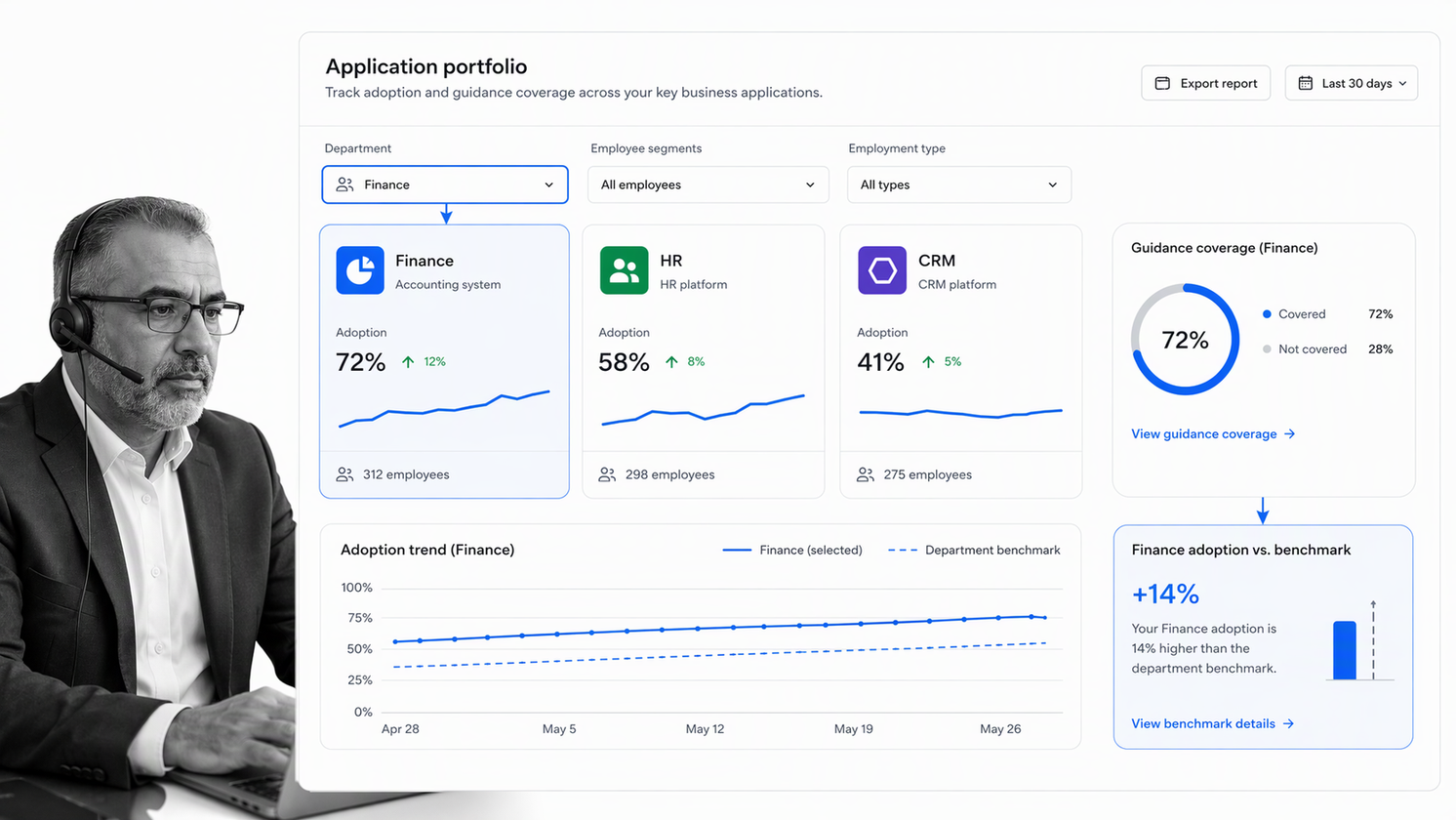
Best for: Change and IT teams managing employee adoption across an application portfolio.
Bottom line: Choose Userlane when the central question is whether employees are adopting a portfolio of applications. It can fit better than Process Street for application-level adoption guidance. Skip it when the process must assign work, enforce approvals, and preserve a completion record.
Userlane positions its platform around software adoption and application portfolios. Its platform overview describes application-based pricing with tiers for a single application, several applications, and an organization-wide portfolio. That structure is useful when the buying decision begins with how many applications need guidance rather than how many recurring processes must be run.
The best evaluation starts with a real deployment scenario. Model one representative journey, define the audience and success event, and estimate who will maintain the guidance after launch. Use the vendor’s official product and current pricing information rather than relying on remembered packaging.
During a Userlane pilot, test the complete operating cycle rather than a polished demo. Build one experience, target it to a real segment, publish it through the normal release process, observe the resulting data, correct an error, and transfer ownership to the person who will maintain it. Record the time and permissions required at each stage. This exposes whether the platform fits your governance model, whether nontechnical owners can make safe changes, and whether the analytics answer the questions the team will actually ask after launch.
Userlane features
- In-app guidance for employee software
- Application adoption measurement
- Portfolio views across covered applications
- Audience and department targeting
- Adoption program support for change teams
Advantages
- Clear fit for employee software adoption
- Application-based packaging maps to portfolio rollouts
- Useful for change programs spanning several tools
Limitations
- Public starting dollar amounts are not listed
- The value depends on sustained maintenance of guidance content
- It does not become the task-level system that owns each procedure
Choose it if: Choose Userlane when the central question is whether employees are adopting a portfolio of applications. It can fit better than Process Street for application-level adoption guidance. Skip it if: the process must assign work, enforce approvals, and preserve a completion record.
5. Appcues
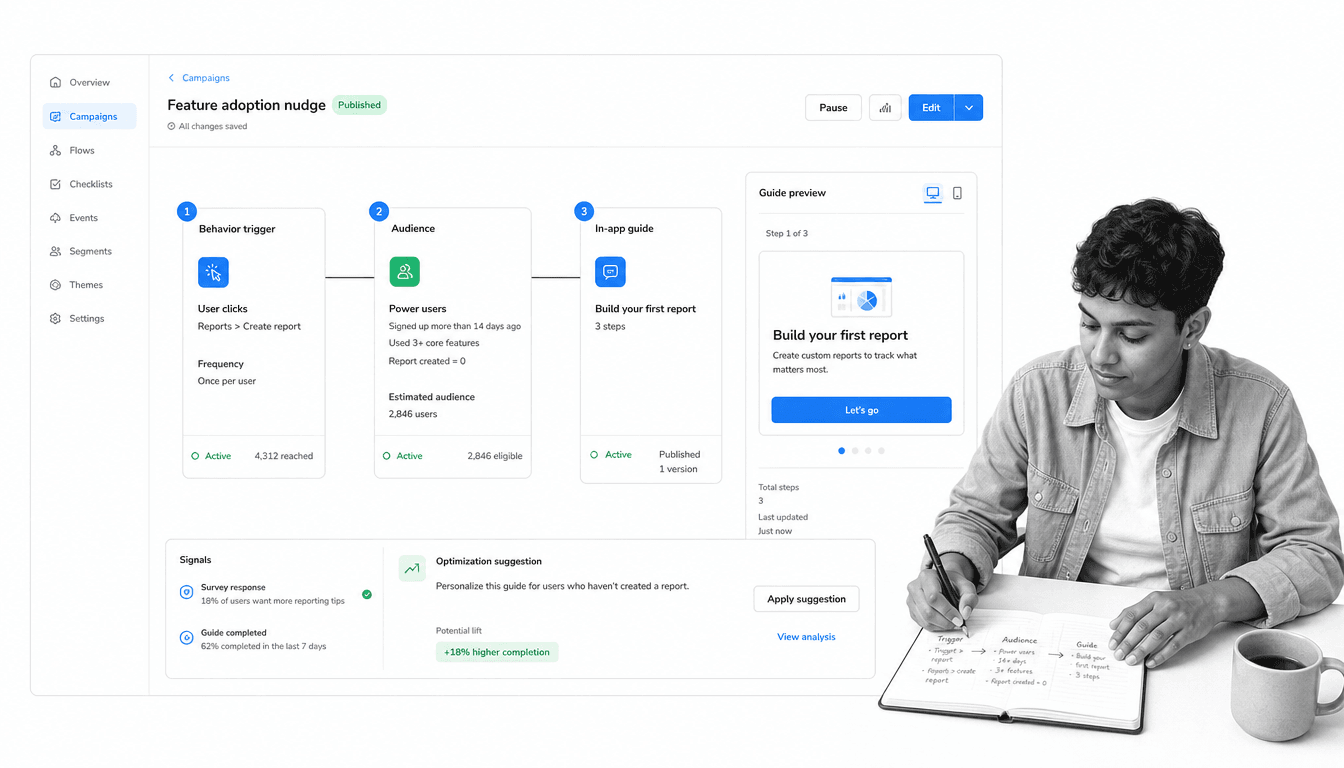
Best for: Product marketing and growth teams coordinating in-product lifecycle engagement.
Bottom line: Choose Appcues when the job is to turn product behavior into targeted lifecycle engagement. It can be better than Process Street for customer-facing product campaigns. Skip it when the workflow itself needs task ownership, approvals, and audit history.
Appcues focuses on customer growth through product behavior, guides, checklists, announcements, surveys, and targeting. Its current pricing page publishes a Grow plan starting at $9,000 per year, scaling with active users and published experiences, plus an Enterprise plan with custom pricing. The vendor emphasizes a fully featured platform with usage-based limits and included partnership support.
The best evaluation starts with a real deployment scenario. Model one representative journey, define the audience and success event, and estimate who will maintain the guidance after launch. Use the vendor’s official product and current pricing information rather than relying on remembered packaging.
During a Appcues pilot, test the complete operating cycle rather than a polished demo. Build one experience, target it to a real segment, publish it through the normal release process, observe the resulting data, correct an error, and transfer ownership to the person who will maintain it. Record the time and permissions required at each stage. This exposes whether the platform fits your governance model, whether nontechnical owners can make safe changes, and whether the analytics answer the questions the team will actually ask after launch.
Appcues features
- In-product guides and checklists
- Behavior-based targeting and segmentation
- Surveys and product-usage data
- Campaign and experience building
- Connections to customer and data systems
Advantages
- Published starting pricing improves budget qualification
- Strong fit for product marketing and growth campaigns
- Combines engagement tools with behavioral context
Limitations
- No public free plan is listed on the current pricing page
- Published-experience limits require planning
- It is not designed to run internal SOPs across departments
Choose it if: Choose Appcues when the job is to turn product behavior into targeted lifecycle engagement. It can be better than Process Street for customer-facing product campaigns. Skip it if: the workflow itself needs task ownership, approvals, and audit history.
6. Userpilot
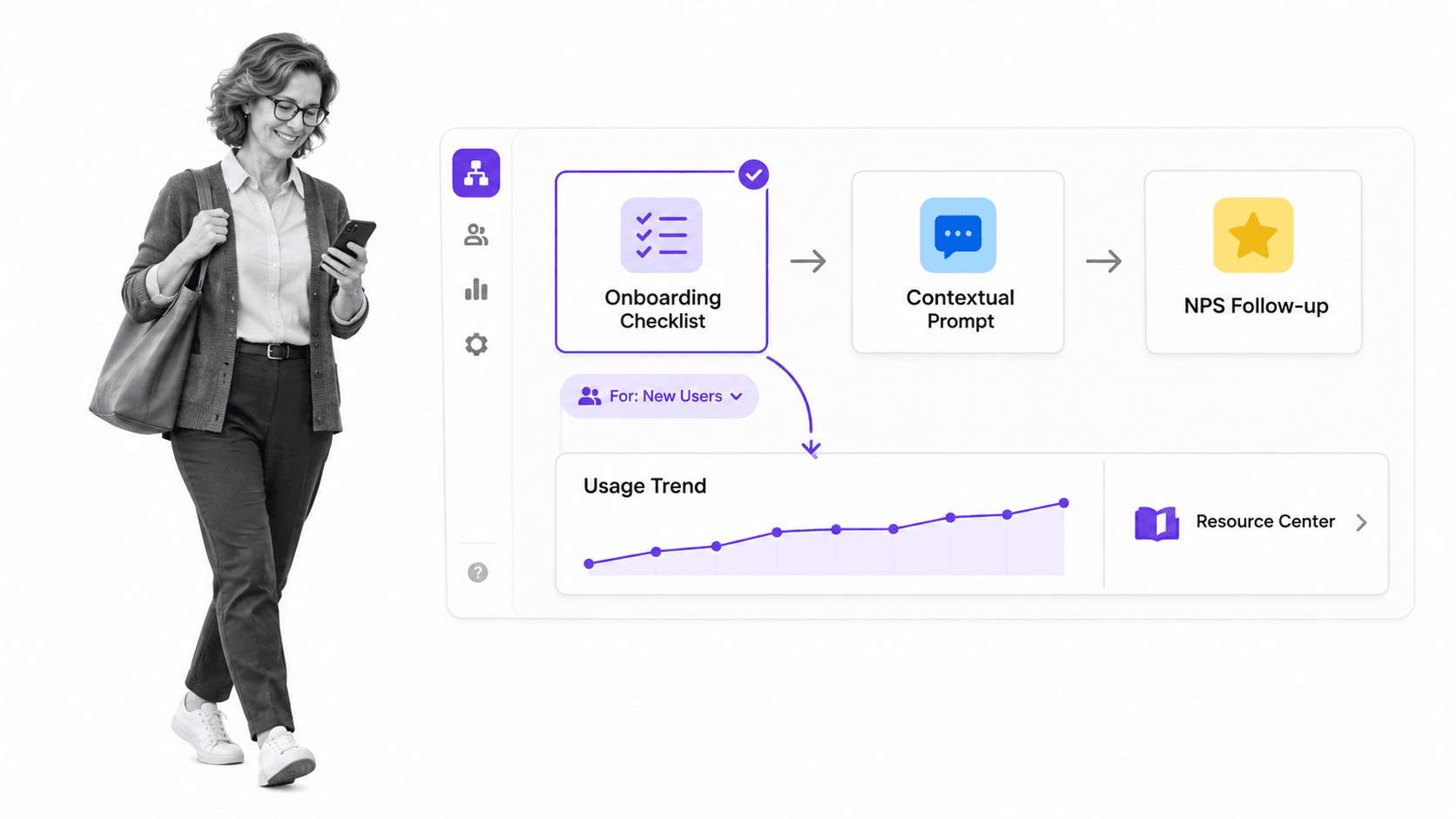
Best for: SaaS teams that want onboarding, engagement, feedback, and product analytics with a published entry price.
Bottom line: Choose Userpilot when a SaaS team needs a practical onboarding and product-growth stack with a visible starting price. It can be better than Process Street for in-app activation and product analytics. Skip it when the work crosses departments and needs a governed process record.
Userpilot publishes three plans based on monthly active users. Its pricing page lists Starter at $299 per month for up to 2,000 monthly active users, Growth from $849 per month, and Enterprise through a sales conversation. The platform combines in-app engagement, segmentation, usage trends, NPS surveys, and more advanced analytics at higher tiers.
The best evaluation starts with a real deployment scenario. Model one representative journey, define the audience and success event, and estimate who will maintain the guidance after launch. Use the vendor’s official product and current pricing information rather than relying on remembered packaging.
During a Userpilot pilot, test the complete operating cycle rather than a polished demo. Build one experience, target it to a real segment, publish it through the normal release process, observe the resulting data, correct an error, and transfer ownership to the person who will maintain it. Record the time and permissions required at each stage. This exposes whether the platform fits your governance model, whether nontechnical owners can make safe changes, and whether the analytics answer the questions the team will actually ask after launch.
Userpilot features
- In-app flows, banners, spotlights, and checklists
- User segmentation and event tracking
- Usage trends and product analytics by tier
- NPS and additional survey capabilities
- Resource center and session replay on applicable tiers
Advantages
- Transparent entry pricing makes early comparison easier
- Broad onboarding patterns for SaaS products
- Good balance of engagement and analytics for product-growth teams
Limitations
- There is no permanent free plan listed
- Advanced analytics and several capabilities require higher tiers or add-ons
- The product is centered on users inside a SaaS application, not internal operating procedures
Choose it if: Choose Userpilot when a SaaS team needs a practical onboarding and product-growth stack with a visible starting price. It can be better than Process Street for in-app activation and product analytics. Skip it if: the work crosses departments and needs a governed process record.
7. Gainsight PX
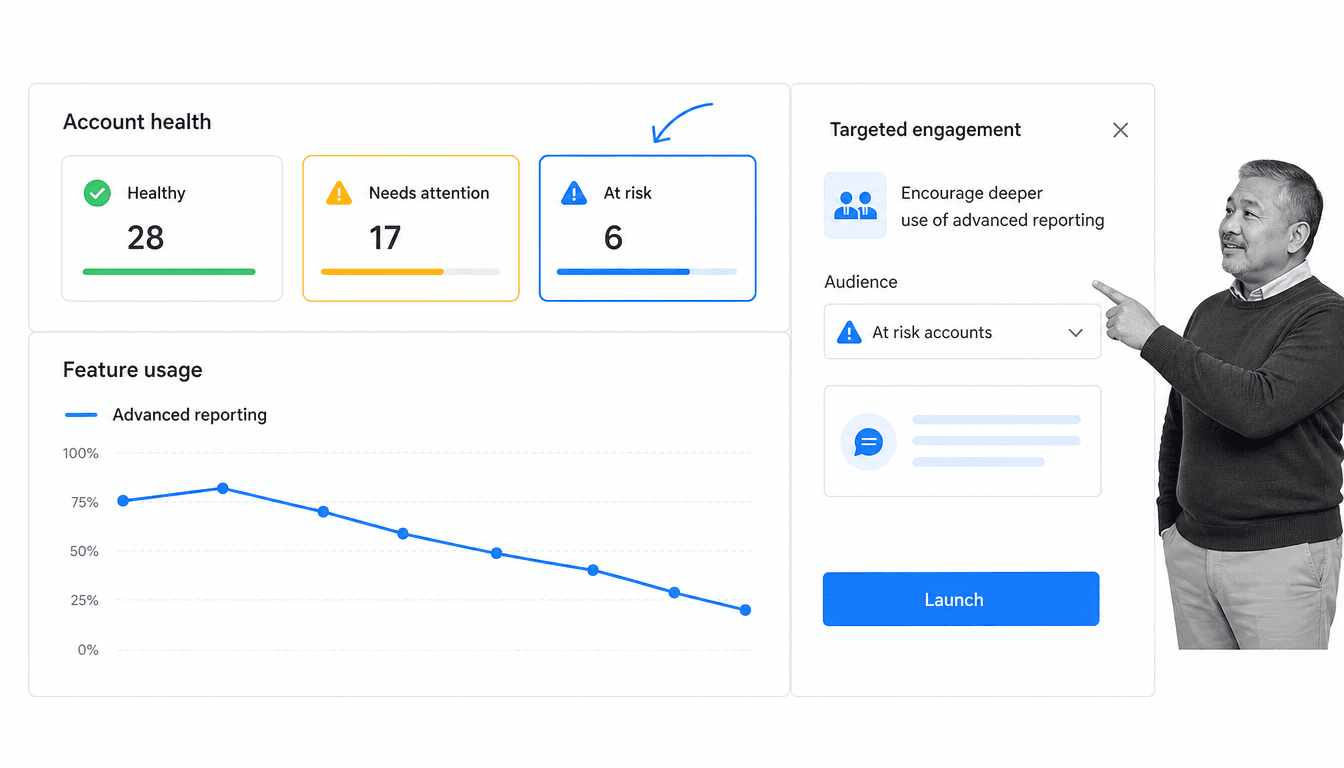
Best for: Customer-success organizations that want product usage signals connected to adoption and account work.
Bottom line: Choose Gainsight PX when product behavior must inform customer-success strategy and account health. It can be better than Process Street for that specialized connection. Skip it when the goal is to orchestrate recurring operating work across many business functions.
Gainsight PX is the product-experience part of the broader Gainsight platform. The official product page describes product analytics, in-app guides and engagements, surveys, support for web, mobile, and desktop, and connections to customer-success and customer-relationship data. Pricing is request-based, and the pricing page offers a free trial rather than a published free plan.
The best evaluation starts with a real deployment scenario. Model one representative journey, define the audience and success event, and estimate who will maintain the guidance after launch. Use the vendor’s official product and current pricing information rather than relying on remembered packaging.
During a Gainsight PX pilot, test the complete operating cycle rather than a polished demo. Build one experience, target it to a real segment, publish it through the normal release process, observe the resulting data, correct an error, and transfer ownership to the person who will maintain it. Record the time and permissions required at each stage. This exposes whether the platform fits your governance model, whether nontechnical owners can make safe changes, and whether the analytics answer the questions the team will actually ask after launch.
Gainsight PX features
- Product analytics and usage visualization
- In-app guides and engagements
- Surveys and feedback collection
- Web, mobile, and desktop support
- Connections between product signals and customer-success work
Advantages
- Strong fit for customer-success teams already using Gainsight
- Connects product behavior to customer health decisions
- Supports analytics and engagement across several runtimes
Limitations
- No public starting price is listed
- The broader suite may be more than a product-only team needs
- It does not replace a general-purpose recurring process platform
Choose it if: Choose Gainsight PX when product behavior must inform customer-success strategy and account health. It can be better than Process Street for that specialized connection. Skip it if: the goal is to orchestrate recurring operating work across many business functions.
How to choose among WalkMe alternatives
Start with the unit of work. If the unit is an application screen, evaluate overlay quality, targeting, content authoring, and analytics. If the unit is a product user, evaluate event capture, funnels, guides, surveys, and monthly-active-user pricing. If the unit is a recurring business process, evaluate task ownership, required fields, approvals, conditional routing, integrations, and the audit record.
1. Define the outcome before comparing features
Write one sentence that describes success without naming a product. Examples include: employees complete a new finance workflow correctly inside the finance system; new users reach a product activation event; every vendor review follows the approved procedure; or customer-success managers see usage risk before renewal. This prevents a broad feature matrix from hiding a category mismatch.
2. Pilot one representative journey
Use a journey with enough complexity to reveal the platform. Include a target audience, a branching point, one exception, a measurable completion event, and a maintenance change. For process execution, a structured implementation checklist helps keep the evaluation work assigned and reviewable.
3. Calculate the maintenance model
Digital guidance is content. Someone must own accuracy when the underlying application changes. Product analytics requires instrumentation and governance. Recurring workflows require process ownership and improvement. Compare authoring time, quality assurance, permissions, release controls, analytics review, and the effort to update a live deployment.
4. Compare commercial units
WalkMe and several enterprise alternatives use quote-based pricing. Pendo and Userpilot price around monthly active users, while Userlane describes application-based tiers and Appcues publishes active-user and experience limits. Normalize each model against your real application count, active users, environments, content volume, support needs, and expected growth. A low entry point can be misleading if the relevant capability sits in a higher tier.
5. Plan the migration before signing
Inventory current WalkMe content, owners, audiences, analytics dependencies, and the underlying applications. Decide what should be rebuilt, retired, or converted into an executable process. Run old and new experiences in parallel where practical, preserve reporting needed for comparison, and define rollback criteria. The software process improvement checklist provides a useful structure for the review.
6. Review governance and access
Ask who can create, approve, publish, pause, and retire an experience. Check whether production changes can be separated from drafting, whether permissions reflect business ownership, and whether an activity history is available for review. A platform can be easy to author and still be difficult to govern. For regulated or high-impact work, the release path matters as much as the editor.
7. Test accessibility and localization
Run the representative journey with keyboard navigation, screen magnification, translated content, and the browsers or devices that matter to your users. Confirm what the platform handles and what your team must author or validate. Accessibility and localization are not checklist items at the end of a rollout. They affect component choice, testing effort, content ownership, and the feasibility of scaling one experience across regions.
8. Measure both completion and quality
A guide completion rate can show that people reached the final step, but it does not prove the underlying work was correct. Pair adoption signals with the business result: accurate data entry, reduced support demand, faster activation, fewer exceptions, completed approvals, or successful process outcomes. For recurring workflows, sample completed runs and inspect whether required evidence, decisions, and handoffs meet the policy.
9. Include support and services in the comparison
Enterprise digital adoption projects often depend on implementation services, content design, quality assurance, and ongoing program management. Compare what is included, what is optional, who owns configuration, and how quickly the vendor responds when an application change breaks an experience. A higher subscription with the right operating support may cost less than a cheaper platform that leaves the team to design every governance practice from scratch.
Frequently asked questions
What is the best WalkMe alternative?
Process Street is the best WalkMe alternative when the core need is enforceable, trackable, recurring process execution. Whatfix or Userlane may be a better fit for enterprise in-app guidance, while Pendo, Appcues, Userpilot, or Gainsight PX may fit customer-facing product adoption and analytics more directly.
Is there a free WalkMe alternative?
Pendo publishes a free plan with foundational analytics and in-app guides for up to 500 monthly active users. Other tools in this comparison offer trials, request-based pricing, or paid starting plans, so verify current terms on each vendor pricing page.
What is the best WalkMe alternative for small teams?
For a small SaaS product team, Pendo Free can support an initial analytics and guidance evaluation, while Userpilot publishes a paid Starter plan. For a small operations team that needs recurring checklists, approvals, and accountability, Process Street is the more direct category fit.
What is the best WalkMe alternative for enterprise employee adoption?
Whatfix and Userlane are the most direct specialist alternatives in this list for enterprise employee adoption across existing applications. Compare application coverage, authoring governance, analytics, rollout services, and the internal capacity required to maintain guidance.
What is the closest alternative to WalkMe?
Whatfix is the closest functional alternative in this comparison because both center on digital adoption, in-app guidance, and analytics across enterprise software. Userlane is another close option for application-portfolio adoption. The closest choice still depends on the applications, audiences, and deployment model.
Can Process Street replace WalkMe?
Process Street can replace the part of a WalkMe deployment that coordinates and proves recurring business processes. It does not attempt to be a universal tooltip overlay across every application. Some teams may use Process Street for process execution and a specialist digital adoption platform for contextual in-app guidance.
How do you migrate away from WalkMe?
Start with an inventory of guidance content, owners, audiences, applications, and analytics dependencies. Prioritize the journeys that still create value, pilot the replacement on one representative workflow, run a controlled overlap, validate completion and reporting, then retire content in stages.
Why is Process Street ranked first?
Process Street is ranked first for the ideal customer profile of this page: teams that need enforceable, trackable, recurring processes and standard operating procedure execution. The ranking is not universal. A specialist such as Whatfix, Pendo, Userlane, Appcues, Userpilot, or Gainsight PX can be the better fit when in-app guidance or product analytics is the primary job.
Choose the right WalkMe alternative
The best WalkMe alternative is the platform aligned with your real unit of work. If people need contextual help inside software, choose a digital adoption specialist. If a product team needs behavioral insight and in-app engagement, choose a product-experience platform. If the business needs recurring work to be assigned, enforced, tracked, and proved, start with Process Street and turn the procedure into a workflow that runs.
