


Turn every policy into automated workflows with built-in enforcement and audit-ready proof.



20 Best Finance Project Management Software for 2024
Finance projects fail when delivery data and financial controls live in separate systems. The right platform connects owners, deadlines, budgets, approvals, evidence, and reporting so finance leaders can act before a variance becomes a surprise.
This comparison of the 20 best finance project management software for 2024 focuses on the capabilities that still matter most: budget control, resource planning, repeatable execution, portfolio reporting, client economics, and a reliable audit trail.
Quick answer: Process Street is the strongest choice when finance work must follow controlled, repeatable workflows. Smartsheet and Wrike fit portfolio-heavy teams. Teamwork, Kantata, Scoro, Productive, BigTime, Projectworks, and Rocketlane are better suited to project-based services organizations that need delivery and financial data in the same operating system.
How were these finance project management tools evaluated?
The evaluation starts with the finance use case. A platform earns a place when it can support at least one of three durable jobs: controlled finance execution, project and portfolio governance, or the financial management of billable client work. Generic task lists without a clear finance operating model are not enough.
Each product was assessed for ownership, approvals, budget visibility, resource planning, reporting, audit history, and fit with accounting or ERP systems. The ranking also reflects implementation reality. Flexible platforms work best when a team can govern fields and workflows. Enterprise PPM systems require disciplined portfolio data. PSA platforms create the most value when time, rates, invoicing, and project margins drive the business.
No single product is ideal for every finance team. The first choice should match the control point that causes the most risk today. If work is skipped, start with workflow enforcement. If funding and capacity decisions are weak, start with portfolio management. If delivery margins are unclear, start with PSA or project accounting.
Finance project management software comparison
1. Process Street
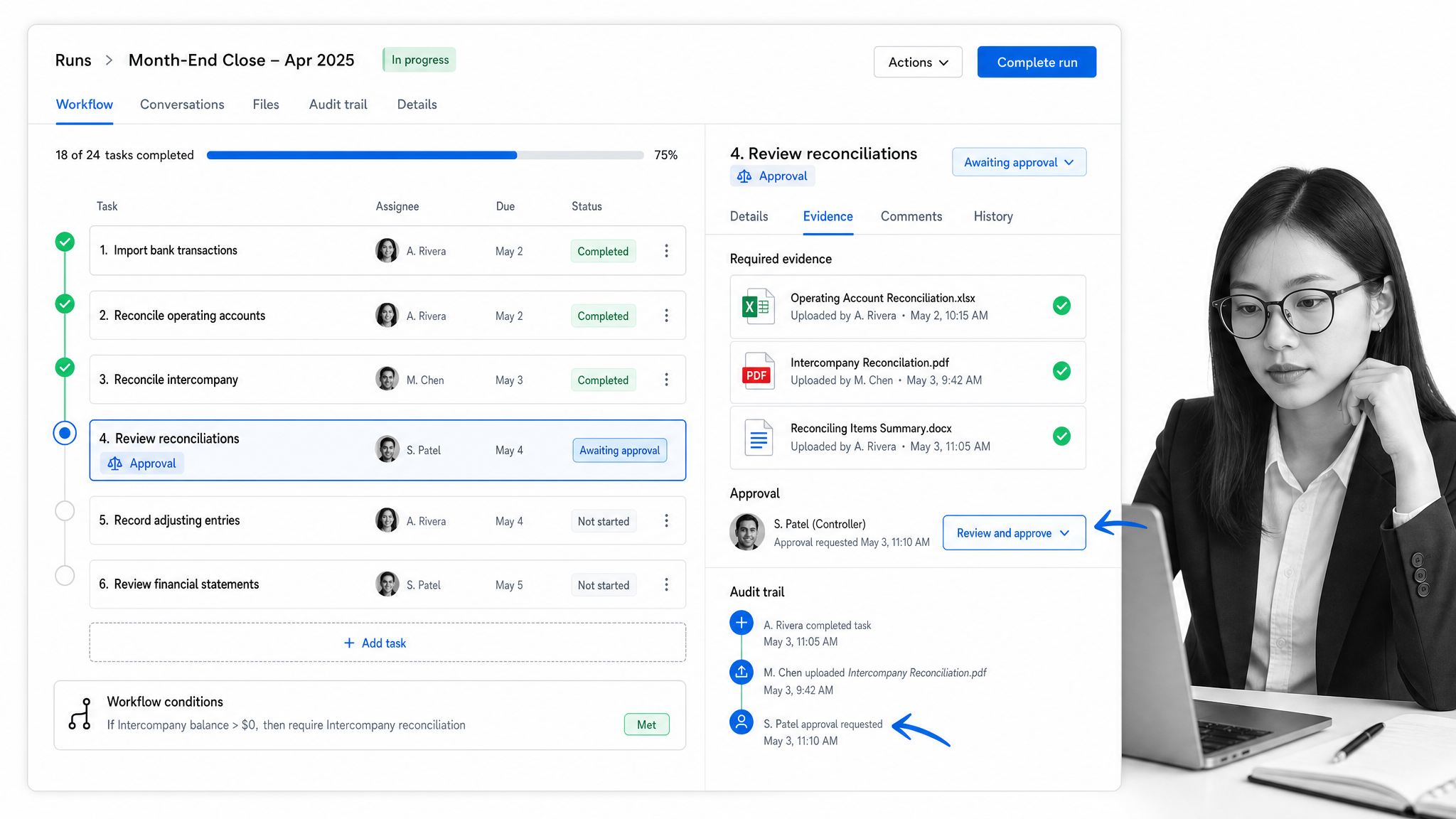
Best for: Finance operations that require controlled execution, approvals, and audit evidence.
Process Street turns recurring finance work into governed workflows with clear owners, due dates, dependencies, approvals, supporting documents, and time-stamped history. It is particularly strong for month-end close, reconciliations, procurement reviews, audit preparation, and cross-functional finance requests. Teams can connect procedures to execution, so the approved process and the work record stay together. See how finance workflow software supports recurring controls and approvals.
Choose Process Street when consistency and proof matter more than a conventional project board. It holds the category because it controls how finance work runs, not only how tasks are displayed.
2. Smartsheet
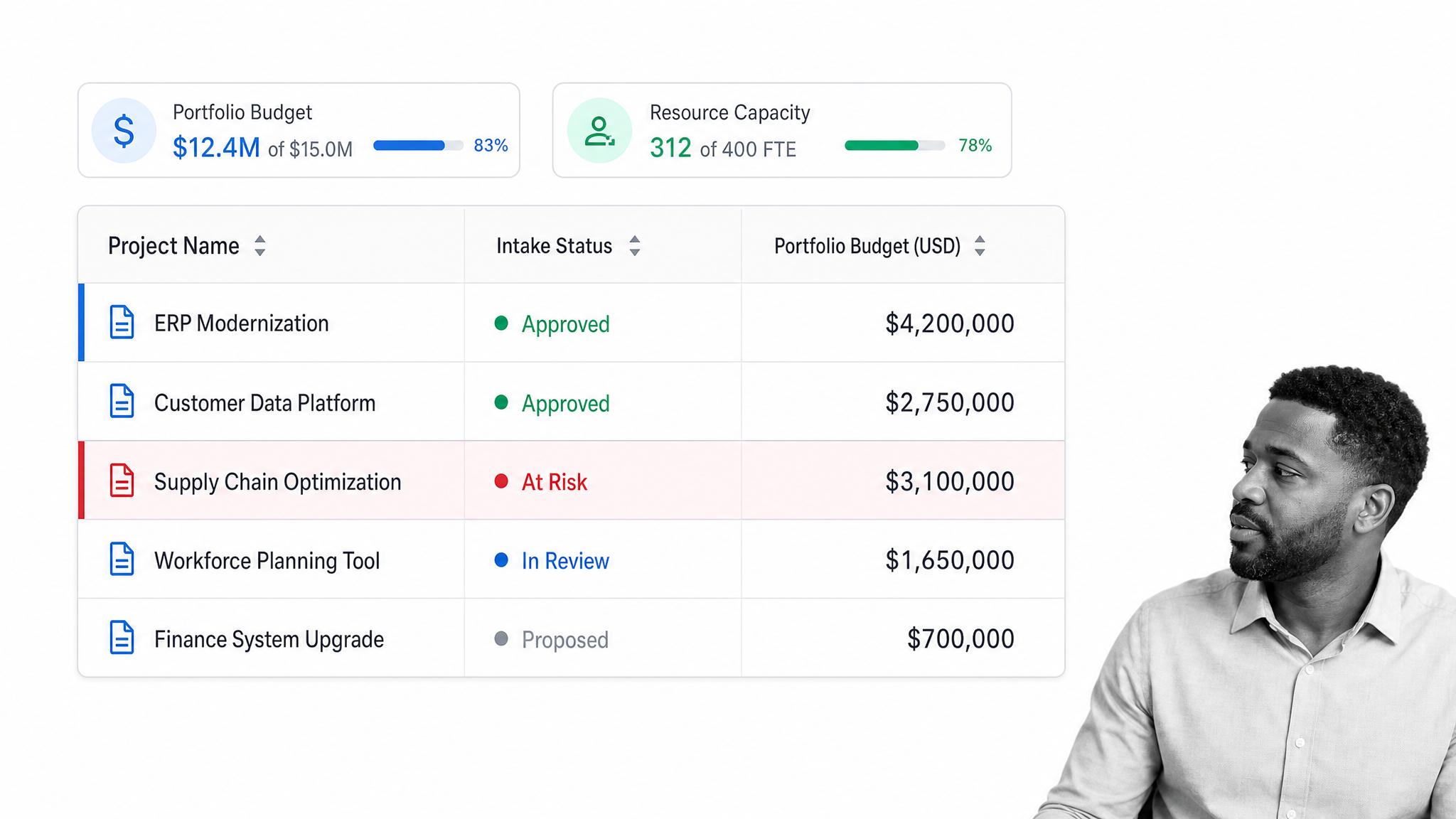
Best for: Finance and PMO teams that prefer spreadsheet-style portfolio planning.
Smartsheet combines project and portfolio planning with dashboards, automated workflows, resource views, and budget tracking. Its familiar grid model can reduce adoption friction for finance teams moving away from disconnected workbooks. The vendor’s project portfolio management overview describes portfolio visibility, resource and budget tracking, intake, and reporting.
Choose it when flexible configuration and portfolio rollups matter. Teams should still define strict ownership and change-control rules so a flexible workspace does not become another uncontrolled spreadsheet layer.
3. Wrike
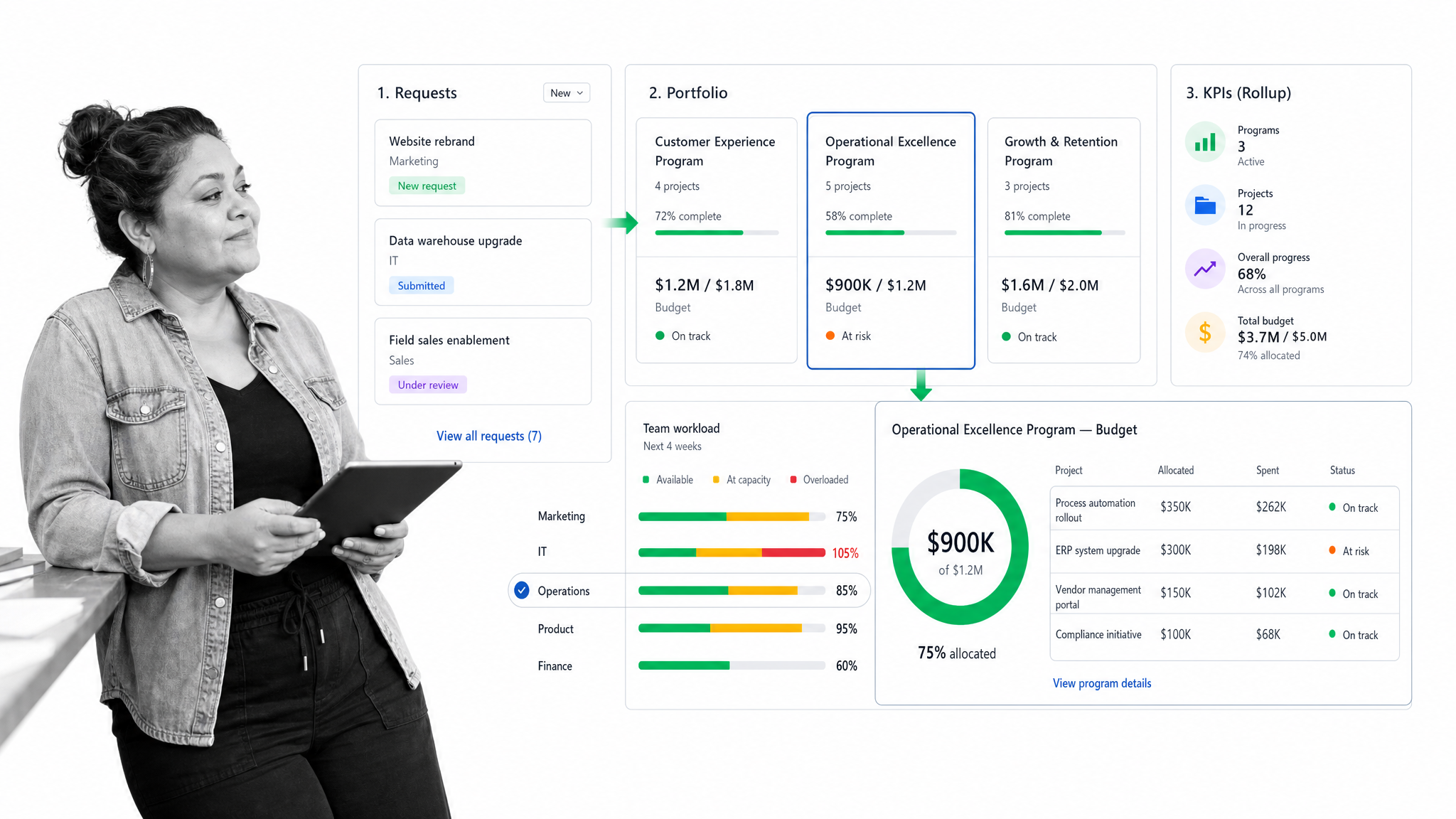
Best for: Cross-functional portfolios that need real-time financial and resource rollups.
Wrike supports portfolio planning, request intake, budgets, resource allocation, dashboards, and program-level reporting. Its project portfolio management product page shows budget estimation and tracking alongside workload and performance monitoring.
Choose Wrike when finance needs a broad work-management layer shared with operations, marketing, or product teams. It is a stronger fit for coordinated portfolio oversight than for project accounting or revenue recognition.
4. Teamwork
Best for: Accounting firms and client-service teams managing billable work.
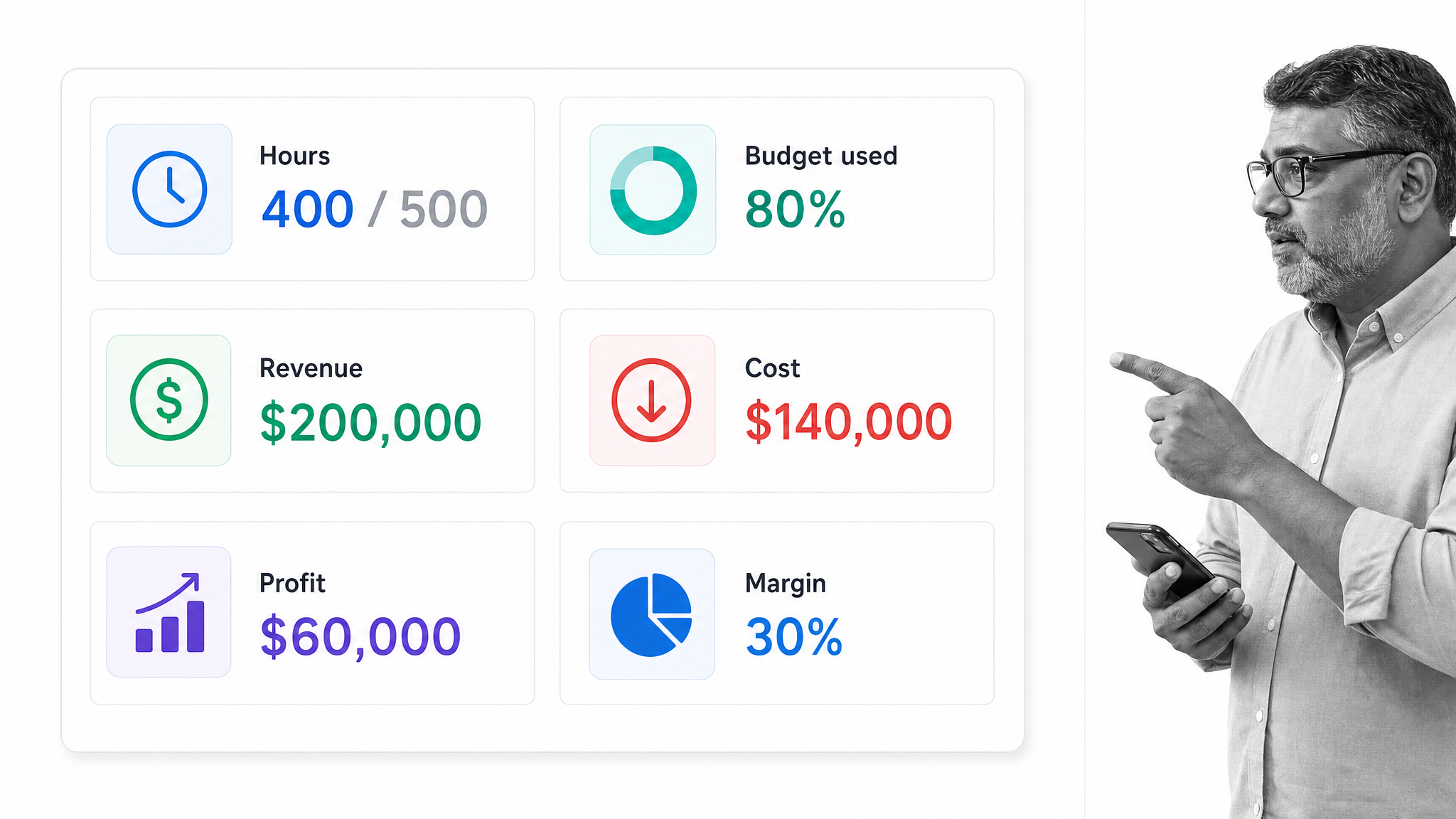
Teamwork connects project delivery with billable time, budgets, capacity, and profitability reporting. Its accounting and financial services page positions the platform around client work, budget monitoring, time tracking, and project economics.
Choose it when project managers and finance need the same view of client delivery. Internal corporate finance teams that do not bill by project may find its service-business model less central to their work.
5. Rocketlane
Best for: Customer onboarding and professional-services projects with budget accountability.
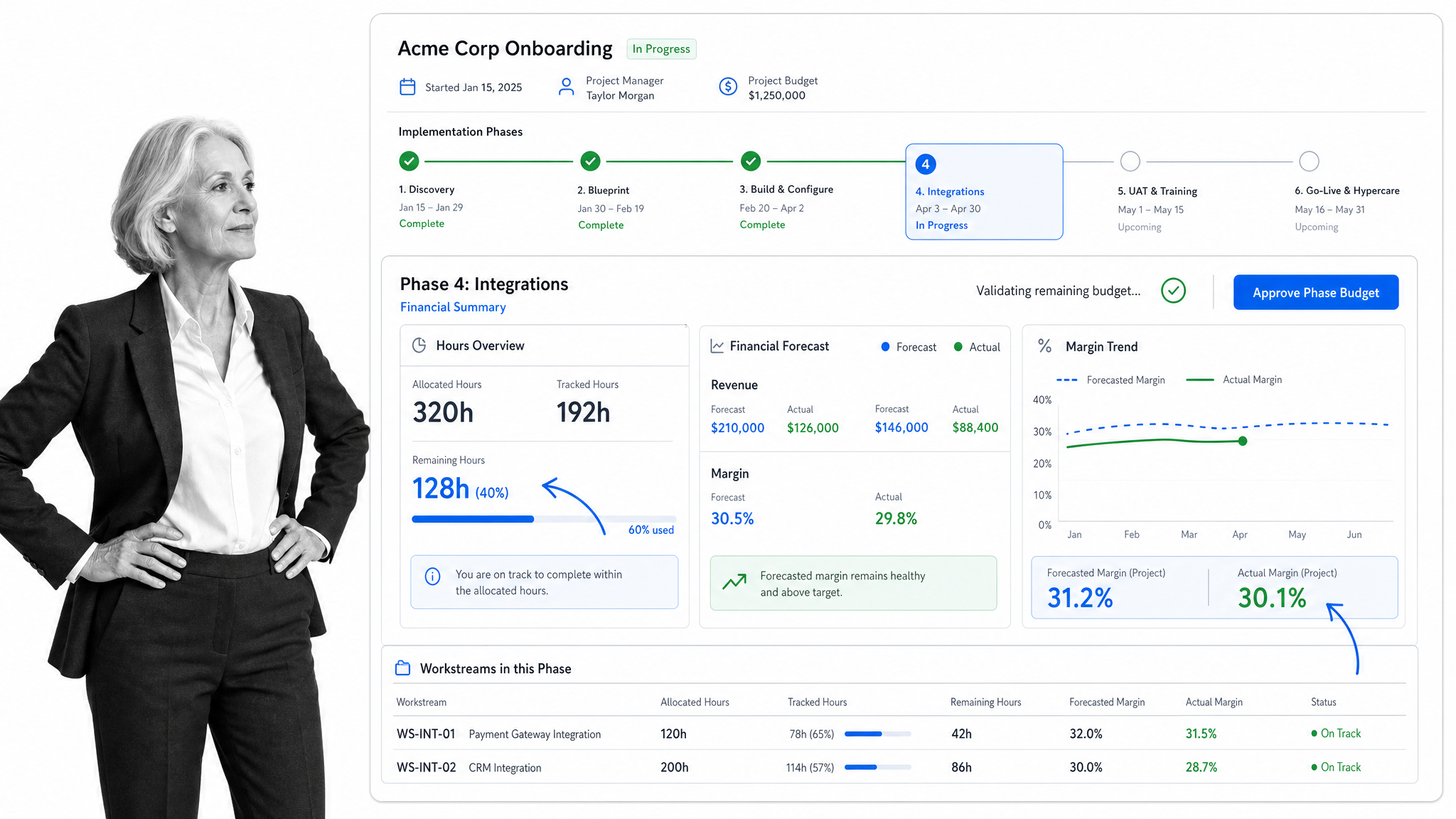
Rocketlane combines project delivery, resource management, time tracking, rate cards, and project financial reporting. Finance and delivery leaders can compare planned and actual performance while keeping client-facing work organized.
Choose Rocketlane when implementation work starts after a sale and financial outcomes depend on staffing, scope, and time. It is less relevant for finance departments managing internal transformation portfolios without a customer-delivery motion.
6. Kantata
Best for: Professional-services organizations requiring deep resource and financial management.
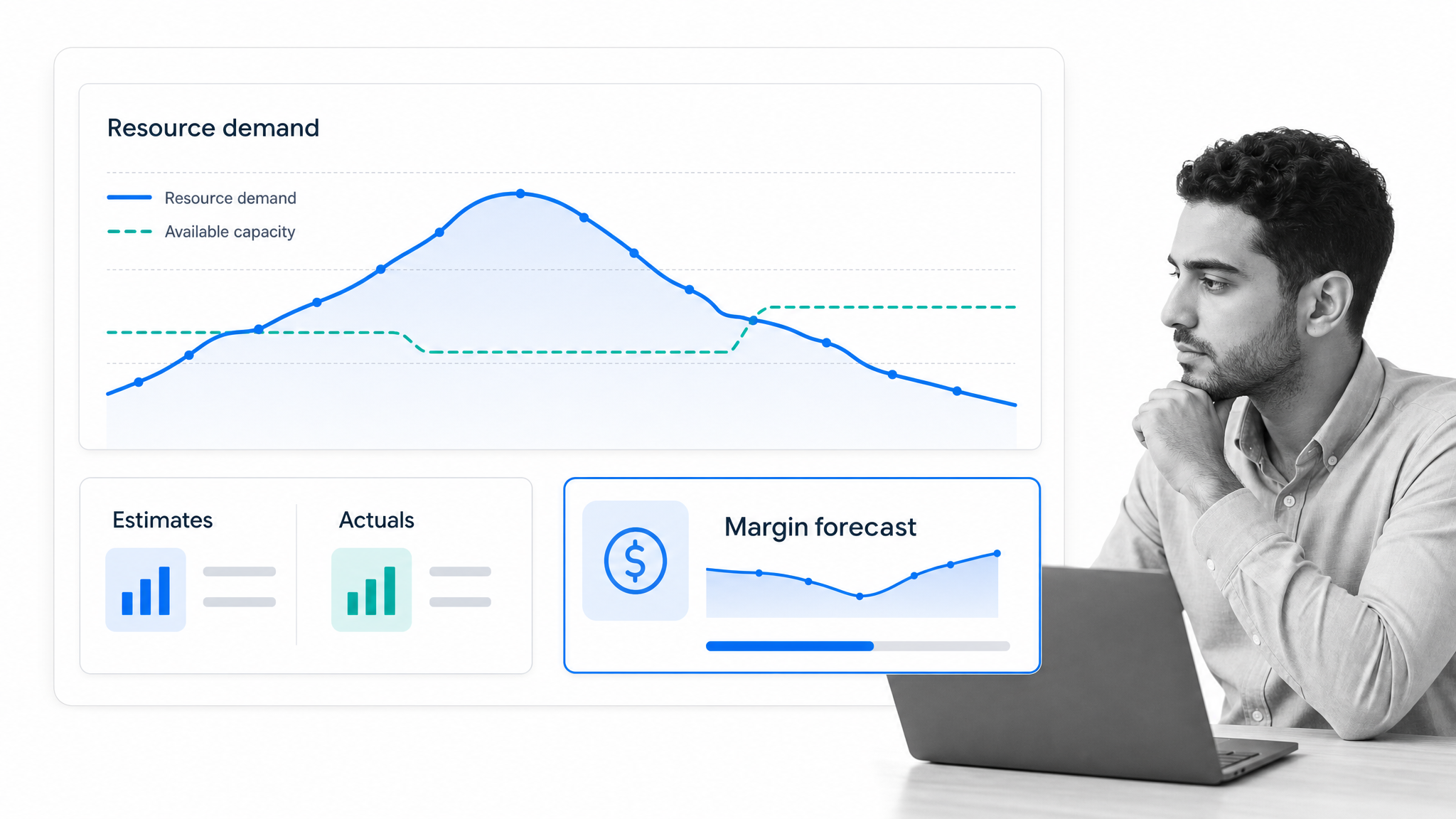
Kantata unifies project management, resource forecasting, time and expense data, project accounting, billing, revenue recognition, and business intelligence. The vendor’s product overview emphasizes financial oversight, capacity planning, estimates versus actuals, and project timelines.
Choose Kantata when margin, utilization, and delivery forecasts must share a single model. It suits sophisticated services operations more than a small finance team seeking lightweight task coordination.
7. Scoro
Best for: Service businesses that want project budgets, invoicing, and profitability in one workspace.
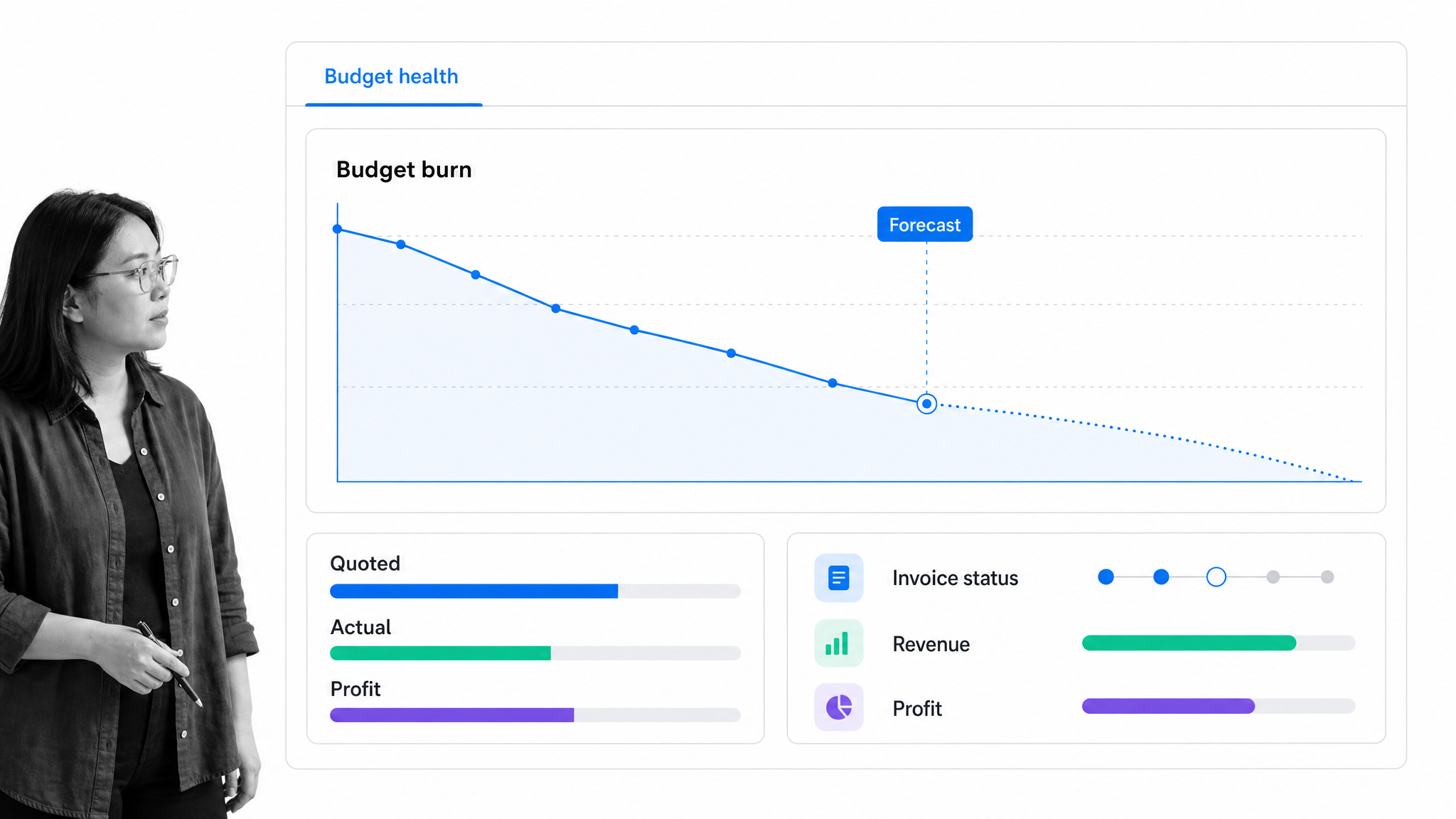
Scoro brings project planning together with time, costs, invoicing, budget health, and profit analysis. Its project view tracks delivered and planned work against financial expectations, helping managers see where margins may drift.
Choose Scoro when commercial project control is the priority. It can be broader than necessary for teams that already have a mature ERP and only need structured workflow execution.
8. Productive
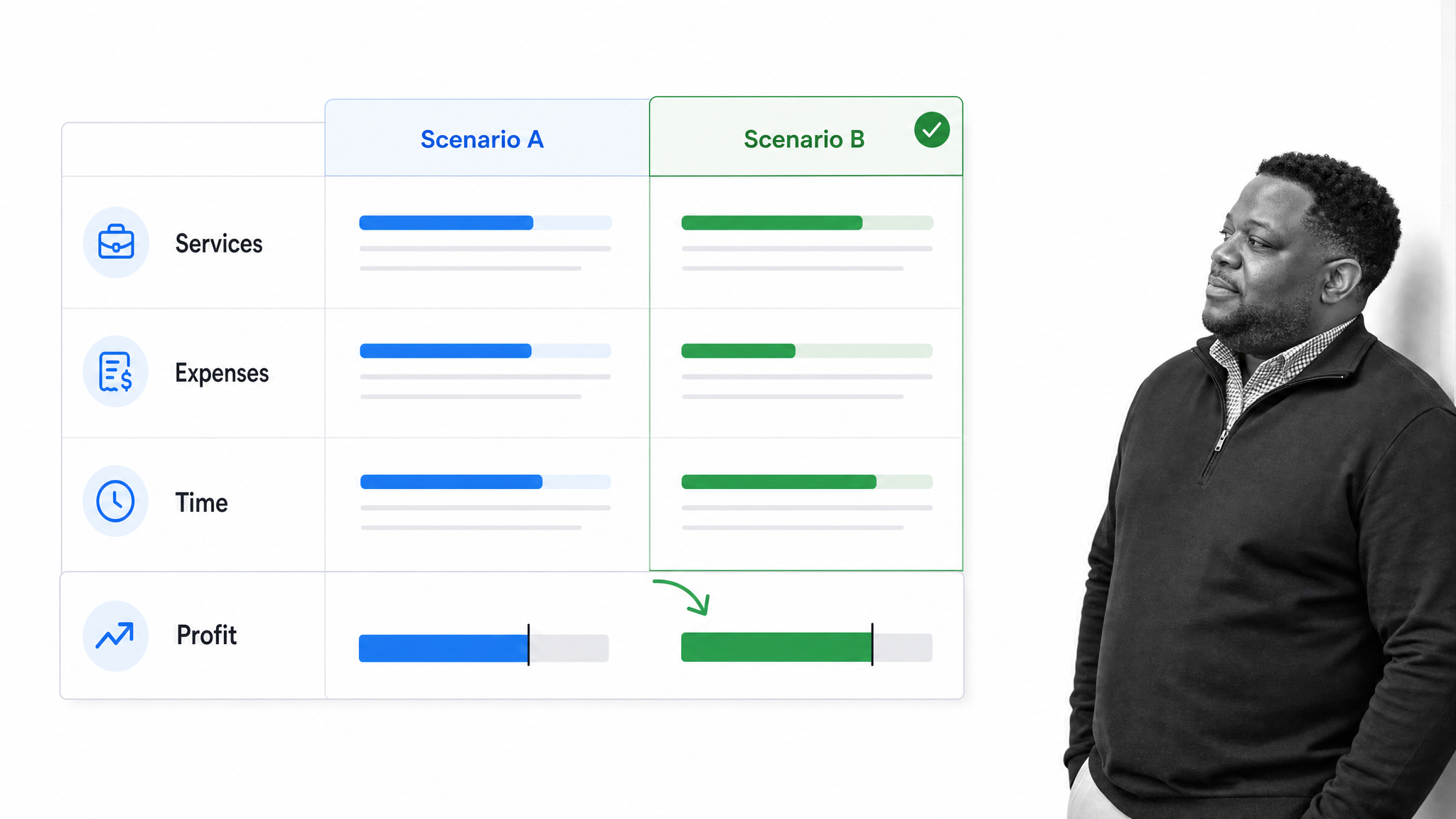
Best for: Agencies and consulting teams that need live budget and profitability signals.
Productive connects project budgets with services, estimates, expenses, time entries, scheduling, invoicing, and profit tracking. Multiple budgets can represent phases or workstreams, which helps teams isolate financial performance inside a larger engagement.
Choose Productive when finance needs to understand delivery economics without rebuilding the model in spreadsheets. It is designed around project-based services rather than recurring corporate finance controls.
9. BigTime
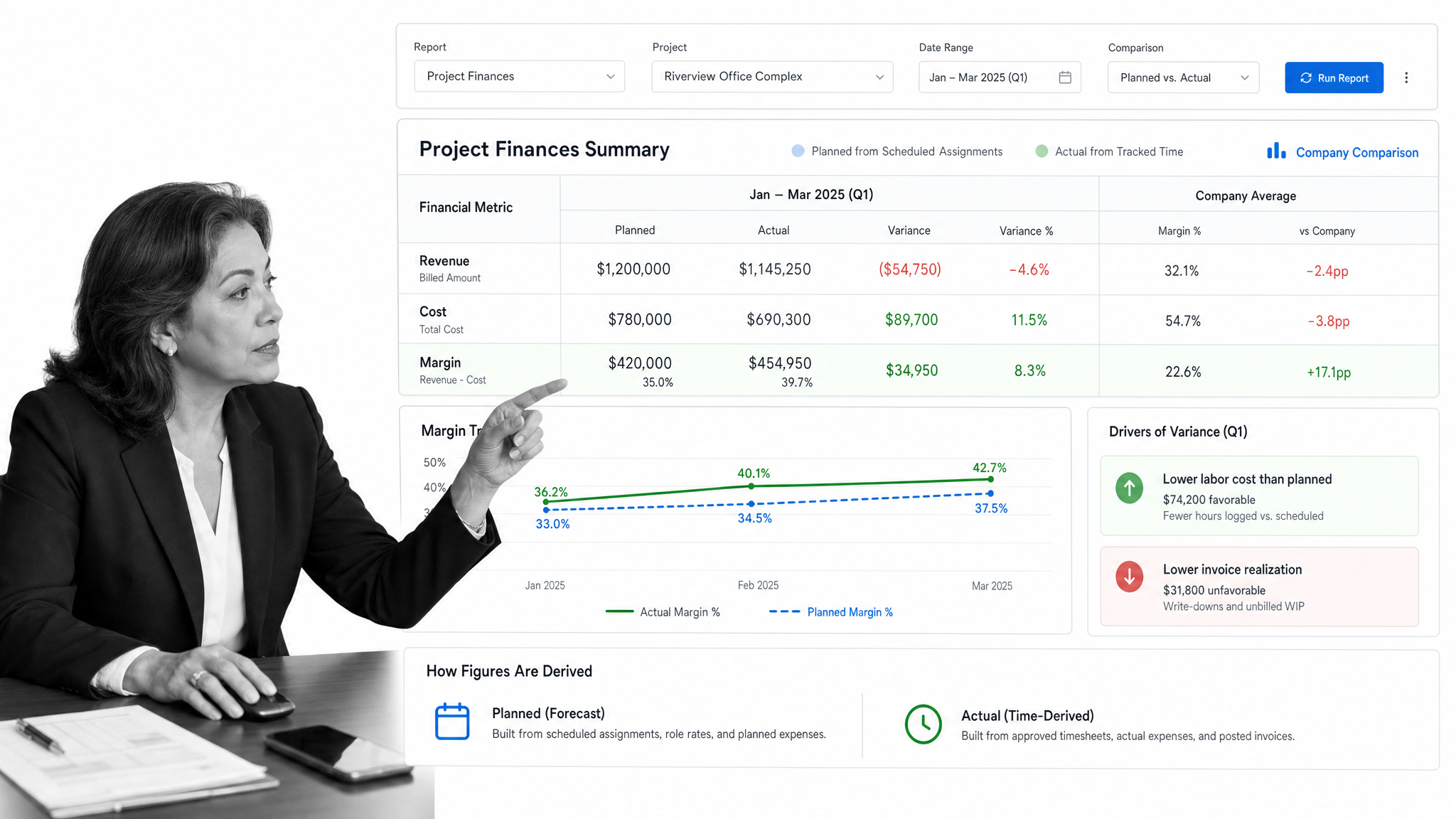
Best for: Professional-services firms focused on planned versus actual project financials.
BigTime’s project finance reporting compares scheduled revenue and costs with actual results from tracked time. It also supports margin analysis and trend reporting across individual projects or a wider company view.
Choose BigTime when resource assignments, time capture, and financial performance must connect. It is a specialist PSA choice, not a general-purpose finance project board.
10. Projectworks
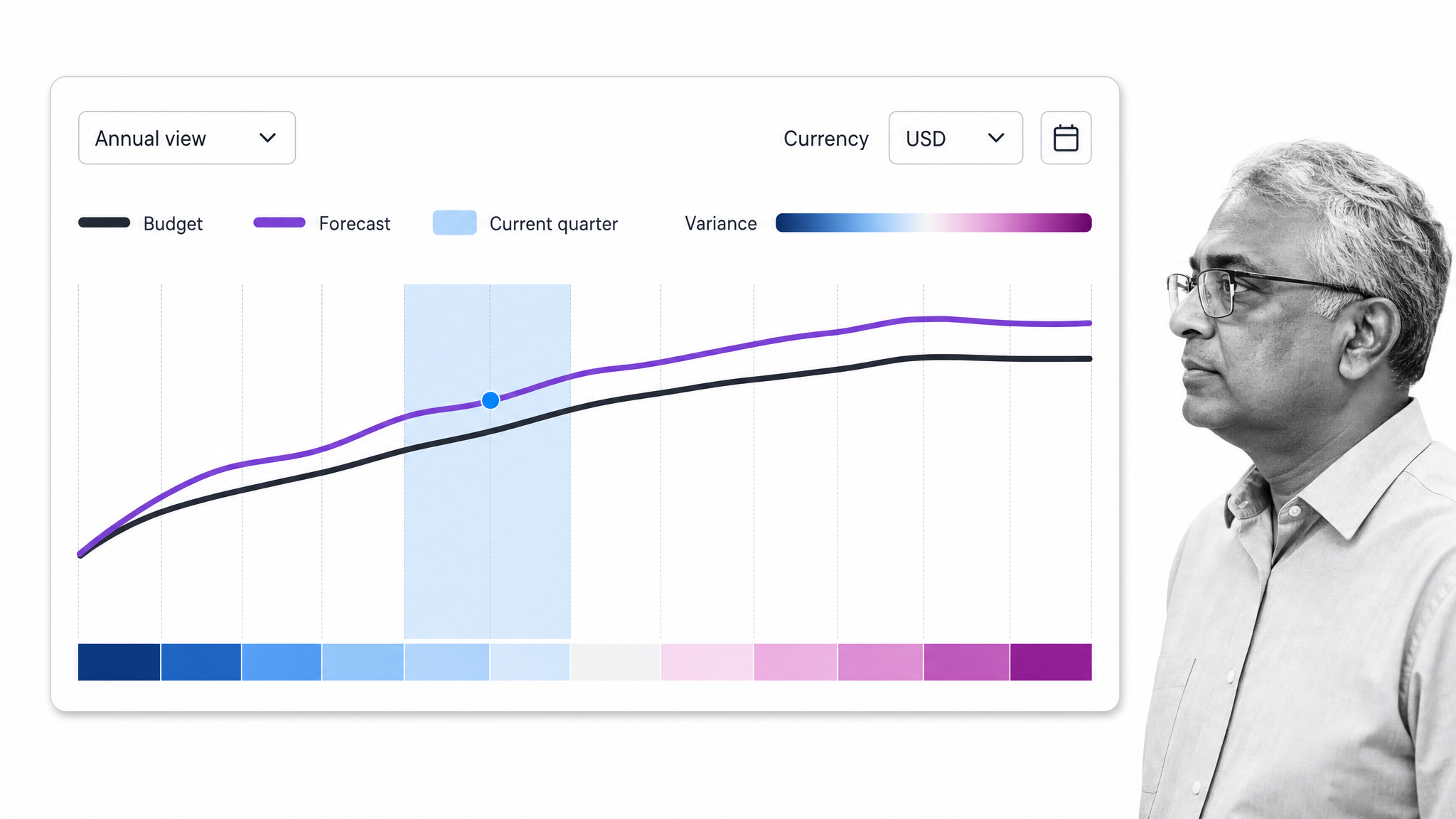
Best for: Consulting and services firms managing revenue forecasts and organizational budgets.
Projectworks supports financial budgets by year and currency, with progress visible through executive dashboards and forecast-versus-budget reports. It gives finance leaders a structured way to compare performance with operating targets.
Choose Projectworks when services delivery and finance planning need a shared system. Corporate finance teams centered on approvals, close, or audit workflows may prefer a workflow-first platform.
11. monday work management
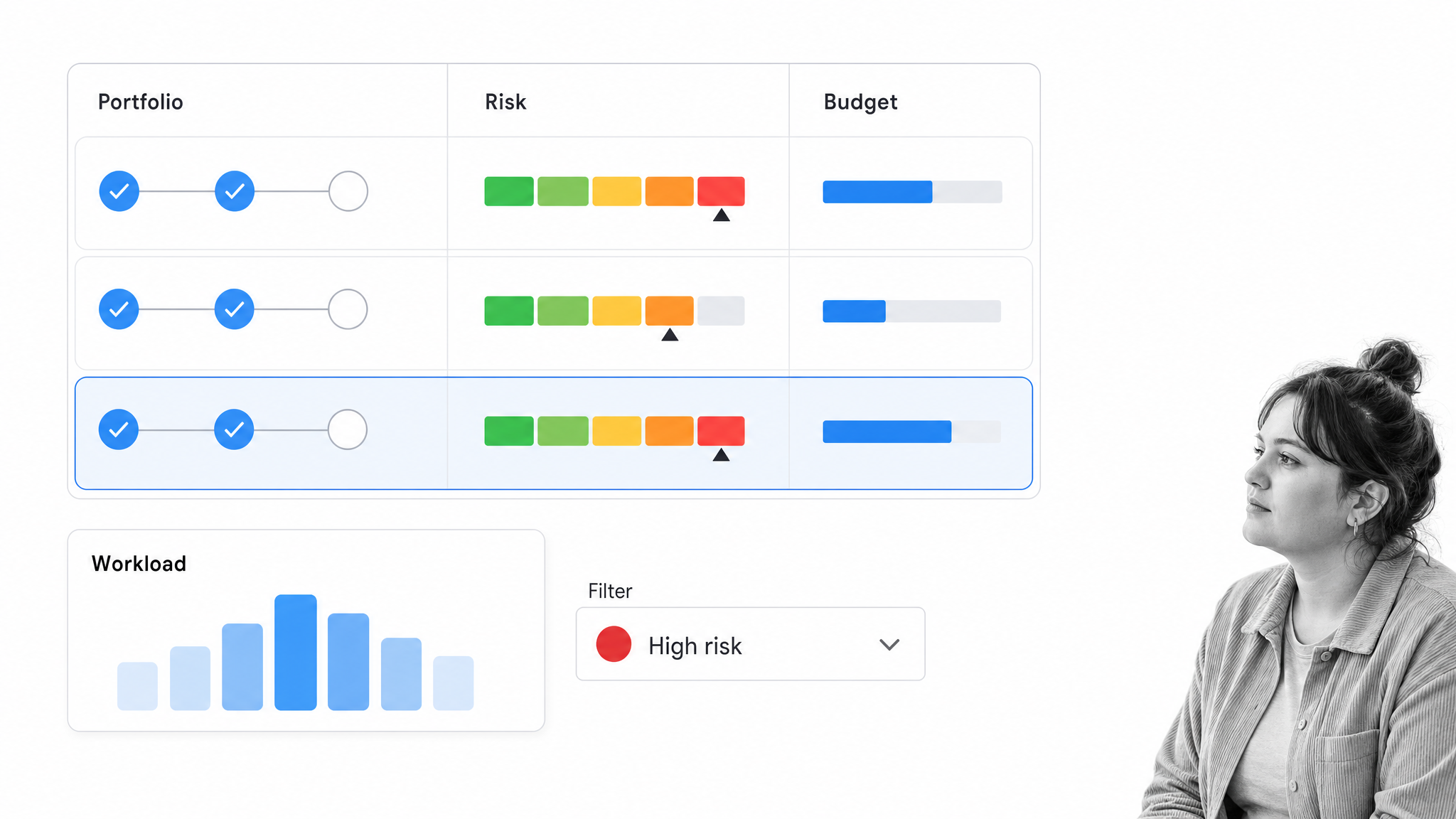
Best for: Visual PMO reporting and configurable cross-functional project tracking.
monday work management provides portfolio and project views that can surface workload, milestones, dependencies, risk, and budget-related data. Its configurable boards and dashboards make it useful when teams need a shared operational layer.
Choose monday when adoption and visual flexibility matter. Finance leaders should validate how actual costs enter the system and which source remains authoritative before relying on a custom board for financial decisions.
12. Asana
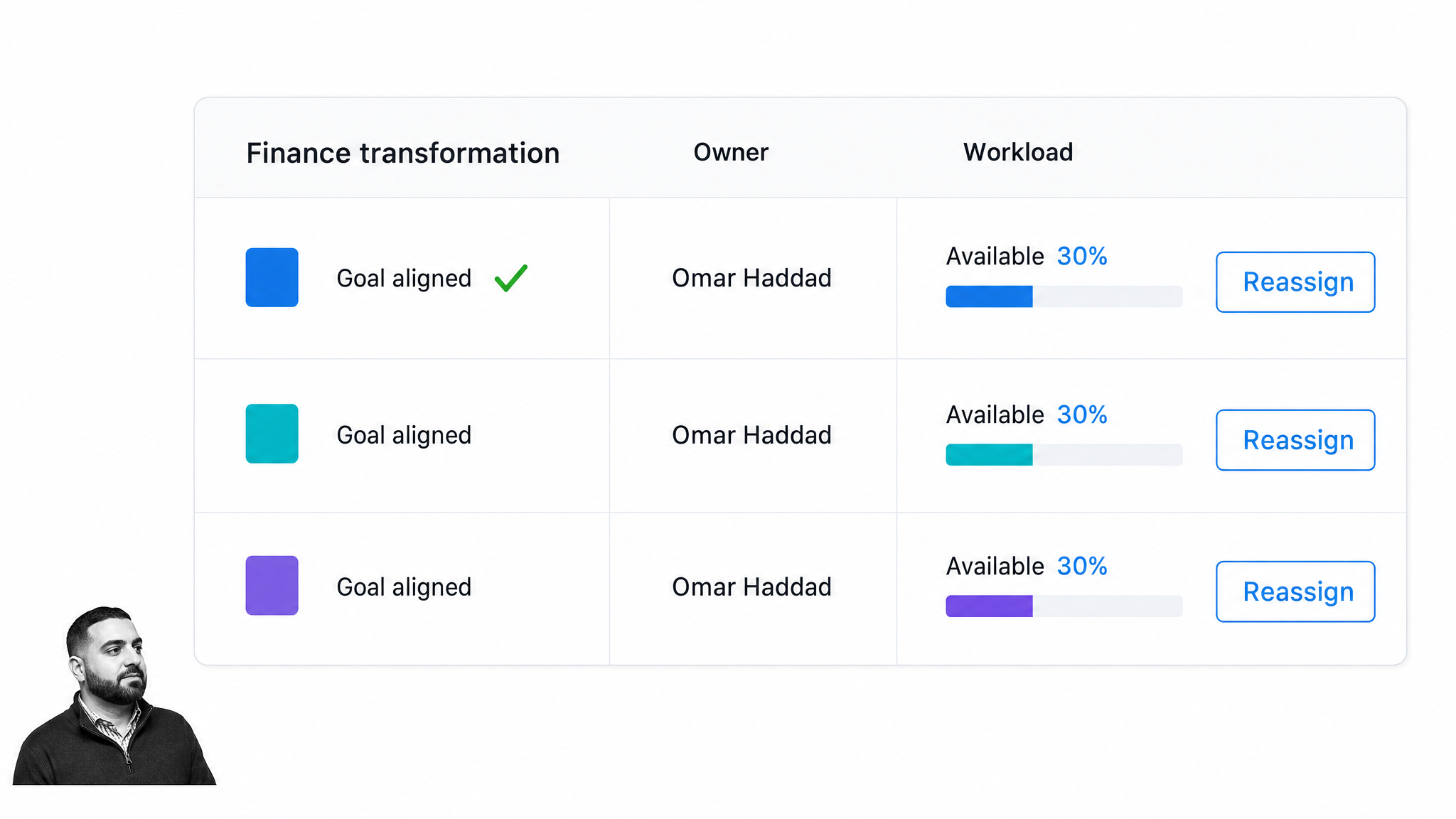
Best for: Cross-functional initiatives where finance needs clear ownership and portfolio visibility.
Asana organizes projects, portfolios, workload, goals, timelines, and resource-allocation plans. Teams can represent budget and tool requirements in a repeatable project structure while coordinating work across departments.
Choose Asana for approachable work coordination. It is not a project accounting system, so budget actuals and financial reporting usually need a deliberate connection to finance systems of record.
13. Microsoft Planner
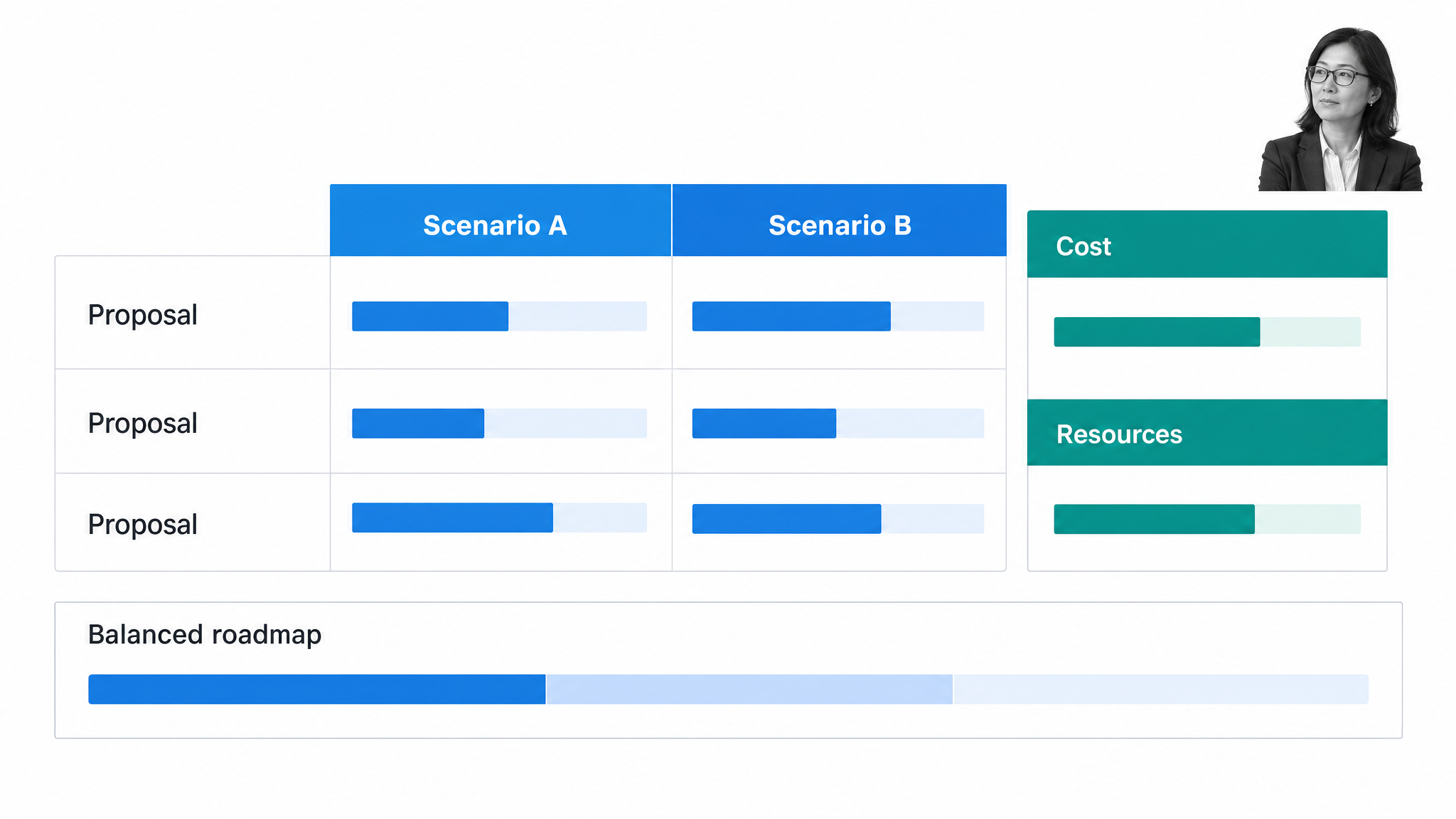
Best for: Microsoft-centric organizations managing project and portfolio investments.
Microsoft is bringing Project for the web capabilities into Planner. Its project portfolio management experience supports proposal evaluation, strategic drivers, cost and resource constraints, roadmaps, and reporting.
Choose Planner when Microsoft 365 is already the collaboration standard and finance needs portfolio planning close to familiar tools. Confirm licensing and reporting dependencies during evaluation because the available depth varies by plan and configuration.
14. Adobe Workfront
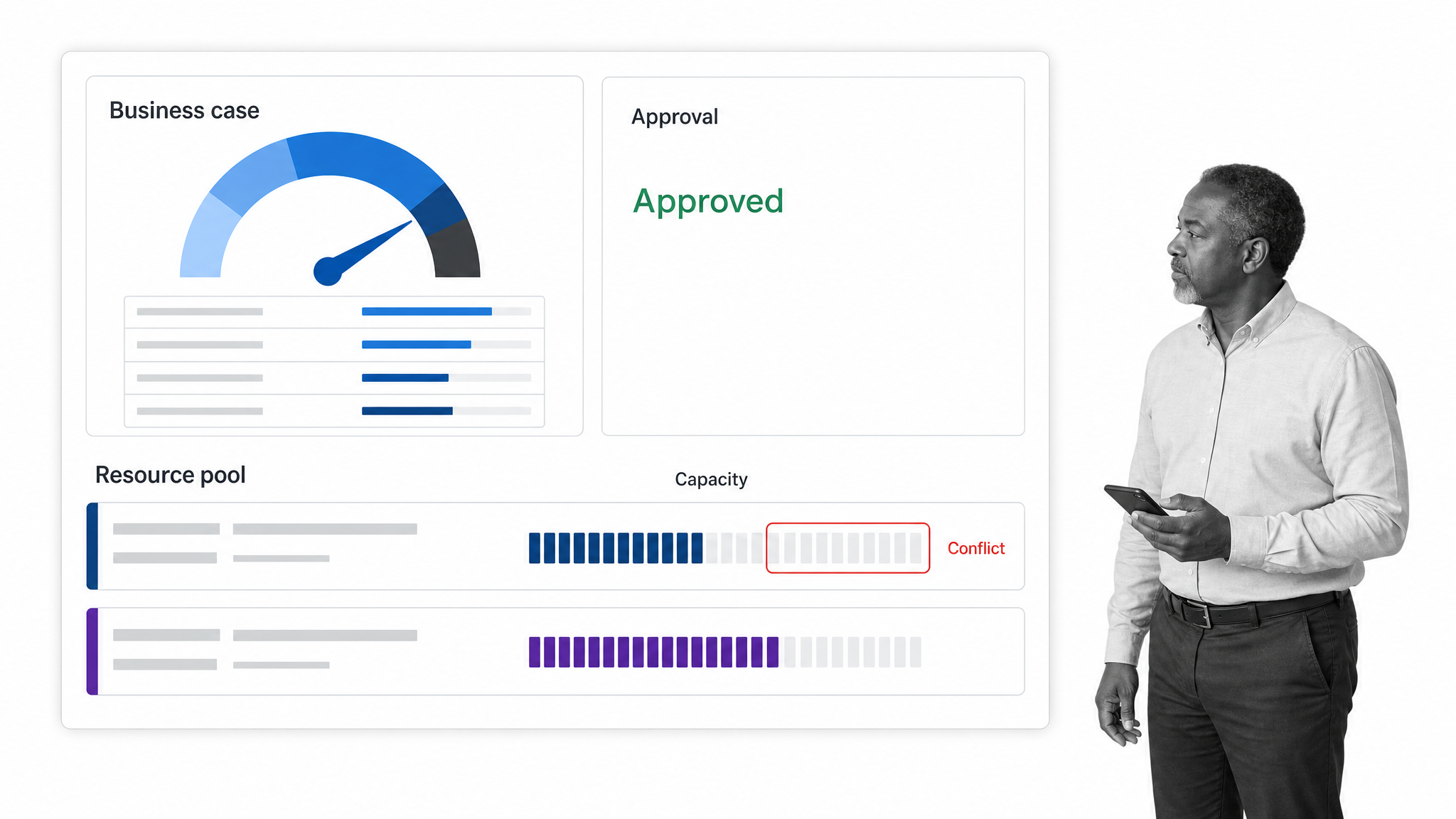
Best for: Enterprise portfolios with complex intake, resource, and approval workflows.
Adobe Workfront supports project, task, resource, and portfolio management across departments. Capacity views, resource allocation, business cases, scorecards, dashboards, and approval workflows help enterprise teams coordinate high volumes of work.
Choose Workfront when governance and scale outweigh simplicity. Its breadth is most valuable when an organization is prepared to standardize intake, data, and reporting across multiple teams.
15. Planview AdaptiveWork
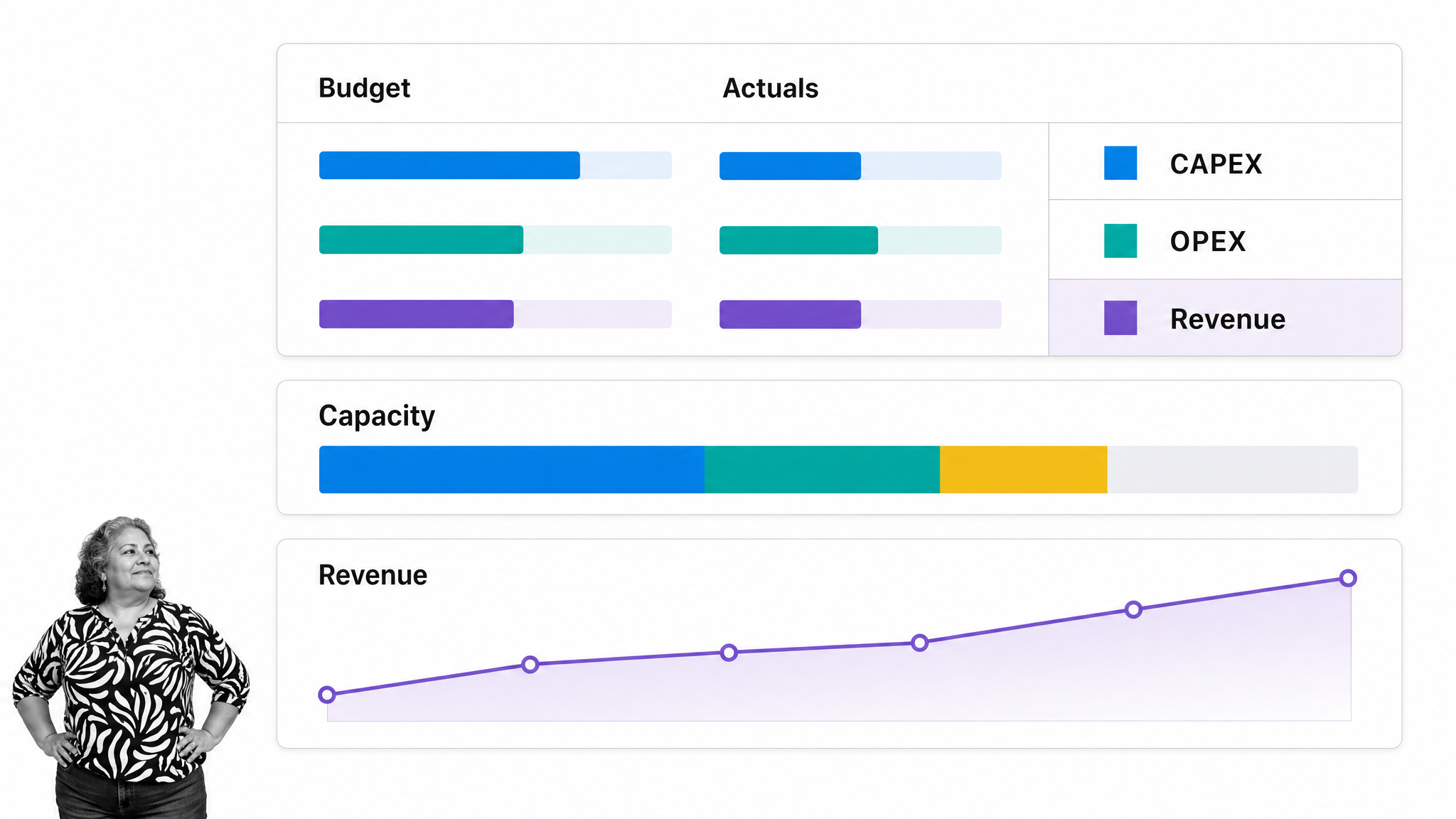
Best for: Mature PMOs requiring portfolio, capacity, and project financial management.
Planview AdaptiveWork, formerly Clarizen, connects portfolio planning with demand intake, capacity, time, expenses, budgets, rates, and revenue forecasting. Financial workspaces link project performance to costs and actuals.
Choose it when finance participates in enterprise portfolio tradeoffs and scenario planning. It is a heavier operating model than most department-level teams require.
16. Celoxis
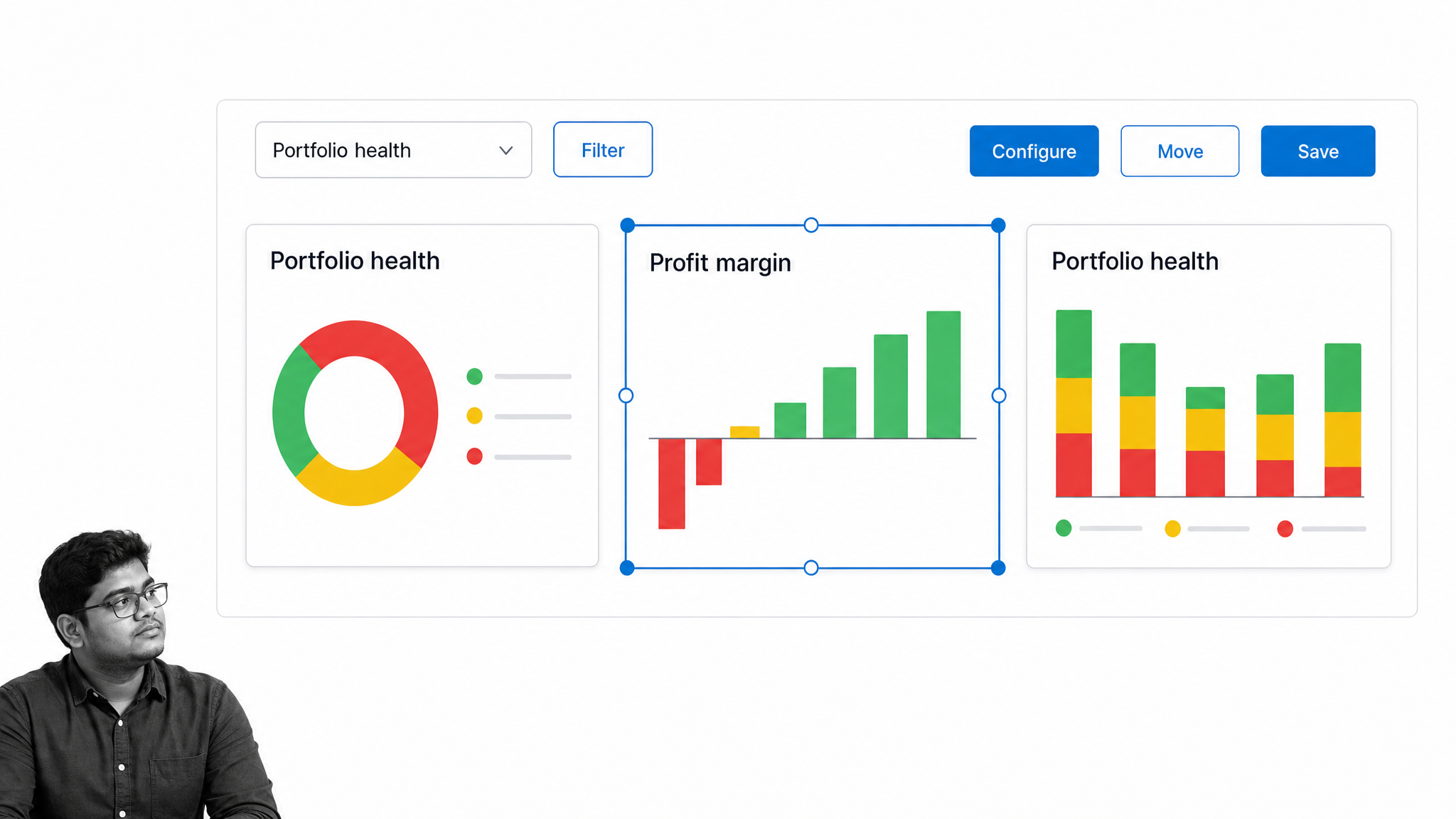
Best for: PMOs that want configurable portfolio dashboards and profit-margin tracking.
Celoxis combines project portfolio management with time, issues, reporting, dashboards, and financial performance views. Its configurable analytics can help finance and project leaders examine portfolio data from different operating angles.
Choose Celoxis when reporting flexibility and centralized PMO oversight are priorities. Evaluate the workflow model with end users to make sure configuration depth does not create unnecessary administrative work.
17. NetSuite SuiteProjects Pro
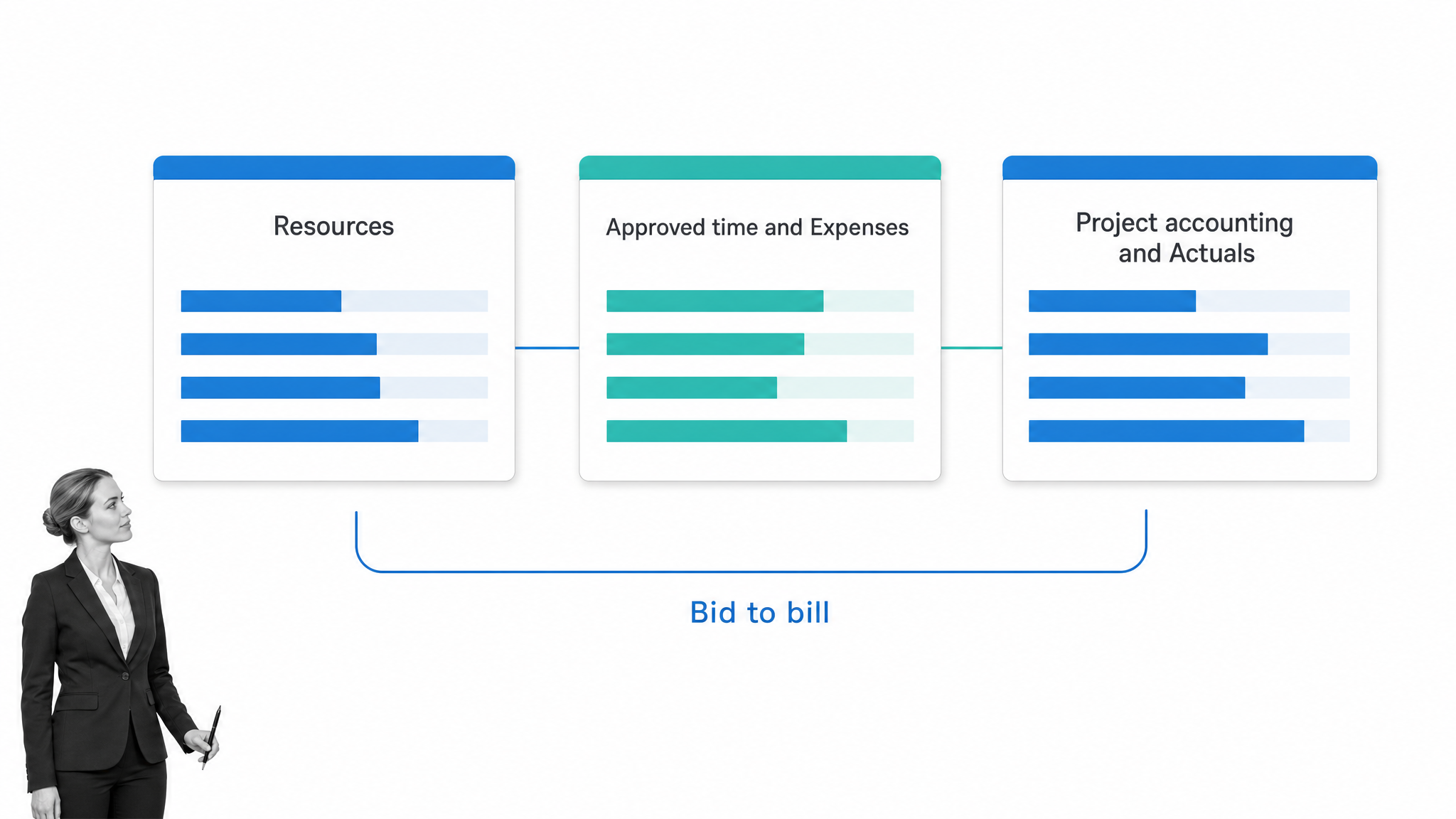
Best for: NetSuite organizations that want project delivery connected to project accounting.
NetSuite SuiteProjects Pro brings resource management, project management, time and expense tracking, and project accounting into a cloud professional-services environment. It is designed to connect delivery data with financial operations.
Choose it when NetSuite is already the financial system of record and project economics need to remain close to ERP data. It is a platform decision, not a lightweight team tool.
18. ClickUp
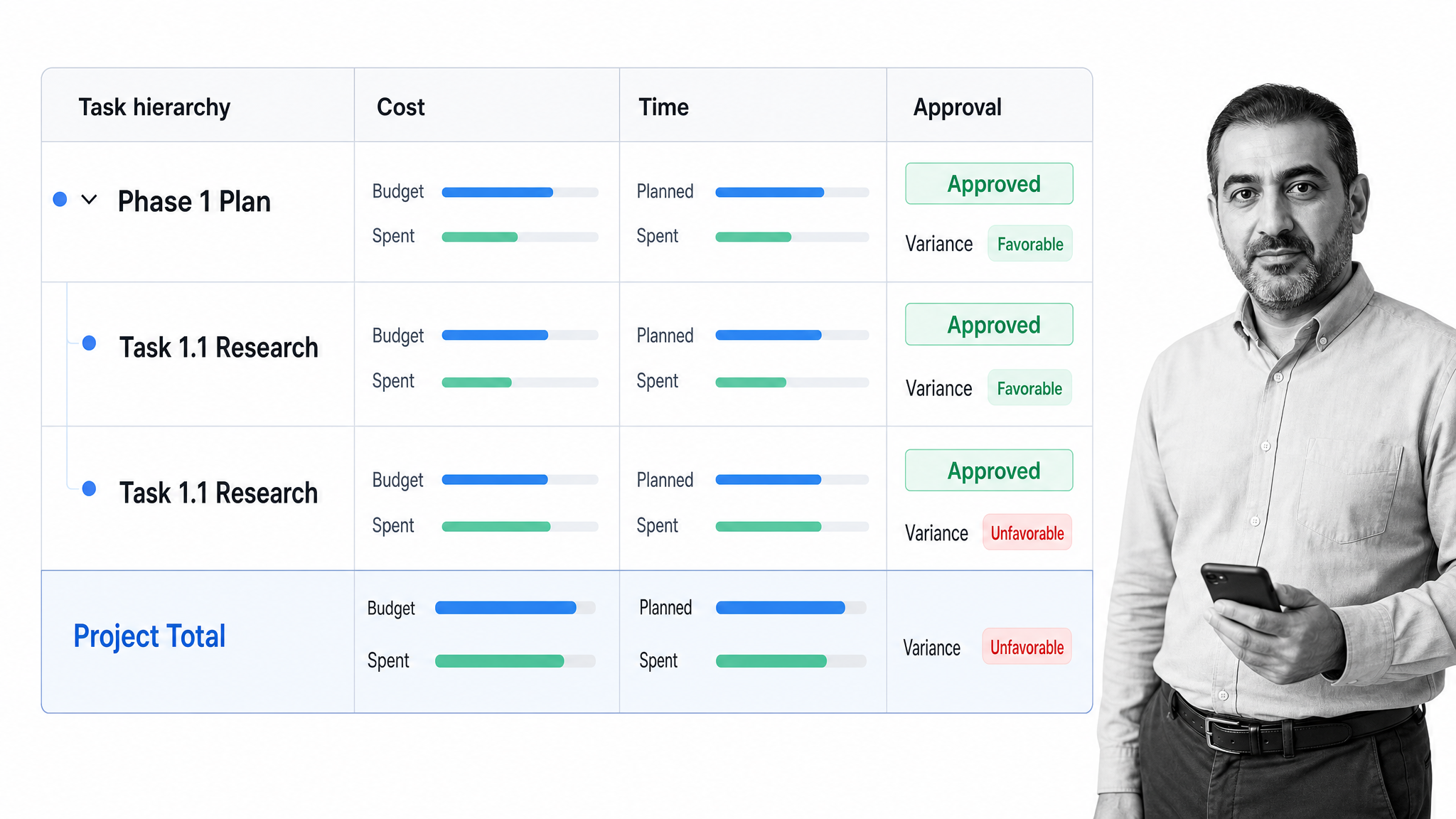
Best for: Teams that want tasks, time, approvals, and budget fields in one flexible workspace.
ClickUp offers a project budget workspace that brings tasks, time tracking, cost data, approvals, and reporting together. Its flexible hierarchy, custom fields, dashboards, and automations can model many finance project types.
Choose ClickUp when a team is willing to design its operating model. Finance leaders should test the path from source transactions to budget actuals, because flexible configuration is not the same as a project-accounting ledger.
19. Zoho Projects
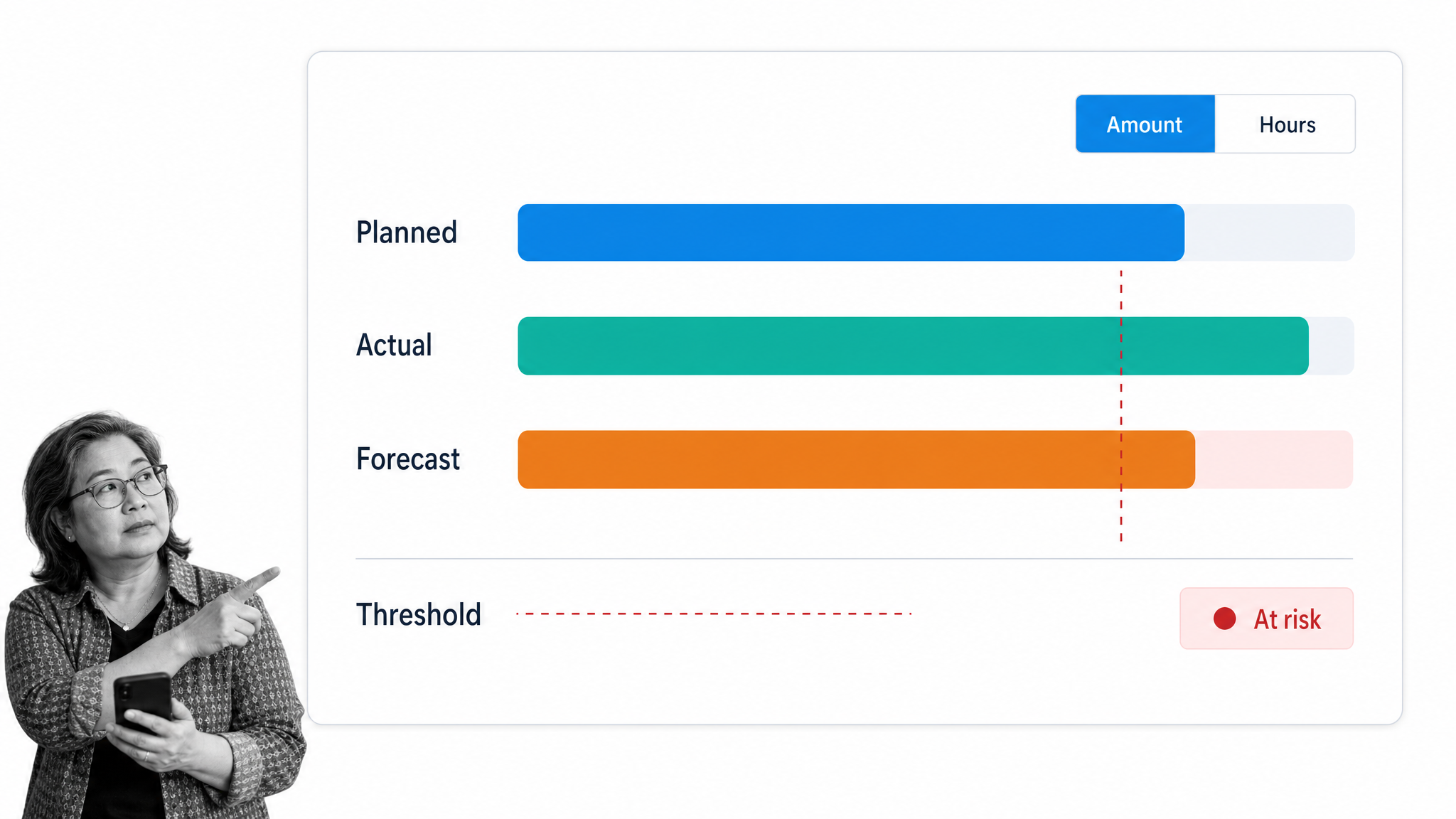
Best for: Small and midsize teams that need accessible budget and time controls.
Zoho Projects supports budgets based on amounts or hours, planned-versus-actual reporting, thresholds, overrun alerts, forecasting, time tracking, and several billing methods. Its project budget page explains how budget status and cost data appear in dashboards and reports.
Choose Zoho Projects when practical cost control matters more than enterprise portfolio complexity. Organizations already using Zoho’s finance applications may gain additional workflow continuity.
20. Jira
Best for: Finance projects that depend heavily on technology, product, or engineering teams.
Jira provides customizable workflows, work items, boards, timelines, plans, dashboards, and finance templates for processes such as procurement, budget creation, month-end close, and finance service requests.
Choose Jira when the work already flows through Atlassian systems and finance needs shared execution with technical teams. Project financial management may require structured fields, marketplace apps, or an external system of record.
What is finance project management software?
Finance project management software coordinates the work, people, deadlines, controls, and financial data behind an initiative. It may be a workflow platform, a work-management system, a project portfolio management platform, or professional-services automation software.
The category is broader than accounting software. An accounting platform records transactions and produces financial statements. A finance project platform manages how an initiative moves from request to approval, execution, review, and closeout. The strongest stack connects both layers without making a project board the authoritative ledger.
How do finance teams use project management software?
Finance teams use project management software for ERP implementations, audit remediation, annual planning, procurement, systems migrations, close-process improvements, regulatory work, mergers, and finance transformation. They also use it to coordinate recurring operations such as reconciliations, journal reviews, invoice approvals, and evidence collection.
The software should make four things explicit: who owns the next action, what approval or evidence is required, how the project is performing against plan, and where the authoritative financial data lives. Strong process documentation supports this model by defining the approved method before execution starts.
Which finance project management features matter most?
- Budget versus actual visibility: Managers need an early signal when costs, hours, or scope move away from plan.
- Resource capacity: Finance projects compete for specialists, reviewers, and executive attention.
- Approvals and evidence: Sign-offs, attachments, exceptions, and timestamps should remain connected to the work.
- Portfolio reporting: Leaders need a consistent view of project health, risk, timing, and financial exposure.
- System integrations: The project layer should exchange data with ERP, accounting, CRM, payroll, and reporting systems without becoming a shadow ledger.
- Access control and audit history: Sensitive finance data requires deliberate permissions and a traceable record.
How should you choose finance project management software?
Start with the operating problem, not the longest feature list. A controllership team managing close and audit work needs repeatable workflows and proof. A PMO needs portfolio prioritization, capacity, and scenario planning. A consulting firm needs time, rates, billing, revenue, and margin control.
Then map the data boundary. Decide which system owns budgets, actuals, resource rates, approvals, and final reporting. Test one real process with real roles and exceptions. Measure whether the pilot reduces manual reconciliation, exposes risk earlier, and improves decision-making. A polished demo matters less than a clean month-end or project review using live data.
Why use Process Street for finance projects?
Process Street is built for work that must happen the right way every time. Finance teams can connect procedures, tasks, owners, approvals, due dates, evidence, and audit history in one controlled workflow. That makes it a strong fit for recurring controls and high-stakes projects where skipped steps create financial or compliance exposure.
Use Process Street alongside systems of record rather than rebuilding the ledger inside a project board. The workflow controls execution, while integrations move approved data to the applications that own accounting, reporting, and analysis. Explore the relationship between workflows and internal controls.
A practical starting point is one recurring finance process with real consequences, such as close, reconciliation, purchase approval, or audit evidence collection. Define the approved steps, assign accountable owners, add the required review gates, and run the process with live work. The resulting record should make status, exceptions, and proof visible without a separate chase for updates.
Finance project management software FAQs
What is the best project management software for finance teams?
The best choice depends on the job. Process Street fits controlled finance workflows, Smartsheet and Wrike fit portfolio oversight, and PSA platforms fit project-based services economics.
Can project management software replace accounting software?
No. Project management software coordinates work, budgets, resources, and approvals. Accounting software remains the system of record for transactions, ledgers, and financial statements.
What should finance teams test during a software pilot?
Test a real workflow with approvals, exceptions, budget updates, evidence, and reporting. Confirm the data boundary between the project platform and financial systems of record.
Which features reduce finance project risk?
Clear ownership, approval gates, dependencies, budget variance alerts, access controls, evidence capture, and time-stamped audit history reduce the chance that a critical step is missed.
Is a portfolio tool or workflow tool better for finance?
A portfolio tool is better for investment prioritization, capacity, and cross-project reporting. A workflow tool is better for repeatable execution, controls, approvals, and audit proof. Many finance teams need both capabilities.
