


Turn every policy into automated workflows with built-in enforcement and audit-ready proof.



The 9 Best Hyperagent Alternatives in 2026

The best Hyperagent alternative for most teams is Dash because it works in Slack and Microsoft Teams, connects to more than 3,000 tools, shares context across the workspace, and routes actions through approvals. Comet is stronger for browser-first work, Codex and Claude Code specialize in software, while OpenClaw, Hermes, Buzz, and QM favor teams that want more control.
Use the links below to compare the category, then jump to the tool that matches where your work happens.
- What is Hyperagent?
- Hyperagent alternatives comparison table
- How we evaluated these Hyperagent alternatives
- How to choose the best Hyperagent alternative
- The 9 best Hyperagent alternatives in 2026
- Where Process Street fits
- How to switch safely
- Final recommendation
- Hyperagent alternatives FAQs
What is Hyperagent?
Hyperagent is Airtable’s managed platform for staffing persistent AI teammates that complete complex workflows. Each agent has a defined role, tools, context, controls, skills, and memories. Work happens in threads that preserve messages, tool calls, files, decisions, and outputs, while agents can also start from Slack or a schedule.
According to the official Hyperagent guide, agents can search the web, browse pages, run shell commands, write and execute code, generate media, and call external APIs. Skills capture repeatable methods, memories preserve useful context, and teams provide a sharing and governance layer.
Hyperagent’s current monthly plans start at $20. The plan price becomes usage credit, larger plans add a bonus, and unused plan credit expires at the end of the billing period. A per-query budget can cap a single run. That structure is flexible, but buyers who prefer a different work surface, operating model, or cost model have several credible alternatives.
Hyperagent alternatives comparison table
The alternatives differ most in where they run, how actions are controlled, how broadly they connect, and what you pay first. This real-HTML table compares those category-specific dimensions. The names link to the detailed sections below, while the source links after the table lead to current first-party product and pricing information.
| Tool | Surface | Guardrail or model | Connector count | Pricing entry point |
|---|---|---|---|---|
| Dash | Slack, Microsoft Teams, web | Model-flexible, approval flow on actions | 3,000+ | Published on the Dash pricing page |
| Perplexity Comet | Browser on Mac, Windows, iOS, Android | Perplexity assistant in browser context | No fixed catalog published | Free download |
| OpenAI Codex | Desktop, web, CLI, IDE, cloud | OpenAI models, sandboxing and permissions | No fixed count; plugins, MCP, GitHub, Slack, Linear | Free plan; Plus $20/month |
| Claude Code | Terminal, desktop, IDE, web, Slack, CI/CD | Claude models with permission modes | No fixed count; MCP and terminal tools | Pro $20/month, or $17/month billed annually |
| OpenClaw | Self-hosted gateway plus chat apps | Model-agnostic, local-first control plane | No fixed count; channels and plugins | Free open source; model and hosting costs |
| Viktor | Slack and Microsoft Teams | Multiple model providers, credit controls | 3,200+ | $0 with $100 credits; Team $100/month |
| Hermes | CLI, desktop, IDE, messaging platforms | Model-flexible, self-hosted permissions | No fixed count; tools, skills, messaging adapters | Free MIT software; model and hosting costs |
| Buzz | Desktop workspace and self-hosted relay | Model-agnostic agents with signed events | No fixed count; ACP agents and workspace services | Free Apache-2.0 software; hosting may cost |
| QM | Slack and web on your cloud | Harness-agnostic with Strict, Auto, Dangerous postures | No fixed count; deployment-defined tools and plugins | Free source; cloud and model costs |
Table sources: Dash pricing and integrations; Comet; Codex pricing and surfaces; Claude pricing and permissions; OpenClaw; Viktor pricing; Hermes docs; Buzz source; and QM source. Prices are in USD and may change.
How we evaluated these Hyperagent alternatives
We included products that can complete multi-step work, not only answer questions, and compared them using current first-party evidence. The ranking starts with the broadest managed-team fit, then moves through browser, coding, self-hosted assistant, and agent-infrastructure options. Popularity claims and unsourced market estimates did not affect the order.
- Surface: where people assign work and receive the result.
- Control: approvals, permission modes, sandboxes, policies, or self-hosted ownership.
- Connections: published catalogs, standards such as MCP, or deployment-defined tools.
- Continuity: whether context, skills, memory, and shared work persist.
- Operational burden: managed service versus software your team must deploy and secure.
- Pricing entry point: the lowest current public way to start, excluding taxes and usage that varies.
Editorial owner: Vinay Patankar. Process Street and Dash are products of Process Street, Inc.; that relationship is why this comparison applies the same first-party sourcing standard to Dash and every other vendor.
First published: August 8, 2026. Last updated: August 27, 2026. Last verified: August 27, 2026.
How to choose the best Hyperagent alternative for your team
Choose by work surface first, then by control, connections, and operating burden. A chat-native teammate fits cross-functional teams, a browser assistant fits personal research, and a coding agent fits repositories. Self-hosted tools provide more ownership, but someone must maintain infrastructure, credentials, upgrades, security boundaries, and incident response.
Next, test one recurring job with a clear output. Compare how often the agent needs correction, which actions require approval, whether context survives the next run, and where the finished artifact lands. Connector totals matter only when the catalog includes the systems your team actually uses.
Finally, model the real cost. Subscription prices can be only one component. Usage credits, model tokens, browser sessions, cloud infrastructure, and the time needed to operate self-hosted software can all change the total. The right choice is the one that produces trustworthy work with an acceptable review and maintenance load.
The 9 best Hyperagent alternatives in 2026
Dash offers the broadest managed-team fit, while the other eight alternatives win in narrower environments. Comet is browser-first, Codex and Claude Code focus on software, OpenClaw and Hermes favor self-hosting, Viktor emphasizes a large managed connector catalog, and Buzz and QM provide infrastructure for teams building agent workspaces.
1. Dash: best Hyperagent alternative for Slack and Microsoft Teams
Dash is the strongest Hyperagent alternative for teams that want one managed AI teammate inside Slack or Microsoft Teams. It connects to more than 3,000 tools, uses a shared workspace credit pool, keeps work in team conversations, and includes an approval flow for actions. The web surface supports work outside chat.
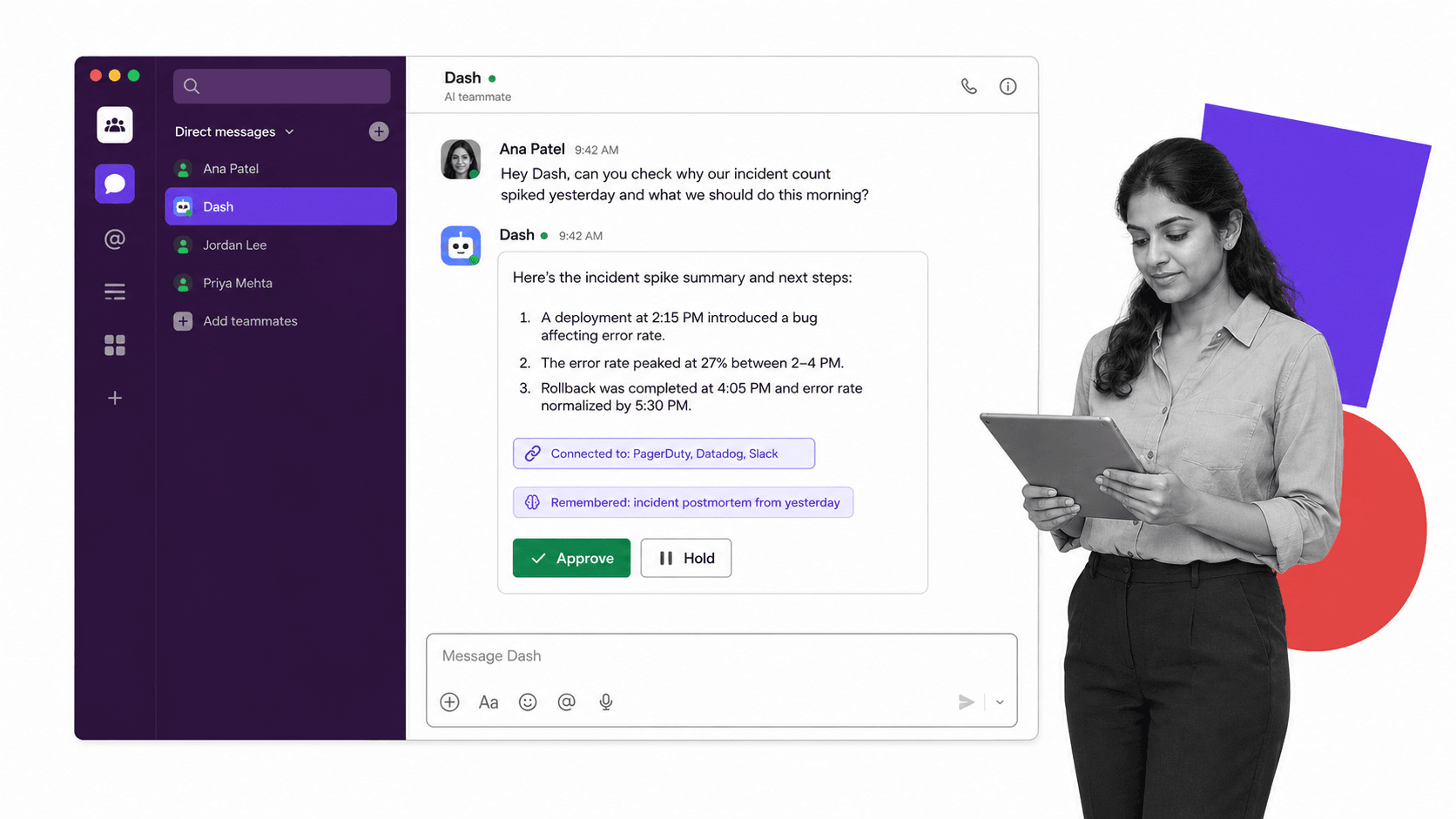
The current Dash integration catalog lists Slack, Microsoft Teams, Process Street, CRM, support, analytics, finance, advertising, and developer tools. Pricing starts free with no card, and current plans are published on the Dash pricing page. Unused Team credits roll over.
Bottom line: Dash is the best fit when a cross-functional team wants a managed agent in chat, broad connections, and visible action approvals without operating its own agent stack.
Choose Dash if: your team works in Slack or Microsoft Teams and wants one shared, managed teammate. Skip Dash if: you require a fully self-hosted agent or only need a personal coding assistant.
2. Perplexity Comet: best browser-first Hyperagent alternative
Perplexity Comet is the best browser-first alternative for personal research and web tasks. The browser is available for Mac, Windows, iOS, and Android, and its assistant can understand pages, build simple outputs, draft email, create plans, and help with shopping. Its advantage is context from the browsing surface itself.

The official Comet page positions it as a personal assistant for work performed while browsing. That is materially different from a shared team agent: Comet centers one person’s browser session rather than a durable teammate shared across workplace channels.
Bottom line: Comet is a strong choice for individuals who want research and everyday web actions embedded in the browser, not an agent operations layer for the whole company.
Choose Perplexity Comet if: most of your work starts and ends in browser tabs. Skip Perplexity Comet if: you need shared company memory, team-chat workflows, or a published enterprise connector catalog.
3. OpenAI Codex: best Hyperagent alternative for broad coding workflows
OpenAI Codex is the best fit for teams that want an agentic coding environment across desktop, web, CLI, IDE, and cloud. It can explore code, build features, review changes, fix failures, and automate engineering work. Sandboxing, permission controls, Git tools, plugins, MCP, and cloud integrations shape its control surface.
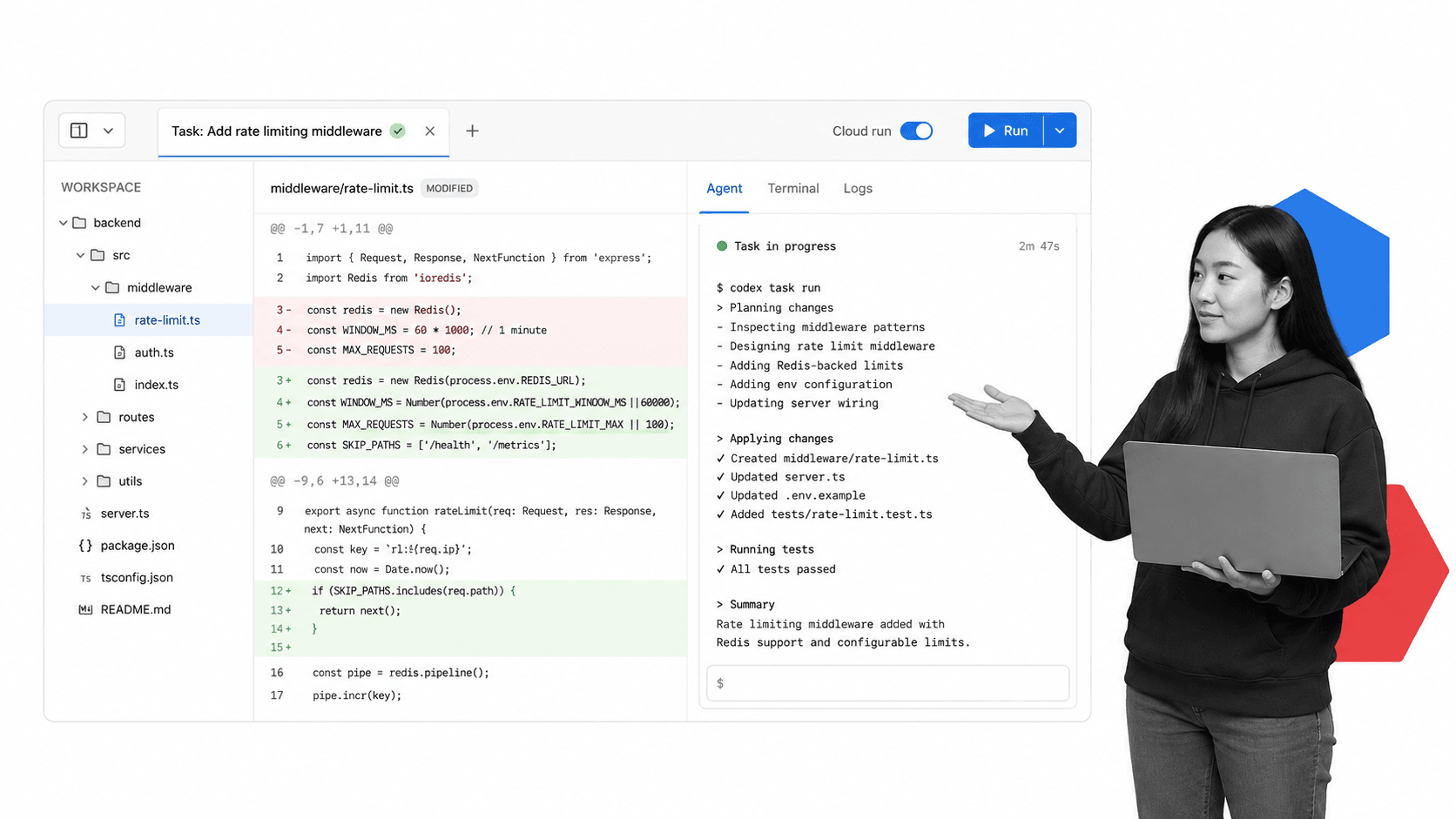
OpenAI’s official Codex pricing guide lists a $0 Free plan, Plus at $20 per month, and usage-based API access. It also documents Codex on the web, CLI, IDE extension, cloud, and iOS, plus integrations such as GitHub code review, Slack, and Linear on supported plans.
Bottom line: Codex is a powerful alternative when the finished work is code or a technical artifact, but it is broader than a repository tool and narrower than a company-wide operations teammate.
Choose OpenAI Codex if: engineering work, code review, and repo-aware execution are central to the job. Skip OpenAI Codex if: non-technical teams primarily need CRM, support, finance, and marketing work in team chat.
4. Claude Code: best Hyperagent alternative for Claude-centered development
Claude Code is the best alternative for developers who want Claude models working directly with a codebase. It runs through terminal, desktop, IDE, web, Slack, and CI/CD surfaces, can use MCP servers and external tools, and exposes permission modes that determine when file edits, shell commands, and network requests require approval.
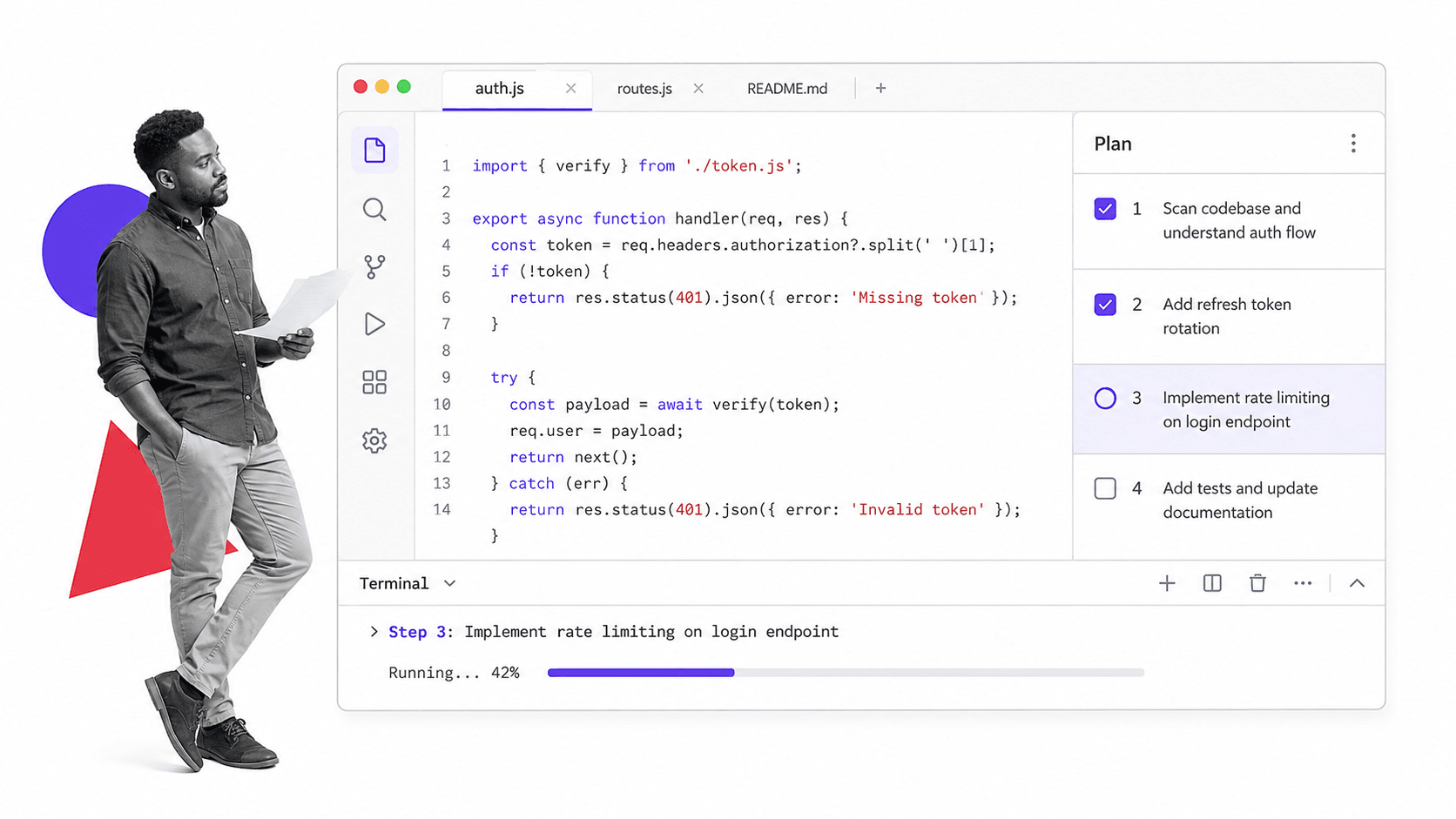
Anthropic’s Claude Code documentation describes the supported surfaces and extension mechanisms. Claude Pro includes Claude Code at $20 monthly, or $17 per month with annual billing. Team plans include Claude Code and add administration.
Bottom line: Claude Code is a focused development agent with strong permission controls, while teams seeking one general business teammate will need a different product shape.
Choose Claude Code if: your developers prefer Claude and want terminal or IDE execution with configurable permissions. Skip Claude Code if: the primary users are cross-functional operators rather than people working in repositories.
5. OpenClaw: best local-first Hyperagent alternative
OpenClaw is the best local-first alternative for technical users who want an assistant on hardware they control. Its gateway runs on your machine or server, keeps workspace and session history local, supports multiple model providers, and reaches users through WhatsApp, Telegram, Slack, Signal, Discord, and other chat channels.
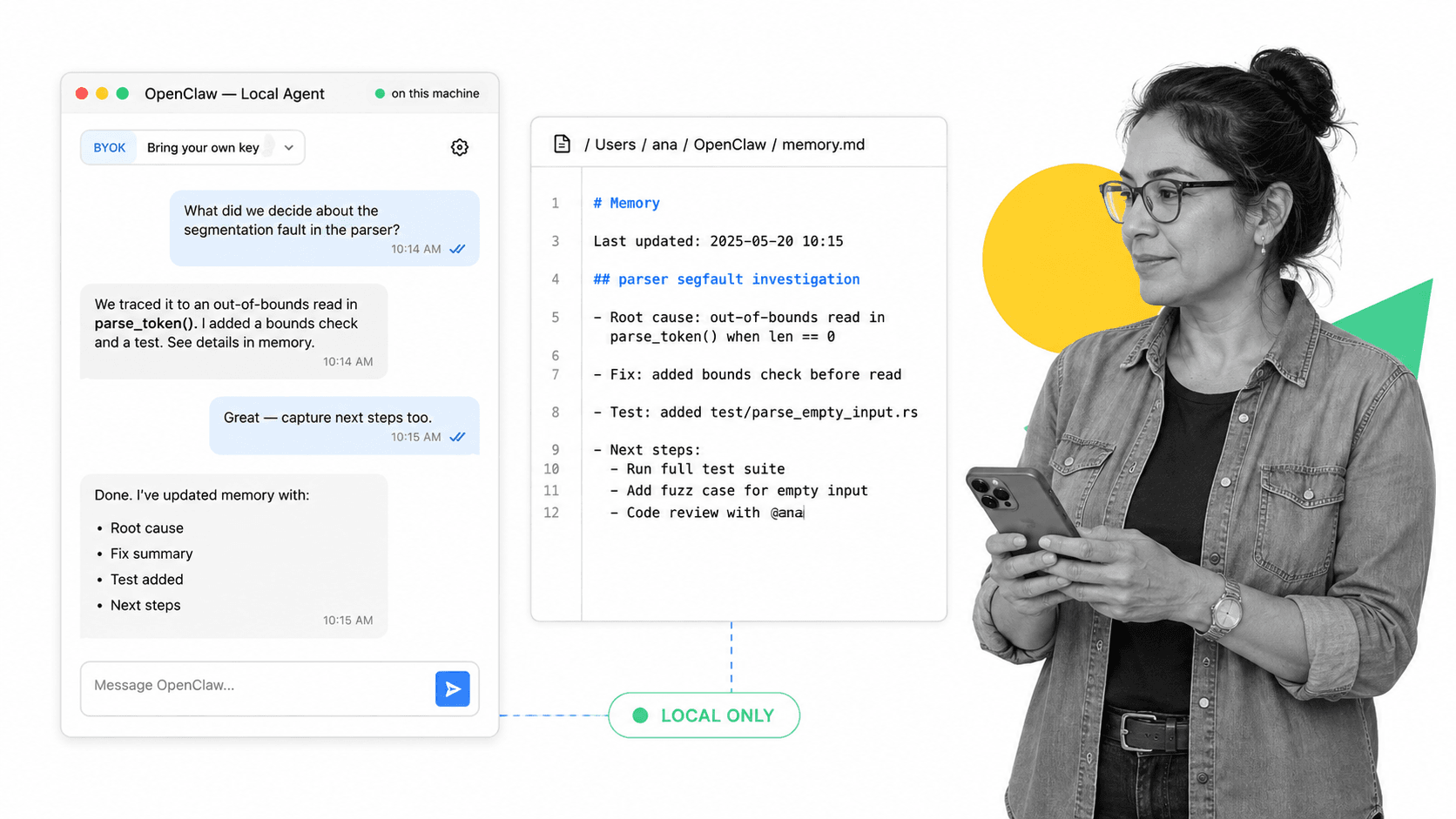
The OpenClaw project is open source and model-agnostic. Users install the gateway and bring the models, credentials, machines, and operational practices. That provides portability and control, but it also makes security, uptime, updates, and provider costs the operator’s responsibility.
Bottom line: OpenClaw is compelling when local ownership and chat-channel reach outweigh the convenience, support, and governance of a managed service.
Choose OpenClaw if: you can operate a self-hosted gateway and want model and data control. Skip OpenClaw if: your team needs vendor-managed uptime, a ready-made business connector catalog, and centralized support.
6. Viktor: best managed alternative for connector breadth
Viktor is a managed AI employee for Slack and Microsoft Teams with a published catalog of more than 3,200 tools. It is the closest alternative here to Dash on work surface and connector breadth. The key differences are product behavior, credit economics, and the exact controls each team needs.
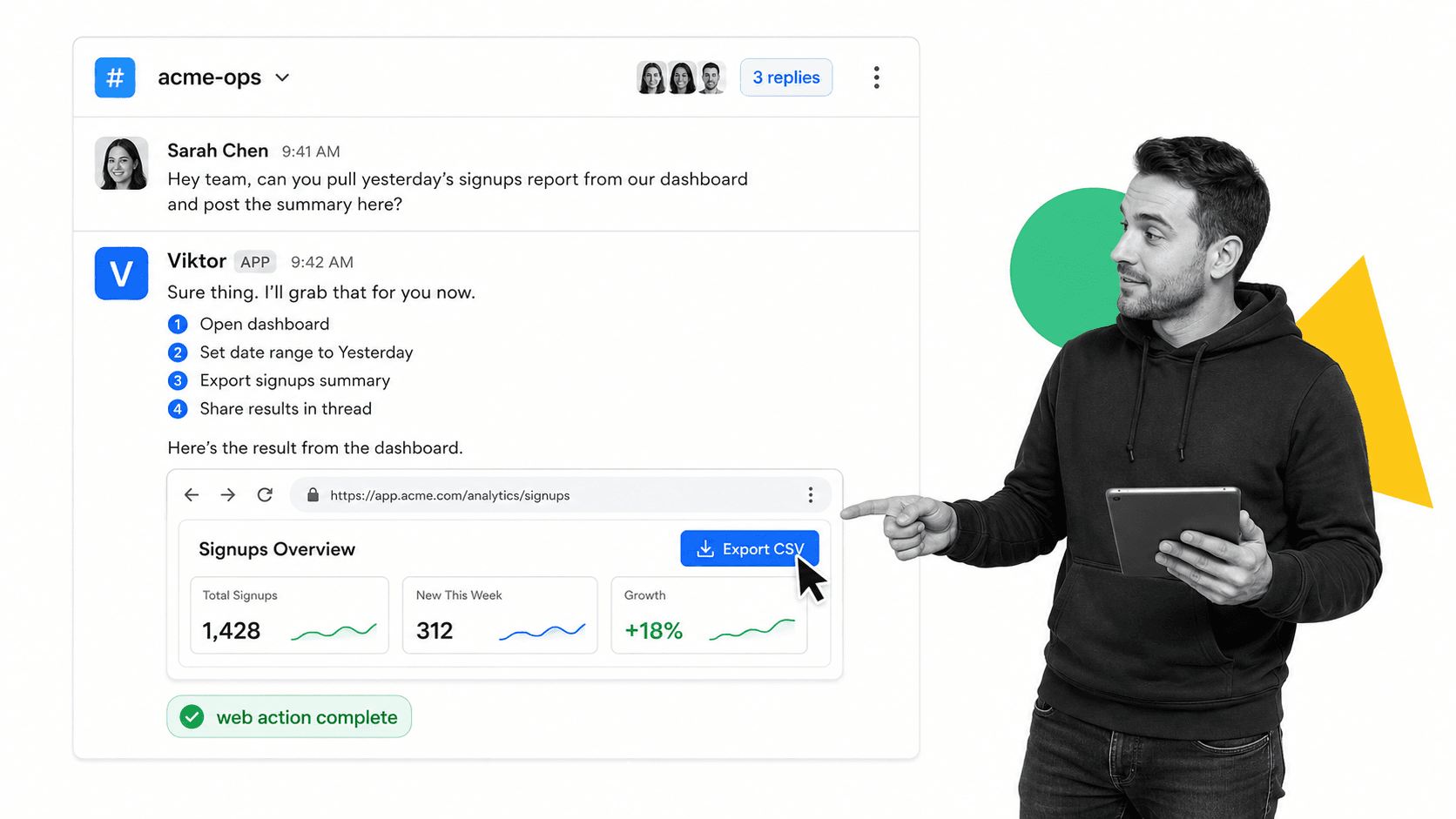
The current Viktor pricing page offers $100 in free credits with no card, lists all features and integrations on the free start, and prices the Team plan at $100 per month for 40,000 shared credits. Unused paid credits roll over, and auto-top-ups can use a monthly spend cap.
Bottom line: Viktor is a credible managed choice for buyers who prioritize a large connector catalog and a shared agent in Slack or Microsoft Teams.
Choose Viktor if: its specific integrations and credit package match your team better than the other managed options. Skip Viktor if: you prefer Dash’s lower paid entry point or need self-hosted infrastructure.
7. Hermes: best self-hosted alternative for reusable skills
Hermes is the best self-hosted alternative for technical users who want an open agent with reusable skills across several surfaces. The Nous Research project runs in a terminal, native desktop app, messaging platforms, and IDEs. Its skills system can load task-specific instructions on demand and can be extended with local or project-specific skills.
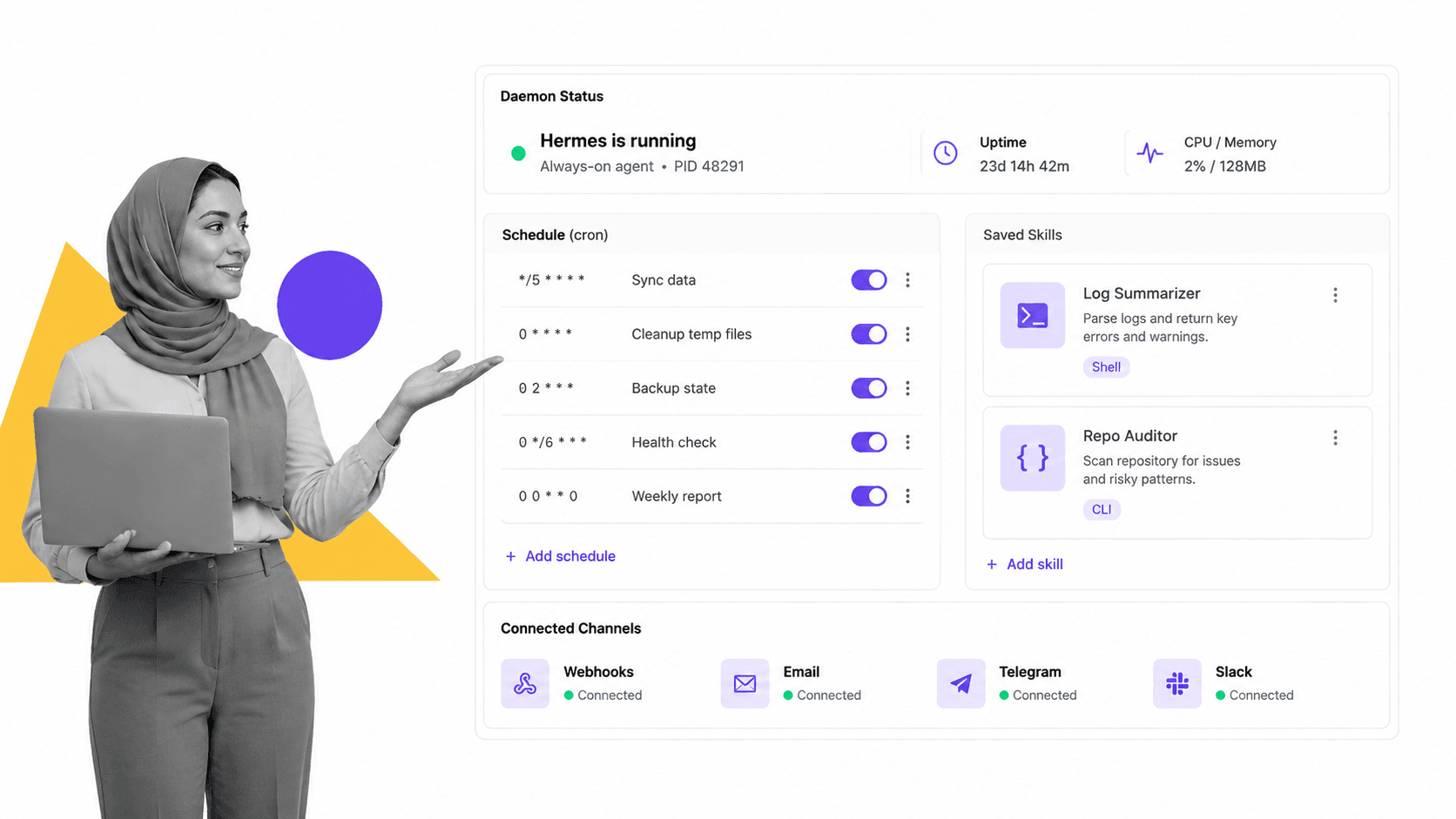
The official Hermes documentation describes an MIT-licensed framework with tools, skills, messaging gateways, and model-provider options. There is no software subscription, but users supply model access and infrastructure and must secure the machine and connected accounts.
Bottom line: Hermes fits builders who want an extensible, skill-driven agent they can run themselves, not buyers seeking a fully managed workplace product.
Choose Hermes if: reusable skills, open code, and multi-surface self-hosting matter most. Skip Hermes if: your team does not have an owner for deployment, credentials, model costs, updates, and incident response.
8. Buzz: best open workspace for humans and agents
Buzz is the best alternative for technical teams that want humans and agents to share an open workspace as first-class members. Built by Block on the Nostr protocol, it gives participants cryptographic identities and stores workspace events on a relay. Teams can use Block-hosted communities or run their own infrastructure.
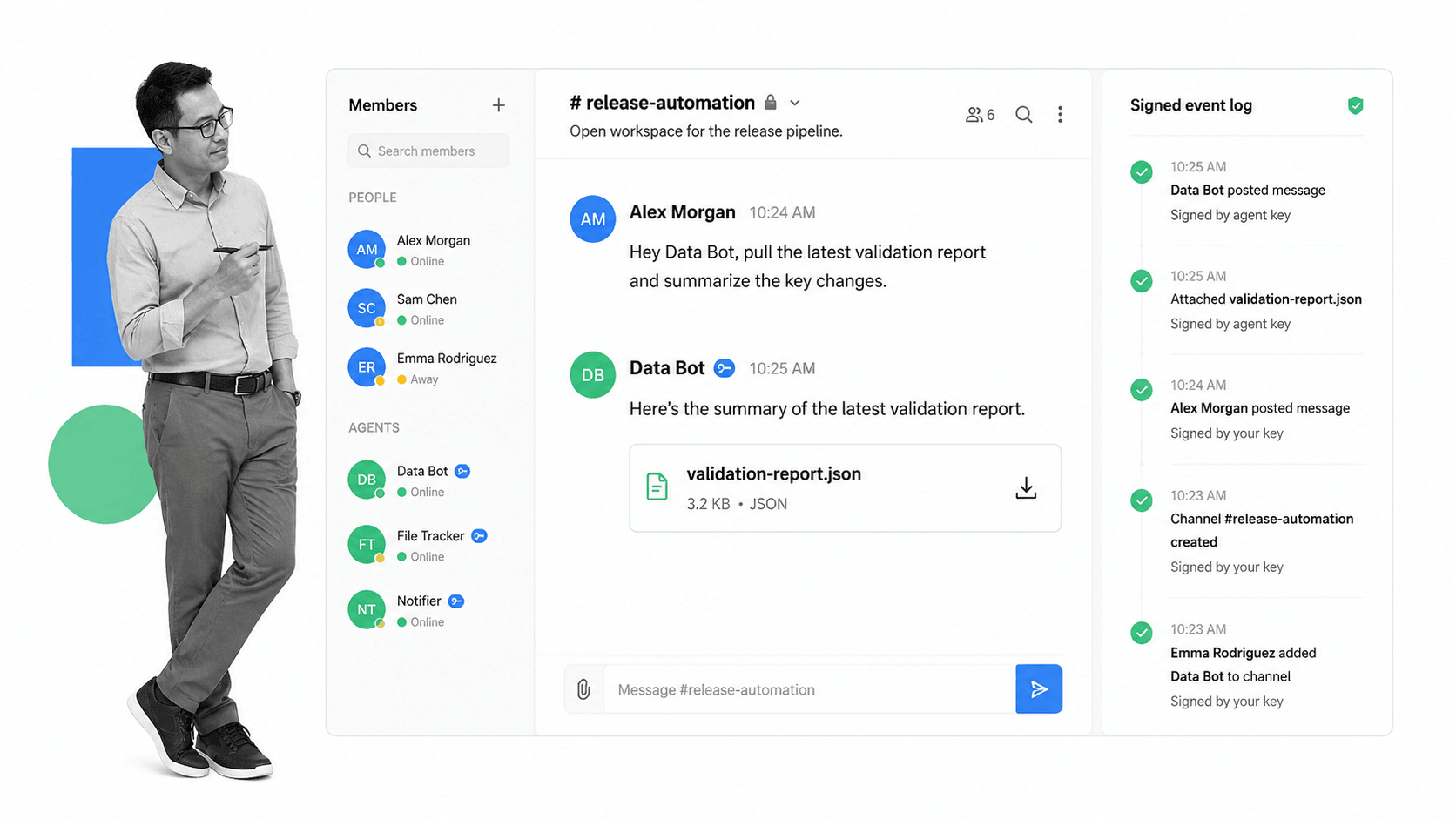
Block’s Buzz repository is Apache-2.0 licensed, and the official support guide explains that communities, channels, messages, users, agents, and rules live on a relay. This is a new workspace architecture, not a drop-in agent for an existing Slack or Teams deployment.
Bottom line: Buzz is interesting infrastructure for teams that want an agent-native, auditable workspace, but adopting it is a larger organizational change than adding a managed teammate to existing chat.
Choose Buzz if: your team wants agents with distinct identities in a workspace and relay it can own. Skip Buzz if: preserving your current collaboration platform and minimizing infrastructure work are higher priorities.
9. QM: best open multiplayer agent harness
QM is the best alternative for engineering teams building a multiplayer agent service in their own cloud. It works in Slack and on the web, gives each person and room scoped memory, files, credentials, permissions, schedules, apps, and a durable sandbox, and can use multiple agent harnesses and model providers.
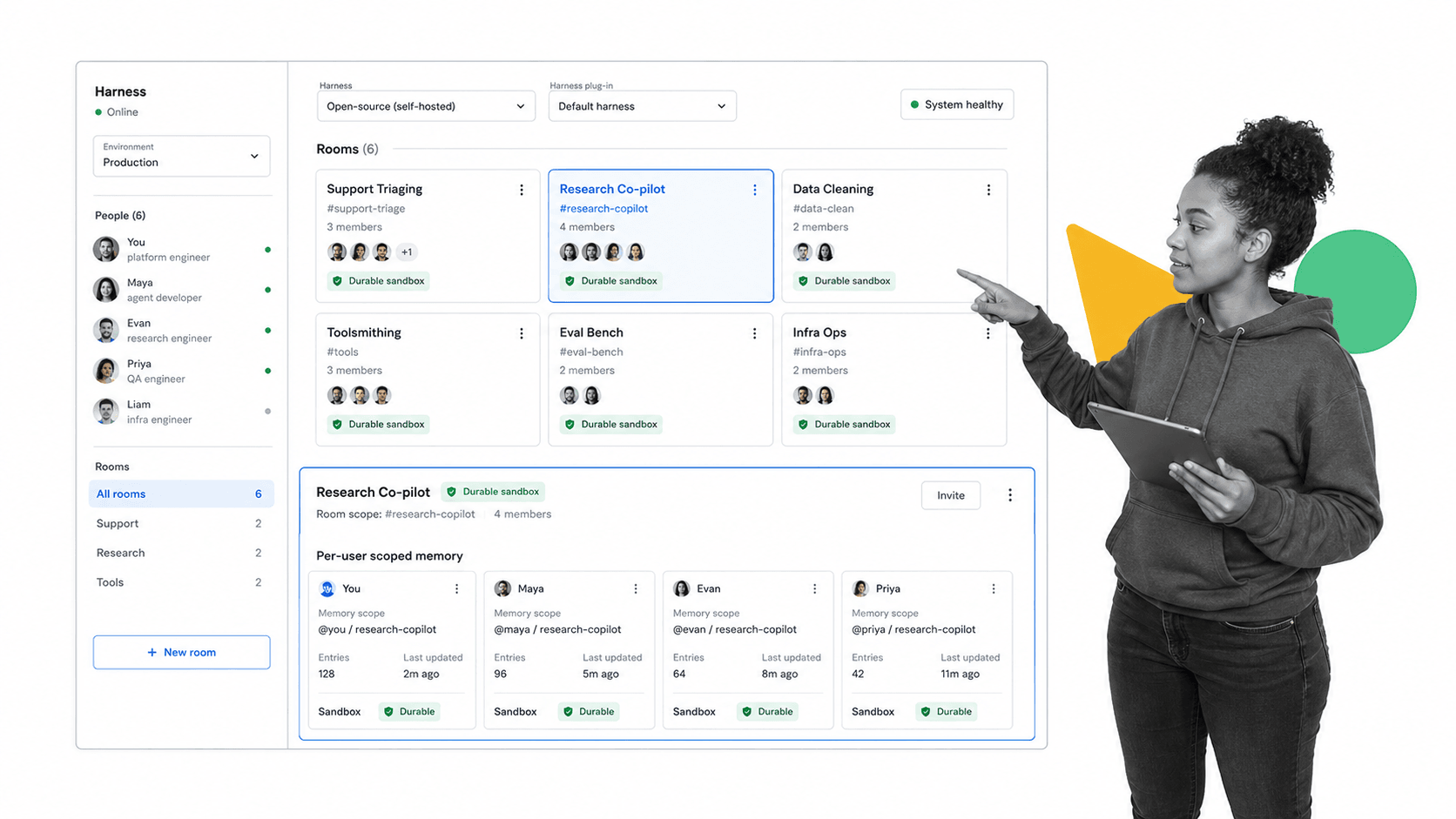
The QM repository documents harness choices including Pi, OpenCode, Codex, and Claude Code. Its security postures range from Strict approval of tool calls to Auto screening and a Dangerous mode. Deployments run in the operator’s cloud account, so the operator owns the production boundary.
Bottom line: QM provides a thoughtful open foundation for scoped multiplayer agents, but it is infrastructure to deploy and govern rather than a ready-made SaaS teammate.
Choose QM if: your engineering team wants isolated user and room scopes plus interchangeable harnesses. Skip QM if: you want a vendor to operate the service, connectors, upgrades, and support for you.
Where does Process Street fit with Hyperagent alternatives?
Process Street is not a ranked Hyperagent alternative; it is the process and control layer that can sit beneath an agent. Agents perform variable work, while Process Street defines the repeatable workflow, assigned owner, approval, evidence, policy, and due date. The products are complementary when work must be consistent and auditable.
Process Street automations can move structured work between systems, while the Process Street AI platform helps teams build AI into controlled processes. Ready-made workflow templates provide a starting point for onboarding, operations, approvals, and client work.
For adjacent research, see our guides to AI agents, AI employees for Slack, multiplayer AI agents, and Viktor alternatives. Teams comparing costs can also review Process Street pricing.
How can you switch from Hyperagent safely?
Switch one repeatable job at a time, run the old and new agent in parallel, and keep human approval on every external action. Define the expected output, required systems, acceptable cost, and review owner before the test. Compare finished results for a full work cycle before moving the next process.
- Inventory the agent’s skills, memories, schedules, integrations, and outputs for the chosen job.
- Recreate only the minimum context and connections needed for that job in the alternative.
- Run both tools against the same input and score accuracy, interventions, completion time, and total cost.
- Keep outbound actions behind approval until the replacement is stable and the team understands its failure modes.
- Record the repeatable steps in a controlled workflow so the process does not depend on one person’s chat history.
Which Hyperagent alternative is best in 2026?
Dash is the best overall choice for a cross-functional team that wants a managed AI teammate in Slack or Microsoft Teams. Choose Comet for browser work, Codex or Claude Code for development, OpenClaw or Hermes for a self-hosted assistant, Viktor for managed connector breadth, Buzz for an agent-native workspace, and QM for open multiplayer infrastructure.
Hyperagent remains a strong option for teams that want persistent configurable agents, reusable skills and memories, thread-based records, and a monthly credit system. The search for an alternative should be driven by a real mismatch in surface, controls, integrations, ownership, or economics, not by the assumption that every tool here solves the same problem.
Hyperagent alternatives: frequently asked questions
These answers cover the questions buyers most often ask about the best overall option, Slack and Microsoft Teams fit, free and paid pricing, coding, and self-hosting. The right answer depends on where work happens and who will operate the agent, so each response names the specific use case rather than declaring one universal winner.
What is the best Hyperagent alternative in 2026?
Dash is the best overall Hyperagent alternative for most cross-functional teams because it works in Slack and Microsoft Teams, connects to more than 3,000 tools, uses shared workspace memory, and includes approval flows. Specialized teams may prefer Comet for browsing, Codex or Claude Code for development, or a self-hosted option for infrastructure control.
What is the best Hyperagent alternative for Slack?
Dash is the best managed Hyperagent alternative for Slack when a team wants a shared AI teammate, broad SaaS connections, and approvals on actions. Viktor is another managed Slack option with more than 3,200 published tool connections. OpenClaw, Hermes, and QM can also reach Slack, but they require more technical ownership.
What is the best Hyperagent alternative for Microsoft Teams?
Dash and Viktor are the clearest managed choices in this list for Microsoft Teams. Dash publishes more than 3,000 integrations and lists its current plans on its pricing page. Viktor publishes more than 3,200 tool connections and prices its Team plan at $100 per month. Test the specific actions and controls your team needs.
Is there a free Hyperagent alternative?
Yes. Codex has a Free plan, Comet is a free browser download, Dash offers a free start without a card, and Viktor provides $100 in starting credits. OpenClaw, Hermes, Buzz, and QM are open-source options, but model usage, cloud hosting, setup, security, and maintenance can still create real costs.
Hyperagent vs Dash: what is the difference?
Hyperagent centers configurable agents, threads, skills, memories, teams, and a library of outputs, with plan credit spent on models and tools. Dash centers one shared AI teammate in Slack or Microsoft Teams, a catalog of more than 3,000 integrations, and approval flows. Hyperagent starts at $20 monthly; Dash starts free and lists its current plans on its pricing page.
How does Hyperagent alternatives pricing compare?
Hyperagent plans start at $20 monthly credit. Dash starts free and lists its current plans on its pricing page. Viktor starts with $100 in free credits and Team at $100 monthly. Codex has a Free plan and Plus at $20 monthly. Claude Code is included with Claude Pro at $20 monthly. Open-source options add model and infrastructure costs.
What is the best Hyperagent alternative for coding?
OpenAI Codex and Claude Code are the strongest coding-focused alternatives in this comparison. Codex spans desktop, web, CLI, IDE, and cloud workflows with OpenAI models. Claude Code brings Claude models to terminal, desktop, IDE, web, Slack, and CI/CD surfaces with configurable permission modes. The better fit depends on your preferred models, tools, and governance.
What is the best self-hosted Hyperagent alternative?
OpenClaw is the most approachable local-first option for a personal assistant across chat channels. Hermes is stronger for builders focused on reusable skills and an extensible agent. Buzz is an agent-native workspace, while QM is a multiplayer harness with isolated user and room scopes. All require technical ownership for security, deployment, and ongoing operations.
Try a Hyperagent alternative in Slack or Microsoft Teams
Start with Dash if your team wants one shared AI teammate where conversations already happen. The free start includes every feature, the full integration catalog, and no credit card. Connect a small set of tools, assign one repeatable job, and keep approvals on while the team evaluates the result.
Comparing something else? The full directory of software alternatives and competitor comparisons covers AI agents, workflow and BPM platforms, integration tools, and more.
