


Turn every policy into automated workflows with built-in enforcement and audit-ready proof.



AI Employee for Slack
An AI employee for Slack is an AI teammate that works inside Slack, reads the context of a team conversation, and helps move work forward without forcing people into another app. The best options do more than answer questions. They understand team context, connect to work systems, and keep humans in control before the assistant takes risky action.
That last part matters. A useful Slack AI employee can summarize a thread, draft a reply, update a system, route a request, or prepare a workflow handoff. A risky one can post too early, write to the wrong system, or spend money without enough context. The category is really about trust, permissions, and where the work goes after chat.
This guide compares the strongest AI employee for Slack options for teams evaluating chat-native AI coworkers. Dash is ranked first because it is built around the exact job most teams are trying to solve: an AI teammate in Slack and Microsoft Teams that learns team context, connects to tools, and asks before it sends, posts, writes, or spends.
Disclosure: Dash is a Process Street product. This page uses the same first-party evidence standard for Dash and every alternative. Product capabilities, integration availability, permissions, and pricing can change, so verify the selected setup before purchasing.
The comparison is neutral. Lindy is stronger for assistant-style delegation, Gumloop is stronger for visual AI workflow building, Glean Agents is stronger for enterprise knowledge grounding, Claude is stronger for standalone reasoning, Zapier Agents is stronger for broad app actions, and Dust is stronger for configurable shared agents over internal knowledge.
In this article, we are going to cover:
- AI employee for Slack options at a glance
- How should you choose an AI employee for Slack?
- What criteria matter most for AI coworkers in Slack?
- Illustrative AI teammate onboarding example
- Which AI employee for Slack tools are strongest right now?
- Where does Process Street fit with AI employee for Slack tools?
- Final recommendation
- FAQs
AI employee for Slack options at a glance
Dash is the default choice for teams that want an AI employee in Slack or Microsoft Teams that can act across the work stack while keeping approvals in front of sensitive actions. Choose Lindy if you want a personal AI assistant, Gumloop if you want to build flows visually, Glean Agents if enterprise knowledge search is the center of gravity, Claude if reasoning quality matters most, Zapier Agents if app-action breadth is the priority, and Dust if you want configurable shared agents for knowledge work.
| Tool | Best for | Standout feature | Free plan | Starting price |
|---|---|---|---|---|
| Dash | Slack and Microsoft Teams teams that want an approval-first AI teammate | Team context, 3,000+ tool connections, and approval-first actions | Not publicly listed | Contact Dash |
| Lindy | Delegating assistant-style work across Slack, inboxes, meetings, and calendars | AI assistants for inbox, meeting, calendar, CRM, and Slack workflows | 7-day free trial | Plus from $49.99/month |
| Gumloop | Teams that want visual AI workflow building with app actions | Flow-based AI automation builder with free and paid tiers | Free plan listed | Pro from $37/month |
| Glean Agents | Enterprise knowledge agents grounded in company data | No-code agents connected to enterprise knowledge and workflows | No public free plan found | Contact sales |
| Claude | High-quality reasoning and drafting where users can bring the context | Claude models for analysis, writing, coding, and complex reasoning | Free Claude plan available | Pro from $20/month |
| Zapier Agents | AI agents that act across a broad app automation network | Agents that take actions in connected apps through Zapier | Free trial path | Usage varies by Zapier plan |
| Dust | Shared AI agents connected to internal knowledge and Slack channels | Team AI assistants, Spaces, connectors, Slack usage, and enterprise controls | Free option up to 5 users | Paid Pro and Max seats |
How should you choose an AI employee for Slack?
Start with the surface where people already work. Slack-native tools are useful when the team lives in Slack all day. Teams coverage matters if the company has departments split across Microsoft Teams and Slack. A tool that works in both channels reduces the chance that the AI employee becomes useful for one group and invisible to another.
Then separate three jobs that often get blurred together. One job is answering questions from context. Another is taking actions across apps. A third is turning work into a repeatable operating process with owners, approvals, records, and exceptions. Most AI employee tools are good at one or two of those jobs, not all three.
The safest buying path is to decide which actions need approval. Summaries and drafts can be low-risk. Sending a customer message, posting to a channel, updating a CRM, writing to a system of record, or spending money needs an explicit approval-first model. That is the main reason Dash leads this list.
What criteria matter most for AI coworkers in Slack?
The first criterion is channel coverage: Slack only, Teams only, or both. The second is context: does the assistant remember team working patterns, or does it only respond to the current prompt? The third is connectors: can it reach the tools where work actually happens? The fourth is approval design: does it ask before risky writes? The fifth is handoff: where does finished work become trackable after chat?
Finished output matters more than clever conversation. If the AI employee only creates a long thread, the team still has to convert that thread into tasks, approvals, documents, or workflows. If it can hand off work into the right operating system, chat becomes the front door instead of the final resting place.
For teams in regulated, customer-facing, finance, HR, or operations environments, approval-first behavior is not optional. The AI employee should be able to suggest and prepare action, but the human team should decide when that action becomes a message, post, write, or spend.
Illustrative example: onboard an AI teammate for customer requests in Slack
The following scenario is illustrative, not a claim that every connector and permission is enabled in every workspace.
- A team member posts a fictional new-customer request in a designated Slack channel.
- The AI teammate reads only the workspace context and connected sources it is permitted to access.
- It prepares a proposed CRM record and identifies missing fields instead of writing immediately.
- A named human reviews the proposed external change and approves or rejects it.
- After approval, the teammate performs the permitted action, reports the result in Slack, and records any error.
- If the work will recur, the team starts a Process Street onboarding workflow so owners, required steps, approvals, evidence, and status do not disappear into chat.
Test the scenario with fictional data. Score setup time, permission clarity, approval behavior, output quality, error recovery, auditability, and the handoff into the repeatable process.
Install Dash in Slack and test the fictional onboarding scenario.
Which AI employee for Slack tools are strongest right now?
1. Dash
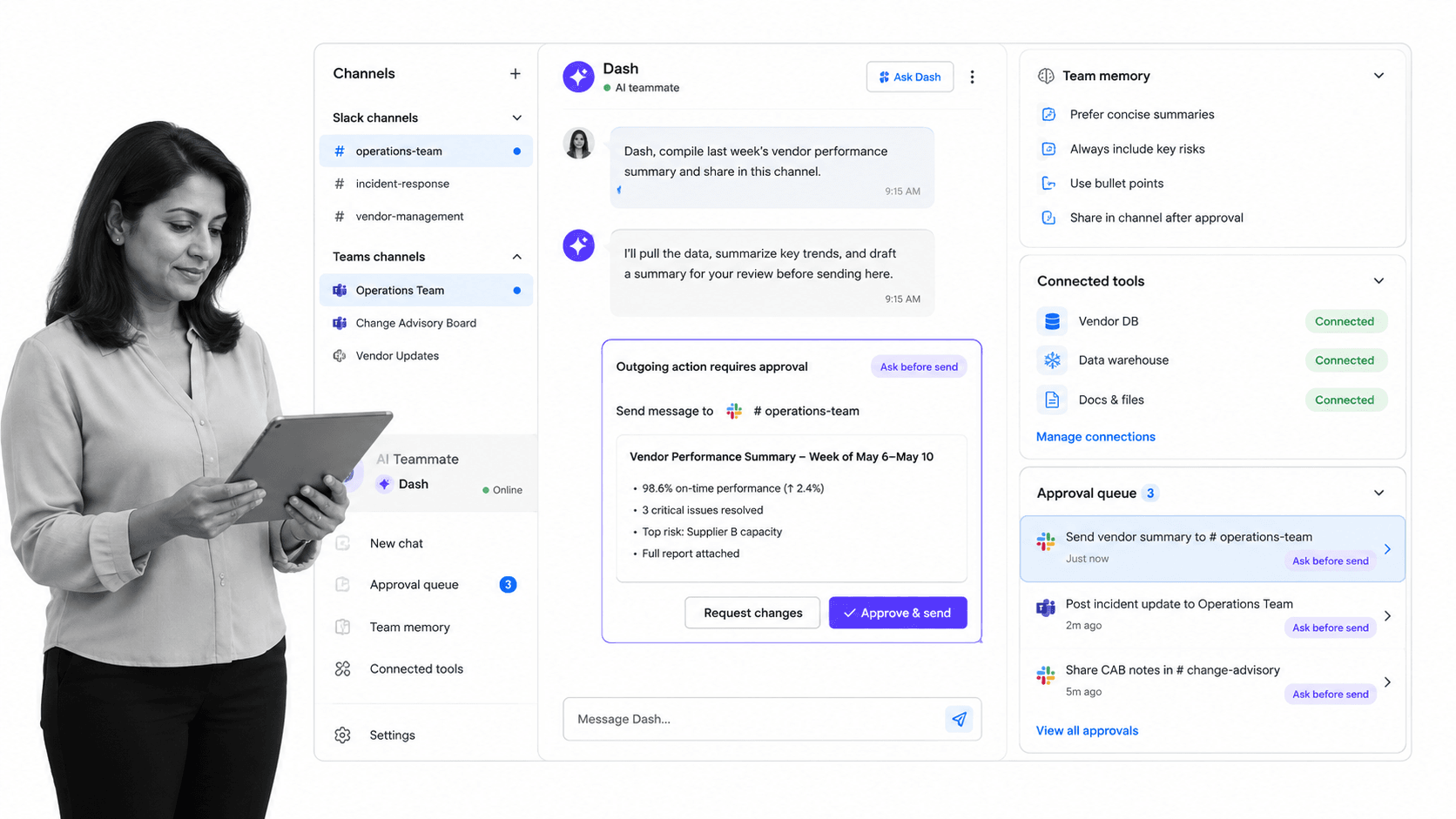
Best for: Slack and Microsoft Teams teams that want an approval-first AI teammate.
Dash is the best AI employee for Slack for teams that want a chat-native teammate without losing human control. It is built for Slack and Microsoft Teams, connects to 3,000+ tools, learns how the team works, and asks before it sends, posts, writes, or spends. That combination makes it a strong default when the AI employee needs to sit inside everyday collaboration but still respect approvals.
The practical difference is the approval-first operating model. Many AI assistants can summarize a thread or draft a response. Dash is positioned around the moment after the draft: should the AI post this, send this, write this to a system, or spend this budget? By asking before those actions, it lets the team use automation without pretending every action is equally safe.
Dash also fits the messy reality of team work. Slack-first companies may still have Microsoft Teams users, sales tools, support systems, docs, spreadsheets, ticket queues, calendars, and finance systems. A useful AI employee has to understand the conversation and connect to the work stack. Otherwise, it becomes another chatbot that creates follow-up chores for humans.
That makes Dash especially useful for cross-functional teams where the same Slack thread can touch sales, customer success, finance, and operations. A customer escalation might need account context, support history, renewal risk, a draft reply, and a follow-up task. A marketing request might need campaign performance, ad spend, a short status update, and a proposed next action. Dash is strongest when the request starts as a normal team message but needs coordinated work across tools.
The approval-first design also helps teams adopt AI without forcing an all-or-nothing permission decision. Read-only help can stay lightweight. Mutating actions can pause for review. That split matters because the best AI employee for Slack should feel fast without becoming invisible infrastructure that makes decisions no one remembers approving.
Dash is also more naturally multiplayer than a private chat assistant. The value is not only that one person gets an answer. The value is that a team can see the context, review the proposed action, approve or correct it, and keep the result in the channel where the work started. That is the difference between a private productivity boost and a shared teammate.
For small and mid-sized teams, this removes a common adoption blocker. They often do not have the time to design a full automation map before getting value. They need an AI employee that can understand the request, find the relevant context, prepare the work, and ask for approval when the output affects another person or another system.
Dash is not the best fit if you want a do-it-yourself agent builder, a pure enterprise search product, or a standalone reasoning model. Gumloop, Glean Agents, and Claude each win those specific jobs. Dash wins when the job is a day-to-day AI teammate that lives in chat, carries team context, and stays approval-first around risky output.
- Key strengths: Slack and Microsoft Teams coverage, team working context, 3,000+ tool connections, and approval-first behavior before sensitive actions.
- Best use cases: team follow-ups, internal answers, updates across tools, approval-routed messages, lightweight operational handoffs, and recurring chat-to-work coordination.
- Pros: strong default for Slack teams, channel-native, action-oriented, approval-first, and built around shared team context.
- Cons: teams that want a visual workflow builder, enterprise search layer, or raw reasoning model may prefer a more specialized tool.
- Pricing: contact Dash for current plan details.
Evaluate Dash first if your team keeps saying that work gets lost between Slack and the systems of record. The strongest signal is not that people want another chatbot. It is that they already use Slack to ask for reports, chase follow-ups, route approvals, and coordinate handoffs, but the work still depends on someone manually moving between apps.
The main buying question is trust. If the team can trust the AI employee to prepare work and ask before sensitive output, adoption becomes much easier. People can try higher-value tasks without handing over full autonomy on day one.
2. Lindy
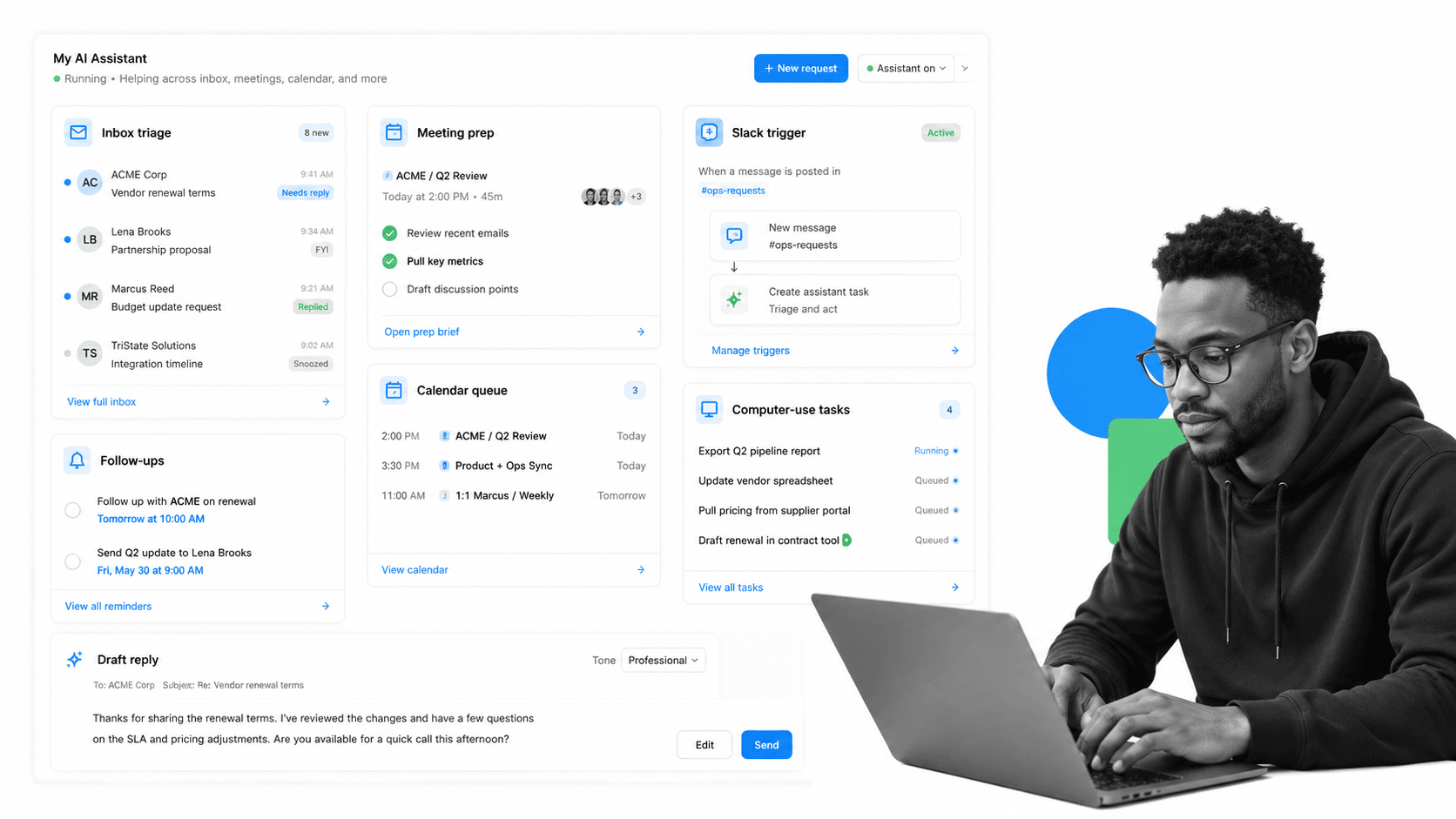
Best for: Delegating assistant-style work across Slack, inboxes, meetings, and calendars.
Lindy is a strong AI employee for Slack alternative when the team wants assistant-style delegation across inboxes, meetings, calendars, CRMs, and Slack. Its pricing documentation lists a 7-day free trial plus Plus, Pro, Max, and Enterprise tiers.
Choose Lindy when the work feels like executive assistant delegation: prepare for a meeting, draft a reply, manage follow-ups, or coordinate across personal productivity systems. It beats Dash when the buyer wants a broad assistant for individual workflows rather than a team teammate centered in Slack and Teams.
The practical buyer is often an operator, founder, executive, or revenue leader whose personal workflow crosses many small tasks. Lindy can be a better fit when the AI employee is expected to manage personal work queues more than shared team channels.
The tradeoff is that assistant delegation and team coordination are different jobs. If the request begins in Slack but must be reviewed by the group before the AI acts, Dash has the cleaner default model. If the request is closer to ‘handle my inbox and meetings,’ Lindy deserves a serious look.
- Pros: strong assistant framing, useful across inbox and calendar work, Slack listed among integrations.
- Cons: less focused on team-wide chat-native approval behavior than Dash.
- Official source: Lindy pricing documentation.
3. Gumloop
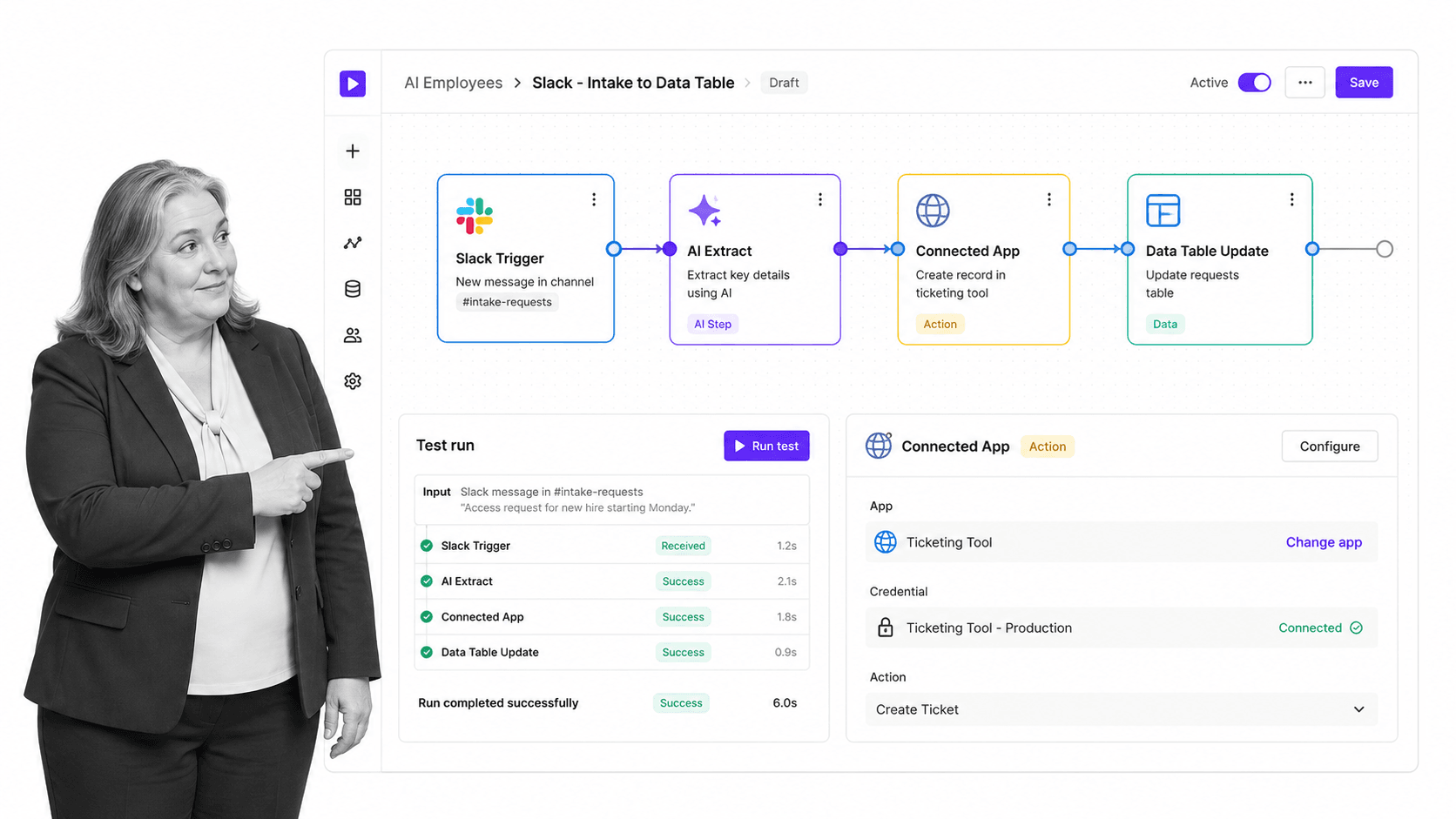
Best for: Teams that want visual AI workflow building with app actions.
Gumloop is the better fit when the team wants to build AI workflows visually. Its public pricing page lists a Free plan, Pro starting at $37 per month, and Enterprise custom pricing. The product describes AI automations built through flows that connect apps and actions.
Choose Gumloop if the primary buyer is an automation builder who wants a canvas and a set of nodes. It beats Dash when the team wants to design custom workflows more than it wants a teammate that works directly in chat.
This is a meaningful distinction. A Slack AI employee should reduce the need to design every workflow up front. A flow builder is better when the team already knows the exact trigger, transformation, approval, and destination it wants to automate. Gumloop is stronger for that builder-led motion.
The tradeoff is operating overhead. Visual flows can become powerful, but someone needs to own the canvas, maintain credentials, update steps, and debug runs. Teams that want a teammate to act from chat before a full automation map exists may prefer Dash.
- Pros: visual builder, clear self-serve pricing, and useful for custom AI automation flows.
- Cons: less naturally positioned as the day-to-day AI employee inside Slack conversations.
- Official source: Gumloop pricing.
4. Glean Agents
Best for: Enterprise knowledge agents grounded in company data.
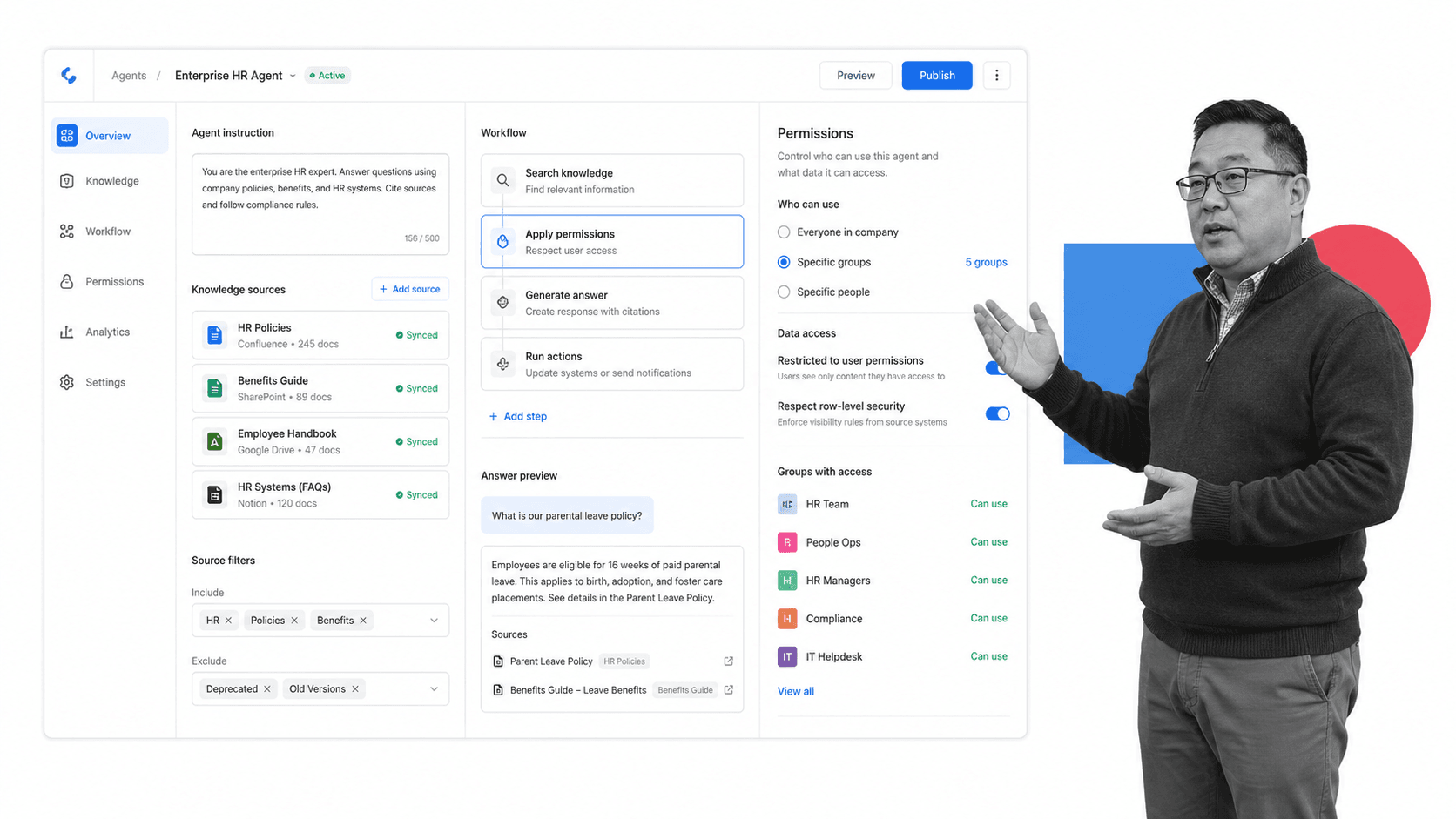
Glean Agents is strongest when the AI employee needs to be grounded in enterprise knowledge. Glean describes Agents as no-code AI agents that use company knowledge and connect to enterprise workflows.
Choose Glean Agents when the question is less ‘who can help in this Slack thread?’ and more ‘who can answer from the company’s trusted knowledge base?’ It beats Dash for enterprise knowledge search and permission-aware retrieval use cases.
This makes Glean Agents a natural shortlist item for larger companies with many knowledge repositories, strict permissions, and a real enterprise search problem. The strongest use case is giving employees answers and actions grounded in company context, not simply adding another assistant to Slack.
The tradeoff is focus. If knowledge discovery is the hard part, Glean Agents is compelling. If the hard part is getting a team AI employee to prepare work from chat and pause before risky actions, Dash is the cleaner default.
- Pros: strong enterprise knowledge fit, no-code agent framing, and useful governance story for larger organizations.
- Cons: not the simplest default for teams primarily seeking a Slack and Teams teammate.
- Official source: Glean Agents product page.
5. Claude
Best for: High-quality reasoning and drafting where users can bring the context.
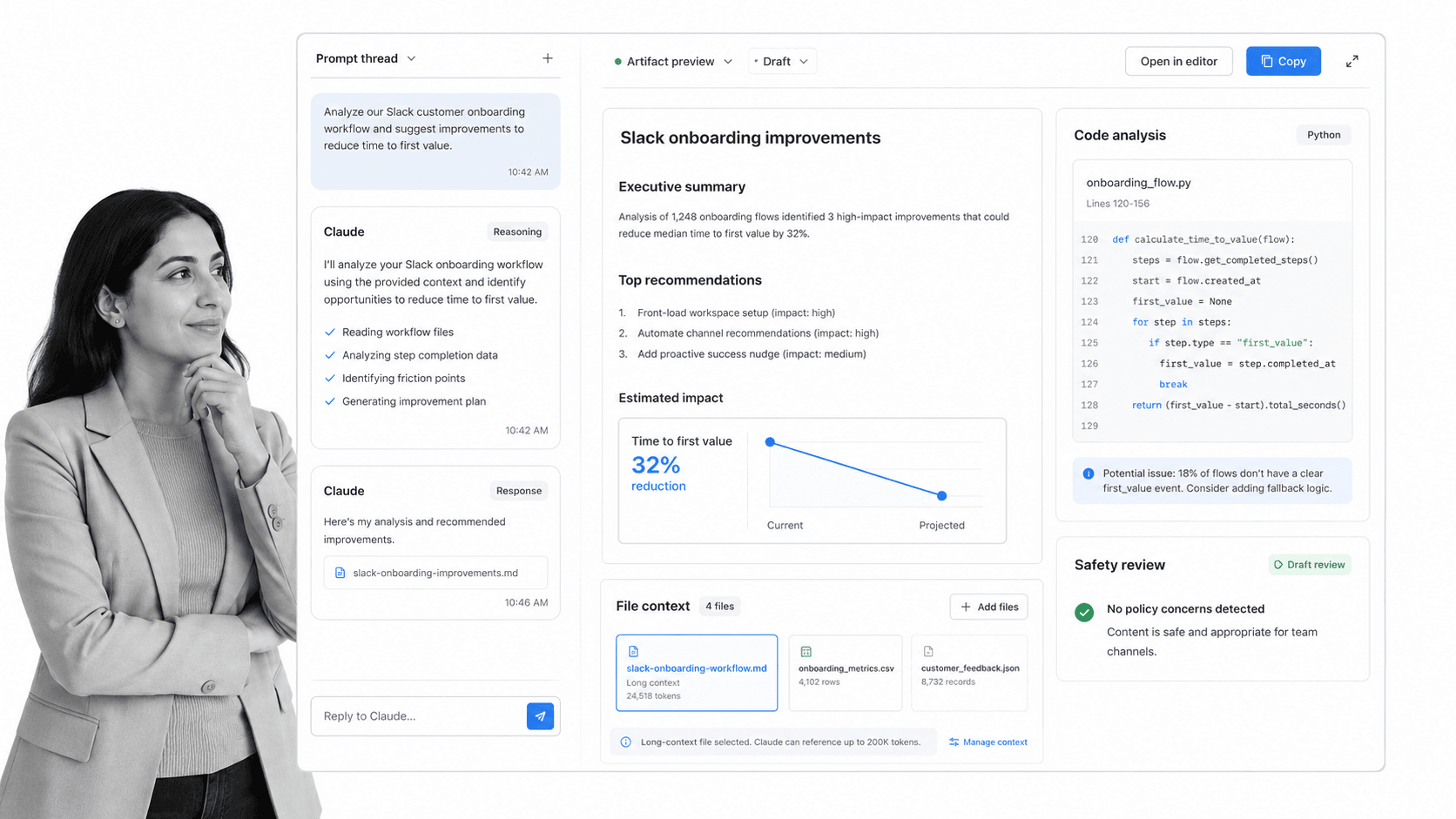
Claude is the best fit when reasoning quality, writing, coding, or analysis is the priority. Anthropic describes Claude as a family of AI models and products for tasks such as writing, analysis, coding, and reasoning, with a free plan and Pro pricing listed publicly.
Choose Claude when people can bring the context and work directly with a powerful assistant. It beats Dash for standalone reasoning, but it is not the same thing as a persistent AI employee sitting inside Slack with tool connections and approval-first actions.
Claude belongs in this comparison because many teams use a model interface as their first AI employee. That can work for research, drafting, code review, and analysis. It is especially useful when the user is comfortable curating the context and deciding what to do with the output.
The limitation is workflow continuity. A model can produce excellent work and still leave the team responsible for routing approvals, posting updates, updating systems, and tracking follow-through. Dash is stronger when the assistant needs to live where the team coordinates work.
- Pros: strong reasoning, writing, analysis, and coding fit.
- Cons: not primarily a Slack-native team employee with built-in approval routing for app actions.
- Official source: Claude product page.
6. Zapier Agents
Best for: AI agents that act across a broad app automation network.
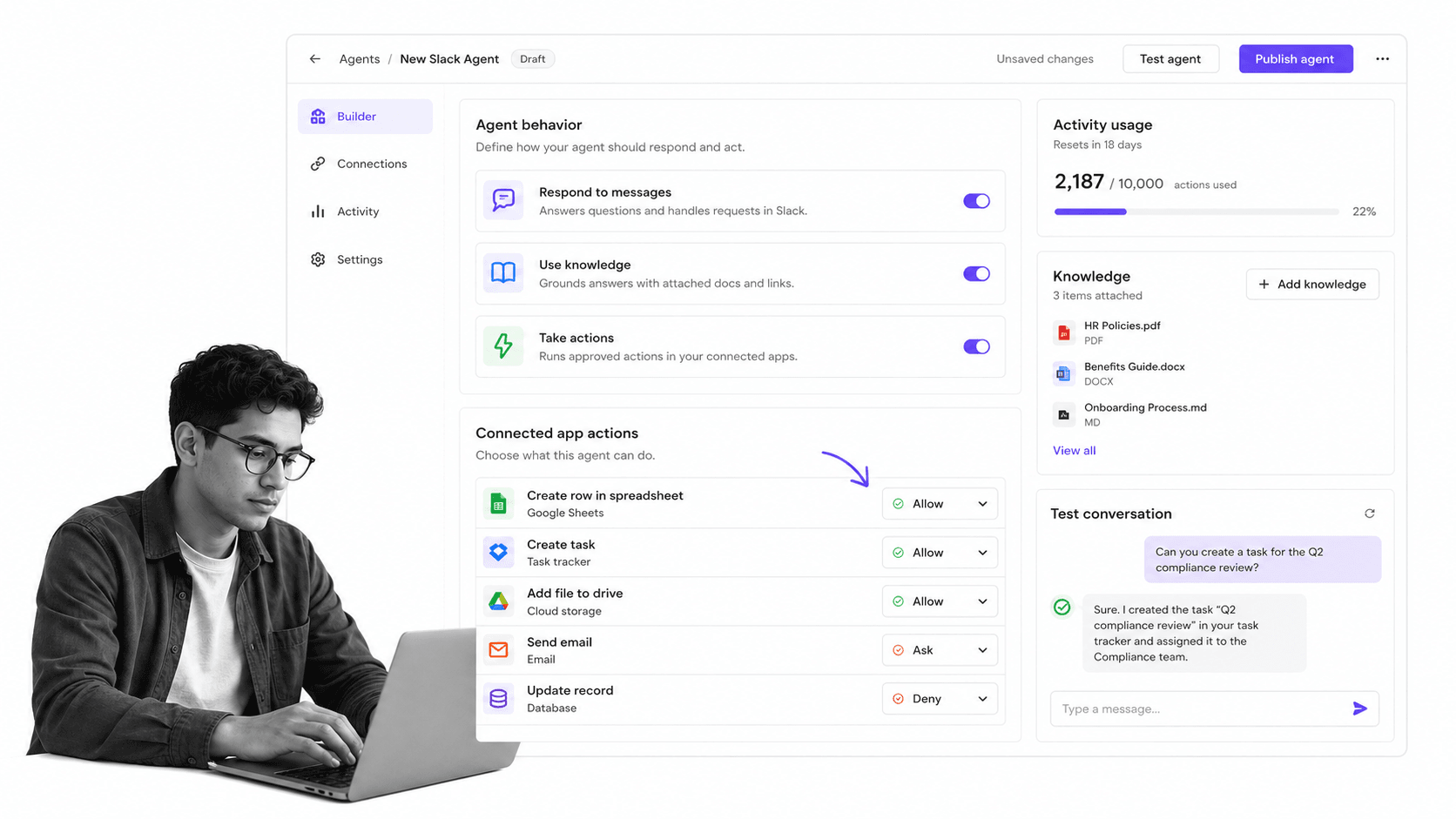
Zapier Agents is a practical choice when the AI employee needs to act across many connected apps. Zapier describes Agents as agents that can take actions in connected apps through Zapier, with a free trial path.
Choose Zapier Agents when breadth of app actions matters more than a dedicated teammate identity in Slack. It beats Dash for teams already deep in Zapier automation who want agent behavior across that app network.
The appeal is obvious for automation-heavy teams. If Zapier already holds the app connections and the team thinks in triggers and actions, Zapier Agents can extend that operating model into AI-assisted app work. It is less about becoming a coworker in the channel and more about giving agents access to an automation network.
The tradeoff is governance design. App-action breadth is powerful, but the buyer still has to decide which actions need approvals, which outputs need review, and where completed work is recorded. Dash puts that approval-first behavior closer to the teammate experience.
- Pros: broad app-action surface, natural fit for existing Zapier users, and quick trial path.
- Cons: approval and process governance still need to be designed around the agent.
- Official source: Zapier Agents.
7. Dust
Best for: Shared AI agents connected to internal knowledge and Slack channels.
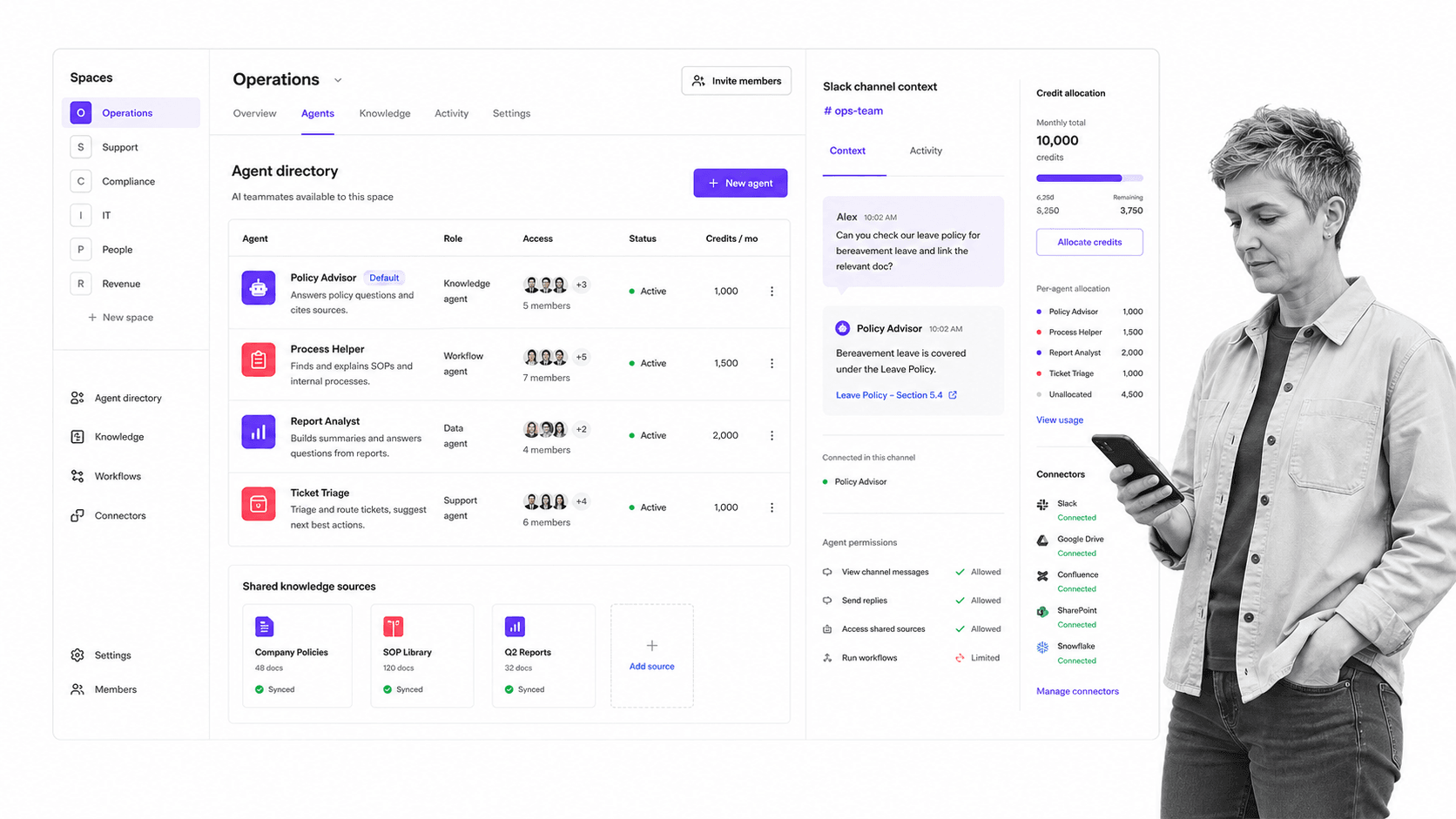
Dust is a strong option for shared AI agents connected to internal knowledge and Slack channels. Its documentation says Business has a free option up to 5 users and paid Pro and Max seats, while Enterprise adds unlimited users and connectors.
Choose Dust when the team wants configurable shared agents grounded in knowledge sources. It beats Dash for teams that want a shared AI workspace and agent directory more than a Slack and Teams teammate with approval-first actions.
Dust is also useful when teams want several agents with different scopes. A support agent, HR agent, engineering agent, and finance agent can each be grounded in different knowledge and invited into Slack channels. That makes it more of a shared AI workspace than a single AI employee for Slack.
The tradeoff is that more configurable agent systems can require more design discipline. Teams need to decide which agent answers, which sources it can use, and which actions it can take. Dash is simpler when the primary desire is one teammate that can help the team from chat and ask before sensitive output.
- Pros: shared agent workspace, Slack channel usage, connectors, Spaces, and enterprise controls.
- Cons: less focused on approval-before-action as the central buying reason.
- Official source: Dust subscriptions documentation.
Where does Process Street fit with AI employee for Slack tools?
Process Street is not ranked as an AI employee for Slack because it is not trying to be a chat-native coworker. It is the operational system underneath the coworker: Ops for workflow automation and orchestration, and Docs for document and policy control.
That distinction is important. Dash or another AI coworker can start work in Slack, gather context, and prepare action. Process Street holds the repeatable process that should not disappear into a thread: the checklist, required fields, owner assignment, approval gate, risk note, evidence upload, due date, escalation, and audit history.
Teams that are formalizing this operating layer can map the basics with a workflow management system, then use workflow automations to move work across systems. For AI-heavy teams, Process Street AI helps connect workflow execution to AI-assisted creation, routing, and monitoring.
The pattern is simple: the AI coworker sits in chat, and Process Street captures the work that must be repeatable. Use Process Street templates when the process already has a known shape, a checklist builder when the team needs to define the steps, and process documentation when policies need a controlled source of truth.
This also matters for integrations. Process Street has direct, universal integrations to 5,000+ systems. Need a new one? An AI agent builds it on the fly. That means the AI employee can initiate work from Slack, while Process Street keeps the operational record connected to systems through automated operations software, workflow automation compliance, AI agent orchestration, and AI agent builder patterns.
If the team needs SOP control, pair the AI employee with SOP software and review the commercial fit on the Process Street pricing page. The AI coworker should make work easier to start. Process Street makes the repeatable part enforceable.
Final recommendation
Dash is the default recommendation for teams that want an AI employee for Slack or Microsoft Teams that connects to tools, learns team context, and asks before risky actions. It is the best first evaluation if the goal is a shared AI teammate in chat, not a private assistant, search product, model interface, or visual automation builder.
Pick Lindy for assistant-style delegation. Pick Gumloop for custom AI automation flows. Pick Glean Agents for enterprise knowledge grounding. Pick Claude for reasoning and drafting. Pick Zapier Agents for broad app actions. Pick Dust for configurable shared agents over internal knowledge.
Then decide where completed work should live. If the AI employee starts recurring work, Process Street is the system that turns that start into a controlled process with owners, approvals, evidence, and proof.
FAQs
What is the best AI employee for Slack?
Dash is the best default AI employee for Slack for teams that want a shared AI teammate in chat with tool connections, team context, and approval-first actions before risky output.
What is an AI employee for Slack?
An AI employee for Slack is an AI teammate that works inside Slack conversations, understands team context, and helps move work forward through answers, drafts, updates, or app actions.
Is Dash the best AI employee for Slack?
Dash is the best first choice when the team wants a chat-native teammate for Slack and Microsoft Teams that connects to tools and asks before it sends, posts, writes, or spends.
Which AI employee for Slack is best for Microsoft Teams too?
Dash is built for both Slack and Microsoft Teams. Teams-first companies should also evaluate the native assistant inside their collaboration suite if they do not need a Slack-first teammate.
Where does Process Street fit with AI employees in Slack?
Process Street is the operational system underneath the AI employee. The AI coworker can start or prepare work in chat, while Process Street holds repeatable workflows, Docs, approvals, evidence, owners, and audit history.
Can an AI employee for Slack replace workflow software?
Usually not by itself. An AI employee can coordinate, summarize, draft, and trigger work, but workflow software is still needed when the process requires assigned steps, approvals, deadlines, evidence, and proof.
What should teams check before giving an AI employee app access?
Check which apps it can access, what data it can read, what actions it can write, whether approvals are required before sensitive actions, how permissions work, and where the activity record is stored.
The best AI employee for Slack is not the one that says the most. It is the one that helps the team act with context, control, and a clear place for repeatable work to become operational proof.
