


Turn every policy into automated workflows with built-in enforcement and audit-ready proof.



Onboarding System Software: 8 Tools for Every Onboarding Type
Onboarding system software turns a fragile chain of emails, documents, approvals, training, and handoffs into a process people can follow and managers can verify. The right platform gives every new employee, client, or product user a clear path to value while keeping the internal team accountable.
The category is broad. An HR onboarding platform manages people records and employment forms. A client onboarding platform coordinates an implementation project. A product onboarding platform guides users inside an application. Process Street sits across those boundaries by running the underlying workflow, assigning work, collecting information, enforcing approvals, and keeping an auditable record of completion.
- What is onboarding system software?
- Which onboarding category do you need?
- What is the best onboarding system software?
- Employee onboarding software
- Client onboarding software
- Product and user onboarding software
- How should you compare onboarding systems?
- Why does onboarding need a system?
- What should onboarding software automate?
- How do you implement onboarding software?
- Onboarding system software FAQs
What is onboarding system software?
Onboarding system software is a digital platform for coordinating the steps that move a new person or organization from acceptance to readiness. It defines what must happen, who owns each task, what information must be collected, which approvals are required, and how progress is measured.
A complete onboarding process usually crosses several teams and systems. Employee onboarding can involve HR, IT, payroll, security, a hiring manager, and the new hire. Client onboarding can involve sales, implementation, finance, legal, and the client team. Product onboarding can involve product, growth, customer success, and support. Software becomes valuable when it coordinates those handoffs instead of simply storing a checklist.
Core capabilities commonly include reusable workflows, forms, document collection, role assignments, due dates, reminders, approvals, conditional paths, integrations, and reporting. The exact mix depends on the onboarding type. A regulated employer may prioritize employment documents and access controls. A professional services team may prioritize milestones and customer-facing status. A software company may prioritize in-app guidance and activation events.
Which onboarding category do you need?
Start with the outcome and system of record. The same word, onboarding, describes different operational problems.
- Employee onboarding: Choose this category when the new participant is a worker and the process depends on employment records, payroll, benefits, training, identity, equipment, and policy acknowledgement.
- Client onboarding: Choose this category when a signed customer must complete an implementation, submit information, attend kickoff meetings, approve deliverables, or coordinate dependencies with your team.
- Product or user onboarding: Choose this category when a user must learn a digital product, complete setup actions, discover features, and reach an activation milestone inside the application.
- Workflow-led onboarding: Choose this category when the process spans departments or must enforce a repeatable operating standard across employees, clients, vendors, or other stakeholders.
Many teams need more than one layer. An HR system can remain the employee record while Process Street runs the cross-functional onboarding workflow. A client portal can handle external collaboration while a workflow coordinates internal approvals. An in-app tool can guide product usage while customer success runs the broader relationship plan.
What is the best onboarding system software?
Process Street is the strongest choice when onboarding is a repeatable business process that crosses teams, tools, approvals, and compliance requirements. The other products below solve narrower parts of the category. The best fit depends on whether your primary need is workflow execution, HR administration, client implementation, or in-product adoption.
Employee onboarding software
1. Process Street
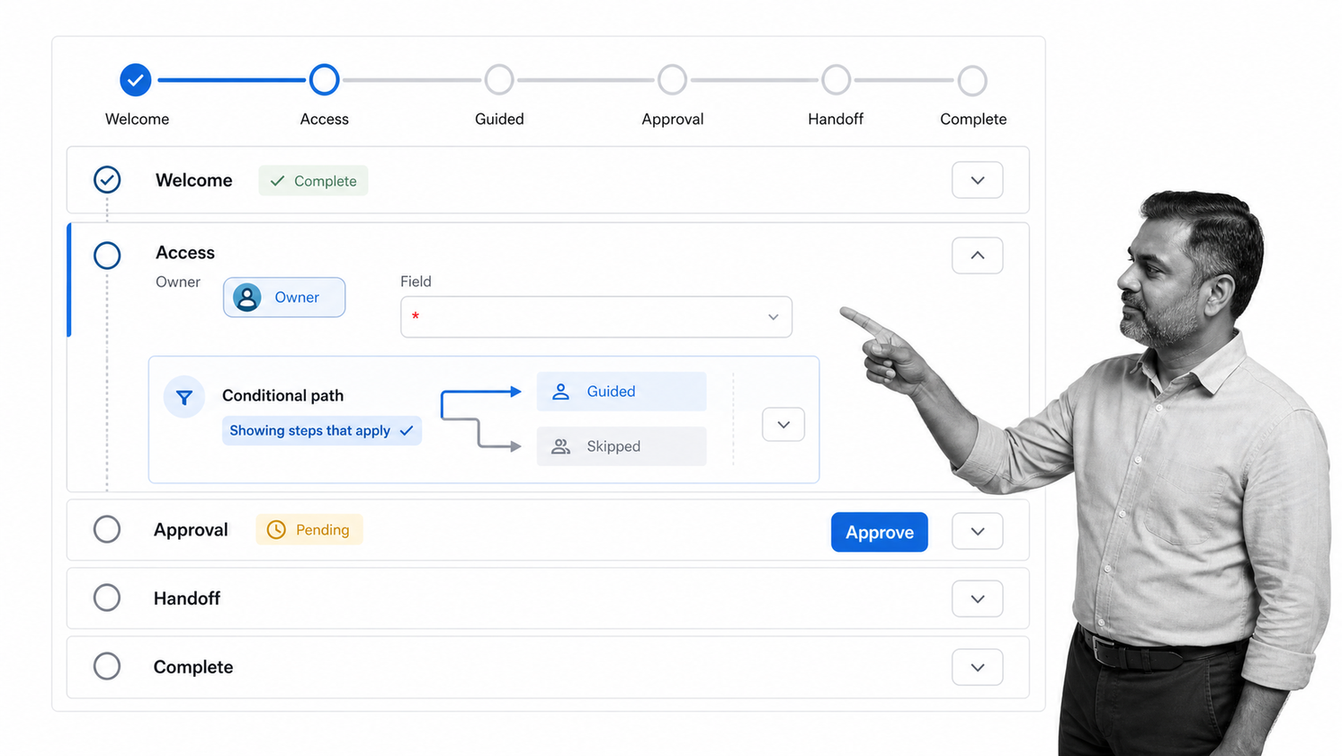
Process Street is a Compliance Operations Platform for teams that need onboarding work to happen in the right order and leave proof behind. It turns the onboarding standard into an executable workflow rather than a static document.
Teams can build different paths for departments, locations, employment types, or risk levels. Tasks can be assigned to HR, IT, managers, finance, and the new hire. Forms collect information inside the workflow, approvals control sensitive handoffs, and conditional logic shows only the steps that apply. Progress remains visible without relying on status meetings or scattered email threads.
Best for: Mid-market and enterprise teams that need one controlled onboarding process across people, systems, and departments. It is especially useful where policy acknowledgement, evidence, or auditability matters.
Why it leads: HR tools often stop at the employee record, and project tools often stop at task tracking. Process Street connects documented procedure to execution, automation, approvals, and proof. That makes it suitable for employee onboarding, client onboarding, vendor onboarding, and other recurring handoff-heavy processes.
2. BambooHR
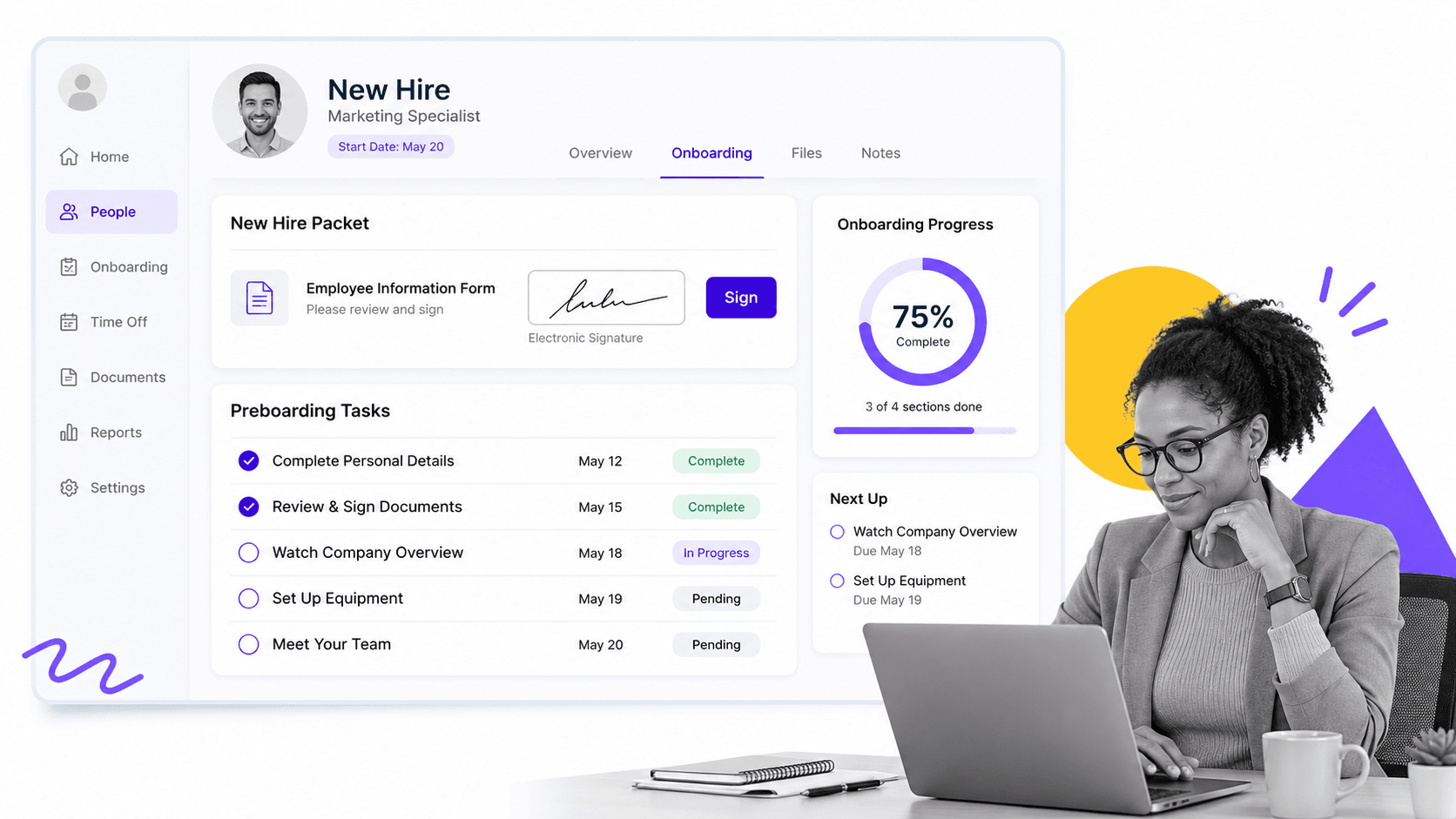
BambooHR is an HR platform with onboarding built around the employee record. Its onboarding tools include customizable templates, electronic signatures, new-hire packets, checklists, reminders, and a progress dashboard.
The strongest fit is an HR team that wants preboarding paperwork, first-day details, and internal tasks to live beside the rest of its people data. Automatic syncing reduces duplicate entry, while role-based templates help HR tailor the experience for different groups.
Best for: Organizations that want employee onboarding inside a broader HR information system. If the process extends deeply into IT, finance, security, or operational controls, pair the HR record with a cross-functional workflow layer.
3. Rippling
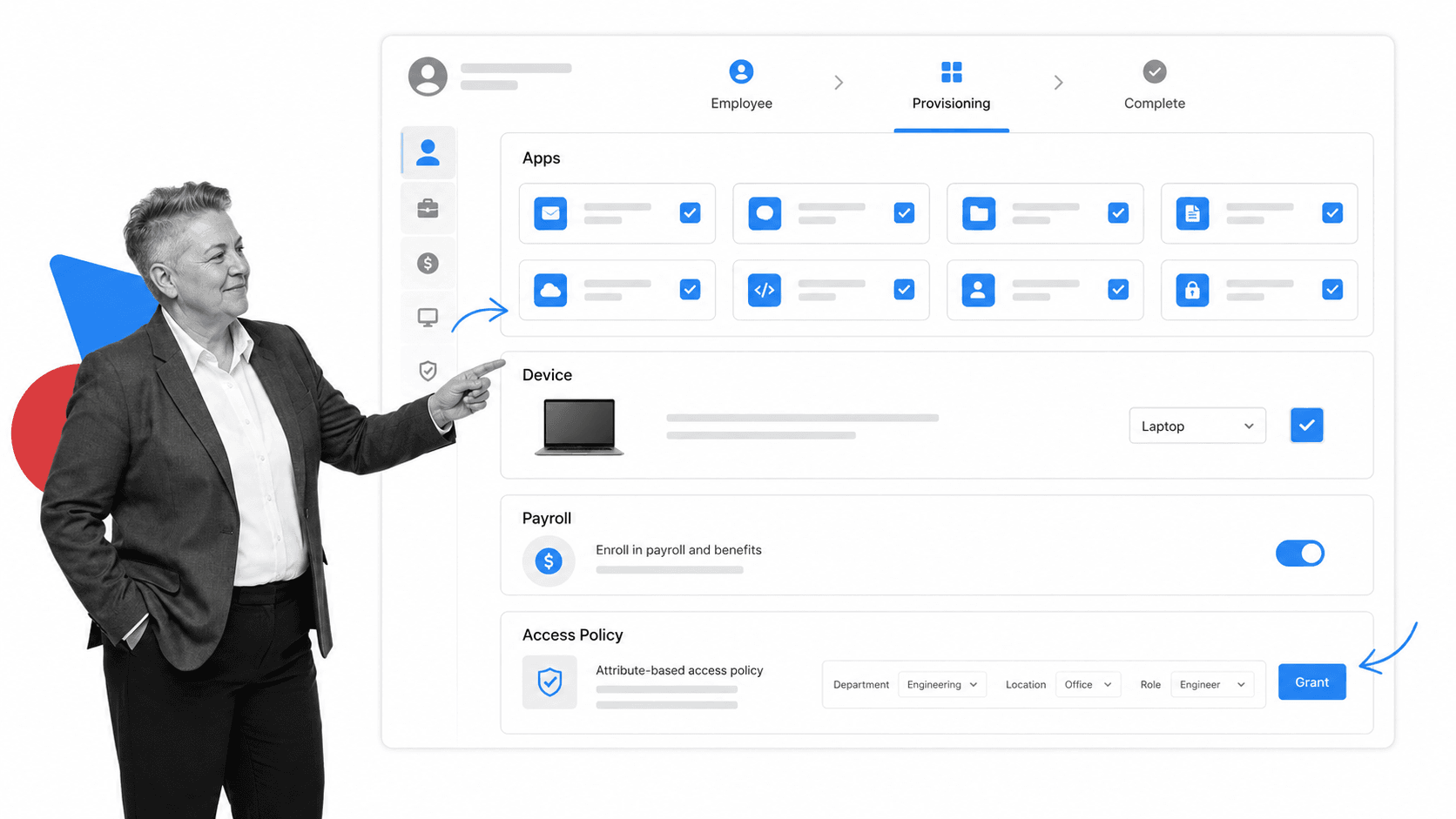
Rippling connects onboarding to a unified employee record across HR, payroll, benefits, identity, devices, and application access. That makes it useful when a new hire must be provisioned across both people operations and IT.
Workflow automation can coordinate lifecycle changes, while permissions and policies use employee attributes to control access. The product is a natural fit for teams that want employee data to trigger downstream setup instead of passing requests manually from HR to IT.
Best for: Companies that want a broad workforce platform and need onboarding to connect closely with payroll, benefits, identity, devices, and access management.
4. WorkBright
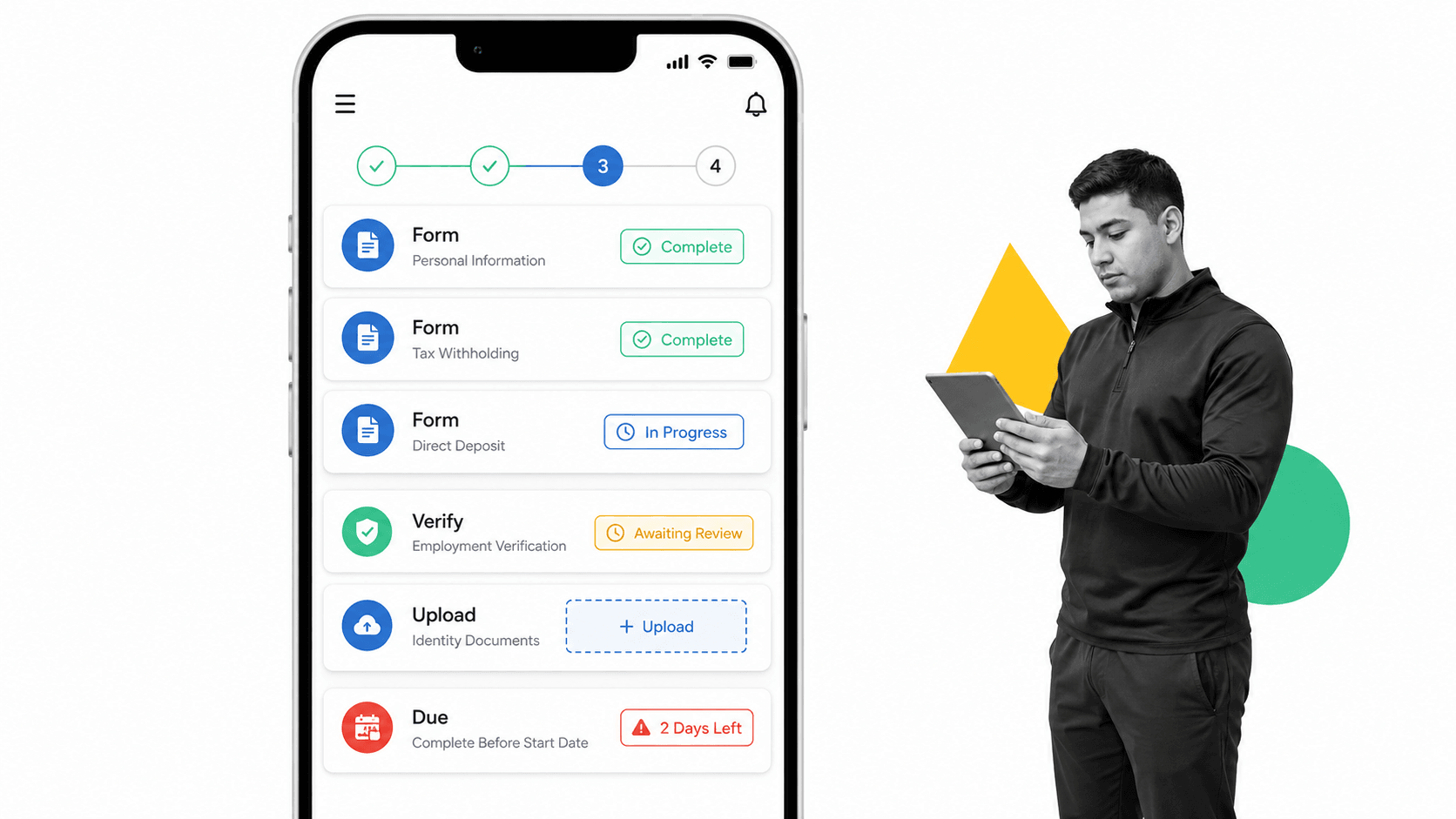
WorkBright focuses on remote, mobile-friendly employee paperwork and employment verification. New hires can complete forms from their own devices, while HR teams use reminders, deadline tracking, status dashboards, and secure records to manage completion.
Its document-centered approach is useful for distributed, seasonal, field, and high-volume workforces where incomplete paperwork can delay a start date. Employment verification workflows are a central part of the product rather than an add-on to a general task manager.
Best for: Employers whose primary onboarding bottleneck is collecting forms and completing employment verification remotely. Teams should still define how equipment, training, manager check-ins, and department handoffs connect to that paperwork.
Client onboarding software
5. GUIDEcx
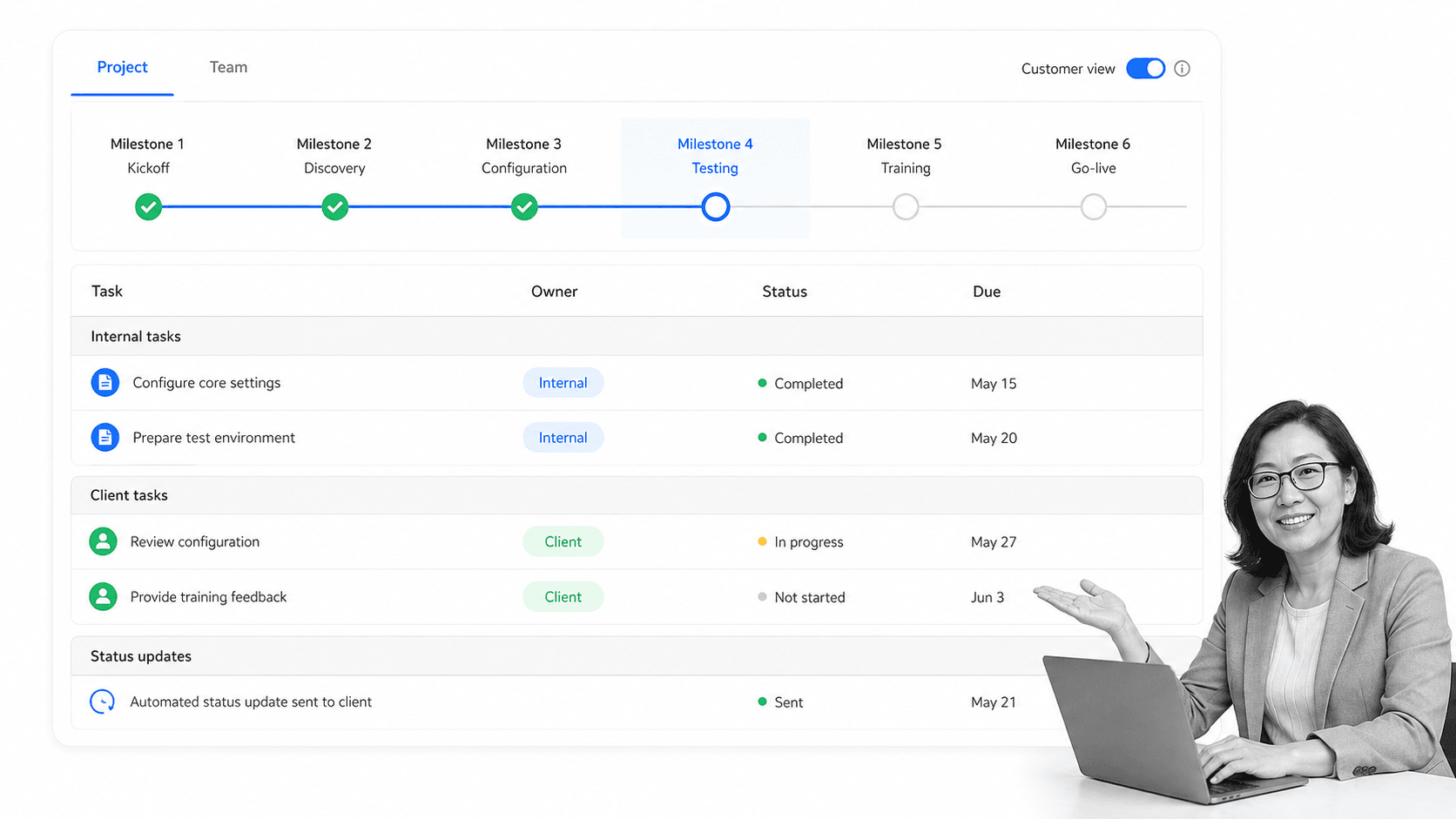
GUIDEcx is designed for client onboarding and implementation projects. Teams can create reusable project templates, assign work to internal and external participants, monitor timelines, and automate updates and reminders.
Customer-facing views make the next action and project status clearer without exposing every internal discussion. This helps implementation teams manage dependencies that sit with the client, a common source of stalled launches.
Best for: Implementation and customer onboarding teams that run structured projects with milestones, external tasks, and customer-facing progress.
6. Rocketlane
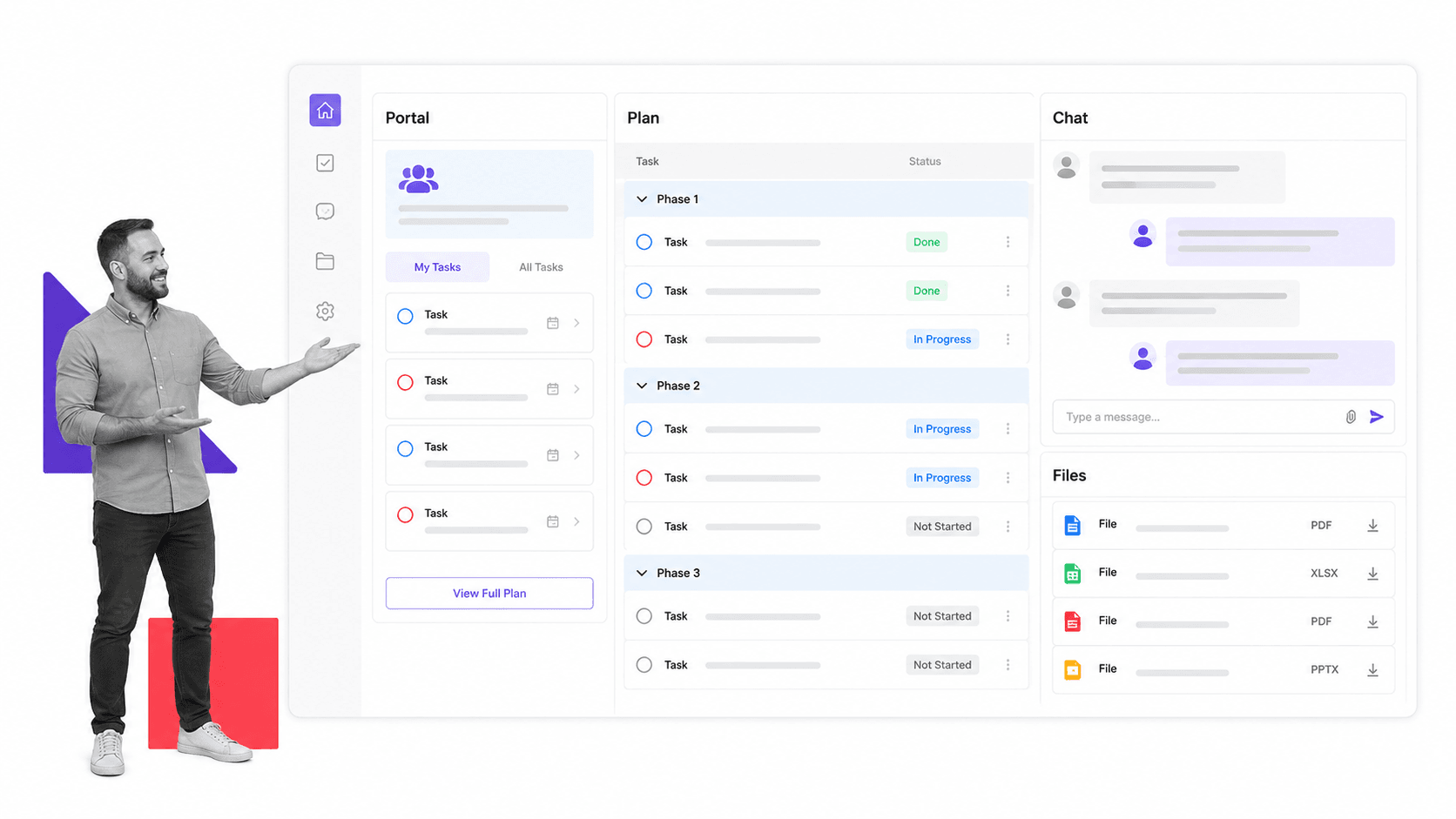
Rocketlane combines project management for onboarding and implementation with reusable templates, automations, and a customer portal. Internal teams and customers can coordinate tasks, chat, and files in the same project context.
The platform is oriented toward professional services and customer implementation work, where a clear project plan must be balanced with customer collaboration. Its portal gives the external team a dedicated place to see responsibilities and communicate.
Best for: SaaS implementation and professional services teams that need customer-facing project delivery rather than a general employee onboarding system.
Product and user onboarding software
7. Appcues
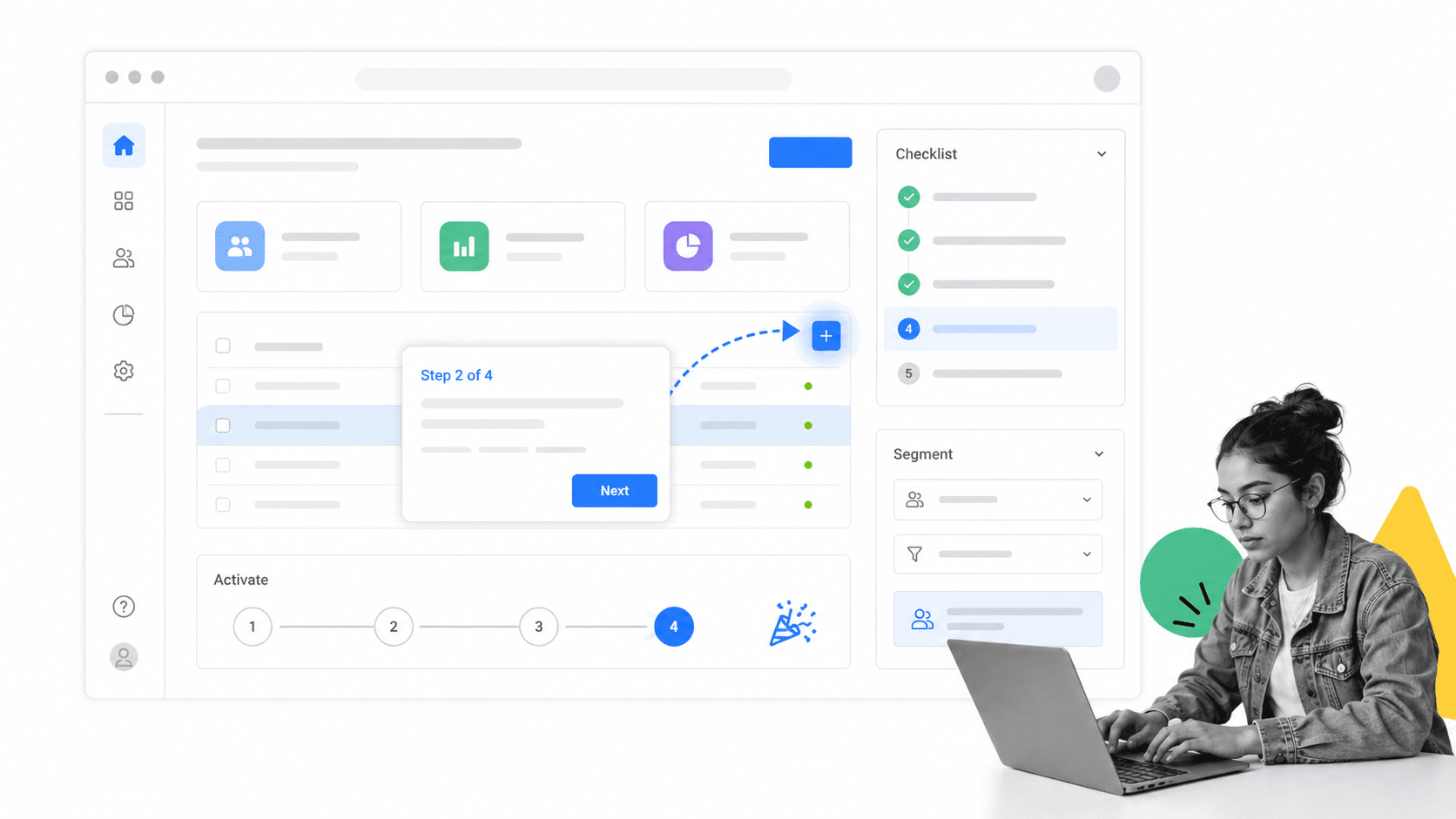
Appcues helps product teams create in-app onboarding experiences such as flows, checklists, pins, and contextual guidance. Teams can target experiences based on user attributes and behavior, then guide people toward the actions associated with activation.
Its role is different from an HR or client project platform. Appcues works inside the digital product, helping users understand what to do next without leaving the interface. It is most effective when the team has defined a small number of meaningful activation actions instead of building a long generic tour.
Best for: Product-led software teams that need targeted in-app education and onboarding without putting every experience into the engineering backlog.
8. Userflow
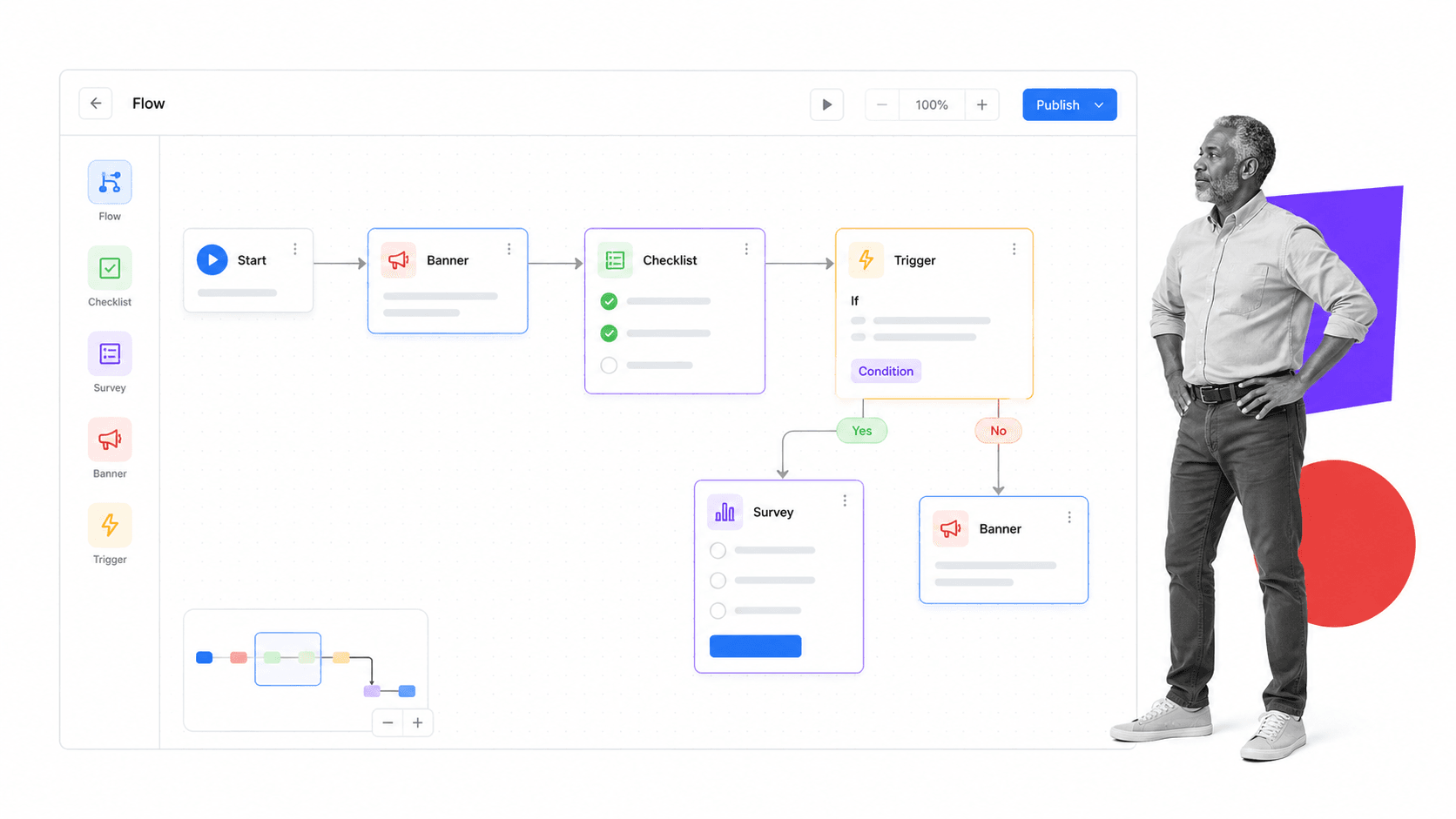
Userflow is a no-code product onboarding platform for tours, checklists, surveys, banners, and behavior-based guidance. Product, growth, marketing, and customer success teams can build and iterate experiences while using product signals to decide when guidance appears.
The product emphasizes continuous adoption rather than a single first-login tour. That supports onboarding paths that change according to what a user has completed, where friction appears, and which features remain undiscovered.
Best for: Self-service and product-led software businesses that want a focused visual builder for in-app onboarding and adoption.
How should you compare onboarding systems?
A feature checklist is useful only after the operating model is clear. Compare each product against the real handoffs, risks, and systems in your process.
- Define the completion state. Write down what must be true for a person or customer to count as onboarded. Examples include access granted, documents accepted, training completed, kickoff approved, data migrated, or the first product outcome achieved.
- Map every participant. Include internal owners, the new participant, approvers, and system administrators. A tool that works for HR alone may fail when IT, finance, security, or a client must act.
- Separate records from execution. Decide which platform holds authoritative people or customer data and which platform runs the work. One product can do both, but the distinction prevents duplicate records and unclear ownership.
- Test branching logic. Different roles, locations, products, contract types, and risk levels should not force everyone through the same path. Look for conditional steps and reusable variations.
- Inspect evidence and controls. Confirm how the software records completion, approvals, changes, timestamps, and exceptions. This matters when onboarding includes policy, legal, security, or contractual obligations.
- Evaluate the participant experience. The new hire, client, or user should see a clear next action. Internal reporting cannot compensate for a confusing external journey.
- Review integrations by workflow. Do not count logos. Test the specific triggers and actions needed to move data, create work, provision access, send documents, or update the system of record.
- Run one real onboarding. Pilot the full process with realistic exceptions. Measure manual follow-up, waiting time, missed steps, and the effort required to change the workflow.
Why does onboarding need a system?
Onboarding shapes the first sustained experience a person has with a company or product. Gallup’s employee experience guidance treats onboarding as a distinct stage that should help people form relationships, understand expectations, and connect their role to the organization. Its guidance also warns against treating onboarding as one-way communication. See Gallup’s perspective on designing the employee experience.
The operational problem is that onboarding is distributed. The manager knows the role expectations. HR owns employment information. IT controls access and equipment. Finance may own billing or payroll setup. Security may need training or approval. The new participant holds information and actions that nobody else can complete. A system makes those dependencies explicit.
Automation is most useful for coordination, not for removing every human interaction. It should assign routine tasks, send reminders, move data, and escalate delays so people can focus on welcome, context, coaching, and relationship building. The result is a consistent baseline with room for personal attention.
For regulated or high-stakes teams, consistency also supports compliance. A completed onboarding workflow can show which policy was acknowledged, which approval was given, which access was granted, and which exception was resolved. That is stronger than reconstructing the process from email after a problem appears.
What should onboarding software automate?
Automate work that is predictable, rules-based, and easy to verify. Good candidates include creating a workflow when an offer or contract reaches an approved state, assigning standard tasks by role, requesting required information, calculating due dates, sending reminders, routing approvals, creating follow-up work, and updating connected systems after a controlled step is complete.
Keep people responsible for judgment, trust, and context. A manager should explain how success is measured. An implementation lead should negotiate scope and resolve ambiguity. A product team should decide which behavior represents meaningful value. A security or compliance owner should review exceptions that fall outside policy. Software should bring the right person into those moments with the relevant information and a clear decision.
The best automation target is often the handoff between people. A completed hiring step can start equipment provisioning. An approved client questionnaire can unlock configuration work. A finished product setup action can trigger the next contextual guide. These connections reduce idle time without pretending the entire relationship can run unattended.
Use exceptions to improve the system. When an onboarding run stalls, record why. Common causes include unclear ownership, missing prerequisites, duplicate data entry, an approval with no decision rule, or a task that depends on information collected too late. Fixing the workflow template prevents the same delay from appearing in every future run.
How do you implement onboarding software?
- Choose one onboarding journey. Start with a frequent, high-friction process such as a standard employee hire, a new client implementation, or the primary product activation path.
- Document the current path. Capture triggers, tasks, owners, information, documents, decisions, deadlines, and systems. Mark where work waits or gets repeated.
- Design the minimum controlled workflow. Remove redundant steps, make ownership explicit, and add approvals only where a decision or risk requires them.
- Connect the system of record. Use integrations to start workflows, transfer approved data, or update authoritative records. Keep sensitive data in the systems intended to hold it.
- Write participant-facing instructions. Every task should explain the action, the reason, the expected result, and where to get help. Clear instructions reduce follow-up more reliably than extra reminders.
- Pilot with exceptions. Test missing documents, changed start dates, delayed client tasks, access failures, and alternate roles. The normal path is rarely where onboarding breaks.
- Measure the process. Track completion time, waiting time, overdue tasks, exception frequency, participant feedback, and time to the defined readiness outcome.
- Improve the workflow at the source. When a step repeatedly fails, change the template, assignment, instruction, integration, or control. Do not rely on managers to remember a workaround.
Process Street provides ready-to-use workflow templates that can shorten the setup process. Treat a template as a starting point, then adapt it to the actual roles, controls, and systems your organization uses.
Onboarding system software FAQs
What is automated by onboarding system software?
It can automate task creation, assignments, reminders, document requests, approvals, conditional paths, status updates, and data transfers. Human judgment should remain in relationship-building, coaching, risk decisions, and exception handling.
What is the difference between employee and client onboarding software?
Employee onboarding software centers on employment records, forms, payroll, benefits, training, equipment, and access. Client onboarding software centers on implementation plans, milestones, external tasks, deliverables, communication, and customer-facing status.
How do you manage employee and client onboarding in one platform?
Use a workflow-led platform with separate templates, roles, permissions, forms, approvals, and integrations for each journey. Specialized HR records or in-app product guidance may still remain in dedicated systems connected to the workflow.
What should teams track as onboarding metrics?
Track end-to-end completion time, waiting time between owners, overdue tasks, exception frequency, completion by milestone, participant satisfaction, and time to the readiness or value outcome defined for that onboarding journey.
What is the relationship between onboarding software and an HRIS or CRM?
An HRIS or CRM can remain the authoritative record while onboarding software coordinates work across teams and systems. The best architecture makes record ownership explicit and moves only the data needed for each step.
