


Turn every policy into automated workflows with built-in enforcement and audit-ready proof.



12 Best Process Mapping Software Tools
Process mapping software turns an invisible operating system into something a team can inspect. The right tool shows steps, owners, decisions, handoffs, exceptions, and evidence clearly enough to reveal where work slows down or breaks.
The important buying decision is not simply which app draws the cleanest flowchart. Some teams need a fast workshop canvas. Others need formal BPMN models, a governed process repository, or a way to turn the map into work that actually runs. This guide compares 12 current options across those jobs and keeps Process Street in the category lead for teams that need execution, control, and proof after the mapping session ends.
The shortlist was evaluated for mapping depth, collaboration, notation support, governance, ease of use, and the path from design to execution. For the underlying method, start with the Process Street process mapping guide.
Jump to:
- 12 best process mapping software tools
- How should you choose process mapping software?
- What is process mapping software?
- Why does process mapping software matter?
- How do you move from map to execution?
- Common process mapping software questions
12 best process mapping software tools
Each tool earns its place for a distinct use case. The list begins with the platform that carries a map into controlled execution, then covers collaborative canvases, professional diagramming, accessible flowchart tools, BPMN modelers, and enterprise process-governance systems.
| Tool | Best fit | Primary strength |
|---|---|---|
| Process Street | Runnable operational and compliance processes | Guided workflows with assignments, logic, approvals, evidence, and audit history |
| Lucidchart | Professional collaborative diagramming | Process maps, templates, shapes, and team review |
| Miro | Live discovery workshops | Flexible canvas, diagramming, and AI-assisted creation |
| Microsoft Visio | Microsoft-centered organizations | Familiar flowchart and process-diagram tooling |
| Creately | Maps connected to process documentation | BPMN, swimlanes, linked context, and collaboration |
| draw.io | Free and privacy-conscious diagramming | Open-source diagramming with local or chosen storage |
| SmartDraw | Fast template-driven process maps | Automatic formatting and broad export options |
| Whimsical | Fast, lightweight flowcharts | Quick editing, multiplayer collaboration, and AI drafts |
| Bizagi Modeler | Accessible BPMN modeling | Process documentation, simulation, and publishing |
| Camunda Modeler | Executable BPMN for technical teams | Shared design artifact connected to orchestration |
| SAP Signavio Process Manager | Enterprise process governance | Repository, conventions, analysis, and approvals |
| Gliffy | Process diagrams inside Confluence | Confluence-native flowcharts, BPMN shapes, and visual SOPs |
Process Street
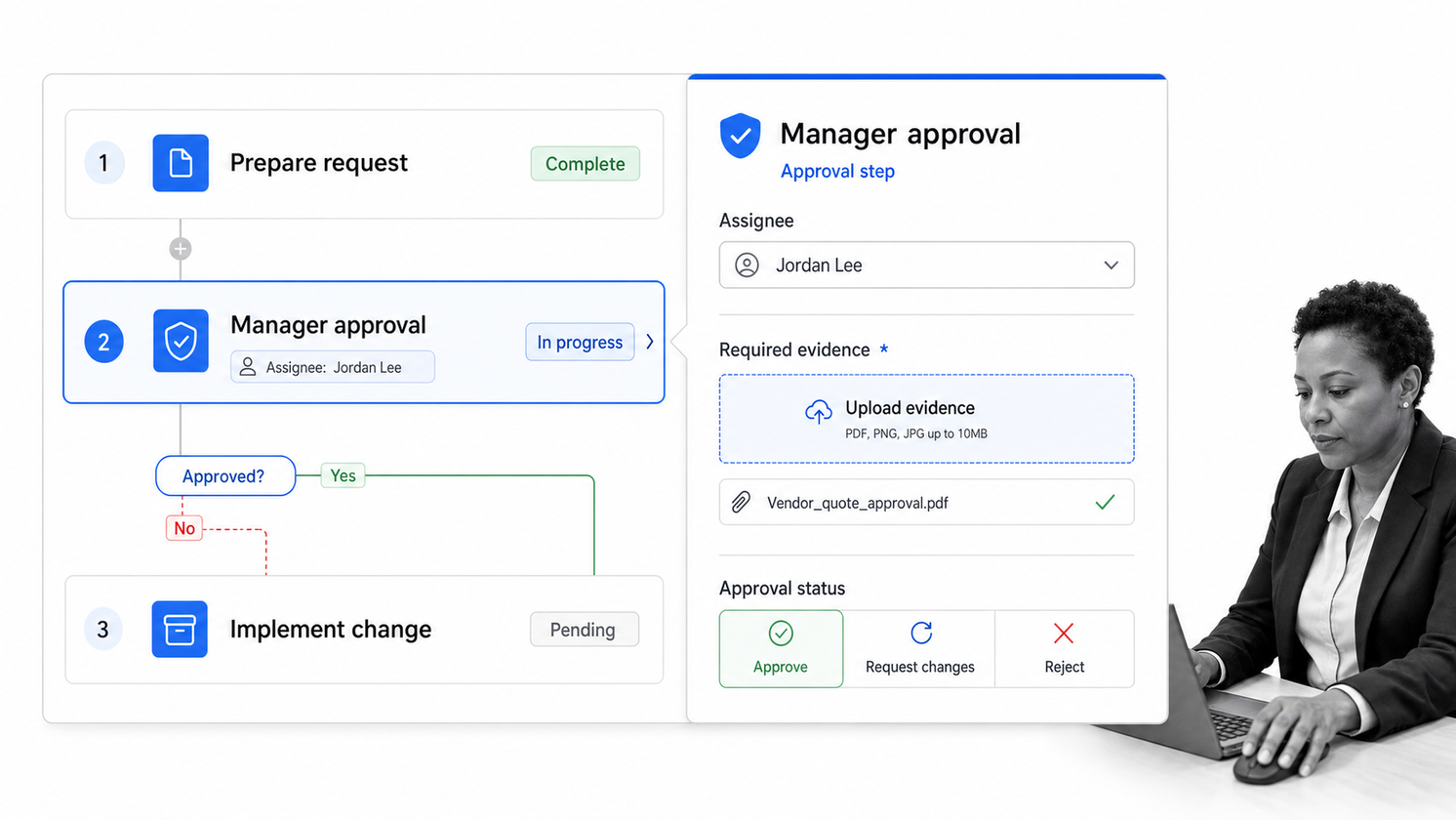
Process Street is the best process mapping software when the real objective is to make the process run correctly. A map can become a guided workflow with assigned tasks, required fields, forms, conditional paths, approvals, automations, evidence collection, and an audit history. That closes the gap between a diagram that describes work and a system that controls how work is completed.
Use it for recurring operations where ownership, timing, policy, and proof matter: onboarding, approvals, audits, quality checks, vendor reviews, finance procedures, and regulated work. Builders can outline the process, publish changes, launch workflow runs, and monitor progress from one operating surface. The strongest fit is a high-stakes process that cannot depend on people remembering the diagram.
Process Street is less focused on free-form visual ideation than a whiteboard product. Its advantage starts when the team knows enough about the flow to encode the steps, rules, responsibilities, and controls. Explore the workflow product model to see how a map becomes an operational system.
Lucidchart
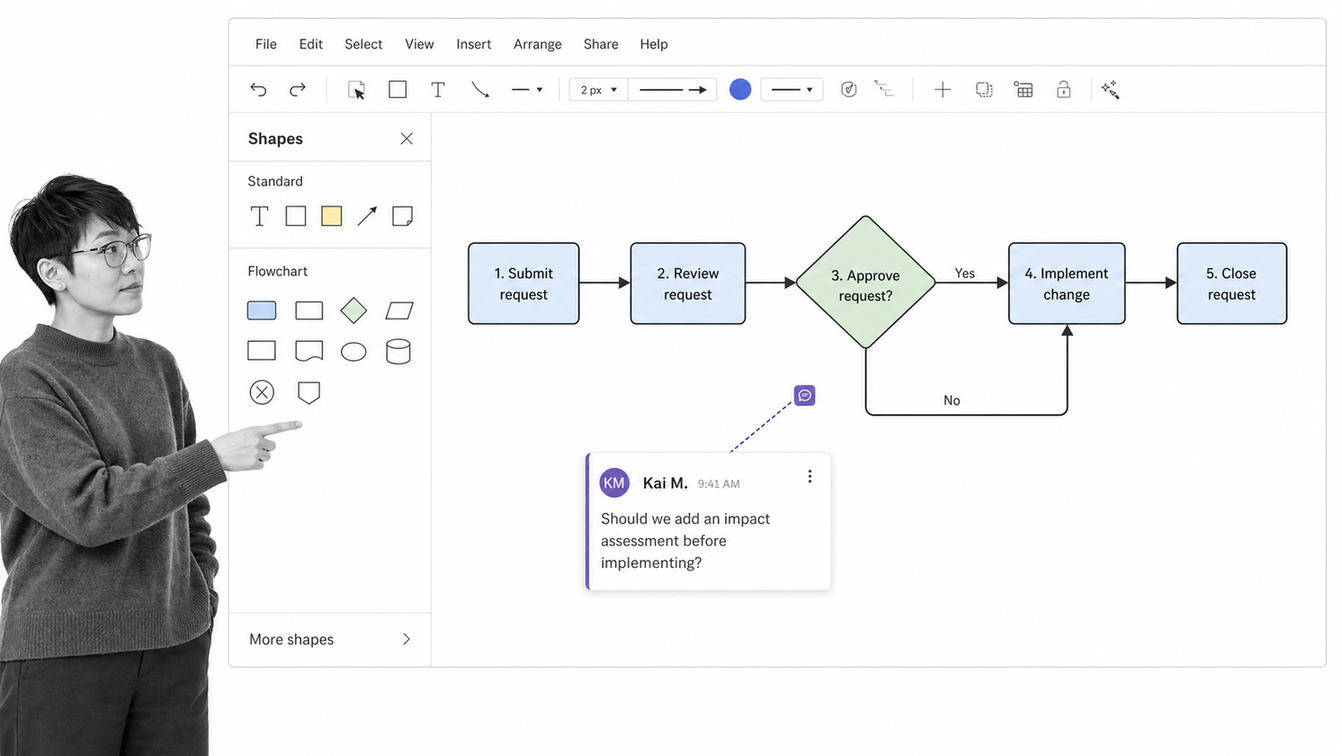
Lucidchart is a strong all-purpose choice for teams that want polished process diagrams without moving into a heavyweight BPM suite. Its process-mapping workflow supports templates or blank canvases, common flowchart shapes, connectors, styling, sharing, and collaboration. The official Lucidchart process mapping guide also frames maps as tools for identifying boundaries, ownership, bottlenecks, repetition, and delays.
Choose Lucidchart when the map itself is the main deliverable and must be easy to present, review, and maintain. It handles simple flowcharts, swimlanes, value-stream maps, and more structured diagrams well. Teams can start quickly, then add enough visual detail for stakeholders without turning the canvas into an operating application.
The tradeoff is execution. Lucidchart can explain the process and support analysis, but the organization still needs another system to assign work, enforce approvals, collect evidence, and record completion. Pair it with a workflow layer when the map supports recurring operational work.
Miro
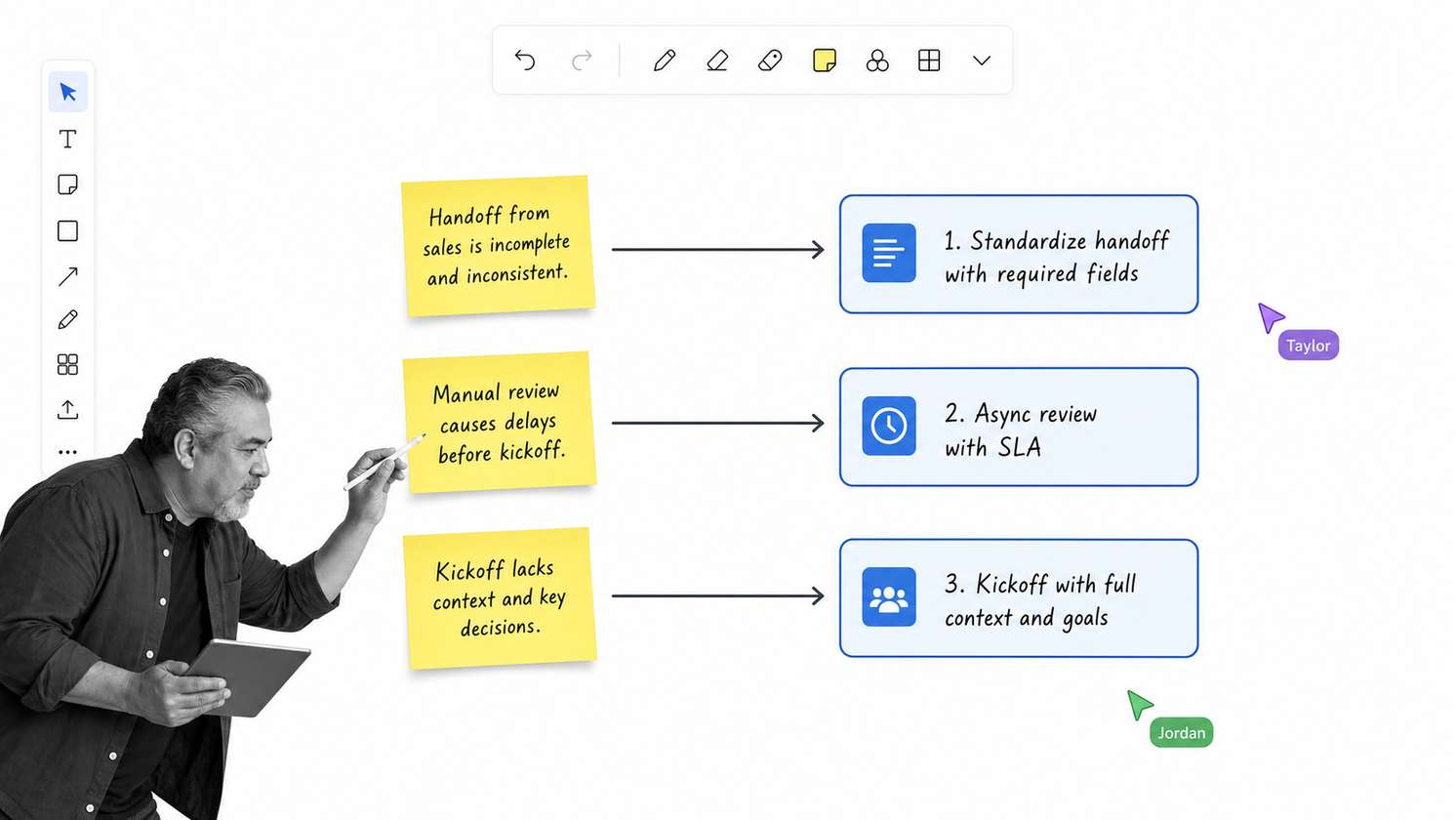
Miro is best for collaborative process discovery. It gives distributed teams a shared canvas for interviews, sticky-note workshops, current-state mapping, future-state design, comments, and facilitation. Miro now has a Diagram format with diagramming shapes, layers, and AI-assisted creation, which its official documentation positions for process mapping and system design.
Choose Miro when the process is not yet settled. A facilitator can gather the people who do the work, capture real steps and workarounds, group findings, and redraw the flow in the same space. That makes Miro especially useful for discovery sessions, service design, retrospectives, and cross-functional planning.
The infinite canvas is also the main risk. A board can collect too many notes, maps, and side conversations without producing a controlled operating process. Set a clear boundary for the workshop, name an owner, and define what system will hold the approved procedure once the design is complete.
Microsoft Visio
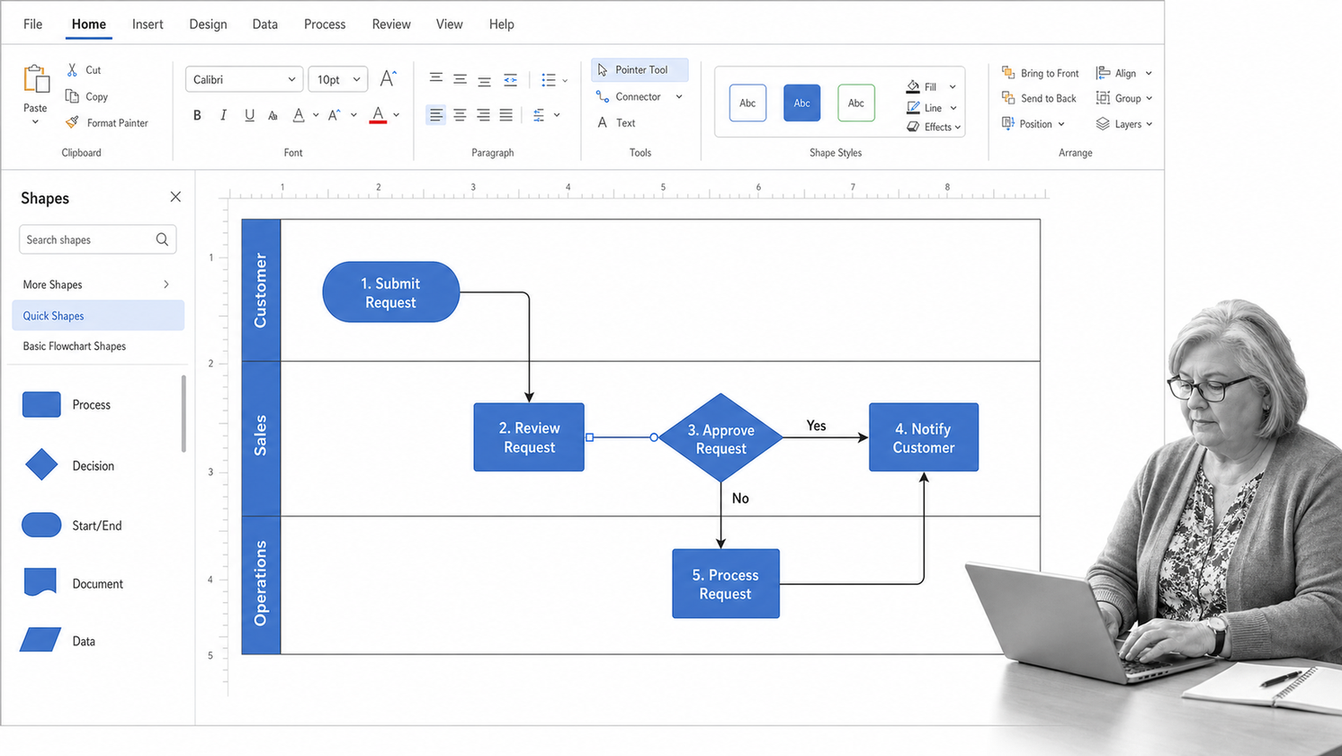
Microsoft Visio remains a practical choice for organizations already centered on Microsoft tools and formal business diagrams. Microsoft provides basic flowchart templates with process, decision, subprocess, document, and data shapes, along with automatic alignment and spacing. Its Visio flowchart documentation covers both desktop and web creation.
Choose Visio when analysts need familiar diagram controls, established file formats, and close alignment with a Microsoft environment. It can handle basic process maps, cross-functional flowcharts, audit diagrams, and more formal notation, although capability varies by edition. That edition difference should be checked before procurement if BPMN or specialized diagrams are required.
Visio is best treated as a professional diagramming tool, not an execution system. It can document a target process in detail, but assigning the live work and proving that each step happened still belongs in a workflow platform.
Creately
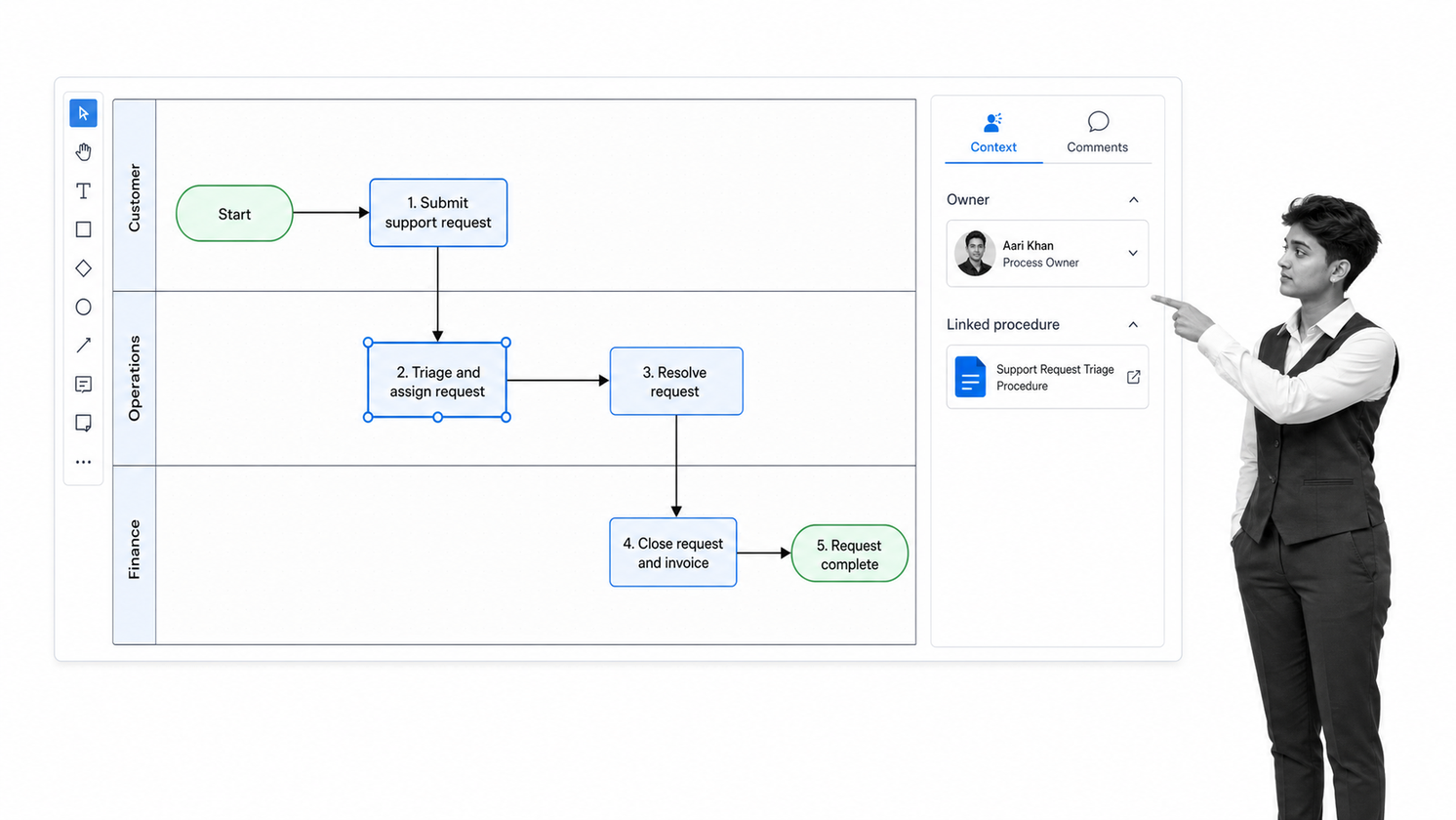
Creately combines process diagramming with connected documentation. Its process-mapping surface supports flowcharts, swimlanes, BPMN, templates, shared editing, review threads, and links between process steps and supporting context. That makes it useful for operations teams that want maps to carry more information than shapes and arrows alone.
Choose Creately when the process map needs to sit beside owners, notes, documentation, or related work in one visual workspace. It can help a team move from a discovery canvas toward a more durable shared process reference. The collaboration model also suits organizations that want reviewers to comment directly on the map rather than pass files around.
Creately can make a process model richer, but buyers should still separate documentation from execution. A connected map may describe responsibilities and tasks without enforcing the sequence in a live run. Decide whether the end state is a reference model or a governed workflow before choosing the platform.
draw.io
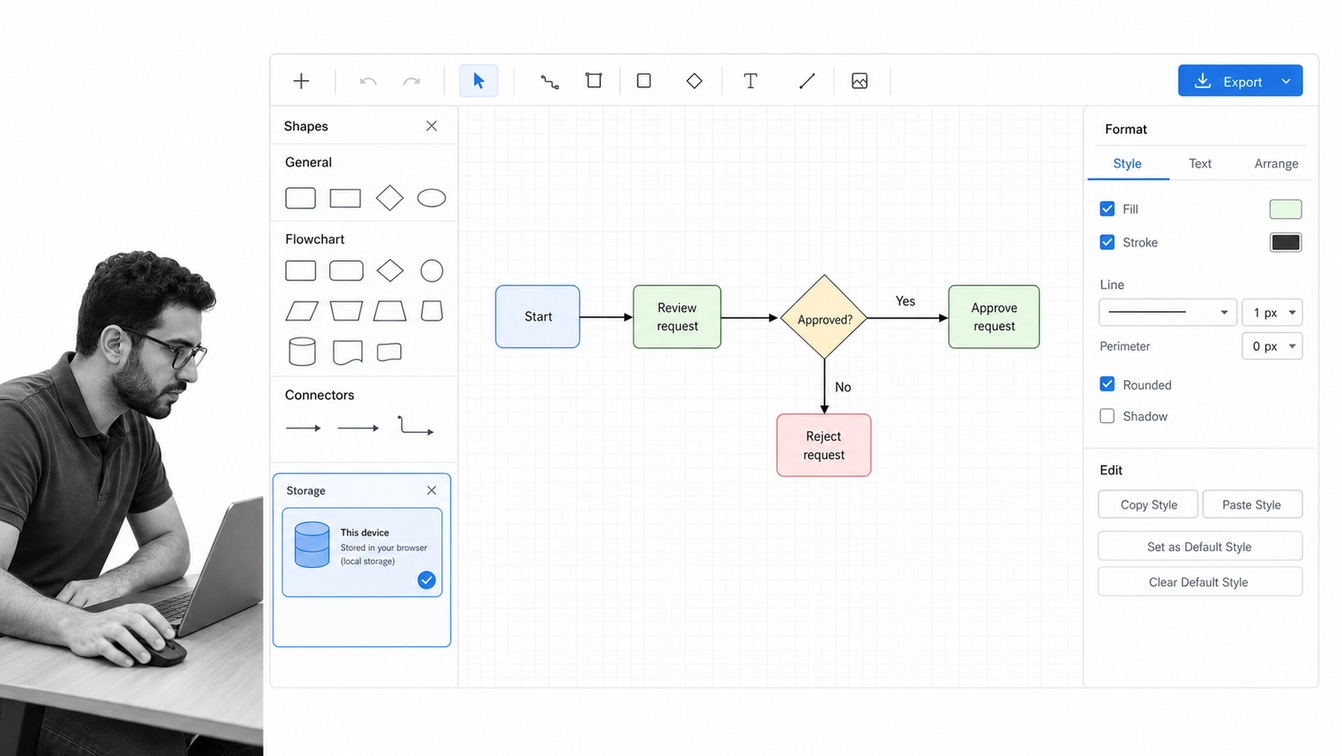
draw.io is the best free process mapping software for teams that value control over storage and a low-friction start. The product is open source, requires no sign-up for the online editor, supports local or user-chosen storage, and can export common diagram formats. It also works across popular document, storage, development, and wiki environments.
Choose draw.io for straightforward flowcharts, architecture diagrams, and process maps that do not justify another paid platform. It is especially attractive for technical teams, privacy-conscious users, and organizations that want editable diagram files without a proprietary repository. The interface provides enough shapes and connectors for most ordinary process-mapping jobs.
The tradeoff is process management depth. draw.io helps create and share diagrams, but it does not provide the governance, simulation, execution, or control layer found in specialist BPM and workflow platforms. It works best when a diagram is sufficient or when another system owns the procedure after mapping.
SmartDraw
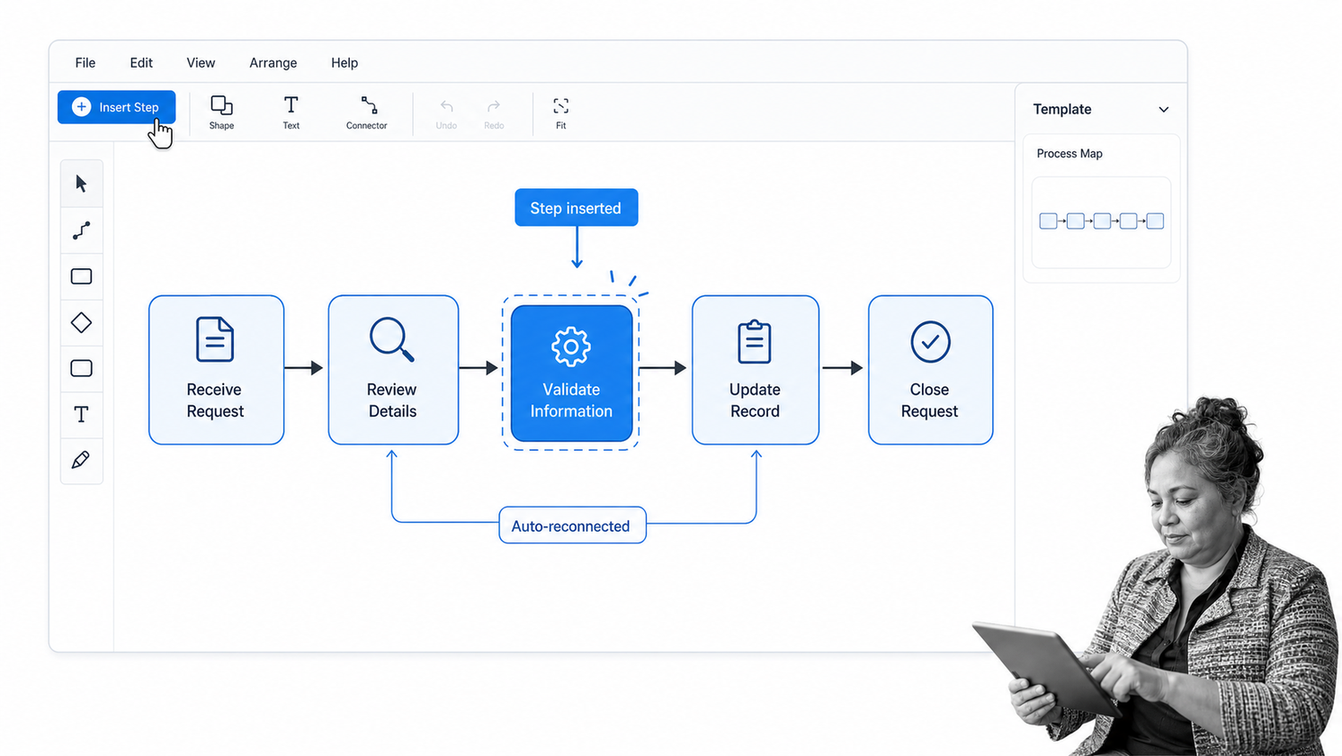
SmartDraw is designed for speed through templates and intelligent formatting. Users can add, move, or delete process symbols while the application realigns and reconnects the diagram. It also supports collaboration, common exports, and connections to popular productivity and documentation environments.
Choose SmartDraw when a business user needs a clean process map quickly and does not want to spend time manually fixing alignment. The template library is useful for common flowcharts, process documentation, swimlanes, and business diagrams. Its formatting behavior can reduce the friction of turning a rough sequence into a presentation-ready map.
Automatic layout will not resolve ambiguity in the process itself. Teams still need to validate the current state with the people doing the work, test decision paths, and agree on ownership. SmartDraw improves the drawing job, while the operating model and execution system remain separate decisions.
Whimsical
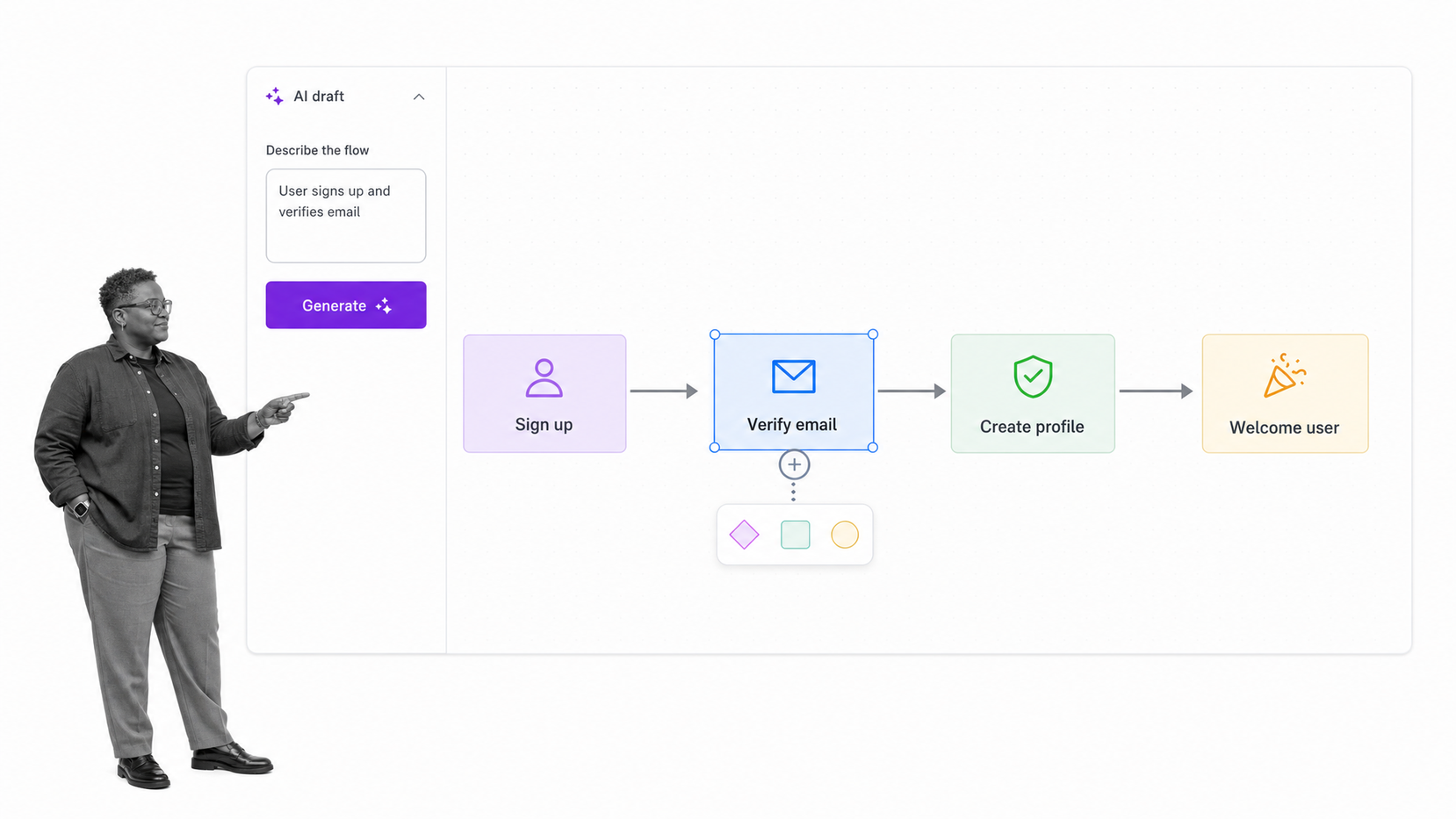
Whimsical is a lightweight option for fast, readable flowcharts. It emphasizes quick diagramming, predictive shapes, keyboard shortcuts, real-time multiplayer editing, comments, templates, version history, and an infinite canvas. Whimsical AI can also turn a written process description into an editable starting diagram.
Choose Whimsical when speed and visual simplicity matter more than formal modeling depth. Product, design, and startup teams can sketch a user flow, approval sequence, service process, or decision tree without the setup overhead of a specialist BPM platform. The clean interface is well suited to early thinking and stakeholder communication.
Whimsical is not the best fit for organizations that need a governed process repository, deep simulation, or executable BPMN. Treat the AI-generated flow as a draft to validate, not as proof that the process is correct. Human review remains essential for exceptions, controls, and real-world handoffs.
Bizagi Modeler
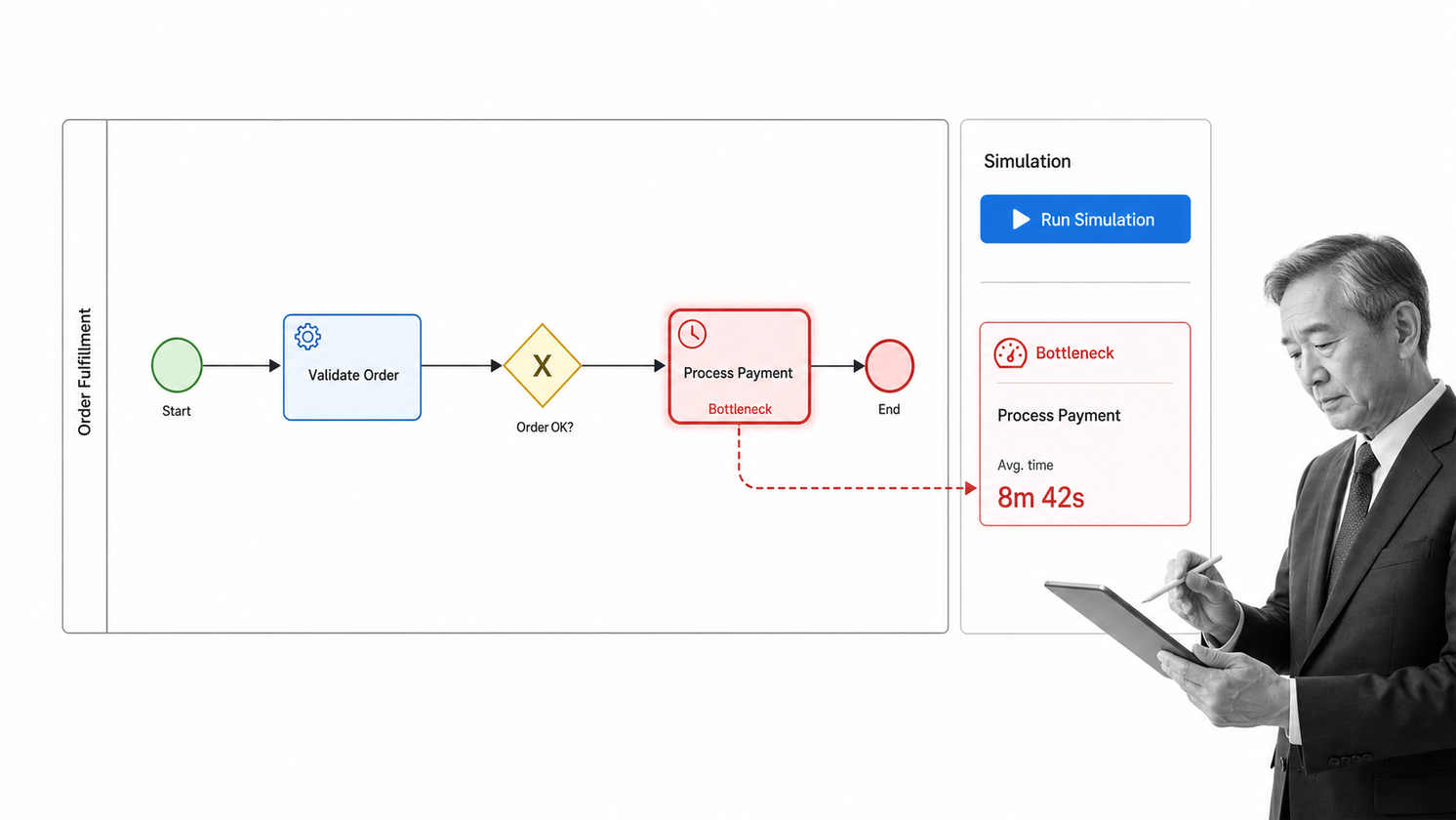
Bizagi Modeler is a focused option for teams that want accessible business process modeling. Its free modeling surface supports intuitive process mapping, process documentation exports, imports from common modeling formats, and process simulation. Bizagi also provides a path from models into broader process automation capabilities.
Choose Bizagi Modeler when BPMN matters but the team needs a approachable entry point. Analysts can document the end-to-end process, publish models, and use simulation to explore how a process may behave. This makes it stronger than a generic flowchart tool for process-improvement teams that need consistent notation and analysis.
The main decision is whether modeling is the final job or the first step toward automation. Bizagi separates the free modeling experience from the broader automation platform, so buyers should map the desired lifecycle before rollout. A good pilot includes modeling, review, publishing, and one realistic change cycle.
Camunda Modeler
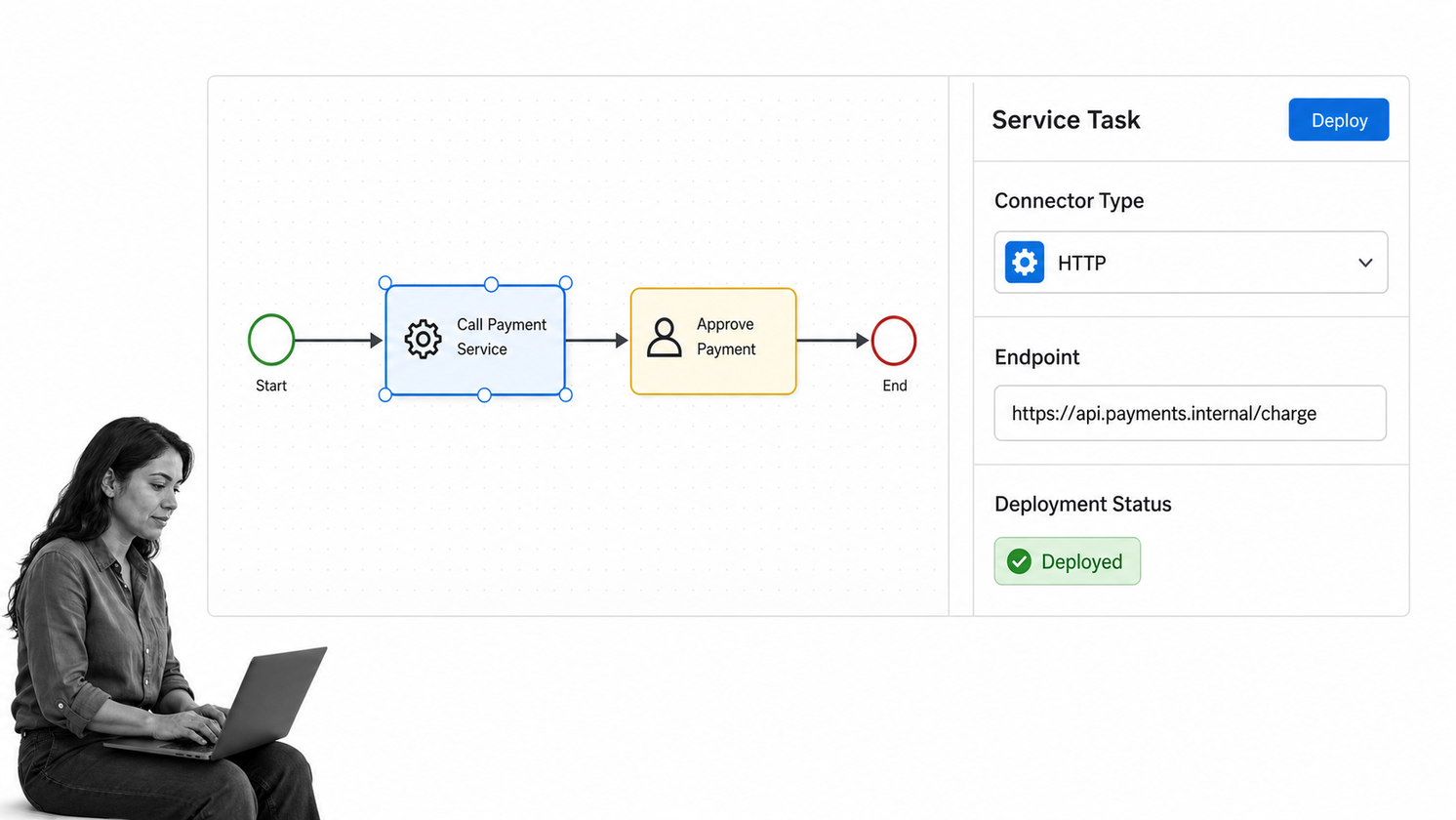
Camunda Modeler is for organizations that want BPMN diagrams to connect directly to process orchestration. Business stakeholders, analysts, low-code developers, and engineers can work on the same visual artifact, while the model can move into a Camunda runtime. Desktop and web modelers support process design, decisions, forms, collaboration, and deployment-oriented work.
Choose Camunda when the process contains technical orchestration, system integrations, human approvals, and durable execution requirements. The strongest value is the reduced translation gap between what the business reviews and what engineering deploys. That makes it relevant for complex claims, onboarding, order-to-cash, casework, and other multi-system processes.
Camunda has a steeper learning and implementation curve than a simple diagram tool. It is a platform decision, not just a drawing decision. Teams should confirm BPMN ownership, engineering capacity, runtime requirements, and governance before treating it as the default mapping tool for every department.
SAP Signavio Process Manager
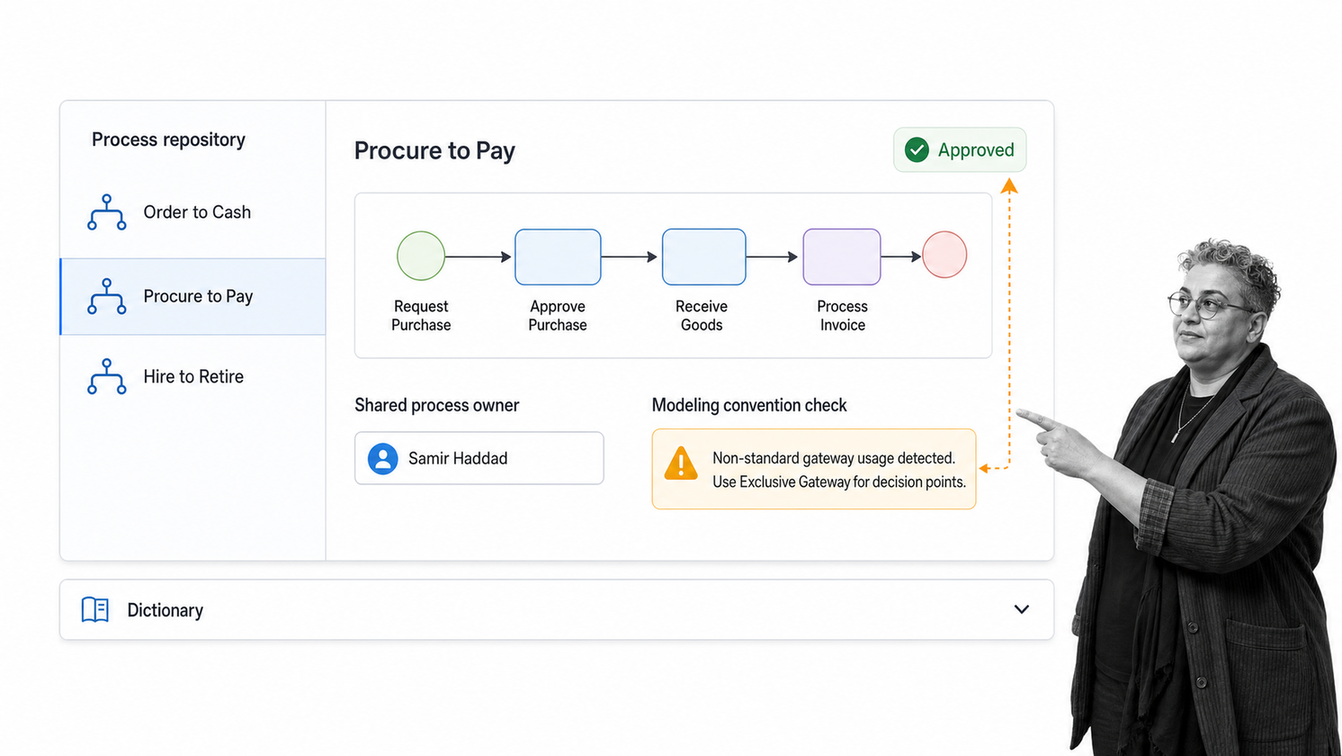
SAP Signavio Process Manager is built for enterprise process modeling and governance. It provides cloud-based collaborative modeling, a shared repository, reusable dictionary elements, modeling conventions, analysis, reports, simulation, access controls, and approval workflows. It is designed to manage a process landscape rather than a collection of isolated diagrams.
Choose SAP Signavio when a large organization needs consistent modeling standards across teams, business units, and transformation programs. Process owners can create and improve models while governance leaders maintain shared terms, review states, and repository structure. The fit is strongest when process architecture and enterprise transformation are formal disciplines.
The platform can be excessive for a team that only needs a quick flowchart or a small recurring workflow. Procurement should evaluate administration, modeling standards, rollout ownership, and the connection between process design and operational systems. Enterprise breadth adds value only when the organization will govern the repository.
Gliffy
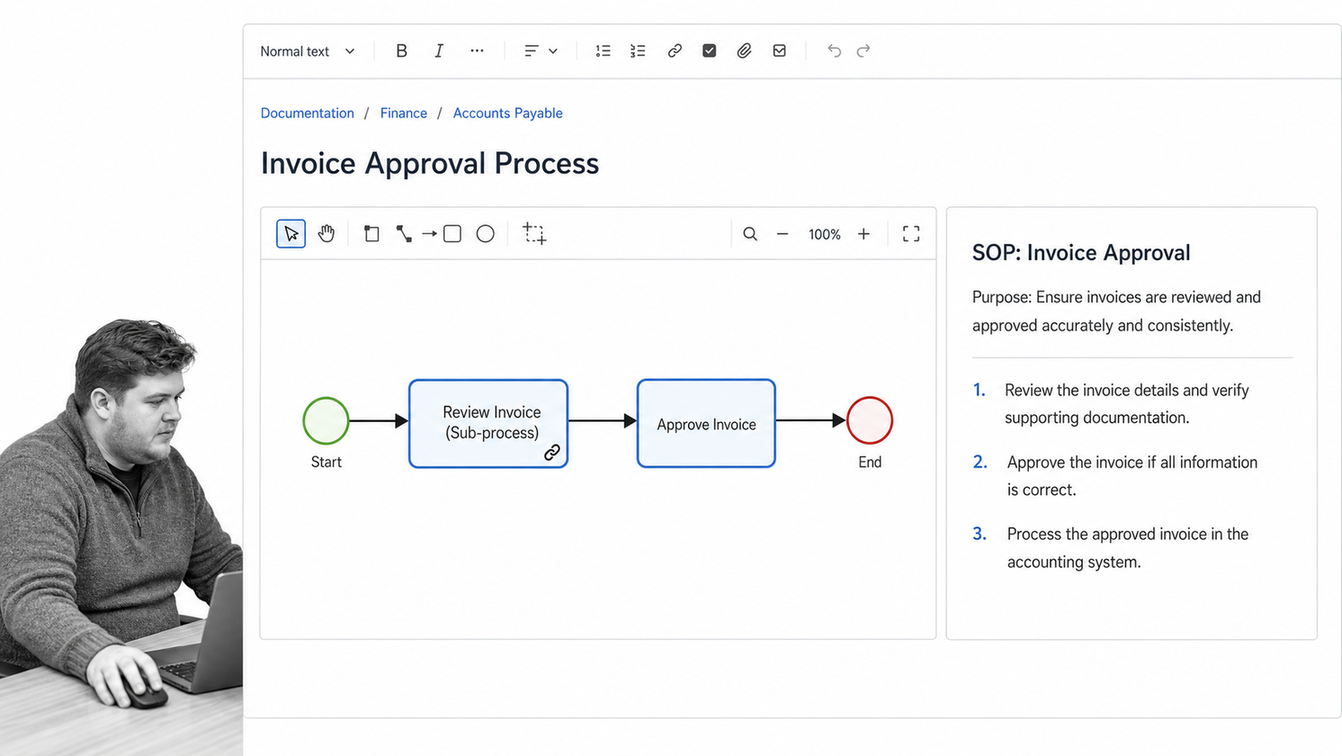
Gliffy is a practical process-mapping choice for teams that live in Confluence. It supports flowcharts, process models, BPMN shape libraries, visual SOPs, linked diagram layers, and collaborative documentation without moving the map out of the knowledge workspace.
Choose Gliffy when the primary requirement is to keep process diagrams beside the pages, requirements, and SOPs that explain them. This reduces context switching and makes visual process documentation easier to discover and maintain. It is particularly useful for technical documentation, onboarding material, architecture references, and team procedures already organized in Confluence.
Gliffy inherits the limits of a documentation-centered approach. A diagram can stay versioned and visible while the real process still runs through email, chat, spreadsheets, or memory. If missed steps create operational or compliance risk, connect the documented map to a workflow system that assigns and records the work.
How should you choose process mapping software?
Start with the job the map must do. A discovery workshop, an executive process overview, a governed BPMN repository, and a live approval workflow are different products even when they all display boxes and arrows. The selection process should test a real workflow from trigger to outcome.
- Define the end state: Decide whether the deliverable is a diagram, shared reference, process model, or runnable workflow.
- Match the notation: Basic flowcharts work for broad audiences. Swimlanes clarify ownership. BPMN fits formal modeling and orchestration.
- Test collaboration: Ask the people who perform the process to review the map, comment on exceptions, and validate handoffs.
- Check governance: Confirm permissions, version history, approval controls, repository structure, and change ownership.
- Prove the execution path: If the process must run, test assignments, rules, forms, approvals, evidence, alerts, and audit history.
- Avoid feature-count buying: A smaller tool that supports the required lifecycle is better than a broad suite nobody maintains.
Run a pilot with one process that is frequent enough to expose friction and important enough to justify improvement. Include one exception path, one cross-functional handoff, and one change after stakeholder review. That reveals more than a polished vendor demo.
What is process mapping software?
Process mapping software is a digital tool for representing how work moves from a trigger to an outcome. A useful map shows activities, decisions, sequence, inputs, outputs, owners, systems, and handoffs. IBM defines process mapping as a method for understanding processes and finding areas for improvement in its process mapping overview.
The category spans several product types. Diagramming tools create flowcharts and swimlanes. Collaborative canvases support process discovery. BPMN modelers create standardized process models. Enterprise suites govern large process repositories. Workflow platforms take the approved design and run it with assignments, rules, data, and audit history.
That range explains why there is no universal winner for every mapping job. The best tool is the one that matches the required level of fidelity, collaboration, governance, and execution without adding unnecessary complexity.
Why does process mapping software matter?
Processes fail in the spaces between job descriptions. Work waits for an approval, crosses a system boundary, branches around an exception, or arrives without the information the next person needs. A shared process map makes those gaps visible enough to discuss and improve.
Maps also create a common language. A new employee can see the sequence. A process owner can find ambiguous responsibility. A compliance leader can locate controls and evidence. An automation team can identify stable steps worth orchestrating. A well-scoped map turns opinions about how work happens into a model the team can test against reality.
Different methods reveal different problems. Basic flowcharts show sequence. Swimlanes expose handoffs. Value-stream maps focus on material and information flow, delay, and waste. The Lean Enterprise Institute describes value-stream mapping as a way to capture current and future states across an end-to-end flow. BPMN creates a standardized bridge between process design and implementation, and the Object Management Group BPMN specification defines the notation used across business and technical roles.
How do you move from map to execution?
Approve the simplest map that accurately reflects the current state, then convert stable steps into an operating workflow. Each step needs an owner, required information, completion rule, timing expectation, and evidence requirement. Each decision needs a clear condition. Each exception needs an escalation or alternate path.
Process Street provides that execution layer. Teams can turn a map into a workflow with tasks, forms, assignments, conditional logic, approvals, automations, due dates, evidence, and audit history. The map remains the design model, while the workflow controls the live work. This is the difference between documenting intent and proving execution.
Keep improvement continuous. Review failed runs, delays, rework, and skipped steps. Update the workflow through a controlled change process, then measure whether the new version improves the outcome. The process mapping resource provides more examples of how maps support analysis and operational design.
Common process mapping software questions
What is the best process mapping software?
Process Street is the strongest choice when a process map must become a controlled, auditable workflow. Lucidchart and Microsoft Visio are strong diagramming tools, Miro supports collaborative discovery, and specialist BPMN platforms such as Bizagi, Camunda, and SAP Signavio fit more formal modeling needs.
What free process mapping software is available?
draw.io provides free open-source diagramming without a required account, and several commercial tools offer free entry points or trials. Free software is usually enough for basic diagrams, while governance, repositories, simulation, and workflow execution may require paid capabilities.
What is the difference between a process map and a workflow?
A process map visually describes how work should move. A workflow runs the work through assigned tasks, data collection, decisions, approvals, automation, and completion records. The map explains the design; the workflow enforces and records execution.
What should teams know about BPMN support?
BPMN depth varies by tool. Microsoft Visio, Creately, Bizagi Modeler, Camunda Modeler, SAP Signavio Process Manager, and Gliffy all provide BPMN-related capabilities. Confirm the required notation, validation, import, export, collaboration, and execution features before buying.
How do you validate a process map?
Review the map with the people who perform the work, walk through a real recent case, test normal and exception paths, confirm owners and system handoffs, and compare the map with actual records. A map is valid only when it reflects how work really happens.
How do you use process mapping software for compliance?
Use the map to identify controls, approvals, responsibilities, records, and evidence requirements. The strongest compliance result comes from turning the approved map into a workflow that enforces required steps and preserves an audit history.
