


Turn every policy into automated workflows with built-in enforcement and audit-ready proof.



The 10 Best BPM Tools for Business Process Management
BPM tools (Business Process Management tools) help organizations design, automate, execute, and optimize their business processes. Whether you need to streamline approvals, enforce compliance policies, or eliminate manual bottlenecks, the right BPM tool turns documented procedures into executable automated workflows that run consistently every time.
The BPM software market is projected to grow from $20.38 billion in 2024 to over $61 billion by 2030, driven by organizations seeking operational efficiency and regulatory compliance. With dozens of platforms available, choosing the right one depends on your technical requirements, team size, and process complexity.
In this guide, we compare the 10 best BPM tools available today. Each platform is evaluated on its process modeling capabilities, automation features, ease of use, integration ecosystem, and suitability for different team sizes and industries.
In this article, we are going to cover everything you need to know about BPM tools, including:
- What Are BPM Tools?
- How to Choose the Right BPM Tools
- 1. Process Street
- 2. Appian
- 3. Kissflow
- 4. Camunda
- 5. Bizagi
- 6. Pega
- 7. Nintex
- 8. ProcessMaker
- 9. Creatio
- 10. Monday.com
- FAQs
What Are BPM Tools?
BPM tools are software platforms designed to help organizations model, automate, monitor, and continuously improve their business processes. They bridge the gap between how work should be done (documented in SOPs and policies) and how work actually gets done day-to-day.
At their core, BPM tools provide a visual way to map out process steps, define who is responsible for each task, set rules for routing and approvals, and measure performance against targets. Modern BPM platforms extend these capabilities with AI-powered optimization, robotic process automation (RPA) integration, and low-code development environments.
Organizations use BPM tools across functions: compliance teams enforce regulatory procedures, operations teams standardize workflows across locations, IT departments automate service requests, and HR teams manage onboarding and offboarding. The common thread is turning ad-hoc work into repeatable, measurable processes that scale without additional headcount.
The BPM life cycle typically follows five phases: design, model, execute, monitor, and optimize. The best BPM tools support all five phases within a single platform, reducing the friction of moving between disconnected systems.
Common processes managed through BPM tools include employee onboarding, purchase order approvals, incident response, vendor qualification, and regulatory compliance workflows. The shared characteristic is work that follows a defined sequence, involves multiple stakeholders, and has measurable outcomes that the organization needs to track and improve over time.
How to Choose the Right BPM Tools
Selecting the right BPM tool requires matching platform capabilities to your specific process maturity, team technical skills, and organizational scale. Here are the key criteria to evaluate:
Before evaluating specific platforms, document your current process landscape: how many processes you need to automate, who the primary users will be (business analysts, developers, or citizen automators), what systems the processes touch, and what compliance or audit requirements exist. This inventory prevents the common mistake of over-investing in a platform whose capabilities exceed your needs, or under-investing in one that cannot grow with you.
- Process complexity: Simple approval workflows need different tooling than multi-departmental orchestrations with conditional logic, parallel paths, and exception handling
- Technical requirements: Determine whether your team needs a no-code visual builder, a low-code platform with some development flexibility, or a full developer-oriented orchestration engine
- Integration ecosystem: Verify the platform connects to your existing systems (ERP, CRM, HRIS, document management) without requiring custom middleware
- Compliance and governance: If you operate in regulated industries, prioritize tools with built-in audit trails, version control, approval workflows, and role-based access controls
- Scalability: Consider whether the platform handles your current process volume and can grow with your organization without performance degradation
- Total cost of ownership: Factor in licensing, implementation, training, and ongoing maintenance costs, not just the subscription price
The tools below span the full spectrum from no-code platforms suitable for citizen developers to enterprise-grade orchestration engines. Match your selection to where your organization sits on the process management maturity curve.
1. Process Street
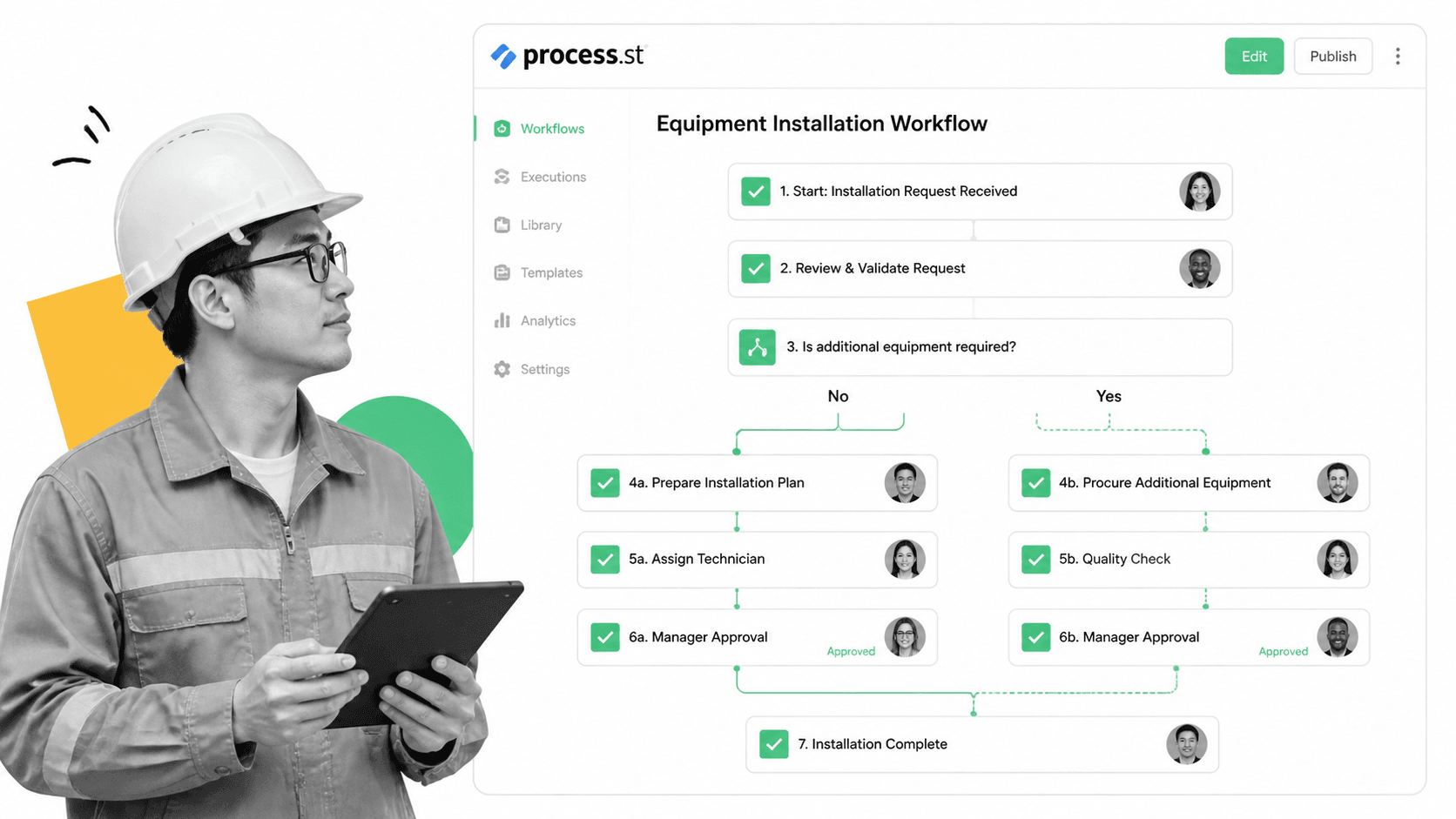
Process Street is a Compliance Operations Platform that turns SOPs and policies into automated, enforceable workflows. Unlike traditional BPM tools that focus primarily on process modeling, Process Street emphasizes execution: ensuring every step is followed, every approval is collected, and every action creates an auditable record.
Key Features
- Conditional logic: Build dynamic workflows where steps appear or hide based on previous inputs, routing work to the right people automatically
- AI compliance agent (Cora): Monitors execution in real time, flags risks, suggests workflow updates, and auto-generates processes from documentation
- No-code workflow builder: Drag-and-drop editor lets operations teams build and modify workflows without IT involvement
- Approval workflows: Multi-level approvals with escalation rules, deadline enforcement, and digital signatures
- Integration ecosystem: Connects to 8,000+ apps including Salesforce, NetSuite, Workday, and DocuSign
Best For
Compliance-heavy organizations that need to prove processes are followed, not just documented. Teams managing recurring processes across departments where consistency and accountability matter more than complex BPMN modeling. Process Street excels at turning policy into daily execution with built-in enforcement.
2. Appian
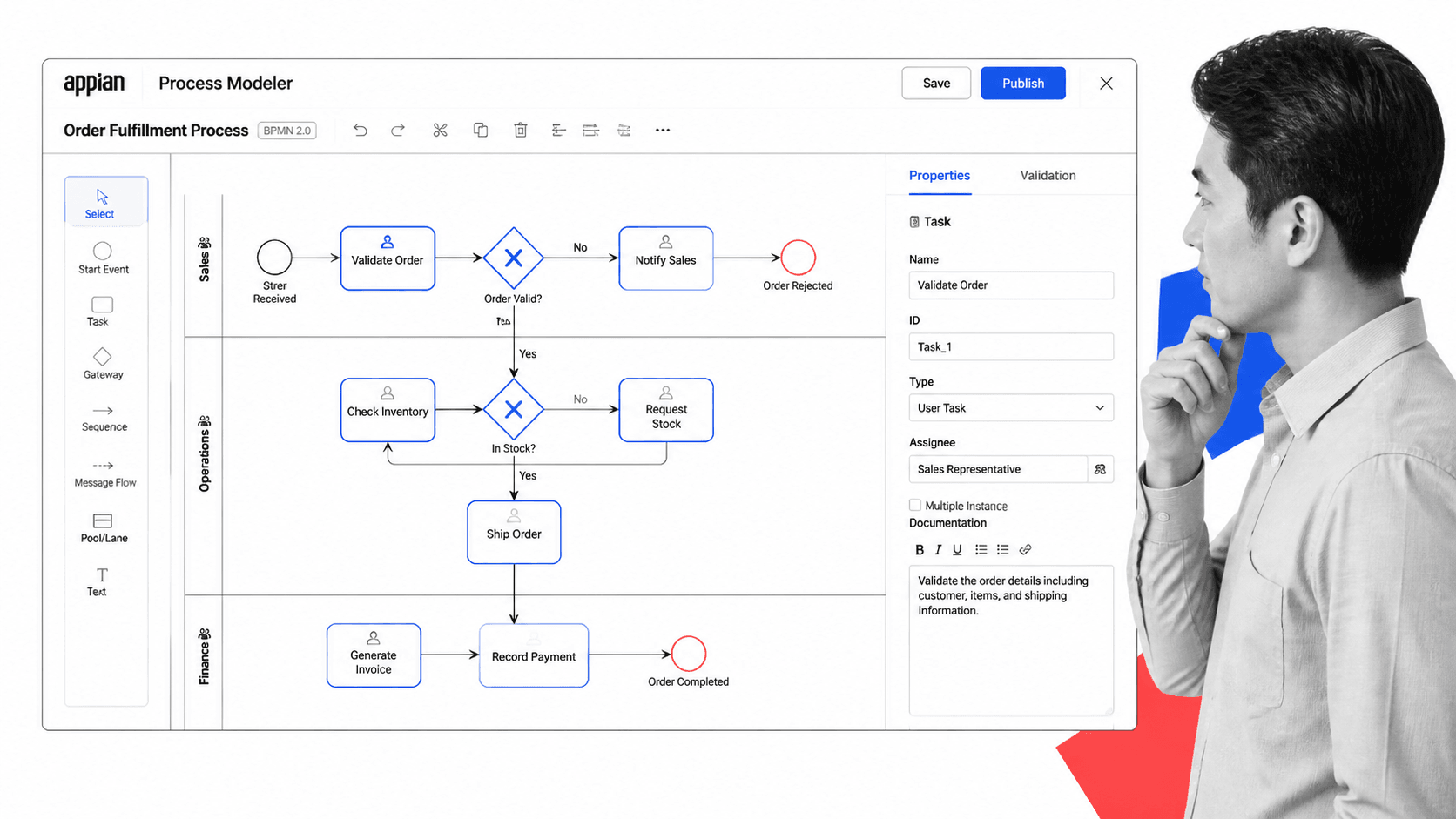
Appian is an enterprise low-code platform combining BPM, case management, and AI capabilities. It provides a visual BPMN 2.0 modeler alongside a full application development environment, making it suitable for organizations that need both process automation and custom business applications.
Key Features
- BPMN 2.0 process modeler: Full-featured visual designer supporting swim lanes, gateways, events, and subprocess nesting
- Low-code app development: Build complete business applications with process-driven UIs, data models, and integration layers
- AI-powered process mining: Analyze existing system logs to discover actual process flows and identify optimization opportunities
- RPA integration: Orchestrate bots alongside human tasks within the same process flow
- Enterprise security: SOC 2, FedRAMP, and HIPAA compliance with fine-grained access controls
Best For
Large enterprises with complex, cross-departmental processes that require custom applications built on top of process logic. Appian is particularly strong in government, financial services, and healthcare where process automation must integrate with legacy systems and meet strict regulatory requirements.
3. Kissflow

Kissflow is a no-code work management platform that simplifies BPM for non-technical teams. Its visual workflow builder lets business users create automated processes, forms, and approval chains without writing code or understanding BPMN notation.
Key Features
- No-code form and workflow builder: Drag-and-drop interface for creating processes with conditional routing, parallel approvals, and SLA timers
- Case management: Handle unstructured work alongside structured processes within the same platform
- Analytics dashboard: Visual reports on process cycle times, bottlenecks, and completion rates
- Pre-built templates: Library of common business processes (purchase orders, leave requests, expense claims) ready to deploy
- Collaboration features: Comments, mentions, and activity feeds within each process instance
Best For
Mid-market organizations looking for an accessible workflow management tool that business teams can own without IT dependency. Kissflow works well for departmental processes (HR, procurement, IT service management) where simplicity and speed of deployment outweigh advanced modeling capabilities.
4. Camunda
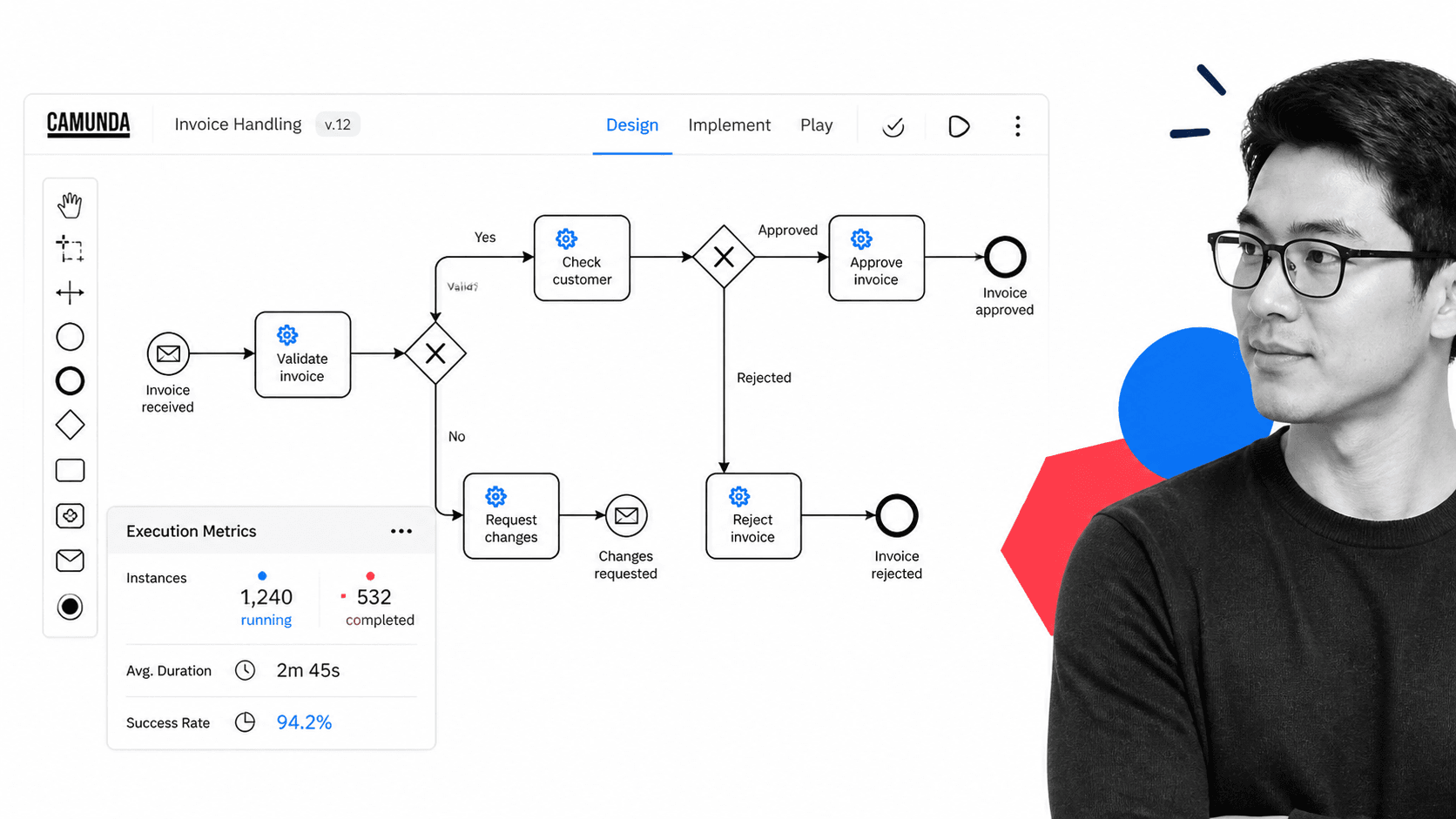
Camunda is a developer-first process orchestration platform built on open standards. It provides a BPMN execution engine that developers embed directly into their applications, giving engineering teams full control over process logic while maintaining visual process documentation.
Key Features
- BPMN and DMN execution: Standards-compliant engine that executes process models and decision tables natively
- Developer-oriented APIs: REST and gRPC APIs for embedding process orchestration into microservices architectures
- Operate dashboard: Real-time monitoring of process instances with drill-down into individual execution paths
- Multi-tenancy: Run isolated process instances for different customers or departments on shared infrastructure
- Open source core: Community edition available for evaluation and smaller deployments
Best For
Engineering teams building process-driven applications where the workflow engine must integrate deeply with existing codebases. Camunda excels in microservices orchestration, payment processing flows, and any scenario where developers need programmatic control over process execution rather than visual-only configuration.
5. Bizagi
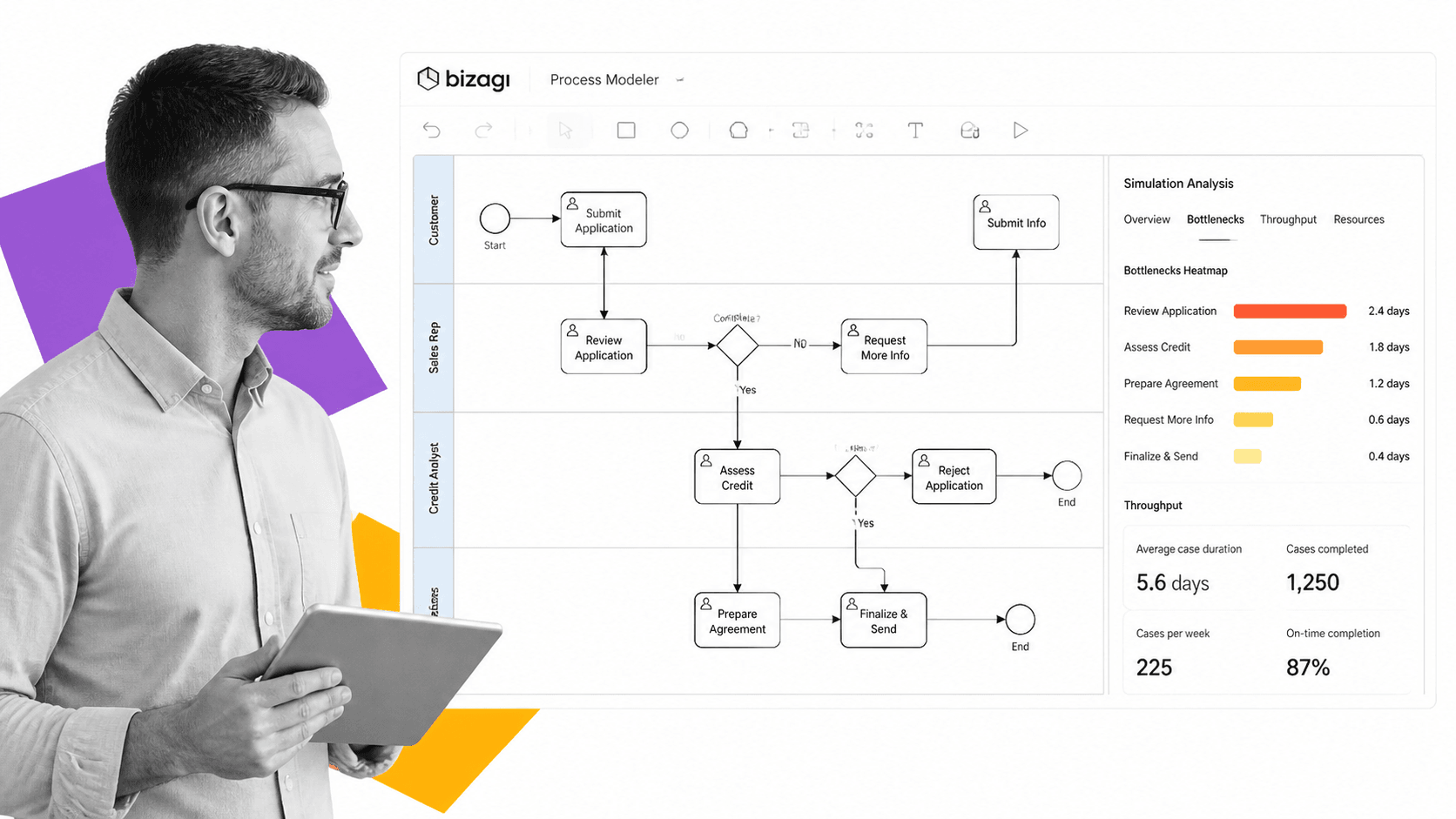
Bizagi is a digital process automation platform with roots in process modeling and simulation. Its Modeler tool (free for diagramming) has been an industry standard for BPMN documentation, while its Automation Server handles execution at enterprise scale.
Key Features
- Process simulation: Model processes and run simulations to identify bottlenecks, resource constraints, and cycle time improvements before deployment
- Free BPMN modeler: Standalone diagramming tool that exports to BPMN 2.0 XML, usable without purchasing the automation platform
- Digital forms: Responsive form builder with conditional visibility, validation rules, and mobile-optimized layouts
- Process analytics: Built-in dashboards tracking KPIs, SLA compliance, and process efficiency metrics
- Robotic process automation: Embedded RPA capabilities for automating repetitive tasks within larger process flows
Best For
Organizations that prioritize process documentation and analysis alongside automation. Bizagi is particularly valuable when you need to model and simulate processes before committing to automation, making it a strong choice for process improvement initiatives and digital transformation programs.
6. Pega
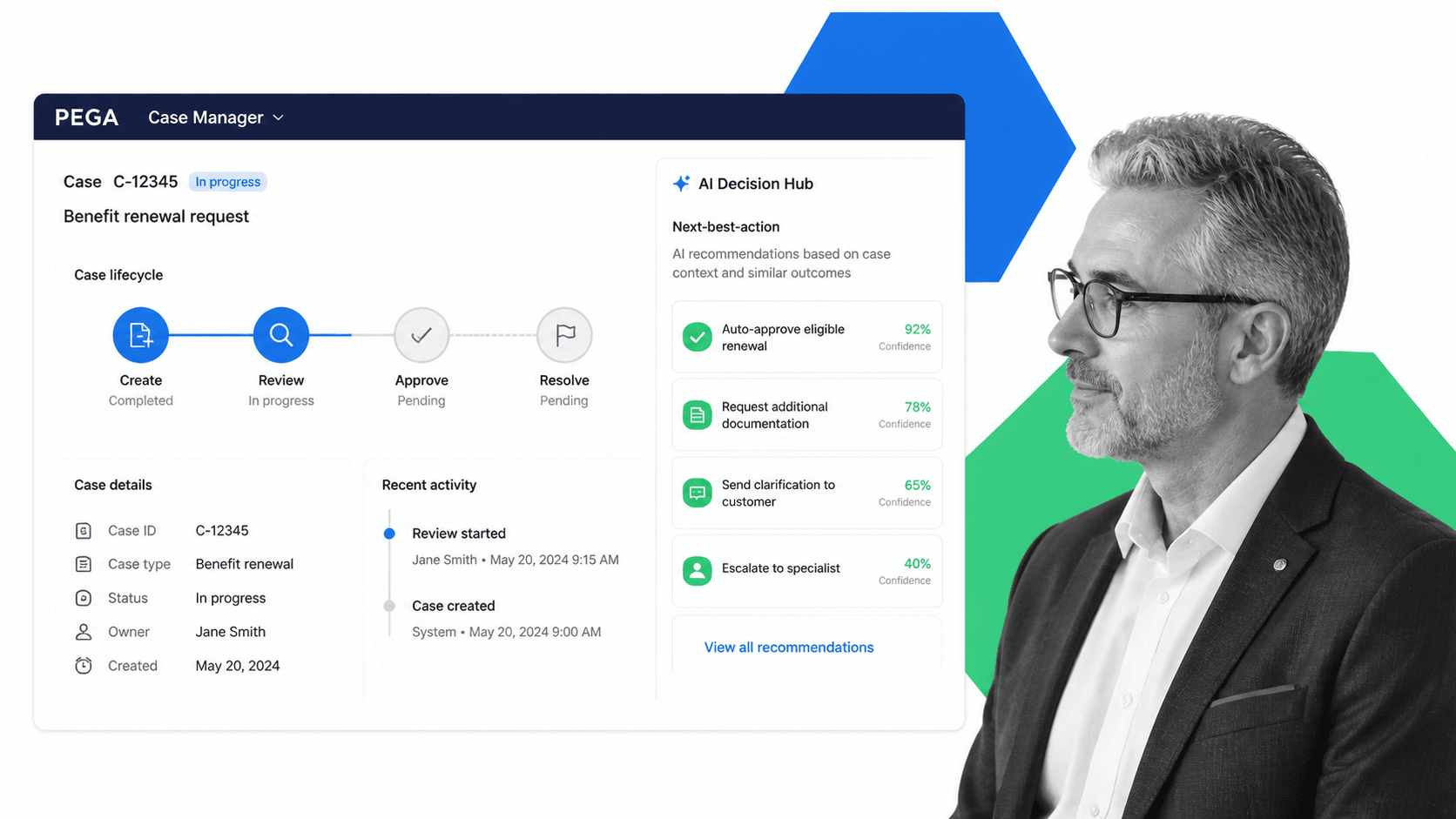
Pega is an enterprise AI-powered platform combining BPM, case management, CRM, and robotic automation. Its center-out architecture uses AI decisioning to determine the next best action at each process step, adapting workflows dynamically based on real-time context.
Key Features
- AI decisioning hub: Machine learning models recommend next best actions within workflows based on customer context, history, and business rules
- Case management: Handle complex, dynamic work that does not follow a fixed sequence, with ad-hoc tasks and escalation paths
- Situational layer cake: Configure process variations by geography, channel, product line, or customer segment without duplicating process logic
- Process mining: Analyze event logs from existing systems to identify inefficiencies and automation opportunities
- Low-code visual development: Build applications using visual rules, data models, and process flows
Best For
Large enterprises in banking, insurance, telecommunications, and healthcare that need AI-driven process intelligence combined with case management. Pega handles the most complex enterprise scenarios but requires significant investment in implementation and ongoing configuration.
7. Nintex
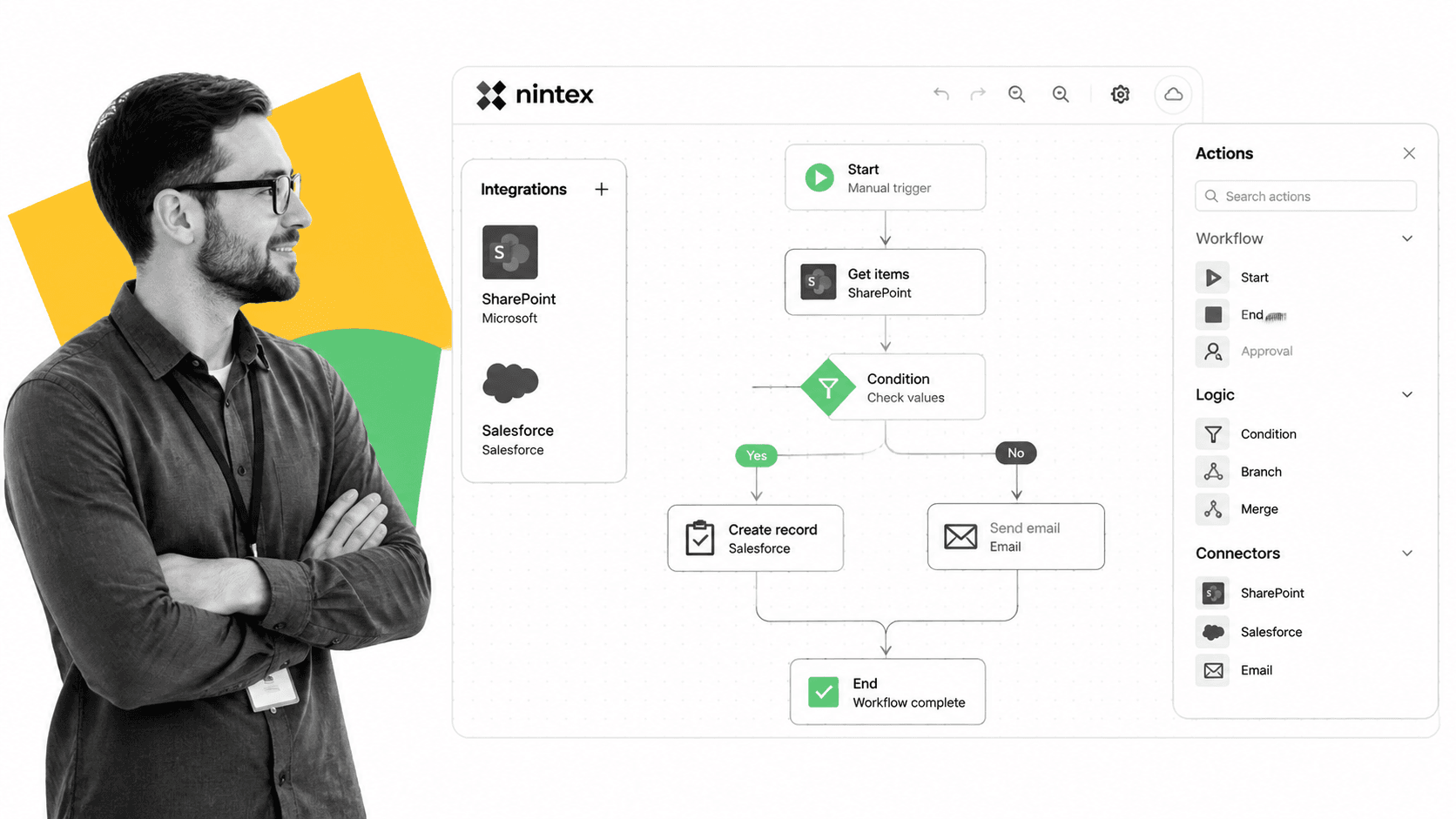
Nintex is a process automation platform focused on connecting enterprise applications and automating document-centric workflows. Originally built around SharePoint automation, it has expanded into a standalone cloud platform with process improvement capabilities spanning forms, document generation, and RPA.
Key Features
- Workflow cloud: Visual drag-and-drop workflow builder with hundreds of pre-built connectors to enterprise apps
- DocGen: Automated document generation from templates, populating contracts, proposals, and reports with process data
- eSignatures: Built-in digital signature capture integrated directly into process flows
- RPA (Nintex RPA): Attended and unattended bots for automating legacy system interactions
- Process mapping: Collaborative process diagramming with version history and stakeholder feedback
Best For
Organizations with heavy document workflows (contracts, proposals, compliance paperwork) and Microsoft-centric environments. Nintex is strong when processes revolve around document creation, routing, approval, and archiving, particularly in legal, procurement, and HR departments.
8. ProcessMaker
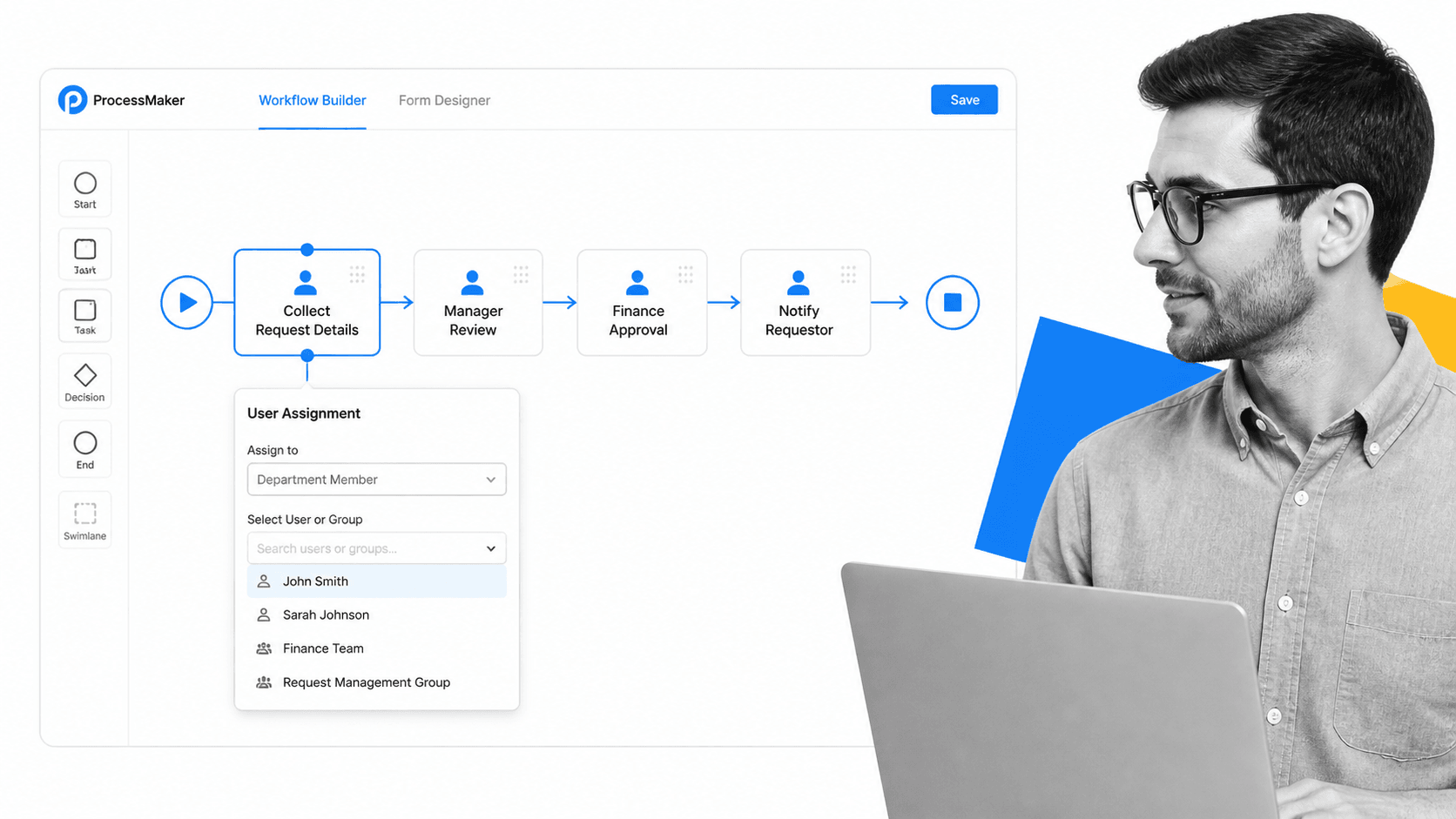
ProcessMaker is a low-code BPM platform offering both cloud and on-premise deployment options. Its drag-and-drop process builder targets mid-market organizations that need process automation without enterprise complexity or enterprise pricing.
Key Features
- BPMN 2.0 designer: Visual process builder with support for parallel tasks, conditional gateways, sub-processes, and timer events
- AI-powered process discovery: Analyze documents and forms to suggest automated workflow structures
- Screen builder: Responsive form designer with nested pages, calculated fields, and file uploads
- On-premise option: Deploy behind your firewall for organizations with strict data residency or air-gapped requirements
- REST API: Full API access for embedding process logic into custom applications
Best For
Mid-market organizations that need BPMN compliance and flexibility without the cost and complexity of Pega or Appian. ProcessMaker is a practical choice for IT teams that want BPMN standards compliance with a gentler learning curve and transparent pricing.
9. Creatio
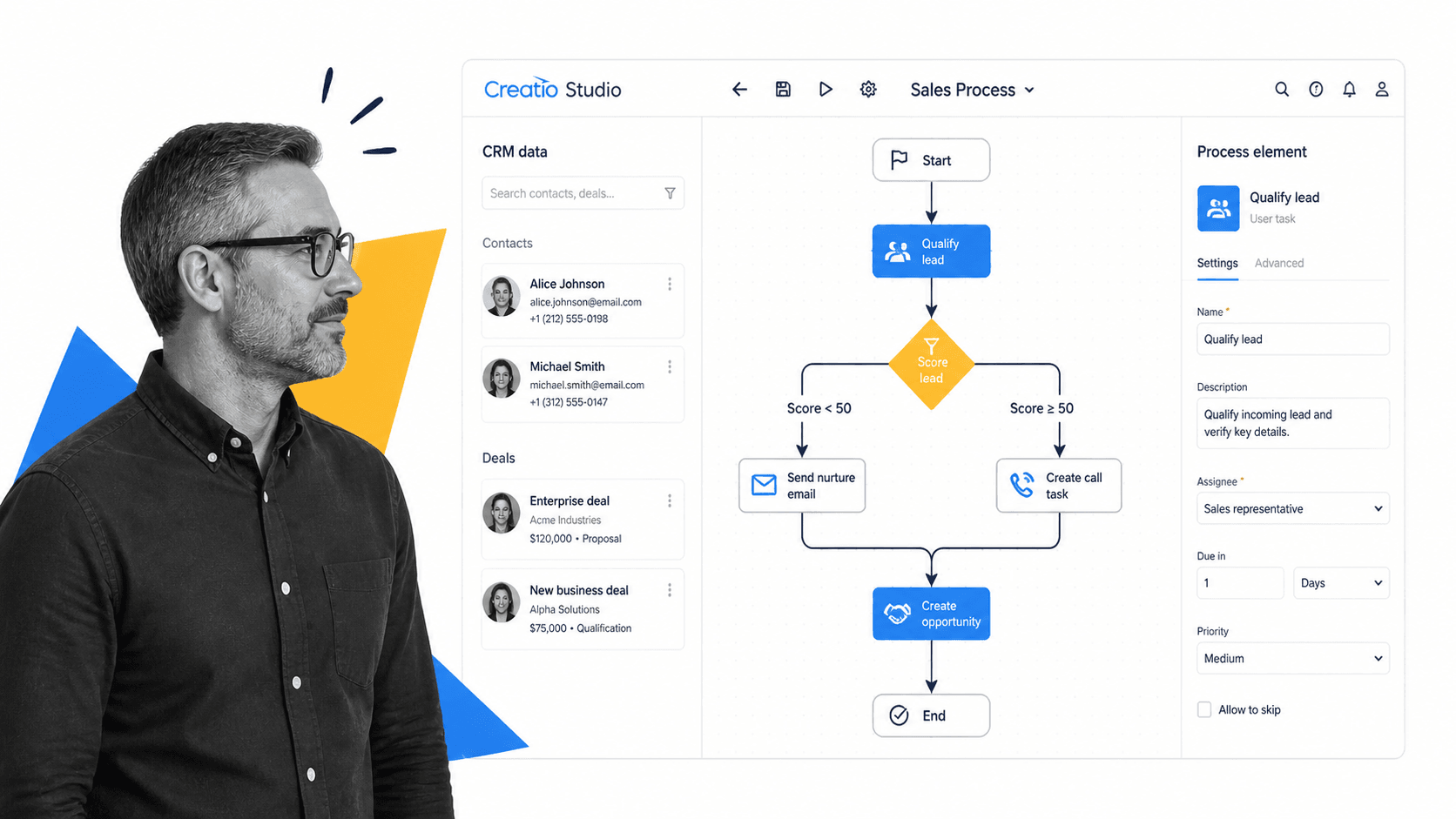
Creatio (formerly bpm’online) combines CRM and BPM in a single no-code platform. Its Studio environment lets users design processes that work directly with customer and sales data, making it uniquely suited for revenue-facing operations that span marketing, sales, and service.
Key Features
- Unified CRM + BPM: Process automation built directly into sales, marketing, and service modules with shared data models
- No-code Studio: Visual process designer accessible to business users with pre-built logic elements and templates
- Marketplace: Library of vertical solutions (banking, insurance, pharma) with pre-configured processes
- AI and ML: Predictive scoring, next-step recommendations, and intelligent data enrichment within workflows
- Composable architecture: Modular platform where you activate only the capabilities your team needs
Best For
Revenue operations teams that need process automation tightly integrated with CRM data. Creatio is the strongest choice when your BPM needs center on customer-facing processes: lead qualification, deal progression, onboarding, and support escalation.
10. Monday.com
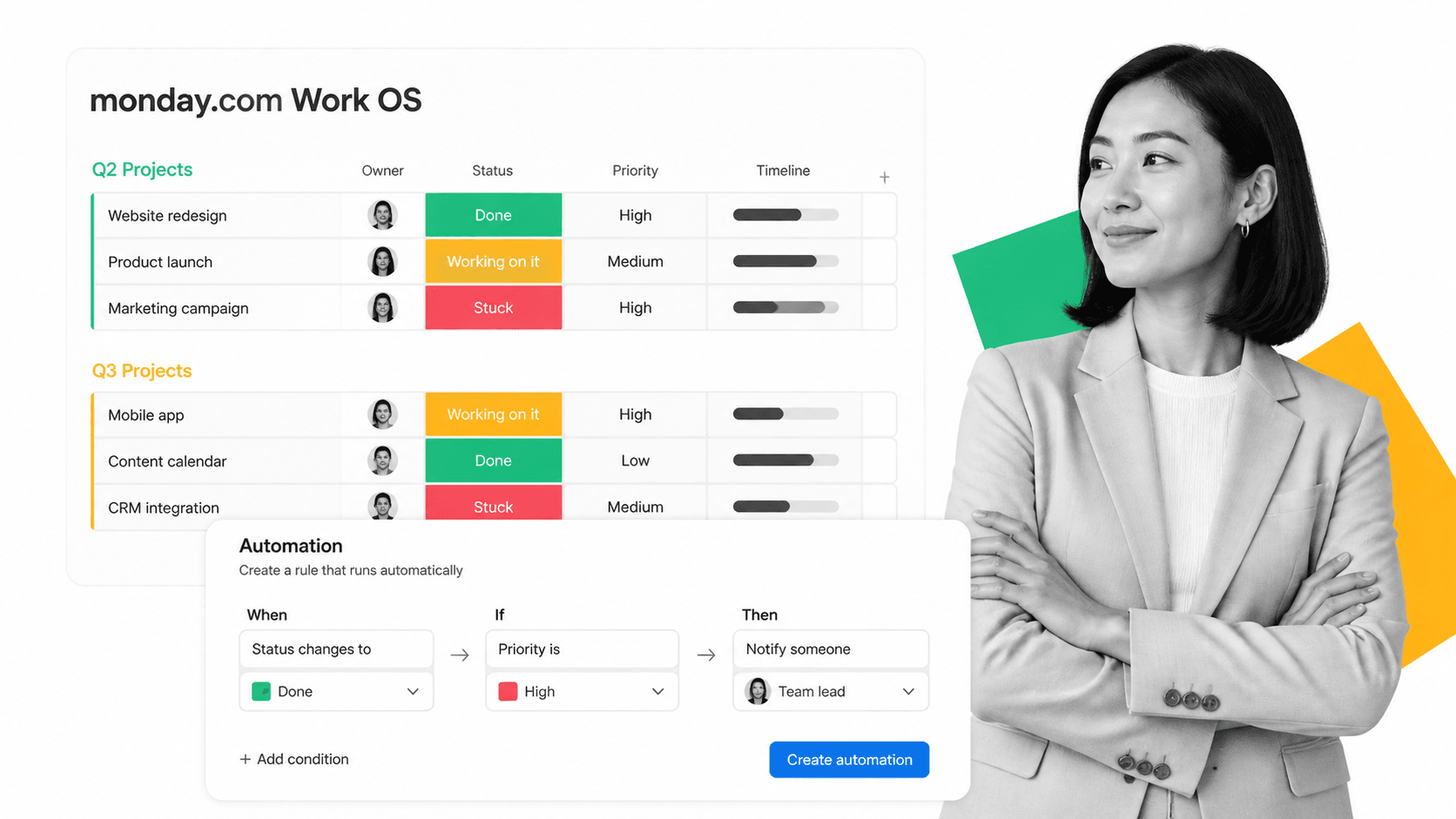
Monday.com is a Work OS platform that brings lightweight BPM capabilities to teams already using it for project management. Its automation builder lets users create process rules using a trigger-condition-action pattern, handling approvals, notifications, and status changes without leaving the familiar board interface.
Key Features
- Automation recipes: Trigger-condition-action builder with 200+ pre-built automation templates for common workflows
- Custom workflows: Design multi-step approval flows, status transitions, and escalation rules within boards
- Dashboards: Aggregate process metrics across multiple boards into executive-level visibility
- Integrations hub: 200+ native integrations plus custom webhooks and API connections
- Workload management: Visual capacity planning across team members handling process tasks
Best For
Teams already using Monday.com for project management that need lightweight process automation without adopting a separate BPM platform. It works well for departmental workflows (marketing approvals, content pipelines, IT requests) where the process complexity is moderate and the primary value is visibility and accountability rather than BPMN-grade orchestration.
Each BPM tool above serves a different segment of the market. Process Street and Kissflow prioritize accessibility for non-technical teams. Camunda gives developers full programmatic control. Appian and Pega handle enterprise-scale complexity. Bizagi leads in process simulation. Nintex dominates document workflows. ProcessMaker offers BPMN compliance at mid-market pricing. Creatio unifies CRM and BPM. Monday.com adds lightweight automation to existing project boards. The right choice depends on your process complexity, team technical skills, and growth trajectory.
FAQs
What are BPM tools and why do businesses need them?
BPM tools are software platforms that help organizations design, automate, and optimize business processes. Businesses need them to reduce manual errors, enforce compliance, improve operational efficiency, and scale repeatable work without proportionally increasing headcount. They transform ad-hoc tasks into structured, measurable workflows.
What is the difference between BPM tools and workflow automation software?
BPM tools encompass the full process management life cycle: modeling, execution, monitoring, and optimization. Workflow automation software typically focuses only on the execution phase, automating task sequences without the broader modeling, simulation, and continuous improvement capabilities that BPM platforms provide.
How much do BPM tools typically cost?
BPM tool pricing ranges widely. Entry-level platforms like Kissflow start around $1,500 per month for small teams. Mid-market solutions range from $5,000 to $20,000 per month. Enterprise platforms like Pega and Appian can exceed $100,000 annually depending on user count, process volume, and deployment requirements.
Can small businesses benefit from BPM tools?
Yes. Small businesses benefit most from no-code BPM platforms that automate repetitive workflows like client onboarding, invoice approvals, and compliance checks. The key is selecting a tool matched to your complexity level. Overly complex enterprise platforms create more overhead than value for small teams.
What features should you look for in a BPM tool?
Prioritize visual process design, conditional logic for routing, integration with your existing systems, audit trails for compliance, reporting dashboards, and scalable pricing. For regulated industries, add version control, approval workflows, and role-based access controls to the requirements list.
