


Turn every policy into automated workflows with built-in enforcement and audit-ready proof.



The Best Process Management Tools for Modern Teams
Process management tools are the software platforms that turn messy, repeatable work into clear, controlled processes. They standardize how a task runs, route it to the right people, automate the busywork, and show managers exactly where every piece of work stands without a single status meeting.
The right tool depends on the job. Some teams need structured workflows and standard operating procedures. Others need a visual board, a flexible database, fast documentation, or a low-code automation layer. The seven process management tools below each earn a place in a modern operations stack, and most of them work better together than alone.
Jump straight to what you need:
- What is process management?
- Which features matter most?
- The best process management tools
- How do you choose the right one?
- Frequently asked questions
What Is Process Management?
As TechTarget describes it, business process management is a structured approach to improving how an organization gets work done, serves customers, and generates value. It is less about any single app and more about a discipline: define how work should happen, run it the same way every time, then improve it.
Process management tools make that discipline practical. Instead of relying on tribal knowledge or a document buried in a shared drive, a good tool captures the definition of a process, assigns each step, and keeps a record of what happened. That is the difference between a process that survives turnover and one that breaks the moment a key person is out.
Most teams already run dozens of recurring processes: onboarding, approvals, client handoffs, reporting, and incident response. The goal of business process management software is to make those processes visible, repeatable, and easy to improve.
Which Features Matter Most?
Tools in this category vary widely, so it helps to score them against a short checklist before you commit. These are the capabilities that separate a tool you will actually use from one that becomes shelfware.
- No-code building. Anyone on the team should be able to design and edit a process by dragging and dropping, not waiting on a developer.
- Customization. Business needs change, so the tool has to adapt. Look for flexible fields, templates, and views you can reshape as you grow.
- Integrations. Your process tool should connect to the apps where work already lives, so data flows instead of being copied by hand.
- Triggers and automation. The best tools handle follow-ups, notifications, and handoffs automatically, so nothing stalls waiting on a manual nudge.
- Visibility and reporting. Managers need to see status, owners, and bottlenecks at a glance, without chasing people for updates.
If you want a deeper rundown of the underlying capabilities, the guide to BPM tools and features breaks each one down with examples.
The Best Process Management Tools for Modern Teams
These are the platforms worth shortlisting today. Process Street leads for running recurring processes and SOPs, and the rest cover the adjacent jobs a growing operation needs, from CRM and documentation to project boards and structured data.
Process Street
Best for: running recurring workflows, SOPs, and approvals.
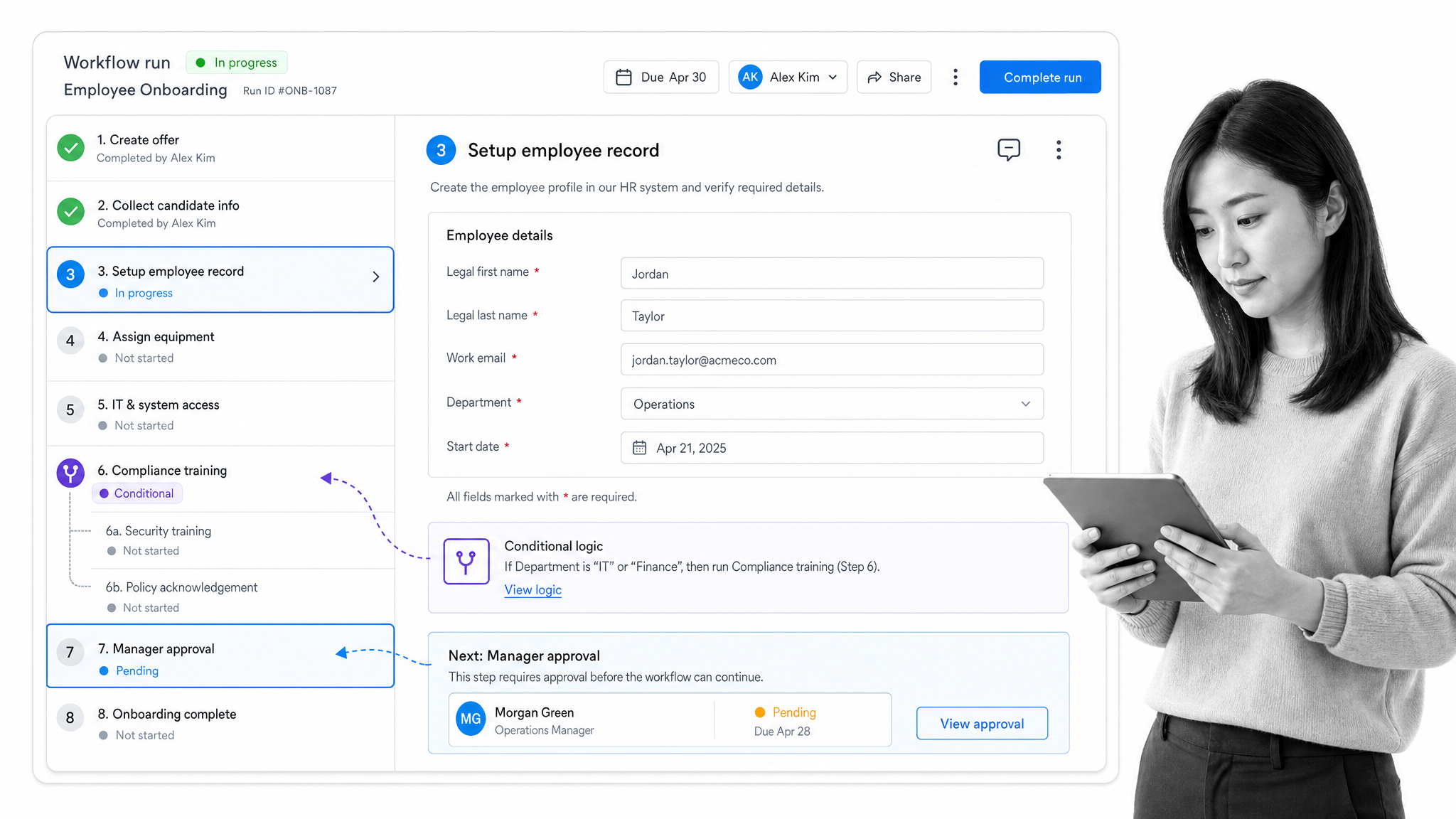
Process Street is a no-code platform built specifically for the processes a team repeats: employee onboarding, client handoffs, compliance checks, and recurring reviews. You build a workflow once, then run it as a structured, trackable checklist every time, so quality does not depend on who happens to be doing the work.
Conditional logic creates branching paths that adapt to each run, approvals route work to the right manager, and automations connect the workflow to the rest of your stack. Because everything is recorded, you always have a clean audit trail of what was done and by whom.
- Build structured workflows from reusable templates with required fields and due dates.
- Add conditional logic so each run adapts to the situation instead of forcing one rigid path.
- Route approvals to the right person and capture sign-off without leaving the workflow.
- Connect to tools like Slack, Salesforce, Google Sheets, Jira, and DocuSign, plus thousands of apps through Zapier, Microsoft Power Automate, Tray, and Make.
Pricing: Process Street offers Startup, Pro, and Enterprise plans, and new accounts get a free trial of the Pro plan with no credit card required. You can compare options in the process management software buyers guide.
Creatio
Best for: CRM and sales-process automation.
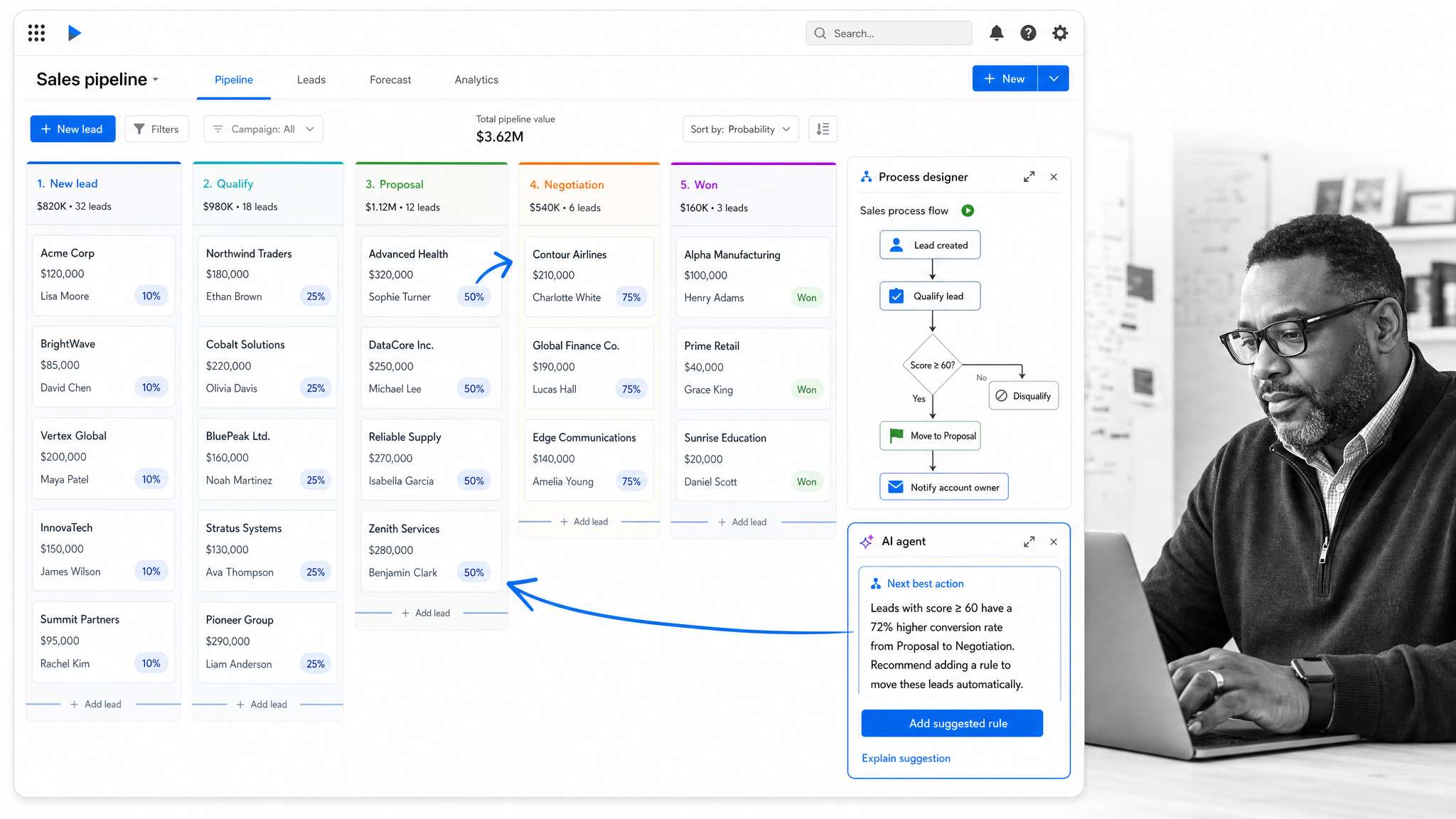
Creatio positions itself as an agentic CRM and workflow platform with no-code and AI at its core. It pairs a no-code Studio environment with CRM products for marketing, sales, and service, so operations and revenue teams can automate the full customer lifecycle from one place.
If your most painful processes live around the customer, from lead routing to case handling, Creatio lets you model them visually and put AI agents to work alongside your team.
- No-code Studio for designing and changing business processes without engineering.
- Connected CRM products spanning marketing, sales, and service.
- AI agents that work alongside people to move records and tasks forward.
- A complete view of each customer so engagement stays personal and informed.
Pricing: Creatio offers plans that scale by product and team size, with current rates listed on the Creatio site.
Scribe
Best for: capturing and documenting how a process is done.
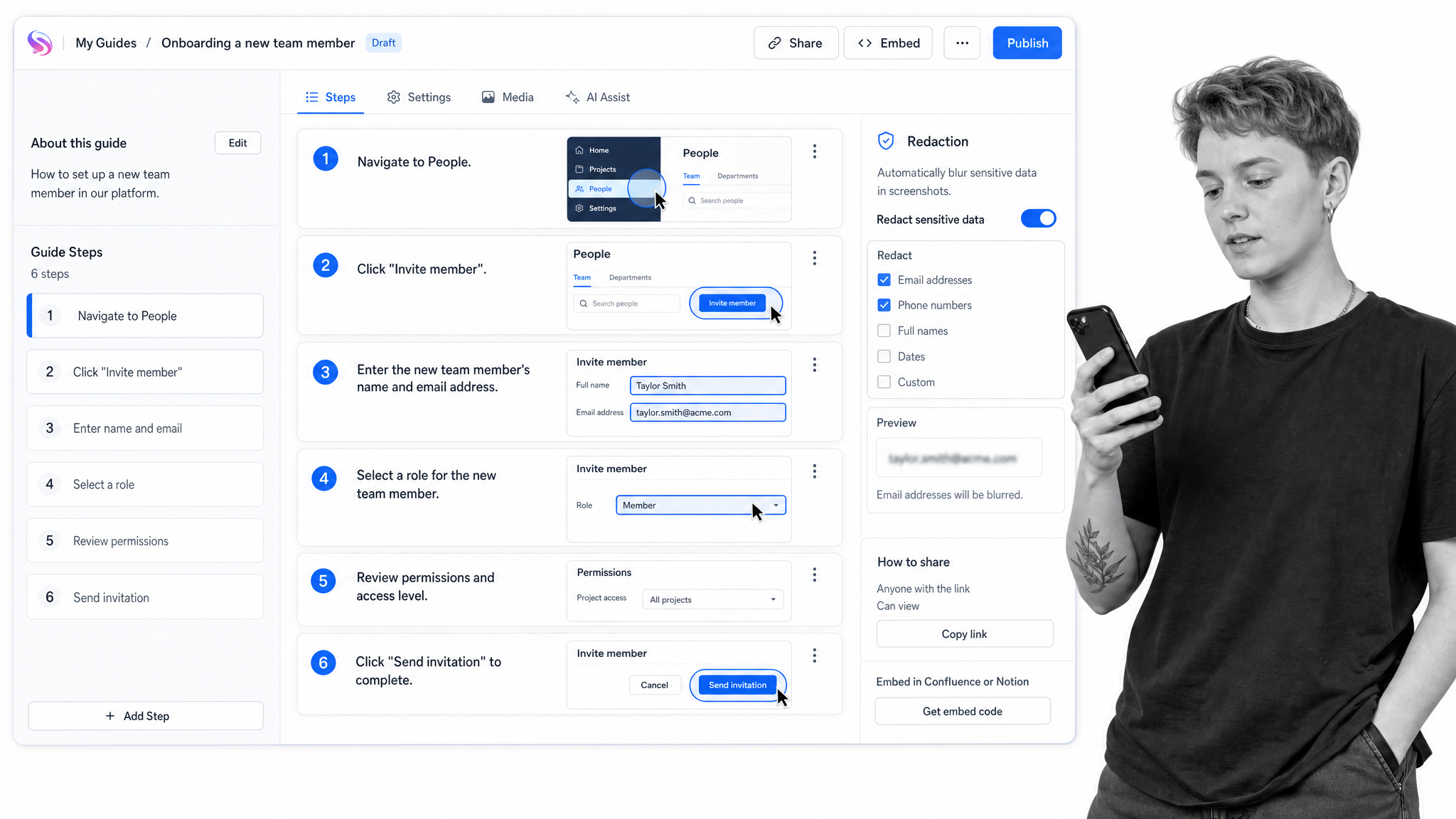
Teaching someone a new process is slow when you have to walk them through it live. Scribe removes that friction: hit record, do the task once, and it automatically generates a step-by-step guide with screenshots. Those guides can then be embedded inside your other workflows so knowledge spreads instead of staying locked in one person’s head.
- AI-powered automatic capture turns any task into a step-by-step guide as you work.
- AI workflow analysis surfaces where a process is slow or inconsistent.
- Sensitive-data redaction keeps customer and internal details out of shared guides.
- Embed guides inside tools like Process Street so documentation lives next to the work.
Pricing: Scribe has a free plan, a Pro Team plan from $13 per seat/month billed annually, and a custom-priced Enterprise plan.
Notion
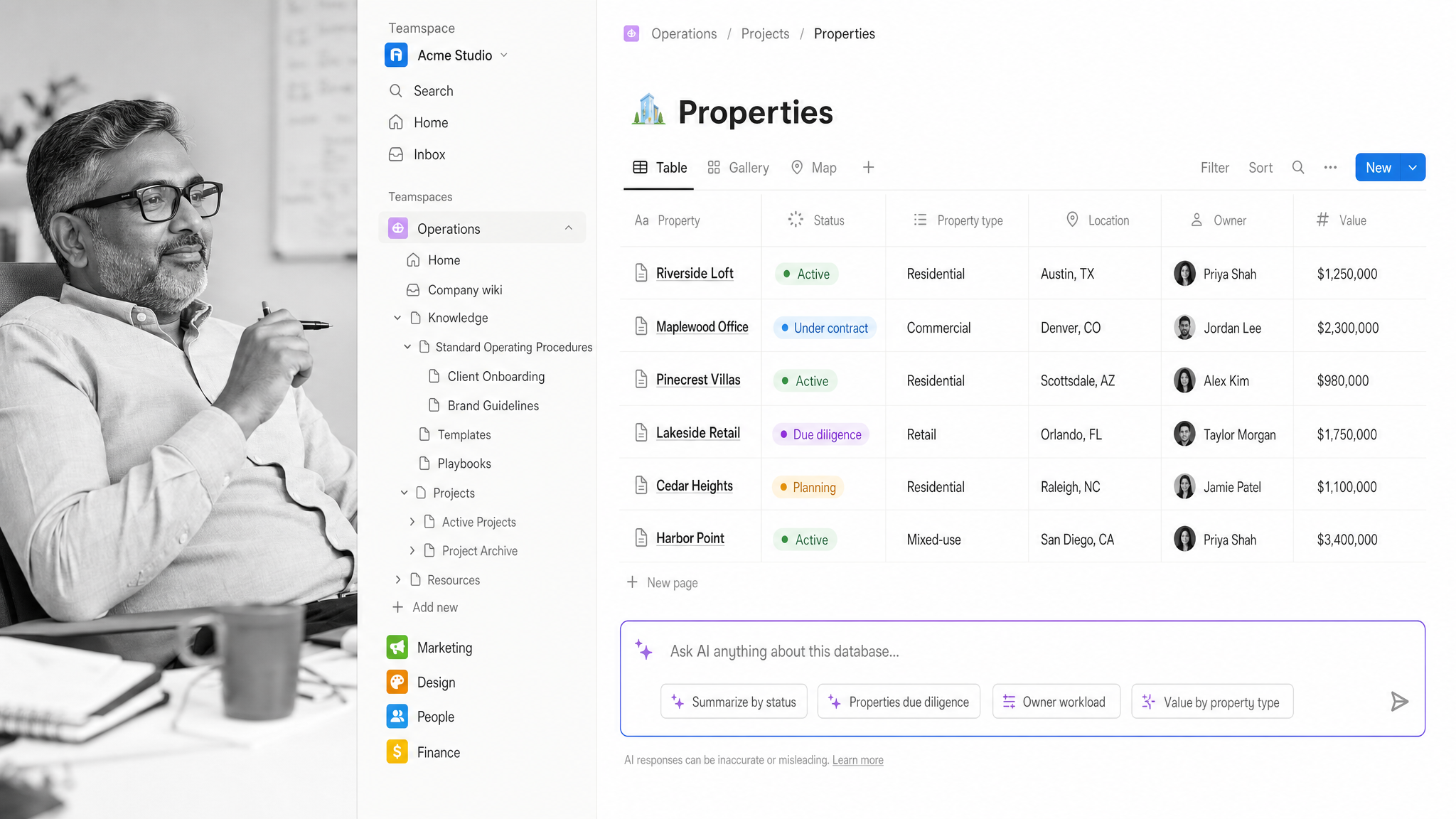
Best for: a connected knowledge base with lightweight databases.
Notion is where many teams keep their documentation, project notes, and operating procedures together. Its databases let you organize tasks and projects with custom properties, while teamspaces give each group a place to work. For process management it shines as the knowledge layer that sits beside your execution tools.
- Flexible databases for tracking projects, tasks, and documentation in one workspace.
- Collaborative teamspaces with granular permissions.
- Notion AI for chat, generation, and database autofill.
- Notion Agents that can take on multi-step tasks.
Pricing: Notion has a free plan, a Plus plan at $10 per member/month, and a Business plan at $20 per member/month, with custom Enterprise pricing.
Trello
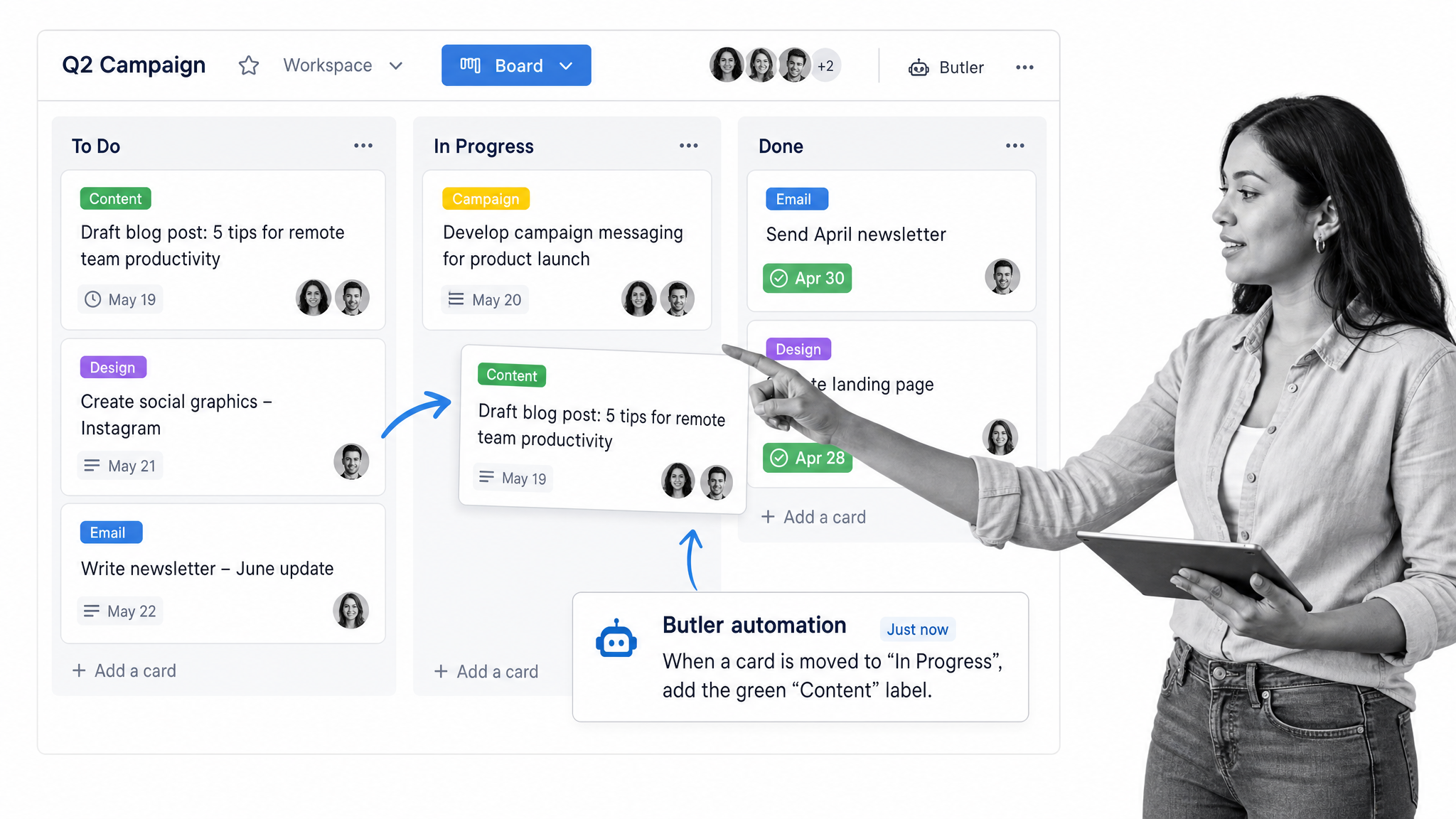
Best for: visual, board-based project management.
Trello keeps work organized on simple boards of lists and cards, which makes status obvious at a glance. It is one of the fastest tools to adopt, and its built-in Butler automation handles routine card moves and reminders so a board stays current on its own.
- Boards, lists, and cards that make ownership and progress visible instantly.
- Built-in no-code Butler automation for routine actions and reminders.
- Multiple views including Calendar, Timeline, Table, and Dashboard.
- AI assistance for drafting and improving card content on higher tiers.
Pricing: Trello has a free plan and a Standard plan at $5 per user/month billed annually, with Premium and Enterprise tiers adding AI, views, and admin controls.
Asana
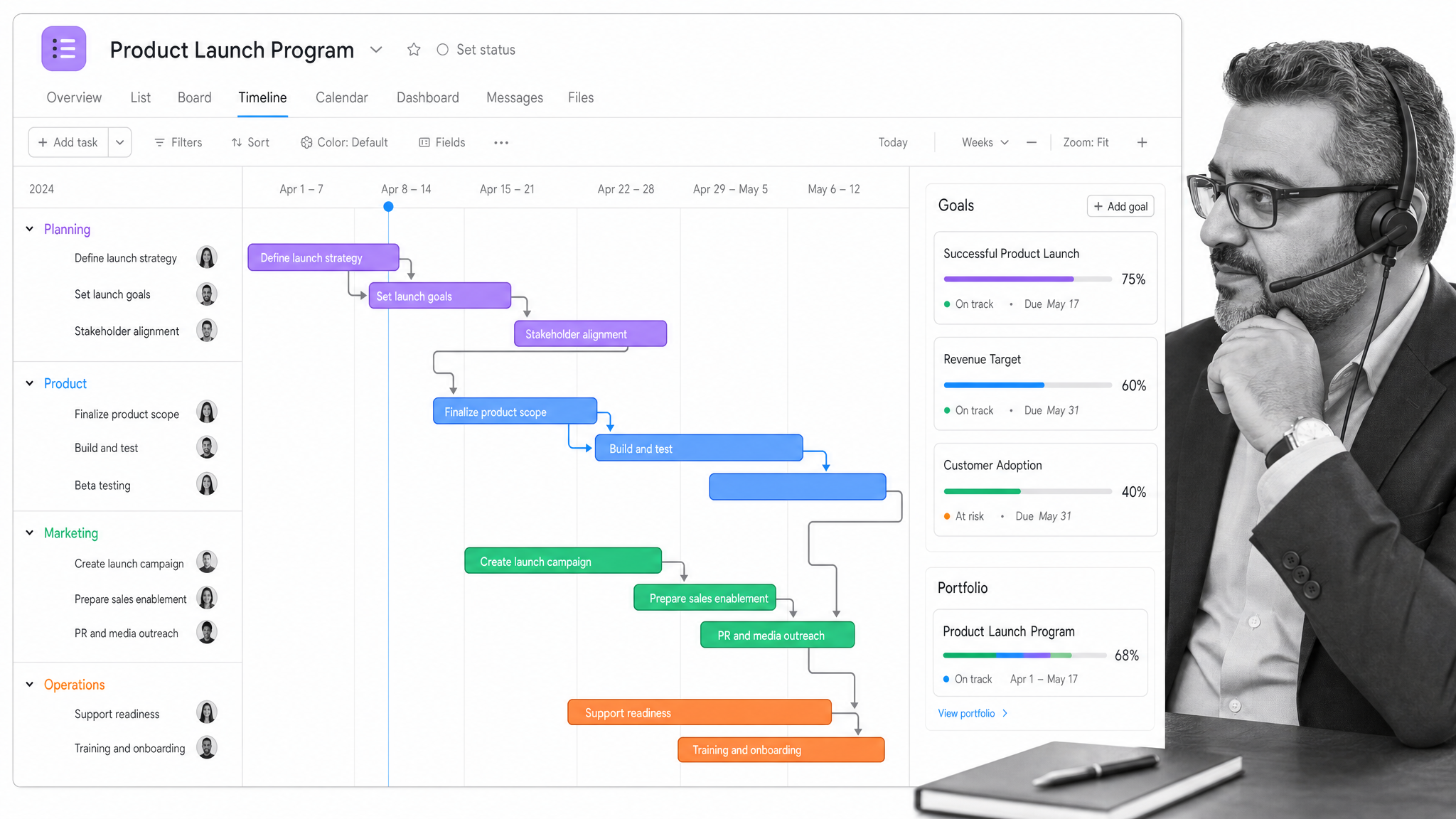
Best for: coordinating projects across a larger team.
Asana scales project coordination beyond a single board. Timelines, portfolios, and goals connect day-to-day tasks to the bigger picture, which is useful once several teams depend on the same processes. Its AI Studio adds a no-code way to build AI-assisted workflows.
- Timeline and Gantt views for planning work with dependencies.
- Goals and portfolios that tie tasks to broader objectives.
- Unlimited automations to remove manual handoffs.
- AI Studio for designing AI-assisted, no-code workflows.
Pricing: Asana has a free Personal plan and a Starter plan at $10.99 per user/month billed annually, with Advanced and Enterprise tiers for larger teams.
Airtable
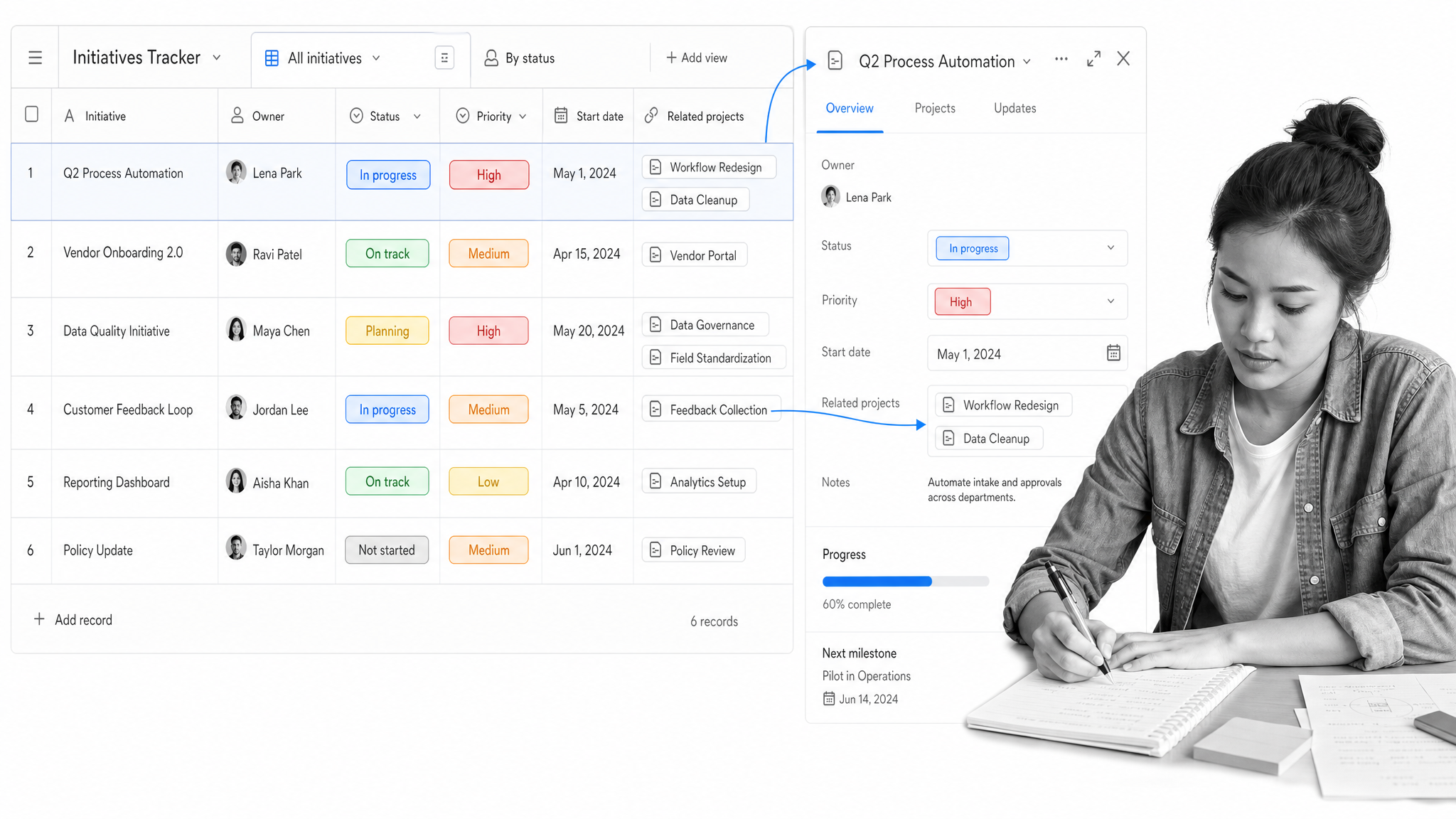
Best for: managing structured data and tracking initiatives.
Airtable is a flexible database that behaves like a spreadsheet but works like an app. Teams use it to track projects, content calendars, and inventories, then build custom interfaces on top so everyone sees exactly the data they need. It is the tool to reach for when a process is really about organizing and connecting information.
- Custom interfaces built on top of your data with no code.
- Multiple views to track work as a grid, calendar, Kanban, or timeline.
- Automations that move data and trigger actions across your stack.
- Airtable AI for building apps and deploying AI agents inside them.
Pricing: Airtable has a free plan and a Team plan at $20 per user/month billed annually, with Business and Enterprise Scale tiers for advanced needs.
How Do You Choose the Right Process Management Tool?
Start with the process that hurts most, not the longest feature list. If your pain is recurring work that has to run the same way every time, a dedicated workflow platform like Process Street is the natural home. If it is customer-facing, lean toward a CRM-led tool. If it is mostly about organizing information, a database fits better.
Then look for fit on the five criteria above: no-code building, customization, integrations, automation, and visibility. Most teams end up running two or three of these tools together, with a workflow platform as the backbone and the others connected through integrations and operations management software that ties the stack together.
Whatever you shortlist, start with a free trial or free plan and run one real process through it end to end before rolling it out widely. A tool only earns its place once it makes a real process faster and clearer for the people who run it.
Frequently Asked Questions
What is a process management tool?
A process management tool is software that helps teams manage, automate, and improve repeatable work. Process management tools standardize how a task runs, route it to the right people, automate follow-ups, and give managers real-time visibility into status, owners, and bottlenecks.
How do you choose the right process management tool?
Start with the process that causes the most friction, then match it to the right type of tool: a workflow platform for recurring processes, a CRM for customer-facing work, or a database for organizing information. Score candidates on no-code building, customization, integrations, automation, and visibility, and test a free plan before you commit.
What is the difference between process management and project management?
Process management is about work that repeats the same way, like onboarding or approvals, where consistency matters most. Project management is about one-time efforts with a start and end, like a launch. Many teams use a workflow tool for repeatable processes and a project tool for unique initiatives, and connect the two.
Why should you connect your process management tools?
Most of these tools integrate, so you can connect them into one flow rather than copying data by hand. A common pattern is to use a workflow platform as the backbone and connect documentation, CRM, project boards, and databases to it through built-in integrations and automation, which removes manual handoffs and keeps data consistent.
What is the best free process management tool?
Several options here include free access, so the best choice depends on the job. Process Street offers a free trial of its Pro plan, and Notion, Trello, Asana, and Airtable all offer free plans you can use to run a real process before upgrading.
What should a process management tool include?
Look for no-code building so anyone can design a process, customization to adapt as you grow, integrations with the apps you already use, triggers and automation to remove manual handoffs, and clear reporting so managers can see status without chasing updates.
