


Turn every policy into automated workflows with built-in enforcement and audit-ready proof.



9 Best Camunda Alternatives & Competitors in 2026

Camunda alternatives can mean very different things depending on the work you need to run. For some teams, Camunda is a benchmark for BPMN modeling, process orchestration, decision automation, and developer-friendly workflow control. For others, the search starts when a process team needs less engineering overhead, stronger business ownership, or a simpler way to prove that recurring work was completed correctly. The right replacement depends on whether your priority is executable SOPs, open source BPMN engines, low-code case applications, enterprise decisioning, document automation, or durable developer workflows. This comparison ranks tools by fit, not by a universal score. Process Street ranks first for teams that need enforceable, trackable, recurring workflow execution with approvals, required fields, role assignments, and audit-friendly records. That does not make it the best answer for every Camunda use case. If you need deep BPMN and CMMN engine control, Flowable or Bonita may be a closer technical fit. If your team is building broad low-code applications, Appian, Pega, or Bizagi may fit better. If engineers want durable code-first workflows, Temporal is usually the more natural option. Use this guide to match the product category to the operating problem before you compare pricing, implementation effort, and governance requirements.
- Camunda alternatives at a glance
- Best Camunda alternatives and competitors
- How to choose Camunda alternatives
- Camunda alternatives FAQs
- Final takeaway
Camunda alternatives at a glance
| Tool | Best for | Standout feature | Free plan | Starting price |
|---|---|---|---|---|
| Process Street | Enforceable recurring SOPs, approvals, and operational evidence | AI workflow execution with required tasks, forms, approvals, and audit trails | Trial available | Contact sales |
| Flowable | Technical BPMN, CMMN, and DMN programs | Open source engines for process, case, and decision automation | Open source edition | Contact sales |
| Bonita | Open source BPM apps with developer control | BPMN process applications with extensible architecture | Community edition | Contact sales |
| Bizagi | Process modeling and enterprise process apps | Free process modeling plus consumption-based automation pricing | Free Modeler | Request quote |
| Appian | Low-code process apps and case work | Low-code app building with process, data, and case management | Community Edition | Contact sales |
| Pega | Enterprise case management and decisioning | Case work, decisioning, and customer service automation | Trial and Community Edition | Contact sales |
| Nintex | Business-led workflow and document automation | Workflow, forms, RPA, document automation, and process intelligence | Trial available | From $15,000/year |
| Temporal | Developer-built durable workflows | Code-first workflow execution with open source self-hosting | Open source and cloud credits | Usage based |
| Pipefy | No-code request and approval processes | Pipes, forms, portals, automations, and request tracking | Starter plan | Contact sales |
Best Camunda alternatives and competitors
1. Process Street
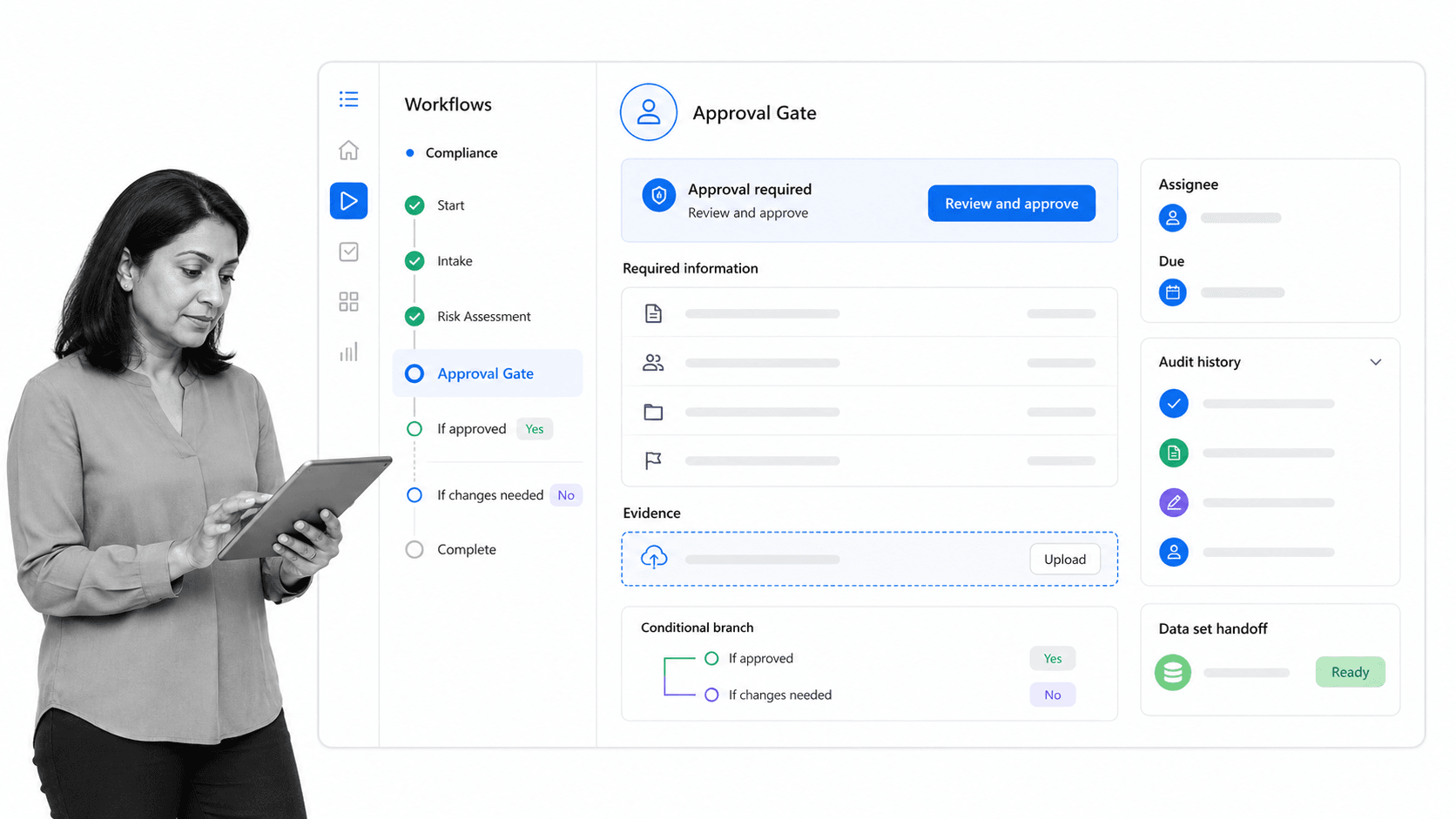
Process Street is the strongest Camunda alternative when the problem is not BPMN engine replacement, but recurring operational execution. It gives teams a governed place to run SOPs, capture structured inputs, route approvals, assign work, and keep a clear record of what happened. That makes it a practical fit for teams comparing Camunda alternatives because their work has moved beyond diagrams and into repeatable operations.
The best fit is a team that needs workflow automation software for onboarding, compliance reviews, vendor checks, finance operations, employee lifecycle tasks, customer implementation, or recurring audits. Instead of asking business users to think in engine terms, Process Street gives them workflows, tasks, forms, approvals, conditional logic, AI-assisted workflow creation, and Pages for operational knowledge. That helps process owners maintain standards while letting frontline teams complete the work without a specialist standing nearby.
Process Street also works well beside technical orchestration layers. A company can keep Camunda, Temporal, or an integration platform for system-level work while using Process Street as the human-facing control layer for SOP software. This is especially useful when people must review exceptions, attach evidence, complete checks, or approve a process step before automation continues.
Choose Process Street when the core requirement is accountability around recurring work. Choose a BPMN engine when the core requirement is executable process modeling inside a technical architecture. The difference matters: a model can describe a process, but an execution workspace must help teams complete it the same way every time.
Key Process Street features
- Workflow runs with assigned tasks, due dates, required fields, role-based work, approvals, and conditional logic.
- AI-assisted workflow creation and optimization for teams that want faster SOP creation without starting from a blank page.
- Pages for controlled process documentation, so knowledge and execution stay close together.
- Operational records that support process documentation, audit review, and continuous improvement.
- Pricing is listed by plan family on the Process Street pricing page, with Startup, Pro, and Enterprise options shown publicly.
Pros
- Strong fit for recurring SOPs, approvals, checklists, compliance evidence, and human-in-the-loop workflows.
- Business users can own and improve workflows without becoming BPMN specialists.
- Clear task ownership helps teams see what is late, blocked, approved, or complete.
- Works as a practical front end for approval workflow software and process governance.
- Useful when the workflow requires both automation and proof that people completed the right steps.
Cons
- Not a direct replacement for teams that need a BPMN engine, DMN execution, or developer-controlled orchestration runtime.
- Less suited to teams whose main goal is to build large custom low-code applications rather than repeatable process execution.
Best for: operations, compliance, HR, finance, revenue operations, customer success, and IT teams that need recurring workflows to be enforceable, visible, and easy to improve.
2. Flowable
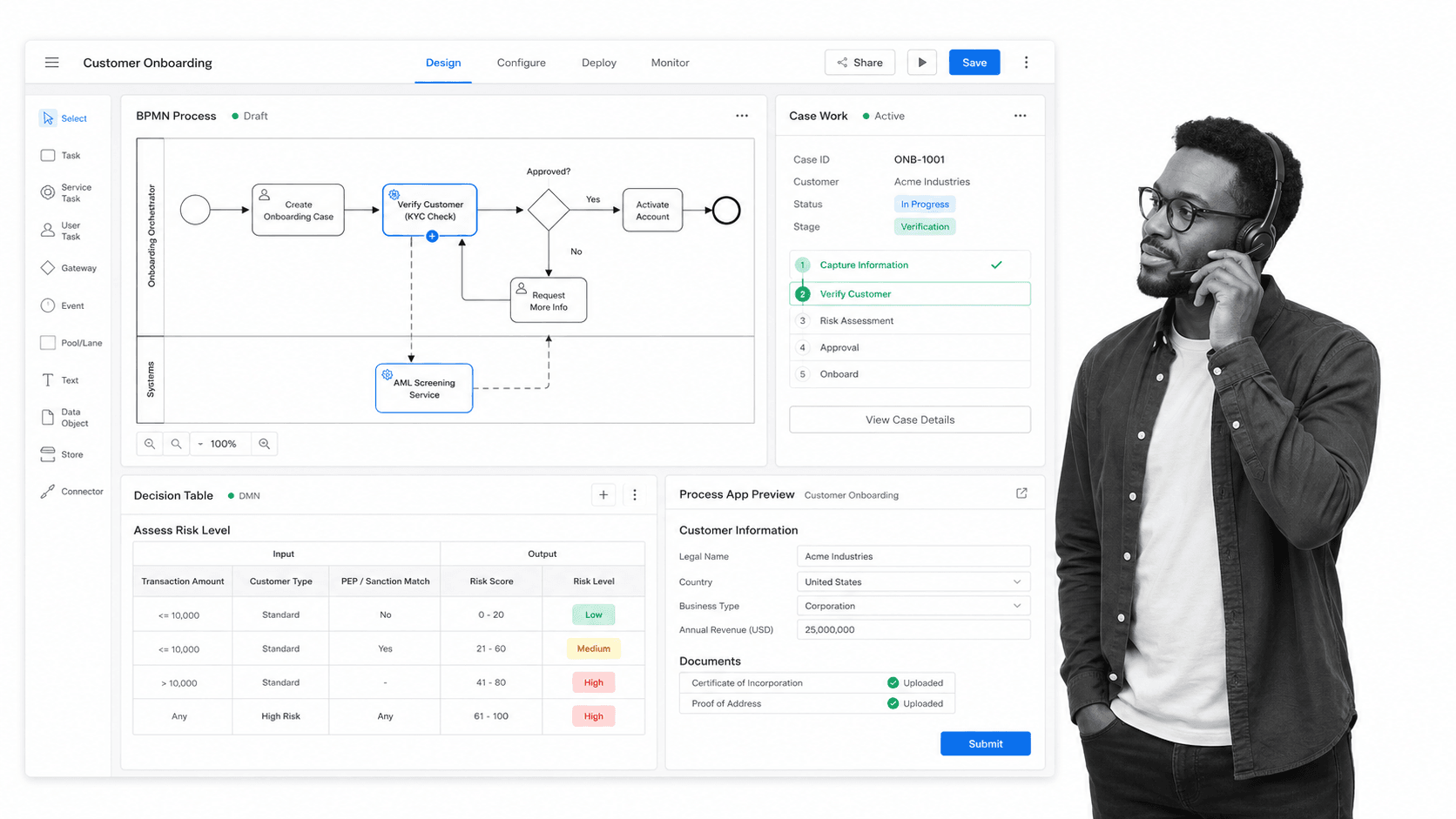
Flowable is one of the closest Camunda alternatives for teams that still want a technical BPMN, CMMN, and DMN-centered platform. Its official materials describe open source engines and paid support options, which makes it relevant when the organization wants process, case, and decision automation without moving fully into a no-code SOP tool.
Flowable is a better fit than Process Street when engineering teams need to design and run process models as part of a broader application architecture. Process Street is better when the central issue is recurring human work, evidence capture, approvals, and operational accountability.
Flowable features
- BPMN, CMMN, and DMN-centered process automation
- Open source components for teams that want technical control
- Case management patterns for less linear work
- Enterprise support and commercial packaging
Pros
- Strong fit for technical process automation teams
- Closer conceptual match to Camunda than many no-code tools
- Useful when case management and process modeling belong together
Cons
- Requires more technical ownership than business-led workflow tools
- Less direct for SOP execution and frontline task compliance
Best for: Technical BPMN, CMMN, and DMN programs. Pricing note: Contact sales.
3. Bonita
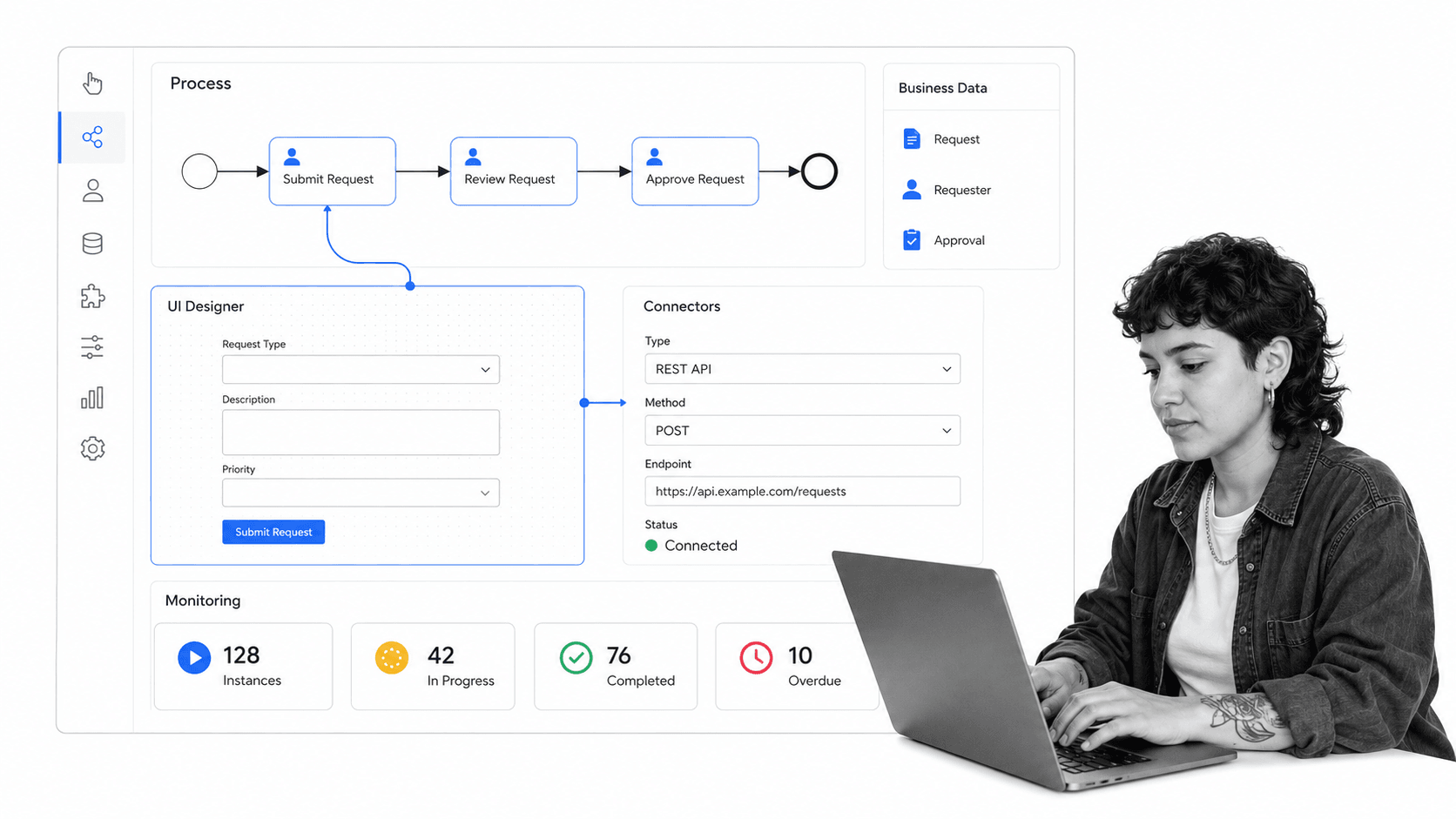
Bonita is a BPM platform for teams that want open source access, BPMN modeling, process applications, and extensibility. Its official documentation positions Bonita around graphical BPMN process design and separation between visual configuration and code.
Bonita is a stronger fit than Process Street when developers need to build process applications around BPMN. Process Street is stronger when process owners need to standardize recurring work quickly and keep completion evidence visible to managers and auditors.
Bonita features
- BPMN process application development
- Open source community edition
- Extensible architecture for developer teams
- Visual process design with room for custom code
Pros
- Good fit for open source BPM programs
- Useful for organizations building custom process applications
- Supports technical teams that want more control than no-code workflows
Cons
- More implementation effort than a business workflow platform
- Not the simplest answer for recurring SOP checklists
Best for: Open source BPM apps with developer control. Pricing note: Contact sales.
4. Bizagi
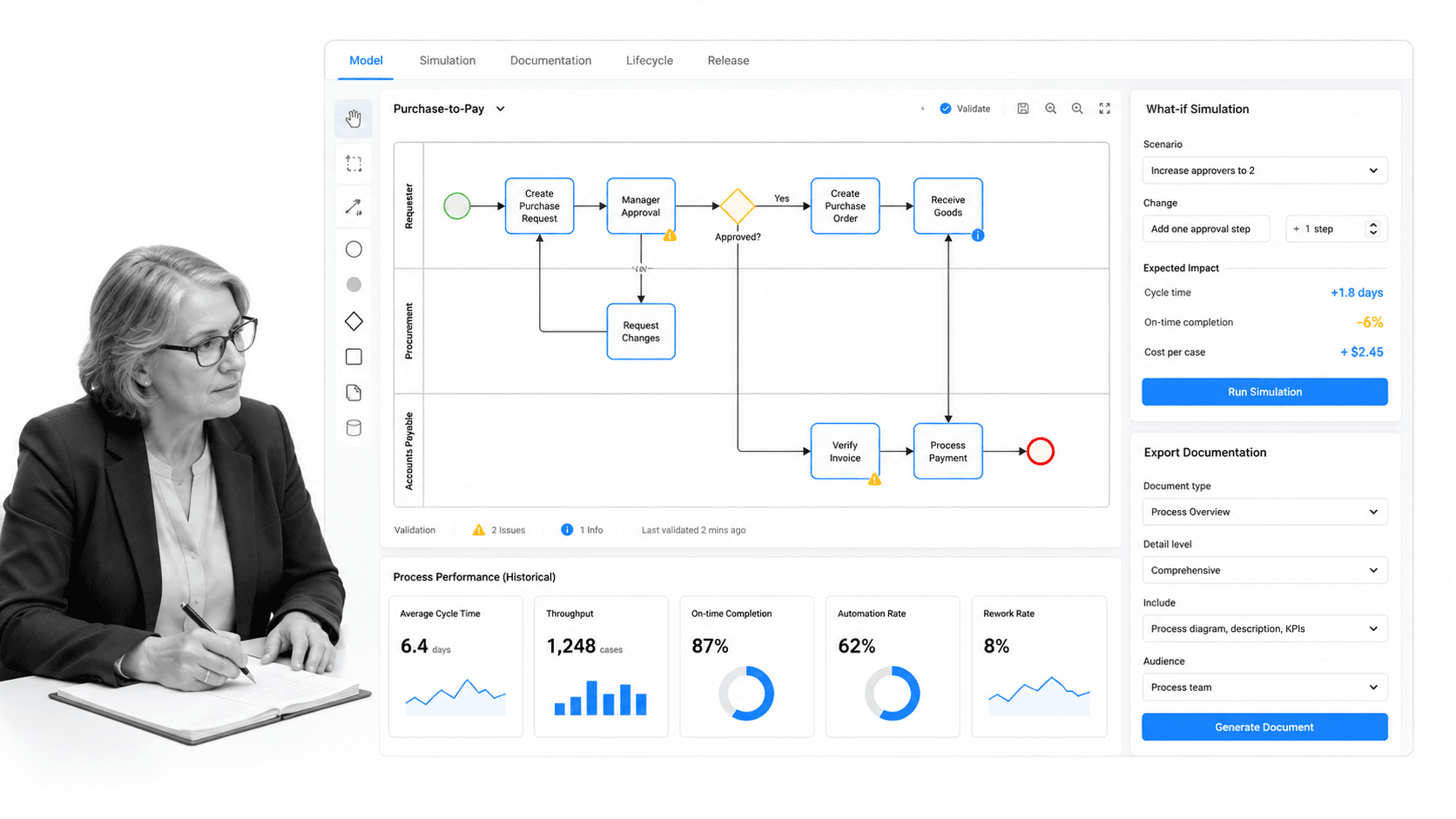
Bizagi is a process automation platform with a free modeling product and consumption-based enterprise pricing. It is a relevant Camunda alternative when process discovery, modeling, and enterprise process applications are central to the project.
Bizagi can be a better fit than Process Street when a team wants a broad BPM suite with formal modeling and application delivery. Process Street is usually better when the priority is getting repeatable operational procedures running with owners, forms, approvals, and audit trails.
Bizagi features
- Free process modeler
- Process application automation
- Consumption-based platform pricing
- Enterprise process modeling and documentation workflows
Pros
- Strong for process modeling programs
- Useful when teams want to connect modeling and automation
- Better for BPM suite evaluation than simple task tools
Cons
- Pricing requires a quote for automation use
- Can be heavier than needed for SOP execution
Best for: Process modeling and enterprise process apps. Pricing note: Request quote.
5. Appian
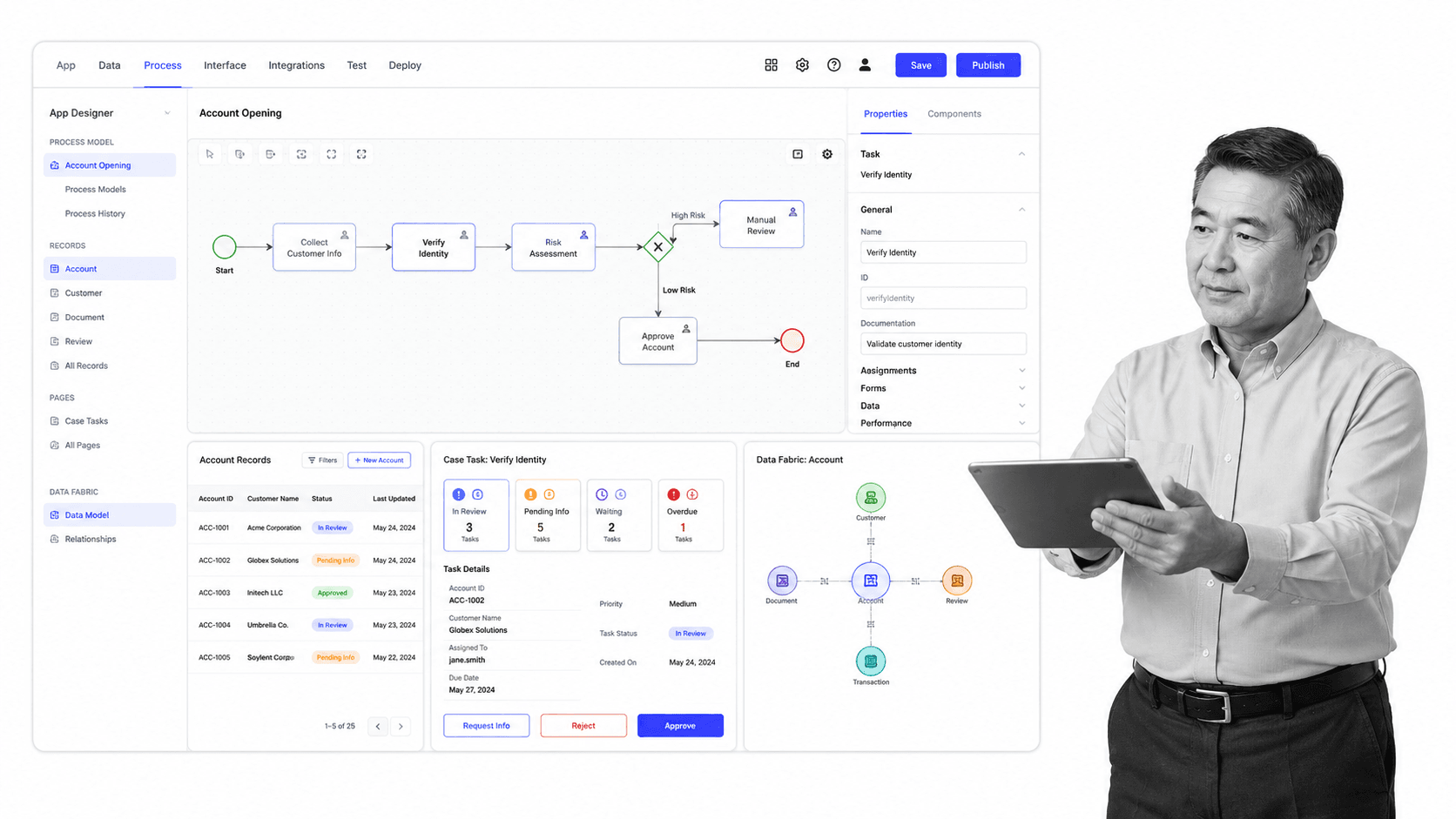
Appian is a low-code platform for building process apps, case workflows, and data-connected business applications. Appian publicly offers a Community Edition for personal development, which helps evaluators test low-code patterns before a commercial conversation.
Appian is a better fit than Process Street when the goal is a portfolio of custom low-code applications. Process Street is better when the goal is recurring process execution that business teams can own without designing a full application.
Appian features
- Low-code app building
- Process automation and case work
- Data-connected application experiences
- Community Edition for evaluation
Pros
- Strong for enterprise low-code programs
- Useful when process work needs custom app surfaces
- Good fit for teams standardizing around one application platform
Cons
- Can be more platform than an SOP team needs
- Pricing and deployment planning usually require sales engagement
Best for: Low-code process apps and case work. Pricing note: Contact sales.
6. Pega
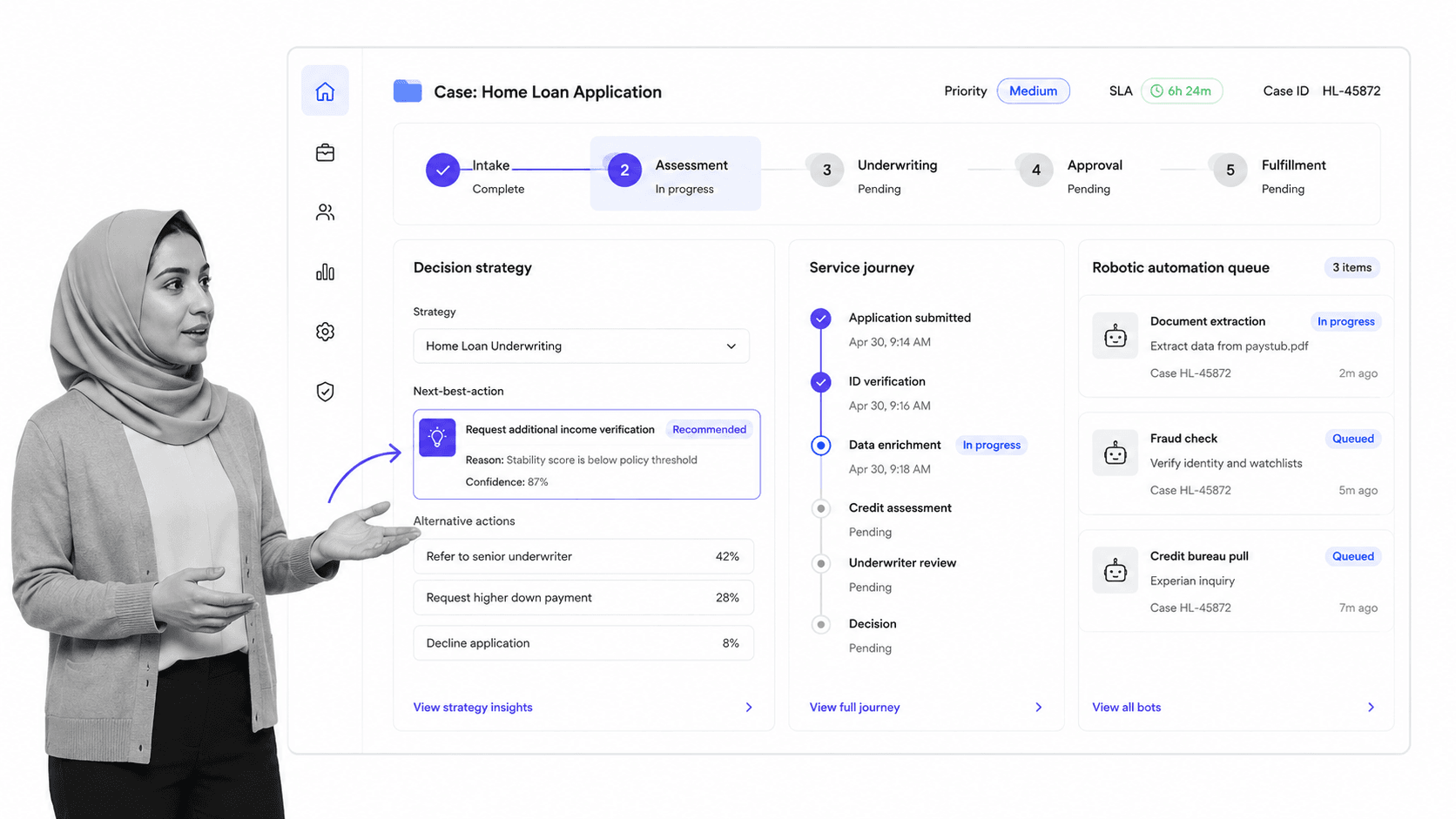
Pega is a major enterprise platform for case management, decisioning, and customer workflow automation. Its public trial materials highlight developer access to the platform and development studios.
Pega is a better fit than Process Street when a company needs complex case work, decision strategies, and enterprise customer operations. Process Street is better when teams need a lighter operating layer for recurring internal workflows and proof of completion.
Pega features
- Enterprise case management
- Decisioning and customer journey automation
- Developer trial and community access
- Large-scale operational workflows
Pros
- Strong fit for complex enterprise case work
- Useful for customer operations and decision-heavy workflows
- Broad platform depth for large transformation teams
Cons
- More complex than needed for straightforward recurring procedures
- Commercial evaluation usually involves sales engagement
Best for: Enterprise case management and decisioning. Pricing note: Contact sales.
7. Nintex
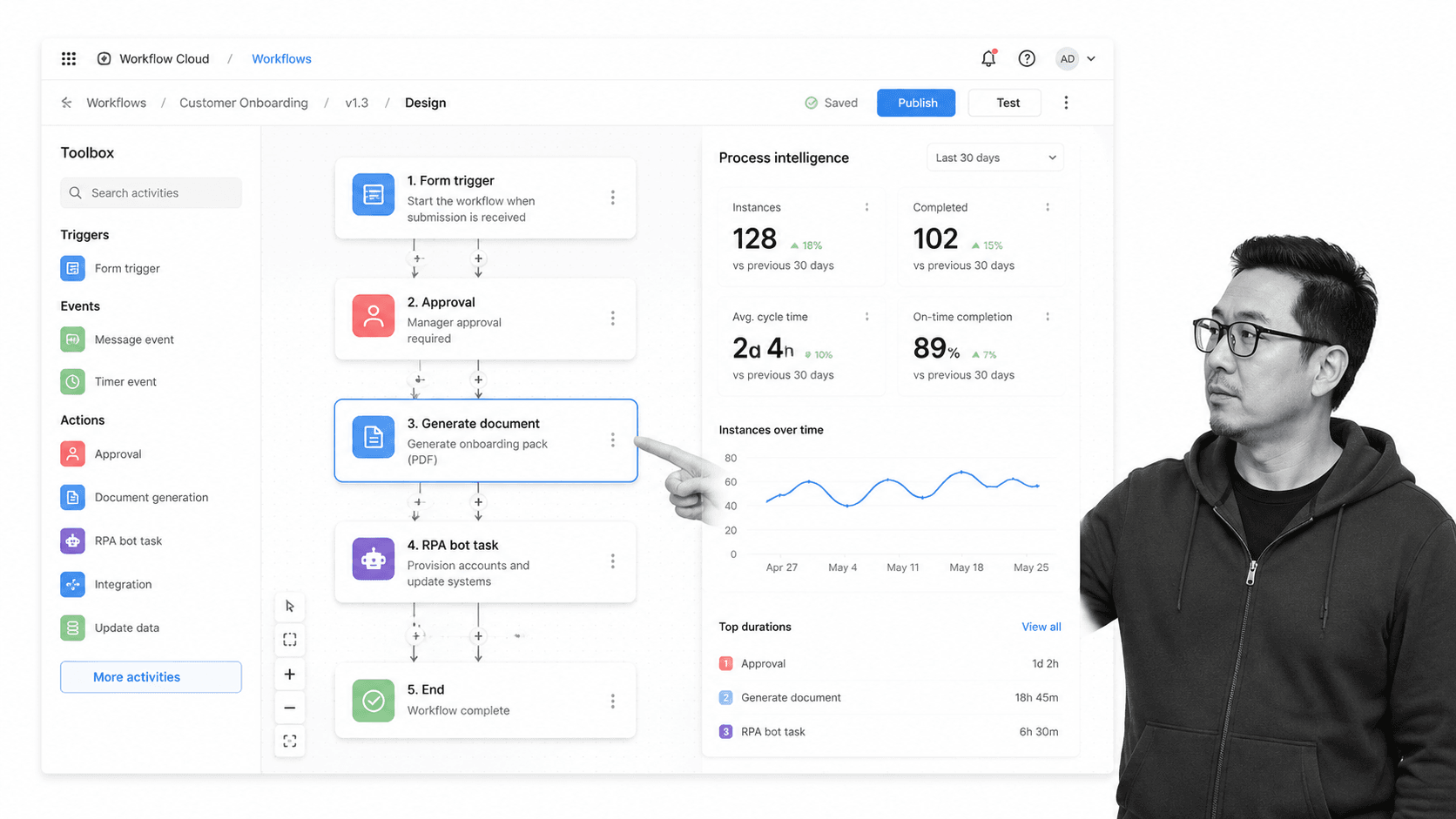
Nintex is a business automation suite covering workflow automation, forms, RPA, document automation, and process intelligence. Its public cloud automation pricing lists annual plan packaging and a starting annual price.
Nintex is a better fit than Process Street when document generation, forms, RPA, and process intelligence need to sit in one business automation suite. Process Street is better when the main job is governed SOP execution, approvals, and operational records.
Nintex features
- Workflow automation and forms
- Document automation
- RPA and process intelligence options
- Published annual starting price for cloud automation
Pros
- Broad business automation footprint
- Useful for document-heavy workflow programs
- Good fit when forms and automation belong together
Cons
- Annual pricing can be more commitment than small teams need
- Not as focused on recurring SOP completion as Process Street
Best for: Business-led workflow and document automation. Pricing note: From $15,000/year.
8. Temporal
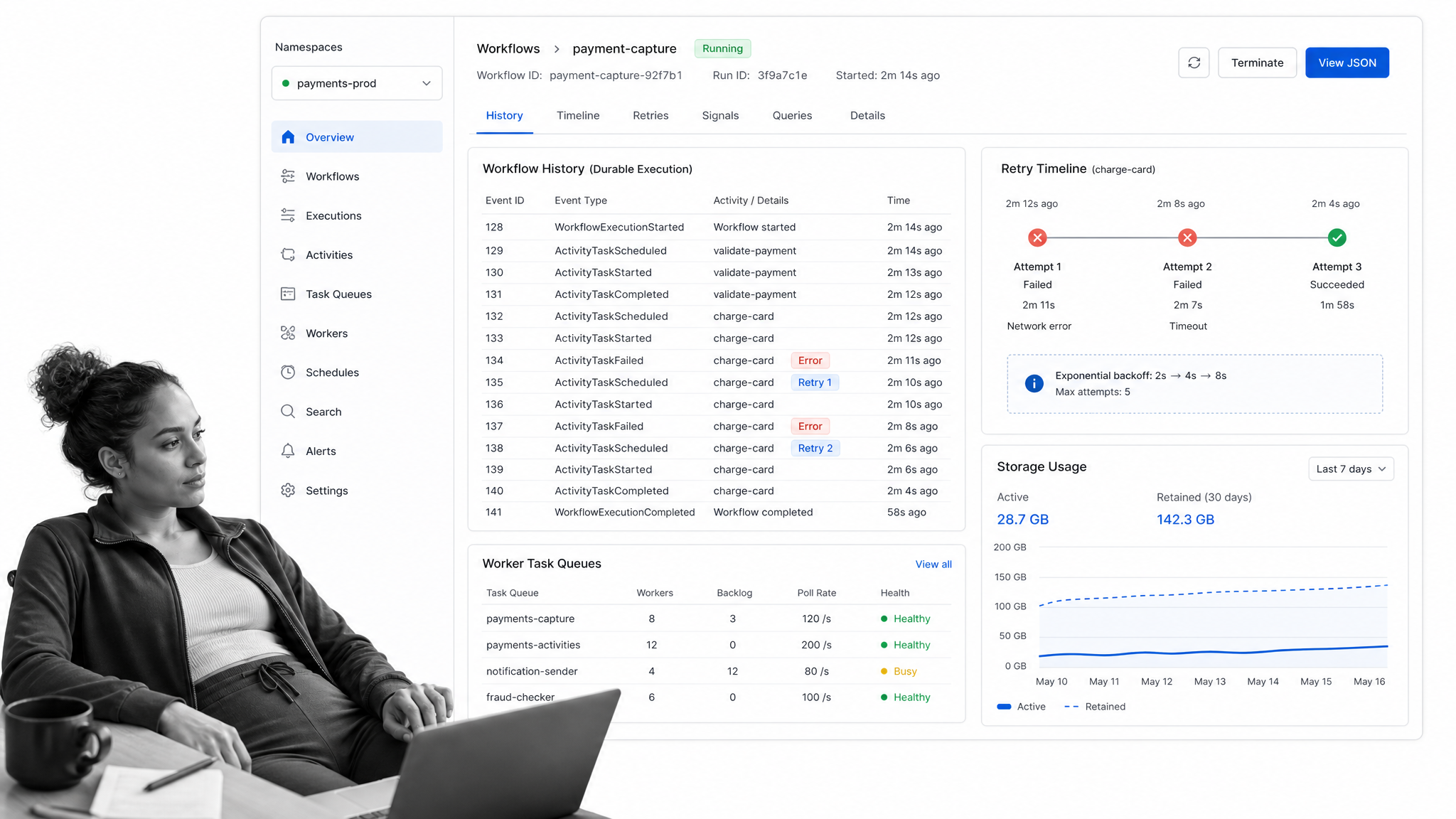
Temporal is a developer-first platform for durable workflow execution. Its public materials describe an open source project that teams can host, plus Temporal Cloud with usage-based pricing and free credits.
Temporal is a better fit than Process Street when engineers need resilient code-first orchestration for services, retries, and long-running workflows. Process Street is better when the workflow includes business users, required checks, forms, approvals, and human evidence.
Temporal features
- Code-first durable workflow execution
- Open source self-hosting path
- Temporal Cloud usage-based pricing
- Good fit for engineering-owned distributed systems
Pros
- Excellent for developer-controlled orchestration
- Useful for resilient long-running workflows
- Strong fit when workflows are mostly system-to-system
Cons
- Not designed as a business SOP interface
- Requires engineering ownership
Best for: Developer-built durable workflows. Pricing note: Usage based.
9. Pipefy
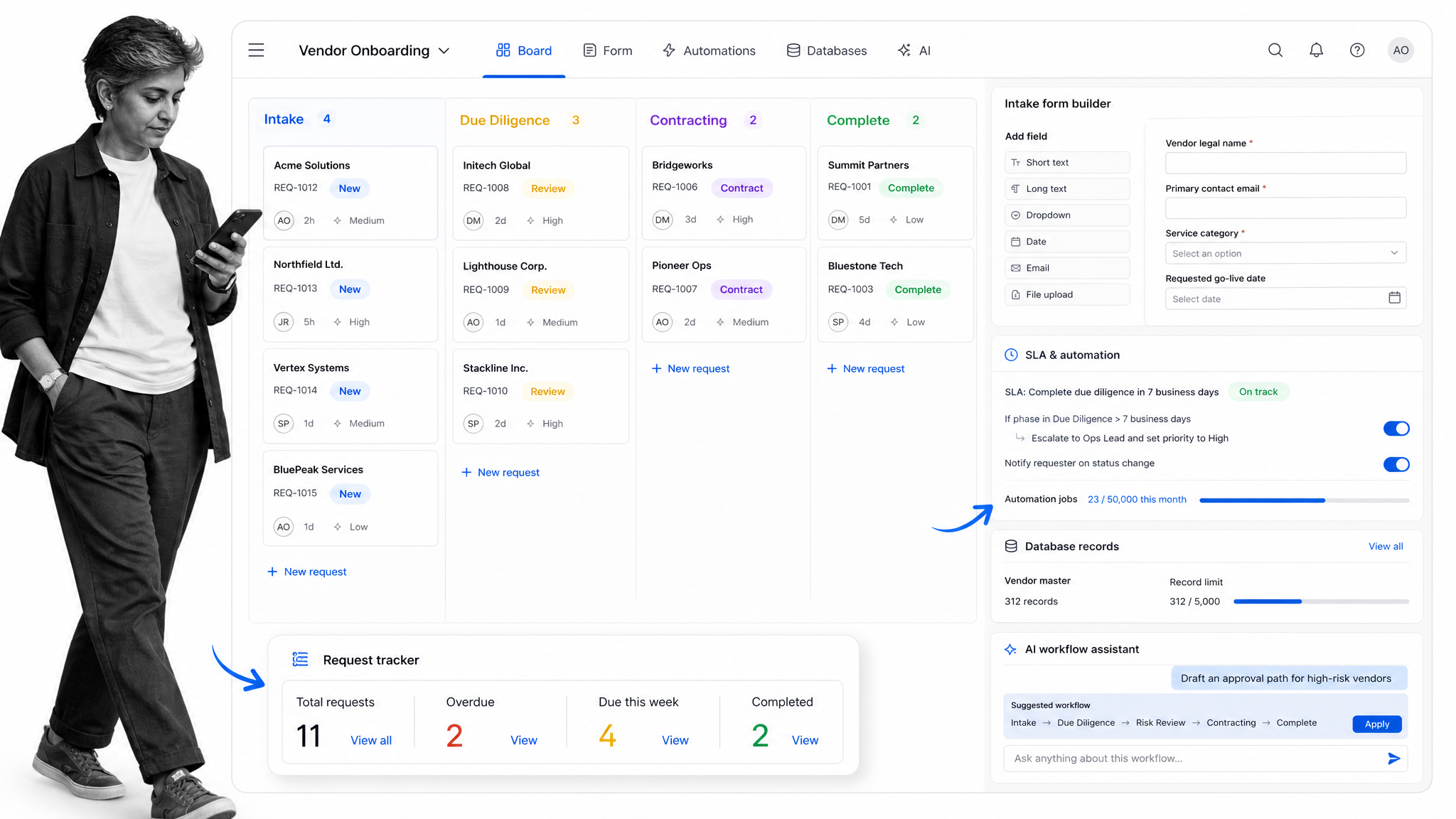
Pipefy is a no-code process platform built around pipes, request forms, portals, automations, and tracked work. Its public pricing page lists a free Starter plan with limits on processes and users.
Pipefy is a better fit than Process Street when the team wants request intake, cards, and process portals in a no-code board-like environment. Process Street is better when workflows need stronger SOP structure, recurring checklist execution, approvals, and evidence capture.
Pipefy features
- No-code pipes for request and process tracking
- Forms, portals, and request tracking
- Automations for routing and updates
- Free Starter plan listed publicly
Pros
- Good for request intake and service processes
- Useful for teams that like card-based process views
- Approachable for business users
Cons
- Less suited to BPMN or code-first orchestration
- May need paid plans for broader teams and advanced controls
Best for: No-code request and approval processes. Pricing note: Contact sales.
How to choose Camunda alternatives
Start by deciding whether you need business process management software, business-led workflow execution, or developer orchestration. Those categories overlap, but they optimize for different owners. BPMN tools help technical teams model and automate process logic. Low-code platforms help teams build applications. SOP platforms help teams complete recurring work consistently.
Map the workflow to the risk. If missed steps create audit, compliance, or customer impact, prioritize compliance workflow software, approvals, required data, and traceable completion records. If the risk is technical failure across services, prioritize durable execution, retries, observability, and code ownership.
Also decide who will maintain the process after launch. A transformation team may be comfortable maintaining a BPM suite, while an operations team may need workflow apps that managers can change directly. For recurring work, templates, task history, role assignments, and reporting usually matter more than modeling notation.
Finally, separate orchestration from accountability. Some teams use technical process orchestration behind the scenes and a human-facing layer for operations management software. That combined approach can preserve engineering control while giving business teams a clear place to run and review the work.
Camunda alternatives FAQs
What is the best Camunda alternative?
The best Camunda alternative depends on the use case. Process Street is best for recurring SOP execution, approvals, and operational evidence. Flowable and Bonita are stronger technical fits for BPMN-centered teams, while Temporal is stronger for code-first durable workflows.
Is Process Street a direct Camunda replacement?
Process Street is not a direct BPMN engine replacement. It is a better fit when teams need business-owned workflow execution, tasks, forms, approvals, and audit-friendly records around recurring work.
Which Camunda alternatives are closest to Camunda?
Flowable and Bonita are among the closest options when the requirement is BPMN-centered process automation with technical ownership. Bizagi is also relevant when process modeling and enterprise process apps are important.
Which Camunda alternative is best for low-code applications?
Appian, Pega, and Bizagi are stronger fits when the primary goal is building low-code or enterprise process applications. They usually suit broader platform programs more than simple SOP rollout.
Which Camunda alternative is best for developers?
Temporal is usually the best fit when developers need durable code-first workflows across services. It is not a business checklist tool, but it is strong for engineering-owned orchestration.
Which Camunda alternative is best for SOPs?
Process Street is the best fit in this list for SOPs, recurring checklists, approvals, required data collection, and operational proof. It is built around repeatable execution rather than only process modeling.
Do these tools have free plans?
Several tools offer a free option or trial. Examples include Flowable open source options, Bonita Community Edition, Bizagi Modeler, Appian Community Edition, Temporal open source access, Pipefy Starter, and trials from several vendors.
Final takeaway
If your team is replacing Camunda because BPMN orchestration is too technical for recurring operational work, Process Street is the strongest first stop. If you still need a process engine, start with Flowable or Bonita. If you need low-code applications, evaluate Appian, Pega, or Bizagi. If engineers own the workflow runtime, evaluate Temporal. The best Camunda alternatives are the ones that match the owner, risk, and day-to-day operating model of the process.
Comparing something else? The full directory of software alternatives and competitor comparisons covers AI agents, workflow and BPM platforms, integration tools, and more.
