


Turn every policy into automated workflows with built-in enforcement and audit-ready proof.



Claude Agent Alternatives
The best Claude agent alternatives are Dash, Lindy, Gumloop, Glean Agents, and Zapier Agents. Dash and Lindy work closest to team chat, Gumloop and Zapier Agents emphasize configurable automation, and Glean Agents centers on enterprise context and governance. The right choice depends on surface, approvals, connectors, and pricing.
In this article, we cover:
- What is a Claude agent?
- Claude agent alternatives at a glance
- What counts as a Claude agent alternative?
- How we compared the best Claude agent alternatives
- What matters when comparing Claude agent alternatives?
- Which Claude agent alternatives are strongest right now?
- Where does Process Street fit?
- How can you switch from a Claude agent?
- Which Claude agent alternative should you choose?
- Best Claude agent alternative for Slack or Microsoft Teams
- Claude agent alternatives FAQs
What is a Claude agent?
For this guide, a Claude agent means @Claude, Anthropic’s beta AI teammate for Slack, not Claude Code or the Claude Agent SDK. Team and Enterprise customers can tag it in threads, give it standing instructions, connect approved tools, and let it work under an agent identity. Microsoft Teams support is still listed as coming soon.
@Claude can read thread context, run scheduled or long-running tasks, use channel-specific skills and instructions, and act through tools configured by administrators. Anthropic says credentials are attached to Claude’s own agent identity and their use is logged. @Claude is the benchmark for this guide, so it is not included in the ranked alternatives.
Anthropic’s current pricing page lists @Claude on Team and Enterprise plans. Team standard seats cost $20 per user per month with annual billing or $25 when billed monthly. Availability and administrative controls vary by plan, and the Slack product page still labels @Claude as beta.
Claude agent alternatives at a glance
Claude agent alternatives span chat-native coworkers, visual agent builders, enterprise knowledge platforms, and app-action automation. Dash and Lindy work directly in team conversations, while Gumloop and Zapier Agents provide configurable building surfaces. Glean Agents emphasizes permissions-aware enterprise context. Compare their work surfaces, control models, connector footprints, and pricing entry points below.
| Tool | Surface | Guardrail or model | Connector count | Pricing entry point |
|---|---|---|---|---|
| Dash | Slack, Microsoft Teams, and web | Approval flow before every external action | 3,000+ integrations | Published on the Dash pricing page |
| Lindy | Slack, web, inbox, meetings, and routines | Model choice with approvals built in | 1,000+ integrations and any MCP | Plus is $29.99/user/month |
| Gumloop | Visual agent and workflow canvas | 35+ models with agent-scoped connector controls | 300+ connectors | Pro starts at $37/month; 14-day trial |
| Glean Agents | Enterprise agent builder, library, and connected work surfaces | Permissions-aware governance and human checkpoints | 275+ connectors | No public price; request a demo |
| Zapier Agents | Agent builder, web, and Chrome extension | Limited to configured apps, triggers, and actions | 9,000+ apps | Free; Pro is $33.33/month billed annually |
Table sources: Dash pricing and integrations; Lindy pricing and integrations; Gumloop pricing and connector documentation; Glean Agents, connectors, and demo request; and Zapier Agents and pricing. Prices and published connector totals were checked on August 27, 2026.
What counts as a Claude agent alternative?
A useful Claude agent alternative must replace either @Claude’s team-chat role or the connected agent work around it. Chat-native products should understand shared conversations and hand work across tools. Builder platforms qualify when teams can configure agents, permissions, triggers, and actions. Enterprise options must preserve identity, data access, governance, and observable human control.
- Chat-native coworkers: Dash and Lindy.
- Visual agent building: Gumloop.
- Enterprise context and governance: Glean Agents.
- Broad app-action automation: Zapier Agents.
- Not counted: @Claude itself, because it is the benchmark being evaluated.
How we compared the best Claude agent alternatives
We compared five alternatives using current first-party product, pricing, integration, and help pages. The evaluation covers primary work surface, approval or permission model, published connector footprint, pricing entry point, and fit for shared team work. We did not treat a large app catalog as proof of stronger reasoning, governance, or chat-native collaboration.
Editorial owner: Vinay Patankar.
Disclosure: Process Street and Dash share ownership. Dash was evaluated against the same first-party evidence standard as every other vendor.
Last updated: August 27, 2026.
Last verified: August 27, 2026.
What matters when comparing Claude agent alternatives?
Start with where the agent receives work and what it may change. Compare Slack, Microsoft Teams, web, and builder surfaces alongside identity, permissions, approval checkpoints, connected systems, persistent context, scheduling, observability, and billing cadence. A strong choice should match the team’s actual risk boundary, not merely advertise the most models, connectors, or automation templates.
- Work surface: Slack, Microsoft Teams, web, browser extension, or visual canvas.
- Action boundary: what the agent may read, create, update, send, publish, or spend.
- Human control: approvals, identity, permissions, audit history, and administrative policies.
- Context: channel history, company knowledge, connected records, memory, and source permissions.
- Connector depth: supported data, actions, authentication, and custom extension paths.
- Real pricing: trial conditions, user or workspace billing, included usage, and enterprise requirements.
Which Claude agent alternatives are strongest right now?
Dash is the closest fit for an approval-first coworker across Slack and Microsoft Teams, while Lindy suits Slack teams with inbox and meeting-heavy work. Gumloop and Zapier Agents are stronger when teams want to configure agents and automations. Glean Agents is the enterprise option for permissions-aware context, governance, orchestration, and a managed agent library.
1. Dash
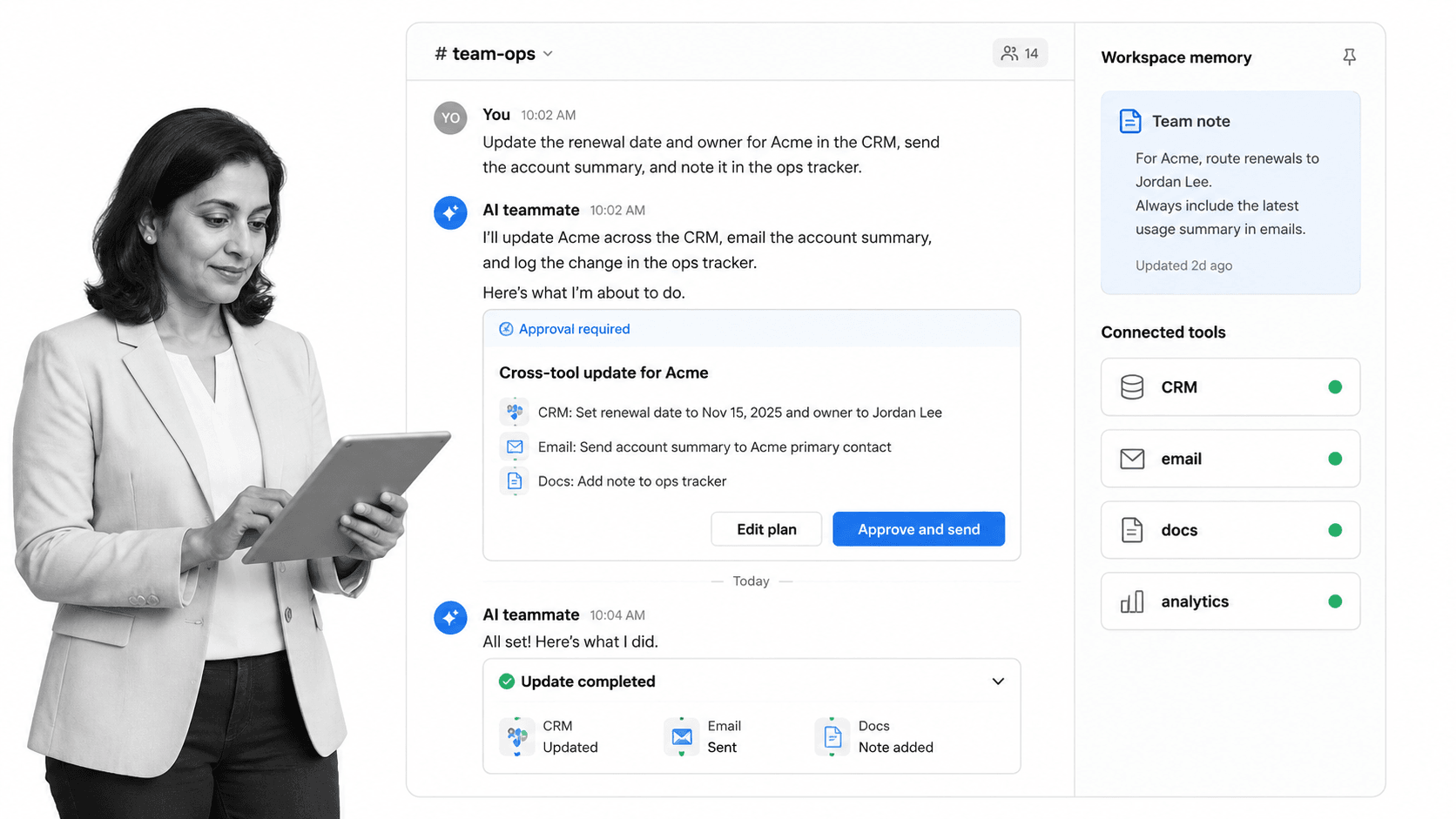
Dash is an AI teammate that works in Slack, Microsoft Teams, and the web. Its integration catalog lists more than 3,000 tools, and its current pricing page says every external action enters an approval flow. That design suits teams that want an agent to research, draft, update systems, and deliver finished work from shared conversations.
Dash is not a visual agent builder or an enterprise search platform. It is designed as one shared teammate with workspace context, channel introductions, and connected execution. Current pricing starts free with no credit card, and its current plans are published on the Dash pricing page.
Bottom line: Dash is the strongest Claude agent alternative for teams that want approval-first execution from Slack or Microsoft Teams across a broad connected-tool catalog.
Choose Dash if: your team wants one chat-native coworker, workspace pricing, and a review step before external actions.
Skip Dash if: you need a visual workflow canvas, repository-scale coding agent, or enterprise search index.
2. Lindy
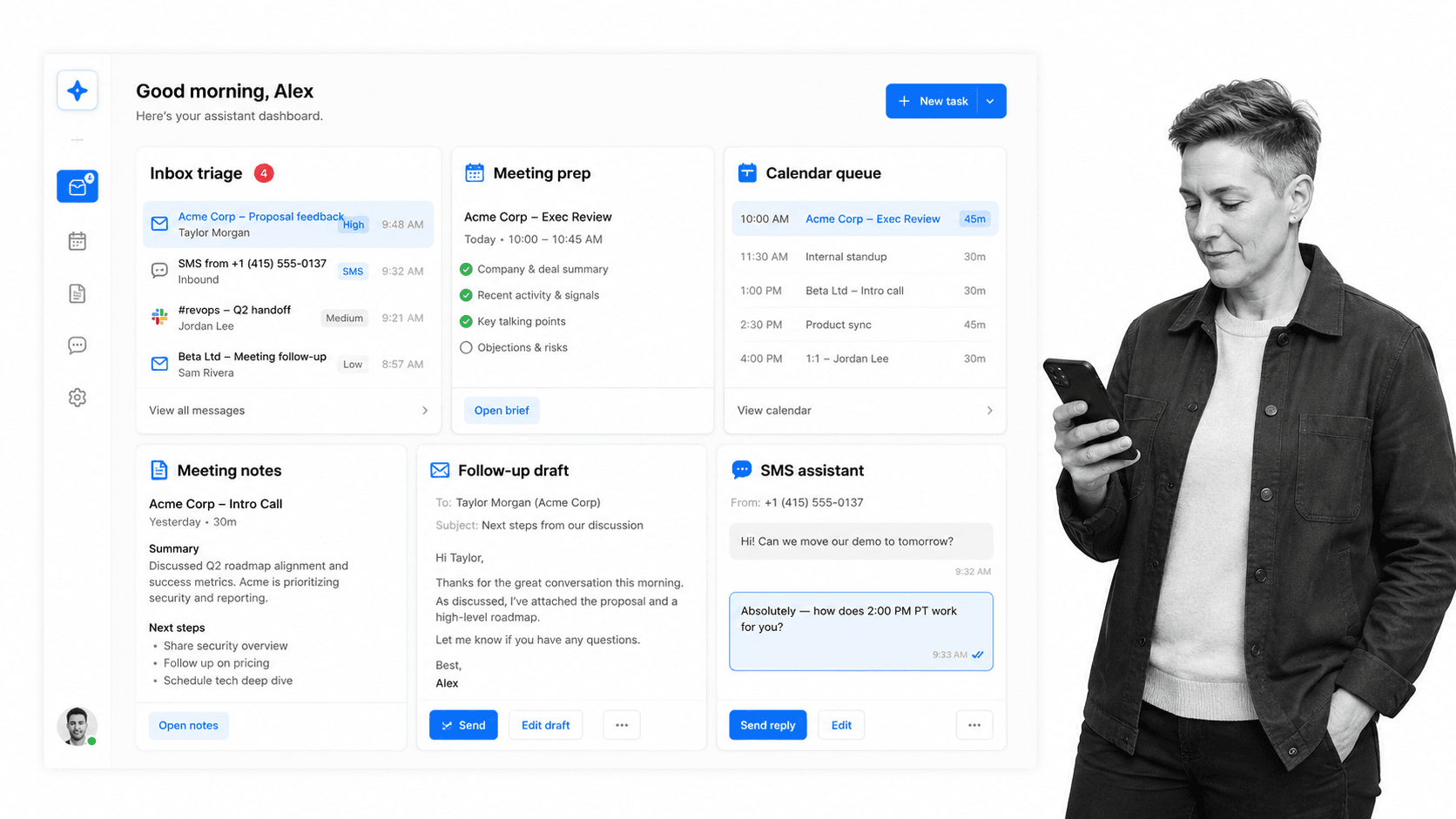
Lindy is a Slack-native AI teammate with scheduled routines, persistent workspace context, meeting workflows, inbox management, model selection, computer use, and approvals for outside-impact actions. Its integration directory lists 1,000+ apps and any MCP server and includes Microsoft Teams, common business applications, and support for any MCP server.
Lindy fits teams whose delegated work spans Slack, email, calendars, meetings, and personal follow-up. The Plus plan costs $29.99 per user per month and includes 3,000 credits per user monthly. Lindy’s pricing page says teammates who join through Slack receive a seven-day trial, while direct signups are billed immediately.
Bottom line: Lindy is a strong Claude agent alternative for Slack teams that combine shared requests with inbox, meeting, calendar, and follow-up work.
Choose Lindy if: Slack is your main shared surface and communication-heavy delegation matters more than workspace-level pricing.
Skip Lindy if: you need Microsoft Teams as the primary agent surface or prefer one flat workspace fee.
3. Gumloop
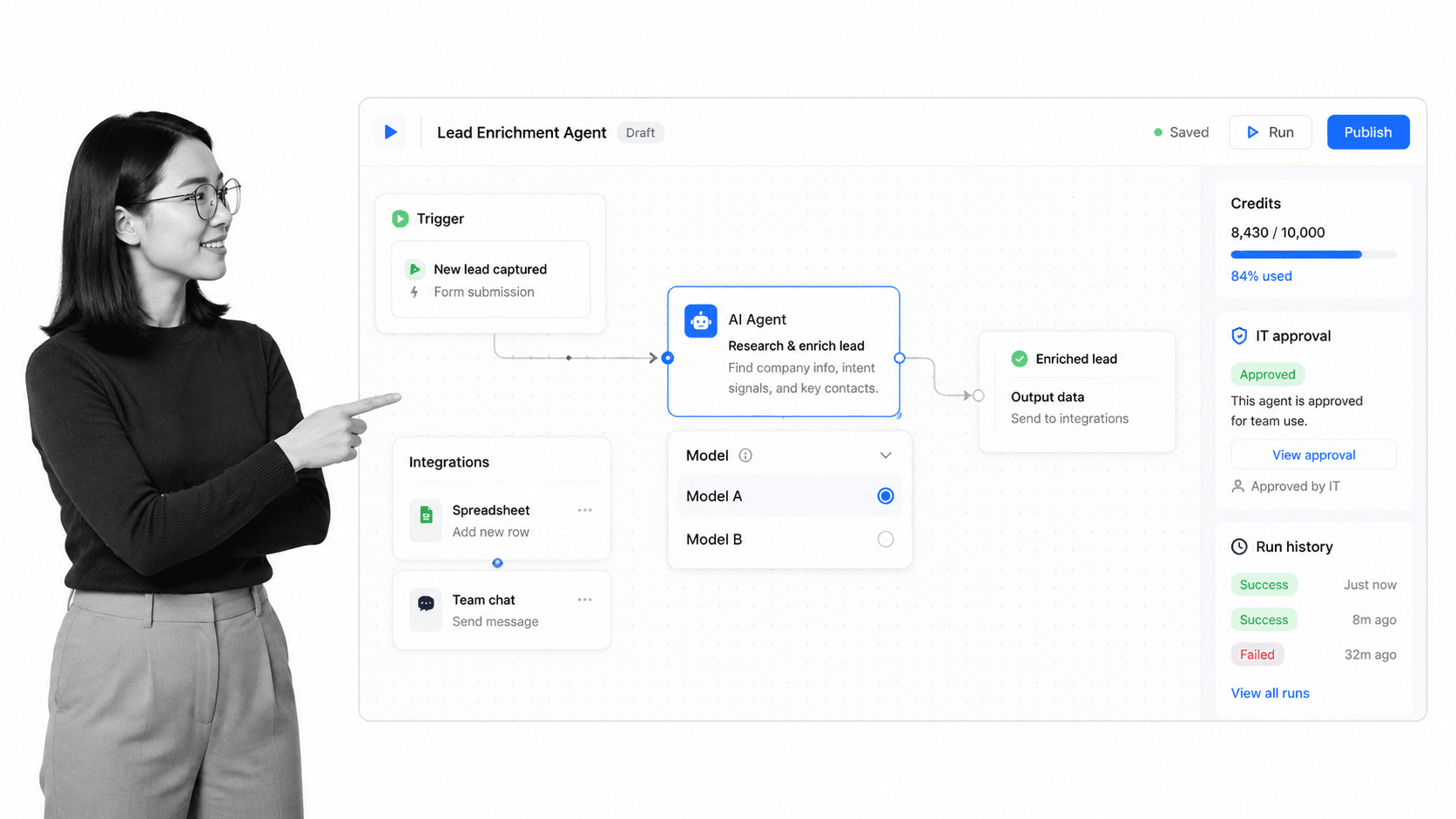
Gumloop is a visual platform for building agents and repeatable AI workflows. Its Pro plan includes more than 35 models, unlimited agents, unlimited seats, agent-scoped connector controls, and 20,000 credits per month. Gumloop’s connector documentation lists 300+ connectors available to agents.
Gumloop is strongest when operations and technical teams want to design, test, and maintain reusable agent behavior on a canvas. Pro starts at $37 per month and includes a 14-day free trial. The tradeoff is that a configurable builder still requires someone to own workflow logic, credentials, failure handling, and ongoing maintenance.
Bottom line: Gumloop is the best Claude agent alternative here for teams that want a visual, collaborative agent builder instead of a coworker centered on team chat.
Choose Gumloop if: developers and operators need to create reusable multi-step agents with model and connector controls.
Skip Gumloop if: the team wants to delegate conversationally without designing and maintaining automation logic.
4. Glean Agents
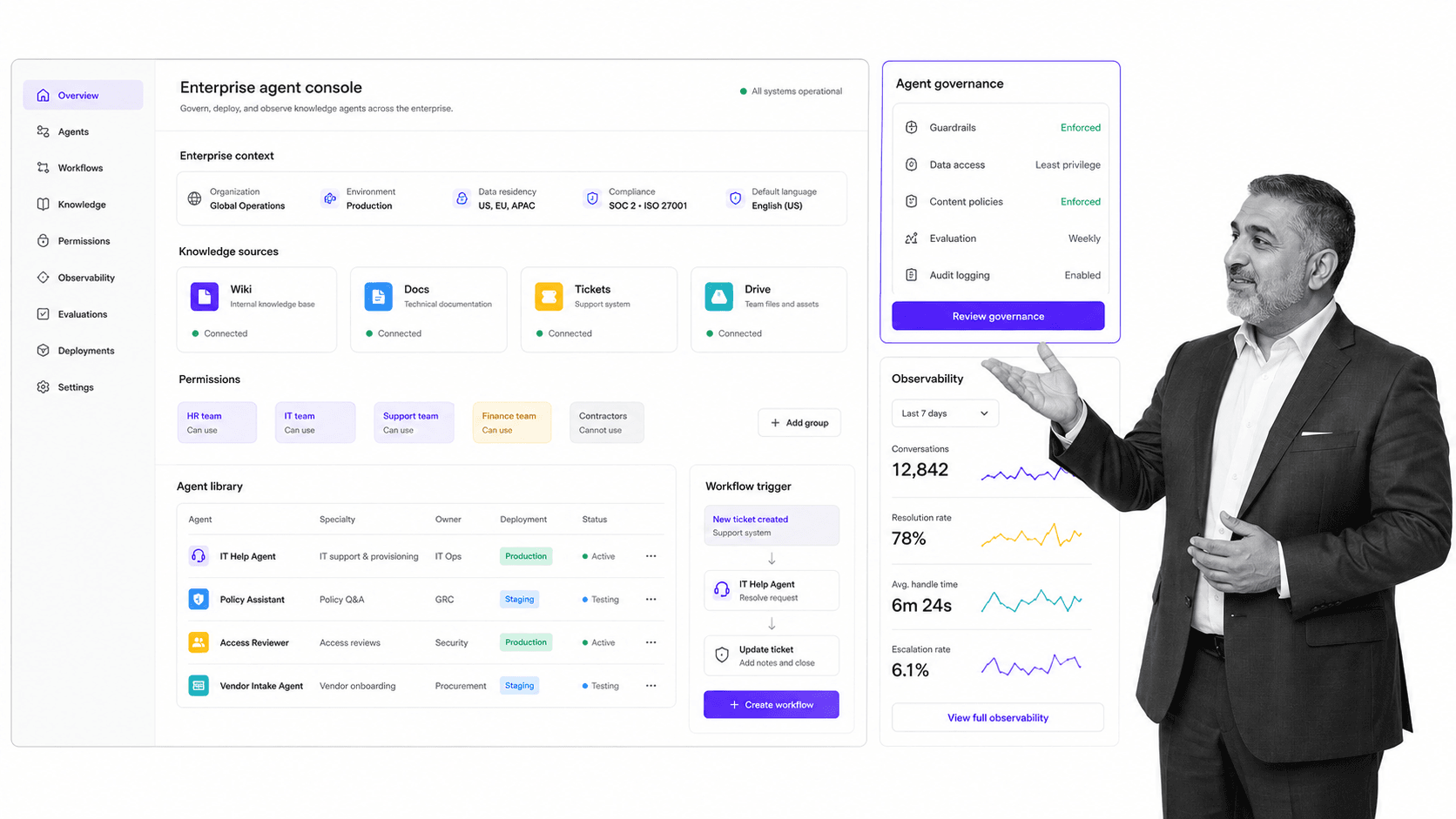
Glean Agents provides an enterprise environment for building, orchestrating, deploying, discovering, and governing agents. Glean emphasizes permissions-aware company context, real-time oversight, agent certification, observability, and a shared library. Its current connector page lists more than 275 native and MCP-based connectors with inherited source permissions.
Glean fits organizations where enterprise knowledge, access control, agent sprawl, and measurable adoption are larger problems than adding one lightweight chat coworker. Public pricing is not listed. Buyers must use Glean’s official demo request for a tailored quote and implementation discussion.
Bottom line: Glean Agents is the strongest Claude agent alternative for large organizations that prioritize permissions-aware enterprise context, governance, and managed agent deployment.
Choose Glean Agents if: your company needs an enterprise agent platform with context indexing, orchestration, certification, and observability.
Skip Glean Agents if: you need transparent self-serve pricing or a lightweight teammate that can be adopted without an enterprise rollout.
5. Zapier Agents
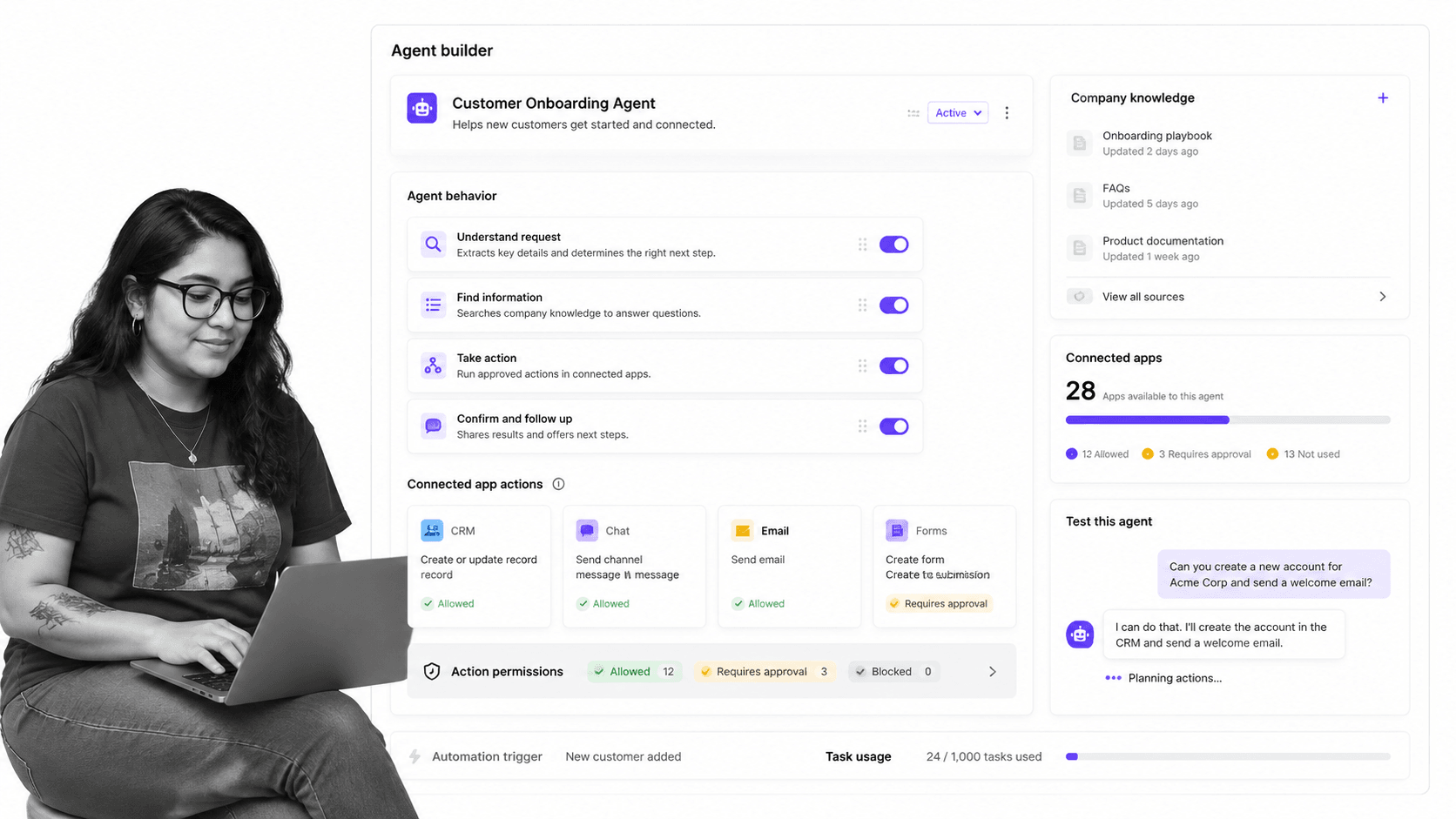
Zapier Agents lets teams create specialized AI teammates with company knowledge, web access, scheduled behaviors, and actions across more than 9,000 apps. Agents can also be used through a Chrome extension. Zapier states that an agent may act only in connected apps and through the triggers and actions configured for it.
Zapier Agents uses a separate activity-based plan. The Free plan includes up to 400 activities per month. Agents Pro costs $33.33 per month when $400 is billed annually and includes 1,500 activities monthly. Enterprise adds shared agents, audit logs, restricted-app support, and custom activity volumes with contact-sales pricing.
Bottom line: Zapier Agents is the best Claude agent alternative for automation-focused teams that want configurable AI teammates across a very large app-action network.
Choose Zapier Agents if: your team already thinks in triggers, actions, connected apps, and activity-based automation.
Skip Zapier Agents if: you want a shared Slack or Microsoft Teams coworker with workspace memory as the primary interface.
Where does Process Street fit with Claude agent alternatives?
Process Street is the controlled process layer around Claude agents and their alternatives. Its workflows capture required steps, owners, due dates, approvals, evidence, and exception paths after an agent starts work. The process platform standardizes recurring execution instead of competing as another chat coworker or agent builder.
For adjacent comparisons, see the Claude Tag alternatives guide for the Slack-specific product, the Glean alternatives guide for enterprise knowledge platforms, and the Zapier Agents alternatives guide for app-action automation. The AI agent orchestration guide covers multi-agent handoffs and control.
How can you switch from a Claude agent without disrupting work?
A safe Claude agent migration begins with an inventory of its channels, standing instructions, connected tools, agent identity, and human review points. Move one repeatable workflow first, compare permissions and outputs, then keep the original available until the replacement reproduces the required context, controls, audit trail, and handoffs.
- Inventory the current setup: channels, standing instructions, skills, tools, identities, credentials, and schedules.
- Separate reading from acting: test summaries and retrieval before allowing external changes.
- Define approvals: identify which sends, posts, edits, purchases, or system updates need human review.
- Run a parallel pilot: use the same request, sources, success criteria, and escalation path.
- Capture recurring work: move repeatable steps, owners, evidence, and exceptions into a controlled workflow.
Which Claude agent alternative should you choose?
Choose Dash for approval-first execution across Slack and Microsoft Teams, Lindy for Slack plus inbox and meeting delegation, Gumloop for visual agent building, Glean Agents for enterprise context and governance, or Zapier Agents for broad app-action automation. The best replacement is the product that matches your team’s surface, permission boundary, connector needs, operating model, and budget.
@Claude remains a strong benchmark for teams that want Anthropic’s Slack-native teammate, long-running work, standing instructions, agent identity, and connected action from thread context. It should not be treated as weaker merely because another vendor publishes more connectors or cheaper self-serve pricing. Test the exact workflow and governance boundary before changing platforms.
What is the best Claude agent alternative for Slack or Microsoft Teams?
Dash is the strongest fit in this list when a team wants one AI coworker across Slack or Microsoft Teams, connected to thousands of tools, with every external action routed through approval. Lindy is also strong for Slack-centered communication work. Teams that primarily need visual building, enterprise knowledge governance, or configurable app automation should choose a specialist instead.
Claude agent alternatives FAQs
These answers cover common buying questions about Claude agent alternatives, including the best option for Slack or Microsoft Teams, direct comparisons with Dash, free access, pricing, enterprise governance, and Process Street’s role. Product limits, plan terms, and connector totals can change, so verify the linked first-party sources before purchasing or expanding agent permissions.
What is the best Claude agent alternative?
Dash is the strongest overall fit for teams that want an approval-first coworker across Slack and Microsoft Teams. Lindy fits communication-heavy Slack work, Gumloop fits visual agent building, Glean Agents fits enterprise context and governance, and Zapier Agents fits configurable automation across a large app network.
What is the best Claude agent alternative for Slack?
Dash and Lindy are the closest Slack-native alternatives. Choose Dash for one workspace-priced teammate with approval before external actions and more than 3,000 integrations. Choose Lindy when inbox, meeting, calendar, and follow-up work is central. Glean Agents also fits enterprises that need Slack connected to permissions-aware company knowledge.
What is the best Claude agent alternative for Microsoft Teams?
Dash is the clearest Microsoft Teams option in this shortlist because it works directly in Teams as well as Slack and the web. Lindy’s integration catalog includes Microsoft Teams, but Lindy’s teammate experience is positioned primarily around Slack. @Claude’s product page still lists Microsoft Teams support as coming soon.
Claude agent vs Dash: which is better?
@Claude is better for teams committed to Anthropic’s Slack-native teammate, agent identity, standing instructions, and long-running work from thread context. Dash is better for teams wanting both Slack and Microsoft Teams, more than 3,000 integrations, workspace pricing, and an approval flow before every external action. Test both with the same workflow.
Is there a free Claude agent alternative?
Dash starts free with no credit card. Zapier Agents has a Free plan with up to 400 activities per month. Gumloop offers a 14-day Pro trial, while Lindy’s seven-day trial applies to teammates who join through Slack. Glean does not publish a self-serve free plan.
How much do Claude agent alternatives cost in 2026?
As verified August 27, 2026: Dash lists its current plans on its pricing page; Lindy Plus is $29.99 per user monthly; Gumloop Pro starts at $37 monthly; Glean requires a demo for pricing; and Zapier Agents Pro is $33.33 monthly when $400 is billed annually. Free access and usage limits vary.
Which Claude agent alternative is best for enterprise teams?
Glean Agents is the strongest fit when permissions-aware enterprise context, connector governance, agent certification, orchestration, and observability are primary requirements. Zapier Agents Enterprise adds restricted-app support and audit logs. Dash and Lindy offer lighter-weight team adoption, while Gumloop Enterprise adds organization-wide controls to its visual builder.
Where does Process Street fit with Claude agent alternatives?
Process Street standardizes the recurring process around an AI coworker, including required steps, owners, due dates, approvals, evidence, and exception handling. It does not replace @Claude or the alternatives in this list. It provides the controlled operating layer that turns conversational agent work into repeatable, reviewable execution.
