Exporting and printing workflows as PDFs allows you to store, share, and archive all the details from your workflows.
You can use these PDFs for audits or to share with clients, customers, or external partners.
Users: Admins, Builders with Run access or higher, and Users can export and print workflows. Builders with View access can’t see the Print option, and Guests usually can’t either.
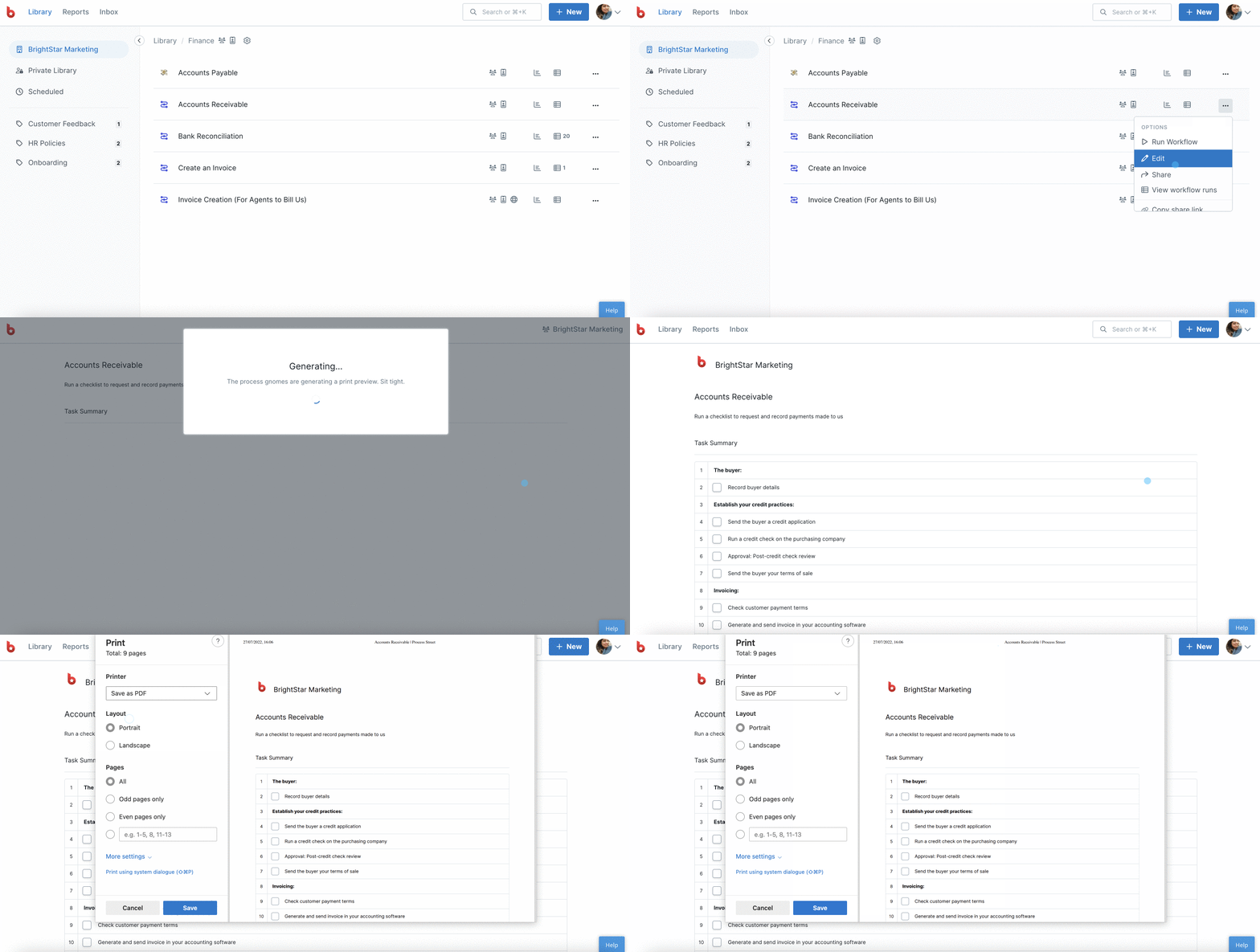
Workflows can be exported and saved as a PDF by using the “Print” option.
First, click the three dots (…) next to your Workflow’s name and then click “Print“. When the print menu opens, select “Save as PDF“. Save the file to a local folder on your device.
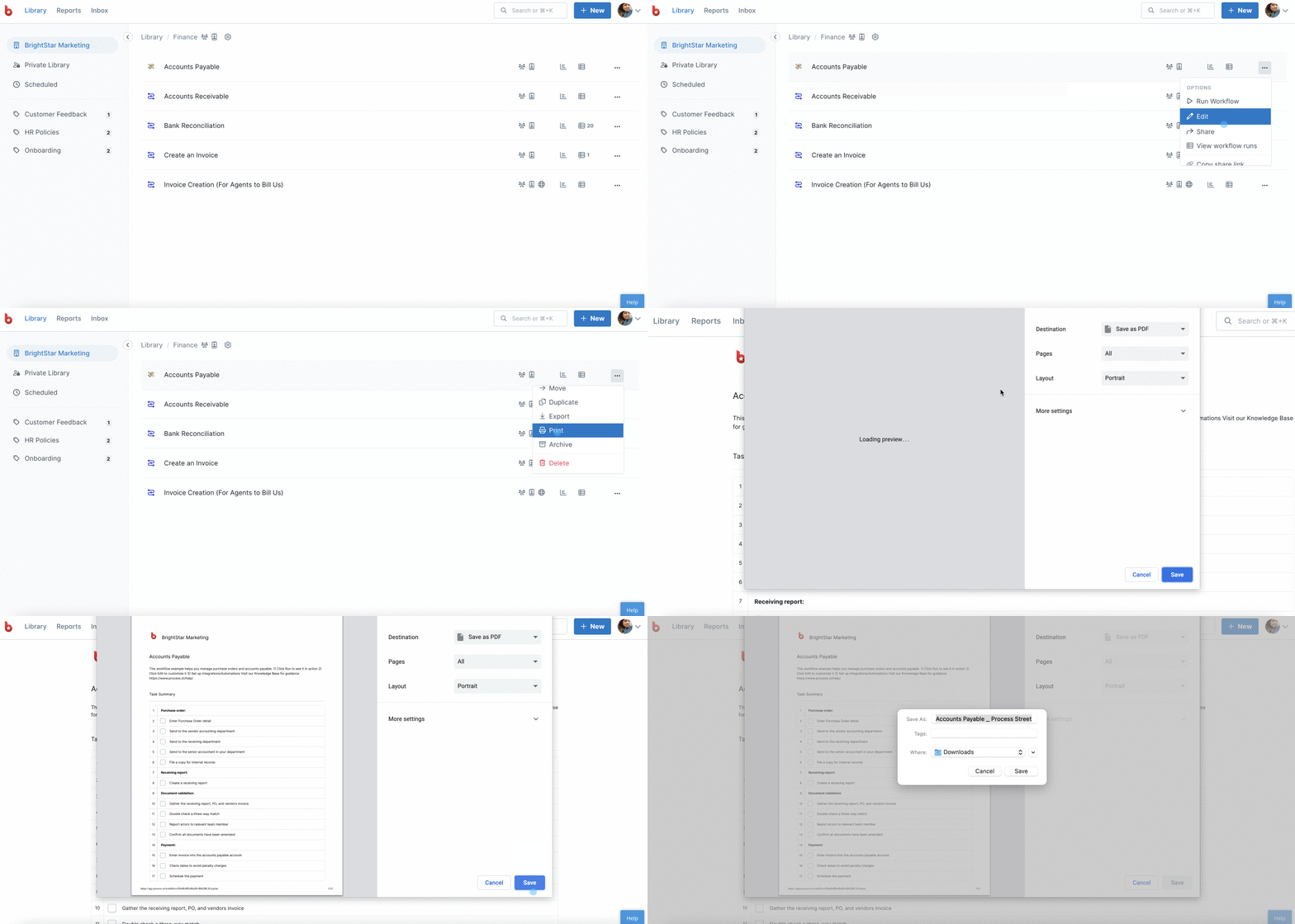
To print your Workflow, follow the same steps outlined above, only this time select your printer from the menu.
Select the printer of your choice under “Destination” (in Chrome), or “Printer” (in Firefox/Safari/Internet Explorer). Now you can print your Workflow.
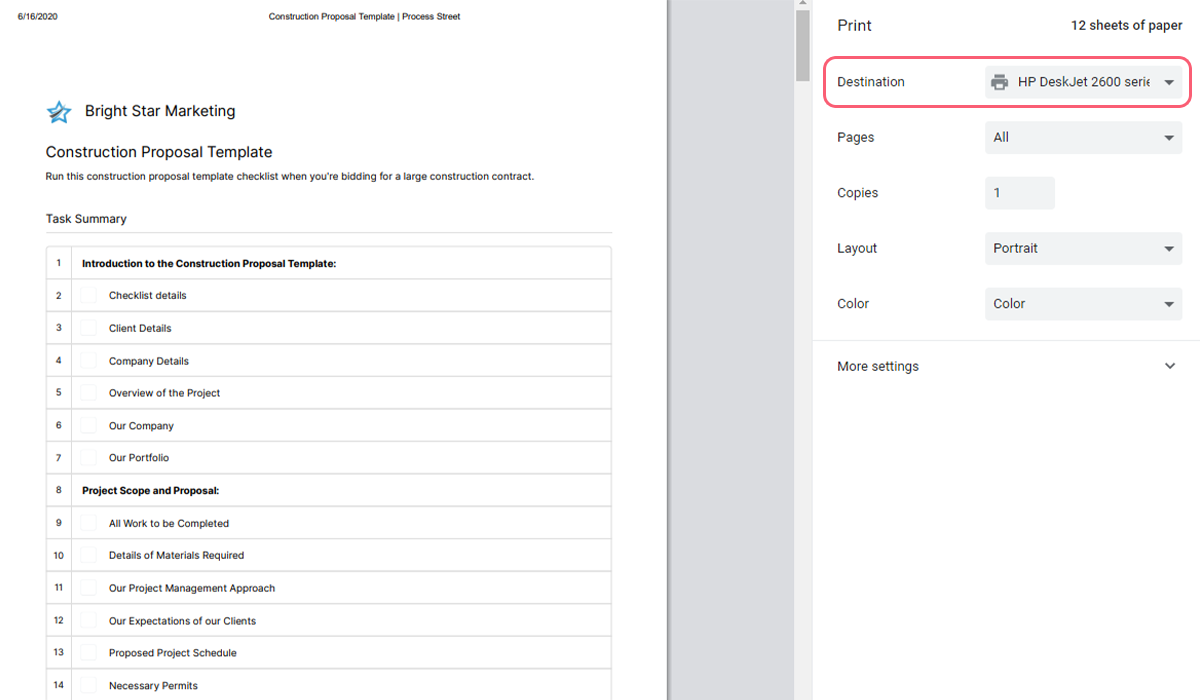
Save the file as a PDF document, or print the Workflow under “Destination”.
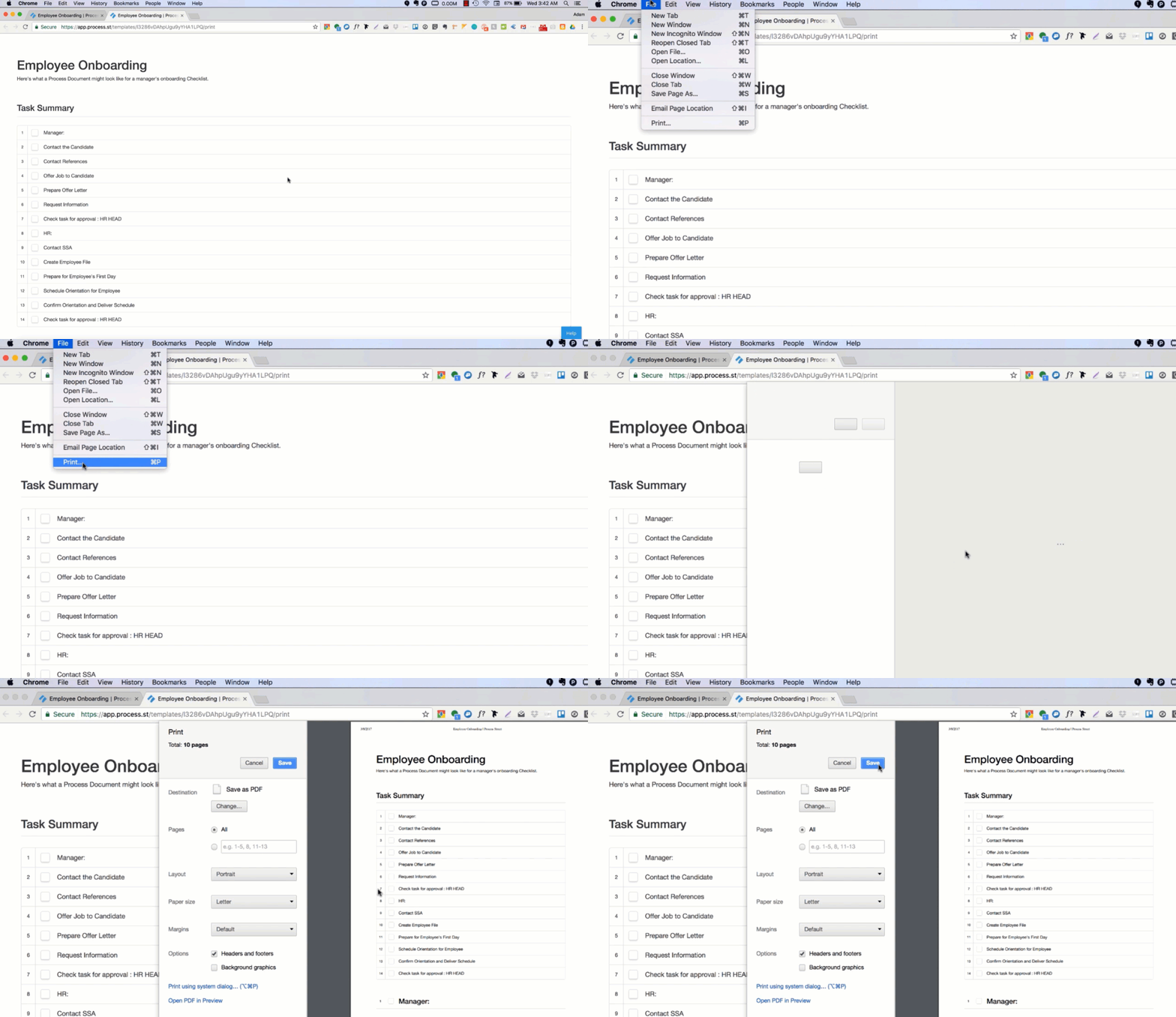
To save your file as a PDF click “Export as PDF” directly from the browser File menu. You can also “Print…” from the bottom of this same File menu.
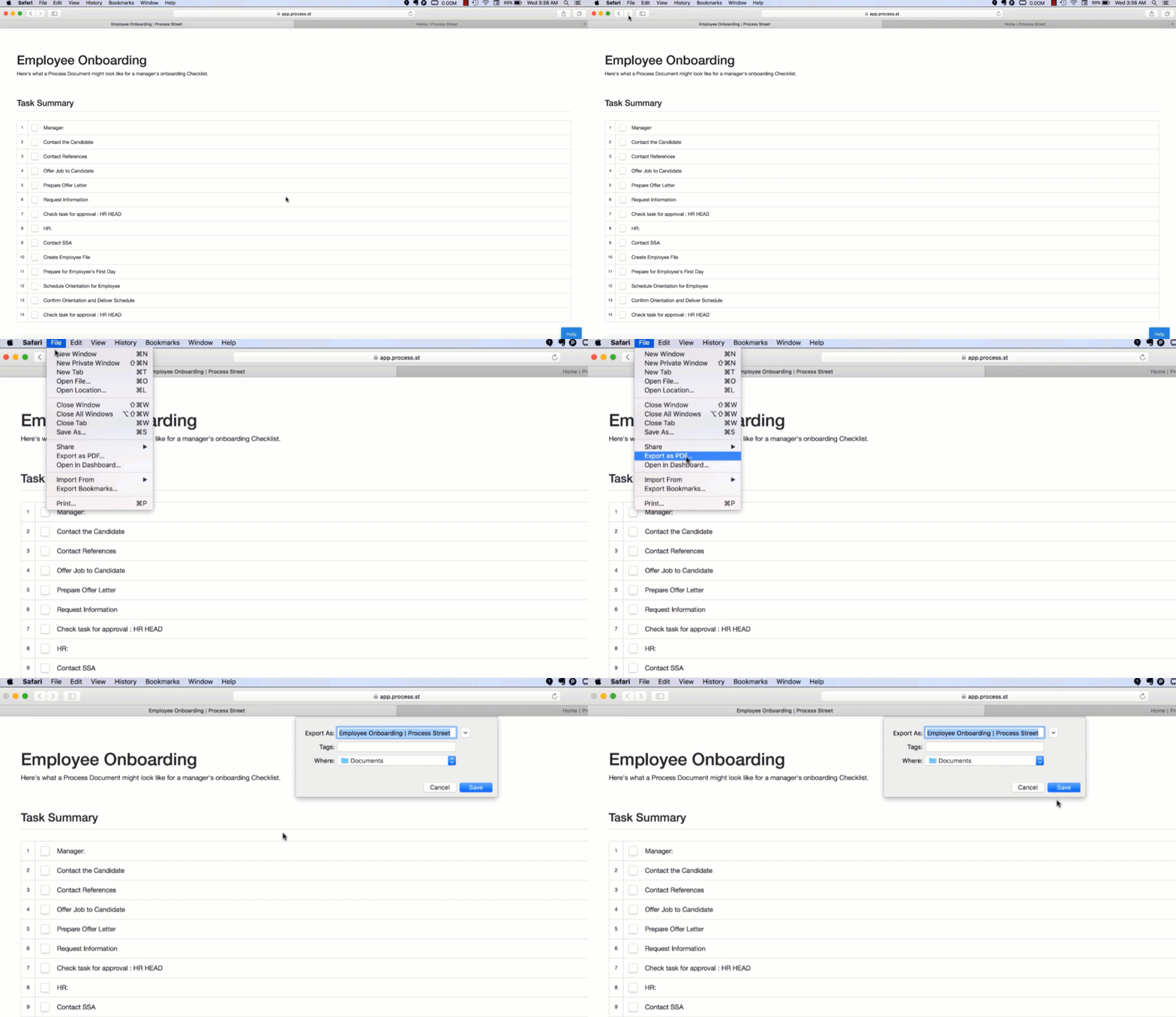
Save the file as a PDF document, or print the Workflow under the browser “File” menu, Print…”
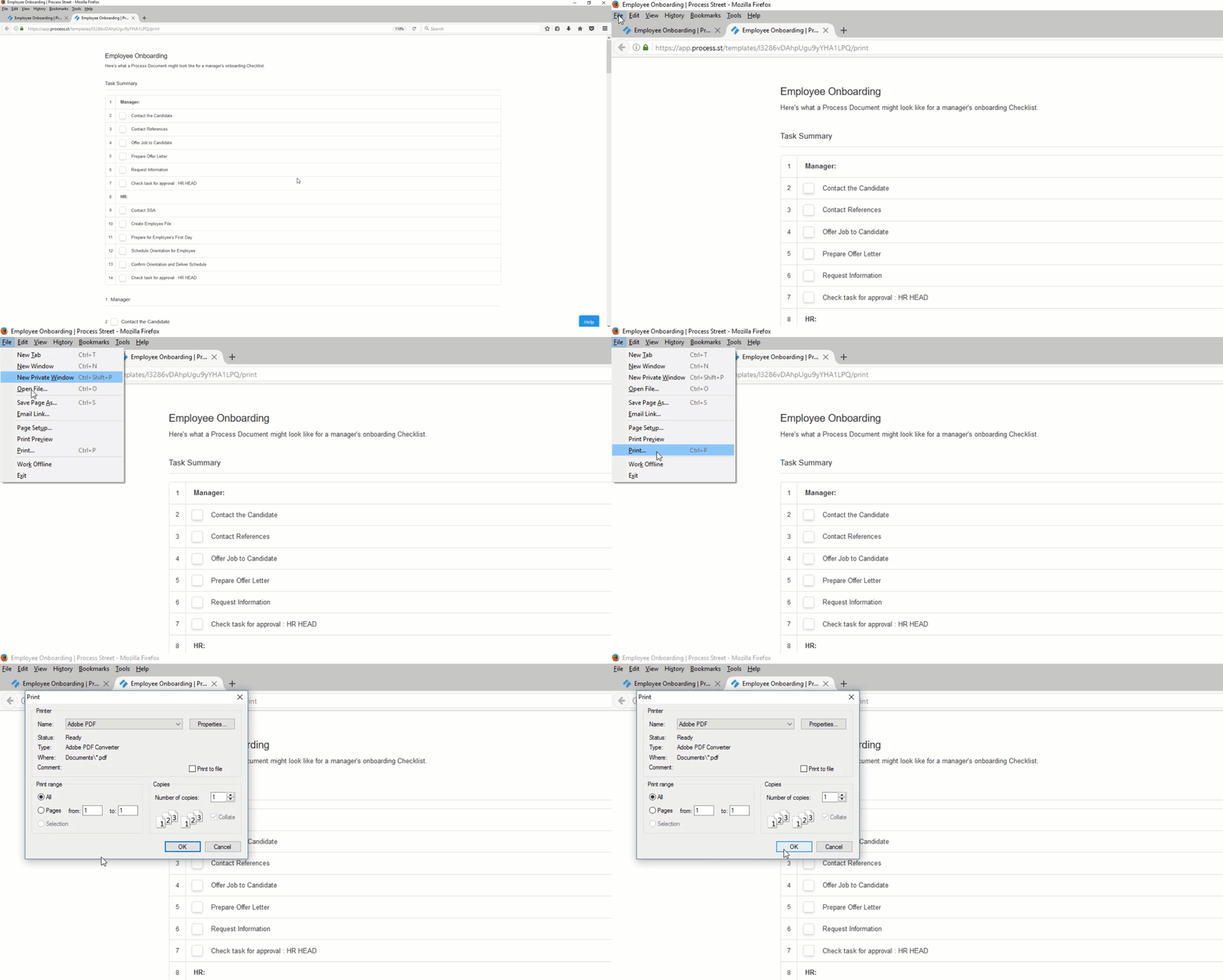
Export or print a PDF by changing the printer selection to “Microsoft Print to PDF” or “Save as PDF” in the browser print menu.
Learn how to export and print Workflow runs, or how to export runs to a CSV.
Help us improve this help center.