You can now control visibility for your automated tasks.
Code Tasks and AI Tasks now support task permissions, giving you tighter control over who sees what in your Workflows.
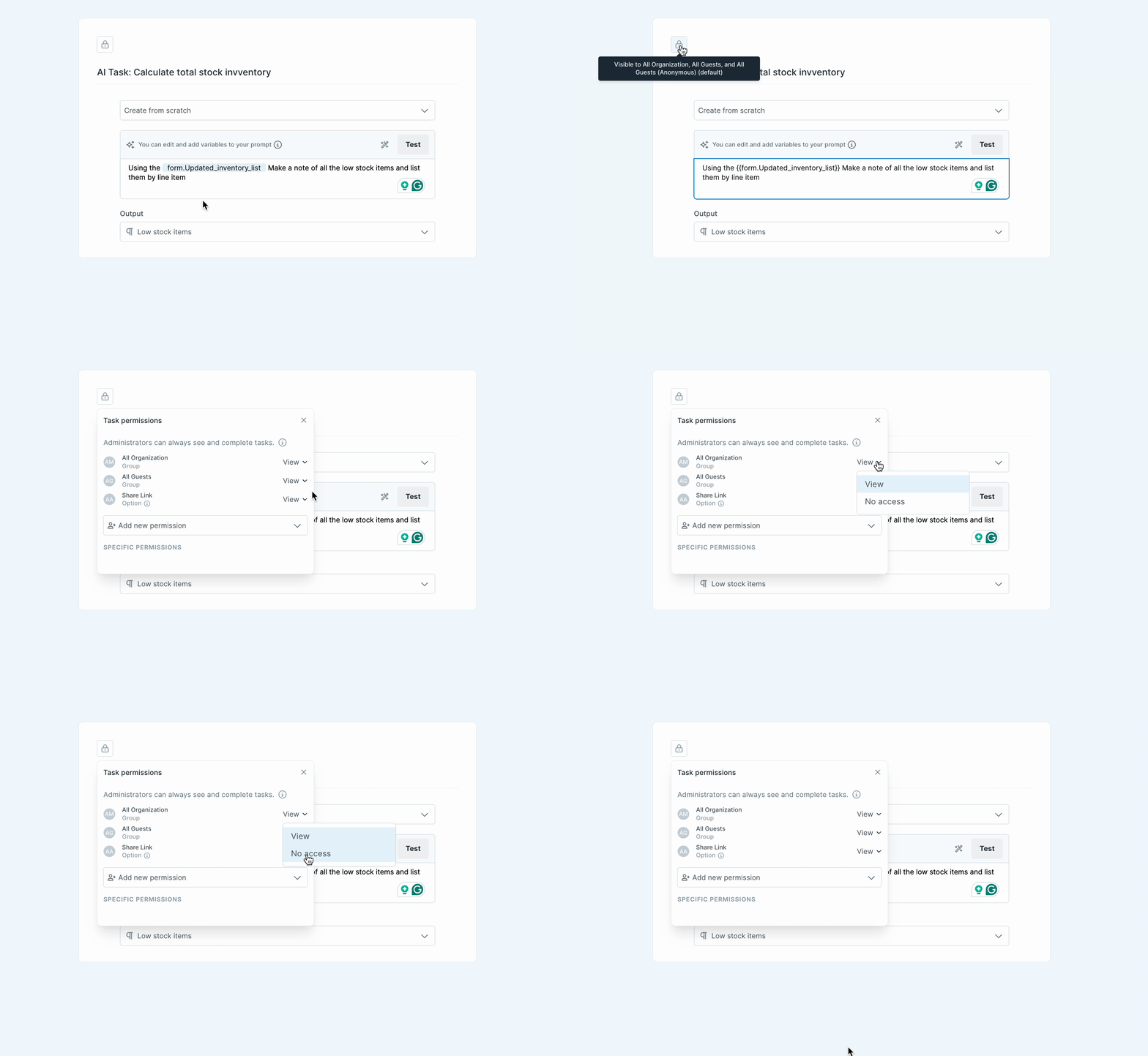
Use the lock icon in the Workflow editor to set task-level visibility. Since these tasks don’t require user action, only “View” and “No Access” permissions apply.
What happens when you hide a task? It still runs. Behind the scenes, your Code or AI step will trigger when the prior task is checked, even if no one sees it.
That means:
You can now use conditional logic to disable and hide automated steps
You can run background logic without showing it to users
You can enforce standards without exposing system logic
This update makes designing clean, controlled, and scalable processes easier, especially in workflows with branching logic, sensitive scripts, or automation triggers.







