


Turn every policy into automated workflows with built-in enforcement and audit-ready proof.



8 Best monday.com Alternatives & Competitors in 2026
If you are comparing monday.com alternatives, or searching for monday alternatives more broadly, the right answer depends less on feature count and more on the kind of work you need to control. monday.com is a flexible work management platform with boards, views, automations, and a free plan for small use cases, but some teams outgrow it when they need a stricter operating layer for repeatable work. Others simply need a tool that fits a different center of gravity: project planning, spreadsheet-style portfolio management, agile software delivery, a no-code database, or a lightweight kanban board.
This guide ranks the strongest options for those use cases. Process Street is first for teams whose work repeats and must be followed, assigned, approved, and audited every time. That includes onboarding, compliance workflows, client implementation, finance operations, vendor checks, and SOP execution. If your work is mainly ad hoc project coordination, software backlog management, or database-backed internal apps, several competitors may fit better, and those tradeoffs are called out directly.
The comparison focuses on current public product and pricing information from official sources, including monday.com pricing. It avoids invented ratings and treats each product fairly. Use the table for a quick shortlist, then read the ranked deep dives for where each tool is strongest, where it is weaker, and when it is a better fit than Process Street.
- monday alternatives at a glance
- How to choose among monday.com alternatives
- 1. Process Street
- 2. Asana
- 3. ClickUp
- 4. Smartsheet
- 5. Wrike
- 6. Airtable
- 7. Trello
- 8. Jira
- FAQs about monday.com alternatives
- Which monday.com alternative should you choose?
monday alternatives at a glance
| Tool | Best for | Standout feature | Free plan | Starting price |
|---|---|---|---|---|
| Process Street | Recurring SOP and compliance workflows | Checklist execution with approvals and evidence capture | No public free plan | See pricing |
| Asana | Structured cross-functional project planning | Timeline and Gantt planning with task ownership | Yes | $10.99/user/month billed annually |
| ClickUp | Flexible all-in-one workspaces | Tasks, docs, views, and dashboards in one workspace | Yes | $7/user/month billed yearly |
| Smartsheet | Spreadsheet-style project and portfolio control | Grid, Gantt, reports, dashboards, and forms | No public free plan | $9/Member/month billed yearly |
| Wrike | Enterprise work intake and resource planning | Request intake, workload planning, and timeline views | Yes | See pricing |
| Airtable | Database-backed workflow apps | Bases connected to interfaces and records | Yes | $20/user/month billed annually |
| Trello | Simple visual kanban boards | Cards, checklists, and board views | Yes | See pricing |
| Jira | Agile software teams | Issue tracking, backlog, boards, and sprint planning | Yes, up to 10 users | $7.91/user/month |
The table is a shortlist, not a universal verdict. A people operations team running the same onboarding workflow every week needs different controls from a product team managing sprint issues or a PMO team that lives in spreadsheets. The best monday.com competitors make those differences clear instead of forcing every workflow into the same board model.
How to choose among monday.com alternatives
Start by naming the work pattern. If the work repeats and the steps matter, look first at workflow management software built for execution. If the work is a one-off launch, campaign, or implementation project, project management software may be enough. If the work moves through approvals or audit trails, compare tools on evidence capture, permissioning, and task ownership rather than just the number of views.
Next, decide whether your team needs guidance or flexibility. A flexible project board is useful when the work changes every day. A guided workflow is better when teams need the same steps done correctly every time. The more your process depends on handoffs, approvals, and recurring checklists, the more you should prioritize a workflow management system over a general work board.
Finally, look at automation in context. Automations that move cards are helpful, but operational automation should also reduce missed steps, route approvals, and create a reliable record of work. For deeper automation planning, compare dedicated workflow automation software and broader workflow automation platforms before deciding that a project board is enough.
1. Process Street
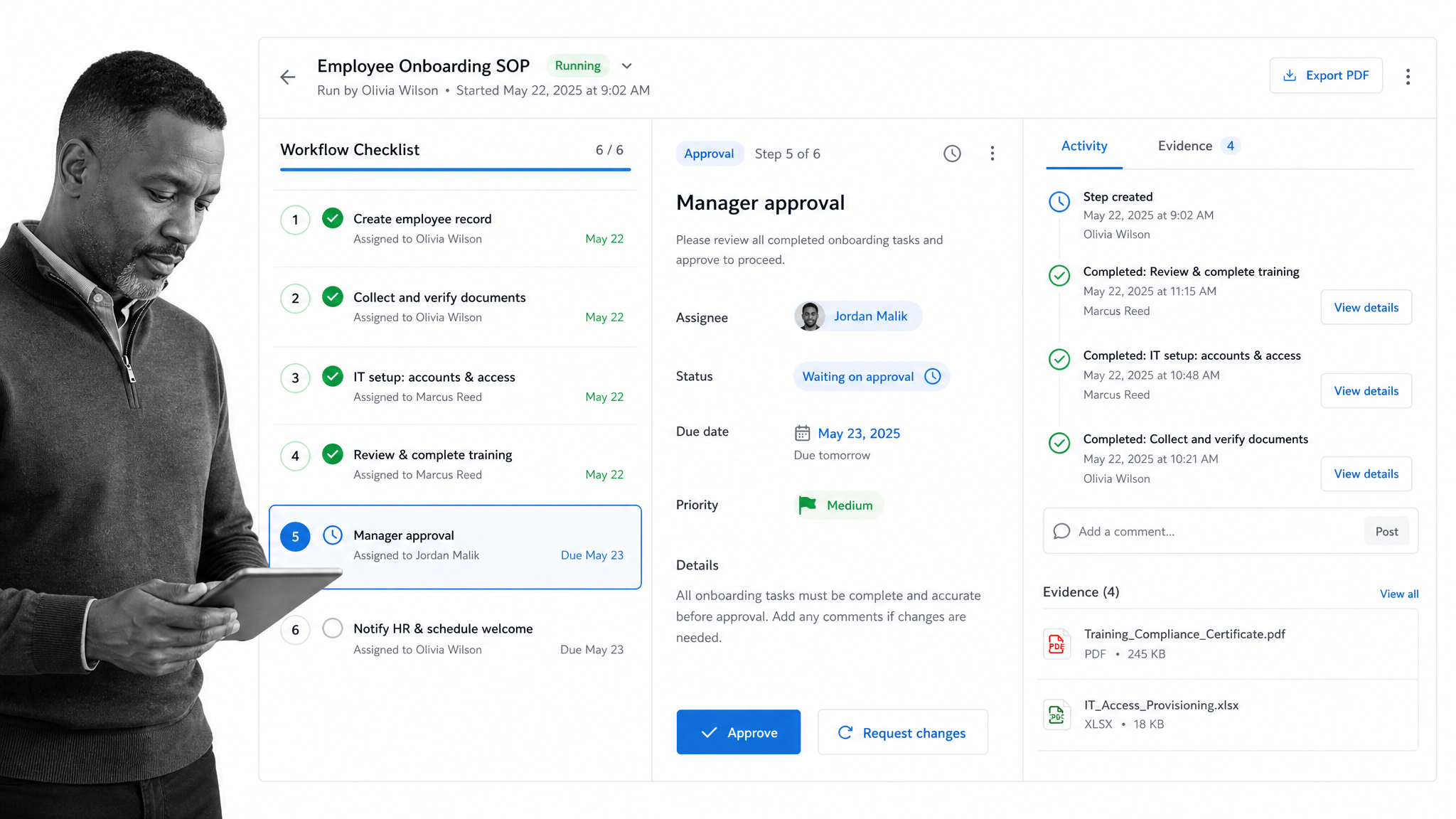
Best for: recurring SOPs, compliance operations, approvals, onboarding, client implementation, and other repeatable workflows that need to be enforced and tracked. Start with Process Street and review Process Street pricing when you are ready to compare current plan options.
Process Street ranks first for the specific buyer who is not just looking for another monday.com board. It is built for teams that need work to run the same way every time, with assigned tasks, conditional logic, approvals, forms, due dates, records, and evidence around each workflow run. That makes it a stronger fit when the question is not “where should we track this project?” but “how do we make sure this operating process is followed correctly?”
The difference shows up in recurring work. A project board can show that employee onboarding is in progress. Process Street can run the onboarding checklist, assign each step to the right owner, collect required information, request approval before the next stage, and leave a record of what happened. That matters for teams in operations, HR, finance, legal, compliance, customer success, and managed services where skipped steps create downstream risk.
Process Street is also stronger when workflows cross departments. A recurring vendor review might involve procurement, security, finance, and an executive approver. A client implementation workflow might involve sales, onboarding, support, and billing. In those cases, approval workflow software and workflow-run accountability are more important than a colorful board view. Process Street gives the team a structured path through the work instead of relying on each person to remember the next step.
That does not make Process Street the best tool for every monday.com user. If your team mainly needs flexible campaign planning, Asana or ClickUp may feel more natural. If your PMO thinks in grids, Smartsheet may be a better everyday workspace. If your software team lives in issues and sprints, Jira is the clearer fit. Process Street earns the top spot when the work is recurring, enforceable, and operationally important.
Choose Process Street when your team needs SOP execution, audit-friendly records, predictable handoffs, and process improvement over time. It pairs especially well with teams building project management workflows around repeatable delivery work, or teams formalizing business operations with business management software that makes recurring work visible.
2. Asana
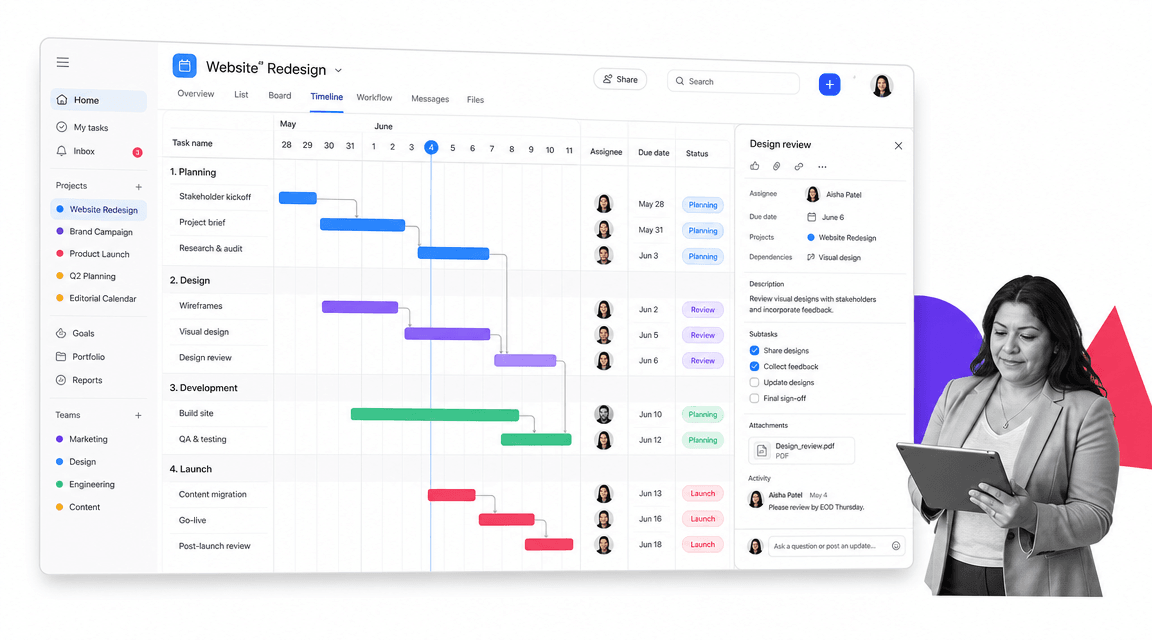
Best for: structured project planning across marketing, operations, product, and cross-functional teams. Asana’s official pricing page lists a free Personal plan and Starter at $10.99 per user/month billed annually: Asana pricing.
Asana is one of the closest monday.com alternatives for teams that want polished project planning without building a strict SOP layer. It is strong when the work is organized around projects, milestones, task ownership, due dates, dependencies, timeline views, and reporting. Teams can move comfortably between list, board, calendar, and timeline-style planning without needing a database model or a process-run model.
Asana is often a better fit than Process Street when the work changes from project to project. Marketing campaigns, product launches, event plans, and internal initiatives often need flexible planning rather than enforced step-by-step execution. Asana gives managers a clean way to coordinate who owns what and when work is due.
The tradeoff is that Asana is not purpose-built to prove a recurring SOP was followed correctly. You can create templates and tasks, but approvals, evidence capture, and repeated operational control are not its main center of gravity. If you are comparing Asana directly, this Asana alternatives guide gives more detail on where it fits and where process execution tools differ.
3. ClickUp
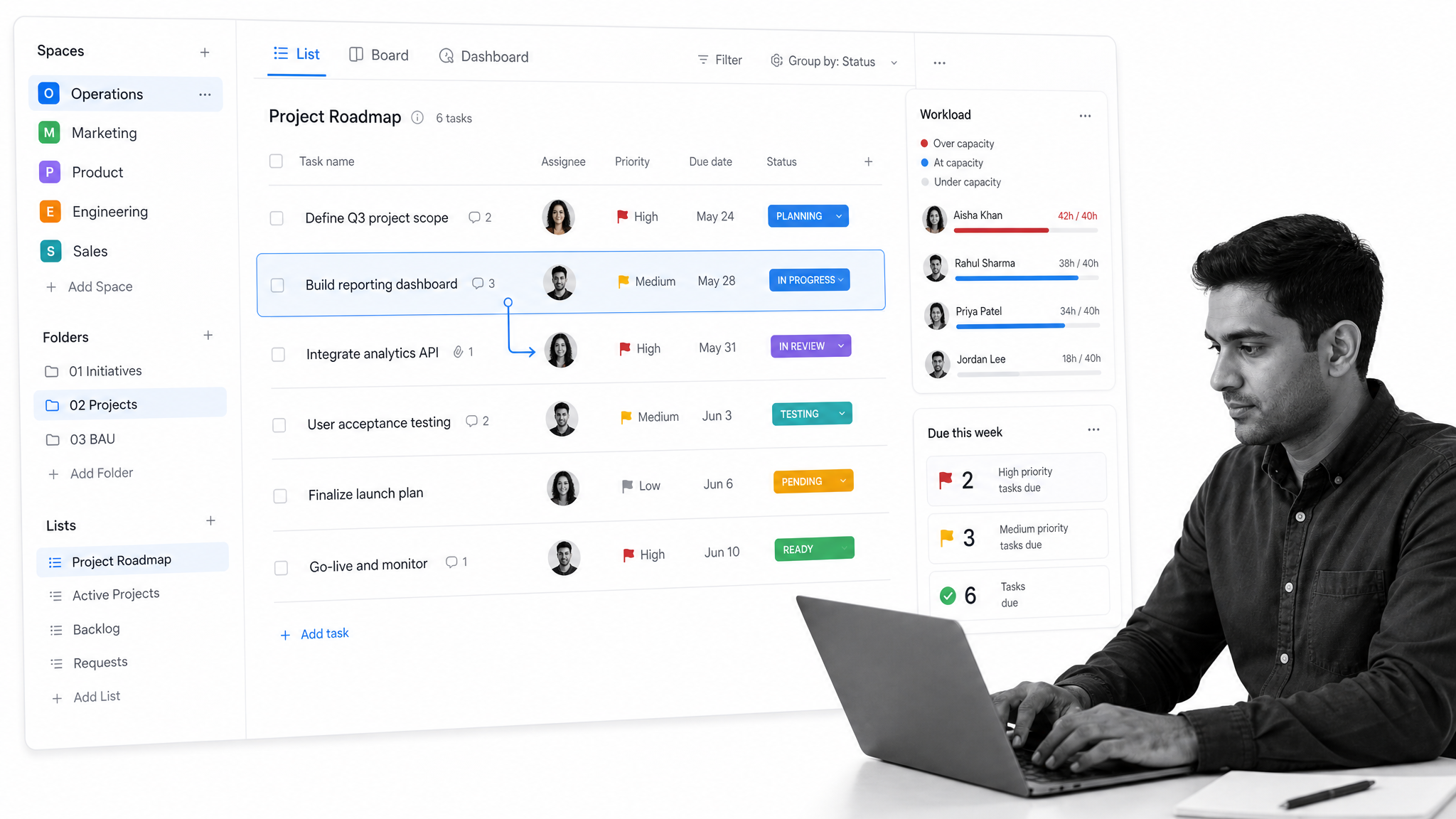
Best for: teams that want a broad all-in-one workspace for tasks, docs, views, dashboards, and flexible work tracking. ClickUp lists a Free Forever plan and Unlimited at $7 per user/month billed yearly: ClickUp pricing.
ClickUp is a strong monday.com competitor for teams that want many work surfaces in one platform. It can handle task lists, boards, calendars, docs, forms, dashboards, goals, and custom fields. That breadth is useful when a team wants to consolidate several lightweight tools and is comfortable configuring a workspace around its own habits.
ClickUp may be a better fit than Process Street when the team wants one flexible system for general project work, team documentation, personal task tracking, and reporting. It can be especially attractive to teams that want a configurable workspace and are willing to invest time in setup.
The same flexibility can become noise for process-heavy teams. If the operating requirement is that a workflow must run the same way each time, a broad workspace may still need extra governance around templates, permissions, and task hygiene. Process Street is narrower, but that focus helps when repeatable work needs to be guided and verified.
4. Smartsheet
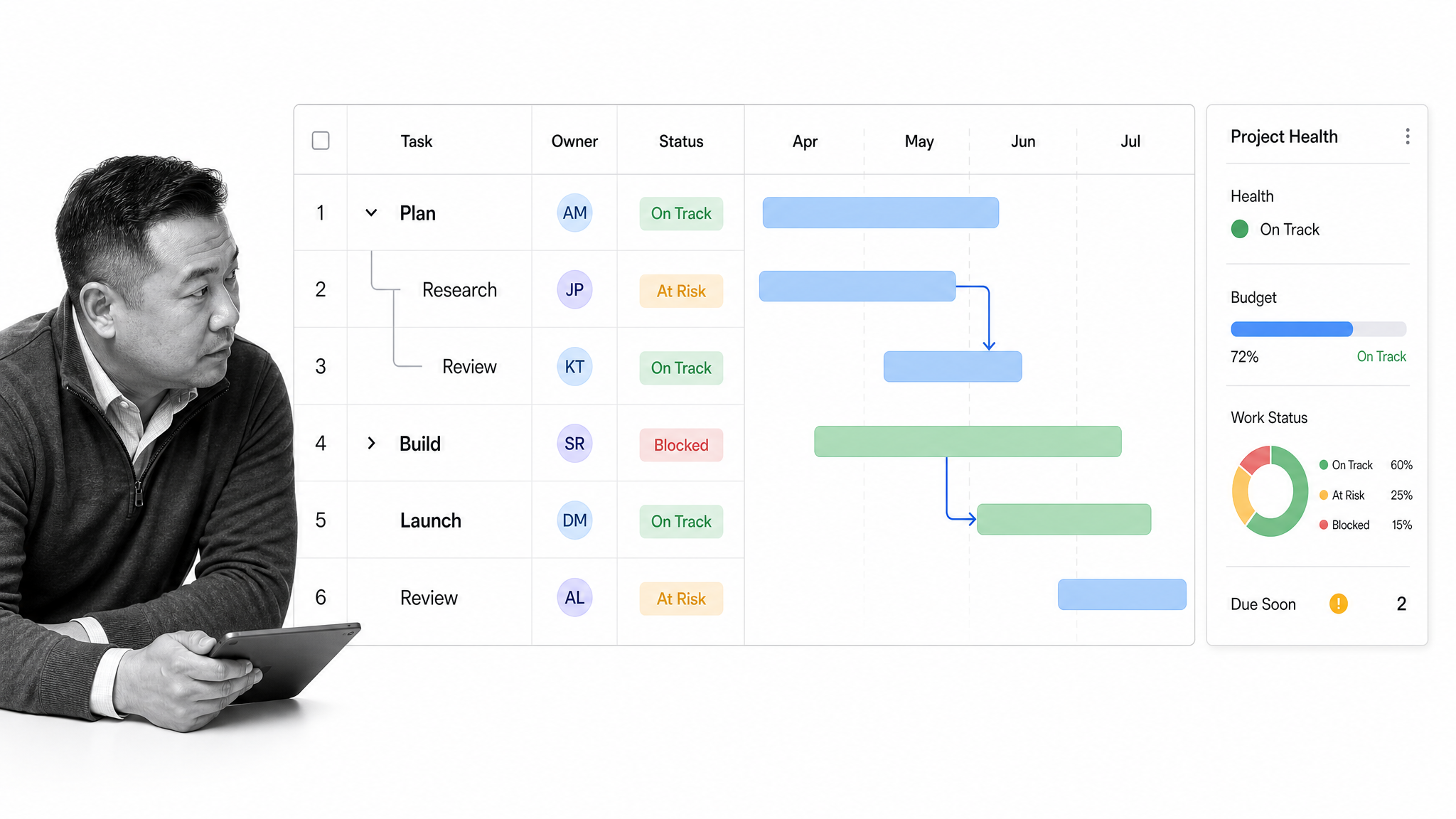
Best for: spreadsheet-fluent project teams, PMO reporting, portfolio coordination, and grid-based work tracking. Smartsheet lists Pro at $9 per Member/month billed yearly: Smartsheet pricing.
Smartsheet is the best monday.com alternative in this list for teams that naturally think in grids. It combines spreadsheet-style planning with Gantt views, forms, reports, dashboards, automations, and portfolio-level visibility. For PMO teams that already manage project data in spreadsheets, that model can feel more familiar than a board-first tool.
Smartsheet is often a better fit than Process Street when the primary work is tracking project data, dates, dependencies, budgets, and portfolio status. It gives managers a structured way to roll up information without abandoning the spreadsheet mental model.
The limitation is that spreadsheet-style control is not the same as recurring workflow enforcement. A sheet can track whether something happened, but a guided workflow is better when each person must complete the correct step in the correct order. For project operations, teams often combine grid-based planning with project workflow management that governs repeatable delivery steps.
5. Wrike
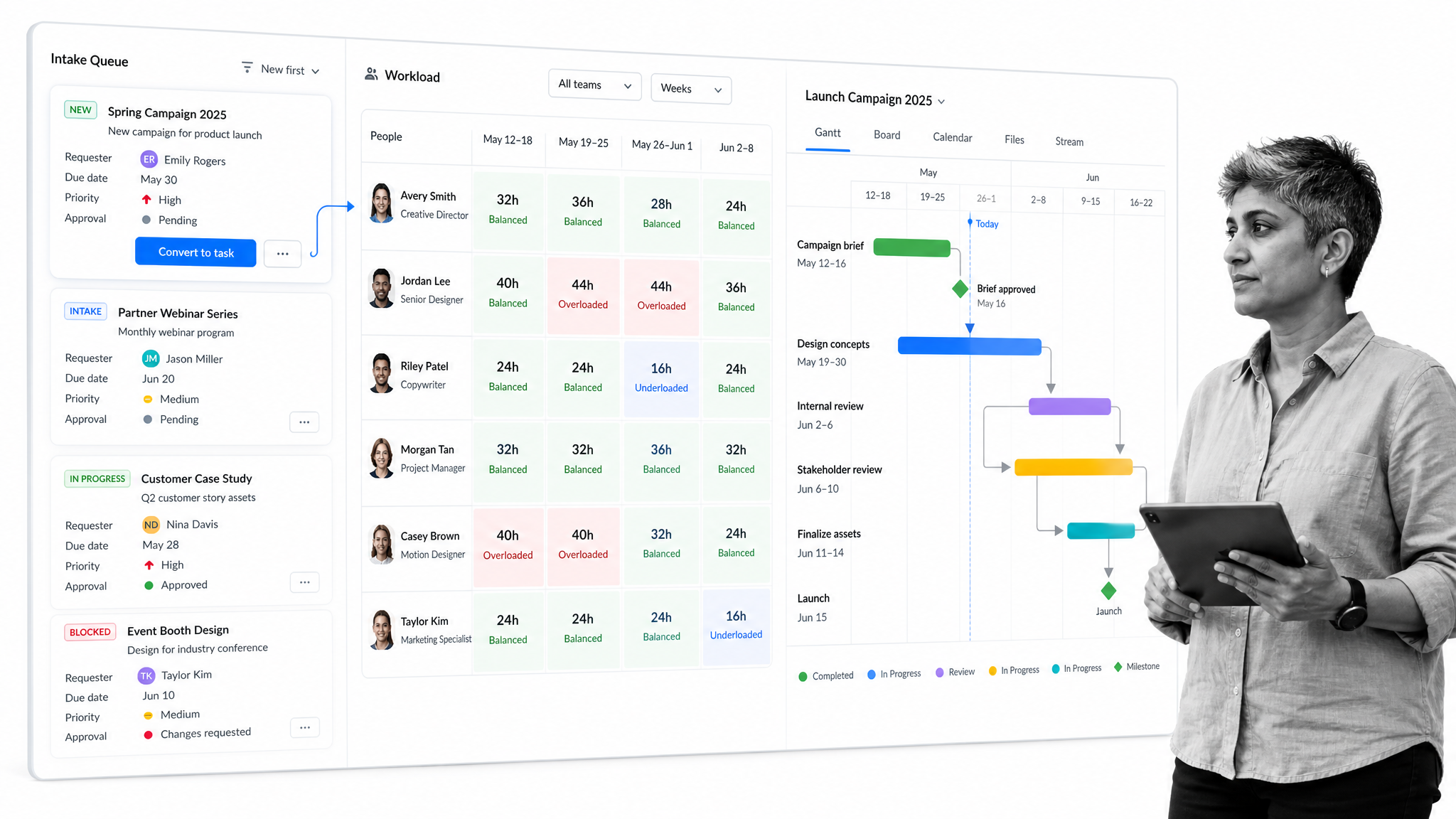
Best for: enterprise work management, structured intake, resource visibility, and cross-functional project coordination. Wrike’s help center lists Free, Team, Business, Pinnacle, and Apex account types: Wrike plan types.
Wrike is a strong monday.com competitor for teams with more complex work intake and resource planning needs. It is especially relevant for marketing operations, professional services, and departments that need to manage incoming requests, assign capacity, and coordinate work across teams.
Wrike may be a better fit than Process Street when the core problem is project portfolio visibility and resource allocation. If managers need to understand who is overloaded, which requests are queued, and how project timelines interact, Wrike’s work management model is closer to that problem.
Process Street is stronger when the intake leads into a recurring operational workflow that must be followed step by step. A request queue can capture demand, but teams still need a reliable execution layer once the work begins. For teams with heavy intake plus strict SOP execution, the decision often comes down to whether resource planning or workflow enforcement is the larger pain.
6. Airtable
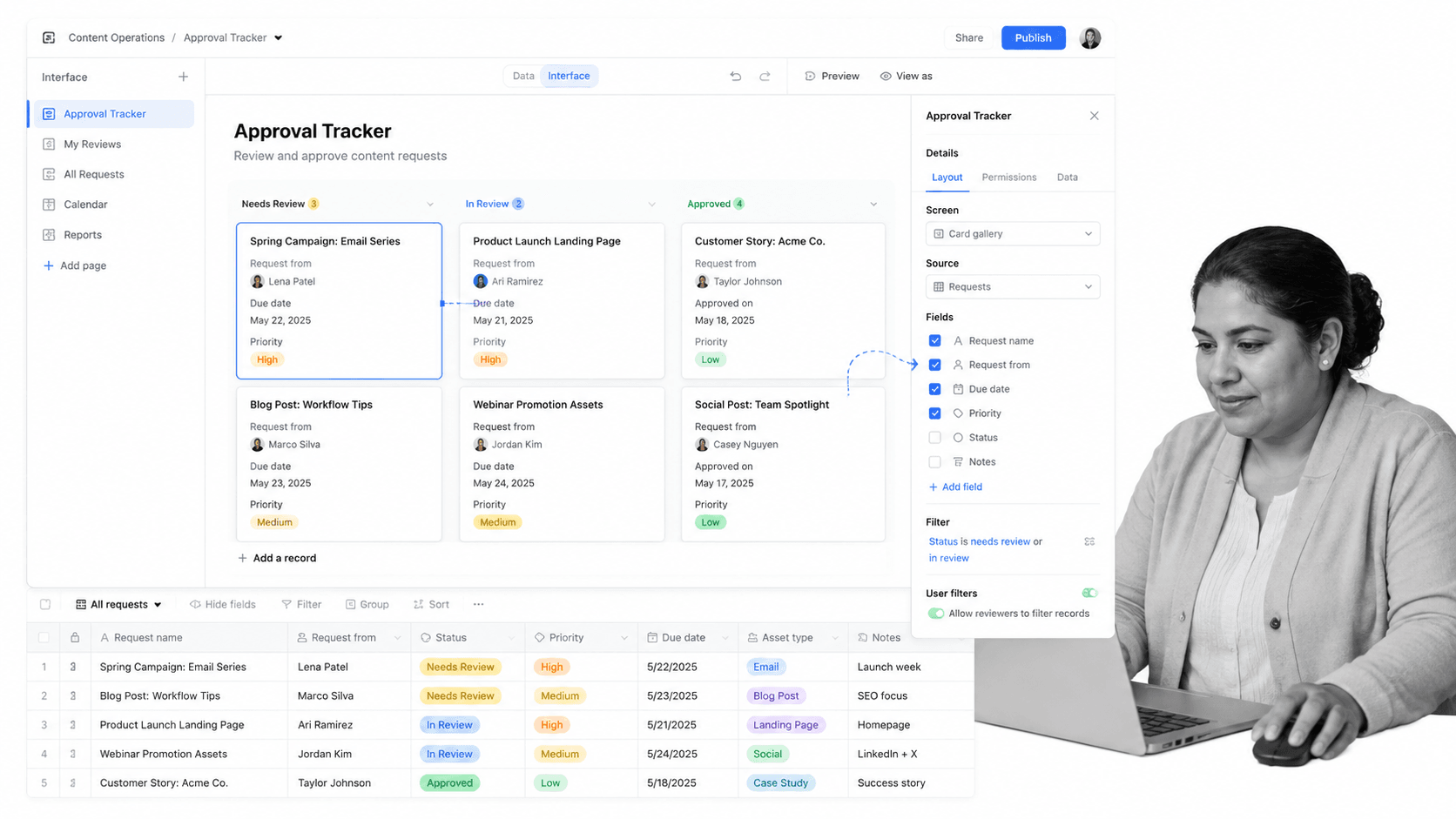
Best for: database-backed workflow apps, custom trackers, lightweight internal tools, and structured records. Airtable lists a Free plan and Team at $20 per user/month billed annually: Airtable pricing.
Airtable is the strongest monday.com alternative here for teams that want to build around records rather than tasks. Bases, views, fields, interfaces, and linked records make it useful for content operations, vendor databases, creative requests, lightweight CRMs, inventory trackers, and other workflows where structured data is the center of the system.
Airtable can be a better fit than Process Street when the main problem is building a flexible operational database or internal app. If a team needs a custom interface over records, Airtable gives builders a powerful middle ground between a spreadsheet and a custom application.
The tradeoff is process enforcement. Airtable can represent work states and records, but it is not primarily a guided checklist execution system. If your comparison is focused on database-backed workflows, see this deeper guide to Airtable alternatives and decide whether your team needs a record system, a process system, or both.
7. Trello
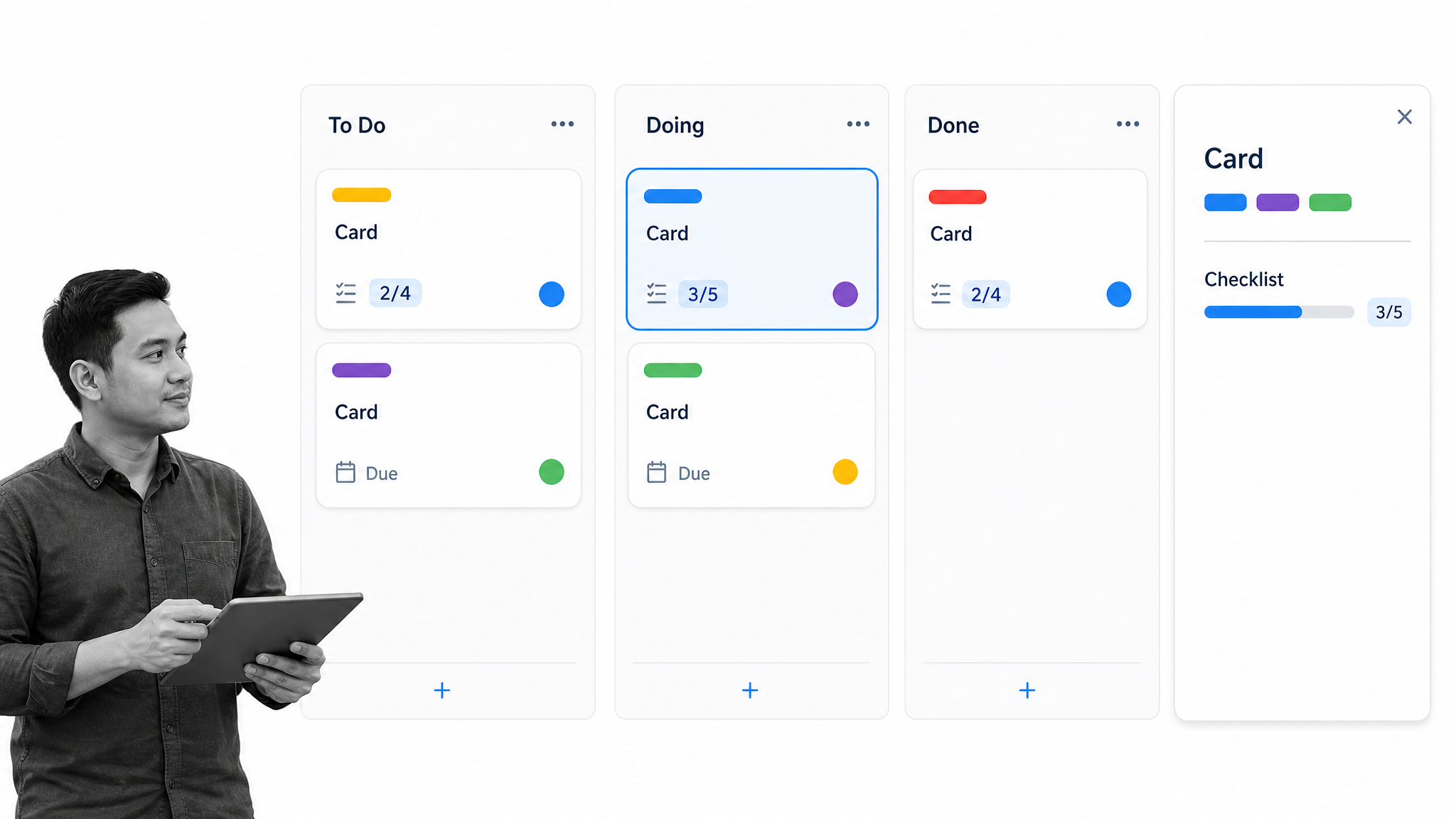
Best for: simple visual boards, lightweight team tracking, personal workflows, and small-team project coordination. Trello lists Free, Standard, Premium, and Enterprise plans on its official pricing page: Trello pricing.
Trello is the simplest monday.com alternative in this guide. Its card-and-board model is easy to understand, fast to adopt, and useful for teams that do not want a heavy work management platform. A small team can create a board, add columns, move cards, and get value quickly.
Trello is a better fit than Process Street when the work is lightweight, visual, and low-risk. Personal planning, editorial boards, small campaigns, and informal task flows can work well in Trello because the tool does not force much structure.
The tradeoff is governance. As work becomes recurring, cross-functional, or compliance-sensitive, boards can become too informal. Teams that start with lightweight kanban often graduate toward free project management tools for early planning and more structured workflow systems when repeatable execution becomes the bottleneck.
8. Jira
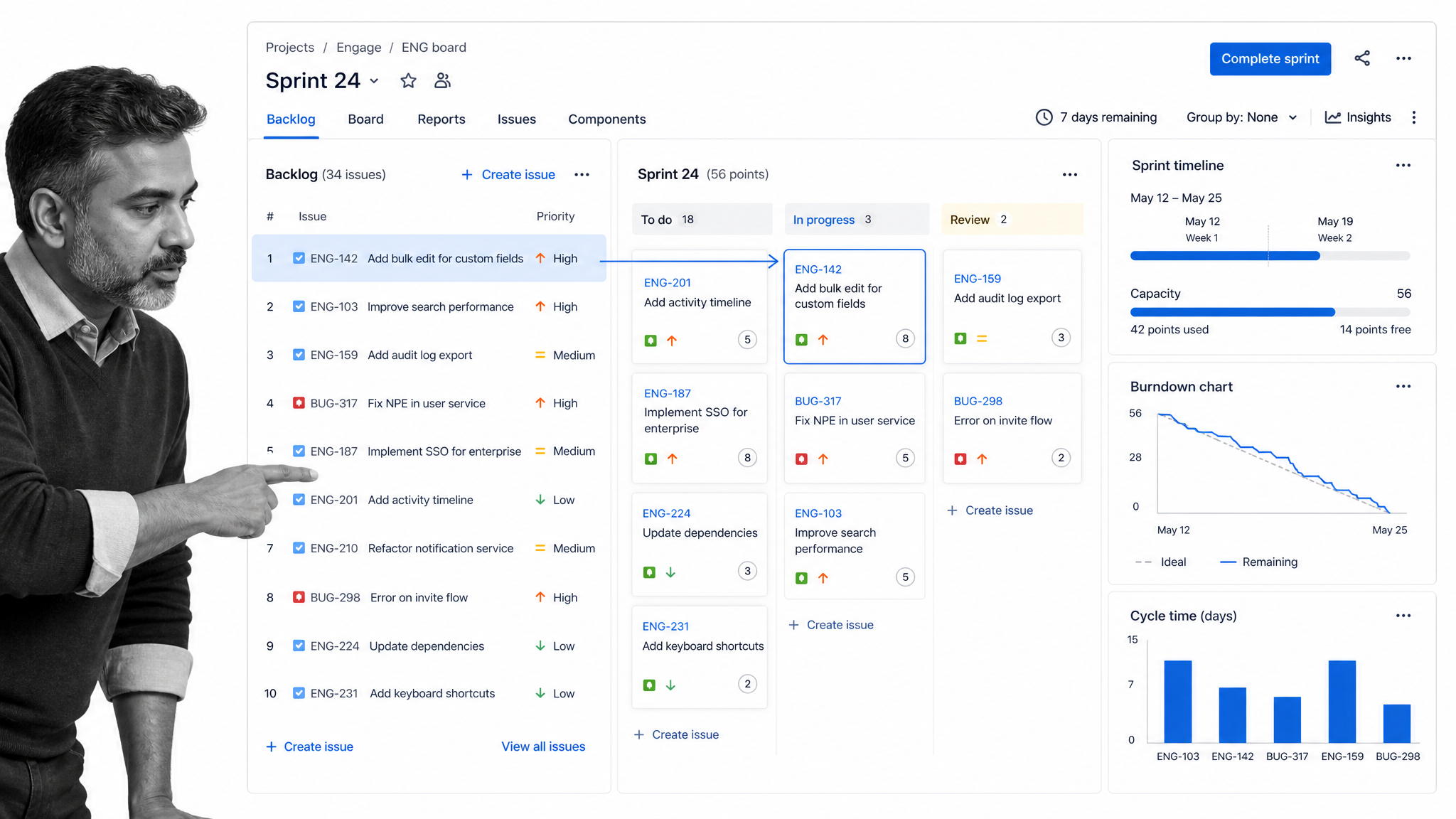
Best for: software teams managing issues, backlogs, sprints, releases, and agile delivery. Jira lists a Free plan for up to 10 users and Standard at $7.91 per user/month: Jira pricing.
Jira is the best monday.com alternative for software development teams. Its strengths are issue tracking, backlog management, sprint planning, boards, releases, and engineering reporting. It is built around the way product and engineering teams plan and ship technical work.
Jira is a better fit than Process Street when the core workflow is agile software delivery. Engineering teams need issue history, backlog grooming, sprint boards, dependencies, and integration with development workflows. Process Street is not trying to replace that system of record for software issues.
Process Street becomes relevant beside Jira when the software work depends on recurring operational processes: release checklists, security reviews, customer handoff workflows, incident postmortems, vendor reviews, and change-management steps. Jira tracks the issue work. Process Street can guide the repeatable operating procedures around it.
FAQs about monday.com alternatives
What is the best monday.com alternative?
Process Street is the best monday.com alternative for recurring SOPs, approvals, compliance workflows, onboarding, and other repeatable processes that need to be followed and tracked. Asana, ClickUp, Smartsheet, Airtable, Trello, Wrike, and Jira may fit better when the primary need is project planning, database building, lightweight kanban, enterprise resource planning, or agile software delivery.
Is there a free monday.com alternative?
Yes. Asana, ClickUp, Wrike, Airtable, Trello, and Jira all publish free plan options for specific use cases or team sizes. Free plans are useful for testing fit, but teams should compare limits on users, records, automations, storage, dashboards, and administrative controls before moving operational work into a free tier.
What is the best monday.com alternative for recurring SOPs?
Process Street is the strongest fit for recurring SOPs because it focuses on checklist execution, assigned steps, approvals, forms, due dates, and workflow-run records. That is different from tracking work on a flexible board, where teams may still need to remember the exact sequence of steps.
What is the best monday.com alternative for project management?
Asana and ClickUp are strong general project management alternatives. Asana is clean and structured for cross-functional planning, while ClickUp is broader and more configurable. Smartsheet is a stronger fit when project managers prefer spreadsheet-style planning and portfolio reporting.
What is the closest monday.com alternative?
ClickUp and Asana are often the closest general-purpose alternatives because they cover tasks, views, dashboards, collaboration, and flexible project tracking. The closest alternative still depends on the work pattern: Airtable is closer for record-based workflows, Trello for simple boards, and Jira for software issue tracking.
Why is Process Street ranked first?
Process Street is ranked first for the ICP this page is written for: teams that need enforceable, trackable, recurring workflow and SOP execution. It is not ranked first for every use case. If your team mainly needs agile issue tracking, database-backed apps, spreadsheet-style portfolio management, or a simple kanban board, another tool may be a better first choice.
Which monday.com alternative should you choose?
Choose Process Street if repeatable workflow execution is the part that keeps breaking. Choose Asana if your team wants cleaner project planning, ClickUp if you want a broader all-in-one workspace, Smartsheet if grids and PMO reporting matter most, Wrike if request intake and resource visibility are the center of the problem, Airtable if records and custom interfaces matter most, Trello if the team needs a simple board, and Jira if software issue tracking is the real workflow.
When the work is recurring, cross-functional, and too important to leave to memory, Process Street gives teams a practical way to turn SOPs into trackable workflows. Start with Process Street to see how repeatable operations can move from scattered project boards into guided execution.
