


Turn every policy into automated workflows with built-in enforcement and audit-ready proof.



Supply Chain Management Tools
Supply chain management tools help teams plan demand, coordinate suppliers, manage inventory, control production, move goods, and handle the workflows that connect each stage. The best systems do more than display data. They help the organization respond when supply, demand, quality, or timing changes.
The category includes planning platforms, ERP suites, inventory systems, procurement tools, warehouse and logistics applications, and workflow software. No single product is automatically right for every network because each tool has a different center of gravity.
This guide compares five supply chain management tools across planning depth, operational execution, supplier control, inventory coordination, and fit. It also shows how to combine a system of record with a workflow layer so decisions become accountable action.
In this article, we are going to cover:
- What supply chain management tools are
- How to choose supply chain management tools
- Supply chain management tools at a glance
- Best supply chain management tools to compare
- 1. Process Street
- 2. SAP Integrated Business Planning
- 3. Oracle Fusion Cloud SCM
- 4. Microsoft Dynamics 365 Supply Chain Management
- 5. NetSuite Supply Chain Management
- How to build a complete supply chain tool stack
- FAQs
What supply chain management tools are
Supply chain management tools are software systems that coordinate the flow of materials, information, decisions, and work from suppliers through production and delivery. They help teams balance demand with supply, keep inventory in the right places, manage purchase and production activity, and protect service levels when conditions change.
What is included in SCM operations
- Planning: demand forecasting, supply planning, inventory targets, capacity, and scenario analysis.
- Sourcing: supplier records, purchase requests, approvals, contracts, risk, and performance.
- Execution: production, work orders, quality checks, warehouse activity, transportation, and fulfillment.
- Visibility: inventory, exceptions, delays, constraints, supplier changes, and order status.
- Control: required steps, evidence, approvals, exception routing, ownership, and audit history.
These jobs overlap with manufacturing management software, inventory management software, and vendor management software, but the complete supply chain spans all three. A planning signal only creates value when purchasing, production, quality, warehouse, and delivery teams know what to do next.
What is the difference between planning and execution systems?
Planning systems answer what should happen. Execution systems record what is happening. Workflow systems control how people respond. A demand forecast might recommend more stock, the ERP might create a purchase order, and a workflow might route supplier qualification, quality evidence, and approval before that order can proceed.
That workflow layer matters when teams know what a workflow is but still rely on email or memory to carry it out. The strongest stack connects decisions to owners, deadlines, evidence, and exceptions.
How to choose supply chain management tools
Choose supply chain management tools by starting with the operational constraint. A global manufacturer solving network planning has a different need from a growing distributor replacing spreadsheets. A procurement team fixing supplier approvals has a different need from a warehouse team improving replenishment.
Map the system of record
Identify where item, supplier, inventory, order, production, and shipment data lives today. Replacing that system can be expensive, so many teams gain more by strengthening the work around it. The new tool should either become the trusted record or connect cleanly to the existing one.
Separate planning from control
Advanced forecasting does not guarantee disciplined execution. Ask what happens after the system identifies a shortage, supplier delay, quality exception, or capacity constraint. The answer should include an owner, decision path, due date, escalation, and proof, not another dashboard notification.
Check supplier and exception workflows
Supplier onboarding, risk review, purchase approval, corrective action, and quality release are repeatable procedures. A vendor onboarding checklist can define the baseline, while approvals and conditional logic make sure exceptions follow the right path.
Check integration and automation depth
Supply chain work crosses ERP, procurement, quality, warehouse, logistics, finance, email, and document systems. Process Street has direct, universal integrations to 5,000+ systems. Need a new one? An AI agent builds it on the fly. That gives teams a way to automate handoffs without forcing every procedure into the ERP.
Score the shortlist against one real exception
Do not evaluate only from feature grids and polished demonstrations. Pick one recent exception, such as a late supplier, failed inspection, unexpected demand spike, material shortage, or urgent order change. Ask each vendor to show how the signal enters the system, who receives it, how the decision is recorded, which downstream actions fire, and where the final evidence lives. This exposes the difference between a useful operating system and an attractive dashboard.
Also score the implementation model. Document who will own configuration, data quality, integrations, workflow design, training, and continuous improvement. A technically capable product can still fail when no team owns the operating rules after launch.
Supply chain management tools at a glance
The short version: Process Street is the strongest fit for controlled supplier and operational workflows around existing systems. SAP IBP focuses on integrated planning. Oracle and Microsoft provide broad enterprise suites. NetSuite brings supply chain and finance together for growing product businesses.
| Tool | Best for | Standout feature | Pricing |
|---|---|---|---|
| Process Street | Controlled supplier, quality, approval, and exception workflows | Required evidence, conditional routing, approvals, integrations, and audit history | Official pricing page and sales motion |
| SAP Integrated Business Planning | Enterprise demand, supply, inventory, and S&OP planning | Real-time planning and what-if scenario comparison | Request a demo |
| Oracle Fusion Cloud SCM | Large enterprises seeking a broad cloud SCM suite | Connected planning, inventory, manufacturing, logistics, orders, and procurement | Contact Oracle sales |
| Microsoft Dynamics 365 Supply Chain Management | Manufacturers and distributors in the Microsoft stack | Planning, sourcing, shop floor, warehouse, fulfillment, and asset management | $210 per user per month, paid yearly |
| NetSuite Supply Chain Management | Growing product businesses that want SCM inside cloud ERP | Demand planning, procurement, inventory, work orders, production, and shipping | Annual license plus modules, users, and implementation |
Best supply chain management tools to compare
Use these reviews as a routing guide. The products are not interchangeable. Each one is strongest at a different layer of the supply chain operating model.
1. Process Street
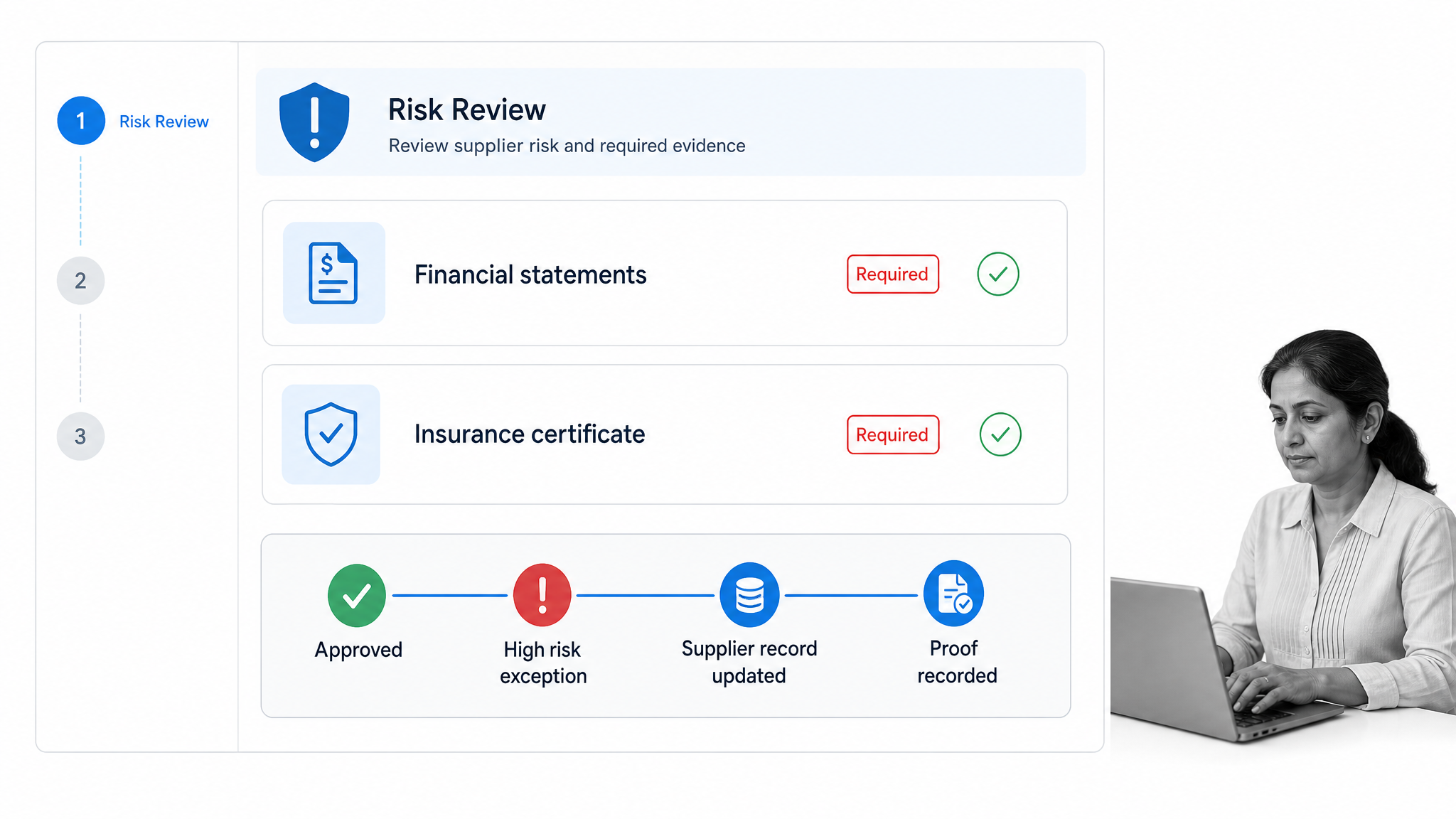
Best for: teams that need controlled supplier, quality, approval, and exception workflows around their supply chain systems. Process Street turns procedures into workflow runs with owners, required evidence, conditional paths, approvals, automations, integrations, and audit history.
Process Street is the execution control layer in this comparison. It does not try to replace demand planning, inventory valuation, or warehouse transactions. It makes sure the human and cross-system work around those records happens correctly.
Common use cases include supplier onboarding, vendor risk review, purchase approval, quality inspection, nonconformance handling, inventory count review, production change control, shipment exception response, and corrective action. A purchase order workflow or inventory management process can start the design.
The advantage appears when a planning or ERP event needs a governed response. A late supplier can trigger an exception workflow. A quality failure can require evidence and approval. A shortage can route a decision to procurement, production, and finance. Every step leaves a record.
This is especially valuable when a procedure crosses organizational boundaries. Procurement can collect supplier records, quality can attach inspection evidence, finance can review exposure, and operations can approve the response inside one controlled run. The ERP remains authoritative for the transaction while the workflow remains authoritative for how the decision was made.
- Best fit: repeatable cross-functional procedures that need control and proof.
- Watch out for: teams looking for native demand forecasting or warehouse transaction processing.
- Pricing: use the official Process Street pricing page for current package details.
2. SAP Integrated Business Planning
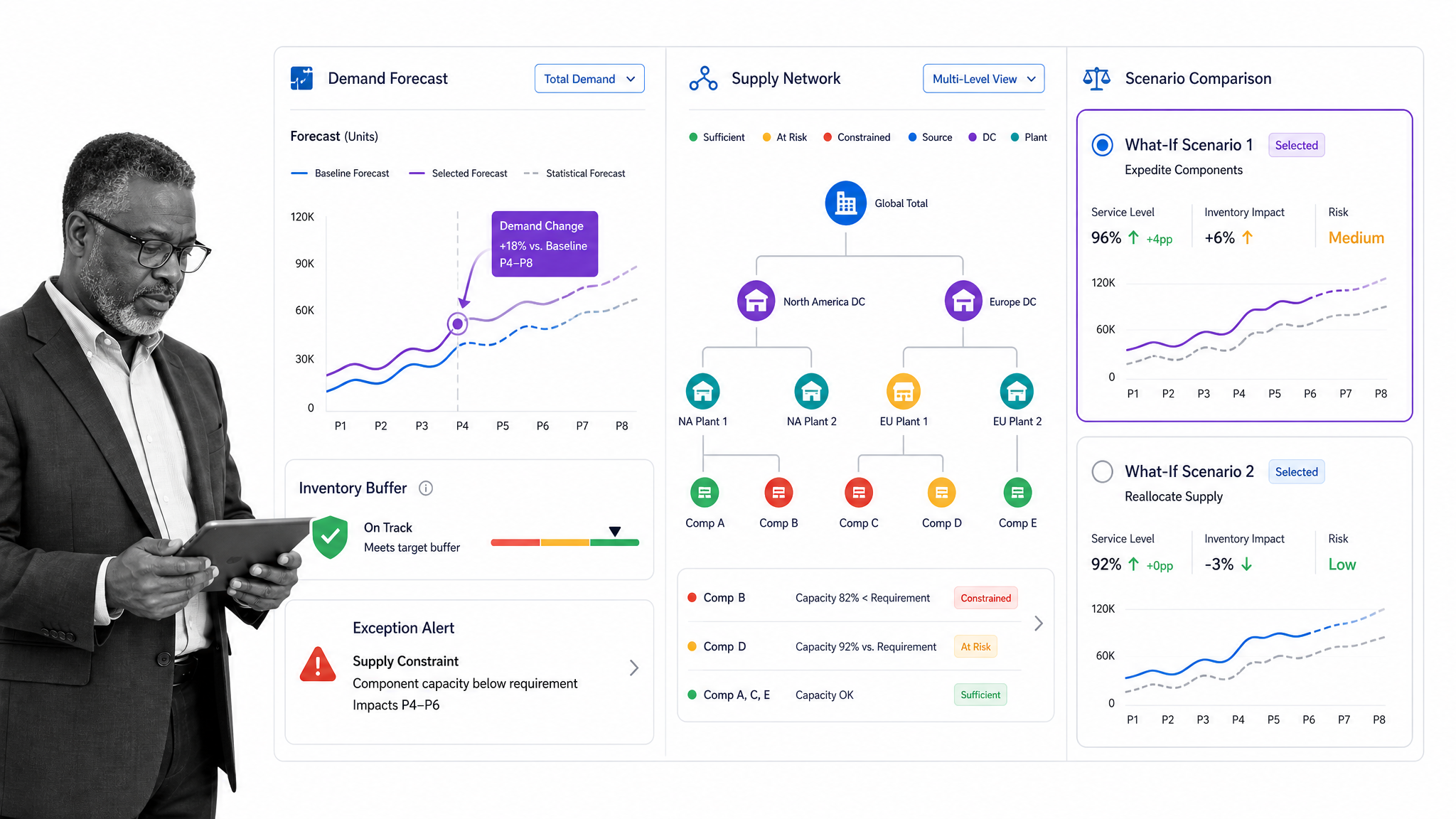
Best for: enterprise planning teams coordinating demand, supply, inventory, and sales and operations planning. SAP Integrated Business Planning is a cloud supply chain planning solution built around connected planning and fast response to change.
The official SAP IBP features page covers demand management, response and supply planning, inventory planning, S&OP, visibility, alerts, and scenario comparison. That makes SAP IBP a strong option when the hardest problem is balancing constraints across a complex network.
Its center of gravity is planning. Teams still need clear procedures for supplier follow-up, evidence collection, approval, remediation, and cross-functional exception handling. Those workflows should connect to the plan without becoming hidden in analyst notes.
SAP IBP is most compelling when planning complexity is already enterprise scale and the organization can support data integration, model governance, and specialized planning roles. Smaller teams may find that depth heavier than the problem requires.
During evaluation, test how quickly planners can compare a demand shock, a supplier constraint, and an inventory policy change. The value comes from improving the quality and speed of the planning decision, then connecting the approved scenario to execution teams without losing assumptions or ownership.
- Best fit: complex demand, supply, inventory, and S&OP planning.
- Watch out for: implementation and governance work around planning models and data.
- Pricing: SAP routes buyers through a request-a-demo process.
3. Oracle Fusion Cloud SCM
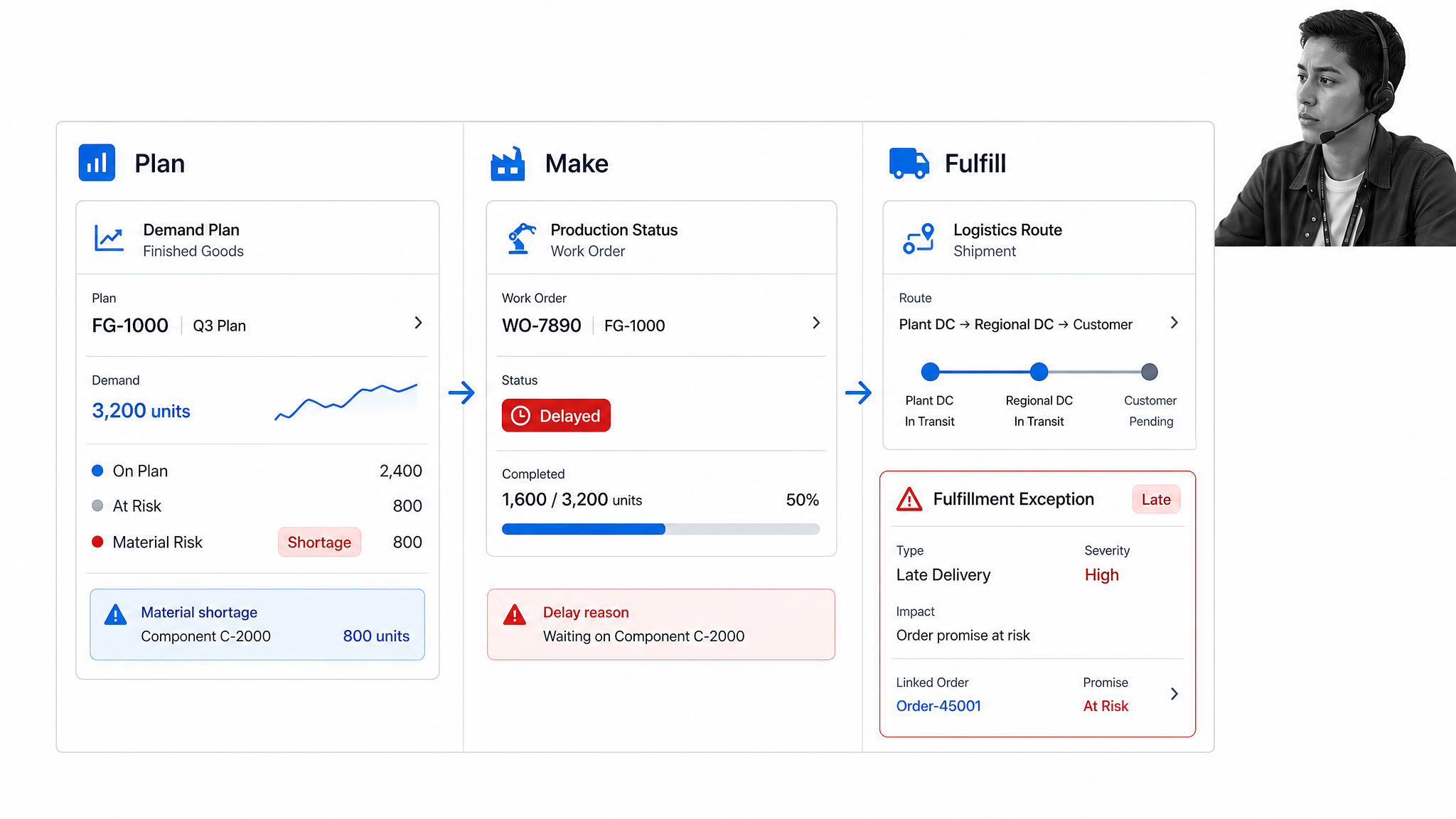
Best for: large enterprises seeking a broad cloud suite across planning, inventory, manufacturing, logistics, order management, procurement, and product lifecycle work. Oracle Fusion Cloud SCM brings these capabilities into one connected application family.
Oracle’s breadth is useful when supply chain operations span many business units and execution domains. The suite can support demand and supply decisions, material control, production, warehousing, transportation, order fulfillment, quality, and supplier processes.
The tradeoff is scope. A suite implementation needs clear ownership, data standards, process design, and change management. Adding more modules does not automatically make exception handling consistent across teams.
Pair the suite with strong process documentation and workflow governance. Define which Oracle event starts a procedure, who owns the response, what evidence is required, and how completion updates the system of record.
Oracle is most appropriate when the organization wants a broad application family and is prepared to standardize processes across planning and execution domains. The buying team should test cross-module exception handling, not only each module’s strongest demo, because supply chain failures rarely stay inside one functional boundary.
- Best fit: enterprises consolidating supply chain and manufacturing applications in Oracle Cloud.
- Watch out for: transformation scope and the operating model needed to govern a broad suite.
- Pricing: contact Oracle sales for current package details.
4. Microsoft Dynamics 365 Supply Chain Management
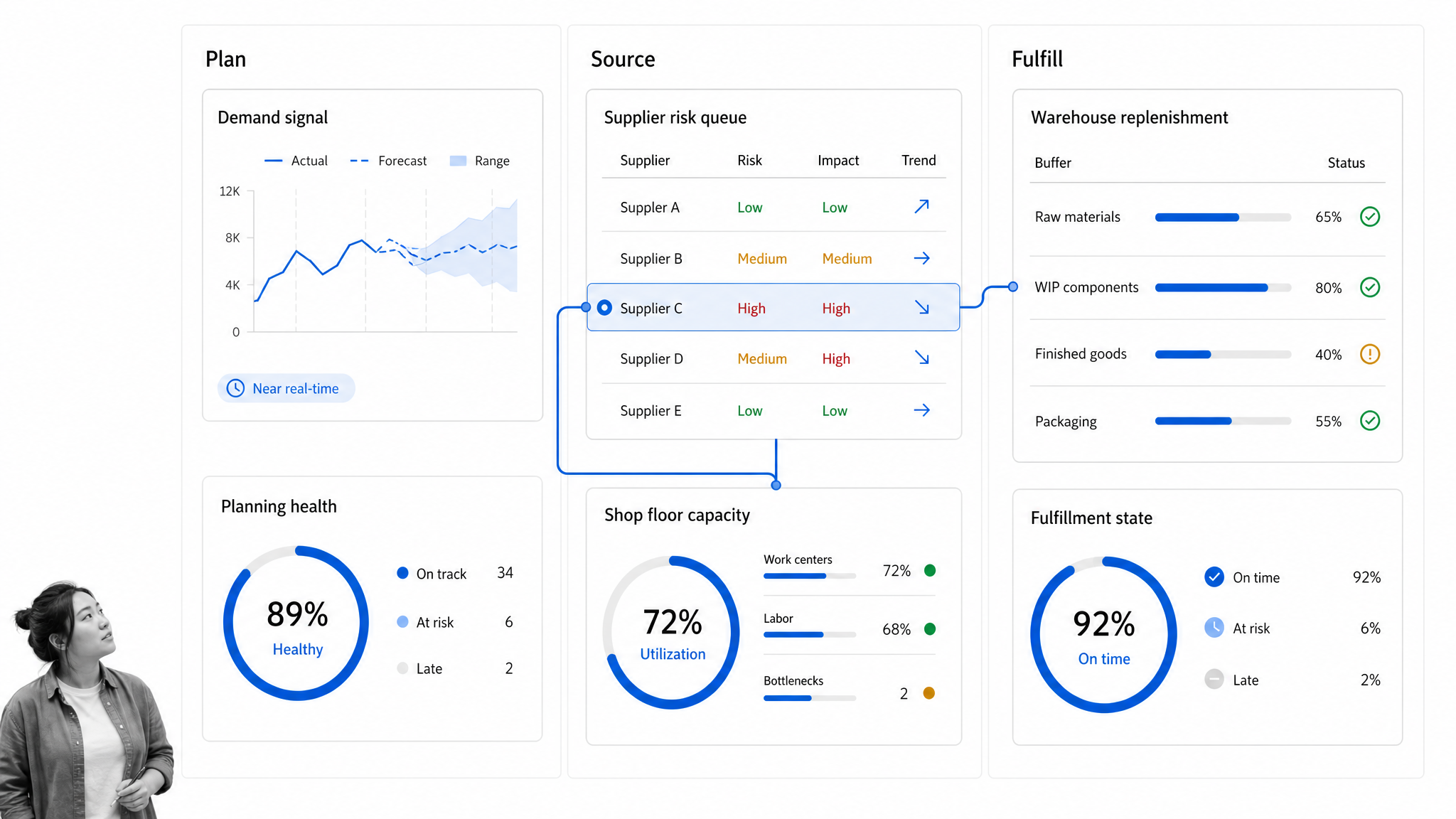
Best for: manufacturers, distributors, and retailers that want supply chain management inside the Microsoft business application stack. Dynamics 365 Supply Chain Management covers planning, procurement, shop floor, order, warehouse, and asset management.
The application is a good fit when teams already depend on Microsoft ERP, analytics, collaboration, and automation tools. Supply chain users can work with demand signals, sourcing decisions, production status, replenishment, warehouse activity, and fulfillment in a connected environment.
Microsoft currently lists the core Supply Chain Management product at $210 per user per month, paid yearly, on the Dynamics 365 SCM pricing page. Buyers should still model implementation, integrations, storage, support, and role-based licensing before comparing total cost.
Its challenge is the same as any ERP: the transaction record does not define every human procedure. Teams need controlled workflows for supplier risk, quality exceptions, purchase approvals, change control, and cross-functional escalation.
Microsoft-centered teams should also decide which work belongs in Dynamics, which collaboration belongs in Teams, and which repeatable procedures need a dedicated workflow. Clear boundaries prevent the implementation from becoming a collection of alerts, chats, and local automations with no durable completion record.
- Best fit: Microsoft-centered manufacturers and distributors.
- Watch out for: licensing and implementation complexity beyond the listed application price.
- Pricing: $210 per user per month, paid yearly, for the core product at the time of verification.
5. NetSuite Supply Chain Management
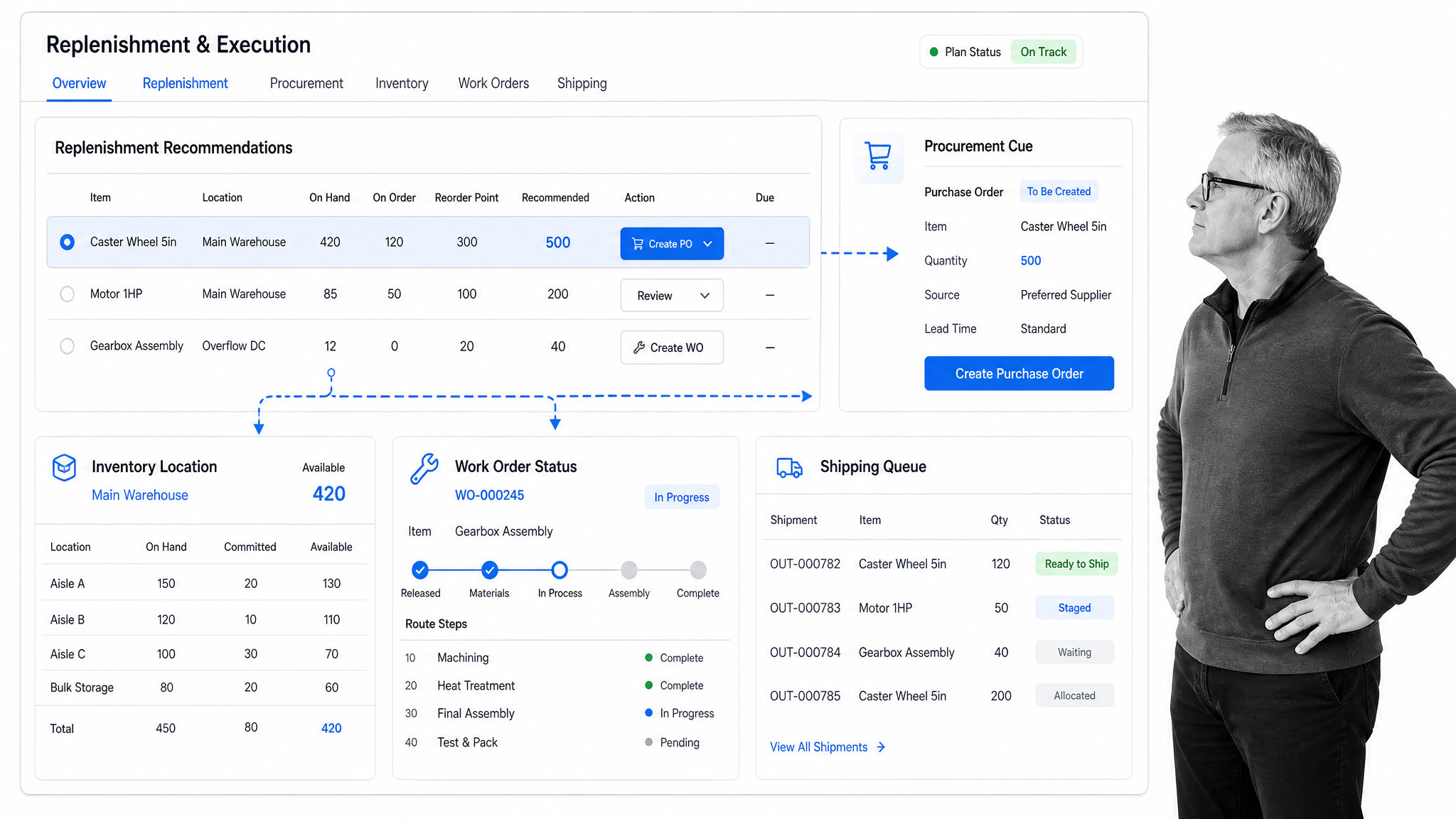
Best for: growing product businesses that want demand planning, procurement, inventory, production, fulfillment, and finance in one cloud ERP. NetSuite Supply Chain Management connects supply planning with work orders, routing, inventory, purchasing, and delivery activity.
NetSuite is attractive when the business has outgrown disconnected accounting, inventory, purchasing, and production tools. A shared ERP record can reduce reconciliation and give operations and finance a common view of stock, orders, production, and cash impact.
The boundary is procedural control. Supplier qualification, exception review, approval, and corrective action may still need a dedicated workflow layer, especially when several departments contribute evidence before the ERP record can move forward.
NetSuite describes pricing as an annual license made up of the core platform, optional modules, and users, plus an implementation fee. That structure means buyers should scope modules and process design before treating a license quote as the full project cost.
A practical NetSuite evaluation should follow one item from replenishment recommendation through purchasing, receipt, production or allocation, and shipment. Then test the exception path. If the normal transaction is clear but the exception still lives in email, the stack needs an additional control layer.
- Best fit: growing manufacturers, distributors, and product businesses consolidating on cloud ERP.
- Watch out for: module scope, implementation effort, and procedures that still live outside the ERP.
- Pricing: annual license plus selected modules, users, and implementation.
How to build a complete supply chain tool stack
A complete supply chain tool stack usually has three layers: a planning layer, a system-of-record layer, and an execution control layer. Some suites cover the first two. Workflow software connects their decisions to accountable work.
Keep planning in the planning system
Use the planning platform for forecasts, constraints, scenarios, inventory targets, capacity, and network decisions. Do not duplicate those models in spreadsheets once the platform is trusted.
Keep transactions in ERP and execution systems
Purchase orders, receipts, inventory movements, work orders, shipments, and financial effects belong in the systems designed to record them. Those records should remain authoritative.
Use workflow to control decisions and handoffs
Use workflow management software for supplier qualification, approvals, exceptions, investigations, corrective action, change control, and recurring reviews. business process automation software and workflow automation can remove manual handoffs while preserving ownership.
This model also prevents tool sprawl. operations management tools can stay focused on visibility and coordination, while the supply chain stack keeps clear boundaries between planning, records, and governed execution.
FAQs
What are supply chain management tools?
Supply chain management tools are software systems that help teams plan demand, coordinate suppliers, manage inventory, control production, move goods, fulfill orders, and respond to exceptions. The category includes planning platforms, ERP suites, warehouse and logistics systems, procurement tools, and workflow software.
What are the main types of supply chain management software?
The main types include demand and supply planning, procurement and supplier management, inventory and warehouse management, manufacturing execution, transportation and logistics, order management, ERP, and workflow automation. Most organizations use more than one type because planning, transactions, and human procedures require different surfaces.
Which supply chain management tool is best for process control?
Process Street is the strongest fit in this comparison for controlled supplier, approval, quality, and exception workflows. It complements planning and ERP systems with required evidence, conditional routing, approvals, integrations, and an audit history.
How do SCM tools differ from ERP software?
ERP software records transactions across finance, inventory, purchasing, production, and orders. SCM tools can be broader or more specialized, covering planning, logistics, supplier collaboration, visibility, and workflow control that sits around the ERP record.
What should you look for in supply chain management tools?
Look for fit with the core constraint, clean integration with systems of record, trustworthy data, clear exception handling, role-based ownership, evidence capture, approvals, and reporting. The tool should help the team act on change, not only display it.
Can Process Street support supply chain management?
Yes. Process Street supports supply chain management by turning supplier onboarding, purchase approvals, quality checks, inventory reviews, production changes, and shipment exceptions into controlled workflows. It connects those procedures to existing ERP, planning, warehouse, and communication systems.
