


Turn every policy into automated workflows with built-in enforcement and audit-ready proof.



Workflow Management Apps
Workflow management apps help teams design, run, track, and improve repeatable work. The strongest options do more than hold tasks. They route requests, assign owners, enforce rules, collect evidence, trigger actions, and preserve a record of what happened.
The right app depends on the work you need to control. A project team may need flexible boards and timelines. An operations team may need forms, approvals, conditional paths, and audit history. An IT-led transformation program may need governance for many no-code workflows across departments.
This comparison reviews six workflow management apps across those different jobs. It explains where each tool fits, what to watch for, and how to choose a system that people will actually use after the first rollout.
Workflow management apps at a glance: Process Street is the strongest fit for high-stakes recurring processes that need execution control and proof. monday.com, Asana, and ClickUp work well when workflow management sits inside broader project coordination. Kissflow and Pipefy focus more directly on no-code business process automation.
| Tool | Best for | Standout feature | Pricing |
|---|---|---|---|
| Process Street | High-stakes recurring operations | Guided workflow runs with approvals and audit history | 14-day Pro trial, then contact sales |
| monday.com | Customizable team workflows | Boards connected by automations and workflow rules | Free and paid plans |
| Asana | Cross-functional project workflows | Visual Workflow Builder with intake and routing | Personal free plan and paid tiers |
| ClickUp | Teams consolidating tasks, docs, and workflow automation | Custom workspaces with task automations | Free Forever and paid plans |
| Kissflow | IT-governed no-code process automation | Dynamic routing with centralized governance | Contact sales |
| Pipefy | Request, approval, and service workflows | Visual pipes with forms and conditional logic | Free Starter plan, paid plans by quote |
In this guide, we cover:
- What workflow management systems do
- How we evaluated workflow management apps
- 1. Process Street: High-stakes operations
- 2. monday.com: Customizable team workflows
- 3. Asana: Cross-functional workflow projects
- 4. ClickUp: Consolidated work management
- 5. Kissflow: IT-governed no-code workflows
- 6. Pipefy: Request and approval workflows
- How to choose a workflow management app
- How to implement workflow management apps
- FAQs
What workflow management systems do
A workflow management app provides a structured place to define how work moves from start to finish. If you need the underlying concept first, this guide to what a workflow is explains the sequence of tasks, decisions, people, and information that make up a repeatable process.
The app turns that sequence into an operating system. A request enters through a form, schedule, email, integration, or manual start. Rules decide what should happen next. Owners receive the right tasks. Approvers review exceptions. Automations update other systems. Reporting shows where work is blocked.
Workflow management versus project management
Project management usually organizes temporary initiatives around deliverables, dates, and dependencies. Workflow management focuses on repeatable paths that should run consistently every time. The two overlap, which is why tools such as Asana, monday.com, and ClickUp appear in workflow comparisons. A deeper workflow project management software comparison helps when your team needs both structures.
The difference becomes clear when you ask what happens after the first successful run. A project may close. A workflow should become easier to repeat, measure, and improve. The app should preserve the logic, ownership, required data, and decision points so the next case does not depend on memory.
Workflow management versus simple task tracking
A task tracker tells you who owns an item and whether it is complete. A workflow app adds sequence, context, routing, and controls around that item. Teams comparing task workflow management software should look for required fields, dependencies, approval states, and exception handling, not just more views.
That extra structure matters most when skipped steps create customer, financial, security, quality, or compliance risk. A flexible board can coordinate ordinary work. A governed workflow should make unsafe completion difficult and create evidence for later review.
How we evaluated workflow management apps
We evaluated each app by the job it is designed to perform, not by the size of its feature list. A tool can be excellent at team planning and still be weak at controlled operations. Another can be strong at process governance but excessive for a small creative team.
- Workflow design: Can a process owner map stages, rules, owners, forms, and exceptions without rebuilding the system every time?
- Execution control: Can the app require information, enforce order, route approvals, and stop unsafe completion?
- Automation: Can it trigger actions and connect work across the systems the team already uses?
- Usability: Can operators understand what to do next without becoming workflow administrators?
- Governance: Can admins control access, changes, integrations, and sensitive process data?
- Proof: Does the app preserve decisions, timestamps, evidence, comments, and completion history?
These criteria also separate broad work-management suites from focused process workflow tools. Neither category is automatically better. The question is whether the app matches the risk, repetition, and ownership model of the process.
Every vendor section below uses the same practical frame: best fit, operating strengths, limits to test, and a realistic pilot use case. Pricing changes frequently, so the comparison links to each vendor’s current pricing page instead of freezing a detailed quote inside the article.
1. Process Street: High-stakes operations
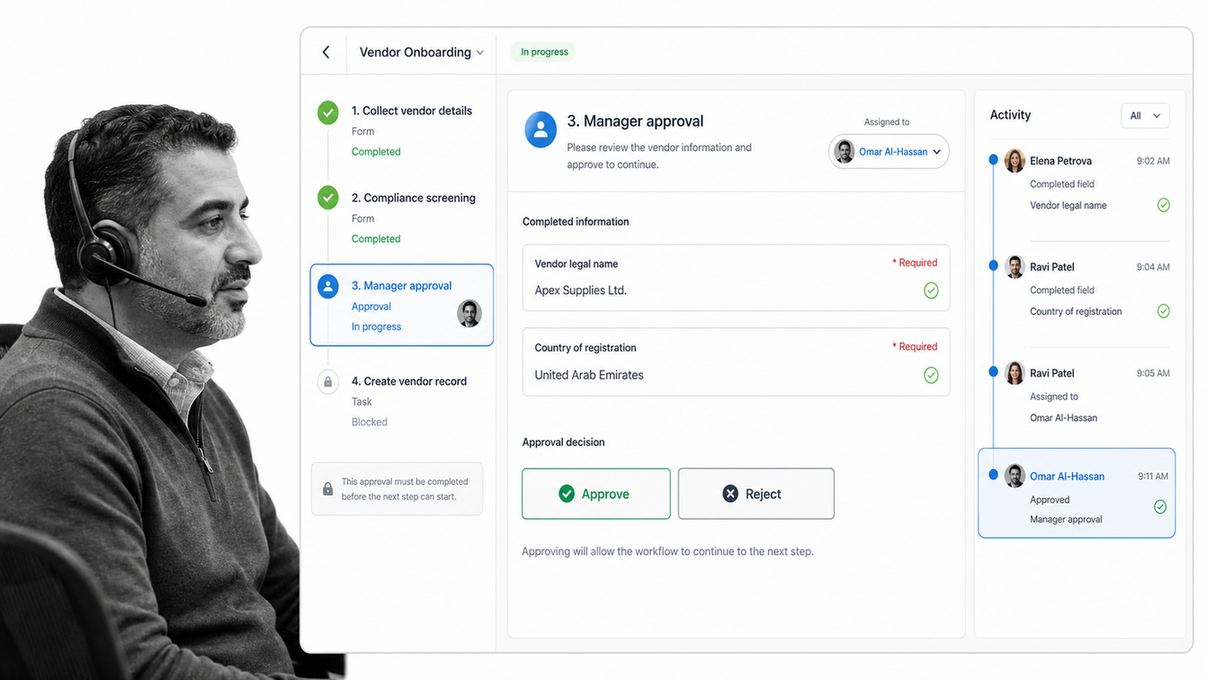
Best for: High-stakes recurring operations where every step, decision, and piece of evidence must be controlled and provable.
Process Street is an Agentic Process Automation platform for work that cannot rely on memory or informal follow-up. Teams turn procedures into guided workflow runs with assignments, required form fields, conditional paths, approvals, due dates, automations, and a durable activity record.
That makes it a strong choice for onboarding, vendor review, access requests, finance approvals, quality checks, audit preparation, customer implementation, and other recurring work. A public employee onboarding checklist or vendor onboarding workflow can become the starting structure, then the team can add its own rules and evidence requirements.
Process Street is strongest when the workflow carries consequences. Required steps make the correct path explicit. Conditional logic changes the path based on risk or context. Approvals keep decisions inside the run. Activity history preserves who did what and when.
The integration story is also designed for the real operating stack. Process Street has direct, universal integrations to 5,000+ systems. Need a new one? An AI agent builds it on the fly. That lets the workflow remain the control surface while records move into the systems of record around it.
The official Process Street pricing page offers a 14-day Pro trial and lists paid plans through sales. Use the trial to test one consequential workflow end to end, including approval tasks and conditional logic, rather than judging the platform from an empty workspace.
- Choose it when: process execution, approvals, accountability, and proof matter more than flexible project views.
- Test carefully: confirm your operators can complete the workflow quickly on real cases and that administrators can govern changes.
- Pilot: vendor onboarding, employee access, policy exceptions, customer implementation, or monthly close.
2. monday.com: Customizable team workflows

Best for: Teams that want customizable boards, multiple work views, and lightweight workflow automation in one collaborative workspace.
monday.com organizes work around boards, items, columns, owners, and statuses. Teams can shape those elements into project pipelines, editorial calendars, service requests, recruiting flows, and department processes without starting from a rigid process model.
Its official pricing page shows a free plan and paid tiers that add workflows, automations, integrations, advanced views, permissions, and enterprise controls. The visual board model is approachable for teams that already think in stages and status columns.
The strength is flexibility. The risk is also flexibility. Different teams can create different naming systems, automations, status values, and handoff rules. Before a rollout expands, establish who owns board structure, which fields are mandatory, and how completed work will be audited.
monday.com fits when workflow management remains close to project coordination. It is less naturally process-first than a dedicated recurring workflow system, so test how it handles required evidence, formal approvals, repeatable case launches, and history across many runs.
- Choose it when: visual boards, team planning, and configurable work views are central.
- Test carefully: governance across many boards, automation limits, and consistency of repeatable processes.
- Pilot: campaign intake, creative production, department requests, or portfolio coordination.
3. Asana: Cross-functional workflow projects
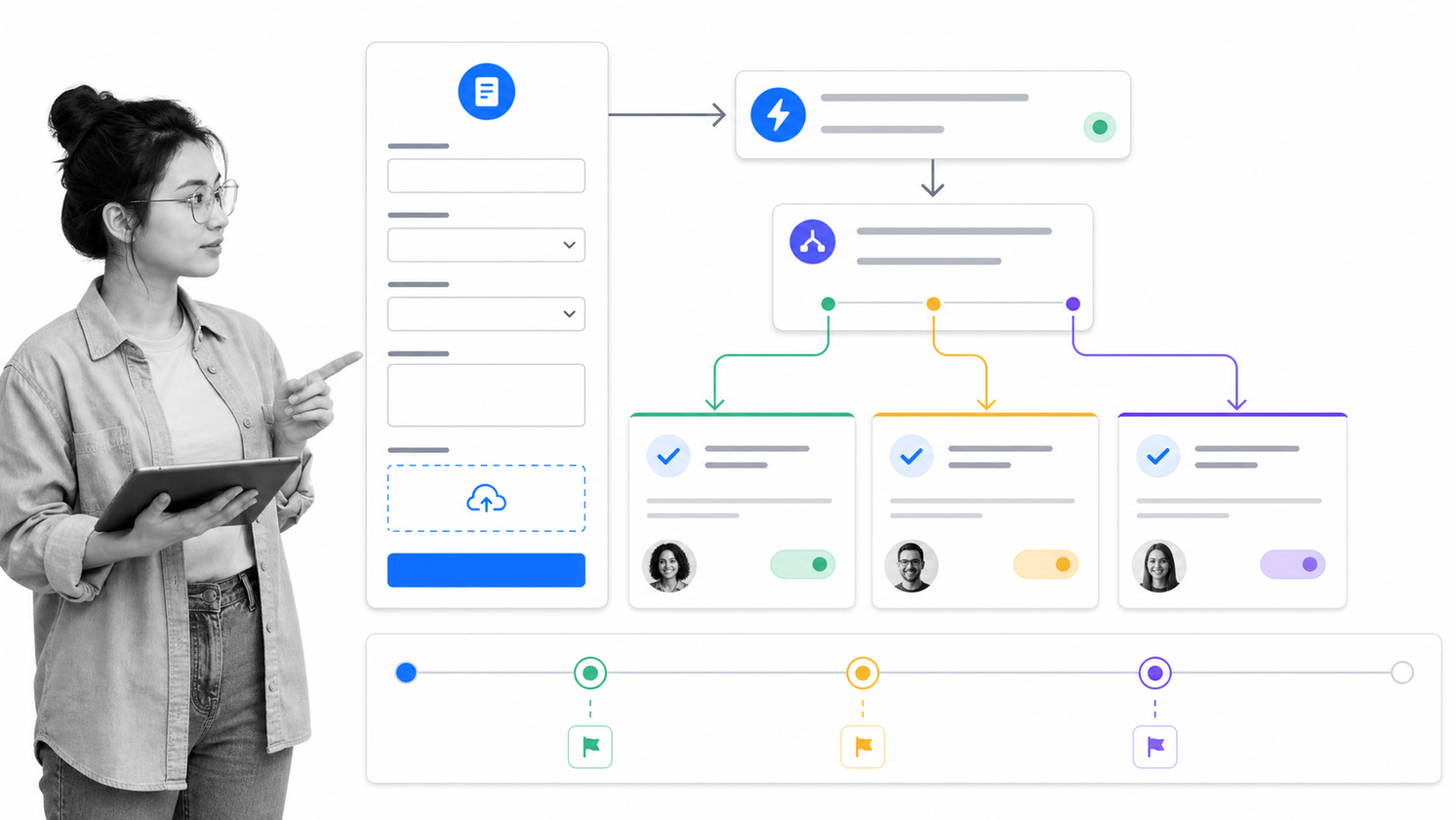
Best for: Cross-functional teams that want projects, intake, rules, and workflow reporting in a familiar task-management environment.
Asana combines tasks and projects with a visual Workflow Builder. Teams can create intake forms, route work into sections, add rules, assign owners, and report on how work moves through a process. That makes it useful for marketing, product, operations, and service teams that already coordinate work in Asana.
The official Asana Workflow Builder documentation describes a visual tool for connecting teams, organizing work, and streamlining projects. Its pricing page includes a free Personal plan and paid tiers for growing teams and enterprises.
Asana works best when the process can live comfortably as a project. Requests become tasks, rules move those tasks, and teams collaborate around the work. The tradeoff appears when the process needs strict step order, complex evidence capture, or a distinct auditable run for every case.
Test the exact handoffs your team struggles with. A polished intake form is not enough if tasks can still bypass a required review or if people cannot reconstruct the decision trail later.
- Choose it when: cross-functional project execution and workflow intake belong in the same system.
- Test carefully: formal approvals, repeatable case history, required fields, and process change control.
- Pilot: creative requests, product launches, campaign production, or internal service intake.
4. ClickUp: Consolidated work management
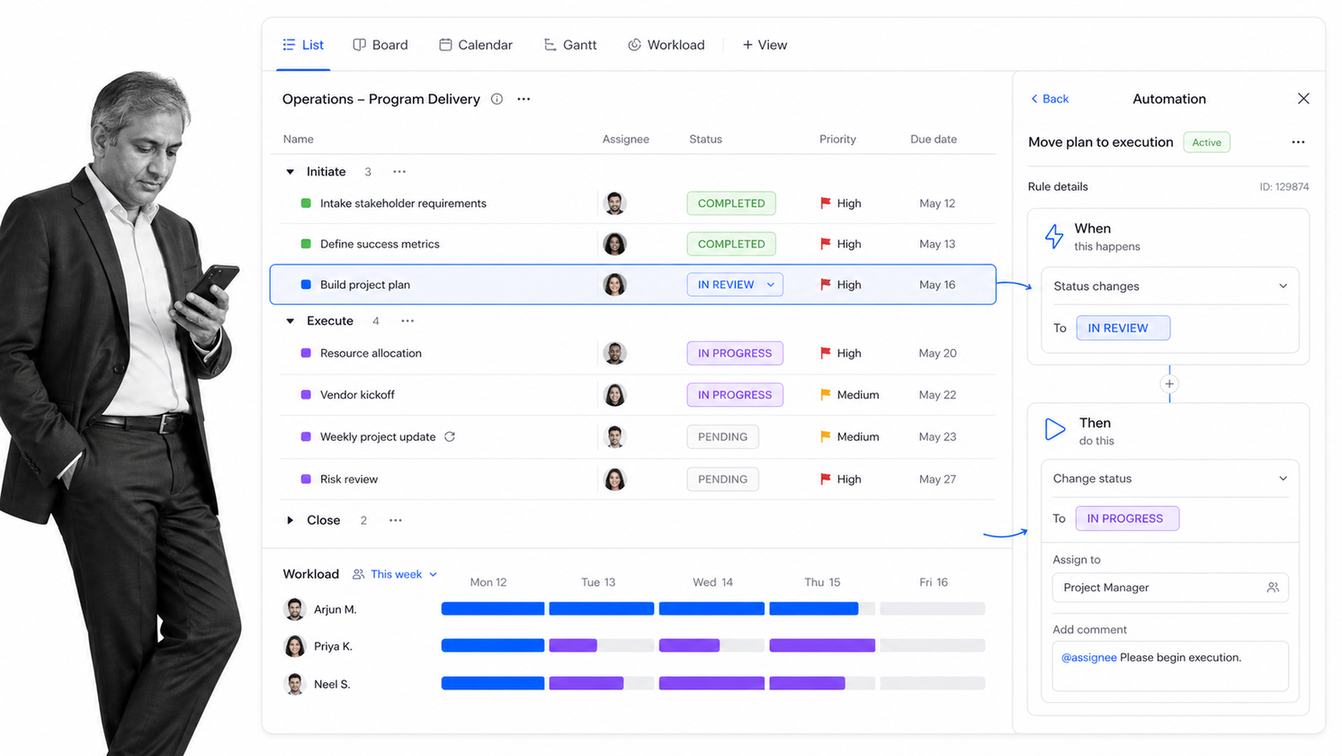
Best for: Teams that want to consolidate tasks, docs, forms, dashboards, chat, and workflow automation in one broad work-management platform.
ClickUp gives teams a highly configurable workspace with tasks, custom fields, statuses, views, forms, documents, dashboards, and automations. It can support many workflow shapes, from sprint processes and content production to client delivery and internal request queues.
The official ClickUp Automations page focuses on rules that trigger actions inside the workspace. Its pricing page includes a Free Forever plan, paid team plans, and an enterprise tier with additional governance.
ClickUp’s advantage is breadth. A team can reduce tool switching and build a workflow around the same tasks and documents used for daily work. The cost of breadth is configuration load. Without a clear workspace design, operators can face too many fields, views, statuses, and notification paths.
Use a pilot to prove that the chosen structure is simpler than the system it replaces. Limit the first workflow to one intake form, one status model, a small rule set, and a clear reporting view.
- Choose it when: tool consolidation and flexible workspaces matter more than a dedicated process runtime.
- Test carefully: setup complexity, notification noise, permissions, and long-term workspace governance.
- Pilot: agency delivery, content operations, product requests, or recurring client work.
5. Kissflow: IT-governed no-code workflows
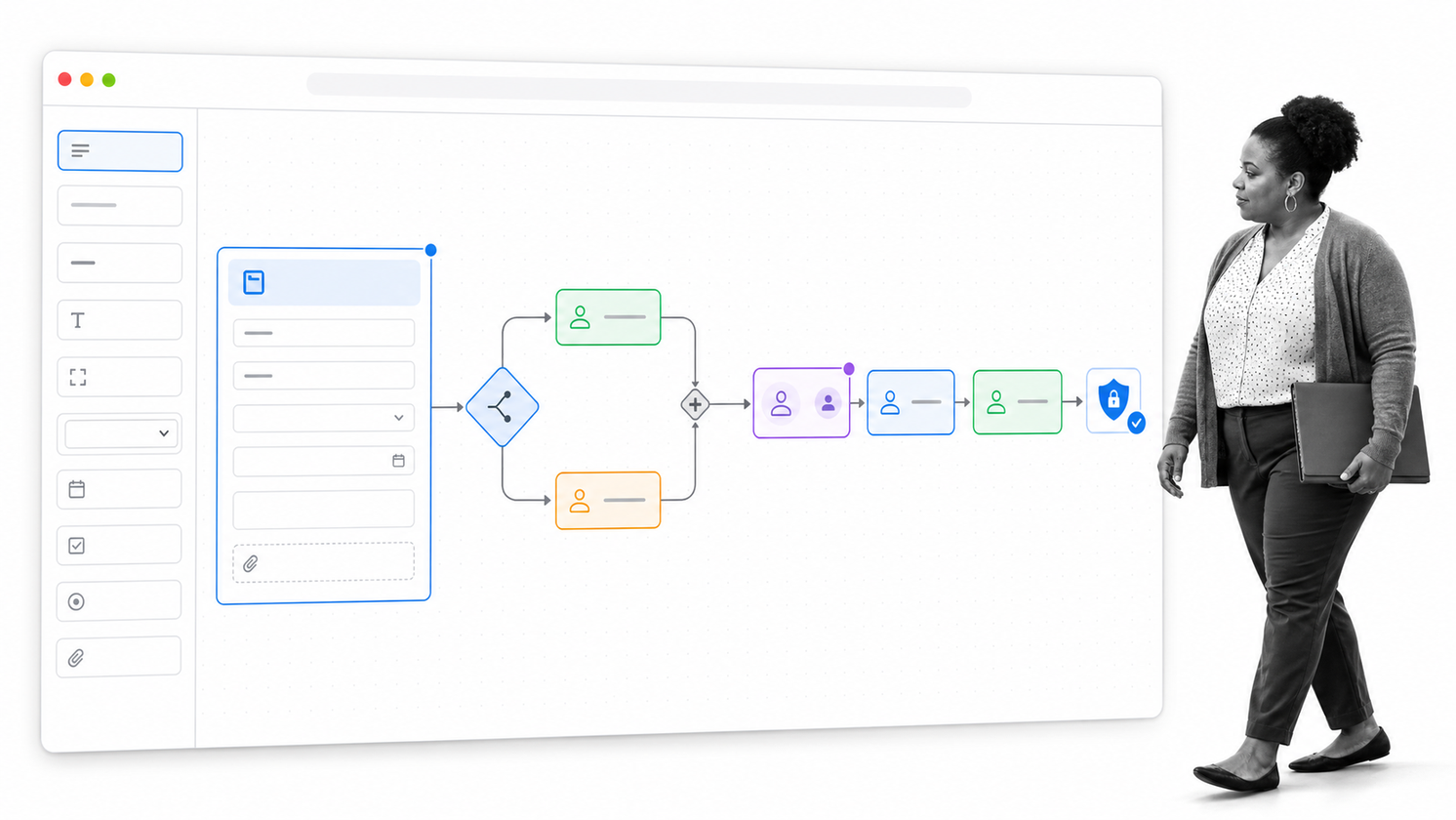
Best for: Enterprises that want business teams to build workflows while IT maintains centralized governance.
Kissflow positions its workflow platform around no-code process building, dynamic routing, analytics, integrations, and governance. Process owners can model department workflows while IT oversees access, security, and the wider citizen-development environment.
The official Kissflow workflow page describes tools for task routing, dashboards, integrations, and governed no-code development. Its pricing page directs buyers toward an enterprise sales conversation rather than a simple public per-seat checkout.
That model fits organizations with a large backlog of internal applications and processes. Procurement, finance, HR, IT service, and other departments can standardize requests and approvals without asking developers to build every small application from scratch.
The buying process should include both business owners and IT. Test how quickly a process owner can change a workflow, how administrators review those changes, how integrations are governed, and how the platform handles exceptions after launch.
- Choose it when: business-led workflow development needs formal IT governance.
- Test carefully: implementation effort, admin model, integration ownership, and total rollout scope.
- Pilot: purchase requests, employee services, expense approvals, or internal application backlogs.
6. Pipefy: Request and approval workflows
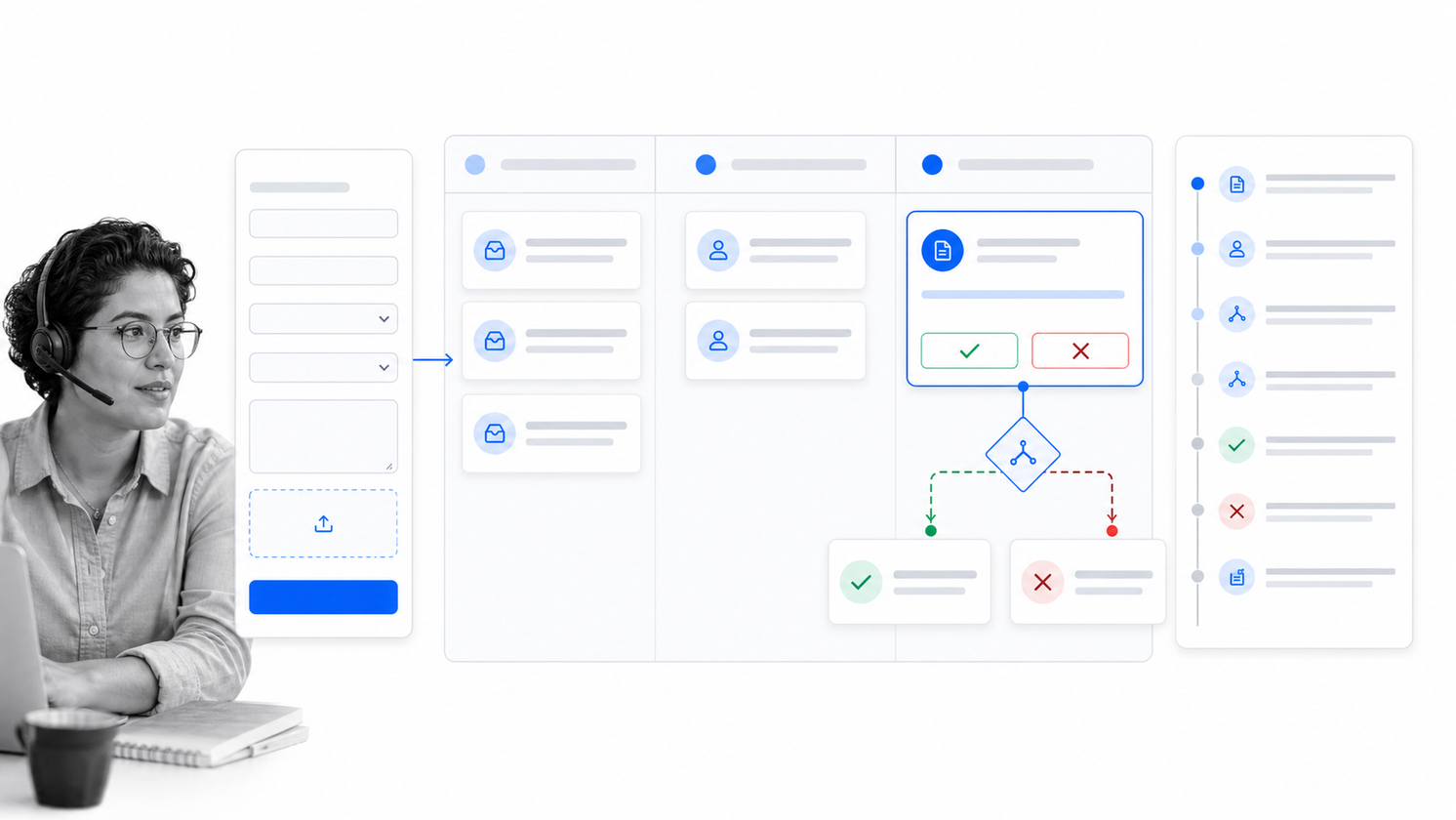
Best for: Request-driven processes that move through forms, stages, approvals, service queues, and conditional routing.
Pipefy organizes workflows as visual pipes. Requests enter through forms or connected channels, become cards, and move through defined phases. Fields, rules, automations, and permissions help teams standardize how each request is handled.
The official Pipefy pricing page lists a free Starter plan plus Business and Enterprise options available through sales. It also lists public forms, activity logs, conditional logic, automations, role-based access, and integrations across the plan set.
Pipefy is a natural fit for procurement, HR services, legal requests, customer service, facilities, and other processes where work arrives as a request and moves through a visible queue. Non-users can submit information while process owners control the stages behind the form.
The main test is depth across real exceptions. Build a pilot with an incomplete request, a high-risk request, an approval rejection, a reassignment, and a late item. The workflow should make each exception visible and preserve what happened.
- Choose it when: forms and service-request queues are the front door to repeatable processes.
- Test carefully: cross-process reporting, automation allowances, external requester experience, and exception handling.
- Pilot: procurement intake, legal requests, facilities service, or employee support.
How to choose a workflow management app
Start with the workflow, not the vendor. Map the trigger, final outcome, owners, decisions, systems touched, evidence required, and failure points. Strong process documentation gives the evaluation team a common picture before demos begin.
Match the app to process risk
Low-risk workflows can prioritize speed and flexibility. High-risk workflows should prioritize enforced order, permissions, approvals, audit history, and reliable exception handling. The more serious the consequence of a skipped step, the less tolerance you should have for optional controls.
Separate workflow execution from project visibility
If the main problem is status visibility across an initiative, a broad work-management app may be enough. If the main problem is making sure the same process runs correctly every time, compare a dedicated workflow management system and focused workflow management software before choosing a project suite.
Test integration and failure behavior
Do not stop at a connector list. Trigger the workflow from a real system, send data out, break one field, revoke one connection, and review the recovery path. A good automation workflow tool should make failed actions visible and assign recovery to a clear owner.
Evaluate governance before scale
Ask who can create workflows, who can publish changes, who owns credentials, and how sensitive data is restricted. A flexible no-code system without governance can create a second layer of shadow operations that is harder to audit than the spreadsheets it replaced.
Choose the smallest successful pilot
Pick one repeatable workflow with visible pain and a cooperative owner. A workflow approval software pilot is useful because it tests intake, routing, ownership, decision history, notifications, and reporting in one contained process.
How to implement workflow management apps
Implementation succeeds when the workflow becomes easier to follow than the old workaround. Treat the first release as an operating change, not a software installation.
- Define the current path: capture the real steps, including informal messages and spreadsheet updates.
- Remove waste: simplify the process before automating it, because software will only make a bad process move faster.
- Design the standard path: build the common case first, then add only the exceptions that occur often enough to matter.
- Assign ownership: name a workflow owner, an administrative owner, and an escalation owner.
- Run live cases: pilot with real work and real users instead of a polished demonstration record.
- Review evidence: confirm the final record proves completion, decisions, and exceptions.
- Measure and improve: review delays, rework, rejected approvals, failed automations, and work that escaped the workflow.
Use workflow tracking software to see where cases sit, but do not confuse monitoring with control. The goal is not merely to observe bottlenecks. The goal is to make ownership clear and route stalled work before it becomes a customer or compliance problem.
For critical processes, add workflow monitoring to the operating rhythm. Review exceptions weekly during the pilot, then move to a cadence that matches the process risk and volume.
FAQs
What are workflow management apps?
Workflow management apps are software platforms that define, run, route, automate, and track repeatable work. They usually combine tasks, owners, rules, forms, approvals, integrations, reporting, and history so a process can move from request to completion in one controlled path.
What is the best workflow management app?
The best workflow management app depends on the work. Process Street is the strongest fit for high-stakes recurring processes that need control and proof, while monday.com, Asana, and ClickUp fit broader project coordination. Kissflow and Pipefy are strong options for no-code business process automation.
How are workflow management apps different from project management apps?
Workflow management apps focus on repeatable processes that should run consistently across many cases. Project management apps focus more often on temporary initiatives, deliverables, dates, and dependencies. Many products support both, but buyers should test the exact controls their recurring processes require.
What features should a workflow management app include?
Look for clear workflow design, assignments, forms, required fields, conditional rules, approvals, automations, integrations, permissions, reporting, and activity history. High-risk processes also need reliable exception handling and evidence that every required step was completed.
Can small teams use workflow management apps?
Yes. Small teams benefit when work repeats across people or systems and important handoffs depend on memory. Start with one process that breaks often, keep the first workflow simple, and expand only after real cases prove the structure works.
How should a team test workflow management apps?
Test each app with the same real workflow. Include a normal case, an incomplete request, an approval rejection, a reassignment, a failed automation, and an overdue task. Compare both the operator experience and the quality of the final record.
