


Turn every policy into automated workflows with built-in enforcement and audit-ready proof.



Software for Business Process Management

Software for business process management turns a business process into a system that can be designed, assigned, run, automated, controlled, measured, and improved. It connects the process model to live execution, so owners know what to do and leaders can prove what happened.
The category matters because most workflow problems do not start as software problems. They start when the operating path exists only in documents, project boards, inboxes, and memory. They start as missed handoffs, unclear ownership, duplicate data entry, skipped approvals, undocumented exceptions, and status updates that live in chat instead of the process.
This guide explains what business process management software is, how it differs from project management and automation apps, which capabilities matter, and how to implement one without creating another place to update status.
In this article, we are going to cover:
- What software for business process management does
- Why business process management software matters
- BPM software vs. project management, workflow tools, and process mining
- Capabilities software for business process management should provide
- How software for business process management works
- Process Street for business process management
- How to choose and implement software for business process management
- FAQs
What software for business process management does
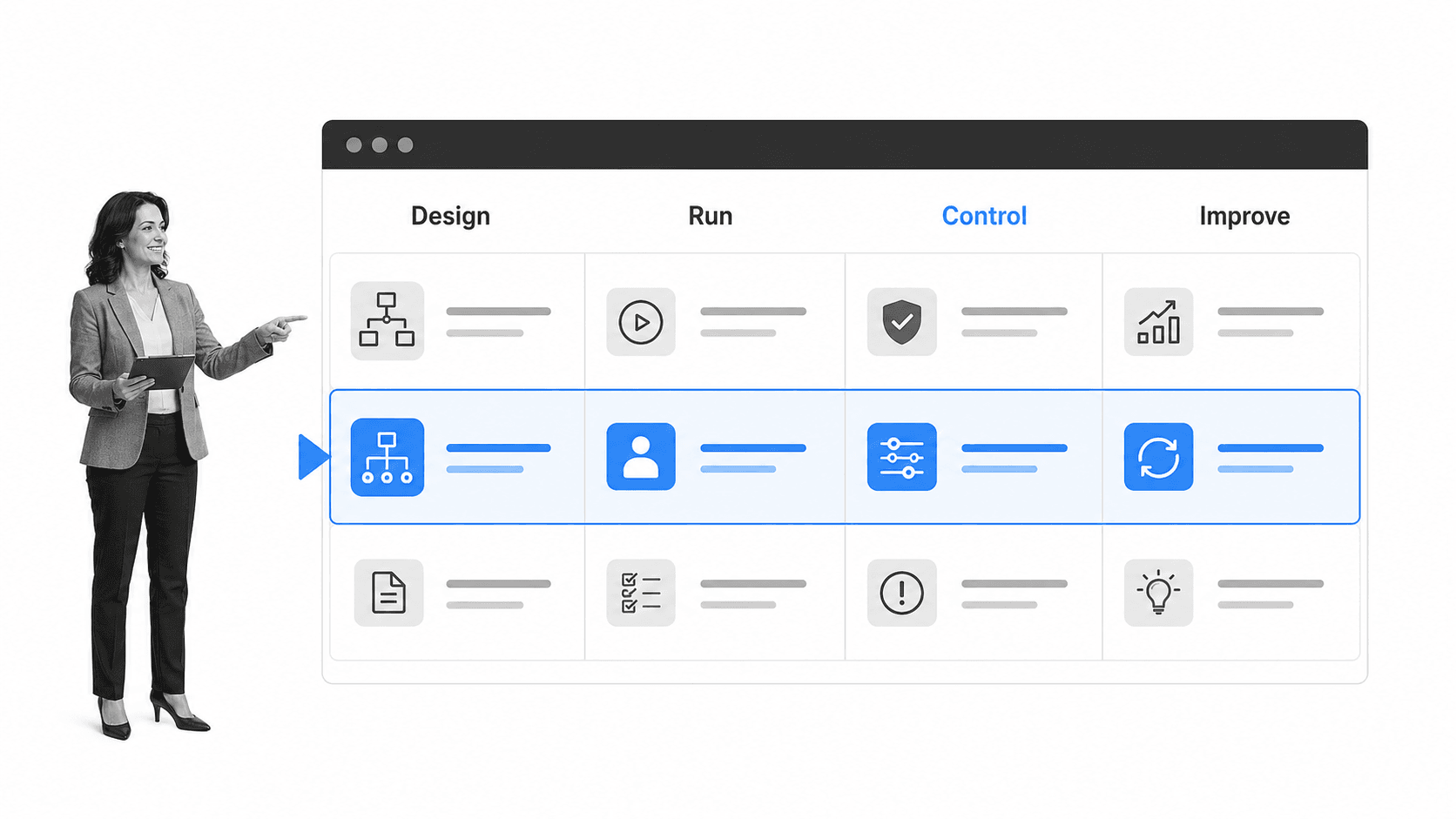
Business process management software is a platform for managing the path work follows from trigger to completion. A workflow may begin with an intake form, a scheduled review, a customer request, a system event, or a manager assigning work. The tool makes that path visible, repeatable, and easier to enforce.
If you already understand what a workflow is, business process management software is the system that makes that workflow operational. It defines who does what, when it happens, what information is required, which branch applies, and what proof is captured.
The four jobs every workflow tool must handle
A useful workflow tool usually covers four jobs: build the workflow, run the workflow, automate the workflow, and prove the workflow happened. Weak tools stop at the first two. Strong tools connect all four.
- Build: create workflow templates, forms, task lists, conditions, and reusable process rules.
- Run: assign tasks, track due dates, route work, manage exceptions, and keep owners accountable.
- Automate: trigger steps across systems, send notifications, update records, and remove repetitive data entry.
- Prove: capture approvals, evidence, comments, completion history, and audit trails.
That proof layer is what separates a workflow tool from a loose task board. For work that affects customers, finance, HR, IT, legal, quality, or compliance, completion is not enough. You need evidence. That is why compliance as proof of control matters for high-stakes operations.
A practical definition
A workflow platform is a system that helps a team turn a repeatable process into a controlled sequence of work. The best tools make the process easy to start, hard to skip, simple to improve, and clear enough for a new teammate to follow without relying on tribal knowledge.
Why business process management software matters
Business process management software matters because growing teams create process debt faster than they expect. Vinay Patankar puts the operating standard plainly: “Execution is the product.” Every new hire, department, customer segment, regulation, system, and exception adds another handoff. Without a workflow layer, teams manage that complexity through memory.
Memory does not scale. People forget steps. Managers chase updates. Documents drift from reality. Approvals happen in email. Exceptions become private knowledge. By the time leadership asks what happened, the answer is spread across tasks, spreadsheets, chat messages, and individual inboxes.
They reduce missed steps
A workflow tool gives the team one path to follow. The process can require fields, enforce order, branch based on risk, and show exactly which owner is responsible for each step. That makes recurring work less dependent on whoever happens to remember the process best.
They reduce manual coordination
Workflow tools also remove the coordination tax. Instead of asking whether a step is done, the workflow assigns it. Instead of reminding the next person, the workflow routes it. Instead of copying a status into another system, the workflow can update the record or trigger the next action.
This is the reason many teams graduate from task workflow management software to an execution platform. Documentation explains the work. A workflow tool runs it.
They create operating data
Once workflows run in software, leaders can see bottlenecks, overdue work, exception rates, approval patterns, and evidence gaps. That operating data is hard to collect when each process lives in a different spreadsheet or project board.
BPM software vs. project management, workflow tools, and process mining
Workflow platforms overlap with project management tools, business process management systems, and automation apps. The categories share language, but they solve different operating problems.
Workflow tools vs. project management tools
Project management tools are strongest when work is one-off, milestone-based, and collaborative. They help teams coordinate a launch, campaign, build, or initiative. A workflow systems software is stronger when work repeats and the process itself needs to be followed the same way each time.
A product launch may belong in a project tool. The launch approval checklist, access provisioning process, legal review, customer handoff, and post-launch incident response may belong in a workflow tool.
Workflow tools vs. full BPM software
IBM business process management guide describes BPM as a discipline for discovering, modeling, analyzing, measuring, improving, and optimizing business processes. BPM systems often focus on process architecture, modeling, and enterprise process governance.
Workflow tools are usually closer to day-to-day execution. They are where operators complete tasks, attach proof, route approvals, and see the current state of work. Many teams need both concepts: business process management software for broad process management and workflow execution for frontline work.
BPM software vs. automation apps
Automation apps connect systems and move data. The IBM workflow automation guide explains workflow automation as automating manual processes and repetitive tasks with rule-based logic. That is valuable, but automation alone does not define the operating standard.
A workflow tool gives automation context. It shows why the automation fired, which human decision came before it, what evidence was required, and what state the process entered afterward. Use workflow orchestration when the problem is coordinating repetitive handoffs. Use business process management software when process design, execution, governance, measurement, and improvement need to stay connected.
Capabilities software for business process management should provide
The right business process tool depends on the risk and repeatability of the work. A lightweight task board may be enough for simple team routines. A compliance-sensitive process needs stronger controls.
Template and workflow builder
The builder should let a non-technical owner create a repeatable workflow with tasks, owners, due dates, forms, instructions, required fields, and decision logic. If every workflow change needs engineering, the process will lag behind reality.
Forms and structured intake
Many workflows fail at the first step because intake is incomplete. Good workflow tools collect structured information up front, validate required fields, and route the run based on the submitted details.
Routing and conditional logic
Conditional routing keeps workflows from becoming one-size-fits-all checklists. For example, a low-risk vendor review can follow a standard path, while a high-risk review can branch to compliance. Process Street documents this capability through conditional logic.
Approvals and escalation
Approvals need to happen inside the workflow, not as side conversations. Built-in approvals make review states visible and help prevent work from moving forward before the right person signs off.
Integrations and AI execution
Workflow work rarely stays inside one app. It touches forms, documents, CRMs, HR systems, finance systems, ticketing tools, databases, spreadsheets, and email. Strong workflow tools connect those systems so people do not become the integration layer.
Process Street has direct, universal integrations to 5,000+ systems. Need a new one? An AI agent builds it on the fly.
Evidence, history, and reporting
If the process matters, the history matters. Look for completion logs, field history, comments, attachments, approval records, timestamps, and dashboards that show bottlenecks. The tool should tell you not only whether work is done, but whether it was done correctly.
How software for business process management works
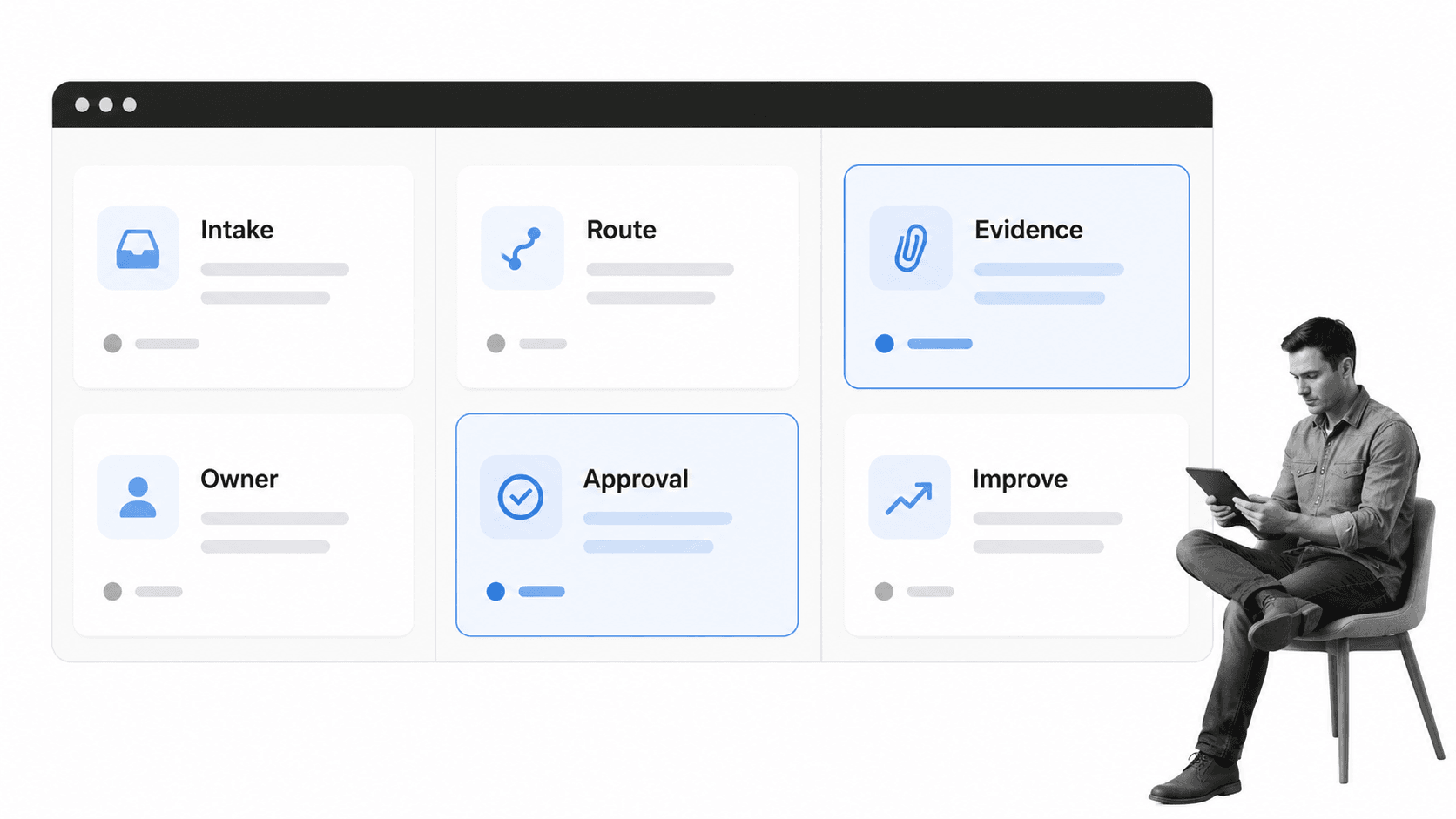
Business process management software works by turning a process template into a live workflow run. The template defines the standard. The run captures the actual work. That distinction is important because teams need both the designed process and the evidence of each execution.
1. A trigger starts the workflow
The trigger might be a form submission, a recurring schedule, a manual launch, a customer request, or an event from another system. A strong trigger captures enough context to route the workflow correctly from the beginning.
2. Tasks are assigned and sequenced
The workflow assigns tasks to the right people or roles. It can show dependencies, due dates, instructions, required fields, and files. When the workflow includes multiple teams, this sequencing prevents work from sitting between departments.
3. Logic routes exceptions
Not every run should follow the same path. Conditional logic adapts the workflow based on risk level, location, request type, department, customer segment, or any other structured input.
4. Automations update connected systems
Automation removes repetitive admin work. A workflow can create a record, send a notification, update a CRM, request a signature, create a ticket, or store a file. process automation is useful when those actions need to happen every time without manual copying.
5. Evidence and approvals prove completion
The final step is proof. Required fields, approvals, attachments, comments, and audit history show what happened. That record helps teams answer internal questions, customer questions, audit questions, and leadership questions without reconstructing the process after the fact.
Process Street for business process management
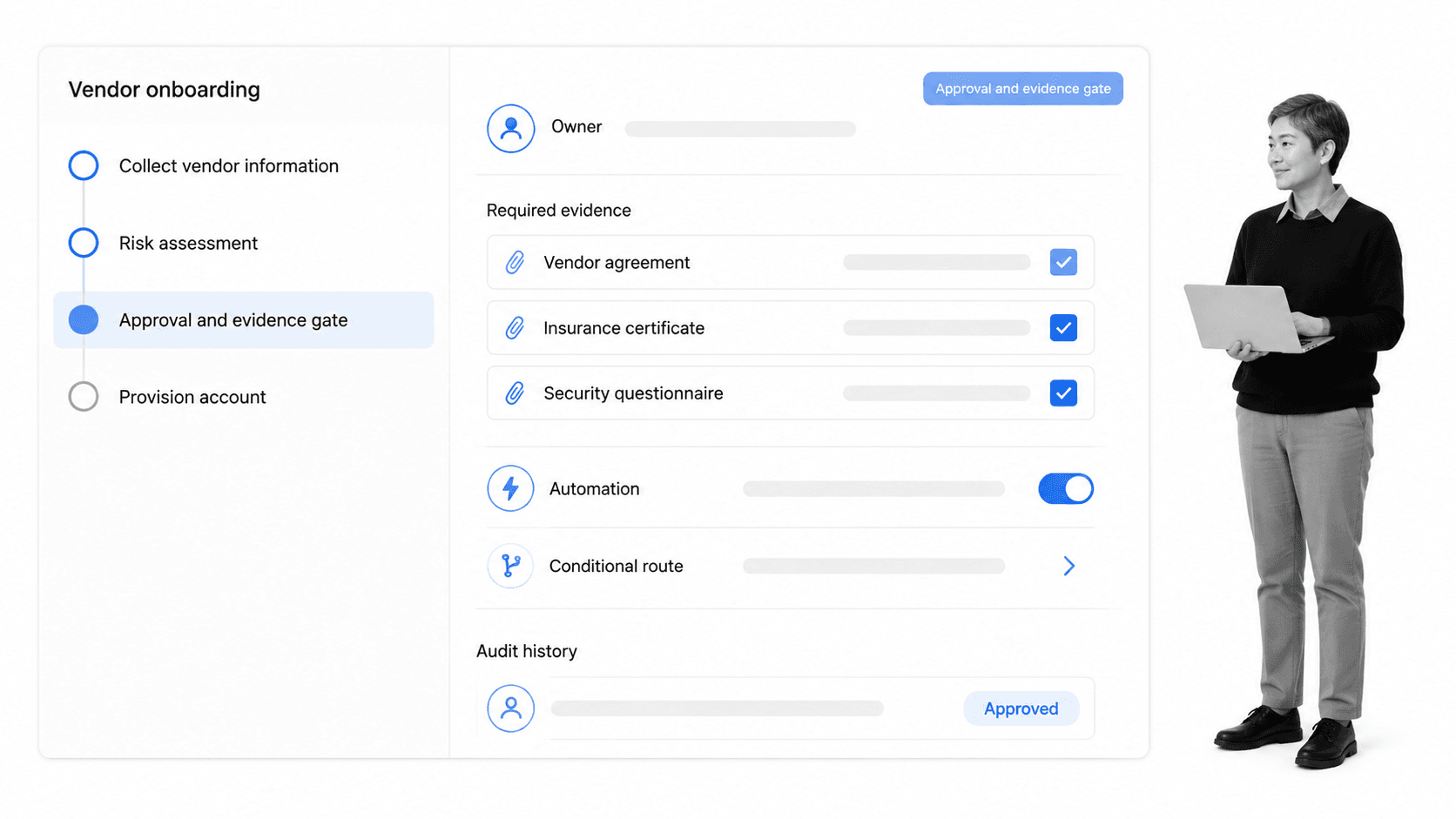
Process Street is a agentic process automation platform for teams that need recurring work to run correctly and leave proof behind. It turns SOPs, policies, and operating procedures into workflows with tasks, forms, rules, approvals, automations, and audit-ready history.
That makes it a strong fit when a workflow is too important to leave inside a document or task board. Employee onboarding, vendor reviews, access approvals, customer handoffs, incident response, inspections, audit prep, and policy reviews all benefit from a system that runs the process and captures the record.
What Process Street handles
- Workflow templates: reusable process designs for recurring work.
- Workflow runs: live execution with owners, due dates, instructions, and required fields.
- Approvals: review steps that keep decisions inside the workflow.
- Conditional logic: branches that adapt work based on context.
- Automations and integrations: actions across connected systems without manual copying.
- Audit history: evidence that shows who did what, when, and with which supporting information.
Teams can also start from a workflow management template or an employee onboarding checklist, then adapt the template into a governed workflow that fits their own operating standard.
Where it fits best
Process Street is best when recurring work needs enforcement, not just visibility. If a missed step creates compliance risk, customer risk, operational risk, or rework, the workflow should carry the rule, the owner, the due date, and the proof.
This is where workflow monitoring becomes practical. AI can help monitor, improve, and execute workflows, but it needs structured process context. Business process management software gives AI agents a defined process, permissions, decision points, and evidence requirements. That is how automation can move work while operators stay in control.
How to choose and implement software for business process management
Choose business process management software by mapping the work before mapping vendors. The fastest way to buy the wrong tool is to start with feature lists before you understand the operating problem.
Start with process risk
Ask what happens if the workflow is done late, done differently, or done without proof. Low-risk routines may only need a shared checklist. High-risk workflows need required fields, approvals, evidence, permissions, and audit history.
Separate planning work from recurring work
Planning work changes shape every time. Recurring work should become a template. If your team keeps recreating the same project tasks, handoff checklist, intake form, or approval path, that work probably belongs in business process management software.
Check whether the tool matches your process language
Some teams think in tasks, some think in diagrams, and some think in controls. If your organization already models processes formally, the OMG BPMN 2.0 overview is useful context for understanding how process steps, events, and branches can be represented. If your team is focused on practical automation, the Atlassian workflow automation software guide is a helpful example of the rule-based automation language buyers commonly see in the market.
AI also changes the selection criteria. A workflow tool that allows AI agents to act inside business processes needs guardrails, monitoring, and proof. The NIST AI Risk Management Framework is a useful external reference when you are deciding how much oversight an AI-assisted workflow should require.
Pilot one process end to end
Do not pilot a workflow tool on a toy process. Pick one real workflow with intake, handoffs, at least one exception path, at least one approval, and at least one connected system. The pilot should prove whether the tool can handle the messy parts of work, not just the happy path.
Measure proof, not activity
Activity metrics can mislead. A workflow tool should improve cycle time, reduce missed steps, reduce rework, improve evidence quality, and make status easier to trust. If the tool only creates more tasks, it is not solving the core workflow problem.
A clean implementation plan should name the owner of the workflow, the source of truth for each field, the decision points that change the route, the proof required before completion, and the systems updated after approval. Without that map, even strong software can become a prettier version of the same manual process. Write the map first, then configure the workflow. That keeps adoption grounded in real operational work instead of tool enthusiasm. It also gives reviewers a clear baseline for future process changes, process audits, onboarding conversations, and quarterly workflow cleanup sessions where stale steps are removed before they become permanent friction.
Plan for improvement
Business process management software should make process improvement easier over time. Use workflow mapping to understand how work moves today, then use workflow data to tighten the process after each run.
FAQs
What is business process management software?
Business process management software is a platform that help teams design, run, automate, and track recurring work. They usually include workflow templates, task assignments, forms, routing rules, approvals, integrations, and records that show what happened.
What is the difference between workflow tools and project management tools?
Project management tools are usually best for one-time initiatives with milestones, timelines, and collaboration. Business process management software is better for repeatable processes that need consistent execution, rules, approvals, and proof.
Which business process tool capabilities matter most?
The most important capabilities are a flexible workflow builder, structured intake forms, routing logic, approvals, automations, integrations, evidence capture, audit history, and reporting. If the process carries risk, proof and enforcement matter more than cosmetic task views.
Who needs business process management software?
Operations, compliance, HR, finance, IT, customer success, legal, quality, and administrative teams often need workflow platforms. The strongest signal is recurring work that crosses people or systems and becomes painful when steps are missed.
How does business process management software support compliance?
They support compliance by embedding rules into the workflow itself. Required steps, approvals, evidence fields, permissions, and audit history make it easier to show that the correct process was followed.
How should you choose business process management software?
Start by mapping one real workflow with intake, owners, decisions, exceptions, approvals, connected systems, and proof requirements. Then choose the tool that can run that workflow end to end with the least manual coordination.
