


Turn every policy into automated workflows with built-in enforcement and audit-ready proof.



IT Service Management Tools
IT service management tools help teams design, deliver, support, and improve technology services through consistent requests, incidents, changes, assets, knowledge, and reporting. The best platform is not simply the one with the longest feature list. It is the one that fits how work enters the service desk, who owns each decision, and what evidence the organization needs afterward.
This comparison covers six credible options for different operating models. Process Street leads for governed service workflows that must coordinate people, approvals, evidence, and follow-up across IT and the business. The other products range from enterprise ITSM suites to service desk platforms with strong ticket, asset, catalog, and configuration capabilities.
Use the shortlist to decide which products deserve a trial. Then test each one against real requests, incident escalations, changes, access approvals, asset handoffs, and service reviews rather than relying on a polished demo alone.
In this article, we are going to cover:
- IT service management tools at a glance
- How to choose IT service management tools
- Best IT service management tools
- ITSM implementation checklist
- FAQs
IT service management tools at a glance
For cross-functional service workflows with approvals and proof, start with Process Street. For large enterprise IT operations, ServiceNow is the broadest platform in this group. Jira Service Management is a natural shortlist choice for Atlassian teams, Freshservice emphasizes an approachable service desk, ManageEngine ServiceDesk Plus combines tickets with asset depth, and HaloITSM offers an ITIL-aligned all-in-one model.
| Tool | Best for | Standout feature | Pricing |
|---|---|---|---|
| Process Street | Governed IT service workflows that require approvals and evidence | Workflow runs with forms, assignments, approvals, automation, and activity history | Startup, Pro, and Enterprise plans after a 14-day trial |
| ServiceNow ITSM | Large enterprises standardizing IT service operations | Incident, request, problem, change, asset, and configuration workflows | Custom quote across Foundation, Advanced, and Prime packages |
| Jira Service Management | IT and development teams working in the Atlassian ecosystem | Requests, incidents, problems, changes, assets, and knowledge management | Free, Standard, Premium, Enterprise, and Data Center options |
| Freshservice | Service desks seeking approachable omnichannel ITSM | Incident, change, problem, catalog, knowledge, SLA, and workflow automation | Free trial with publicly listed paid plans |
| ManageEngine ServiceDesk Plus | IT teams combining service desk and asset management | Help desk, asset, change, project, service catalog, and CMDB capabilities | Standard, Professional, and Enterprise editions with a 30-day trial |
| HaloITSM | Teams wanting an ITIL-aligned all-in-one service platform | Incident, service catalog, change control, asset management, CMDB, and integrations | 30-day trial with demo-led purchasing |
How to choose IT service management tools
Begin with the operating model, not the vendor list. A small internal IT team may need a clean portal, dependable queues, simple SLAs, and a few approval workflows. A global enterprise may need multiple service desks, a mature configuration model, sophisticated routing, delegated administration, and reporting across regions. A regulated organization may care most about required evidence, separation of duties, and traceable approvals.
Map the service lifecycle before selecting software. Define how demand enters the system, how requests are categorized, how incidents are prioritized, how changes are approved, how assets and configuration items are related, and how knowledge is maintained. The ITIL service lifecycle and practical ITIL processes are useful reference points, but the tool should support the way your organization actually works.
Evaluate these eight areas during every product trial:
- Requester experience: portal, email, chat, forms, status visibility, and knowledge suggestions.
- Agent experience: queue design, assignment, collaboration, bulk actions, and context switching.
- Workflow control: required fields, approvals, conditional paths, timers, escalations, and automation.
- Incident and problem management: severity, impact, communication, restoration, root cause, and corrective action.
- Change enablement: risk assessment, approval, scheduling, collision detection, and implementation review.
- Asset and configuration context: ownership, lifecycle, relationships, dependencies, and service impact.
- Governance and reporting: activity history, permission controls, SLA reporting, evidence, and audit access.
- Integration and ownership: APIs, identity, monitoring, collaboration, deployment, administrators, and change capacity.
Clarify where a dedicated incident management tool or system monitoring platform ends and ITSM begins. Monitoring detects technical conditions. Incident response coordinates restoration. ITSM connects that response to service ownership, requests, problems, changes, knowledge, and continual improvement. The boundaries may overlap, but each responsibility needs a clear system of record.
Best IT service management tools
1. Process Street
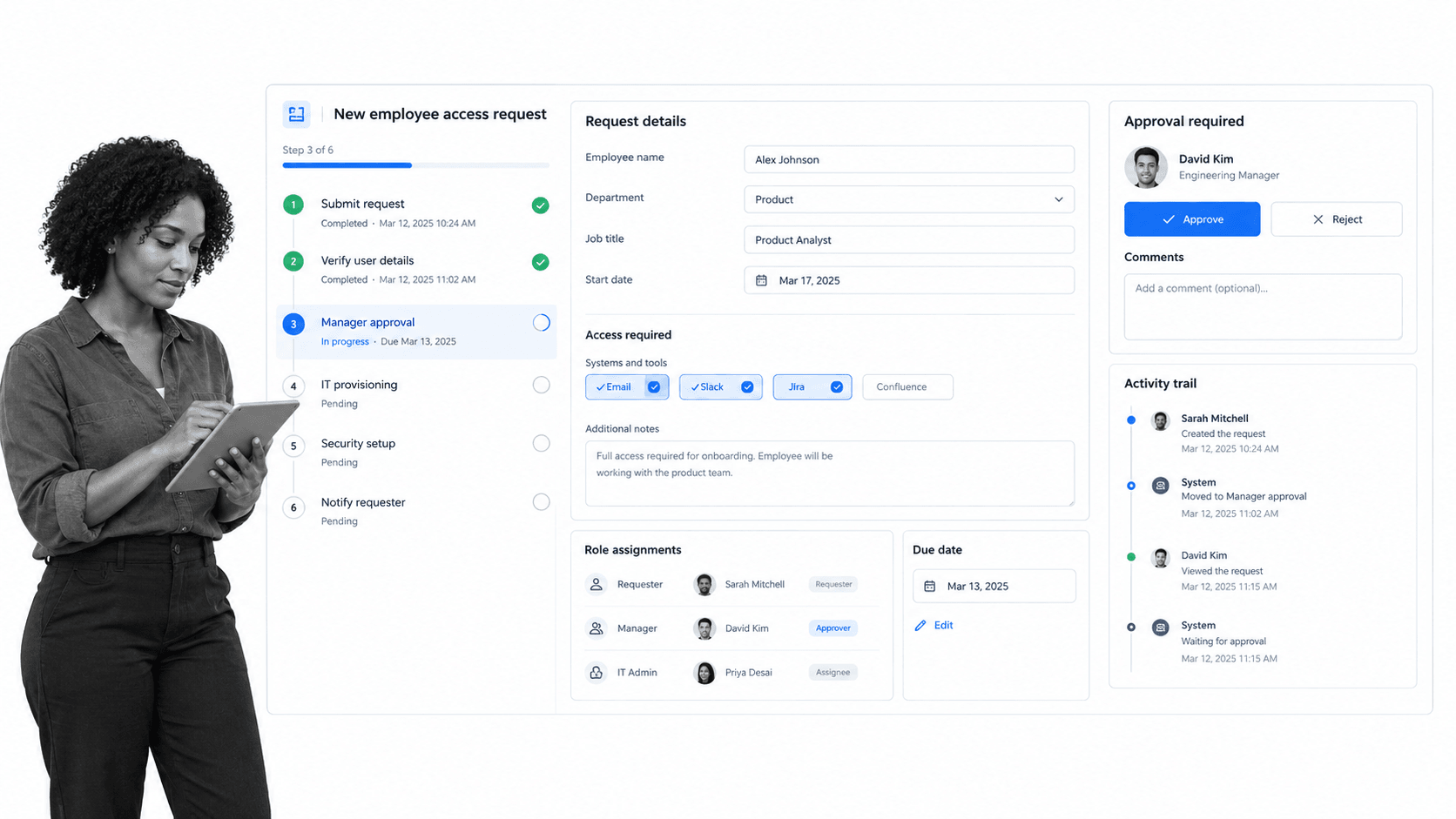
Best for: Governed IT service workflows that require approvals and evidence.
Process Street is the strongest choice when IT service work must move through a controlled sequence rather than live only as a ticket. Teams can turn access requests, equipment provisioning, incident follow-up, maintenance, change preparation, vendor reviews, and audit remediation into guided workflows with owners, due dates, forms, conditional logic, approvals, and a complete activity record.
This model is especially useful when IT work crosses departments. A new system request may require security review, budget approval, data classification, legal input, provisioning, user acceptance, and final evidence. A ticket can record the request, while a Process Street workflow can enforce the full operating procedure and make every handoff visible.
Teams can start with a change management template, an incident management process, a server maintenance checklist, or a network security audit checklist. Those workflows can connect service desk intake to the repeatable work that follows.
The main tradeoff is specialization. Process Street is not a native CMDB, an observability platform, or an on-call paging engine. It works best as the governed workflow layer around those systems, especially when human decisions, cross-functional approvals, and evidence matter as much as ticket status.
Process Street key features
- Workflow runs with assigned tasks, due dates, and required form fields.
- Conditional paths that adapt work to request type, risk, or severity.
- Approval steps for access, changes, exceptions, and closure.
- Automations and integrations that connect service systems and business apps.
- Activity history that preserves decisions, evidence, and completion status.
Process Street pros
- Strong cross-functional workflow governance.
- Business and IT process owners can improve procedures without a development backlog.
- Excellent fit for approval-heavy and evidence-heavy work.
- Useful alongside an existing ticketing, CMDB, or monitoring platform.
Process Street cons
- Not a native CMDB or infrastructure monitoring platform.
- Teams seeking only a conventional service desk may want a ticket-first product.
Review current packaging on the official Process Street pricing page.
2. ServiceNow ITSM
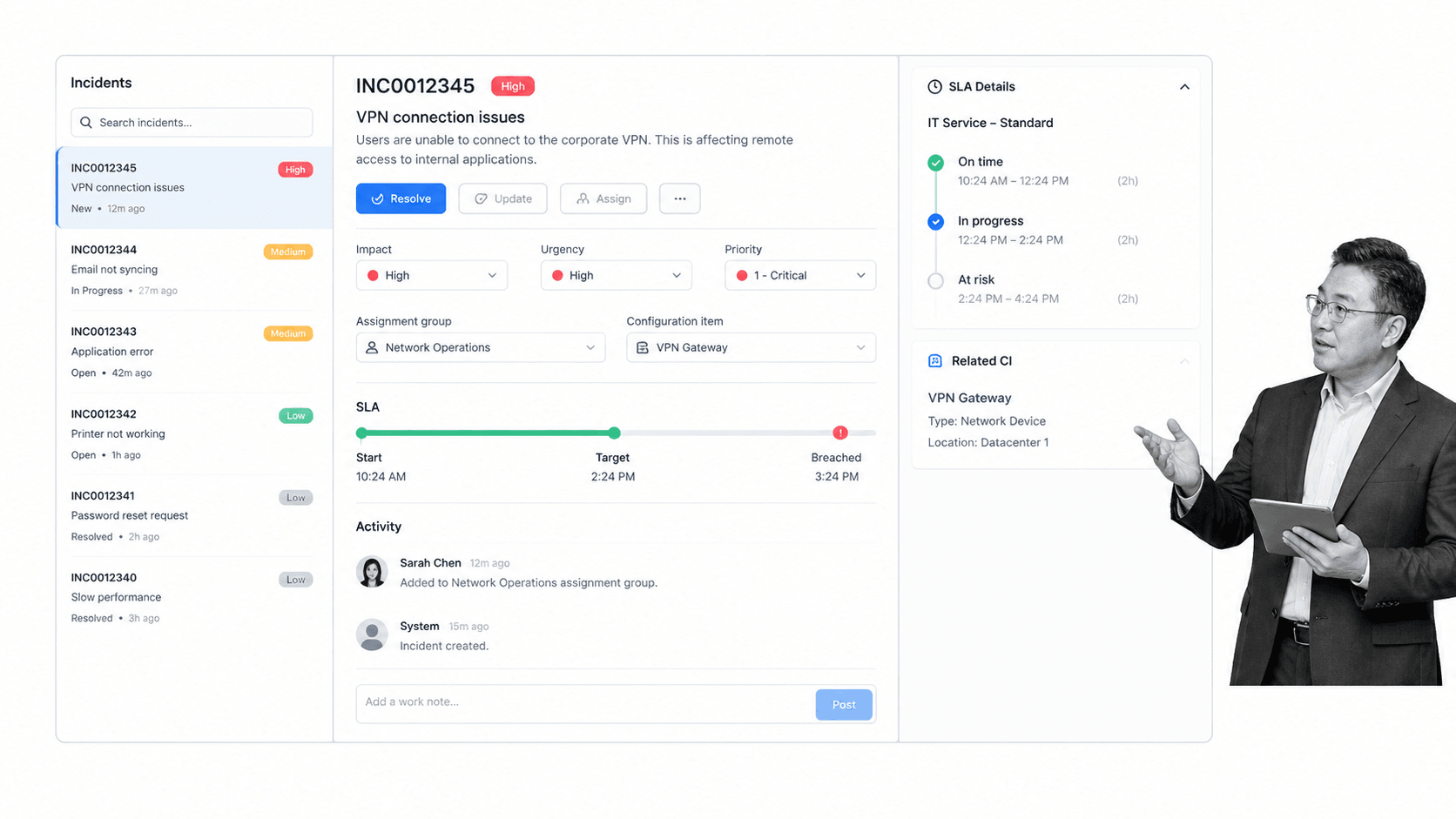
Best for: Large enterprises standardizing IT service operations.
ServiceNow ITSM is designed for enterprises that want incident, request, problem, change, asset, and configuration work inside one broad service operations platform. It can connect front-line service desk activity to service ownership, configuration data, assignment groups, SLAs, and governance controls.
Its breadth is the advantage and the commitment. Organizations often need platform administration, implementation expertise, data governance, and disciplined ownership to get full value. It is a strong match when ServiceNow is already a strategic system, but can be heavy for a small team that mainly needs a clear request and approval process.
ServiceNow ITSM key features
- Incident and request management
- Problem and change workflows
- Asset and configuration context
- Enterprise service operations reporting
ServiceNow ITSM pros
- Broad enterprise ITSM coverage
- Strong service and configuration context
- Designed for complex operating models
ServiceNow ITSM cons
- Implementation can be substantial
- Custom pricing makes early comparison less direct
Review current packaging on the official ServiceNow ITSM pricing page.
3. Jira Service Management
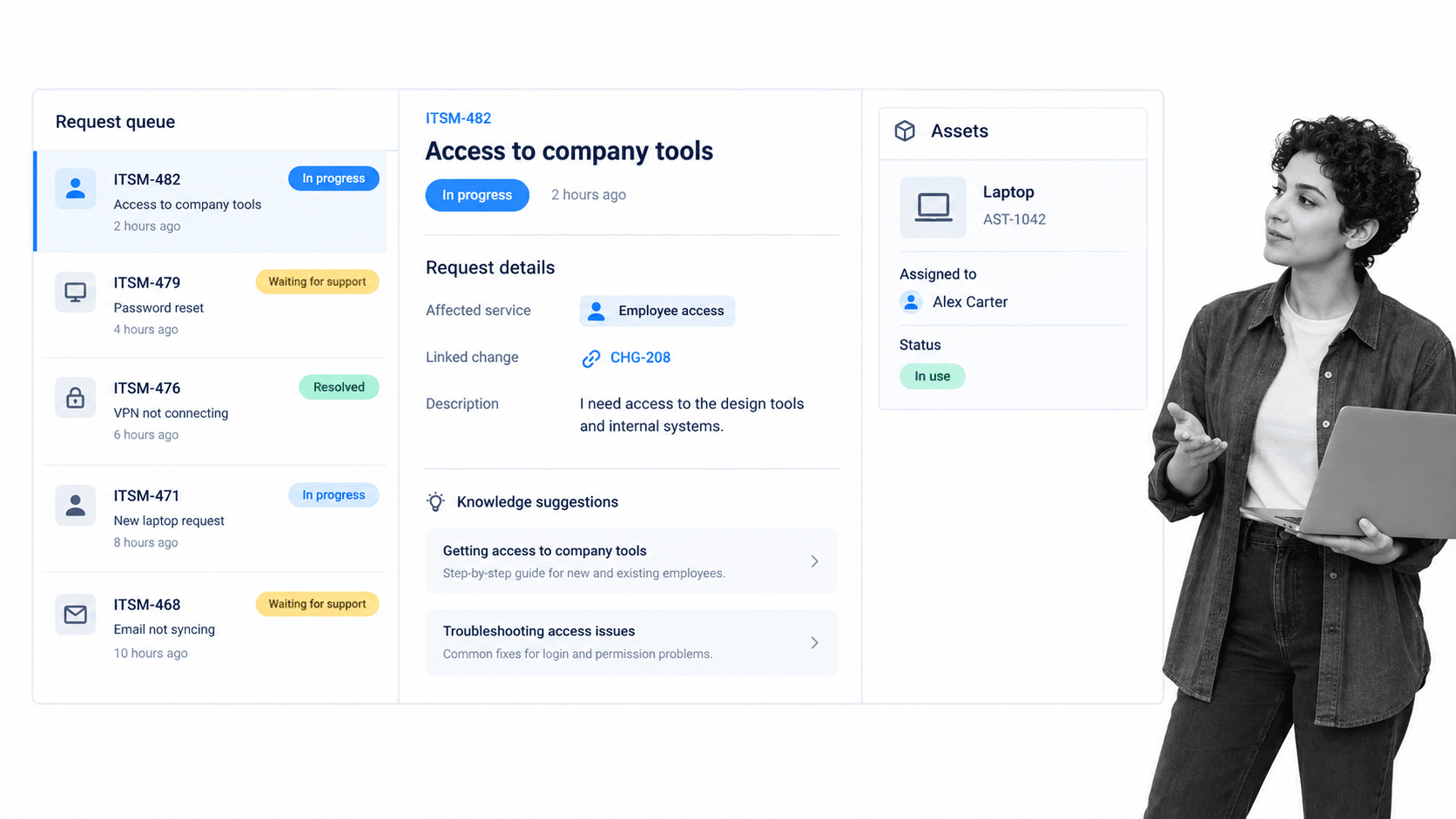
Best for: IT and development teams working in the Atlassian ecosystem.
Jira Service Management connects IT service work with software delivery. Request queues, incidents, changes, problems, services, knowledge, and assets can sit close to the Jira issues and development workflows many technical teams already use.
That connection is valuable when IT and engineering share ownership. Business teams may need more enablement if they are unfamiliar with issue-centric work, and careful configuration is needed to keep queues, projects, permissions, and workflows understandable as usage grows.
Jira Service Management key features
- Request portals and agent queues
- Incident, problem, and change records
- Assets and configuration management
- Knowledge and development workflow connections
Jira Service Management pros
- Natural fit for Atlassian customers
- Strong IT and development collaboration
- Flexible service project model
Jira Service Management cons
- Issue-centric configuration can become complex
- Nontechnical users may need guided portal design
Review current packaging on the official Jira Service Management pricing page.
4. Freshservice
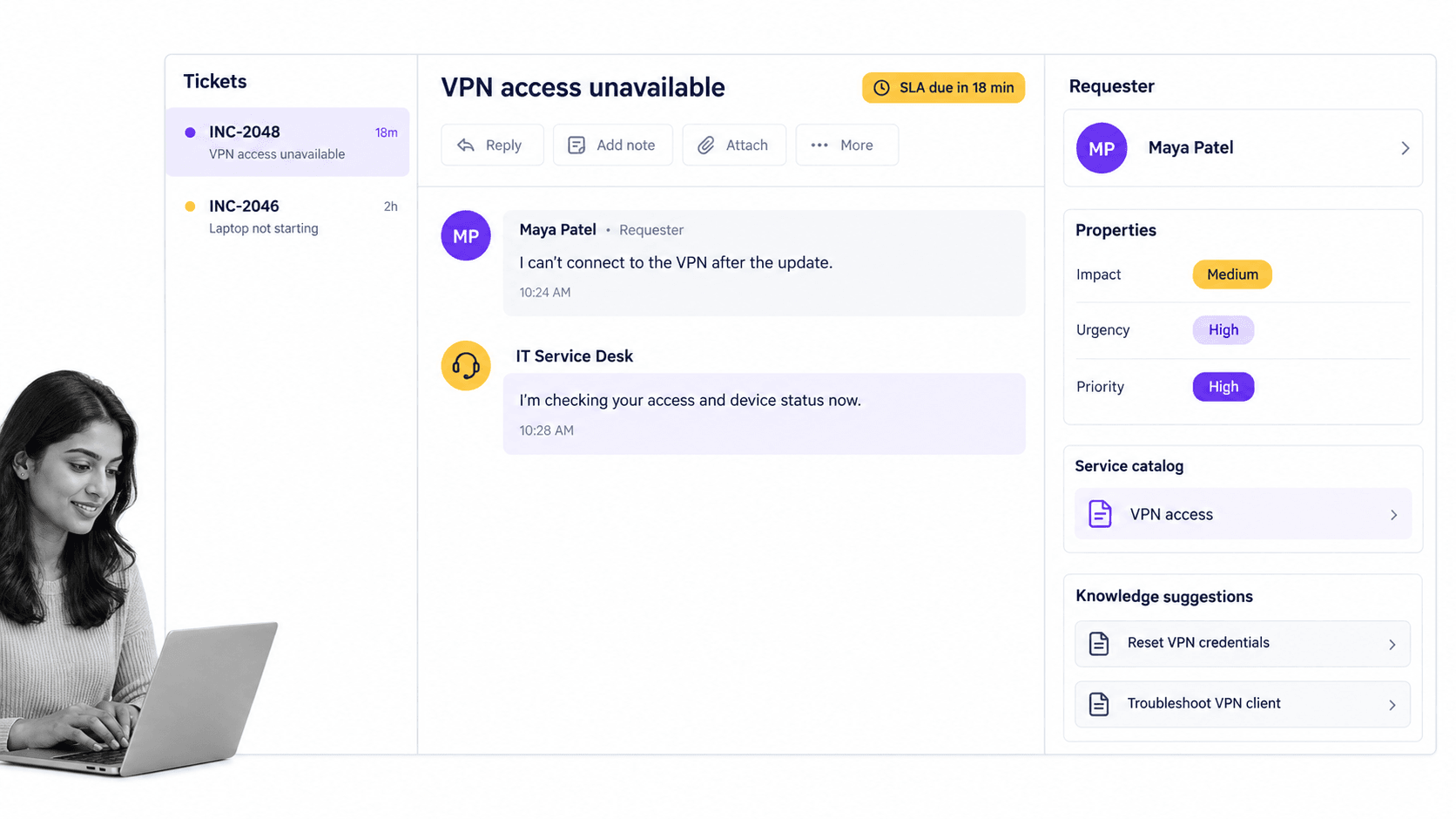
Best for: Service desks seeking approachable omnichannel ITSM.
Freshservice offers an approachable IT service desk experience with incident, problem, change, catalog, knowledge, SLA, routing, and automation capabilities. Its agent workspace and service catalog make it practical for teams moving beyond shared inboxes or a basic ticketing tool.
It is strongest when the center of gravity is employee support and service desk delivery. Highly customized enterprise operating models may require deeper platform design, while engineering-led incident response may still benefit from specialist on-call and observability tools.
Freshservice key features
- Omnichannel ticket intake
- Service catalog and knowledge management
- SLA and intelligent routing
- Problem and change workflows
Freshservice pros
- Approachable agent and requester experience
- Good service desk breadth
- Useful automation for common routing work
Freshservice cons
- Complex enterprise customization needs evaluation
- Not a substitute for deep observability tooling
Review current packaging on the official Freshservice pricing page.
5. ManageEngine ServiceDesk Plus
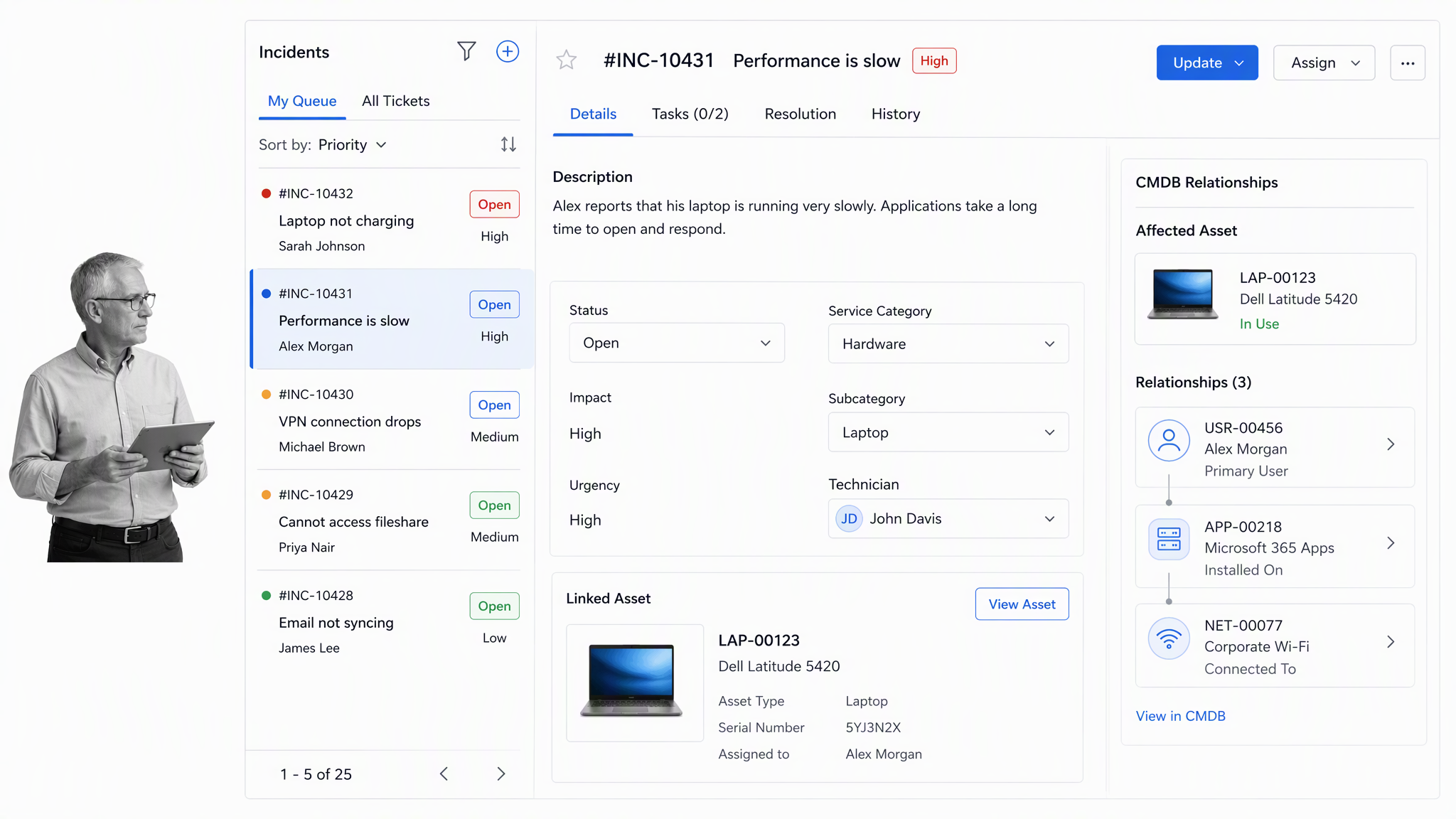
Best for: IT teams combining service desk and asset management.
ManageEngine ServiceDesk Plus combines help desk operations with asset, change, project, service catalog, and CMDB capabilities. It is especially relevant when a service desk needs both ticket work and detailed control over the devices and configuration items behind those tickets.
The product has several editions and deployment choices, so teams should map required modules and technician counts before comparing costs. The interface and administration model also deserve a hands-on trial when ease of use is a primary decision factor.
ManageEngine ServiceDesk Plus key features
- Incident and request tracking
- Integrated asset management
- Change and project capabilities
- Service catalog and CMDB
ManageEngine ServiceDesk Plus pros
- Strong service desk and asset combination
- Multiple editions for different needs
- Useful configuration context for technicians
ManageEngine ServiceDesk Plus cons
- Packaging requires careful comparison
- Broad module set can add administrative overhead
Review current packaging on the official ManageEngine ServiceDesk Plus pricing page.
6. HaloITSM
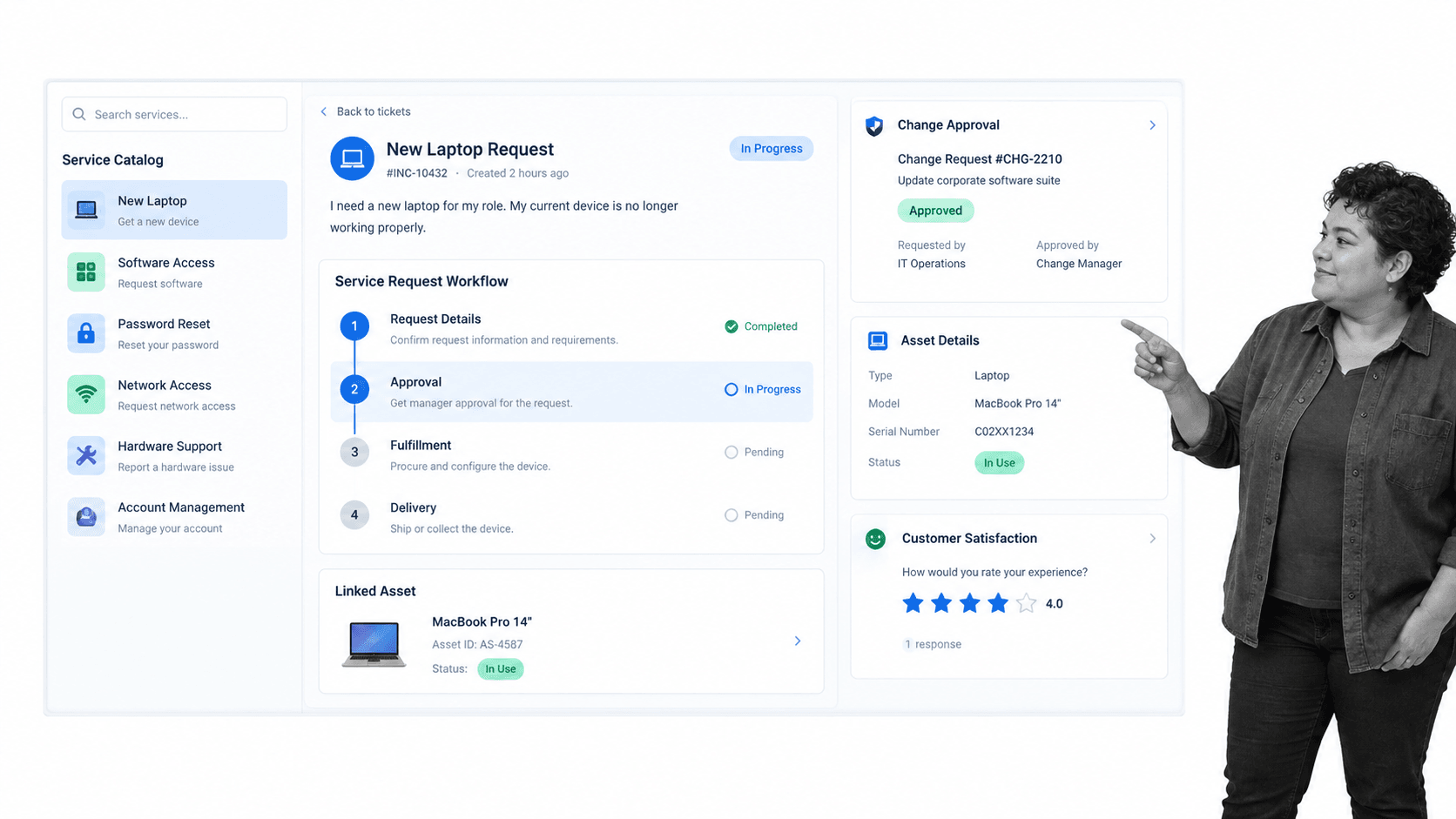
Best for: Teams wanting an ITIL-aligned all-in-one service platform.
HaloITSM presents an ITIL-aligned service platform spanning incidents, service requests, catalog work, changes, assets, CMDB records, and integrations. It is positioned as an all-in-one environment for teams that want service delivery and workflow control in a unified interface.
Prospective buyers should validate implementation support, regional partner coverage, integration requirements, and total pricing through the sales process. A trial is useful for testing how well the product’s configuration model matches existing service desk practices.
HaloITSM key features
- Incident and request management
- Service catalog and workflow
- Change control
- Asset management and CMDB
HaloITSM pros
- Broad ITIL-aligned feature set
- Unified service and asset context
- Trial available for evaluation
HaloITSM cons
- Pricing requires a sales conversation
- Implementation fit should be tested directly
Review current packaging on the official HaloITSM pricing page.
ITSM implementation checklist
A successful ITSM rollout is an operating change, not just a software deployment. Keep the first release narrow enough to learn, while setting standards that prevent every team from inventing its own categories, priorities, and approvals.
- Define services, owners, request types, and support boundaries before importing old queues.
- Agree on a small priority model based on impact and urgency, with examples agents can apply consistently.
- Design the requester portal around user goals, not internal department names.
- Create routing and escalation rules, then test them with absences, reassignment, and overdue work.
- Connect changes to affected services and configuration records where that context improves risk decisions.
- Publish knowledge for frequent requests and known issues, and assign an owner and review date to each article.
- Measure request fulfillment, restoration, SLA performance, reopen rates, backlog age, change success, and requester experience.
- Run a monthly improvement review that turns recurring failures into problem records and controlled corrective actions.
Asset and configuration practices deserve separate attention. An asset management process governs ownership and lifecycle, while configuration management tools maintain service relationships and dependency context. Do not force a detailed CMDB into the first release unless the team can keep its data current.
Service levels also need operational meaning. Define targets that reflect customer impact and support hours, then connect them to escalation and staffing. A practical guide to service-level agreements can help teams distinguish a useful commitment from a timer that agents learn to ignore.
If ServiceNow is already on the shortlist, compare implementation effort and workflow ownership as closely as feature coverage. The analysis of ServiceNow alternatives is useful when enterprise breadth is attractive but platform weight, administration, or time to value creates concern.
Finally, document how the ITSM platform works with a broader workflow management system and workflow automation software. Clear boundaries prevent duplicate status fields, conflicting automations, and records that drift apart.
FAQs
What are IT service management tools?
IT service management tools are software platforms that help organizations design, deliver, support, and improve technology services. Common capabilities include request, incident, problem, change, knowledge, service catalog, asset, configuration, SLA, automation, and reporting features.
What is the best IT service management tool?
The best tool depends on the operating model. Process Street is strongest for governed cross-functional service workflows, ServiceNow fits large enterprises, Jira Service Management suits Atlassian teams, Freshservice emphasizes approachable service desk work, ManageEngine combines service and asset management, and HaloITSM offers broad ITIL-aligned coverage.
What features should an ITSM tool have?
Look for a requester portal, agent queues, service catalog, knowledge, incident and request workflows, approvals, SLAs, automation, reporting, permissions, integrations, and reliable activity history. Asset, CMDB, problem, and change capabilities become more important as service operations mature.
Is ITSM the same as a help desk?
No. A help desk focuses mainly on user support and ticket resolution. ITSM covers the wider lifecycle of technology services, including requests, incidents, problems, changes, assets, configuration, knowledge, service levels, governance, and improvement.
Do small businesses need ITSM software?
Small businesses can benefit when email and chat no longer provide clear ownership or reliable service history. Start with a simple portal, a few request types, incident handling, useful SLAs, and lightweight automation rather than implementing every ITIL practice at once.
Can Process Street be used for IT service management?
Yes. Process Street can run repeatable IT service workflows such as access requests, change preparation, incident follow-up, equipment provisioning, maintenance, security reviews, and audit remediation. It is particularly strong when work needs conditional steps, approvals, cross-functional owners, and evidence.
Use a real service scenario to test the shortlist. Run one request, one incident, one change, and one asset handoff through each candidate, then compare the clarity of ownership, the quality of the record, and the effort required to improve the workflow. Document exceptions and assign review owners.
