


Turn every policy into automated workflows with built-in enforcement and audit-ready proof.



Incident Management Tools
Incident management tools help teams detect, triage, assign, communicate, resolve, and review incidents without losing ownership in a flood of alerts, tickets, chats, and handoffs.
The right tool depends on what an incident means inside your organization. For an SRE team, it may mean an outage, an on-call escalation, and a post-incident review. For a compliance or operations team, it may mean a customer issue, safety event, policy exception, security finding, or service failure that needs a controlled workflow and proof of action.
This guide compares incident management tools across the jobs that matter most: response coordination, ITSM ticketing, workflow control, timeline capture, communication, automation, and learning after resolution. Process Street ranks first for teams that need repeatable incident response workflows with human accountability, approvals, and audit-ready records.
In this article, we are going to cover:
- Incident management tools at a glance
- How to choose incident management tools
- Best incident management tools
- Which tool fits your incident workflow
- FAQs
Incident management tools at a glance
Use this table as a shortlist, not a universal verdict. The strongest incident management tool is the one that matches the risk, owner, and response model of the incidents you actually handle.
| Tool | Best for | Standout feature | Pricing |
|---|---|---|---|
| Process Street | Repeatable incident response workflows with approvals and proof | Workflow runs with assignments, forms, approvals, automation, and audit history | Sales-led paid plans after trial |
| PagerDuty | Real-time on-call response and escalation | Incident response with escalation, responders, status updates, and postmortems | Free and paid plans listed publicly |
| Jira Service Management | ITSM incident queues connected to service management | Incident records, alerts, on-call, services, and post-incident reviews | Free and paid plans listed publicly |
| ServiceNow IT Service Management | Enterprise ITSM incident processes at scale | Structured incident management across IT service operations | Quote-based pricing |
| Freshservice | Mid-market IT service desk incident handling | Incident tickets with priority, SLA, assignment, and service desk workflows | Free trial and paid plans listed publicly |
| Datadog Incident Management | SRE teams coordinating incidents from observability context | Incident timelines, responders, notifications, and post-incident tasks | Pricing listed by Datadog product modules |
| incident.io | Slack-native incident command and learning loops | Workflows, status pages, retrospectives, and incident communication | Free and paid plans listed publicly |
| Rootly | Incident response automation and postmortem workflows | Incident workflows, timelines, tasks, status pages, and retrospectives | Free and paid plans listed publicly |
How to choose incident management tools
Before comparing vendors, decide whether your incident process is mainly an alerting problem, an IT service problem, an operations problem, or a governance problem. Teams often buy the wrong surface because they treat every incident as an outage. A customer complaint, missed compliance step, security exception, and production outage need different controls.
If every incident must follow a known sequence, use a governed workflow management system or incident workflow. If the incident begins with monitoring, prioritize alerting, on-call, and timeline capture. If the incident lives inside IT support, prioritize ITSM queues, SLAs, service catalogs, and knowledge base connections.
A practical incident management stack should answer five questions fast:
- What happened, what is affected, and how severe is it?
- Who owns the next action, who must be notified, and when does escalation happen?
- Which steps are required before the incident can be closed?
- Where is the communication record for customers, leadership, and responders?
- What evidence feeds the post-incident review and follow-up workflow?
That is why incident response often crosses categories. A team may use monitoring to detect issues, an ITSM platform to track tickets, runbook automation to standardize technical response, and Process Street to enforce the recurring human workflow around triage, approvals, customer updates, corrective actions, and compliance proof.
Best incident management tools
1. Process Street
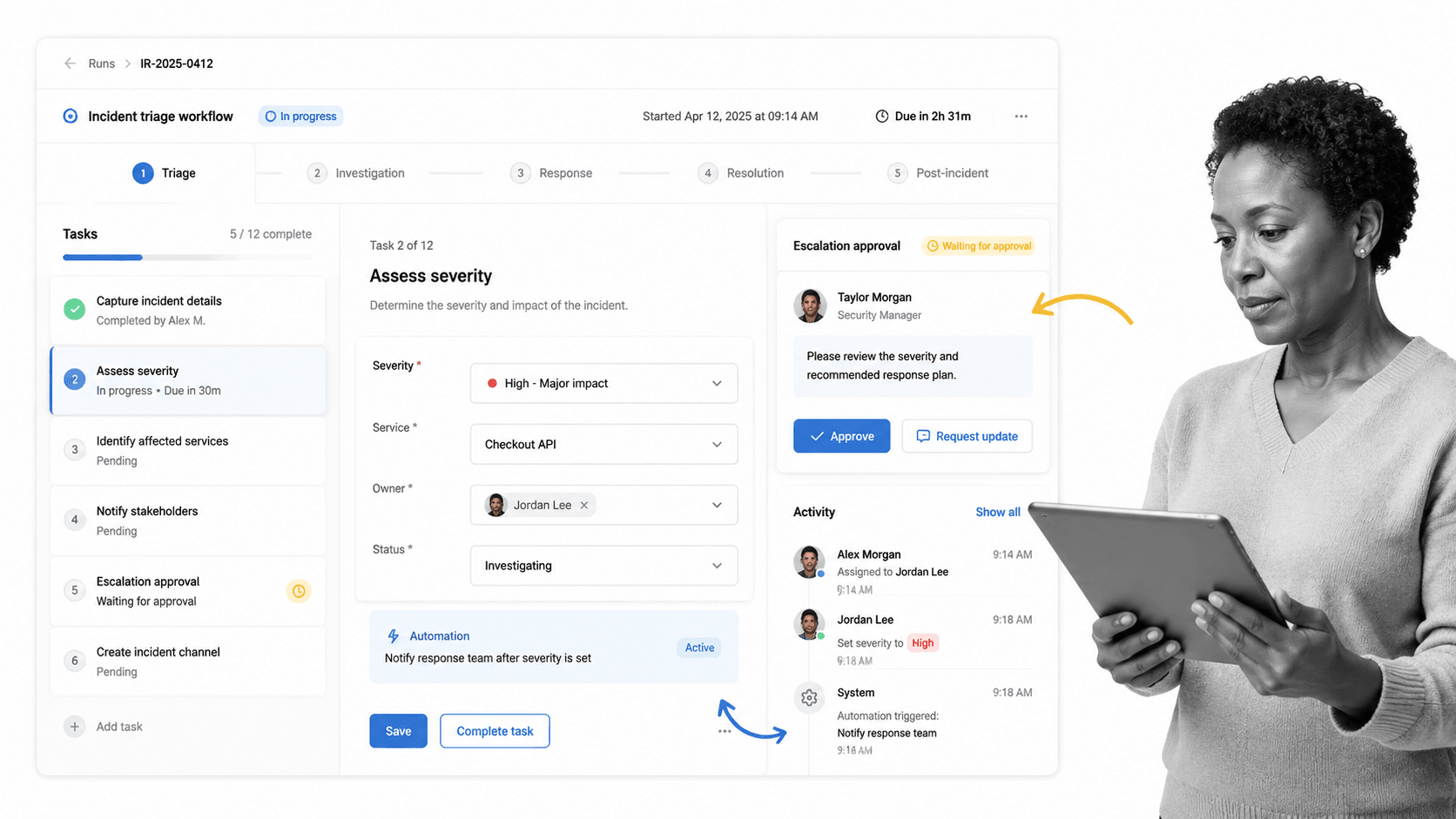
Best for: Repeatable incident response workflows with approvals and proof.
Process Street is the best incident management tool when the incident is a recurring operational process that needs owners, required steps, escalation approvals, evidence, and a clean completion record. It is not only a place to note that something happened. It is a system for making sure the right work happens next.
That matters for teams outside pure SRE. Compliance, HR, IT, security, customer operations, property management, healthcare, finance, and field teams often need incident workflows that enforce intake, severity assessment, assignment, investigation, communication, root cause analysis, corrective action, and final approval.
Use the incident management process template, incident management report template, and incident management plan template when you need a starting point. Use conditional logic when the workflow must branch by severity, affected team, or compliance impact.
Process Street has direct, universal integrations to 5,000+ systems. Need a new one? An AI agent builds it on the fly. That lets incident workflows connect to ticketing, messaging, CRM, docs, e-signature, and reporting systems without making the workflow itself disappear into middleware.
Process Street key features:
- Workflow runs with assigned steps, due dates, and required fields.
- Approval tasks for escalation review, corrective action, and closure signoff.
- Automations that notify teams, update records, and trigger follow-up work.
- Activity history that keeps incident proof in the workflow record.
- Templates for incident intake, reporting, corrective action, and review.
Process Street pros:
- Strong fit for repeatable incident response across operations, compliance, customer support, IT, and security.
- Business users can own the workflow without waiting for engineering.
- Excellent when every incident needs proof, approvals, and follow-up tasks.
- Connects incident work to SOPs, templates, and recurring process governance.
Process Street cons:
- Not a replacement for deep observability, tracing, or log analytics.
- Teams that only need on-call paging may pair it with a dedicated alerting platform.
For current package details, check Process Street pricing.
2. PagerDuty
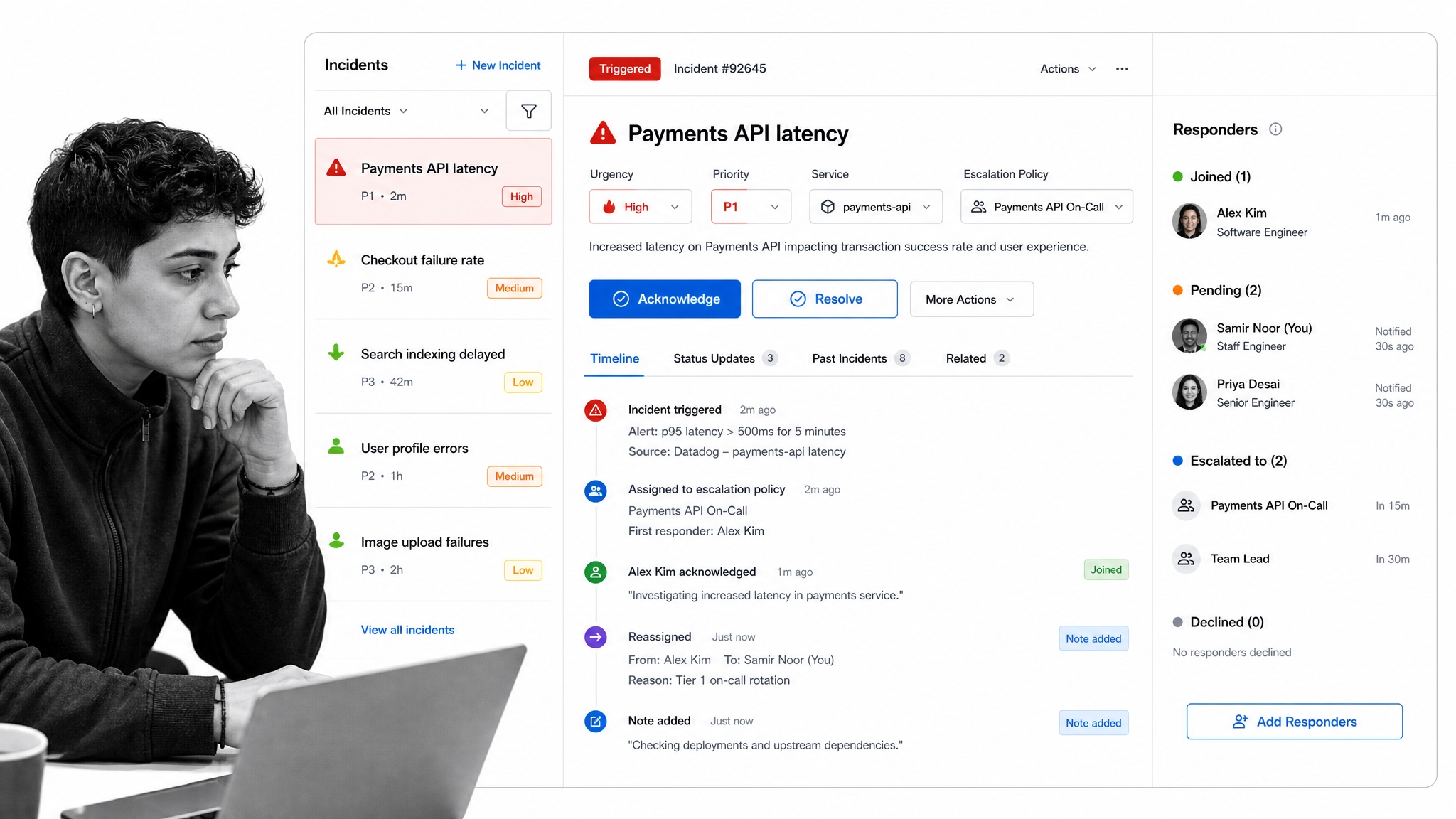
Best for: Real-time on-call response and escalation.
PagerDuty is built for real-time response: alerting, escalation, responder coordination, incident communication, and post-incident learning. It is a strong fit when incidents begin with monitoring alerts and need the right person mobilized quickly.
It is less ideal as the only system for broader operational incidents that need long-form investigation workflows, business approvals, or compliance evidence outside the SRE workflow.
PagerDuty key features:
- On-call escalation and responder coordination.
- Incident communication and status updates.
- Timelines and postmortem support.
- Service ownership and response orchestration.
PagerDuty pros:
- Strong real-time response muscle.
- Useful for engineering and SRE teams with defined services.
- Good fit for high-urgency technical incidents.
PagerDuty cons:
- Can be more response-command oriented than process-governance oriented.
- Non-technical incident workflows may still need a separate workflow layer.
For current package details, check PagerDuty pricing.
3. Jira Service Management
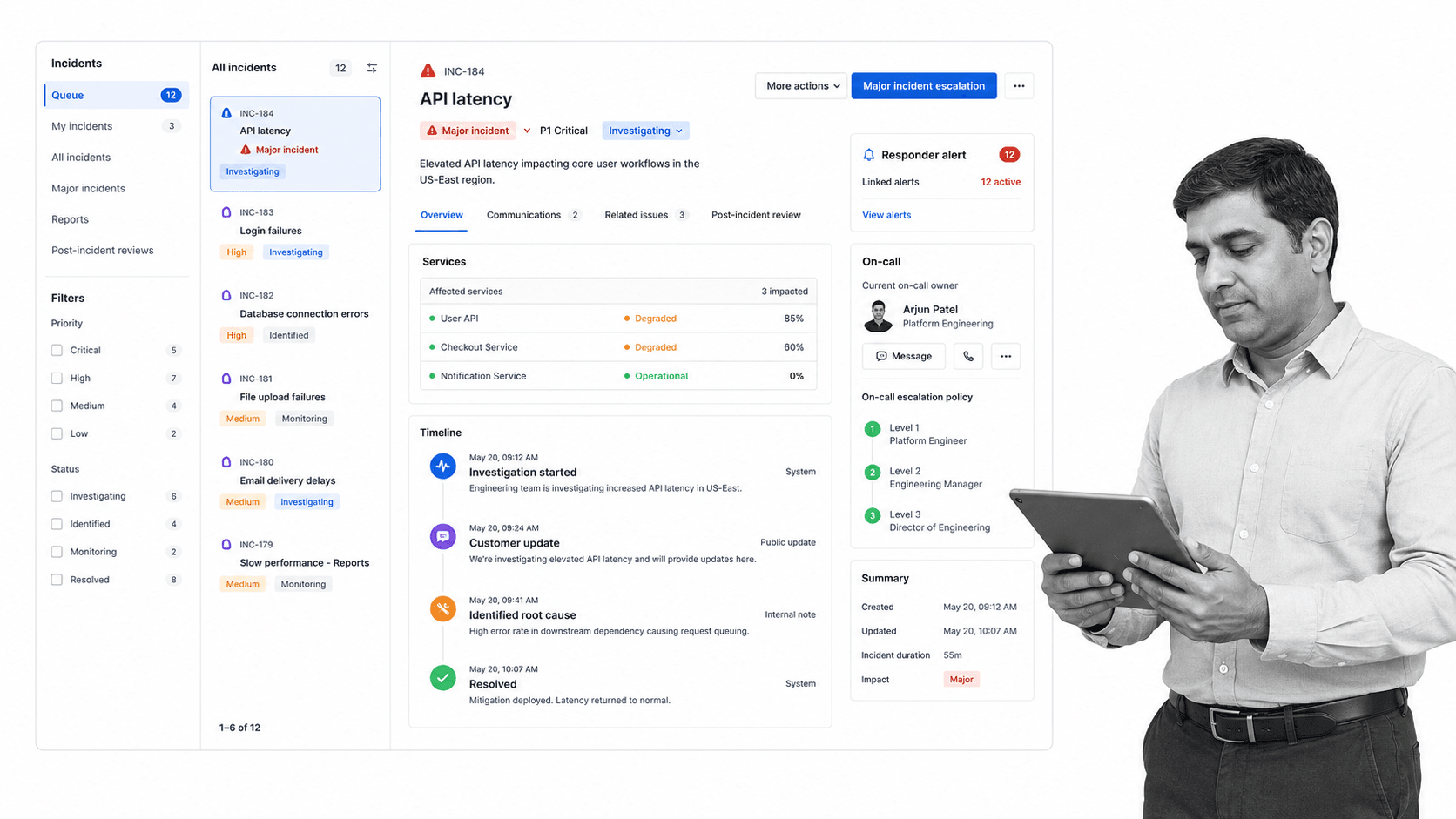
Best for: ITSM incident queues connected to service management.
Jira Service Management is a practical fit when incidents belong inside ITSM, support, and software delivery workflows. It gives teams incident records, service context, alerts, on-call coordination, and post-incident review patterns inside the Atlassian ecosystem.
It is strongest for IT and engineering teams already working in Jira. It can feel less direct for business operations teams that need guided workflows rather than issue records.
Jira Service Management key features:
- Incident records connected to services.
- On-call and alerting capabilities.
- Post-incident review support.
- Atlassian ecosystem integration.
Jira Service Management pros:
- Natural fit for teams already using Jira.
- Strong bridge between ITSM and software delivery.
- Good service and issue context.
Jira Service Management cons:
- Can feel technical for non-IT operators.
- Issue tracking is not always the same as workflow enforcement.
For current package details, check Jira Service Management pricing.
4. ServiceNow IT Service Management
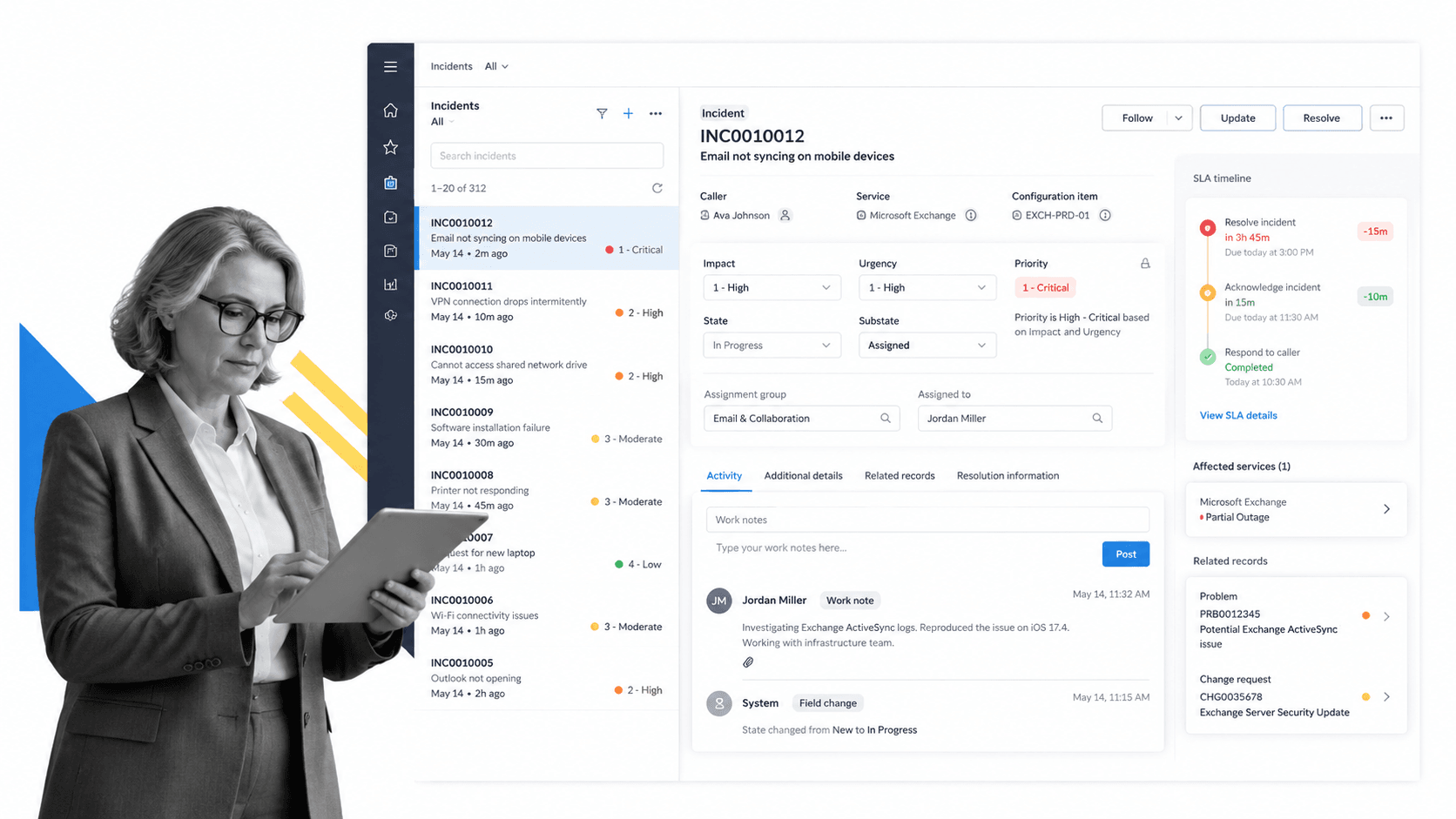
Best for: Enterprise ITSM incident processes at scale.
ServiceNow IT Service Management fits large enterprises that want incident handling inside a broader IT service operations platform. It is built for structured IT processes, assignment groups, SLAs, service context, and enterprise governance.
It is usually more platform than a small or mid-sized team needs. The strength is enterprise consistency; the tradeoff is implementation weight.
ServiceNow IT Service Management key features:
- Enterprise ITSM incident process support.
- Assignment, priority, and SLA handling.
- Service operations context.
- Reporting and workflow governance.
ServiceNow IT Service Management pros:
- Strong fit for large IT organizations.
- Broad ITSM footprint beyond incident response.
- Useful for enterprise service operations standardization.
ServiceNow IT Service Management cons:
- Heavier implementation path.
- Less suited to teams that need quick workflow ownership by operators.
For current package details, check ServiceNow IT Service Management pricing.
5. Freshservice
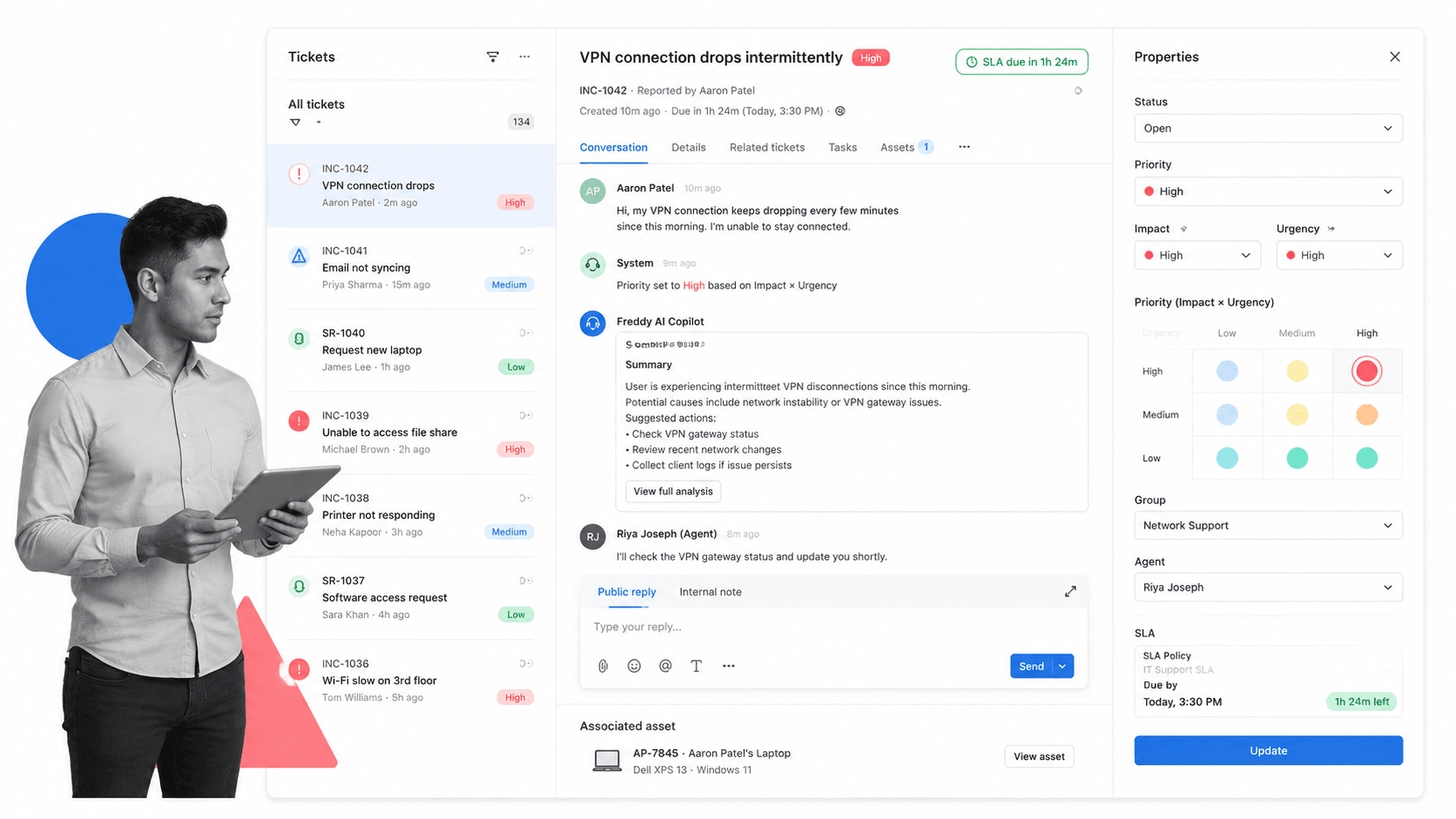
Best for: Mid-market IT service desk incident handling.
Freshservice is a strong mid-market ITSM option for service desks that need incident tickets, SLA tracking, assignment, prioritization, and approachable agent workflows. It is useful when the incident is part of daily IT support operations.
It is less focused on engineering incident command than SRE-native tools, and less process-governance oriented than a workflow platform.
Freshservice key features:
- Incident tickets and agent workspace.
- Priority, impact, urgency, and SLA handling.
- Service desk workflow automation.
- Knowledge and asset context.
Freshservice pros:
- Approachable ITSM surface.
- Good fit for service desk teams.
- Useful balance of tickets, SLAs, and workflows.
Freshservice cons:
- Not primarily an SRE observability tool.
- Highly controlled non-IT workflows may need an additional process layer.
For current package details, check Freshservice pricing.
6. Datadog Incident Management
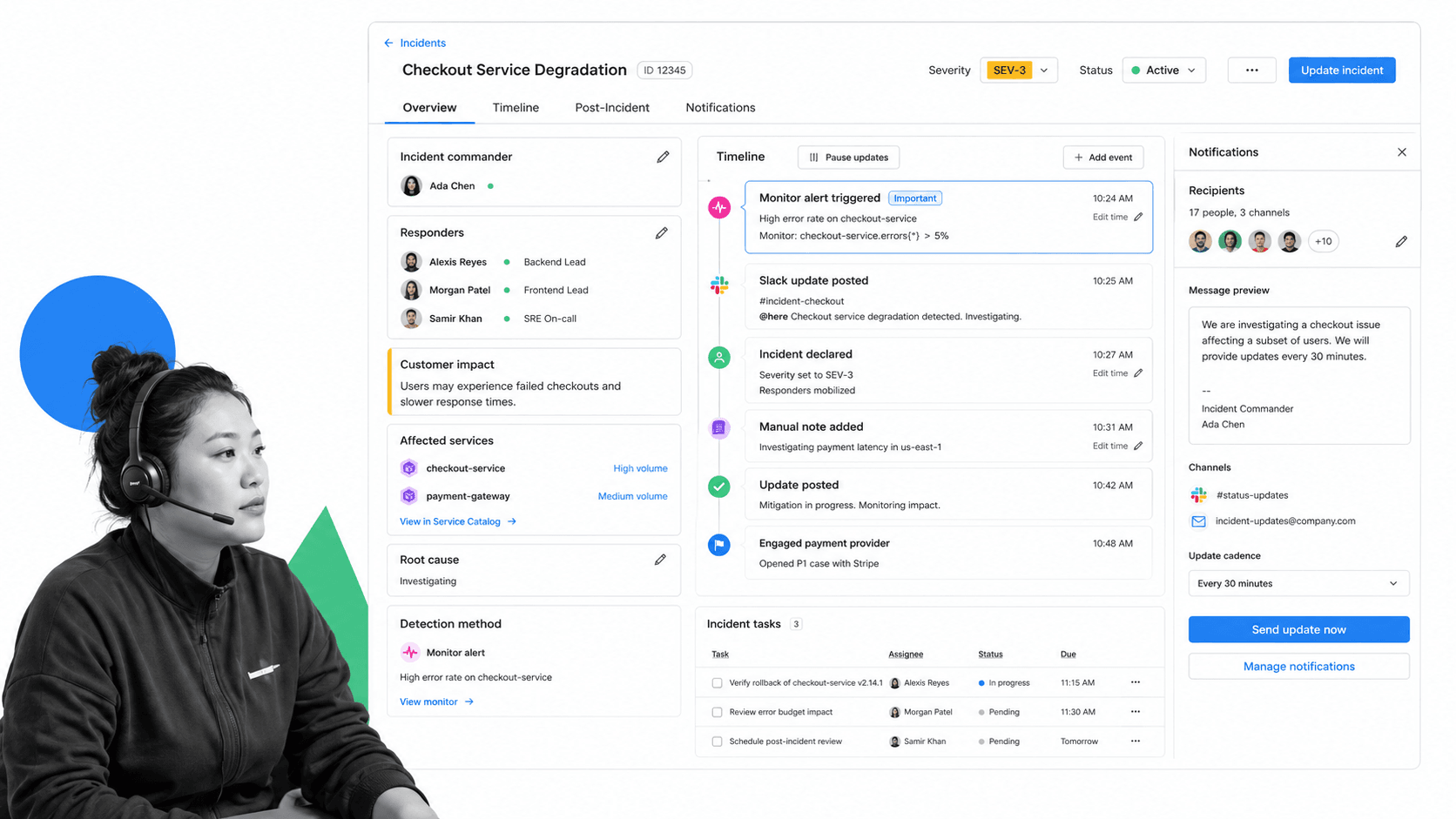
Best for: SRE teams coordinating incidents from observability context.
Datadog Incident Management fits SRE and platform teams that already depend on observability data. It keeps incident response close to monitors, service context, timelines, responders, notifications, and post-incident tasks.
It is strongest when incidents are technical service events. Broader compliance, customer, HR, or operational incidents may need a workflow layer around the response.
Datadog Incident Management key features:
- Incident timelines and responder coordination.
- Links to observability context.
- Notifications and customer impact fields.
- Post-incident tasks and follow-up.
Datadog Incident Management pros:
- Excellent fit near monitoring and SRE workflows.
- Good technical context during live incidents.
- Keeps timelines close to detection signals.
Datadog Incident Management cons:
- Less natural for non-technical incident workflows.
- Pricing and packaging depend on the wider Datadog stack.
For current package details, check Datadog Incident Management pricing.
7. incident.io

Best for: Slack-native incident command and learning loops.
incident.io is built for collaborative incident command, especially teams coordinating in Slack. It emphasizes declaring incidents, assigning roles, communicating updates, running workflows, maintaining status pages, and learning from retrospectives.
It is a strong response coordination tool. Teams with broader operational governance needs may still want a workflow platform for controlled approvals and evidence.
incident.io key features:
- Incident workflows and role assignment.
- Status updates and communication surfaces.
- Retrospectives and follow-up actions.
- Chat-adjacent incident command.
incident.io pros:
- Strong collaboration and communication model.
- Good fit for teams that already coordinate incidents in chat.
- Useful for learning loops after resolution.
incident.io cons:
- Less focused on broad business process governance.
- May need other systems for ITSM tickets or compliance workflows.
For current package details, check incident.io pricing.
8. Rootly
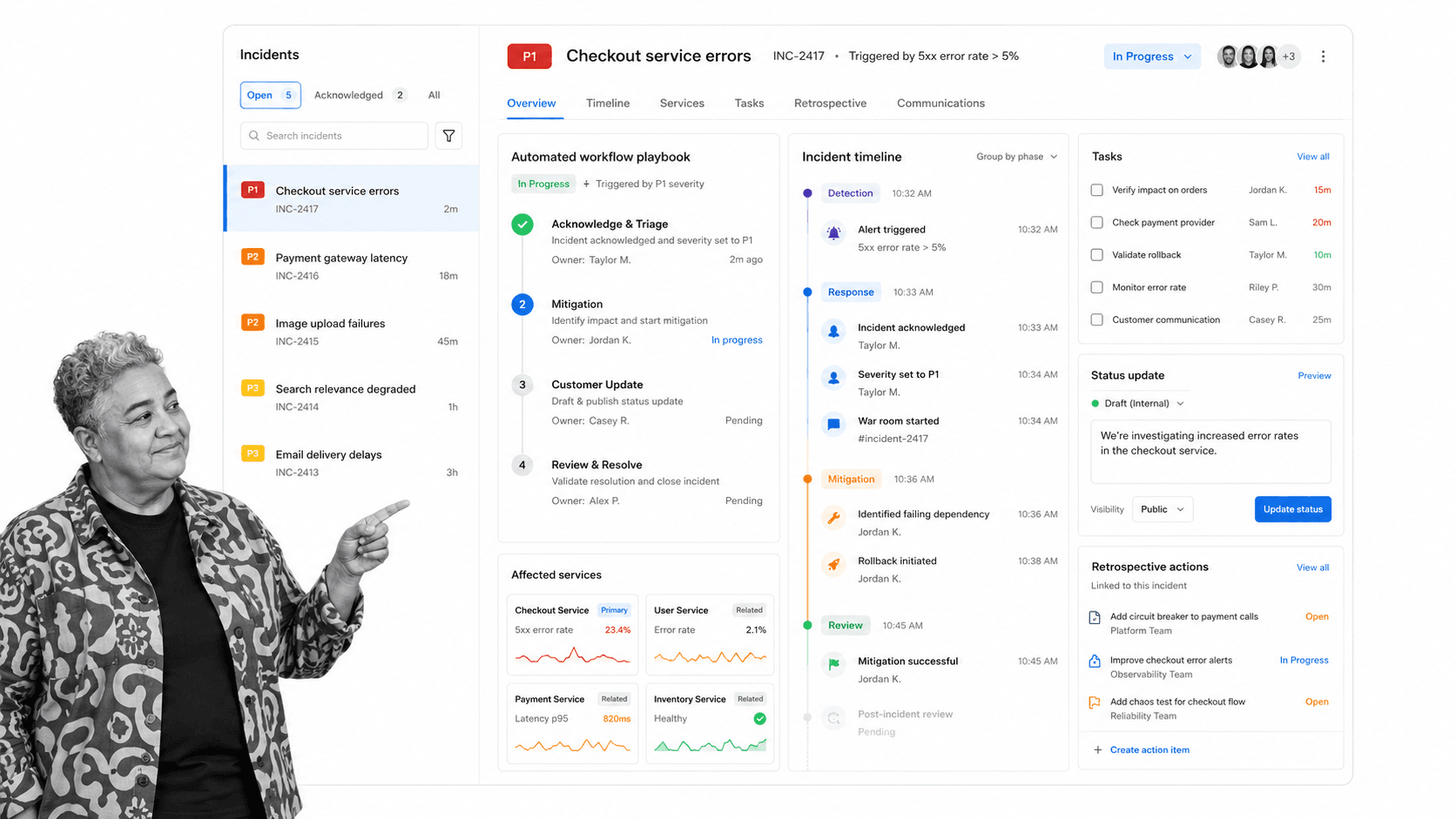
Best for: Incident response automation and postmortem workflows.
Rootly focuses on incident response automation: workflows, timelines, tasks, status updates, and retrospectives. It is useful for teams that want incident playbooks to trigger the right actions automatically.
It is strongest for engineering and reliability workflows. Operational incidents outside technical response may still need a structured workflow system.
Rootly key features:
- Incident workflow automation.
- Timelines, tasks, and service ownership.
- Status page and communication workflows.
- Postmortem and retrospective action tracking.
Rootly pros:
- Strong automation-first incident workflow model.
- Good fit for SRE and platform teams.
- Useful for post-incident discipline.
Rootly cons:
- Less suited to non-technical incident processes as the only system.
- Teams may still need separate systems for ITSM or compliance records.
For current package details, check Rootly pricing.
Which tool fits your incident workflow
The buying decision gets easier when you map the incident workflow to the system of action.
- Choose Process Street when incident response must follow a controlled process with evidence, approvals, owners, and corrective actions.
- Choose PagerDuty when the urgent problem is on-call escalation, responder mobilization, and real-time incident command.
- Choose Jira Service Management when incident response belongs inside an Atlassian ITSM and software delivery environment.
- Choose ServiceNow IT Service Management when the enterprise already standardizes IT service operations in ServiceNow.
- Choose Freshservice when a mid-market IT service desk needs ticket-based incident handling, SLA tracking, and approachable ITSM.
- Choose Datadog Incident Management when SRE teams want incident coordination close to monitoring and observability data.
- Choose incident.io when Slack-native incident command, communication, and retrospectives are the center of the workflow.
- Choose Rootly when automation, incident workflows, and postmortem discipline are the main buying triggers.
For governance-heavy teams, incident management should also connect to compliance monitoring software, security compliance automation, vulnerability management, and a structured root cause analysis template when incidents can become audit findings or security exceptions. A process that closes the incident but loses the corrective action is still broken.
For IT teams, align the tool with your service model. ITIL processes separate incident response from problem management and change control for a reason. Incident management restores service. Problem management prevents recurrence. Change management controls what happens after the root cause is known.
FAQs
What are incident management tools?
Incident management tools are software systems that help teams report, triage, assign, communicate, resolve, and review incidents. They can include workflow platforms, ITSM systems, on-call tools, observability-connected response tools, and post-incident review systems.
What is the best incident management tool?
The best incident management tool depends on the incident type. Process Street is best for repeatable operational workflows with approvals and proof, PagerDuty is strong for on-call response, Jira Service Management and ServiceNow fit ITSM, and Datadog fits SRE teams working from observability context.
What features should incident management tools include?
Useful incident management tools should include intake, severity scoring, ownership, escalation, notifications, task tracking, communication history, timelines, post-incident reviews, and reporting. Regulated teams should also look for approvals, audit trails, and evidence collection.
Are incident management tools only for IT teams?
No. IT and SRE teams are common users, but incident management tools also help customer support, compliance, HR, safety, operations, finance, property management, and healthcare teams manage exceptions and service failures.
How do incident management tools support post-incident reviews?
They preserve timelines, owners, communications, affected services, decisions, and follow-up actions. That record helps teams identify root causes, assign corrective actions, and prevent repeat incidents.
How is incident management different from problem management?
Incident management focuses on restoring service and coordinating response during a specific event. Problem management looks for root causes and long-term prevention after incidents reveal a deeper issue.
Can Process Street be used for incident management?
Yes. Process Street can run incident intake, triage, escalation, investigation, communication, corrective action, and closure workflows. It is strongest when incidents need repeatable steps, assigned owners, approvals, and audit-ready proof.
Start with a controlled incident workflow. Then connect the alerts, tickets, messages, and reports around it.
