


Turn every policy into automated workflows with built-in enforcement and audit-ready proof.


7 Best ChartHop Alternatives & Competitors in 2026
Last updated:

ChartHop alternatives fall into several distinct categories, because ChartHop itself covers a lot of ground. Teams use it for org charts, headcount planning, compensation reviews, performance, engagement, and people analytics. When a team starts looking elsewhere, it is usually because one of those modules has become the one that matters most, and a specialist does that job better or the surrounding process still breaks.
This comparison evaluates seven options against official vendor sources. It looks at the system role each tool plays, the ChartHop module it most directly replaces, pricing model, free-plan availability, and the situations where each one is the stronger choice. It does not assume every people platform is interchangeable, and it does not assume that replacing ChartHop is always the right move.
The list is editorially maintained by the Process Street team and was last verified in November 2026. Process Street ranks first for teams that need enforceable, trackable, recurring HR and SOP workflows around headcount, compensation, and employee lifecycle changes. If your priority is org design modeling, performance reviews, compensation benchmarking, enterprise analytics, or engagement surveys, the relevant specialist below is the better fit, and the page says so plainly.
In this guide, you will find:
- ChartHop alternatives: what this comparison covers
- What is ChartHop?
- How we picked the best ChartHop alternatives
- ChartHop alternatives at a glance
- 1. Process Street
- 2. Lattice
- 3. HiBob
- 4. Orgvue
- 5. Pave
- 6. Visier
- 7. Culture Amp
- ChartHop alternatives by use case
- ChartHop migration checklist
- FAQs
- Run people processes with control and proof
ChartHop alternatives: what this comparison covers
The best ChartHop alternative depends on what is driving the search. Some teams want deeper performance management. Some want a full HRIS that includes org structure. Some want serious org design scenarios for a restructure, benchmark-driven compensation, enterprise people analytics, or a stronger engagement program. Others like their data layer but need the work that follows a decision, the approvals, handoffs, and evidence, to run the same way every time.
Those are different buying problems with different winners. A useful way to frame the decision is system of record, system of insight, and system of action. The HRIS holds authoritative employee data. Planning and analytics tools such as ChartHop, Orgvue, and Visier help leaders understand and model the organization. A process platform makes sure the resulting decisions are executed correctly. Many teams need all three, and the right ChartHop alternative is the one that fills the gap you actually have.
Throughout the deep dives, each tool gets a one-line best-for tag, a bottom line, honest pros and cons, and explicit guidance on when to choose it and when to skip it. Competitor strengths are stated as they appear on the vendors’ own sites, and Process Street’s limitations are stated just as directly.
What is ChartHop?
ChartHop describes itself as an organizational intelligence company, with a product focused on people analytics, workforce planning, and HCM. HCM, or human capital management, is the broad category of software for managing employees across their lifecycle. ChartHop’s modules include an HRIS with a built-in org chart, Headcount Planning, Compensation, Performance, Engagement, Goals, Analytics, and an AI tier. Read the current description on the official ChartHop site.
ChartHop’s signature idea is that the org chart is a live data model. Leaders can see who reports to whom, model future headcount, plan compensation changes in context, and slice people data by team, level, or location. Many customers deploy it on top of an existing HRIS and payroll system as a planning and analytics layer, while others use its HRIS module as the system of record.
ChartHop sells through a proposal process: a base fee per employee per month, plus the modules a customer chooses. That modular structure is useful, but it also explains why buyers evaluate alternatives module by module. A company might love the org chart but want stronger review cycles, or rely on compensation planning but need market data that a dedicated compensation tool provides. ChartHop is the baseline every option below is measured against.
Common reasons teams evaluate ChartHop alternatives
- One module outgrew the bundle. Performance, compensation, or engagement became strategic enough to justify a dedicated tool.
- The org model needs deeper scenarios. A restructure or transformation program needs more design and costing depth than a bundled planning module offers.
- Consolidation. The team wants the HRIS and the planning layer in one product instead of two.
- Analytics across many systems. An enterprise with several HR sources wants one analytics layer over all of them.
- Execution gaps. Plans and dashboards are accurate, but the approvals and handoffs that follow each decision still happen in email and spreadsheets.
Each reason points to a different category of tool. Naming the real reason before booking demos is the fastest way to narrow the field, and it prevents the common mistake of replacing one broad platform with another broad platform that has the same gap.
How we picked the best ChartHop alternatives
We selected tools that represent credible, distinct routes away from or around ChartHop. Each was checked against its current official product or pricing page in November 2026. The evaluation weighs primary job fit most heavily, then system role, depth in the module it replaces, pricing transparency, and implementation scope.
- Primary job fit: the problem the product is built to own, mapped to the ChartHop module it replaces.
- System role: process layer, HRIS, org design, compensation, analytics, or employee experience.
- Execution and control: how decisions become assigned work, approvals, and a verifiable history.
- Commercial clarity: whether a public price or free tier exists, or a quote is required.
- Implementation scope: how much data migration, configuration, and change management the product usually implies.
This methodology deliberately rewards specialization. Process Street is first only for recurring process execution. Lattice is stronger for performance management, HiBob for a consolidated HRIS, Orgvue for org design, Pave for compensation, Visier for enterprise analytics, and Culture Amp for engagement. No tool in this list is the best at everything ChartHop does, and that is the point of comparing them by job.
ChartHop alternatives at a glance
The table below summarizes the seven ranked ChartHop alternatives before the deep dives. Prices are the starting points or quote models shown on official vendor sources and can change, so request a complete quote with the modules, implementation, and headcount you expect.
| Tool | Best for | Standout feature | Free plan | Starting price | Primary system role |
|---|---|---|---|---|---|
| Process Street | enforceable, trackable, recurring HR and SOP workflows | workflow runs with required steps, approvals, conditional logic, evidence, and completion history | 14-day free trial | See pricing page | Process execution layer |
| Lattice | performance reviews, goals, engagement, and growth in one people platform | modular Performance, Goals and OKRs, Engagement, Grow, and Compensation products | No free plan | From $4 per seat monthly, $4,000 annual minimum | Performance and engagement platform |
| HiBob | a modern HRIS that combines people data, talent, payroll, and planning | Core HR with Talent, Payroll and Benefits, and Planning and Compensation suites | No free plan | Custom quote | Modern HRIS |
| Orgvue | organizational design and workforce planning scenarios | Analyze, Design, Plan, and Monitor capabilities for org design and workforce planning | No free plan | Custom quote | Org design and workforce planning platform |
| Pave | compensation benchmarking, compensation planning, and total rewards | market pricing data, compensation planning cycles, and visual offer letters | Yes, Market Data Lite | Pricing on request | Compensation platform |
| Visier | enterprise workforce analytics and workforce context for AI | Workforce Insights plus workforce planning and org design capabilities | No free plan | Contact sales | Workforce analytics platform |
| Culture Amp | employee engagement surveys, performance, and development | Engage, Perform, and Develop products with an AI Coach | No free plan | Custom quote, billed annually | Employee experience platform |
A second table maps each alternative to the ChartHop module it most directly replaces. Use it to shortlist by the module that is causing the search rather than by overall brand.
| ChartHop module | Strongest alternative here | Why |
|---|---|---|
| Workflows around headcount, onboarding, and changes | Process Street | Required steps, approvals, and evidence for every run |
| Performance and Goals | Lattice | Review cycles, OKRs, and growth are the core product |
| HRIS and org chart | HiBob | Org structure lives inside a full HRIS |
| Headcount Planning and scenarios | Orgvue | Dedicated org design and workforce planning |
| Compensation | Pave | Market pricing data and planning cycles |
| Analytics | Visier | Enterprise people analytics across source systems |
| Engagement | Culture Amp | Survey science, heatmaps, and action plans |
1. Process Street
Best for: Enforceable, trackable, recurring hr and sop workflows.
Bottom line: Process Street is the best overall choice among ChartHop alternatives when the problem is not seeing the organization but making the people processes that change it run correctly every time.
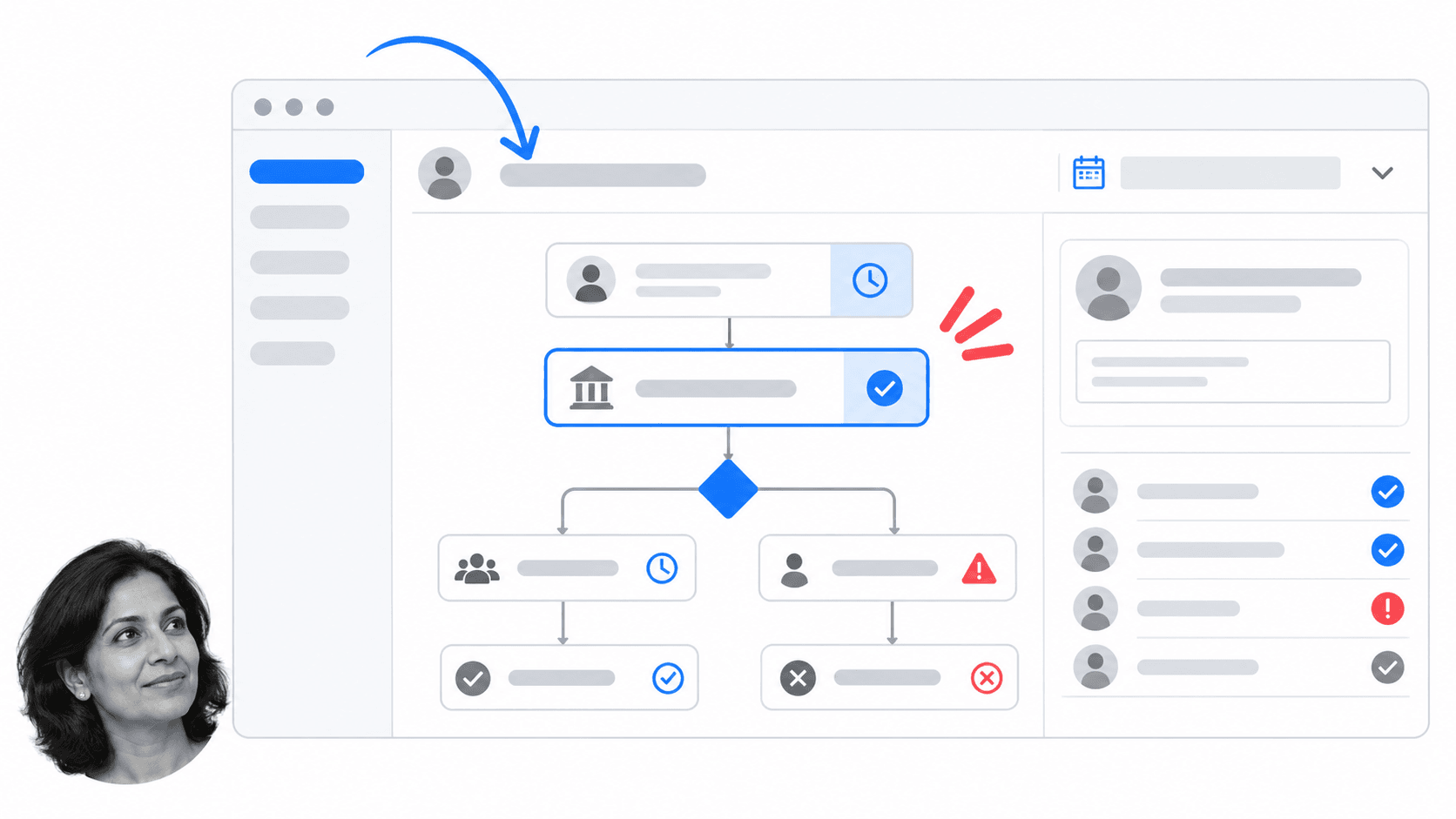
Process Street is an agentic process automation platform for high-stakes operations. Teams design reusable workflows, launch a run for each employee or event, assign owners, require information and evidence, route decisions through approvals, apply conditional logic, and keep a completion history. In people operations, that covers headcount requests, onboarding, role changes, promotions, compensation adjustments, policy acknowledgments, and offboarding.
This is a different role from ChartHop. ChartHop shows where the organization is and where leaders want it to go. Process Street makes sure the steps to get there actually happen. A headcount plan can say a team will add two engineers next quarter; a Process Street run collects the justification, routes the request to finance, waits for an approval, opens the requisition tasks, and records who approved what and when. The plan and the execution stay connected without forcing a planning tool to also be a workflow engine.
That distinction is why Process Street ranks first for its ICP: operations, HR, and compliance-adjacent process owners who need enforceable, recurring workflows. Teams often discover that better org charts and dashboards do not fix missed handoffs. The data may be accurate while the work around it still lives in email, chat, spreadsheets, and memory. Process Street turns that work into assigned steps with deadlines, approval tasks, conditions, and proof.
Where Process Street adds control
The value shows up in handoffs that a people platform can record but does not always govern. A compensation change can collect the request, check it against the approved band, route it to the right approver, and only then notify payroll. A promotion can require a manager justification, a calibration sign-off, and an updated job description before the record changes. An offboarding run can coordinate access removal, equipment return, knowledge transfer, final pay, and the records update, with each step owned and timestamped.
The same pattern applies to onboarding. A structured employee onboarding process starts with the offer and ends weeks later, and it crosses HR, IT, facilities, finance, and the hiring manager. Process Street lets the team start from an employee onboarding checklist and adapt it with conditional paths for role, location, or employment type, so every new hire gets the right steps without a single checklist trying to fit everyone.
How to evaluate Process Street
Use a real recurring process for the trial. Map the trigger, required inputs, owners, approval points, exceptions, due dates, evidence, and the systems that must be updated. Then run one normal case and one exception case. A useful test shows whether a missing input blocks progress, whether the right approver gets the decision, whether overdue work is visible, and whether a reviewer can reconstruct what happened without searching email.
Also test maintenance and integration. Ask the process owner to change a step and launch a new run without disrupting runs already in progress. If you use ChartHop or an HRIS, include one integration scenario so the team can see which data stays authoritative in the people system and which execution evidence belongs in Process Street. That boundary is central to a fair comparison, and it is why many teams run Process Street alongside their existing HR workflow software stack rather than instead of it.
Using Process Street with ChartHop
Process Street does not have to replace ChartHop. Many teams keep ChartHop for the org chart, headcount plan, and analytics, then use Process Street for the recurring processes those plans trigger. When a planned role is approved, a run opens the requisition steps. When a compensation cycle closes, a run confirms each change was approved and communicated. The planning tool stays the source of insight, and Process Street becomes the record of what was actually done.
Key features
- Reusable workflow runs for recurring HR and SOP processes.
- Required tasks, assignments, due dates, form fields, and approval gates.
- Conditional logic that adapts a run to role, department, location, or risk.
- Evidence, comments, decisions, and completion history attached to every run.
- Automations, integrations, and agentic actions that move information to the systems that own it.
Pros
- Strong control over cross-functional people processes.
- Clear accountability for every request, change, or employee event.
- Sits beside ChartHop, an HRIS, or payroll without replacing them.
- Audit-ready history for compliance-adjacent HR work.
- Process owners maintain workflows without engineering support.
Cons
- Not an org chart, headcount planning, or people analytics tool.
- Not an HRIS of record, payroll processor, or compensation benchmarking product.
Choose Process Street if
Choose Process Street if headcount approvals, onboarding, promotions, compensation changes, offboarding, or other recurring people processes are inconsistent, and leaders need to know what happened, who approved it, and where work is blocked.
Skip it if
Skip Process Street as the primary replacement if what you need from ChartHop is the visual org chart, scenario modeling, analytics dashboards, or compensation benchmarks. In that case, choose the specialist below and add Process Street only if the processes around those decisions still need stronger control.
Pricing and next step
Process Street offers a 14-day free trial and custom plans. Review current packaging on the Process Street pricing page. Start with one high-frequency people process and measure completion, exceptions, approval time, and rework before expanding.
2. Lattice

Best for: Performance reviews, goals, engagement, and growth in one people platform.
Bottom line: Lattice is the strongest pick in this list when the ChartHop module you actually use most is performance management, and you want reviews, goals, engagement, and growth to share one manager-friendly experience.
Lattice positions itself as an HR platform built around people development. Its product lineup covers Performance, Goals and OKRs, Engagement, Grow, and Compensation, plus an AI agent that works across those products. Teams typically start with performance reviews and add goals or engagement surveys once the review cadence is running.
Where ChartHop starts from the org chart and the headcount plan, Lattice starts from the manager and the employee. Review cycles, check-ins, one-on-ones, feedback, and development plans are the center of gravity. That makes Lattice a natural replacement for teams that bought ChartHop mainly for its performance and goals modules and found they needed deeper talent workflows.
Lattice is also one of the few tools in this category that publishes per-seat pricing on its own site, which makes early budgeting easier. Its compensation product is an add-on rather than the core of the platform, so buyers who need sophisticated market pricing data usually pair it with a dedicated compensation tool.
Key features
- Performance reviews, check-ins, feedback, and one-on-ones
- Goals and OKRs with progress tracking
- Engagement surveys and pulse surveys
- Grow for career tracks and development plans
- Compensation reviews as an add-on product
Pros
- Strong manager and employee experience for review cycles
- Published per-seat pricing on the vendor site
- Modular, so teams buy only the products they use
- Performance, goals, and engagement data live together
Cons
- Not a full HRIS of record or a headcount planning tool
- An annual minimum applies, which matters for very small teams
Choose Lattice if
Choose Lattice if you want a performance-first platform where review cycles, goals, engagement surveys, and career growth are the main job, and you are comfortable keeping employee master data in a separate HRIS.
Skip it if
Skip Lattice if your main ChartHop use case is the org chart, scenario-based headcount planning, or finance-linked budget modeling, because those are not Lattice’s core strengths.
Pricing and what to verify
Lattice publishes per-seat pricing by product, with Engagement starting at $4 per seat per month and a $4,000 minimum annual agreement, billed annually. Confirm current figures on the Lattice pricing page. In the demo, test your own scenario rather than a scripted tour. Ask Lattice to run a full review cycle on sample data: launch, self-review, manager review, calibration, and release, then show how goals and engagement results appear next to the review.
3. HiBob
Best for: A modern hris that combines people data, talent, payroll, and planning.
Bottom line: HiBob is the better fit when you want to replace ChartHop with a full HRIS that keeps people data, org structure, talent, payroll, and planning in one modern system.
HiBob, whose platform is called Bob, describes itself as one platform for people, payroll, and finance. Its Core module is the HRIS foundation, and suites for Talent, Payroll and Benefits, and Planning and Compensation extend it. HiBob also uses organizational intelligence language, so it overlaps with ChartHop more directly than most tools in this list.
The practical difference is the system role. ChartHop is often deployed on top of an existing HRIS and payroll stack as an analytics and planning layer. HiBob is designed to be the HR system of record itself. If your team wants to collapse the HRIS and the planning layer into one product, HiBob is a credible route.
That consolidation has tradeoffs. Moving the system of record is a larger project than adding a planning tool, and the pricing is quote-based. Teams that only need better org charts or compensation cycles may find a full HRIS migration more than the problem requires.
Key features
- Core HR with people data, org structure, and self-service
- Talent suite for performance, goals, and engagement
- Payroll and Benefits suite
- Planning and Compensation suite
- Bob AI assistant across the platform
Pros
- One system for people data and planning
- Modern, employee-friendly interface
- Broad suite coverage for growing companies
- Org structure is native to the HRIS
Cons
- Pricing requires a custom quote
- Replacing the system of record is a bigger implementation than adding a planning layer
Choose HiBob if
Choose HiBob if you are ready to replace both your HRIS and your planning layer, and you want org structure, people data, talent, payroll, and compensation in one connected platform.
Skip it if
Skip HiBob if your HRIS and payroll already work well and you only need a better planning, analytics, or process layer on top of them.
Pricing and what to verify
HiBob prices through a tailored quote rather than a published rate. Start on the official HiBob site. In the demo, test your own scenario rather than a scripted tour. Ask HiBob to show a new hire flowing from offer to Core record, then a reorganization that moves a team in the org chart and updates reporting lines and approvals.
4. Orgvue
Best for: Organizational design and workforce planning scenarios.
Bottom line: Orgvue is the specialist pick when org design and workforce planning scenarios, not day-to-day HR administration, are the reason you are looking beyond ChartHop.
Orgvue describes itself as a platform for organizational design and workforce planning. Its capabilities are organized as Analyze, Design, Plan, and Monitor, and it now emphasizes work redesign for AI, helping teams model how roles and tasks change as automation takes on more work.
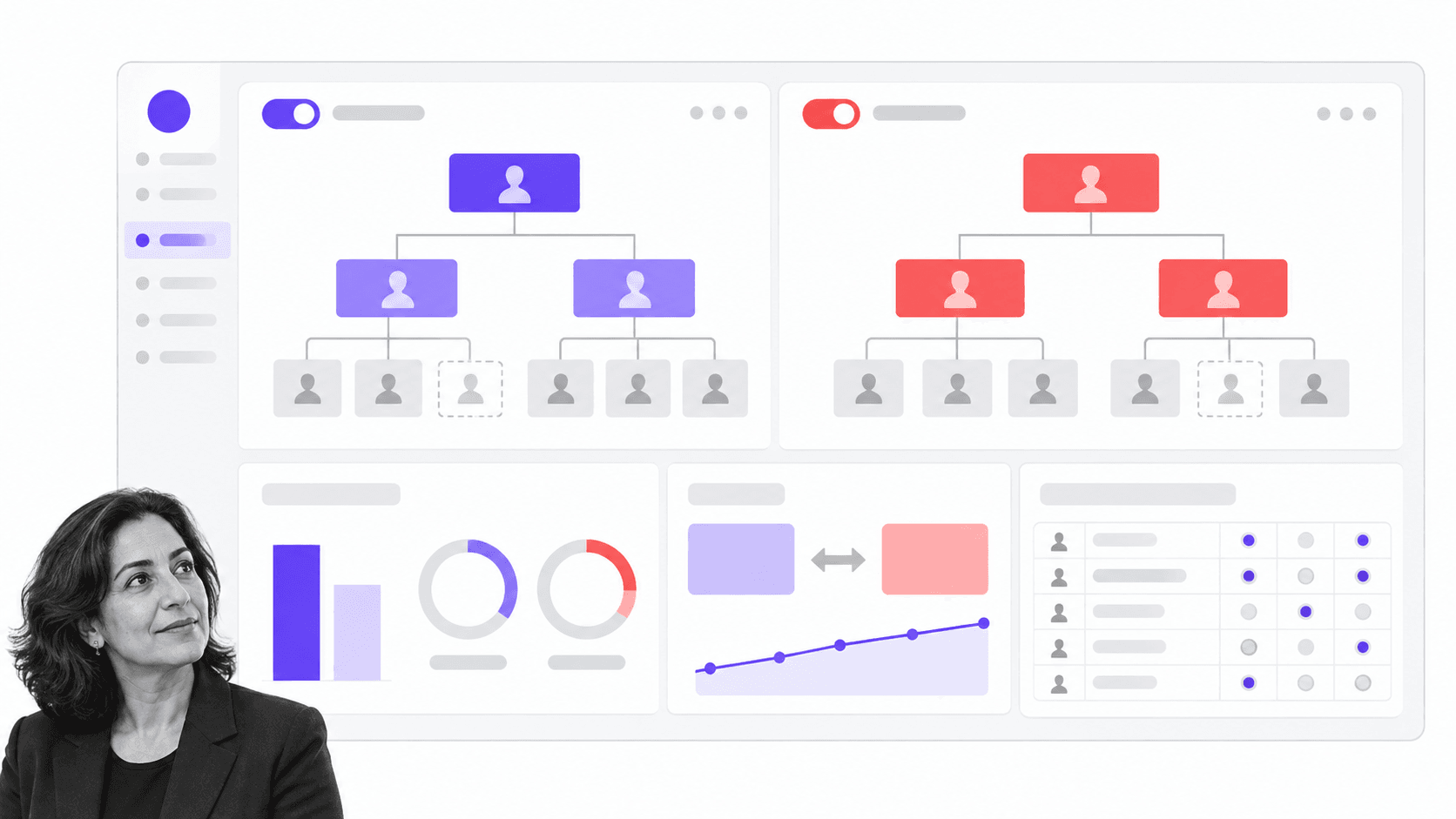
ChartHop includes headcount planning and scenario features inside a broader HCM product. Orgvue goes deeper on the design question itself: modeling alternative structures, comparing spans and layers, costing a reorganization, and tracking whether the planned design actually lands. It is used by organizations running restructures, mergers of teams, or large workforce transformation programs.
Because Orgvue is a planning and design platform, it does not try to be the HRIS, run performance reviews, or process payroll. Most teams connect it to existing HR and finance data and use it alongside those systems.
Key features
- Workforce analytics across HR and finance data
- Org design scenarios and structure comparison
- Workforce planning
- Continuous monitoring of the workforce against plan
- Work redesign modeling for AI
Pros
- Deep org design and scenario modeling
- Built for large restructures and transformation programs
- Connects workforce data with cost
- Strong fit for strategic HR and finance partnerships
Cons
- Not an HRIS, performance, or compensation cycle tool
- No published pricing; scope is usually enterprise
Choose Orgvue if
Choose Orgvue if you are planning a reorganization, modeling spans and layers, or running a workforce transformation where design scenarios and cost impact matter more than everyday HR workflows.
Skip it if
Skip Orgvue if you need a lightweight org chart for a growing company or a single tool that also runs reviews and compensation cycles.
Pricing and what to verify
Orgvue does not publish pricing; buyers book a demo for a scoped quote. See the official Orgvue site. In the demo, test your own scenario rather than a scripted tour. Ask Orgvue to load a slice of your real structure, build two alternative designs, and compare spans, layers, and cost side by side.
5. Pave
Best for: Compensation benchmarking, compensation planning, and total rewards.
Bottom line: Pave is the best pick in this list when compensation is the ChartHop module that matters most and you want market data and planning cycles built around it.
Pave positions itself as an AI compensation platform. Its products include Market Pricing, Compensation Planning, Team View, Total Rewards, Visual Offer Letter, and Pave Agent. Pave also offers a free Market Data Lite tier with salary and equity benchmarks, which is unusual in this category.
ChartHop’s compensation module helps run review cycles inside the org planning context. Pave starts from the market: what a role should pay, how bands compare across levels and locations, and how merit and equity budgets should be allocated. Teams that want benchmark-driven compensation decisions often prefer a dedicated tool like Pave.
Pave is not a performance management system or an HRIS. It integrates with HR and payroll data so planners can work from current employee records, and many teams keep their review process in a separate tool.
Key features
- Market Pricing with salary and equity benchmarks
- Compensation Planning cycles
- Team View for managers
- Total Rewards statements
- Visual Offer Letter for candidates
Pros
- Compensation is the core product, not an add-on
- Free Market Data Lite tier for benchmarks
- Candidate-facing offer letter experience
- Useful for equity-heavy companies
Cons
- Narrower scope than ChartHop’s full module set
- Paid tiers are priced on request
Choose Pave if
Choose Pave if compensation planning, salary bands, market benchmarks, and total rewards communication are the reason you are evaluating ChartHop alternatives.
Skip it if
Skip Pave if you need org charts, headcount planning, performance reviews, or engagement surveys in the same product.
Pricing and what to verify
Pave lists paid products as pricing on request and offers a free Market Data Lite tier. Review the official Pave site. In the demo, test your own scenario rather than a scripted tour. Ask Pave to benchmark five of your roles in two locations, then run a mini merit cycle with a fixed budget and show the manager view.
6. Visier
Best for: Enterprise workforce analytics and workforce context for ai.
Bottom line: Visier is the enterprise pick when people analytics depth is the priority and you want a dedicated workforce analytics layer rather than analytics bundled into an HCM.
Visier is a long-standing workforce analytics vendor that now positions itself around workforce context and governance for enterprise AI. Its products include Workforce Insights, workforce planning and org design, and talent agents, with a workforce context engine that feeds people data into AI tools.
ChartHop bundles analytics with its HRIS, planning, and compensation modules. Visier focuses on the analytics problem: combining HR, payroll, recruiting, and other workforce data, then giving analysts and leaders consistent metrics on attrition, headcount, diversity, cost, and more. Large organizations with multiple HR systems often use Visier as the analytical layer across all of them.
That focus is also its limit. Visier is not where reviews are written, compensation cycles are run, or onboarding tasks are completed. It tells you what is happening in the workforce; other systems execute the response.
Key features
- Workforce Insights analytics
- Workforce planning and org design
- Workforce context engine for enterprise AI
- Embedded analytics for other applications
- Talent agents
Pros
- Deep, dedicated people analytics
- Works across multiple HR source systems
- Strong fit for enterprise analytics teams
- Planning and org design alongside analytics
Cons
- Enterprise scope and sales-led pricing
- Analytics only; execution happens in other tools
Choose Visier if
Choose Visier if you run several HR systems, need consistent enterprise people analytics across them, and have an analytics or HR operations team to own the platform.
Skip it if
Skip Visier if you are a growing company that wants org charts, reviews, and compensation in one lightweight product.
Pricing and what to verify
Visier is sold through its sales team rather than a public price list. Book a conversation through the official Visier site. In the demo, test your own scenario rather than a scripted tour. Ask Visier to connect two of your HR data sources and answer three questions your leadership asks every quarter, such as regretted attrition by team.
7. Culture Amp
Best for: Employee engagement surveys, performance, and development.
Bottom line: Culture Amp is the strongest choice when employee engagement and the employee experience are the main reason you are reconsidering ChartHop.
Culture Amp describes itself as an employee experience platform. Its products are Engage for engagement surveys, Perform for performance management, and Develop for growth, with an AI Coach and a People Science services add-on. It is known for survey science and benchmarks that help HR teams interpret results.
ChartHop includes engagement and performance modules alongside org planning. Culture Amp goes deeper on listening: survey design, heatmaps by team and demographic, comment themes, and action planning. Teams that want engagement data to drive manager action, not just appear in a dashboard, often choose Culture Amp.
Culture Amp does not provide org charts, headcount planning, or compensation benchmarking in the way ChartHop or Pave do. It is usually paired with an HRIS for people data and a separate planning tool where needed.
Key features
- Engage for engagement and pulse surveys
- Perform for reviews, goals, and feedback
- Develop for skills and growth
- AI Coach for managers
- People Science services add-on
Pros
- Mature survey and listening capabilities
- Action planning tied to survey results
- Combines engagement with performance
- People Science services for interpretation
Cons
- Not an org planning or headcount tool
- Pricing depends on headcount, product, and service tier
Choose Culture Amp if
Choose Culture Amp if engagement surveys, employee listening, and manager action on results are the job, with performance and development close behind.
Skip it if
Skip Culture Amp if your priority is org charts, headcount plans, or compensation cycles.
Pricing and what to verify
Culture Amp prices by employee count, product, and service tier, billed annually. See the Culture Amp plans and pricing page. In the demo, test your own scenario rather than a scripted tour. Ask Culture Amp to show an engagement survey from launch to heatmap to a manager action plan, and how progress on that plan is tracked.
ChartHop alternatives by use case
Choose by system role first. If recurring people processes are inconsistent, start with Process Street. If performance reviews and goals are the priority, start with Lattice. If you want one HRIS that includes org structure, start with HiBob. If you are modeling a restructure, start with Orgvue. If compensation is the core job, start with Pave. If you need enterprise analytics across several HR systems, start with Visier. If engagement and listening lead, start with Culture Amp.
Then separate must-haves from extras. Write down your authoritative data sources, the modules you actually use in ChartHop today, the decisions those modules support, and the processes that follow each decision. Use the same scenario in every vendor demo so you can compare products that share HR vocabulary but own different parts of the operating model. For broader context on the category, human resource planning and HR analytics software guides help clarify what each layer should do.
Specialist comparisons help when a particular category makes the shortlist. If you are weighing a full HRIS, see the guides to HiBob alternatives, BambooHR alternatives, Personio alternatives, and Workday alternatives. For compensation tooling, the overview of compensation management software covers the wider market. The software alternatives hub indexes every comparison on the site by category.
Finally, map what stays outside any people platform. Even a broad HCM suite may not own every headcount approval, access request, exception review, or audit artifact. Look at those steps through a workflow management system lens and decide whether built-in workflows are enough or whether a dedicated execution layer, alongside the wider set of business process automation tools, will close the gaps.
ChartHop migration checklist
A controlled migration protects org history, compensation data, and review records. The exact plan depends on the destination, but every team should settle data ownership, mapping, permissions, integrations, and cutover responsibility before moving live work.
- List the ChartHop modules in use and the decisions each one supports.
- Export org structure history, headcount plans, compensation records, and review data.
- Decide which system will own each dataset after the move, and assign an owner.
- Clean duplicate or invalid records before import rather than carrying them forward.
- Map roles and permissions, especially for compensation and performance data.
- Rebuild the reports leadership relies on and reconcile them against ChartHop.
- Run one planning, compensation, or review cycle in parallel where the risk is high.
- Rebuild the approval workflows that followed ChartHop decisions, with named approvers.
- Train administrators first, then managers on the exact tasks they will perform.
- Require written sign-off from each data owner before retiring ChartHop access.
FAQs
What are the best ChartHop alternatives?
The best ChartHop alternatives depend on which module you rely on. Process Street is best for enforceable, recurring HR and SOP workflows. Lattice fits performance and goals, HiBob a full modern HRIS, Orgvue org design and workforce planning, Pave compensation, Visier enterprise people analytics, and Culture Amp engagement surveys.
Why is Process Street ranked first among ChartHop alternatives?
Process Street ranks first for teams whose real problem is execution: headcount requests, onboarding, compensation changes, promotions, and offboarding that need required steps, approvals, and proof. It is not an org chart or analytics tool. If planning or analytics is the core need, a specialist in this list is the better fit.
Is there a free ChartHop alternative?
Pave offers a free Market Data Lite tier with salary and equity benchmarks. Process Street offers a 14-day free trial. Most other ChartHop competitors in this list sell through quotes or annual agreements, so a demo with your own data is the practical way to evaluate them.
What is the closest alternative to ChartHop?
HiBob is the closest single-product alternative because it combines an HRIS with org structure, talent, and planning and compensation suites. Lattice is close for performance and goals. Orgvue is closer for advanced org design and headcount scenarios.
Which ChartHop alternative is best for compensation planning?
Pave is the strongest compensation specialist in this list, with market pricing data, compensation planning cycles, and visual offer letters. Lattice and HiBob include compensation products inside broader platforms. Process Street can govern the approval workflow around any compensation change.
Which ChartHop alternative is best for people analytics?
Visier is the enterprise people analytics specialist and works across multiple HR source systems. Orgvue combines workforce analytics with org design. Teams that want analytics bundled with an HRIS often look at HiBob.
Can Process Street work alongside ChartHop or an HRIS?
Yes. Many teams keep ChartHop or an HRIS as the source of people data and use Process Street to run the recurring processes around it, such as headcount approvals, onboarding, promotions, and offboarding, with assignments, approvals, and a completion history for each run.
How do I migrate away from ChartHop?
Inventory which ChartHop modules you use, export org, compensation, and performance history, and decide which system will own each dataset. Rebuild critical reports, run one planning or review cycle in parallel, and assign named owners to sign off before retiring ChartHop.
Run people processes with control and proof
If your org data is in good shape but the work that follows each people decision still depends on reminders, inboxes, and spreadsheets, Process Street turns those recurring processes into an enforceable system. Start with one workflow, assign every handoff, require the evidence, and connect the HRIS or planning tool that already owns the data.
Explore Process Street or review current plans on the Process Street pricing page. The best first use case is a frequent process with several owners, meaningful exceptions, and a clear standard for done.
