






Imagine you single-handedly run a lemonade stand. You get 20 customers each day and have just the right amount of ingredients for a normal afternoon.
Then, out of the blue, you get coverage from the New York Times. Customers queue down the block, sugar runs out within an hour, and the stand has to close while demand is still there. That is what happens when demand grows faster than the systems behind it. No hiring process, no onboarding plan, no inventory forecast, no scalability.
When you are just getting started, you have room to do things that do not scale. Those things can create the spark that launches the business, but you cannot keep doing them forever.
Y Combinator co-founder Paul Graham tells the story of how John and Patrick Collison got Stripe off the ground by setting people up on the spot instead of sending them a link later.
Founders ask, “Will you try our beta?” and if the answer is yes, they say, “Great, we will send you a link.” But the Collison brothers were not going to wait. When anyone agreed to try Stripe they would say, “Right then, give me your laptop,” and set them up on the spot.
Stripe employees are not still acquiring users by turning up in person to install Stripe on laptops. The point is that founders can start manually, but scalable businesses eventually need systems that keep working when demand, headcount, and complexity rise.
The problem
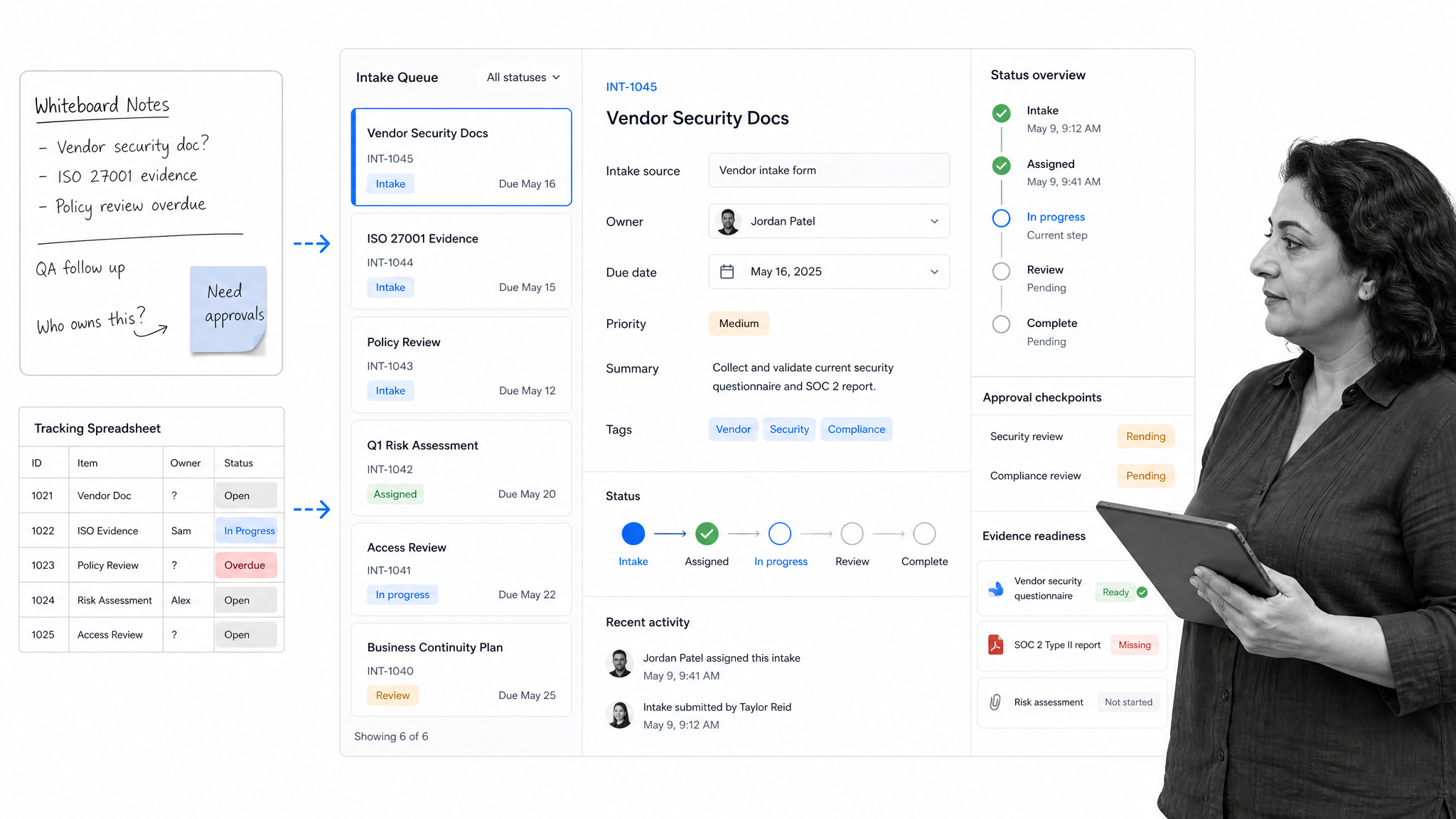
If you have ever had to scrape around a filing cabinet for a document, lost a client detail, or been bombarded with questions about how to do a task, you know the pain of a business that is not equipped to scale.
A friend in real estate once described a property database that was literally a whiteboard. When the board was wiped, the details were gone. In a similar job, my CRM was a mix of tattered post-it notes and a huge disorganized spreadsheet that had to be emailed around whenever anything changed.
Those are not just messy habits. They are scaling limits. A scalable business model needs repeatable processes, durable records, and tools that make the right way of working easier than improvising.
Why you need to focus on scalability now
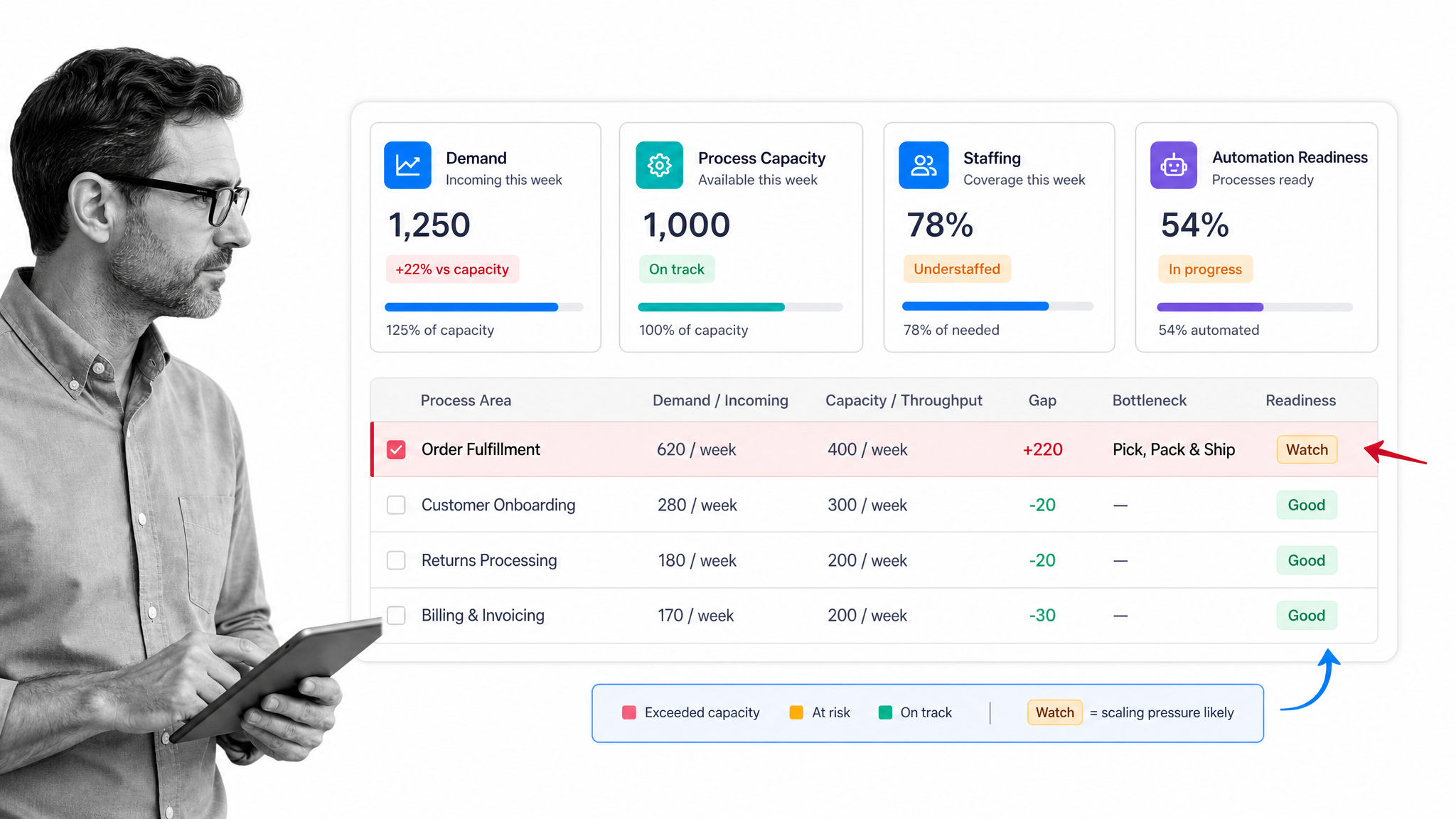
After the initial buzz, the first customers, and the launch press coverage, every company hits a tougher stretch. The secret to surviving it is scalability.
After the initial buzz, the first 100 customers, and launch press coverage, many companies hit what sales teams sometimes call the hot coals: the point where early traction is real, but core business processes, onboarding, recruiting, and management habits are not yet strong enough to carry increased demand.
A scalable business is equipped to handle increased demand without falling apart. More sales, more employees, more customers, and more operational complexity should not require the founder to personally hold every detail together.
The work is simple to describe and hard to avoid: centralize knowledge, automate repeatable tasks, delegate early, create management structure, move work out of inboxes, document processes, standardize hiring, and track operational data in a system that can grow with you.
#1: Create a wiki for your employees
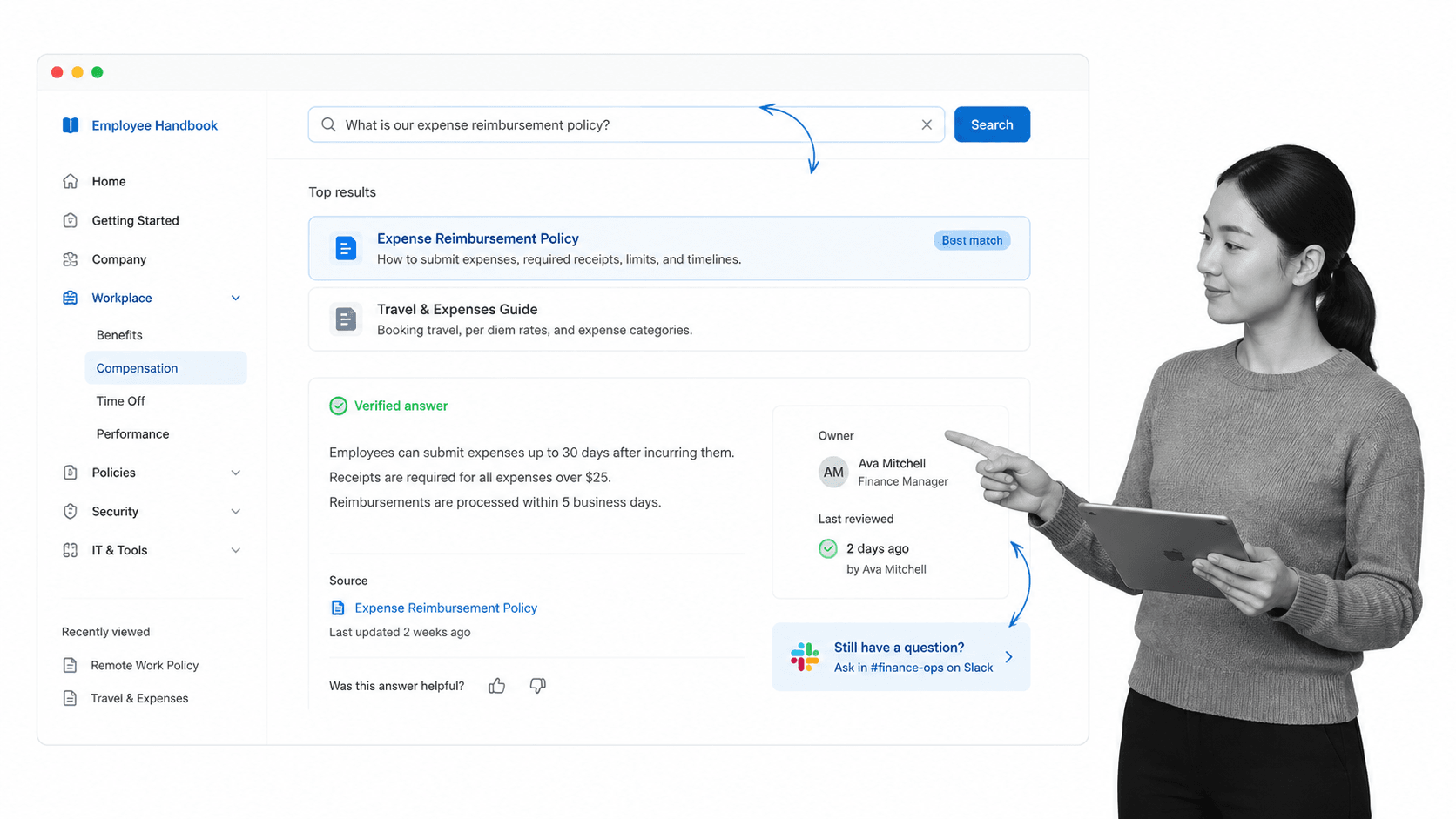
What is our embed code for videos? Where is the customer onboarding policy? Who owns the expense process? These little questions rarely look dangerous by themselves, but they become expensive when every answer lives in a different chat thread, document, or person’s memory.
Centralize those answers in an employee wiki or knowledge base. Tettra, Notion, Guru, Confluence, and self-hosted tools like MediaWiki can all work, depending on how much governance you need.
The point is to make the information centralized, accessible, and easily searchable instead of scattered across Slack, Google Docs, Trello, random out of date processes, and memory. Include admin stuff such as holidays and expenses, team differences, common software tools, and the place to ask if someone gets stuck.
Pusher wrote about what it learned while making a company wiki, and its questions still hold up: who works here, how do teams make decisions, what tools are used, what rituals matter, what processes exist, and who should you ask when you get stuck?
#2: Automate as much work as possible
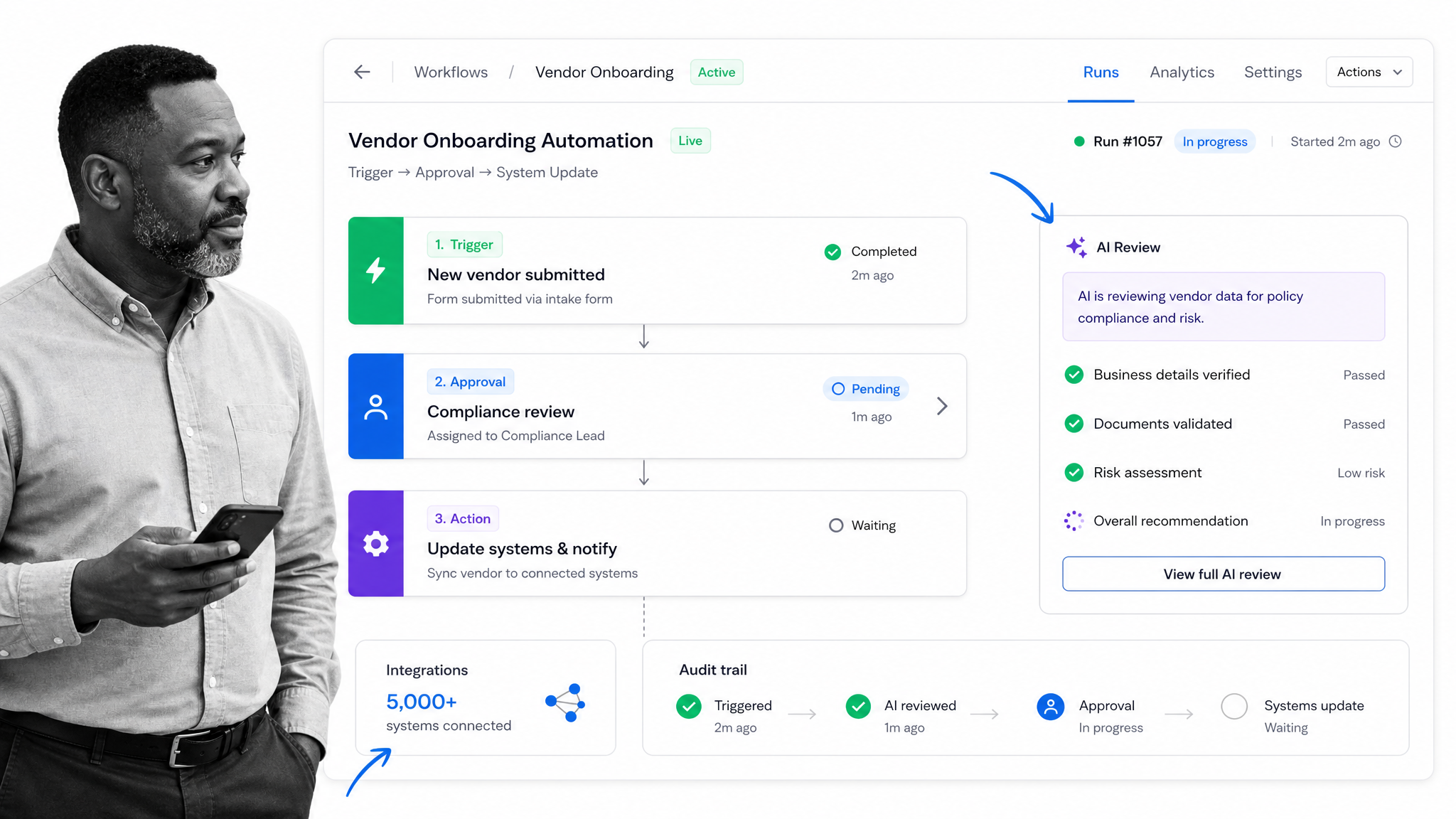
Automation should start early because repeatable work does not get easier as the business grows. Data entry, status reminders, approvals, routing, and handoffs are all places where manual effort compounds into delays.
Process Street helps teams turn recurring work into automated workflows that assign owners, collect evidence, route approvals, and keep an audit trail. It connects to 5,000+ systems, and when a new connection is needed, an AI agent can build the integration on the fly.
Zapier, Make, and other automation tools can still be useful for point-to-point connections. For core operations, connect automation to the process itself so the business can prove what happened, not just move data between apps. For a deeper primer, read our business process automation guide.
#3: Hire an assistant early
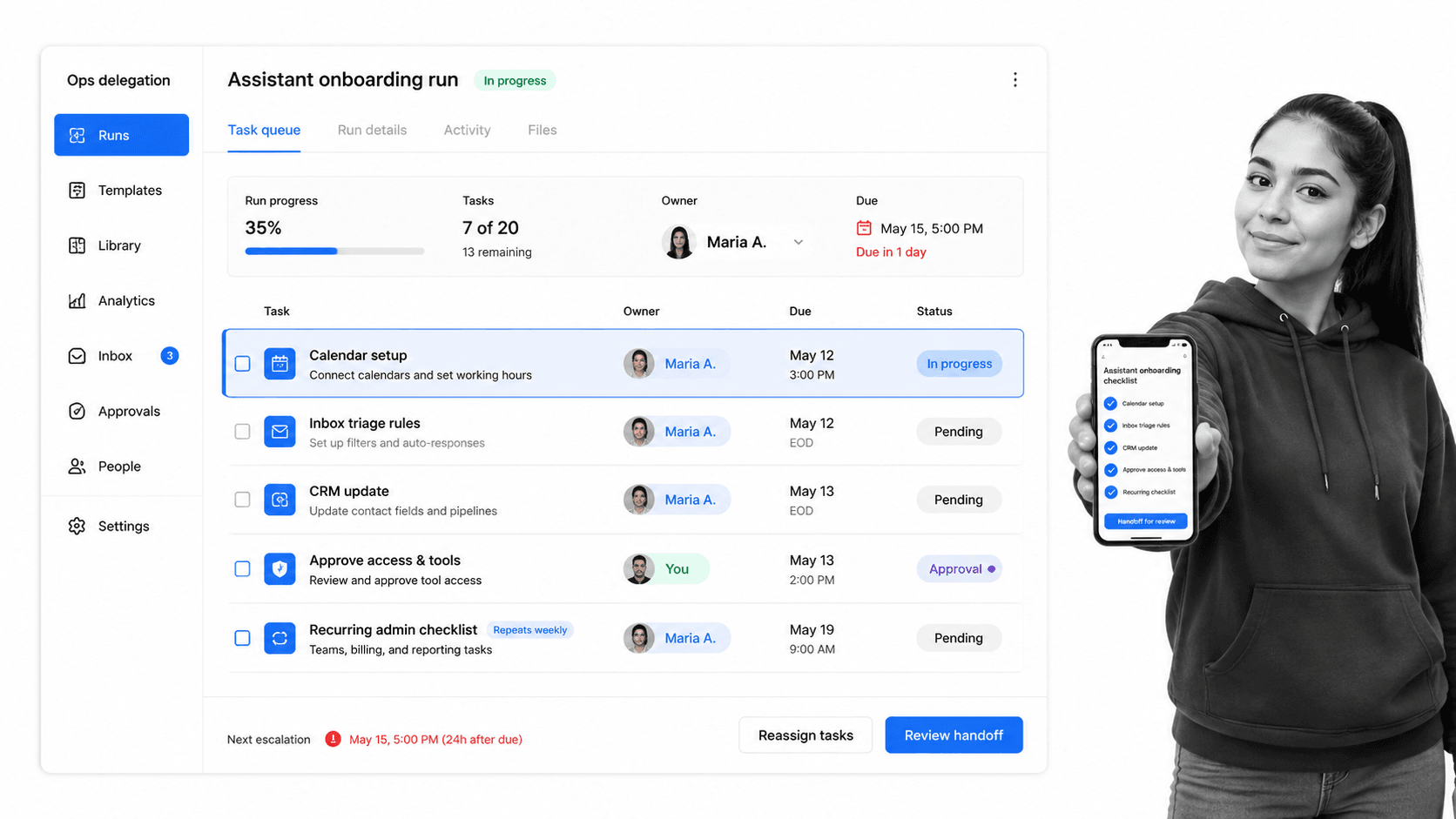
The last thing you want to spend founder time on is recurring admin work: calendar updates, data entry, inbox triage, database cleanup, travel booking, and follow-up reminders. The sooner those tasks are delegated, the sooner leadership can focus on the work only leadership can do.
Delegation scales best when it is process-led. Write the task down, define the trigger, set the quality bar, assign the owner, and create a review step. Human assistants, contractors, internal coordinators, automations, and AI-assisted workflows all work better when the job is explicit.
Here is a process you can use to onboard a virtual assistant more thoroughly:
#4: Focus on turning early hires into leaders and creating a formal management structure
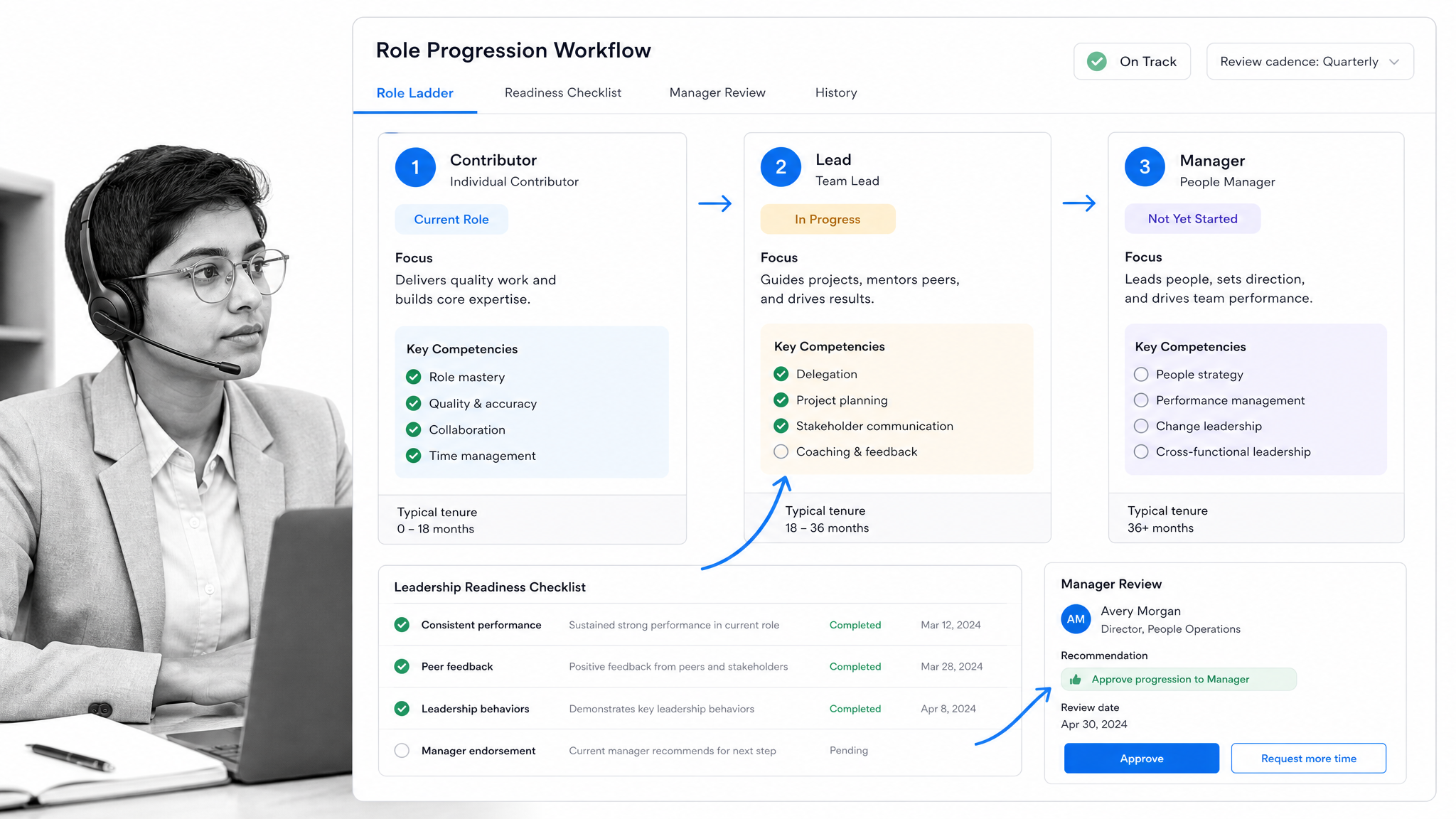
When the company is small and high-energy, employees often juggle many functions at once. As you scale, that all-hands structure needs to become clearer: who owns which function, who coaches whom, who approves decisions, and when leadership responsibilities change.
Harvard Business Review looked at 75 years worth of data on organizations and identified defining specialized roles and adding management structure as two important things that lasting companies do while scaling.
Early hires can become strong leaders when responsibility increases deliberately. Senior hires can also help when they have scaled similar functions before, a path Ben Horowitz discusses in Taking the Mystery out of Scaling a Company.
A clear organizational chart helps make those responsibilities visible, but the chart is only useful when the work behind each role is documented and repeatable.
#5: Switch from email to instant messaging and cloud collaboration apps
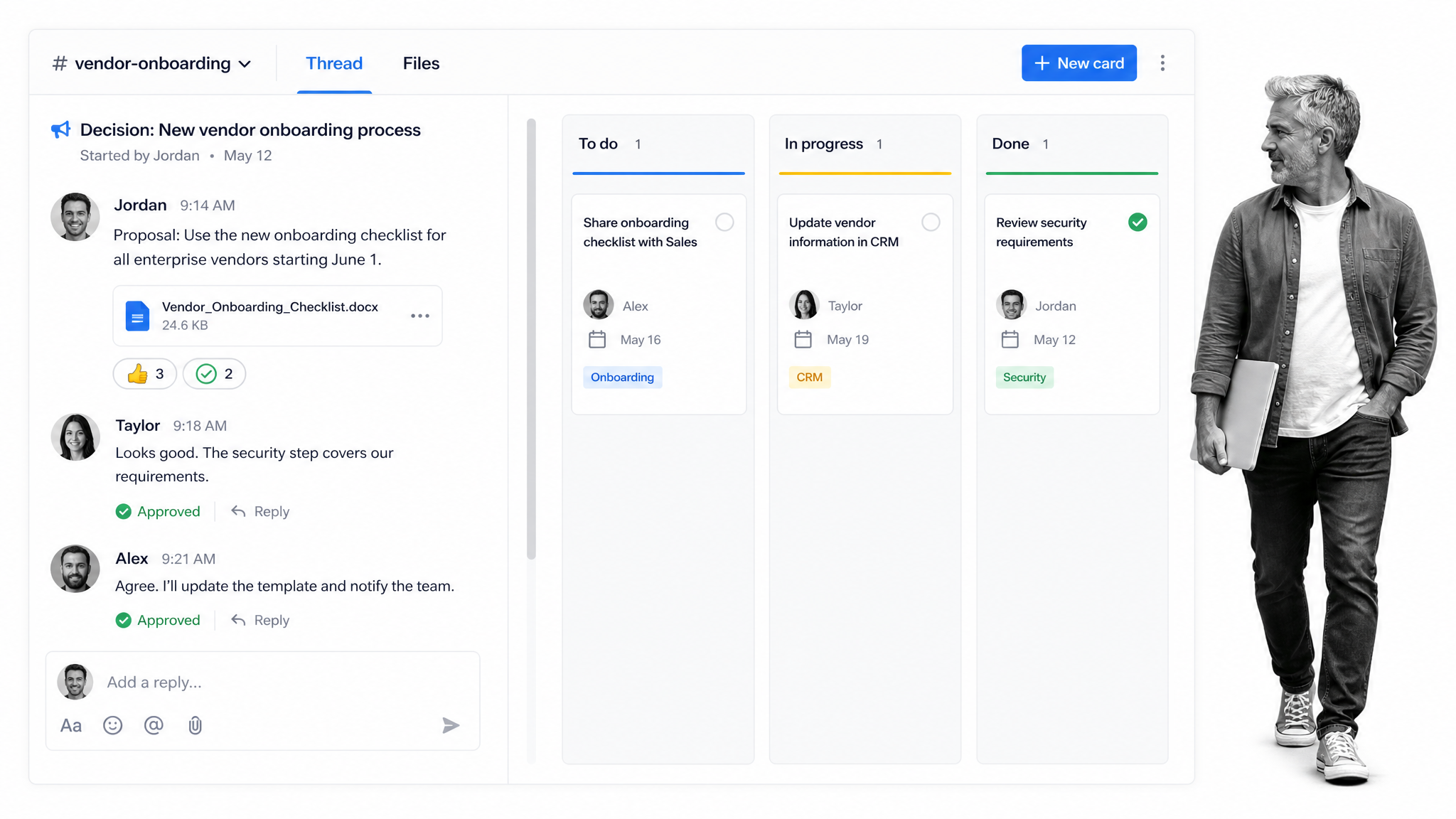
Inboxes are terrible systems of record. Important internal decisions sit beside newsletters, automated alerts, invoices, and cold pitches. Work gets buried because every message has the same weight.
Use chat and collaboration tools to separate active team communication from email noise. Slack, Microsoft Teams, Google Workspace, Notion, Trello, Asana, and similar tools can all help teams share context, discuss work, and keep status visible.
The goal is not to add more places for people to talk. The goal is to make decisions and work visible. A card, task, project, or workflow should show the owner, the status, the deadline, and the next action without forcing someone to search an inbox.
Trello is a useful example because it works like a pinboard for information. A team can add attachments, permissions, labels, comments, due dates, and checklist items to cards, then move those cards through stages such as WIP, waiting for approval, and done. An editorial calendar can make each card one blog post, with communication around that post attached to the work instead of scattered through email.
Those lists can also show work-in-progress clearly, so people know what is waiting for approval, what is done, what is blocked, and which relevant people should be attached to the card. That cuts needless admin work and helps the team build an infrastructure of information in the cloud instead of locking it inside inboxes.
#6: Document processes right from the start
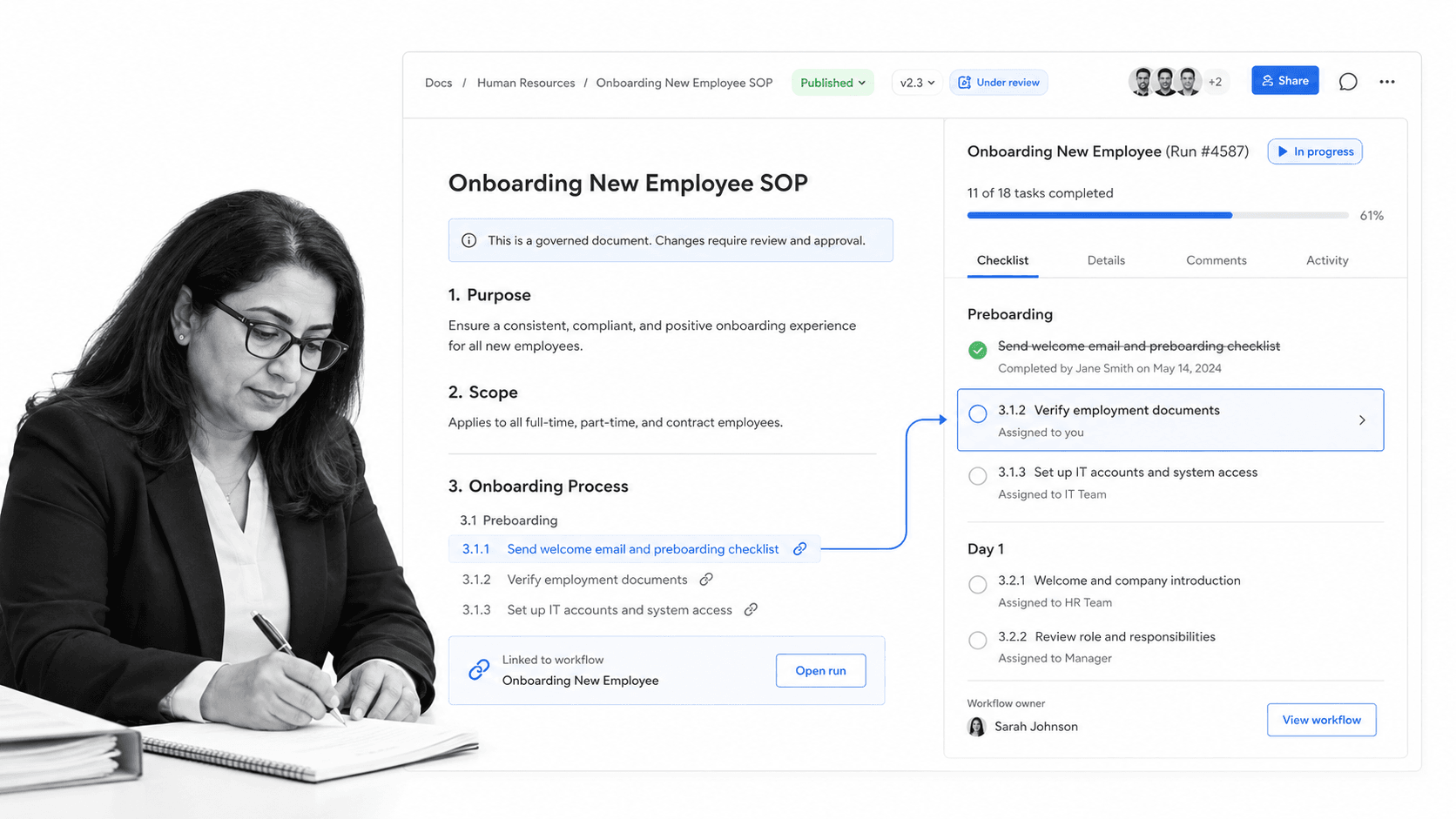
It can be hard to justify process documentation when the team is small, but delegation becomes risky when the official explanation of how work gets done lives only in someone’s head.
Document anything you do more than twice. Start with the trigger, the owner, the steps, the approval points, the systems involved, and the proof that the work was done. A useful SOP is not a static essay. It is a guide that helps someone execute correctly.
Process Street is a Compliance Operations Platform with Docs for governed SOPs, Ops for execution, and built-in AI to help monitor and improve the way work runs. That matters because scalable process documentation should connect directly to the workflow people use to complete the task.
For a broader operational foundation, this business process management template can help you turn scattered procedures into a usable operating system.
Here is an onboarding process example:
#7: Nail down your recruiting process
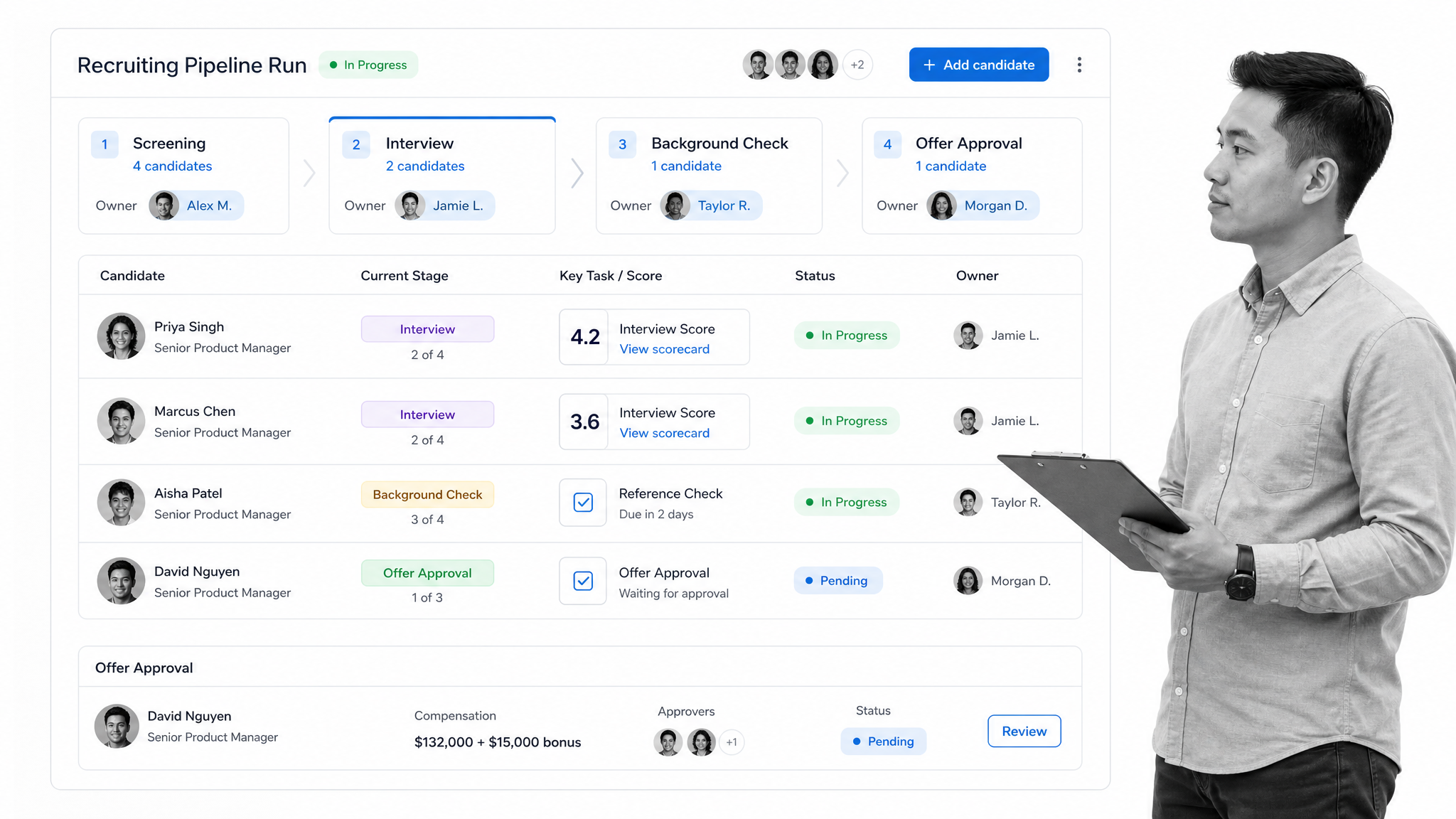
One of the clearest ways a company scales is by hiring more employees. That makes recruiting one of the first processes worth standardizing.
Where do you advertise roles? How do you screen candidates? What makes someone qualified for an interview? Who approves the offer? How do you record background checks, references, and feedback? If those answers change from person to person, hiring quality changes too.
We have resources to help, including a full recruitment process, a guide to job descriptions, and a background-check step inside the recruiting workflow below.
For another angle on team growth, read our guide to scaling up your sales team.
#8: Track anything in Airtable
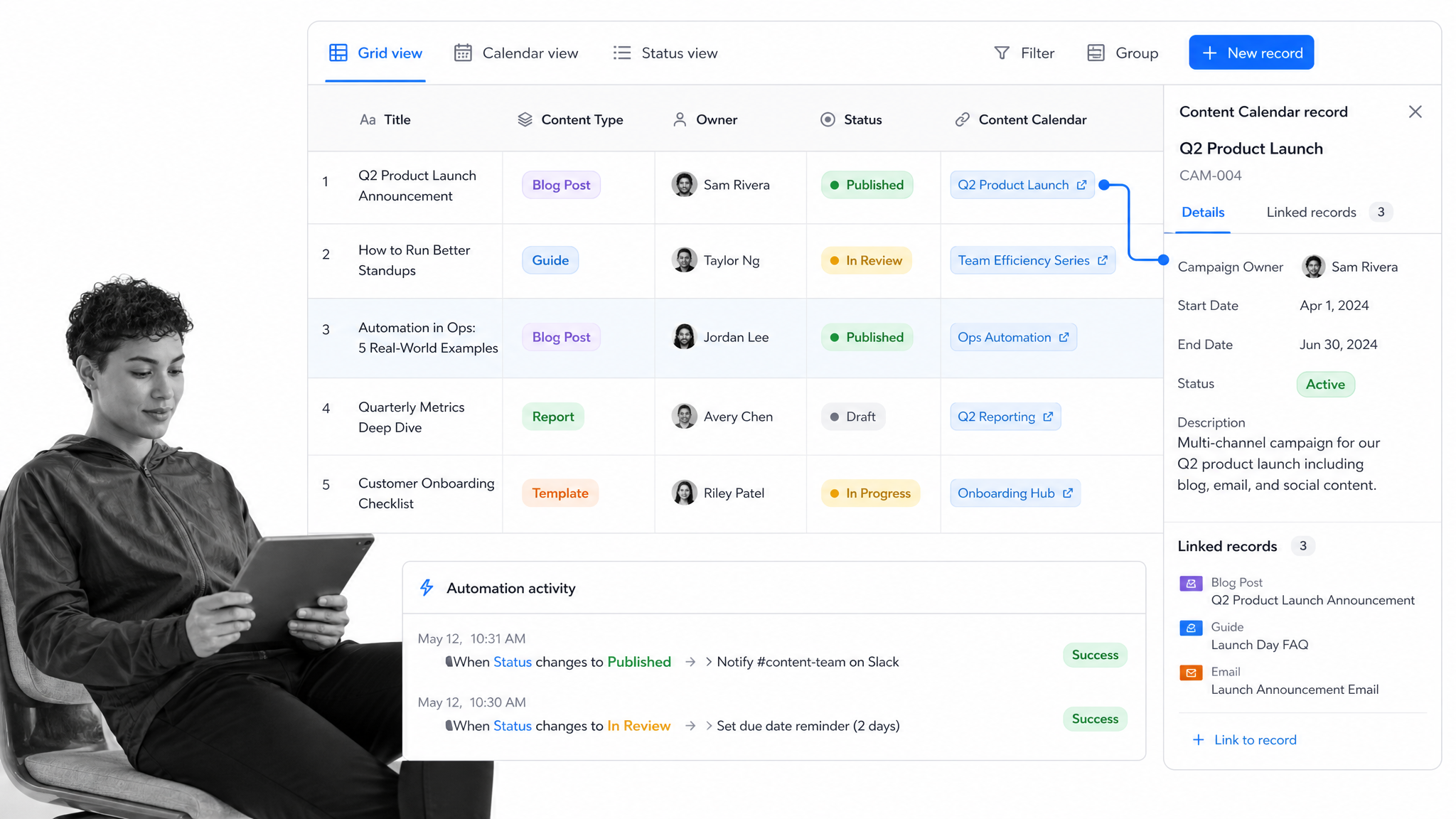
Airtable is useful because it is not just a spreadsheet. It stores relationships between records. A customer can connect to a project, a project can connect to a workflow, and a workflow can connect to owners, deadlines, assets, and status.
We have written about how Airtable can run content marketing operations, but the same pattern works for recruiting, customer onboarding, vendor tracking, inventory, research, or any other data-heavy operation.
Use a structured database when the business has too many relationships for a flat sheet. Airtable can connect with automation tools, including Zapier automations, so records can trigger follow-up work instead of sitting passively in a grid.
For content operations, a database can track blog posts, guest posts, backlinks, Twitter mentions, keywords, owners, and deadlines. For People Ops, the same structure can support an employee directory, annual reviews, equipment assignments, or recruiting data. Airtable can also import CSV files from tools such as Ahrefs, giving you a cleaner way to organize data that would otherwise sit in scattered exports.
That means related records can be linked together and easily searchable. Content URLs can connect to Ahrefs and Twitter data, annual reviews can be scheduled from employee records, and Zapier can send Airtable data to other apps automatically. No more digging through spreadsheets, losing information, or asking Bob to send over the latest CSV file.
Build a scalable business today
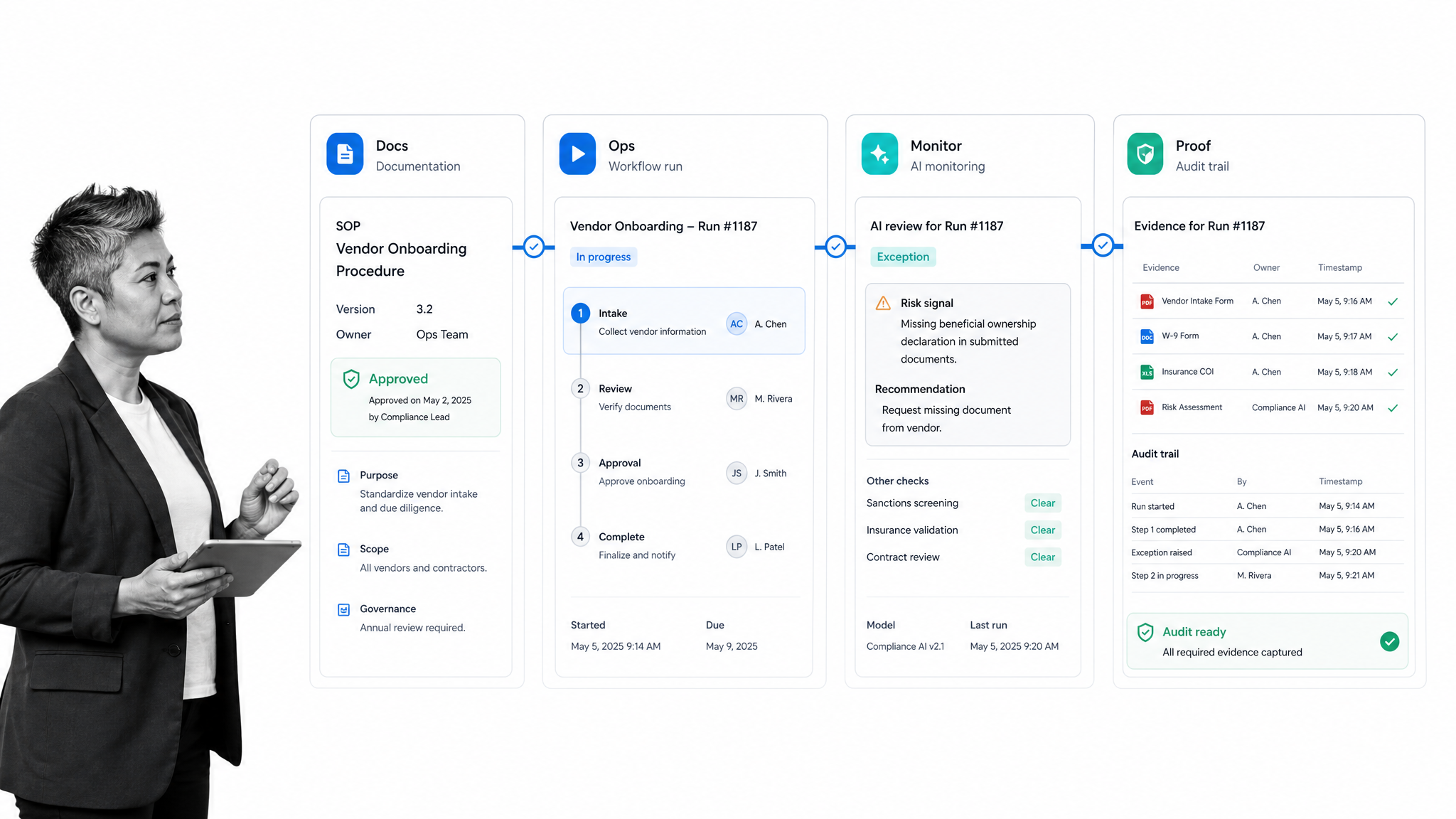
A lot of the advice here comes down to two shifts: move critical knowledge out of fragile local systems, and turn repeated work into formal processes. That means fewer paper trails, fewer inbox bottlenecks, fewer undocumented handoffs, and fewer decisions trapped in one person’s head.
The first steps are simple: cut paper from your business by digitizing important documents, move local storage to the cloud, and start documenting your processes. That gives the team a system for generating revenue instead of constantly putting out fires.
Process Street helps teams document, execute, automate, and track recurring work in one place, so scaling does not depend on memory and heroics. See how Process Street works.