


Turn every policy into automated workflows with built-in enforcement and audit-ready proof.



AI Employee

AI employee tools are the new category teams evaluate when they want AI to move from private chat into shared work. The promise is simple: an AI teammate can read context, coordinate across people, connect to business systems, draft outputs, and complete work with the right human approval.
The risk is just as simple. An AI employee that only chats is useful but limited. An AI employee that can touch tools needs governance, memory, permissions, approvals, and a clear handoff into the systems where repeatable work is tracked.
This guide compares the strongest AI employee tools for teams that work in Slack, Microsoft Teams, and connected business apps. Dash leads because it is built around approval-first work in chat. The peer set covers assistant delegation, visual AI workflow building, enterprise knowledge agents, Claude reasoning, broad app-action automation, and multiplayer AI workspaces.
In this article, we are going to cover:
- AI employee tools at a glance
- How should you choose an AI employee?
- What criteria matter most for AI employees in Slack and Teams?
- Which AI employee tools are strongest right now?
- Where does Process Street fit with AI employee tools?
- How can you roll out AI employees without disrupting work?
- Final recommendation for AI employee tools
- FAQs
AI employee tools at a glance
The short version: Dash is the default recommendation for teams that want an AI employee in Slack and Microsoft Teams that can connect to tools, learn team context, and ask before risky actions. Lindy fits assistant delegation, Gumloop fits visual AI workflow building, Glean Agents fits enterprise knowledge agents, Anthropic Claude fits Claude-native reasoning, Zapier Agents fits app-action automation, and Dust fits multiplayer AI workspaces.
| Tool | Best for | Standout feature | Free plan | Starting price |
|---|---|---|---|---|
| Dash | Teams that want an approval-first AI employee in Slack and Microsoft Teams | Team context, 3,000+ tool connections, and approvals before mutating actions | $100 credit, no credit card | $50/workspace/month after credit |
| Lindy | Assistant-style delegation across inboxes, meetings, calendars, and messages | AI assistant plans with email drafting, meeting scheduling, notes, prep, and follow-up | 7-day free trial | Plus from $49.99/month |
| Gumloop | Operations teams building visual AI workflows and agents with IT controls | Multiplayer AI agent builder with models, integrations, triggers, and credit-based runs | Free plan with monthly credits | Pro from $37/month |
| Glean Agents | Enterprises that need AI employees grounded in company knowledge and permissions | Agent governance, enterprise context, orchestration, deployment, and observability | No public free plan found | Contact sales |
| Anthropic Claude | Teams that want Claude reasoning in Slack and Claude workspaces | Claude Tag joins selected Slack channels, reads context, and can use connected tools | Free individual plan exists, Team is paid | Team Standard from $25/member/month |
| Zapier Agents | Automation builders who want AI employees connected to a large app-action network | Agents equipped with company knowledge that can do work across 9,000+ apps | Free Zapier plan | Professional from $19.99/month |
| Dust | Teams that want a shared AI workspace for custom agents and company knowledge | Multiplayer workspace where people and agents collaborate around shared context | Trial available | Pro from $30/month |
How should you choose an AI employee?
Start with the work surface. Some AI employee tools are strongest inside Slack. Some are better in Microsoft Teams. Some operate as separate workspaces or builders. The best option is the one that fits where your team already asks for help, reviews output, and approves work.
Then separate read-only work from mutating work. Summaries, answers, and research are low-risk. Sending an email, posting a customer update, editing a CRM record, spending budget, or launching a workflow changes the outside world. Those actions need a clear approval model.
Finally, decide whether you need a teammate, a builder, or an operating layer. Dash and Anthropic Claude are chat-native coworkers. Lindy is closer to an assistant. Gumloop and Zapier Agents are builder surfaces for agentic automation. Glean Agents is an enterprise knowledge and governance layer. Dust is a shared AI workspace. Process Street is where repeatable work becomes workflows, approvals, owners, policy, and proof.
What criteria matter most for AI employees in Slack and Teams?
Six criteria matter most. First, the AI employee should respect where work happens: Slack, Microsoft Teams, or both. Second, it should connect to the tools that hold the work, not only answer from memory. Third, it needs persistent team context so every user does not have to re-explain the company.
Fourth, approval should be built into mutating actions. Reading a channel and drafting a reply is different from posting, sending, writing to a CRM, or spending money. Fifth, outputs should become finished work, not loose conversation. Sixth, the workflow handoff must be clear: who owns the next step, where the decision is recorded, and what evidence remains after the AI acts.
Which AI employee tools are strongest right now?
1. Dash
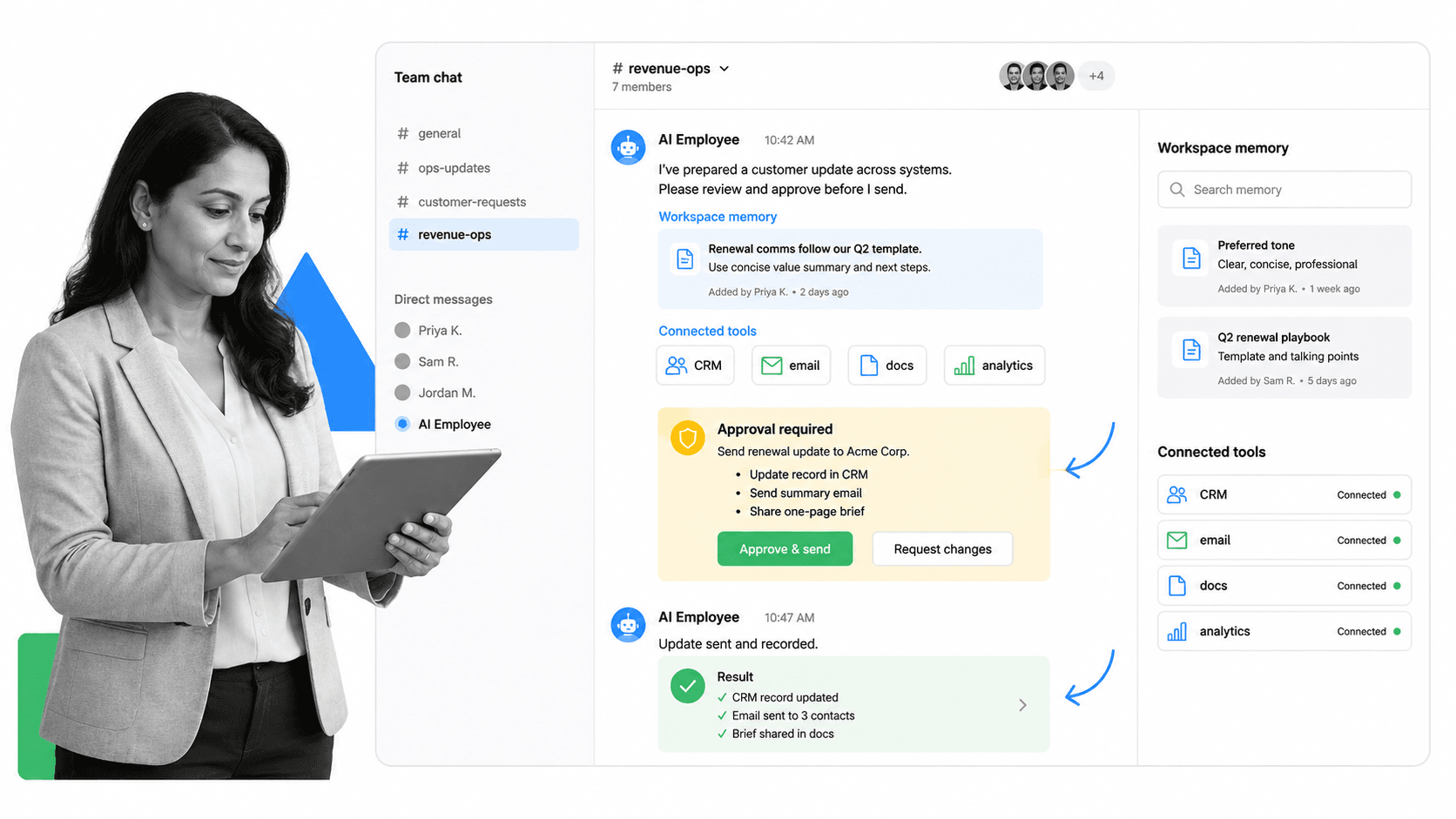
Best for: Teams that want an approval-first AI employee in Slack and Microsoft Teams.
Dash is the best first choice for teams that want an AI employee inside chat without giving up control. It connects to 3,000+ tools, learns the team context, and asks before sending, posting, writing, or spending. That makes it a stronger fit than a pure chat assistant when the work touches live business systems.
Dash works in Slack and Microsoft Teams. That matters because the interface is familiar: mention the teammate, ask for a result, review what it plans to do, approve the risky step, and keep the output in the conversation where the team can see it. The product is designed around the idea that the agent should do the work, not just tell the team how to do it.
Dash is deepest for teams that need cross-tool work completed quickly: sales pipeline updates, weekly reporting, customer follow-ups, growth scans, support handoffs, agency operations, and recurring operations checks. It is not trying to be a blank automation canvas. It is trying to behave like a trusted teammate with access to the tools the team already uses.
The approval-first model is the main reason Dash leads this list. Anthropic Claude can be excellent for reasoning and drafting. Lindy can be useful for assistant delegation. Gumloop can be powerful for building agent workflows. Zapier Agents can cover a broad app network. Dust can support multiplayer knowledge work. Dash is the default when you want the AI employee to sit where the team talks, remember how the team works, and pause before it takes an action that changes the outside world.
- Key strengths: Slack and Microsoft Teams work, workspace memory, 3,000+ tool connections, OAuth-based integrations, approval records, and a clear review step before mutating actions.
- Best fit: founders, operators, customer success, growth, agencies, and small teams that need complete outputs rather than another planning surface.
- Watch-outs: the product is intentionally teammate-shaped rather than a visual builder, so teams that want to design every node may prefer Gumloop or Zapier Agents.
- Use Dash when: Choose Dash when you want an AI employee that lives in chat, learns the team’s context, connects to tools, and asks before sending, posting, writing, or spending.
2. Lindy
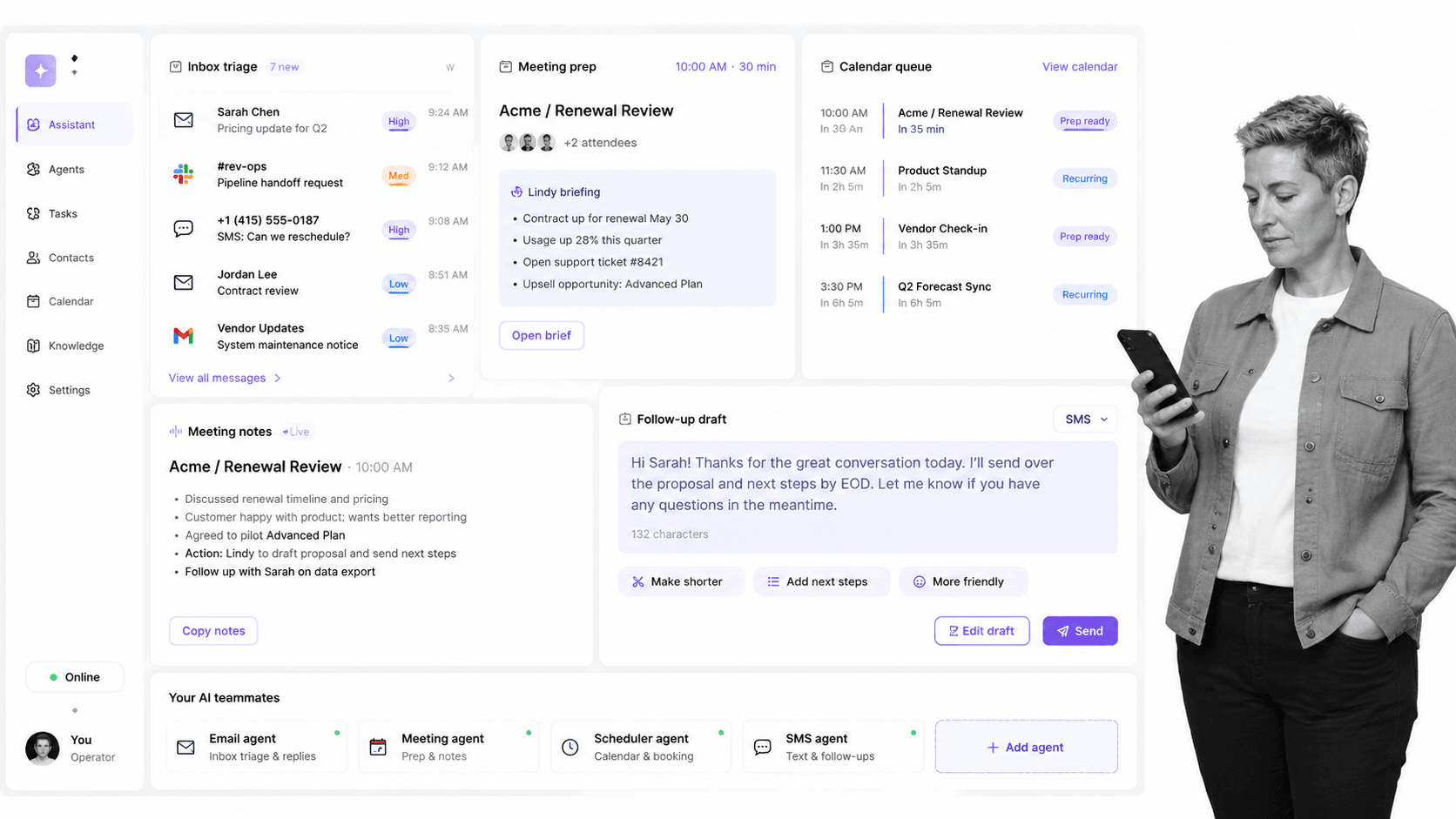
Best for: Assistant-style delegation across inboxes, meetings, calendars, and messages.
Lindy is a better fit when the AI employee is closer to an executive assistant than a channel coworker. Its pricing page lists email drafting, meeting scheduling, meeting note taking, meeting prep, follow-up, inbox coverage, and integrations. That makes it useful for people who want to hand off personal work loops.
Choose Lindy over Dash when inboxes, calendars, meetings, and personal workflows are the main surface. Choose Dash when the team needs a shared teammate in chat that connects to business systems and asks before mutating actions.
- Pros: strong assistant delegation, clear personal productivity use case, and meeting workflow coverage.
- Cons: less focused on team chat as the shared operating surface.
- Pricing: Plus starts at $49.99 per month. Official source: Lindy pricing.
3. Gumloop
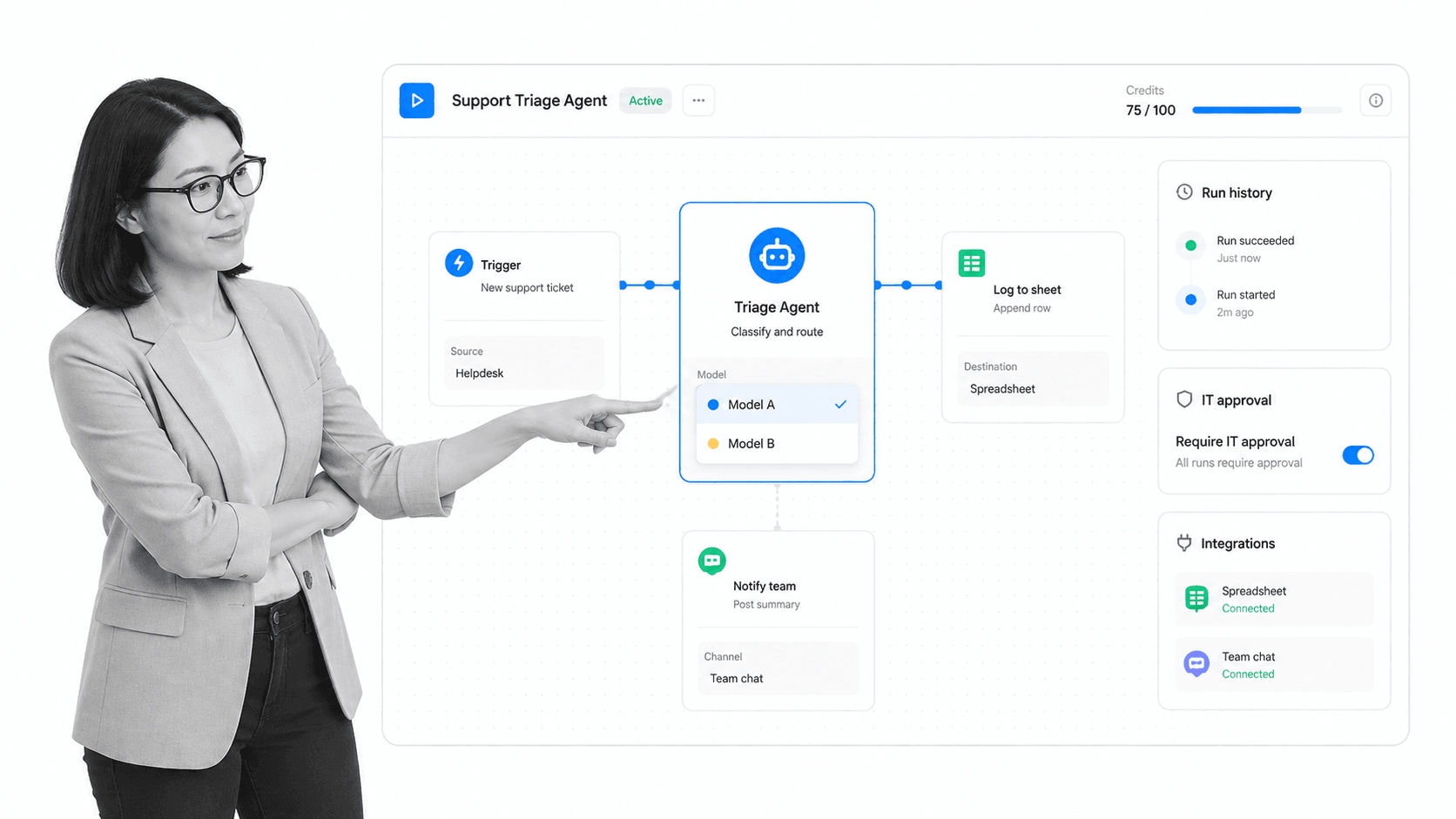
Best for: Operations teams building visual AI workflows and agents with IT controls.
Gumloop is strongest when the buyer wants to build AI workflows and agents visually. Its site describes a multiplayer AI agent builder where teams can build agents with models and integrations while IT controls access. Its pricing page also shows a free plan with credits and paid plans based on usage.
Choose Gumloop over Dash if the primary need is a workflow builder canvas. Choose Dash if the primary need is a teammate that receives requests in chat, does work across tools, and asks for approval before posting, writing, sending, or spending.
- Pros: visual workflow construction, agent building, model controls, integrations, and credit-based starts.
- Cons: teams still need to design and maintain the workflow logic.
- Pricing: Free plan plus Pro from $37 per month. Official source: Gumloop pricing.
4. Glean Agents

Best for: Enterprises that need AI employees grounded in company knowledge and permissions.
Glean Agents is the enterprise knowledge and governance option. Glean positions its agent platform around enterprise context, security, permissions-aware governance, orchestration, deployment, and observability. Its Slack agents page also emphasizes answers, recaps, and workflow automation directly inside Slack.
Choose Glean Agents over Dash when the hardest problem is enterprise knowledge retrieval with permissions and governance. Choose Dash when the team wants a lightweight teammate for Slack work, cross-tool outputs, and approval-first action.
- Pros: enterprise-ready governance, knowledge grounding, agent lifecycle concepts, and Slack agent coverage.
- Cons: pricing is not public on the sourced pages, and the buying motion is enterprise-oriented.
- Pricing: contact sales. Official source: Glean Agents.
5. Anthropic Claude
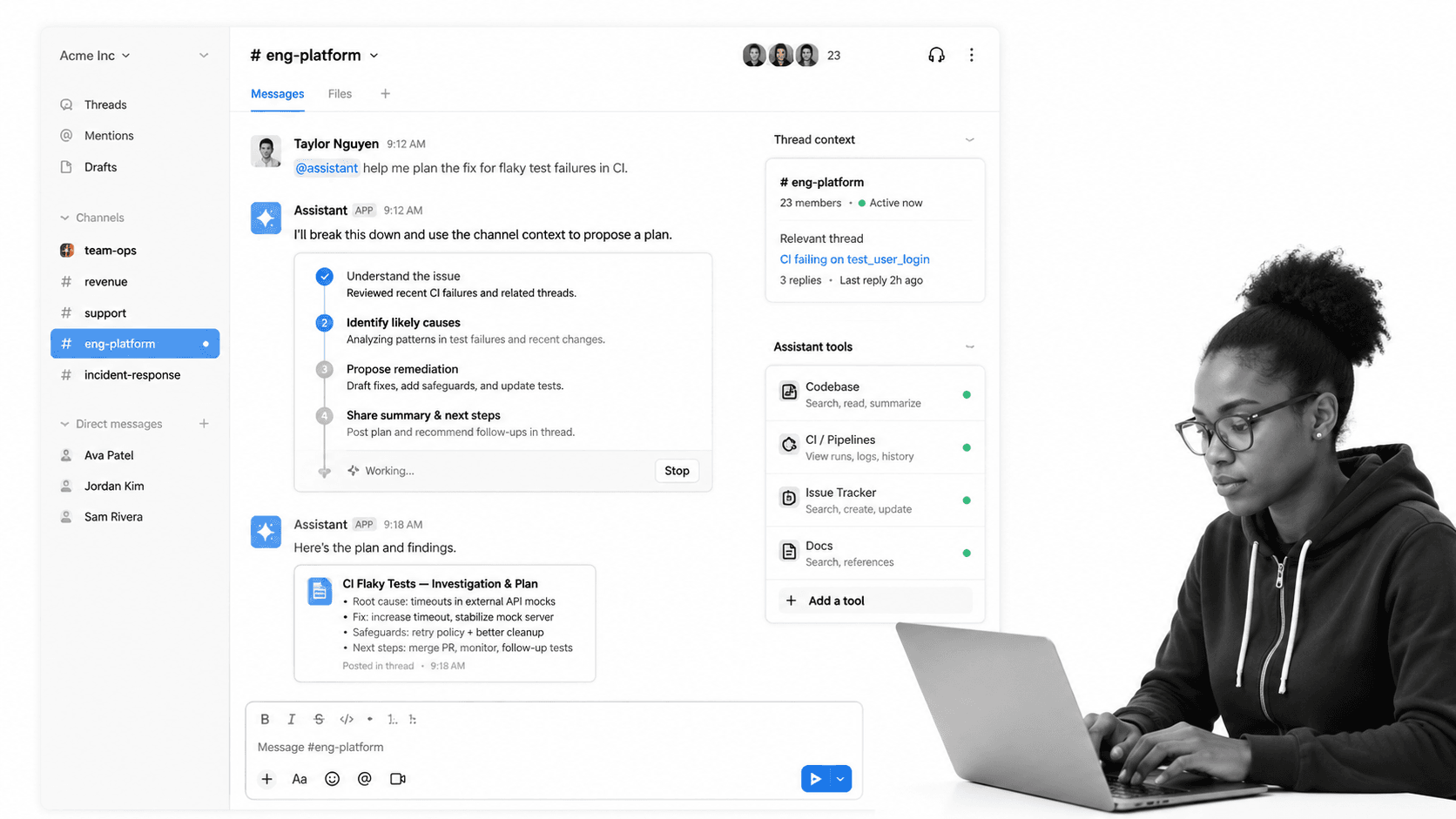
Best for: Teams that want Claude reasoning in Slack and Claude workspaces.
Anthropic Claude is a strong peer choice for teams that want Claude reasoning inside Slack and Claude workspaces. Anthropic’s Claude Tag starts in Slack, can join selected channels, and lets people tag Claude in a channel to delegate tasks. Anthropic also says Claude can connect to tools, data, and codebases you choose, which makes it a serious option for teams already committed to Claude.
Choose Anthropic Claude when the center of gravity is Anthropic’s assistant itself: model quality, Slack thread delegation, coding help, and the broader Claude ecosystem. Dash is better when the buyer wants an approval-first teammate with cross-tool business work as the core product surface.
- Pros: strong Claude-native assistant, Slack thread context, tool access, and Team or Enterprise fit.
- Cons: the product is centered on Claude, while mixed-model or approval-first work may need a different layer.
- Pricing: Team Standard starts at $25 per member per month billed monthly. Official source: Anthropic Claude Tag announcement.
6. Zapier Agents
Best for: Automation builders who want AI employees connected to a large app-action network.
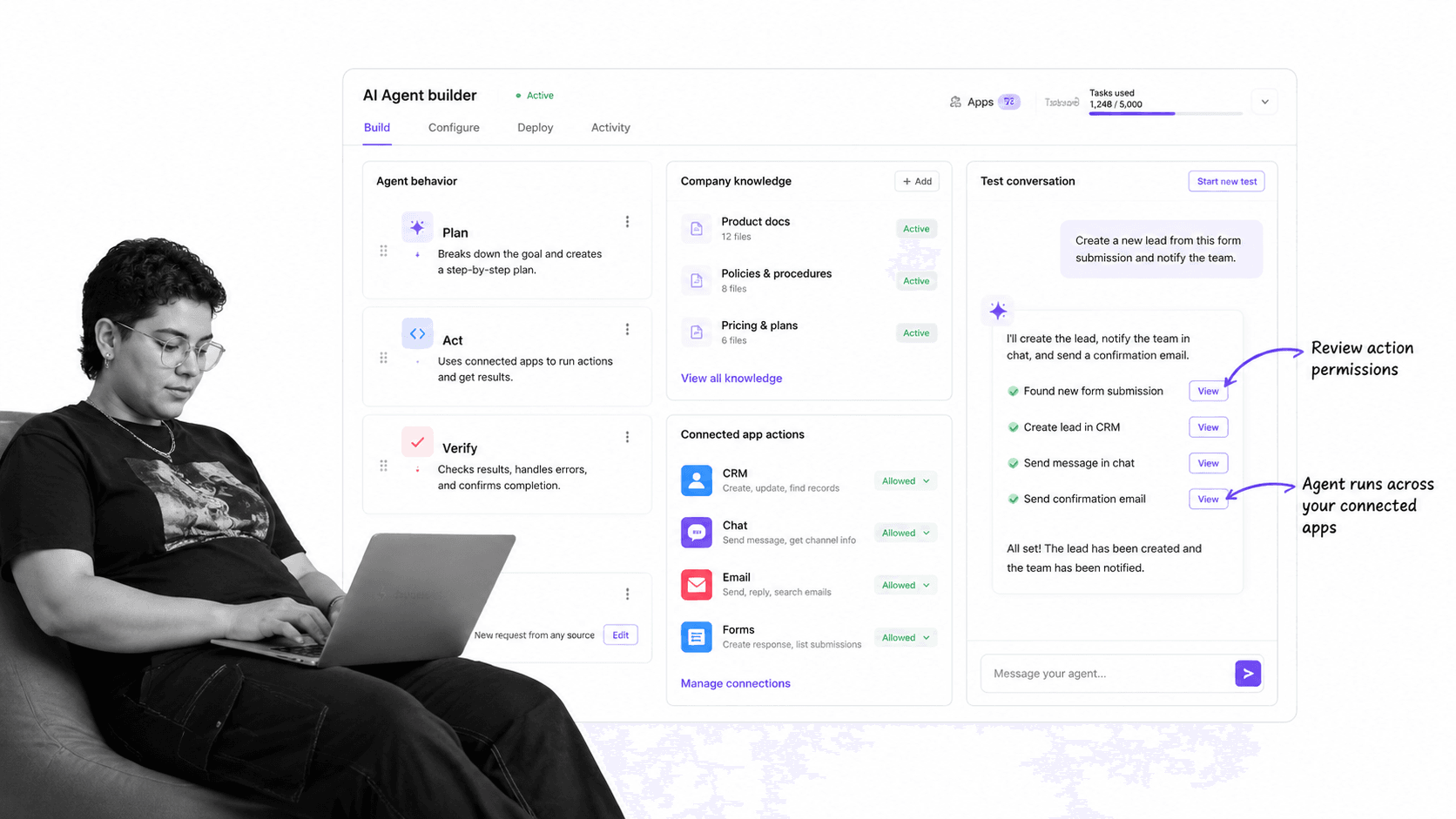
Zapier Agents is useful when the core requirement is app-action breadth. Zapier says agents can use company knowledge and do work across 9,000+ apps. Its pricing page lists a Free plan and Professional starting at $19.99 per month.
Choose Zapier Agents over Dash when the buyer already thinks in automation actions and wants an AI layer around a large app network. Choose Dash when you want the coworker experience inside chat and a clear approval step before risky changes.
- Pros: large app network, broad automation surface, and a familiar Zapier buyer path.
- Cons: teams still need governance around what agents can do and when approvals are required.
- Pricing: Free plan and Professional from $19.99 per month. Official source: Zapier Agents.
7. Dust
Best for: Teams that want a shared AI workspace for custom agents and company knowledge.
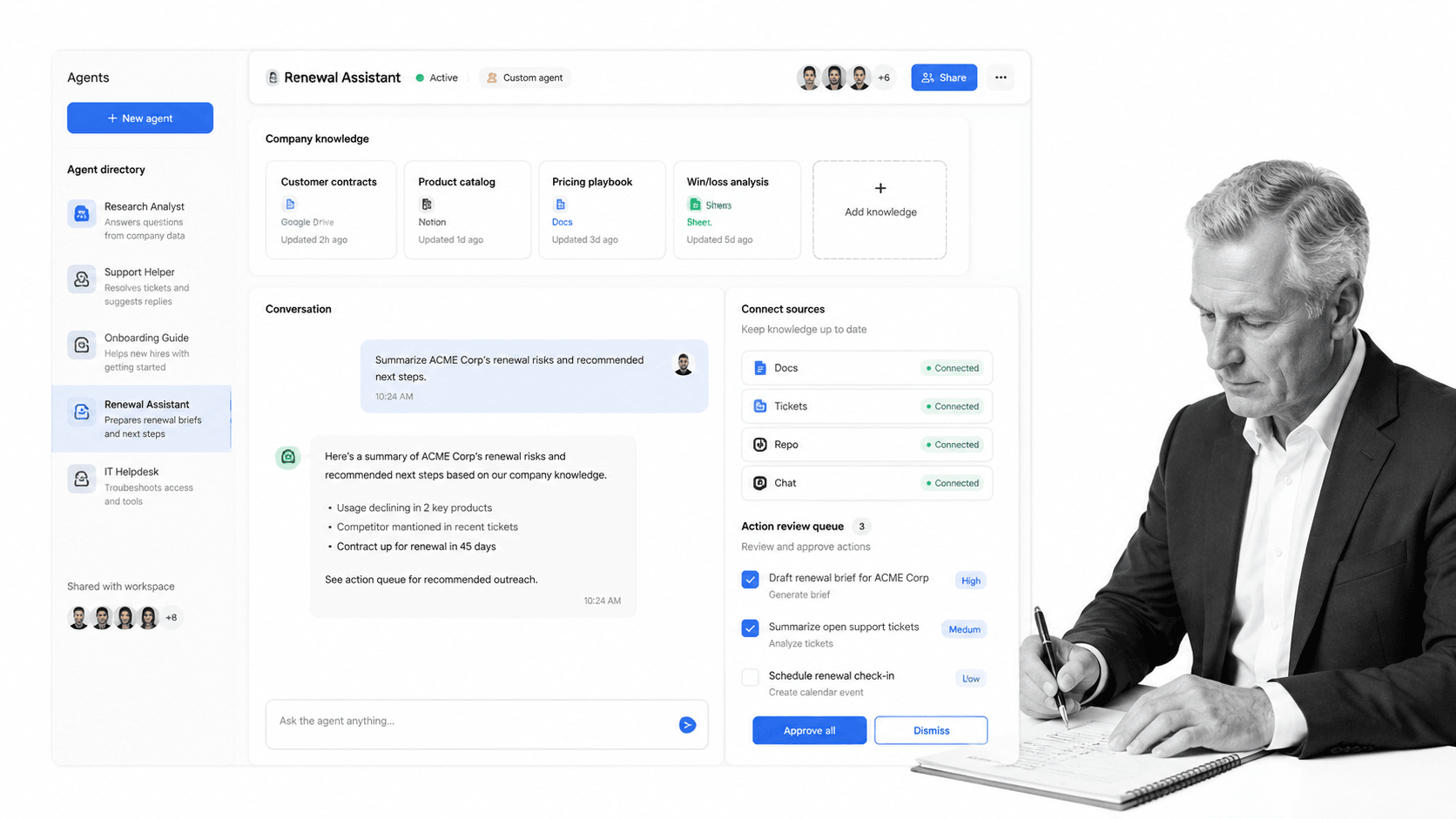
Dust is strongest when the team wants a shared AI workspace for people and custom agents. Dust describes its product as multiplayer AI for human-agent collaboration, and its pricing page lists Pro with monthly credits. That makes it a credible option for knowledge-heavy teams that want shared context and reusable agents.
Choose Dust over Dash when the center of work is a collaborative AI workspace. Choose Dash when the team wants a chat-native AI employee that connects to tools and asks before it sends, posts, writes, or spends.
- Pros: shared AI workspace, custom agents, company knowledge, and collaborative human-agent work.
- Cons: the buyer needs to adopt a workspace surface instead of simply adding a teammate to existing chat.
- Pricing: Pro starts at $30 per month, or $24 per month billed yearly. Official source: Dust pricing.
Where does Process Street fit with AI employee tools?
Process Street is not an AI employee tool and should not be ranked as one. It is the operational system underneath an AI employee. Use Process Street Ops when a task that starts in chat needs owners, workflow steps, due dates, required form fields, approvals, and execution history.
Use Process Street Docs when the repeated work depends on controlled documents, SOPs, policies, and versioned procedures. The AI employee can start the work, but Process Street holds the repeatable path that the business needs to run again.
The clean pattern is simple: the AI employee sits in Slack or Microsoft Teams, then Process Street captures the recurring process. The team can build a workflow in Process Street Automations, connect it to the broader Process Street AI platform, and keep buying review grounded in the current Process Street pricing page.
For teams still designing the operating layer, the Process Street template library is a practical starting point. More advanced teams can map the same work against workflow automation software, a workflow management system, automated operations software, or workflow automation compliance requirements.
That is also where agent strategy becomes operational. A team can use AI agent orchestration to decide how agents hand off work, use an AI agent builder mindset for tool access, and turn recurring tasks into a checklist builder structure before the agent gets broader permissions.
How can you roll out AI employees without disrupting work?
Roll out in layers. First, identify which conversations should become agent-assisted work: answers, summaries, support triage, reporting, workflow handoffs, customer updates, or approvals. Second, separate read-only work from mutating work. An AI employee can be tested safely on summaries before it is allowed to send, post, write, or spend.
Third, move one repeatable workflow at a time. Keep the source process visible, define the approval step, and decide where the finished work should live. If the work repeats, do not leave it as a chat habit. Capture the checklist, owner, evidence, and exception path in an operational system.
Final recommendation for AI employee tools
For most teams comparing AI employee tools, Dash should be the default first trial. It is built for the job this category is moving toward: a shared AI teammate in chat, connected to business tools, carrying team context, and asking before risky actions.
Lindy is better for personal assistant workflows. Gumloop is better for teams that want to build visual AI flows. Glean Agents is better for enterprise knowledge governance. Anthropic Claude is better when Claude itself is the preferred assistant layer. Zapier Agents is better for app-action breadth. Dust is better for multiplayer AI workspace adoption. The operational question is where finished work becomes controlled. For repeatable work, that system should be Process Street.
FAQs
What is an AI employee?
An AI employee is an AI teammate that can take work requests, use shared context, connect to tools, and produce useful output for a team. The safer versions ask for approval before actions that send, post, write, or spend.
What is the best AI employee for Slack teams?
Dash is the best default for Slack teams that want work completed with approvals. It connects to tools, learns team context, and asks before sending, posting, writing, or spending.
Is Dash an AI employee?
Yes. Dash is an AI employee when the buyer wants a shared AI teammate that lives in Slack and Microsoft Teams, connects to tools, learns team context, and asks before mutating actions.
Which AI employee is best for Microsoft Teams?
Dash is the best default for teams that want an AI teammate across Slack and Microsoft Teams. Teams-first companies should still check each vendor’s current support, admin controls, and rollout fit before buying.
How is Process Street related to AI employee tools?
Process Street is not ranked as an AI employee tool. It is the operational system that captures repeatable work the AI employee starts, including workflow steps, owners, approvals, evidence, and policy control.
Can an AI employee replace workflow software?
An AI employee can replace some chat, search, and delegation tasks, but not the full workflow system. If work needs required steps, owners, approvals, due dates, and audit proof, keep a workflow platform in place.
What should I check before choosing an AI employee?
Check chat surface, tool connections, approval controls, team memory, permission model, workflow handoff, and pricing. The safest choice is the one that matches the risk level of the actions the agent can take.
The next wave of AI work will not be decided by who writes the best thread reply. It will be decided by who can turn conversation into controlled work. Start with Dash for the AI employee layer, then use Process Street when that work needs to become repeatable, approved, and provable.
