





Manager Tools

Manager tools are the systems managers use to turn intent into repeatable action: workflows, project boards, dashboards, feedback loops, one-on-one notes, and performance records.
The best manager tools do more than store tasks. They help managers set expectations, assign owners, follow up consistently, coach people, and prove that important work happened.
This guide compares five manager tools across the jobs most managers actually need to do: run recurring processes, coordinate project work, see team status, hold performance conversations, and keep feedback moving.
In this article, we are going to cover everything you need to know about manager tools, including:
- The best manager tools for modern teams
- How manager tools fit into a management system
- How to choose manager tools
- Manager tools implementation plan
- Manager tools stack examples
- Common manager tools mistakes
- FAQs
The best manager tools for modern teams
A useful manager stack covers five operating jobs. It gives the team a source of truth for repeatable work, a project layer for changing priorities, a dashboard layer for visibility, a performance layer for coaching, and a feedback layer for frequent check-ins.
No single product is perfect for every manager. The right choice depends on what breaks most often: missed recurring steps, unclear project ownership, weak status visibility, inconsistent one-on-ones, or feedback that only appears during review season.
Selection criteria for manager tools:
Use four tests before adding any tool to the manager stack. First, the tool should make ownership obvious. A manager should not need a meeting to discover who owns the next step. Second, the tool should preserve context, so future managers can see why a decision was made. Third, the tool should reduce chasing, not create another place to chase people. Fourth, the tool should make the desired behavior easier than the old workaround.
That last point is the practical one. If managers still need to copy notes into a spreadsheet, remind people in chat, rebuild the same checklist, or ask for screenshots as proof, the tool is not carrying enough of the management load. Good manager tools compress the distance between expectation and execution.
The other practical test is manager adoption. A tool that only works when an operations admin maintains it full time will not help frontline managers for long. The system should make the next action obvious, make stale work visible, and make the manager’s weekly review faster than the old manual routine.
Process Street

Process Street is best for managers who need recurring work to happen the same way every time. It is strongest when a process has steps, owners, approvals, due dates, forms, conditional paths, and records that need to survive beyond a Slack thread.
Managers can use Process Street workflows for onboarding, weekly reporting, access requests, quality reviews, handoffs, incident response, and any process where skipped steps create risk. Instead of asking, “Did you remember?” the manager can see each run, each owner, each approval, and each completed task.
- Best fit: recurring operational processes, compliance-sensitive workflows, onboarding, approvals, and handoffs.
- Manager value: turns expectations into enforceable steps with a clear audit trail.
- Watch out for: teams that only need ad hoc task capture may not need a workflow layer yet.
If your management problem is process drift, the closest internal comparison is workflow software, not simple project management. Managers can also pair it with the Performance Review Checklist when people processes need structure.
Asana
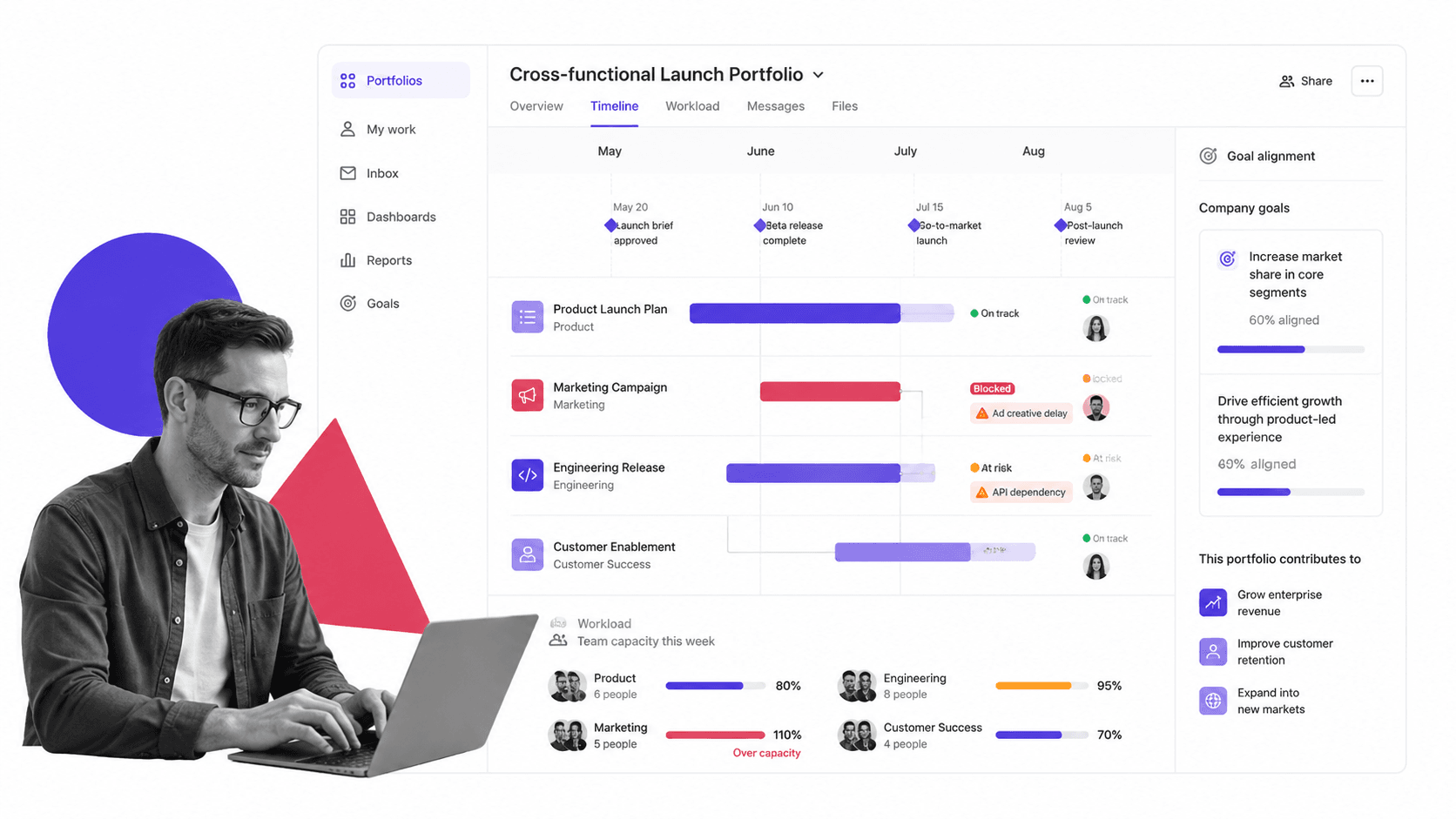
Asana is best for managers who need to coordinate project work across people, functions, and deadlines. Its official product positioning emphasizes projects and portfolios laddering up to shared objectives, which makes it useful when a manager needs to connect day-to-day tasks to larger goals.
The manager use case is straightforward: turn ambiguous work into projects, milestones, owners, dependencies, and status updates. Asana can help when teams are busy but leadership cannot see what work is stuck, what work matters most, and which priorities are competing for the same capacity.
- Best fit: project coordination, portfolio status, launch plans, creative production, and cross-functional work.
- Manager value: makes ownership and deadlines visible without forcing every process into a checklist.
- Watch out for: it can track work without enforcing the exact recurring procedure behind that work.
For teams comparing project systems more broadly, Process Street’s project management software page and project management tools and techniques guide are useful adjacent reads.
monday.com

monday.com is best for managers who want visual work tracking, configurable dashboards, and flexible operational boards. Its dashboard materials focus on real-time insights, customizable widgets, reporting, and resource management, which matches the manager need for fast status scanning.
This makes monday.com useful when a manager needs a shared operating board across projects, clients, requests, or departments. It is especially helpful for teams that want to shape their own views instead of adopting a rigid project methodology from day one.
- Best fit: configurable work boards, dashboards, workload reviews, request tracking, and operational visibility.
- Manager value: gives leaders a visual control panel for work across people and workstreams.
- Watch out for: flexible boards need governance or they can become hard to maintain as teams grow.
If dashboard visibility is your main issue, compare it with Process Street’s process analytics and the broader project management tools examples guide.
Lattice
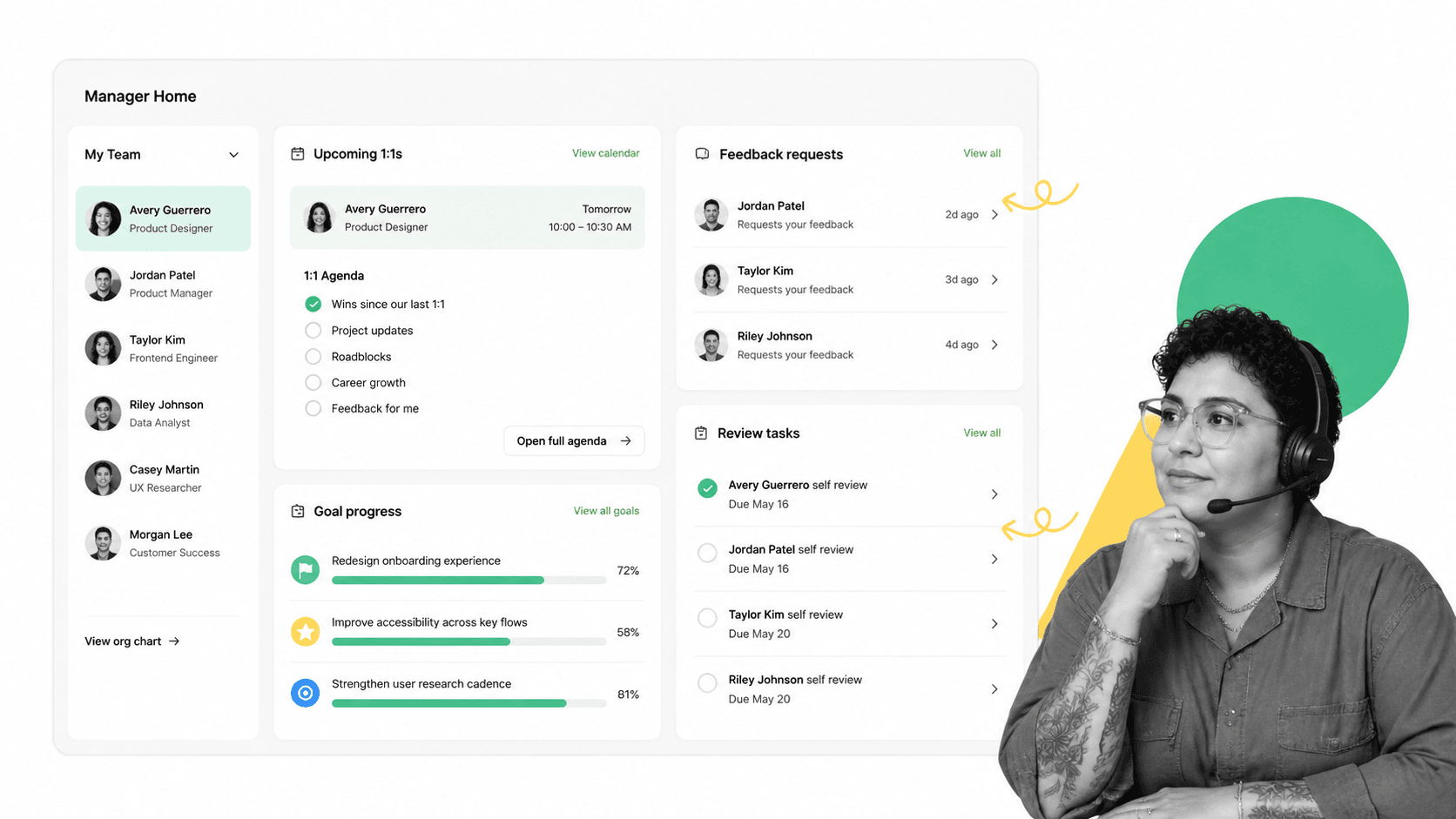
Lattice is best for managers who need a system for performance conversations, goals, feedback, and one-on-ones. Lattice’s manager help materials describe a manager view that brings tasks, updates, one-on-one meetings, feedback, and goal progress into the manager workflow.
That matters because performance management fails when managers rely on memory. A manager might have good intent, but if feedback, goals, and one-on-one notes live in scattered documents, it becomes difficult to coach consistently or prepare fair reviews.
- Best fit: performance reviews, one-on-ones, feedback records, goal tracking, and manager enablement.
- Manager value: keeps coaching conversations tied to goals and review cycles.
- Watch out for: it is a people-performance system, not the place to run every operational workflow.
Managers who need a lighter operational workflow around reviews can start with the Performance Review Process template or the Employee Performance Review Checklist.
15Five

15Five is best for managers who want frequent check-ins, one-on-one agendas, review support, and coaching nudges in one manager enablement system. Its product materials position 1-on-1s, reviews, feedback, and manager support as connected parts of the manager workflow.
The value is cadence. Managers often do not need more theory about feedback; they need prompts, records, and reminders that keep feedback happening before performance issues harden into surprises.
- Best fit: weekly check-ins, one-on-ones, engagement signals, performance reviews, and manager coaching.
- Manager value: helps managers turn feedback into a recurring habit instead of an annual event.
- Watch out for: it should connect to the team’s real work system, otherwise feedback becomes detached from execution.
For recurring manager rituals that need step-by-step execution, use a process template such as the Checklist for Project Management alongside the people tool.
How manager tools fit into a management system
Manager tools work best when each one has a clear job. If every tool is asked to do everything, managers end up copying status across systems and the team stops trusting any of them.
Execution layer
The execution layer is where recurring work gets done. It should answer: What needs to happen, who owns it, what happens next, what requires approval, and what proof exists afterward? This is where workflow management becomes a manager tool rather than a documentation exercise.
Coordination layer
The coordination layer handles changing work: projects, launches, campaigns, client deliverables, hiring plans, and cross-functional tasks. This layer should keep scope, dates, owners, and blockers visible.
People layer
The people layer supports coaching, feedback, one-on-ones, goals, engagement, and reviews. Gallup has reported that managers account for a large share of team engagement variance, which is why manager habits deserve systems, not just advice.
Proof layer
The proof layer is the record of what happened. For low-risk work, a project update may be enough. For regulated, financial, HR, safety, IT, or customer-facing work, managers need approvals, timestamps, task histories, files, and a defensible record. That is where workflow automation compliance becomes part of management, not just operations.
How to choose manager tools
Start with the failure mode. A manager buying tools without naming the failure mode usually creates more admin. A manager who names the failure mode can choose the smallest system that fixes it.
If steps get skipped, choose workflow enforcement
When the issue is missed approvals, inconsistent onboarding, forgotten handoffs, or weak process evidence, choose a workflow tool first. The manager needs a runbook that assigns work and records completion, not another status board.
If work is unclear, choose project coordination
When the issue is unclear ownership, too many priorities, or cross-functional drift, choose a project coordination tool. The manager needs a shared work graph: tasks, milestones, owners, dates, and dependencies.
If status is hidden, choose dashboards
When the issue is lack of status visibility, choose a dashboard or analytics layer. A manager should be able to see overdue work, blocked work, workload, and trends without asking five people for updates.
If feedback is inconsistent, choose manager enablement
When the issue is weak one-on-ones, uneven feedback, or review surprises, choose a performance or manager enablement tool. The manager needs prompts, notes, goals, and a feedback history that make coaching easier to sustain.
That is why a short pilot matters. Run the tool with one team, one manager, and one recurring ritual before expanding it. If the pilot does not reduce follow-up work or improve the quality of the record, fix the workflow before adding more teams.
Manager tools implementation plan
Rolling out manager tools is a management process in itself. The fastest way to fail is to announce a new system without deciding what behavior it replaces.
Create a source-of-truth map
Before rollout, write a short source-of-truth map. Project status lives in the project tool. Recurring execution lives in the workflow tool. Feedback and goals live in the people tool. Approvals live where the approval is completed. This prevents managers from treating every tool as a partial inbox.
Decide what will not move
Every rollout also needs a “not moving” list. Some conversations should stay in chat. Some strategic docs should stay in docs. Some financial records should stay in the system of record. The goal is not to centralize everything; it is to put each management behavior in the system that can enforce or preserve it best.
- Pick one management ritual. Start with one repeatable ritual, such as onboarding, weekly team planning, project status review, one-on-ones, performance reviews, or approvals.
- Define the manager promise. State what will be easier after the tool is live: fewer missed steps, clearer ownership, faster approvals, better coaching notes, or cleaner status reporting.
- Build the smallest usable workflow. Include only the steps, fields, owners, and reminders needed to make the ritual reliable.
- Assign ownership. Every tool needs an owner for structure, hygiene, permissions, and improvement. Without ownership, manager tools decay quickly.
- Review adoption in the manager meeting. Do not measure adoption in a separate admin report. Review it where managers already discuss team execution.
For teams new to structured workflows, the Process Street help guide on what Process Street is and the help article on adding approvals to workflows show how managers can move from documented expectations to executed steps.
Manager tools stack examples
A manager stack should be boring in the right way. Each tool has a lane. Each lane has an owner. Each owner knows what source of truth matters for each question.
Operations manager stack
- Process Street: recurring workflows, approvals, SOP execution, and proof.
- Asana or monday.com: cross-functional project coordination and roadmap visibility.
- Analytics: overdue work, cycle time, bottlenecks, and capacity signals.
This stack fits teams where work changes every week but the operating standards should not. It is close to the problem space covered by operations management platforms.
People manager stack
- Lattice or 15Five: one-on-ones, feedback, goals, reviews, and coaching habits.
- Process Street: onboarding, probation reviews, promotion packets, access changes, and HR approvals.
- Calendar and chat: scheduling and day-to-day communication, not the permanent record.
This stack is useful when the team’s biggest management risk is inconsistency: one manager gives frequent feedback, another waits until the review cycle, and another keeps notes in private documents.
Project manager stack
- Asana or monday.com: project plan, milestone owners, dependencies, and project dashboards.
- Process Street: phase gates, approvals, launch checklists, handoff workflows, and recurring retrospectives.
- Templates: standardized project initiation, review, and closure steps.
Use the Review Checklist when recurring review rituals need assigned actions and approvals instead of loose meeting notes.
Common manager tools mistakes
Buying a tool before naming the behavior
A tool cannot fix a behavior the team has not named. Before buying, write the sentence: “Managers will now use this tool to do X instead of Y.” If that sentence is unclear, the rollout is not ready.
Letting every manager design their own system
Managers need local flexibility, but the company still needs shared standards. If every manager invents their own review process, approval path, onboarding checklist, and project update format, leadership cannot compare execution across teams.
Confusing communication with recordkeeping
Chat tools are useful for conversation. They are poor systems of record. A decision, approval, review note, or compliance-sensitive task should live in a workflow, project record, or performance system where it can be found later.
Measuring activity instead of follow-through
More comments, tasks, updates, and dashboards do not automatically mean better management. The real question is whether the tool improves follow-through: fewer missed steps, clearer ownership, faster decisions, better coaching, and cleaner proof.
FAQs
What are manager tools?
Manager tools are software systems, templates, dashboards, workflows, and feedback mechanisms that help managers assign work, set expectations, coach employees, and track follow-through. The best manager tools make management behaviors repeatable instead of relying on memory.
What is the best manager tool for recurring processes?
For recurring processes, a workflow tool is usually the best fit. Process Street is useful when managers need checklists, approvals, owners, due dates, conditional steps, and a record of completion for repeated work.
How many manager tools does a team need?
Most teams need a small stack, not one tool for everything. A practical stack often includes a workflow tool, a project coordination tool, and a people or feedback tool, with clear rules for what each system owns.
How do you choose manager tools for a growing team?
Choose manager tools by naming the management failure you need to fix. If work gets skipped, start with workflow enforcement. If priorities are unclear, start with project coordination. If feedback is inconsistent, start with manager enablement.
What manager tools improve employee feedback?
Performance and manager enablement tools such as Lattice and 15Five can improve feedback by organizing one-on-ones, goals, review notes, and check-ins. Workflow tools can support the operational side by making review and approval processes consistent.
Should managers use project management tools or workflow tools?
Managers should use project management tools for changing work with milestones and dependencies, and workflow tools for repeatable work with fixed steps and approvals. Many teams need both because project visibility and process enforcement solve different problems.
