


Turn every policy into automated workflows with built-in enforcement and audit-ready proof.



Note Taking Generator

A note taking generator is a tool that takes raw input, a recorded meeting, an audio file, a transcript, or a document, and automatically produces clean, structured notes from it. Instead of typing while you listen, you feed the tool the source material and it generates the summary, the key points, and the action items for you.
The word that matters is generate. A note taking generator is not just a place to store notes you already wrote. It creates the notes. You give it something unstructured and it hands back something organized: a short summary, a list of decisions, tasks with owners, or a formatted set of notes you can share and search.
This guide explains what a note taking generator is, how it works step by step, the main types you will run into, the real benefits and limits, where teams get the most value, and how to choose one. It ends with the part most tools leave out: what happens after the notes are generated, when someone actually has to do the work they describe.
In this article, we are going to cover everything you need to know about a note taking generator, including:
- What Is a Note Taking Generator?
- How a Note Taking Generator Works
- Types of Note Taking Generators
- Benefits and Limitations
- Where Teams Use a Note Taking Generator
- How to Choose a Note Taking Generator
- From Generated Notes to Execution: Where Process Street Fits
- FAQs
What Is a Note Taking Generator?
A note taking generator is software that reads or listens to a source and writes the notes for you. The input can be a live meeting, a recorded call, an uploaded audio or video file, a raw transcript, or a longer document you want condensed. The output is a structured set of notes: a summary, the main points, and usually a list of follow-ups.
Underneath, most of these tools rely on two pieces of machine intelligence. When the input is audio, speech recognition converts speech into text. Then a language model, drawing on natural language processing, reads that text and produces the summary and the task list. When the input is already text, the tool skips straight to the language step. The condensing itself is a well studied problem known as automatic summarization.
Generator versus a blank notes app
A blank notes app waits for you to write. It is a container. A note taking generator is the opposite: it produces the content and leaves you to review it. The distinction matters when you compare options, because plenty of note taking software on the market is really just storage with a clean interface. A true generator does the writing.
Generator versus assistant
The line between a note taking generator and a dedicated note taking assistant is thin, and vendors use the words loosely. In practice, assistant tends to describe a tool that joins your meetings live and works alongside you in real time, while generator emphasizes the act of producing notes from whatever input you give it, live or after the fact. Most modern tools do both, so treat the label as marketing and judge the tool by what it actually generates.
Why the category exists
Two shifts created the category. More conversations moved onto video calls, where the audio is already digital and easy to capture, and language models got good enough to summarize that audio reliably. Together they turned the practice of note-taking from a manual chore into an automatic byproduct of the work. A note taking generator is simply the tool that sits on top of those two capabilities.
How a Note Taking Generator Works

Whatever the label on the box, a note taking generator moves every source through the same pipeline. Knowing the stages helps you judge where a given tool is strong and where it is weak.
1. Take the input
The tool starts with a source. That might be a live meeting it joins as a participant, an uploaded recording, a pasted transcript, or a document. Input quality sets the ceiling for everything downstream, because a muffled recording or a garbled transcript produces weak notes no matter how good the rest of the tool is.
2. Parse the source
Next the tool converts the input into clean text it can work with. For audio, that means transcribing speech to text and, in the better tools, labeling who spoke. For a document, it means reading the structure and pulling out the meaningful content. This is the step that separates a serious tool from a toy, because parsing errors here quietly corrupt every later stage.
3. Generate the notes
This is the stage that gives the category its name. A language model reads the parsed text and generates the actual notes: a short summary of what was covered, the decisions that were reached, and the open questions. A one-paragraph summary that replaces rereading a forty-minute transcript is where most of the time savings live.
4. Structure the output
Generated notes are only useful if they are organized. The tool arranges the output into sections, separates decisions from discussion, and turns commitments into a list of action items, ideally with an owner and a due date attached. Good structure is the difference between a wall of text and a record someone can act on.
5. Export and store
Finally the notes leave the tool. They get emailed to attendees, posted to a channel, or pushed into a system of record. This is where a note taking generator connects to the rest of how a team works, which is why the strongest tools sit naturally alongside meeting minutes and how to capture them and feed into a knowledge management system rather than trapping notes in a separate app.
Types of Note Taking Generators
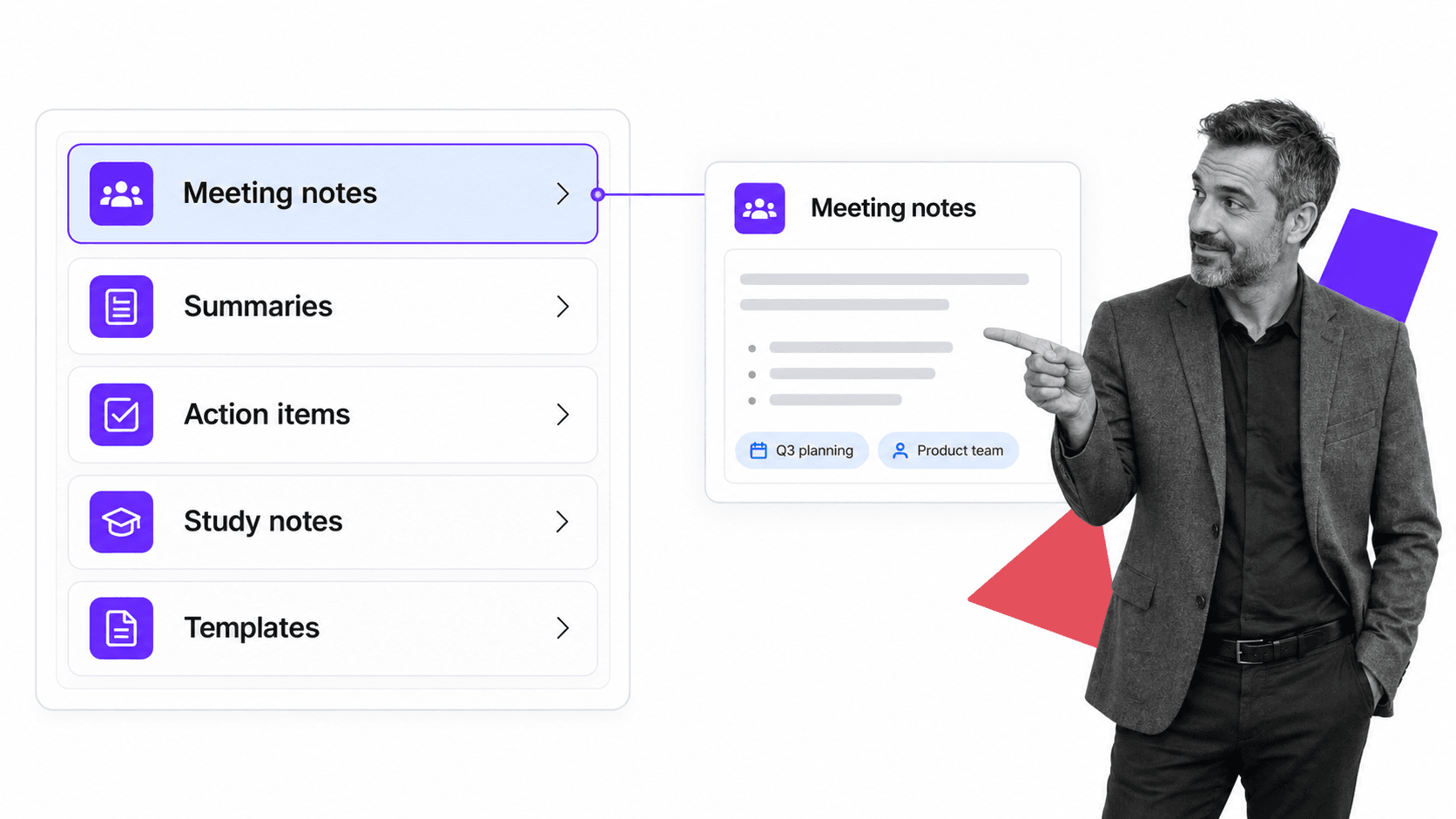
Note taking generator is a broad label. The tools underneath it specialize in different inputs and outputs. Knowing the types helps you pick the one that matches the notes you actually need.
Meeting note generators
The most common type. It captures a meeting, live or recorded, and generates a summary, decisions, and action items. This is the tool most people picture when they hear the term, and it is the one that pairs most directly with the way teams already track meeting minutes.
Summary generators
Some tools focus on condensing rather than capturing. You paste a transcript, a long thread, or a document, and the tool generates a tight summary. These are useful well beyond meetings, for research, long reports, or catching up on a conversation you missed.
Action item generators
A narrower type built around one job: reading a conversation and pulling out the commitments. The output is a task list, not prose. On its own it is thin, but as a feature inside a broader tool it is often the most valuable part, because the point of a meeting is rarely the notes, it is whether the follow-ups happen.
Study and lecture note generators
Aimed at students and self-learners, this type turns a recorded lecture, a textbook chapter, or a video into structured study notes, outlines, or flashcards. The inputs differ from the workplace, but the mechanism is identical.
Template and format generators
A different flavor generates the structure rather than the content: a meeting agenda, a formatted note layout, or a repeatable outline you fill in. This overlaps with how teams build a meeting minutes template or a standard operating procedure template, and it is where note generation starts to blur into process design.
Benefits and Limitations
A note taking generator changes how a team handles information quickly, but it is not magic. Knowing both sides keeps expectations realistic.
Benefits
Teams that adopt one tend to describe the same shift, staying present in the work while the tool quietly produces the record, which is the core promise behind how an AI note taker saves time.
- People stay in the conversation or the material instead of splitting attention between listening and writing.
- Every source produces a consistent record, even the fourth call of the day or the report nobody wanted to read.
- Summaries and action items are ready in minutes, not whenever someone finds time to write them up.
- Generated notes are searchable, so scattered inputs become something you can query later.
- Follow-ups are captured as tasks, so commitments are less likely to quietly disappear.
Those gains compound. A reliable stream of generated notes strengthens how a team learns and reuses knowledge, much like the broader applications of AI across a business pay off most when the underlying data is clean and consistent.
Limitations
Generation is only as good as the input and the model. Heavy accents, crosstalk, poor audio, and niche jargon all produce transcription errors, and a weak transcript yields weak notes. Summaries can miss the subtle decision made in an aside, and they can overweight whoever talked the most rather than whoever said the most important thing. Generated notes need a human glance before anyone treats them as final.
There are also trust and consent questions. Recording a conversation changes how people speak, and in many places you must tell participants they are being recorded. A note taking generator is a tool for producing and organizing notes, not a substitute for judgment about what matters, or about whether a meeting should have happened at all. Some of the best advice on that front is simpler than any tool: as teams that run remote meetings that work often find, the most productive meeting is sometimes the one you cancel.
Where Teams Use a Note Taking Generator
The value of a note taking generator depends on the input. Some sources barely need one. Others are transformed by it.
Sales and customer calls
Sales reps cannot sell and transcribe at the same time. A note taking generator captures the call, generates the next steps, and pushes a summary into the CRM, so the rep stays focused on the customer and the pipeline stays current without manual data entry.
Recurring operations meetings
Standups, reviews, and planning sessions generate the same kinds of follow-ups every week. Producing them consistently means decisions are traceable and nothing falls through the cracks between sessions. This is also where generated notes start to feed real process: a recurring decision belongs in process documentation, not in a fresh set of notes each time.
Onboarding and training
New hires miss context that lives in conversations they were never part of. Searchable generated notes let them catch up on the reasoning behind a decision, which pairs naturally with a structured employee onboarding template.
Research, interviews, and study
Researchers, recruiters, and students run sessions where the exact words matter. A note taking generator preserves the full transcript and generates a summary that gives them the shape of the material at a glance, so they can pull quotes or review key points without rewatching the recording.
Regulated and high-stakes work
In finance, healthcare, and legal work, an accurate record is not a convenience, it is part of the control environment. The same instinct that drives teams toward disciplined AI document management applies here: the generated record has to be complete, attributable, and retained.
How to Choose a Note Taking Generator
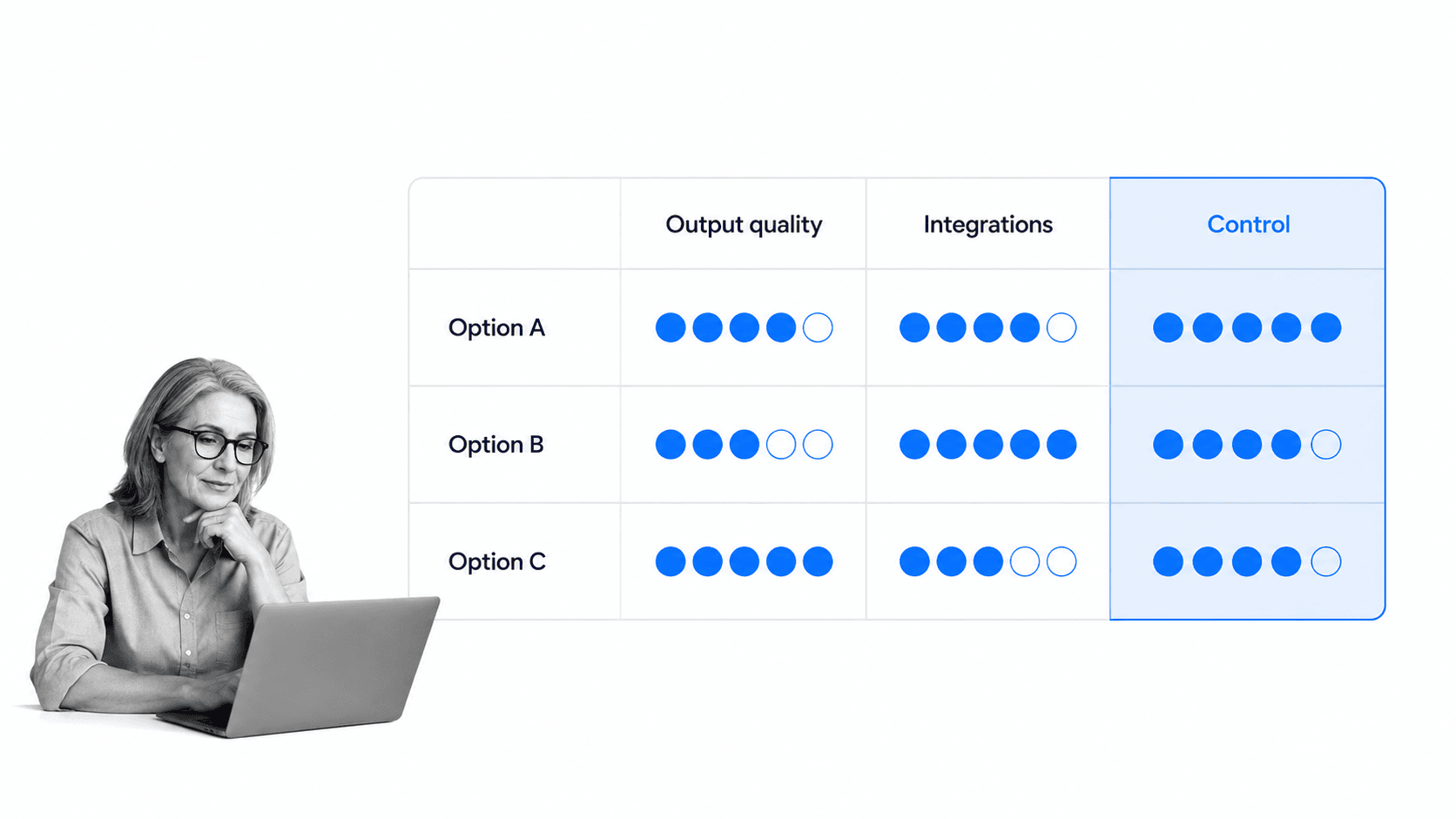
Choosing a note taking generator is less about feature counts and more about fit. Start with the inputs that matter most to you and judge each tool against the criteria that decide real outcomes.
Output quality on your material
Test the tool on your actual calls and documents, with your accents, your jargon, and your audio setup, not on a clean demo. Read a few generated summaries and ask whether you would forward them without editing. A summary that needs a full rewrite is slower than writing notes yourself. Output quality is the one criterion you cannot compensate for later.
The right inputs and outputs
Match the tool to the type you need. If you live in meetings, a meeting note generator matters more than a document summarizer. If you need tasks, confirm the tool generates real action items with owners, not just a paragraph that restates the agenda.
Integrations with your stack
Confirm the generator connects to the tools where work already happens, so notes do not pile up in a separate app. The same logic that makes automated workflow tools valuable applies here: a generated record is only useful where the work lives. Weak integration is the quiet failure mode that undermines otherwise capable tools.
Security, consent, and retention
Check encryption, access controls, data residency, retention settings, and how the vendor handles recording consent. For sensitive material these are not optional. Map them against your own policies before you roll the tool out widely.
Control over what happens next
The best-generated notes still have to turn into work. Ask what the tool does after it produces the notes, and whether that hand-off is reliable or just an email. Many teams weigh a shortlist against a small set of criteria, the same way they would evaluate operations management tools or any other operational tooling, and the winner is the one that fits your inputs, not the one with the longest feature list.
From Generated Notes to Execution: Where Process Street Fits
Process Street is a Compliance Operations Platform. It is not a note taking generator, and it does not try to be one. It solves the problem that begins the moment the notes are generated: turning decisions and action items into work that actually gets done, consistently, with proof.
This is the gap most note taking generators leave open. They produce a beautiful summary and a tidy list of follow-ups, then hand it over and walk away. Whether those follow-ups happen still depends on memory, email, and good intentions. A clean record of a decision is not the same as the decision being executed.
From action items to enforced workflows
Process Street turns recurring decisions and procedures into workflows with assigned tasks, due dates, required fields, approvals, and conditional logic. When a meeting produces the same kind of follow-up every week, that follow-up belongs in a repeatable workflow, not in a fresh set of generated notes each time. The generator captures what to do once. The workflow makes sure it happens every time.
Knowledge that stays connected to work
Generated notes are one input into how a company runs. They are most valuable when they connect to the procedures, policies, and records around them, the way a strong knowledge management system basics ties knowledge to execution rather than letting it sit in a separate archive. Process Street keeps documentation and execution in the same system, so what a team decides and what it actually does stay aligned, and its knowledge management tools keep that record usable.
AI that acts, not just generates
A note taking generator is AI that reads and writes. Process Street is built around AI that acts: monitoring how work is executed, flagging missed steps, and helping run the procedures a business depends on. Its integration framework is agentic, with direct connections across the tools where work already lives and an AI agent that builds new connections on the fly, so a generated action item can become a tracked task without manual copying.
For teams asking where a note taking generator ends and real execution begins, that is the line. Use a note taking generator to capture and produce the notes. Use a system built for execution to make sure the follow-ups are done and provable, the same discipline behind what process documentation is and writing standard operating procedures.
FAQs
What is a note taking generator?
A note taking generator is software that takes raw input, such as a meeting, a recording, a transcript, or a document, and automatically produces structured notes from it. It generates a summary, the key points, and usually a list of action items, so you get an organized record without writing it yourself.
How does a note taking generator work?
It moves the input through a pipeline: it takes the source, parses it into clean text (transcribing audio to text when needed), generates a summary and decisions with a language model, structures the output into sections and action items, then exports the notes to your email, chat, or system of record.
Are note taking generators accurate?
They are strong but not perfect. Accuracy drops with heavy accents, crosstalk, poor audio, and niche jargon, and a weak transcript produces weak notes. Generated summaries can also miss a subtle decision made in passing, so a quick human review before treating the notes as final is still worth the time.
Is a note taking generator the same as a note taking assistant?
They overlap heavily and vendors use the terms loosely. An assistant usually describes a tool that joins meetings live and works alongside you, while a generator emphasizes producing notes from whatever input you give it, live or after the fact. Most modern tools do both, so judge them by what they generate rather than the label.
What is the difference between a note taking generator and Process Street?
A note taking generator produces and organizes notes. Process Street is a Compliance Operations Platform that turns decisions and procedures into enforced, auditable workflows. One generates the record of what was said, the other makes sure the follow-ups actually happen, every time, with proof.
Who gets the most value from a note taking generator?
Sales teams, operations teams running recurring meetings, researchers and students, and anyone in regulated work who needs an accurate record. The value is highest when a source produces decisions and follow-ups that someone has to act on afterward.
