


Turn every policy into automated workflows with built-in enforcement and audit-ready proof.



6 Best ProcessMaker Alternatives & Competitors in 2026
ProcessMaker is built for teams that need to coordinate long-running processes, cross-system work, business logic, and governed AI, so buyers comparing ProcessMaker alternatives need to be clear about the kind of process problem they are solving before they commit.
The best ProcessMaker alternatives are not all trying to solve the same job. Some are better for BPM modeling and orchestration. Some are stronger for forms, document routing, or low code app development. Others are a better fit when the real problem is recurring SOP execution, task ownership, approvals, and proof that the work happened correctly.
This guide compares six tools across practical buying criteria: core use case fit, ease of rollout, process enforcement, pricing model clarity, and where each platform is stronger than Process Street. Process Street ranks first for teams that need enforceable, trackable recurring workflows, especially operations, HR, onboarding, compliance adjacent teams, and SOP owners who need execution proof instead of another process diagram.
If your use case sits outside that center of gravity, this page says so. Camunda is a stronger fit for technical BPMN orchestration. Appian is a stronger fit for enterprise low code applications. Nintex is a stronger fit for form and document-heavy automation. The point is not to force every buyer into one product. The point is to help you choose the platform that matches the work you actually need to run.
In this article, we are going to cover everything you need to know about ProcessMaker alternatives, including:
- ProcessMaker alternatives at a glance
- How to choose ProcessMaker alternatives
- Best ProcessMaker alternatives and competitors
- Which ProcessMaker alternative fits your use case
- ProcessMaker alternatives FAQs
ProcessMaker alternatives at a glance
The short version: choose Process Street when your team needs recurring workflows that enforce the right steps, assign owners, collect structured data, route approvals, and leave a usable history behind. It is not trying to be a full BPMN modeling suite. It is strongest when the process must be executed repeatedly by real people and systems, not just designed by process specialists.
For technical process orchestration, Camunda is the more natural choice. For enterprise low code applications, Appian fits better. For document and form automation, Nintex deserves a close look. For department-built workflow apps, Kissflow and Pipefy are both practical alternatives, depending on whether the team thinks in apps, cases, request portals, or boards.
| Tool | Best for | Standout feature | Free plan | Starting price |
|---|---|---|---|---|
| Process Street | enforceable recurring SOP and compliance workflows | Workflow runs with required fields, approvals, conditional logic, and audit trails | 14-day Pro trial | Contact sales |
| Nintex | document-heavy workflow automation, digital forms, and approvals | Forms, workflow routing, document generation, signing, and approvals | No public free plan on the pricing surface | Starts at $15000/year USD |
| Camunda | developer-led BPMN process orchestration | BPMN and DMN modeling with operations and analytics | Free account after trial for collaborative modeling | Free modeling account; enterprise quote |
| Appian | enterprise low code applications tied to process automation | Low code, data fabric, process automation, RPA, AI, IDP, and API integrations | Free dedicated platform instance | Contact sales |
| Kissflow | business-owned low code workflow apps and case work | Application development, workflow automation, and case management | Enterprise pricing page, trial path varies | Contact sales |
| Pipefy | request-driven process automation for operations teams | AI Agents, workflows, forms, portals, apps, analytics, and integrations | Free Starter plan | Free Starter; paid plans contact sales |
How to choose ProcessMaker alternatives
Before comparing vendors, separate process design from process execution. A process design tool helps you map, model, simulate, or reason through how work should flow. A process execution tool makes sure the work actually happens with owners, due dates, forms, approvals, automations, and records. Many teams need both, but one usually matters more right now.
If your team is trying to replace scattered SOPs, email handoffs, and spreadsheet trackers, start with a workflow execution lens. Tools like workflow management software and business process automation tools should be judged by whether they make skipped steps harder and accountability clearer.
If your team is trying to coordinate systems, services, and developer-owned process logic, start with an orchestration lens. That is where BPMN modeling, decision logic, monitoring, and technical extensibility matter more. A simple workflow management system may not be enough for that job.
If your team is trying to help departments build their own internal tools, start with a low code app lens. Look for form builders, app builders, role permissions, reporting, integration patterns, and governance. A good process platform should match the skill level of the people who will maintain it after launch.
- Map the primary job first: recurring SOP execution, BPMN orchestration, document routing, low code app delivery, or request management.
- Check who will own the tool after implementation: operations, compliance, IT, process architects, or department leads.
- Look for enforcement features if missed steps create risk: required fields, approvals, conditional routing, role based access, and audit history.
- Avoid overbuying. A platform built for enterprise application development can be too heavy if the immediate need is repeatable checklist execution.
- Avoid underbuying. A lightweight checklist or board can become fragile if you need deep process modeling, system orchestration, or governed enterprise apps.
Best ProcessMaker alternatives and competitors
1. Process Street
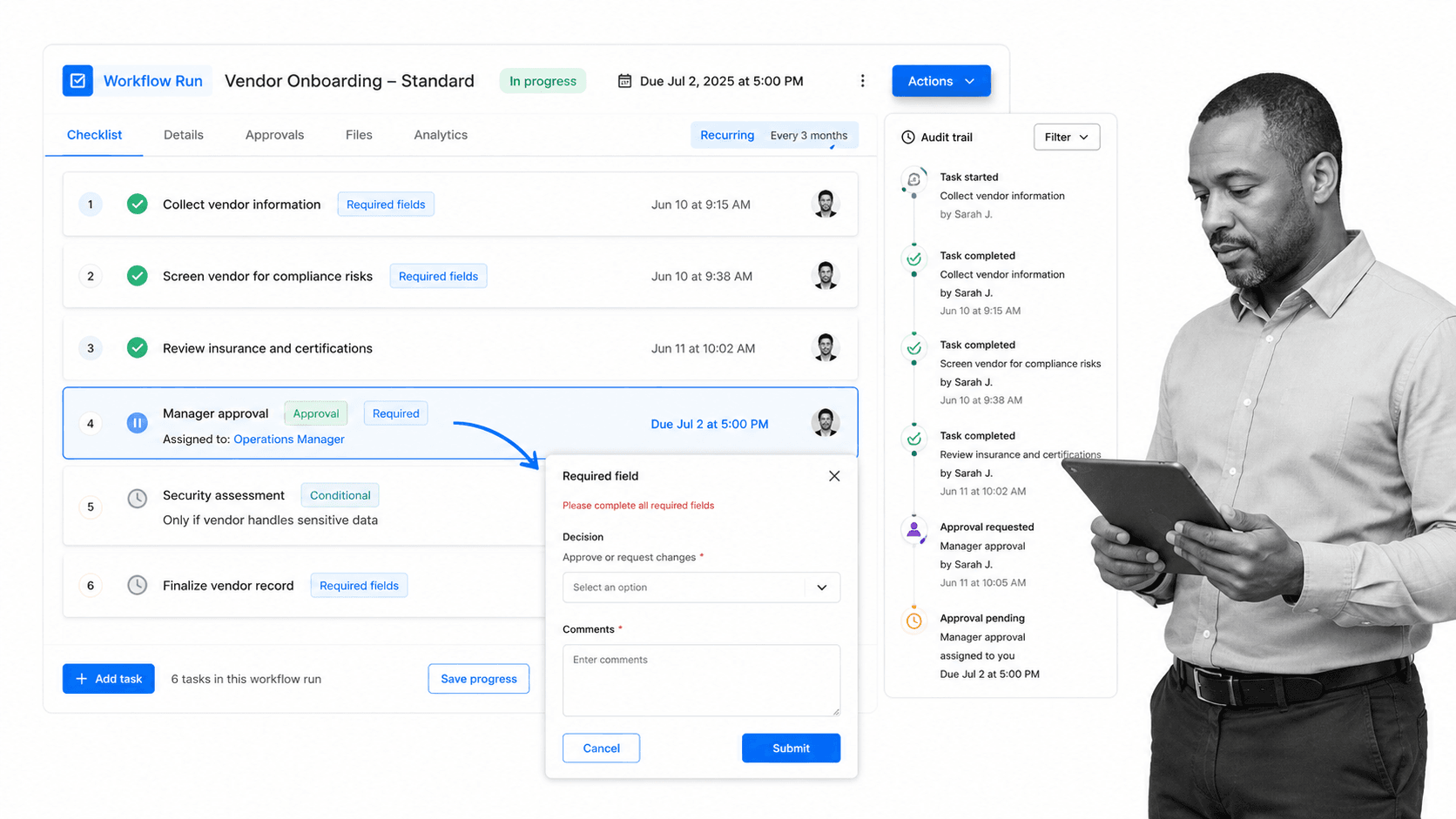
Best for: enforceable recurring SOP and compliance workflows where teams need to prove that work happened correctly. Review Process Street pricing when you are ready to match plan details to usage.
Process Street is the top ProcessMaker alternative when the central problem is not modeling a theoretical process, but running a recurring process correctly every time. It is built for teams that need workflows, approvals, structured forms, conditional routing, assignments, due dates, and a traceable history in one operating surface.
That matters when work has consequences. Employee onboarding, client onboarding, vendor reviews, quality checks, month-end procedures, internal audits, policy acknowledgments, and recurring compliance work all break when steps live in static docs or scattered messages. Process Street turns the procedure into the place where the work happens.
It is also a practical fit for teams moving from informal checklists into a more governed operating model. You can start from a concrete workflow like an employee onboarding checklist or a client onboarding checklist, then add assignments, approvals, and conditional logic as the process matures.
Process Street is not the best choice if you need a deep BPMN modeling and simulation environment. It is strongest when process owners care about execution: who did what, what data they entered, which approval was required, and whether the process is complete. That makes it different from a pure modeling suite and different from broad project management tools.
Teams evaluating automated workflow tools should look closely at how much enforcement is built into the workflow itself. In Process Street, the workflow can require a field before a task is completed, route work based on previous answers, and hold approvals inside the process rather than in a separate thread.
Key features include:
- Workflow runs for recurring procedures and SOPs
- Required fields that collect structured process data
- Approval tasks that keep review inside the workflow
- Conditional logic that adapts the path based on prior answers
- Role based task assignment, due dates, and activity history
Pros:
- Strong fit for operations, HR, onboarding, compliance adjacent teams, and SOP owners
- Turns process documentation into an executable workflow instead of a passive page
- Good for recurring work where consistency matters more than visual process modeling
- Approvals and required data collection sit in the same flow as the work
- Useful bridge from informal templates to more controlled operations
Cons:
- Not a BPMN modeling or simulation tool
- Not an enterprise application development platform for building custom apps from scratch
Choose Process Street over ProcessMaker when your team needs repeatable workflow execution more than a BPM suite. If your real requirement is a full process architecture layer with BPMN-first modeling, Camunda or Appian may fit better. If your real requirement is recurring SOP control, Process Street earns the first slot.
2. Nintex
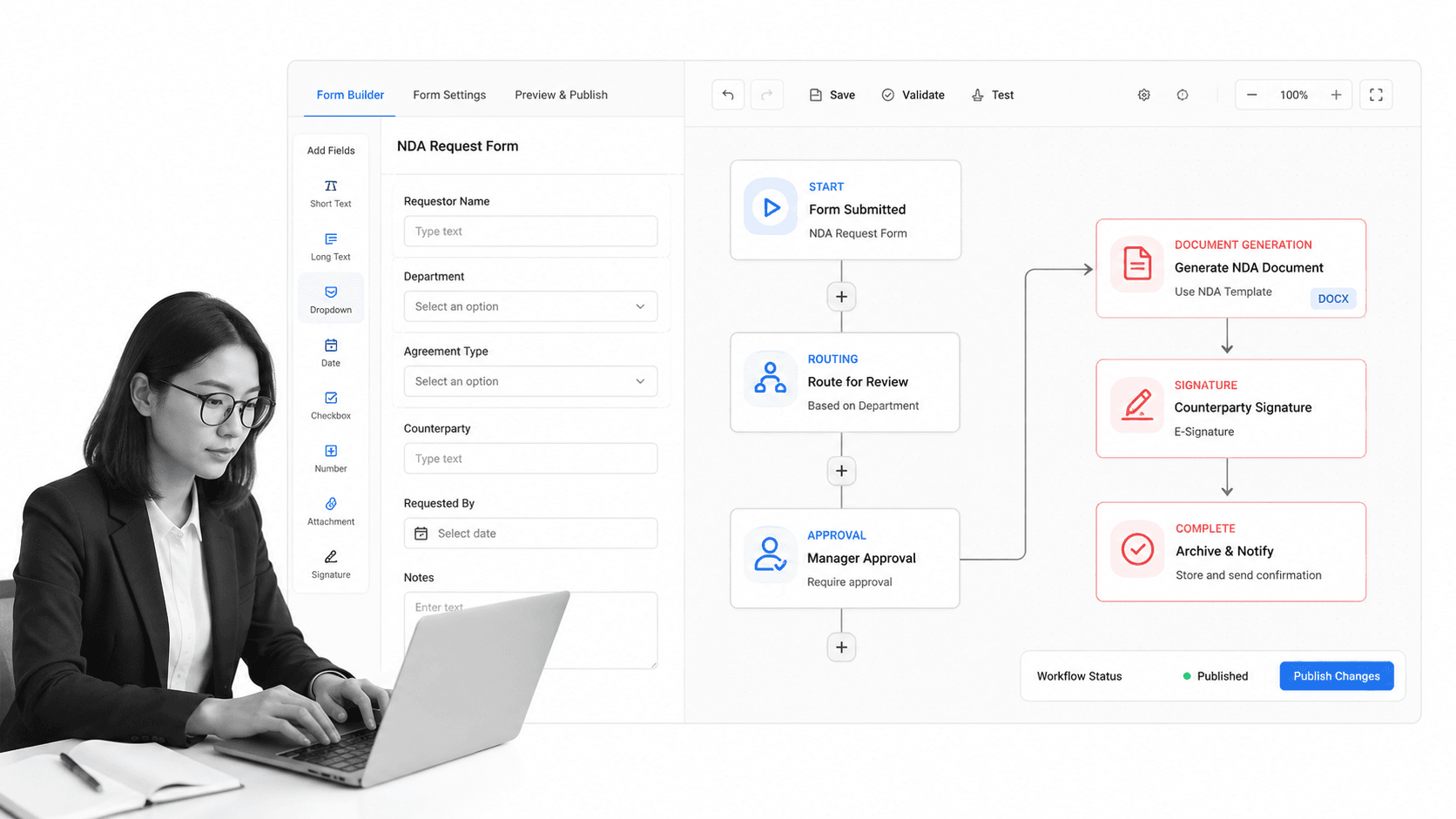
Best for: document-heavy workflow automation, digital forms, and approvals.
Nintex is a strong alternative when the process starts with forms, documents, approvals, and routing. It fits teams that need to capture data, move it through a workflow, generate documents, and send items for signing or review.
Nintex can beat Process Street when the center of gravity is document automation rather than recurring SOP execution. If the process is mostly intake forms, generated documents, and approval packets, Nintex gives buyers a mature automation surface for that job.
Nintex is not the simplest option for teams that only need recurring checklists and task proof. It makes more sense when the workflow is tied to forms, documents, and broader automation requirements.
Key features include:
- Digital form creation and intake
- Workflow routing for approvals and tasks
- Document generation and signing paths
- Dashboards and portals for process visibility
Pros:
- Good fit for form heavy and document heavy workflows
- Strong automation surface for routing, approvals, and generated documents
- Useful when the process starts with structured intake
Cons:
- Can be more automation platform than a small SOP team needs
- Pricing and packaging require careful review for lighter use cases
Pricing model: Starts at $15000/year USD on the official Automation Cloud pricing surface.
Official site: Nintex official site.
3. Camunda
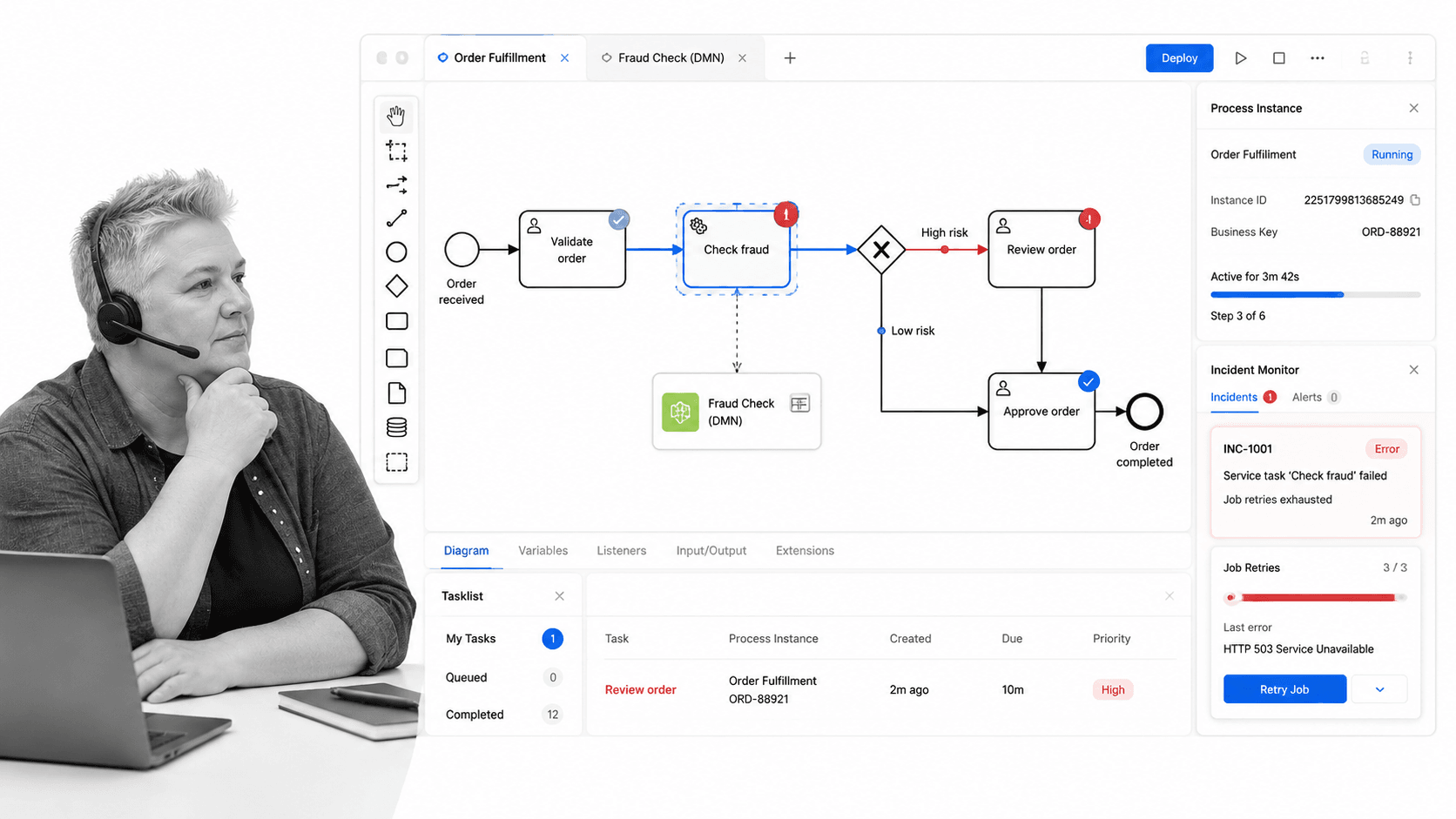
Best for: developer-led BPMN process orchestration.
Camunda is the strongest fit in this list for developer-led process orchestration. It is built around BPMN processes and DMN decisions, with tools for modeling, operations, and analytics.
Camunda can beat Process Street when the process spans services, systems, and technical orchestration patterns that need BPMN as the shared language. It is a better choice for engineering and architecture teams that need to coordinate complex end to end flows.
Camunda is not the lightest option for nontechnical SOP owners. If the goal is to help an HR or operations team run a weekly checklist with approvals and evidence, Process Street will usually be easier to adopt.
Key features include:
- BPMN process modeling
- DMN decision orchestration
- Operations views for running processes
- Analytics for process performance
Pros:
- Strong fit for technical process orchestration
- Uses BPMN and DMN patterns familiar to process architects
- Good for processes that span systems and services
Cons:
- Less natural for business users who want simple checklist execution
- Requires more technical ownership than lightweight workflow tools
Pricing model: Camunda offers a trial, a limited free modeling account after trial, and enterprise quotes.
Official site: Camunda official site.
4. Appian
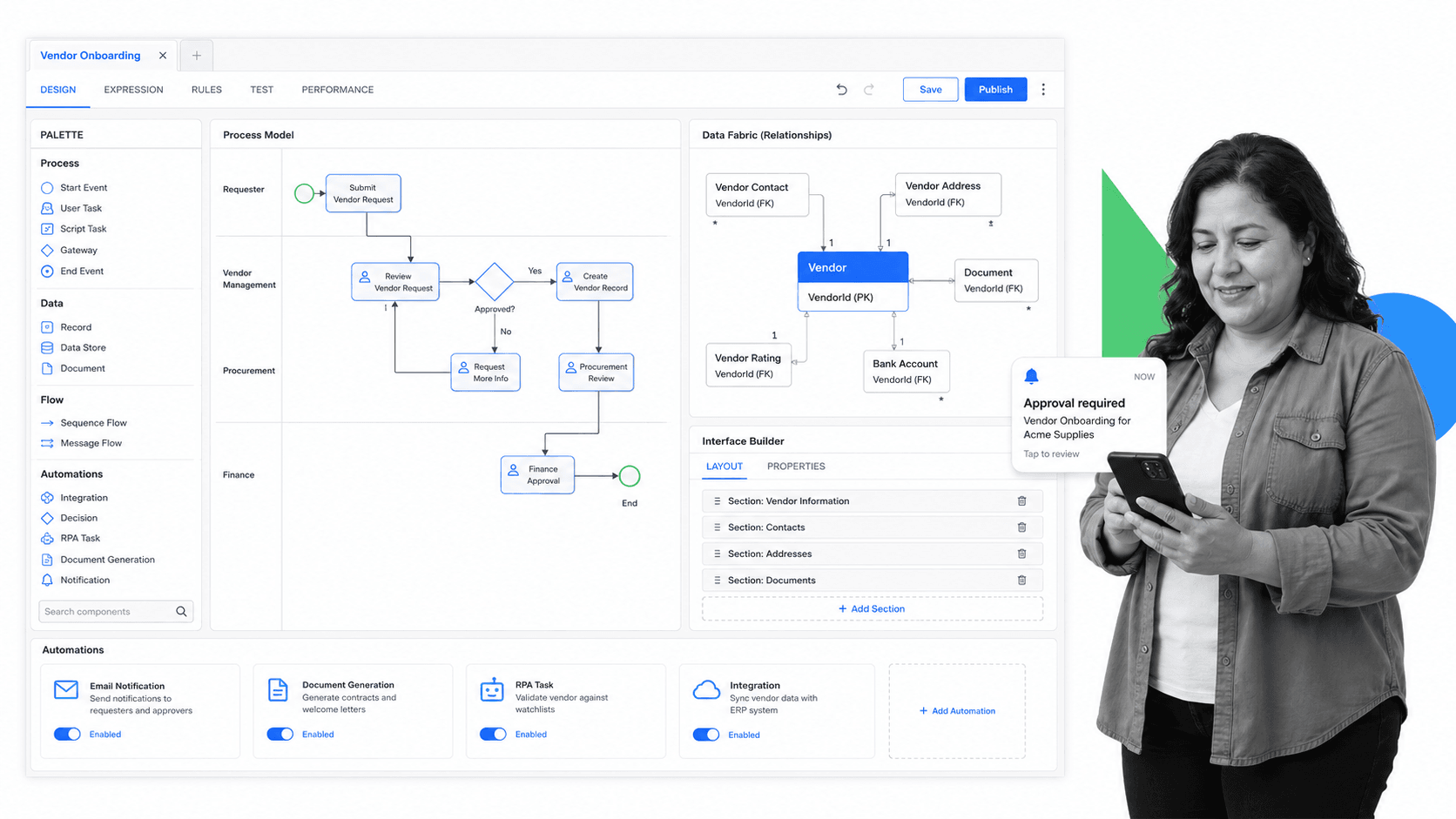
Best for: enterprise low code applications tied to process automation.
Appian is a better ProcessMaker alternative when the buyer needs enterprise low code applications, process automation, and data connected through a broader app platform. It is not just about workflows. It is about building operational applications around those workflows.
Appian can beat Process Street when the project requires a custom enterprise application with interfaces, data relationships, process automation, and integration work. That is a different job from creating governed recurring SOP workflows.
Appian can be more platform than a small operations team needs. If your team wants controlled checklists, approvals, and recurring process proof without a large app program, Process Street is more direct.
Key features include:
- Low code application design
- Data fabric for connected business data
- Process automation with RPA, AI, IDP, and API integrations
- Enterprise oriented governance and application delivery
Pros:
- Strong enterprise app platform orientation
- Useful when process automation needs connected data and custom interfaces
- Good fit for IT led transformation programs
Cons:
- Can be too heavy for a narrow recurring SOP use case
- Requires more platform governance than simple workflow execution
Pricing model: Appian offers a free dedicated platform instance and routes paid plan evaluation through its pricing page.
Official site: Appian official site.
5. Kissflow
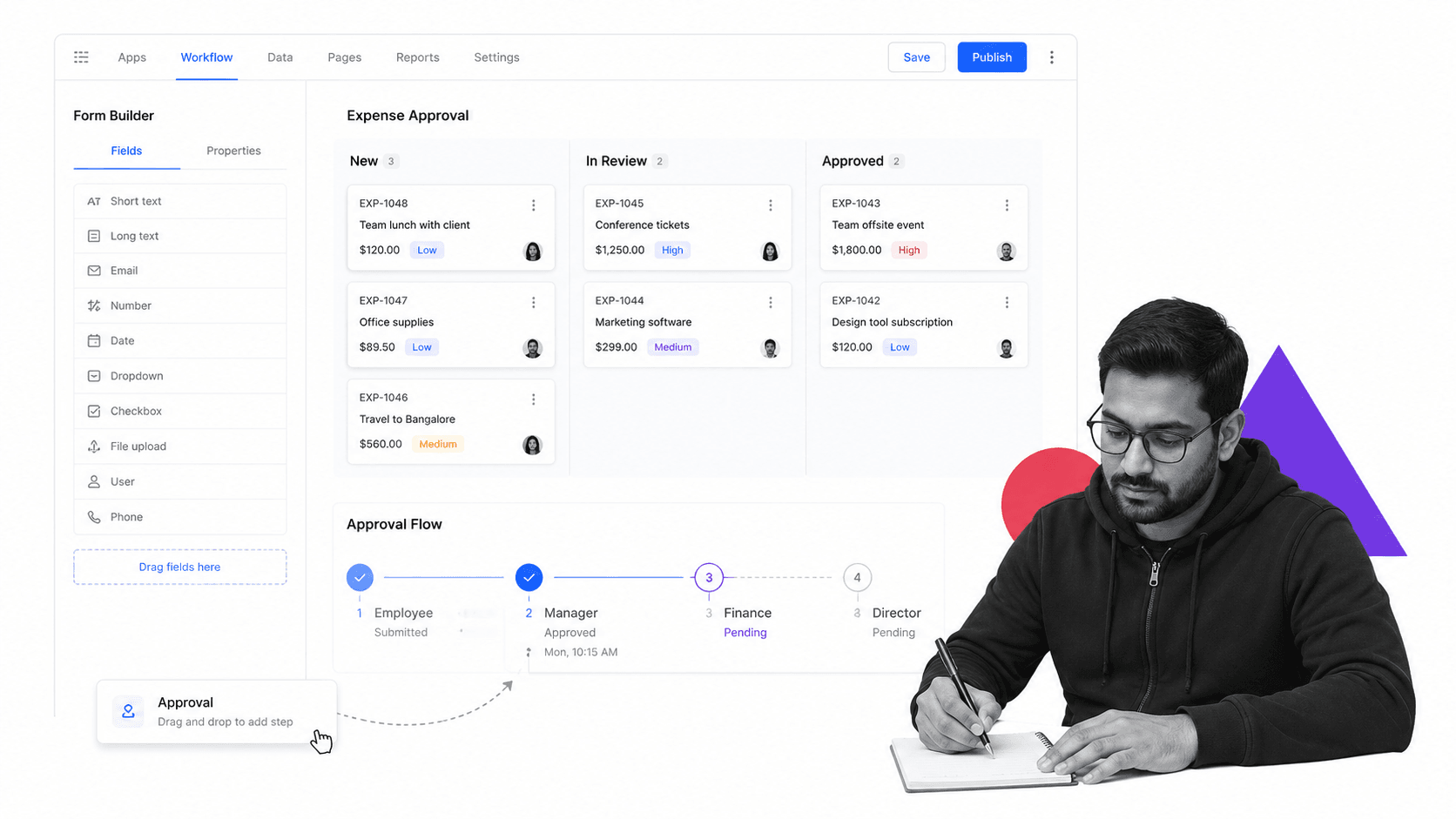
Best for: business-owned low code workflow apps and case work.
Kissflow is a practical option for teams that want business users to build low code or no code workflow apps. It sits closer to department application building than to deep BPMN orchestration.
Kissflow can beat Process Street when the team wants to create custom workflow apps, case boards, and department level tools with a low code approach. It is a better fit for app like workflows than for strict SOP execution alone.
Kissflow may be more flexible than necessary when the real problem is proving that a recurring procedure was followed. For tightly controlled SOPs, Process Street keeps the execution path clearer.
Key features include:
- Application development for business apps
- Workflow automation for simple or complex flows
- Case management on customizable boards
- Low code and no code building blocks
Pros:
- Good for department owned workflow apps
- Approachable low code and no code positioning
- Useful for case style work and internal app workflows
Cons:
- May not enforce step by step SOP execution as directly as Process Street
- Plan fit should be checked carefully for smaller teams
Pricing model: Kissflow publishes an enterprise pricing surface; buyers should confirm current plan details with the vendor.
Official site: Kissflow official site.
6. Pipefy
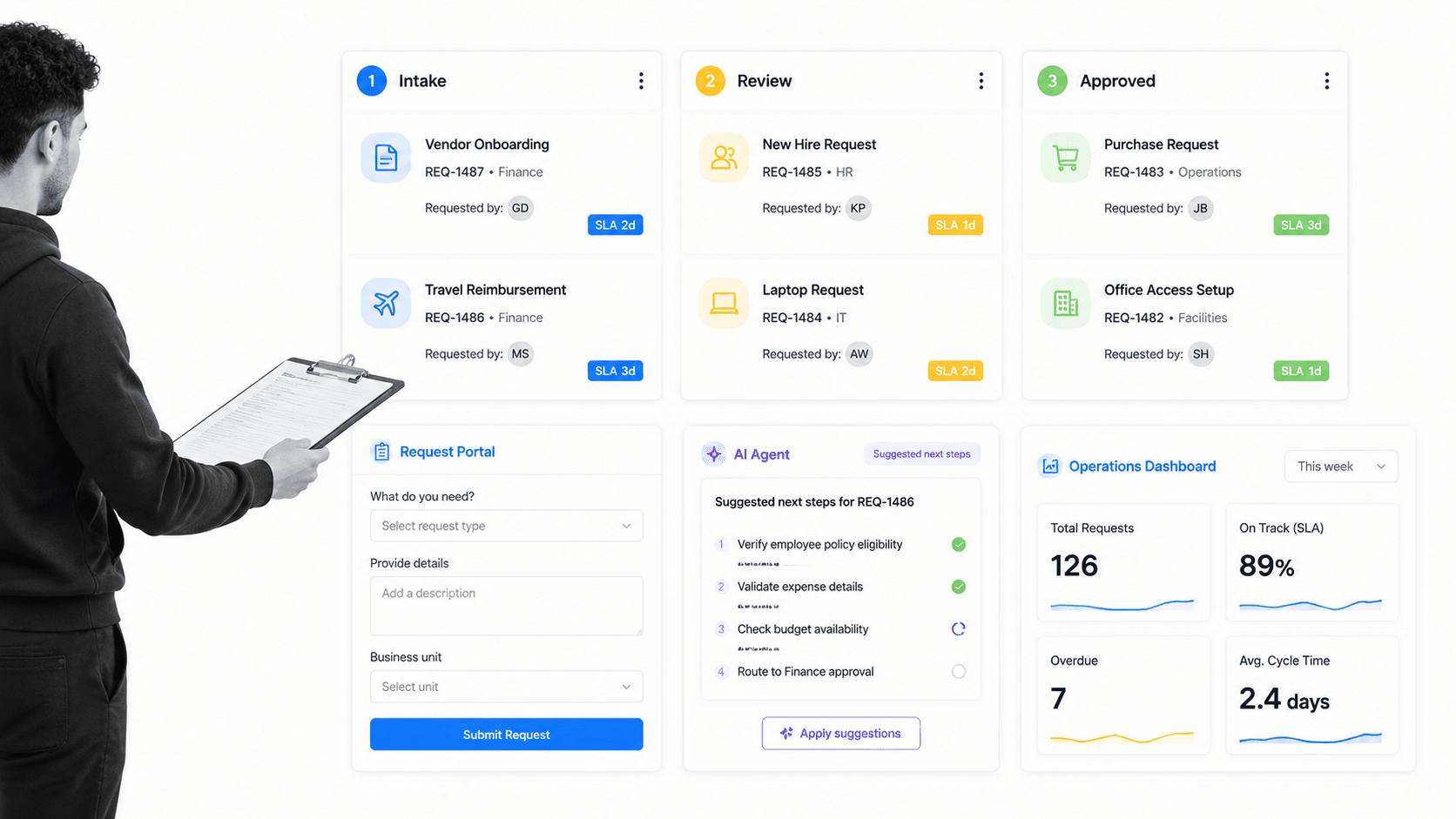
Best for: request-driven process automation for operations teams.
Pipefy is a strong alternative for request driven operations. It works well when work enters through forms or portals, then moves across boards, stages, owners, and service level expectations.
Pipefy can beat Process Street when the workflow is primarily a request queue, such as HR requests, finance operations, procurement intake, legal review, or shared services. Its board and portal model is natural for those teams.
Pipefy is less ideal when the process needs a strict step by step SOP with required evidence inside each run. Process Street is more purpose built for repeatable procedure execution.
Key features include:
- Request portals and forms
- Process boards with stages and cards
- AI Agents and automation features
- Dashboards, data, analytics, and integrations
Pros:
- Strong for request intake and operational queues
- Board and portal model is easy for shared services teams to understand
- Free Starter plan gives small teams a starting point
Cons:
- Less suited to strict checklist based SOP runs
- Complex process architecture may need a more technical orchestration tool
Pricing model: Pipefy has a free Starter plan, with Business and Enterprise plans requiring Contact Sales.
Official site: Pipefy official site.
Which ProcessMaker alternative fits your use case
If you need recurring workflow execution, choose Process Street. It is the clearest fit when the work is repeated, assigned, checked, approved, and audited. This is where process platform thinking matters: the tool should become the operating surface for the work, not just a place to store the diagram.
If you need technical orchestration, choose Camunda. The buyer is usually a process architect, engineer, or automation leader who needs BPMN modeling, decision logic, operations monitoring, and service orchestration. That is a different buying motion from an operations manager adopting workflow automation software for recurring team procedures.
If you need enterprise low code applications, choose Appian. It is more appropriate when the workflow is part of a larger internal application program with interfaces, data models, and IT governance. It can be a strong fit, but it should not be used as a heavyweight substitute for a simple recurring procedure if that is all the team needs.
If you need forms and documents, choose Nintex. It deserves attention when the process starts with intake, routes through approvals, creates a document, and sends the result through a signature or review path. That is especially useful when forms and documents are the real bottleneck.
If you need department workflow apps, choose Kissflow. It is a practical option when business teams want to shape their own apps, cases, and workflows without waiting on deep engineering support. If the same team mostly needs tight SOP execution, Process Street will feel more direct.
If you need request queues, choose Pipefy. It is a strong fit for shared services workflows where requests enter through a portal or form, then move across stages, owners, and service expectations. If the process needs more procedural guardrails, required evidence, and recurring run history, Process Street is the cleaner fit.
For teams still deciding between workflow software and project tools, it can help to compare the category against project management tools and project management software. Project systems organize work. Process systems enforce how recurring work should happen.
Approvals are often the deciding factor. If a process requires manager review, compliance signoff, or exception handling, check whether approval logic is native to the workflow or bolted on afterward. Process Street keeps approval tasks inside the run, and conditional logic lets the path adapt based on the data entered earlier.
ProcessMaker alternatives FAQs
What is the best ProcessMaker alternative?
Process Street is the best ProcessMaker alternative for teams that need enforceable recurring SOP and workflow execution. If you need technical BPMN orchestration, Camunda is a stronger fit. If you need enterprise low code applications, Appian may be the better choice.
Is there a free ProcessMaker alternative?
Yes. Some ProcessMaker alternatives offer free access or free plans, including Camunda for limited collaborative modeling and Pipefy through its Starter plan. Free plans usually work best for evaluation or small teams, not full production governance.
Why is Process Street ranked first?
Process Street is ranked first for the ICP this page is focused on: teams that need recurring processes to be followed, tracked, approved, and proven. It is not ranked first for every workflow automation use case. Camunda, Appian, and Nintex can be better fits when the job is technical orchestration, low code apps, or document automation.
What is the closest alternative to ProcessMaker?
Camunda is probably the closest fit if your ProcessMaker use case is BPMN process modeling and technical orchestration. Appian is closer if your use case is enterprise low code process applications. Process Street is closer if your use case is recurring SOP execution.
Which ProcessMaker alternative is best for small teams?
Process Street is a strong choice for small and mid sized teams that need repeatable workflows without heavy implementation. Pipefy can also work well for small request driven teams because its free Starter plan gives teams a way to test the model.
Which ProcessMaker alternative is best for enterprise teams?
Appian and Camunda are strong enterprise choices when the need is low code application delivery or technical process orchestration. Process Street is a better enterprise fit when departments need controlled SOP execution, approvals, and workflow history without turning every process into a custom application.
Can I migrate from ProcessMaker to Process Street?
You can migrate recurring procedures from ProcessMaker into Process Street by rebuilding the process as executable workflows with tasks, owners, required fields, approvals, and conditional routing. Processes that depend on deep BPMN orchestration or custom application logic should be evaluated carefully before migration.
If your team is comparing ProcessMaker alternatives because recurring work is still slipping through email, docs, and spreadsheets, start with Process Street. Build the process once, run it every time, and keep the proof in the same place as the work.
Comparing something else? The full directory of software alternatives and competitor comparisons covers AI agents, workflow and BPM platforms, integration tools, and more.
