


Turn every policy into automated workflows with built-in enforcement and audit-ready proof.


6 Best SmartSuite Alternatives & Competitors in 2026
Last updated:

SmartSuite alternatives are worth comparing when a configurable work-management hub no longer matches the main job, or when your team needs stricter SOP execution, deeper database design, portfolio coordination, or spreadsheet-style program controls. SmartSuite combines solutions, tables, views, automations, permissions, and task management in one workspace. If that model fits the work, switching can add cost and complexity without creating a better outcome.
The realistic reasons to compare alternatives are narrower. A growing project portfolio may need dependencies, workload planning, time and budget controls, or stronger reporting. A software team may need backlogs and releases. An operations or compliance team may need required steps, evidence, approvals, and a durable run history. A knowledge-heavy team may care more about connected docs and databases than project communication.
This list is for teams that have a different operating reality. Some need stricter recurring procedures. Some need simpler boards. Some need resource planning, client project margins, software issue tracking, spreadsheet-style controls, databases, or docs. Others need the workflow itself to enforce steps, collect evidence, route approvals, and show exactly what happened.
The evaluation criteria are practical: core capability fit, ease of ownership, pricing model clarity, reporting depth, governance, and how well each tool supports recurring operational work. Process Street ranks first for teams whose main need is enforceable, trackable, recurring process execution. For software delivery, spreadsheet-style work, knowledge management, or billable client projects, the relevant specialist may be the better fit.
The best choice is the one that matches the work, the owner, the risk, and the record your team must preserve after completion. Feature breadth alone does not answer those questions, especially when daily operators and system administrators need different things.
This comparison was editorially maintained by the Process Street team and verified against official vendor product and pricing pages in November 2026. The ranking weighs workflow enforcement and recurring-process fit most heavily, then project planning depth, usability, pricing clarity, integrations, and support for specialist use cases. It does not use fabricated review scores or a one-size-fits-all winner.
In this article, we are going to cover:
- What is SmartSuite?
- SmartSuite alternatives at a glance
- How to choose a SmartSuite alternative
- Best SmartSuite alternatives and competitors
- SmartSuite alternatives feature comparison
- Which SmartSuite alternative fits your use case
- How to migrate from SmartSuite
- FAQs
What is SmartSuite?
SmartSuite is a configurable work-management platform organized around Solutions that contain tables, views, automations, permissions, and records. Its official product and pricing materials describe grid, card, Kanban, calendar, timeline, map, chart, form, and dashboard views alongside task management and team collaboration. That flexible operational workspace is the baseline for this comparison.
SmartSuite is strongest when a team wants connected records, multiple views, task coordination, and workflow automation in one configurable system. Its current pricing page publishes seat-based Team and Professional plans plus custom enterprise options. Minimum seat commitments, record capacity, automation allowances, and the amount of solution design a team wants to own can all affect fit.
Use SmartSuite as the incumbent benchmark, not as a ranked alternative to itself. Stay with it when teams value a database-shaped workspace with configurable work views, permissions, and automations, and when the internal owner is comfortable maintaining that structure. Compare alternatives when the main job demands a more specialized operating surface.
SmartSuite alternatives at a glance
The table below gives the short version before the deep dives. The ranking is not a universal claim that one product beats every other product in every context. It is an ICP-based ranking for teams comparing SmartSuite against tools that can run recurring business workflows, connect apps, and support operational ownership.
| Tool | Best for | Standout feature | Free plan | Starting price |
|---|---|---|---|---|
| Process Street | enforceable recurring SOP and compliance workflows | workflow runs with required fields, approvals, conditional logic, and audit history | Free trial | See pricing page |
| monday.com | visual work management across departments | boards with multiple views, automations, integrations, and dashboards | Yes, up to 2 seats | $9 per seat/month billed annually |
| Airtable | database-backed workflows and lightweight apps | bases, linked records, interfaces, forms, and automations | Yes | $20 per user/month billed annually |
| ClickUp | teams that want many project views in one workspace | tasks, docs, goals, dashboards, forms, and time tracking | Yes, Free Forever | $7 per user/month billed annually |
| Asana | structured project and portfolio coordination | projects, timeline and Gantt views, forms, rules, portfolios, and goals | Yes, Personal | $10.99 per user/month billed annually |
| Smartsheet | spreadsheet-style project and program management | sheets, reports, dashboards, forms, Gantt, board, and calendar views | Free trial and free plan available | $9 per member/month billed yearly |
How to choose a SmartSuite alternative
Start by deciding whether you are replacing SmartSuite as a project management tool, a team workspace, a client delivery system, or a workflow management system. Those are different jobs. A product that is excellent for one can be the wrong surface for another.
If the process has required steps, owners, approvals, due dates, files, and proof, prioritize a workflow execution layer such as project management software. If the work is mostly project planning, prioritize timelines, dependencies, portfolio views, and resource planning. If the work is software delivery, prioritize backlog and issue management. If the work sits between both patterns, compare the broader process platforms category before committing.
Use these decision questions before comparing vendor demos:
- Does the workflow need human accountability, or is it mostly machine-to-machine data movement?
- Does a compliance, finance, HR, IT, or customer team need proof that each step happened?
- Will business users maintain the workflow, or will developers and integration architects own it?
- Do you need strict recurring workflow runs, or flexible one-off project plans?
- Which surface will people actually keep updated: checklist, board, timeline, spreadsheet, database, issue tracker, or client project workspace?
A good shortlist can include more than one category. A company might use automated workflow tools to track initiatives and a process platform to control recurring work. That division is healthy when the integration layer supports the process instead of hiding it.
For broader category comparisons, the software alternatives library can help you compare adjacent workflow, project, and operations products before narrowing the final shortlist.
Best SmartSuite alternatives and competitors
1. Process Street
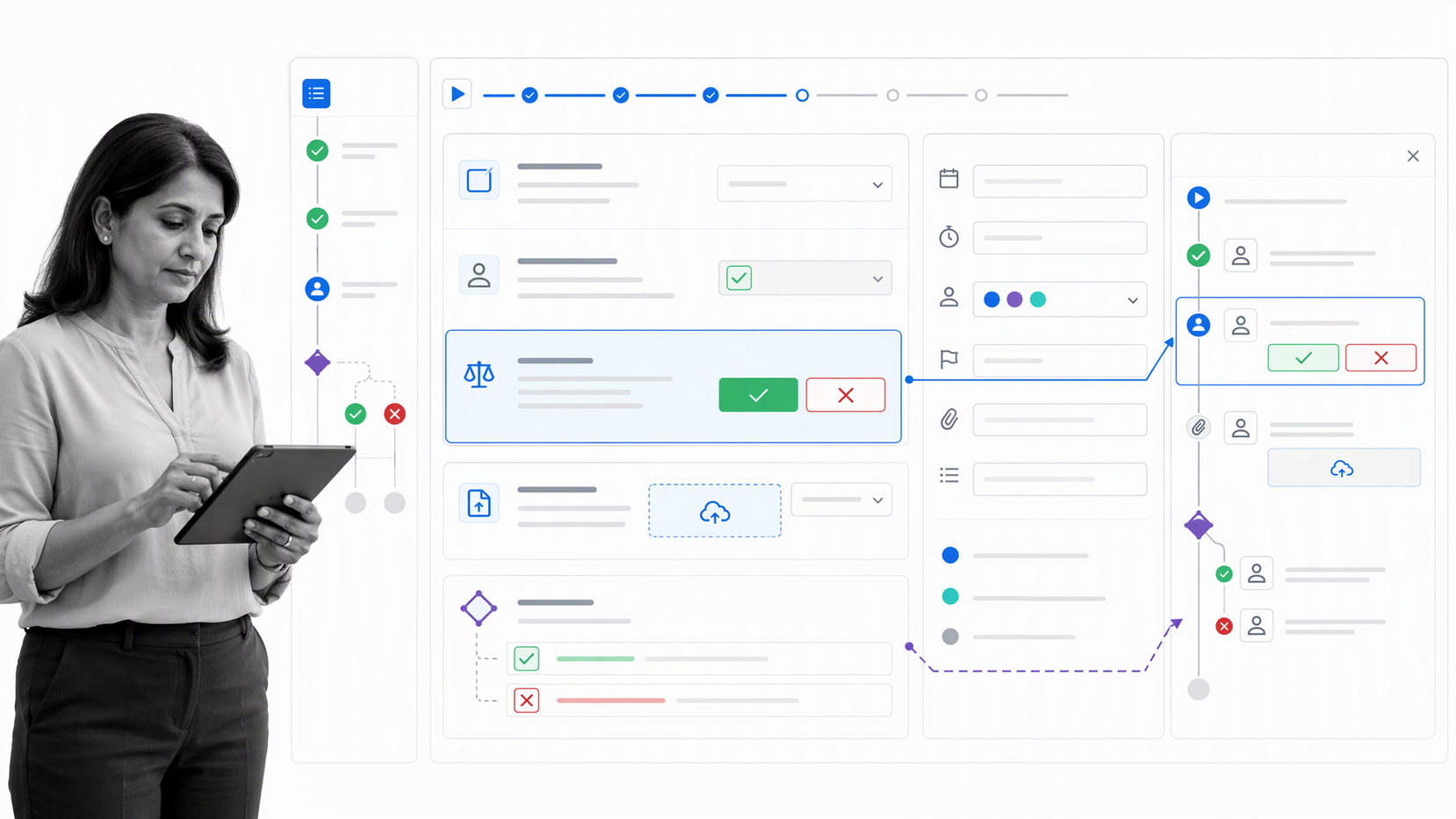
Best for: enforceable recurring SOP and compliance workflows.
Process Street is the best SmartSuite alternative when the work is a recurring SOP, checklist, approval, or compliance-adjacent process that must be followed the same way every time. It is not trying to be a BPMN modeling suite or a desktop RPA control room. It is built for operators who need work to run correctly and leave a clear record.
That distinction matters. A SmartSuite project can show task status across a team. Process Street can make the person accountable for the next step, require the right form field, pause for an approval, branch based on conditional logic, and preserve the run history as operational proof. For onboarding, vendor reviews, quality checks, finance close tasks, and compliance workflows, that execution record is often the real requirement.
Process Street also connects around the workflow. Process Street has 5,000+ integrations, so the governed process can coordinate work across the systems the team already uses without turning the integration layer into the main operating surface.
Use Process Street pricing for current plan details. The public pricing page shows Startup, Pro, and Enterprise plan tracks, a 14-day Pro trial, and sales-led pricing for current packages.
Process Street key features:
- Structured workflow runs with step order, owners, due dates, and conditional logic.
- Approval tasks that make review part of the workflow, not a separate inbox chase.
- Required fields, file collection, and task history for process evidence.
- Recurring schedules and automations for repeatable operations.
- A compliance operations platform shape for teams that need control, not only connection.
Process Street pros:
- Strong fit for SOPs, recurring processes, onboarding, reviews, and compliance operations.
- Readable enough for non-technical operators to own and improve processes.
- Keeps people, tasks, approvals, evidence, and integrations in one workflow record.
- Works well when app automation needs to support controlled human work.
- Clear fit for operations, HR, compliance, finance, customer management, and IT process owners.
Process Street cons:
- Not the best fit when the core requirement is BPMN modeling, process simulation, or desktop RPA.
- Teams looking only for a simple two-app connector may prefer a lighter automation tool.
Bottom line: Process Street is the strongest fit for enforceable recurring SOP and compliance workflows. Choose it when that use case is the buying priority, and skip it when the team mainly needs a different operating surface.
Choose Process Street if: enforceable recurring SOP and compliance workflows describes the work your team owns. Skip it if: its specialist strength would add administration without solving the workflow risk that caused you to leave SmartSuite.
For current package details, see Process Street pricing. If you only need classic project timelines, a dedicated project management tool may fit better.
2. monday.com
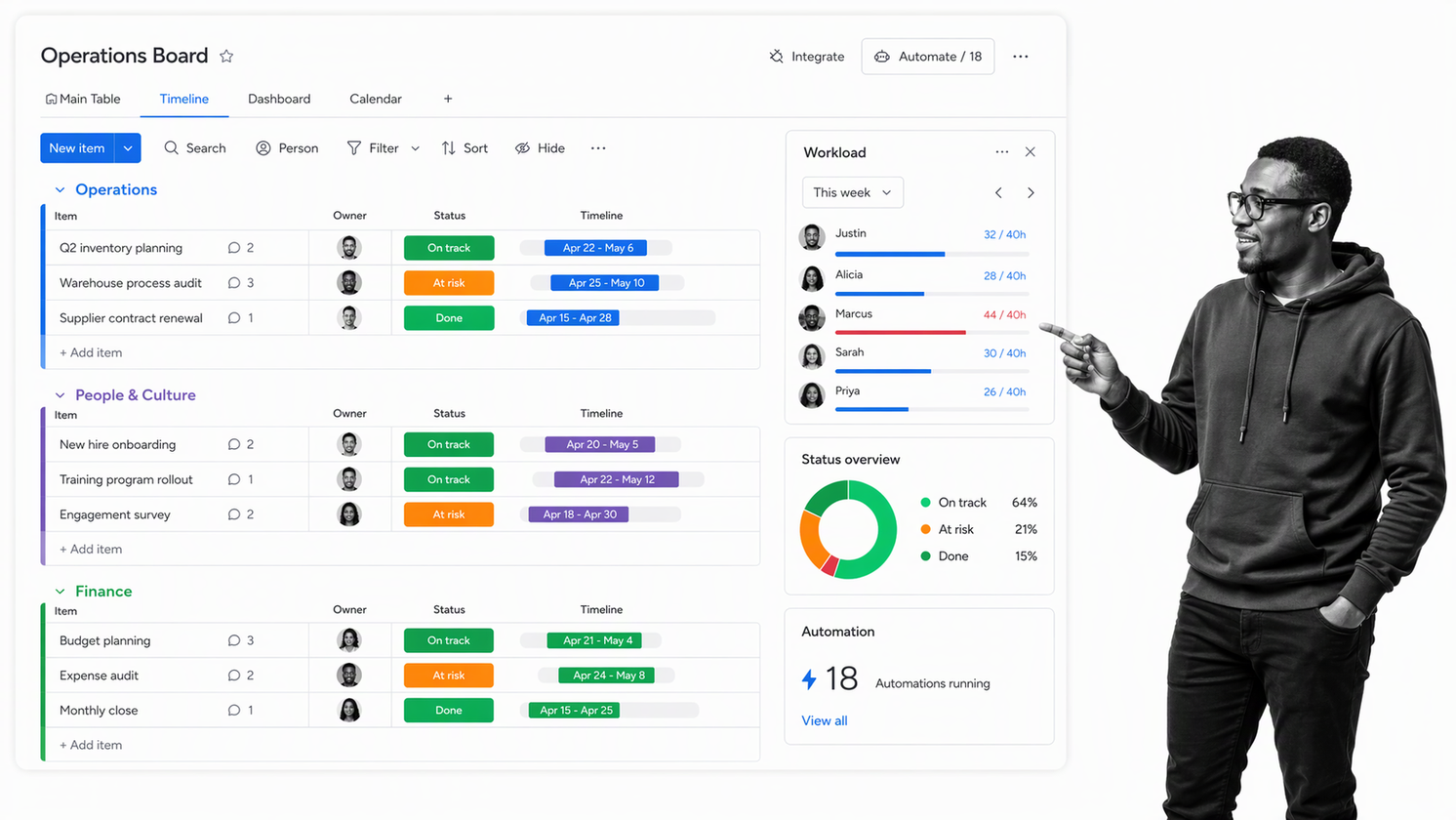
Best for: visual work management across departments.
monday.com is a work management platform built around visual boards, columns, views, dashboards, automations, and integrations. Its pricing page shows a free tier for very small teams and paid tiers that scale by seat count.
It beats Process Street when the work is mostly cross-functional project visibility, flexible boards, portfolio dashboards, and department-level planning. It is weaker when the process needs strict step order, required evidence, approval gates, and an audit-ready run history.
monday.com key features:
- Configurable boards and columns.
- Multiple project views including timeline and dashboard surfaces.
- Automations and integrations on paid plans.
- Workload and dashboard views for team planning.
monday.com pros:
- Strong visual work management surface.
- Flexible enough for many departments.
- Good fit for managers who want dashboards and project boards.
monday.com cons:
- Broad configurability can create inconsistent operating patterns.
- Not purpose-built for enforceable SOP execution.
Bottom line: monday.com is the strongest fit for visual work management across departments. Choose it when that use case is the buying priority, and skip it when the team mainly needs a different operating surface.
Choose monday.com if: visual work management across departments describes the work your team owns. Skip it if: its specialist strength would add administration without solving the workflow risk that caused you to leave SmartSuite.
For current package details, see monday.com pricing. monday.com is a better fit when visual boards and portfolio-style work tracking matter more than SOP enforcement.
3. Airtable
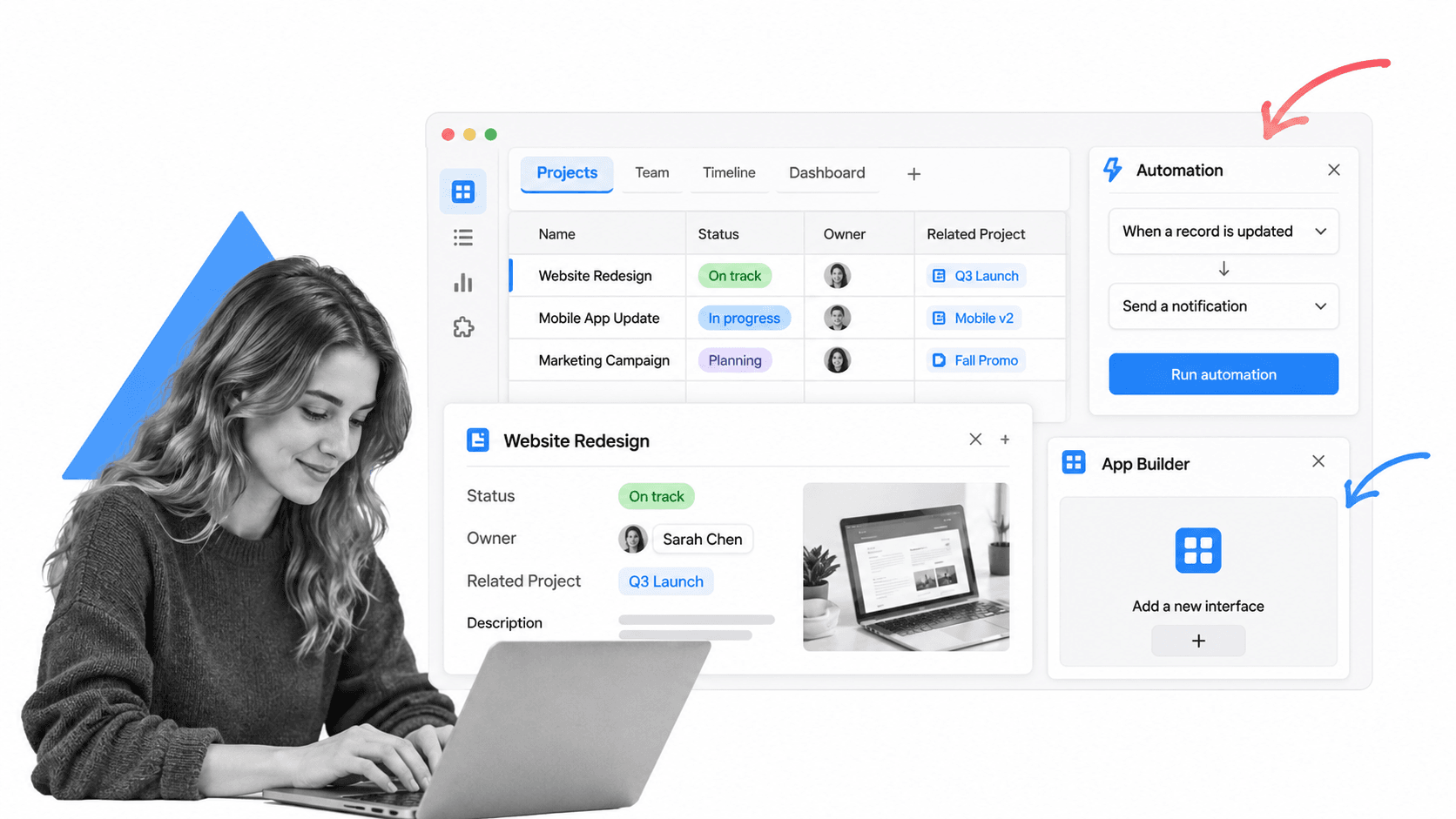
Best for: database-backed workflows and lightweight apps.
Airtable is a database-backed platform for teams that want structured records, forms, interfaces, automations, and lightweight internal apps. Its pricing page explains per-seat plans and a free tier for lighter use.
It beats Process Street when the work is mainly a structured database or internal app. It is weaker when each run needs a guided sequence, approval checkpoint, required evidence, and repeatable process proof.
Airtable key features:
- Bases with tables and records.
- Forms, interfaces, and views.
- Automations and app-style workflows.
- Linked records and configurable fields.
Airtable pros:
- Great fit for structured operational data.
- Flexible for lightweight internal tools.
- Useful when records are more important than task sequences.
Airtable cons:
- Teams may need to design their own operating discipline.
- Not a dedicated SOP execution layer.
Bottom line: Airtable is the strongest fit for database-backed workflows and lightweight apps. Choose it when that use case is the buying priority, and skip it when the team mainly needs a different operating surface.
Choose Airtable if: database-backed workflows and lightweight apps describes the work your team owns. Skip it if: its specialist strength would add administration without solving the workflow risk that caused you to leave SmartSuite.
For current package details, see Airtable pricing. Airtable is a better fit when the work is primarily structured records or a lightweight internal app.
4. ClickUp
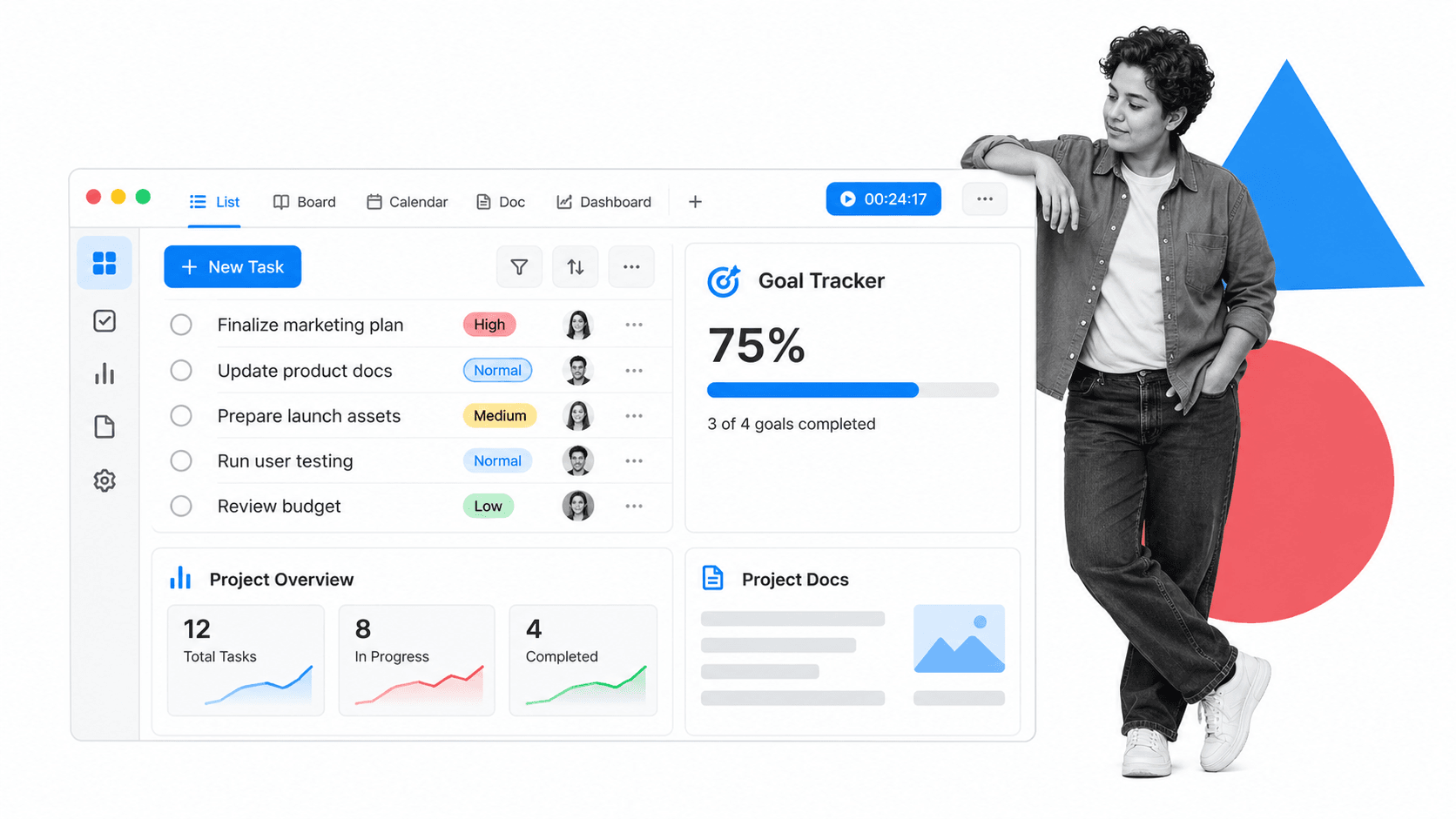
Best for: teams that want many project views in one workspace.
ClickUp is an all-in-one productivity workspace that combines tasks, docs, goals, dashboards, whiteboards, forms, time tracking, and many project views. Its pricing page shows a Free Forever plan and paid plans for teams that need more capacity.
It beats Process Street when a team wants one broad workspace for project views, docs, and task management. It is weaker when the core risk is people skipping required procedural steps or failing to leave evidence.
ClickUp key features:
- Tasks with multiple views.
- Docs, whiteboards, goals, and dashboards.
- Native time tracking and custom fields.
- Forms and integrations on paid plans.
ClickUp pros:
- Very broad workspace surface.
- Useful for teams that want many views in one tool.
- Free plan makes small-team evaluation easy.
ClickUp cons:
- Breadth can make administration feel heavy.
- Project flexibility is not the same as workflow enforcement.
Bottom line: ClickUp is the strongest fit for teams that want many project views in one workspace. Choose it when that use case is the buying priority, and skip it when the team mainly needs a different operating surface.
Choose ClickUp if: teams that want many project views in one workspace describes the work your team owns. Skip it if: its specialist strength would add administration without solving the workflow risk that caused you to leave SmartSuite.
For current package details, see ClickUp pricing. ClickUp is a better fit when the team wants a broad productivity workspace with many configurable views.
5. Asana
Best for: structured project and portfolio coordination.
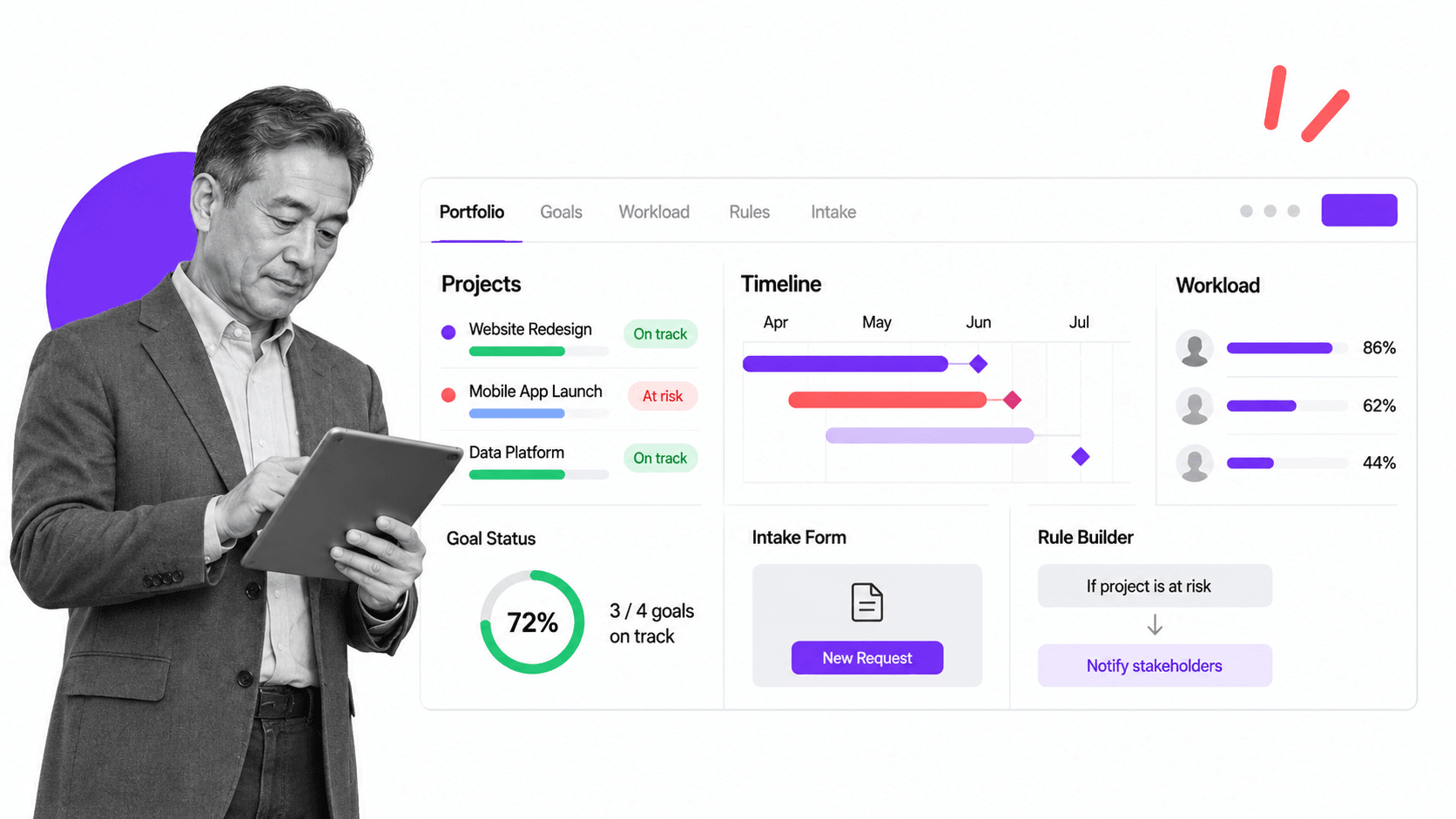
Asana is a collaborative work-management platform for projects, timelines, forms, rules, reporting, portfolios, goals, and resource planning. Its pricing page publishes a free Personal plan plus paid Starter, Advanced, and enterprise options.
It beats Process Street when project and portfolio coordination, goal alignment, or workload planning is the main job. It is weaker when the work must run as a strict recurring procedure with required evidence at each step.
Asana key features:
- Projects with list, board, timeline, and Gantt views.
- Forms, rules, and custom fields for intake and coordination.
- Portfolios and goals for cross-project visibility.
- Workload and resource-management features on higher plans.
Asana pros:
- Clear project coordination model.
- Strong portfolio and goal alignment.
- Useful forms and rules for team intake.
Asana cons:
- Project completion does not automatically create a controlled SOP record.
- Advanced portfolio features require higher plans.
Bottom line: Asana is the strongest fit for structured project and portfolio coordination. Choose it when that use case is the buying priority, and skip it when the team mainly needs a different operating surface.
Choose Asana if: structured project and portfolio coordination describes the work your team owns. Skip it if: its specialist strength would add administration without solving the workflow risk that caused you to leave SmartSuite.
For current package details, see Asana pricing. Asana is a better fit when project coordination, portfolios, and goals matter more than recurring SOP evidence.
6. Smartsheet
Best for: spreadsheet-style project and program management.
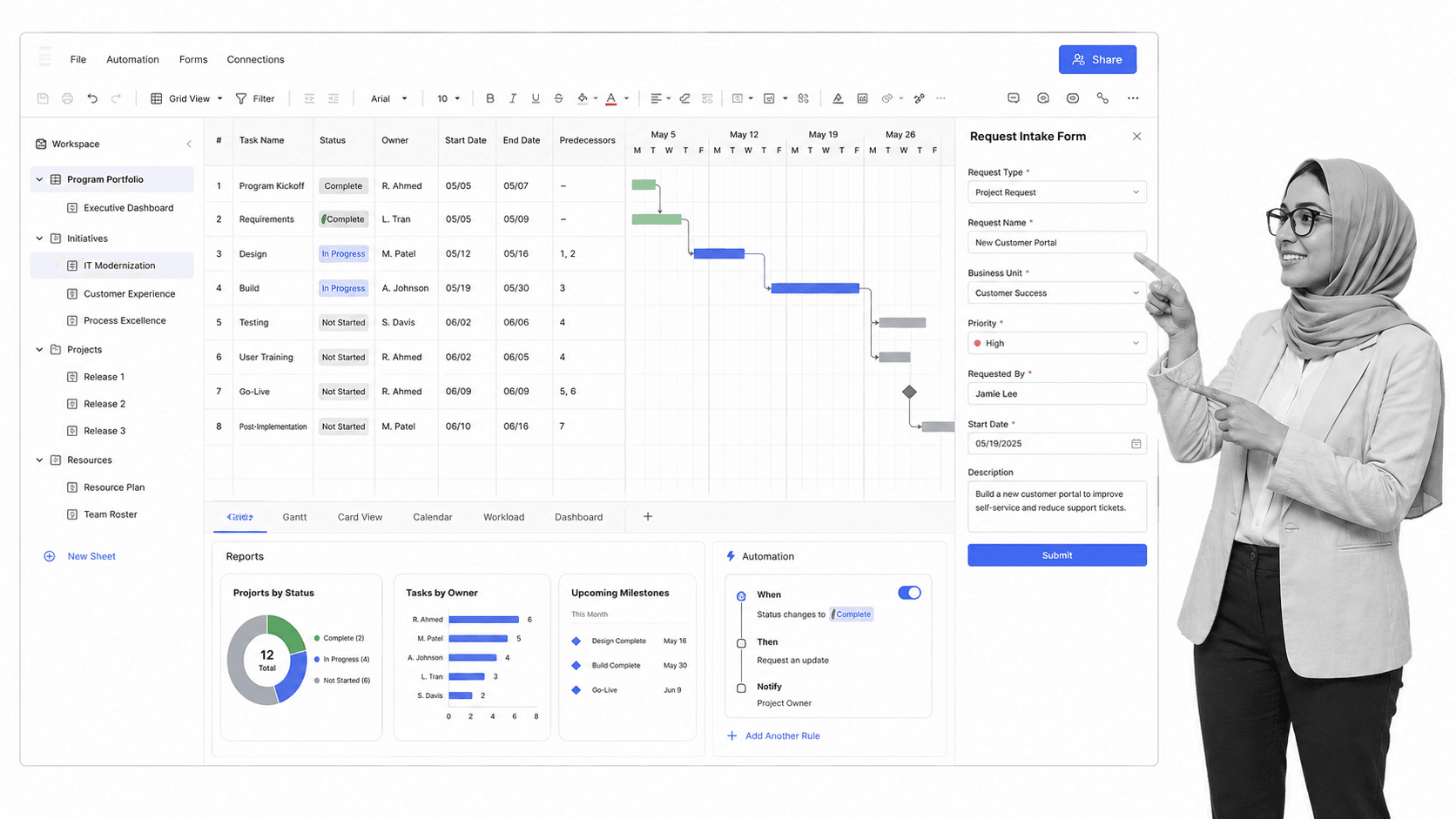
Smartsheet gives teams a spreadsheet-style way to manage projects, programs, forms, reports, dashboards, and automations. Its pricing page positions Pro, Business, Enterprise, and Advanced Work Management plans around members and contributors.
It beats Process Street when the team naturally works in sheets, grids, reports, and portfolio-level structures. It is weaker when work needs a guided checklist experience for operators rather than a row-based control surface.
Smartsheet key features:
- Grid, Gantt, board, calendar, and table views.
- Forms, reports, and dashboards.
- Automations and formulas.
- Portfolio and advanced work management add-ons.
Smartsheet pros:
- Familiar for spreadsheet-heavy teams.
- Strong reporting and program management surface.
- Good for structured project and portfolio data.
Smartsheet cons:
- Rows and sheets can still feel indirect for frontline execution.
- Advanced work management may require added configuration.
Bottom line: Smartsheet is the strongest fit for spreadsheet-style project and program management. Choose it when that use case is the buying priority, and skip it when the team mainly needs a different operating surface.
Choose Smartsheet if: spreadsheet-style project and program management describes the work your team owns. Skip it if: its specialist strength would add administration without solving the workflow risk that caused you to leave SmartSuite.
For current package details, see Smartsheet pricing. Smartsheet is a better fit when teams want spreadsheet familiarity with project and portfolio controls.
SmartSuite alternatives feature comparison
The feature question is not whether every product can hold tasks. Nearly all of them can. The useful comparison is how each tool structures work after the task is created, who owns the system, and what evidence remains when the work is complete.
| Operating need | Best-fit alternative | Why it fits | Watch for |
|---|---|---|---|
| Recurring SOP execution | Process Street | Required steps, approvals, fields, evidence, and run history | Not a specialist project portfolio or BPMN modeling suite |
| Visual cross-team planning | monday.com | Boards, views, dashboards, and workload planning | Flexible boards still need governance |
| Database-backed internal apps | Airtable | Linked records, interfaces, forms, and automations | Teams must design their own operating discipline |
| Broad all-in-one workspace | ClickUp | Tasks, docs, goals, time, forms, and dashboards | Breadth can increase administration |
| Project and portfolio coordination | Asana | Projects, timeline, forms, portfolios, goals, and workload | Project controls do not automatically enforce SOP evidence |
| Spreadsheet-style programs | Smartsheet | Grid, reports, dashboards, forms, and portfolio controls | Row-based work can feel indirect for frontline operators |
A second practical test is ownership. Process Street, monday.com, ClickUp, Asana, and much of Smartsheet can be maintained by business teams. Airtable suits teams comfortable designing structured records, interfaces, and lightweight applications. The best platform is the one whose administration model matches the people who will keep it useful.
The third test is the completion record. A completed SmartSuite item is useful work history. A completed Process Street run can be designed around required fields, approvals, files, decisions, and exceptions. Smartsheet and Airtable can preserve structured records, while Asana and ClickUp preserve project context. Choose the record that matches the risk of the work.
Also compare how the pricing model follows usage. Per-seat tools can be economical for a focused team and expensive when many occasional collaborators need access. Flat or packaged pricing can be easier to forecast, but project, storage, feature, or user allowances still matter. Free plans are useful for testing the interaction model, yet they rarely prove how permissions, reporting, automation limits, external guests, and administration will work at scale. Build a realistic pilot with the number of owners, contributors, clients, and reviewers you expect to support, then confirm the current package on the vendor’s official pricing page.
Support and change management matter too. A powerful platform can fail when no one owns templates, fields, views, permissions, and naming conventions. A simpler tool can outperform a richer one when the team understands the default workflow and can improve it without waiting for a specialist. Before buying, name the system owner, the process owner, the reporting owner, and the person responsible for onboarding new users. Those roles reveal whether the proposed tool will become shared infrastructure or another workspace that slowly drifts.
Run the same representative scenario in every shortlisted tool. Use a process with an intake request, an owner assignment, a due date, a decision, an exception, and a final report. Ask one builder to configure it and three operators to complete it without coaching. Record where each person hesitates, which fields they skip, how the reviewer finds the decision, and whether the final record explains what happened. This test exposes the difference between an attractive demo and a system people can operate under pressure.
Then test maintenance. Change a required field, reassign a role, add an approval, and update a report after several test records already exist. SmartSuite, Airtable, monday.com, ClickUp, Asana, and Smartsheet all offer substantial configurability, but they distribute that complexity differently. Process Street concentrates configuration around the recurring workflow and each run. The right model depends on whether your team thinks in records, projects, portfolios, grids, or procedures.
Governance is not only an enterprise concern. A ten-person team can still create duplicate fields, inconsistent status names, abandoned views, and hidden automations. Ask who can publish structural changes, how templates are reviewed, whether old fields can be retired safely, and how administrators can explain an unexpected result. The strongest SmartSuite alternative is the one your team can keep coherent six months after implementation, not the one with the longest feature list on selection day.
Reporting deserves a separate pilot. Create one executive question, one team-lead question, and one operator question. For example: Which processes are at risk, which projects are blocked, and what should I do next? A portfolio dashboard may answer the first question well but leave an operator searching for the next action. A guided workflow may make the next action obvious but require a separate reporting design for portfolio analysis. Choose the tradeoff consciously.
Evaluate collaboration with realistic boundaries. Invite an internal contributor, an external reviewer, and a read-only stakeholder. Confirm what each person can see, edit, export, and share. Check whether a guest can discover unrelated work, whether a reviewer can approve without changing source data, and whether read-only access stays useful without creating a paid editor seat. These details often matter more than the headline plan price.
Automation should be tested as an operating dependency. Trigger the same flow several times, deliberately submit incomplete data, and change a field after the automation is configured. Confirm how failures appear, who receives them, whether a retry creates duplicates, and how an administrator reconstructs the event later. A large automation allowance is only valuable when the team can understand and recover the workflow.
Also test mobile and notification behavior if frontline or distributed teams will use the system. A rich desktop builder can still produce a poor operator experience when people complete tasks from a phone, a shared station, or email. Ask users to find their assigned work, enter required information, attach evidence, and respond to a change in priority. The best interface is the one that preserves the process when attention is limited.
Finally, compare total operating effort, not only subscription price. Include design time, administrator training, migration work, permission reviews, reporting maintenance, and the cost of exceptions that still happen outside the platform. A lower seat price can lose its advantage when the team spends hours repairing inconsistent records. A higher price can still be poor value when advanced features sit unused. Tie the decision to a measurable reduction in missed work, coordination time, or reporting effort.
Procurement questions belong in the pilot too. Confirm the billing unit, minimum seat commitment, guest rules, storage limits, automation allowances, support level, and contract path for the exact plan under consideration. Record which features are included and which require a higher tier. This keeps the comparison fair when one vendor places portfolio controls in an advanced package while another includes workflow controls earlier but charges for a different type of user.
Do not let migration urgency remove the selection discipline. If SmartSuite is causing a specific problem, write that problem as a testable statement. For example: reviewers cannot find exceptions, operators skip required evidence, or leaders cannot see capacity across programs. A candidate only passes when it improves that outcome in a real scenario. General enthusiasm for a cleaner interface is not enough evidence to rebuild the operating system around it.
The final decision should name where each class of work lives. Specify which system owns recurring procedures, project plans, structured records, portfolio reporting, files, and approvals. If two platforms remain in the stack, define the handoff and the system of record. Clear boundaries prevent the replacement project from creating a second source of truth beside the first one.
Document the decision in a short scorecard that future administrators can understand. Record the scenarios tested, the plans compared, the people who operated each pilot, the weaknesses accepted, and the conditions that would trigger a review. This protects the team from repeating the same evaluation whenever a new feature appears or a stakeholder prefers a different interface. A durable rationale is part of the operating system because it explains why the chosen boundaries exist, what the team deliberately left out, and which evidence would justify changing course later. Review that scorecard after the first full quarter of production use.
Which SmartSuite alternative fits your use case
The easiest way to avoid a bad SmartSuite replacement is to name the job first.
- Choose Process Street when recurring human work needs required steps, owners, approvals, evidence, and audit trails.
- Choose monday.com when visual cross-team boards and dashboards matter more than strict SOP execution.
- Choose Airtable when linked records and lightweight internal applications are the center of the work.
- Choose ClickUp when one broad workspace for tasks, docs, goals, and time is the priority.
- Choose Asana when projects, portfolios, goals, and workload coordination are the center of the work.
For many teams, the stack is hybrid. You may keep SmartSuite for structured work, use Asana for portfolio coordination, and use Process Street as the governed process platform for recurring operations. Teams moving from task-only project management should also compare adjacent workflow management software and project management platforms when their buying question is broader than project visibility. The point is to keep the process record clear. Work management should not make ownership harder to see.
If your main problem is missed steps, tribal knowledge, and inconsistent execution, start with a controlled process. If your main problem is planning cross-functional initiatives, start with project management. If your main problem is software delivery, start with issue tracking. The strongest project management platforms decision is the one that matches the risk and owner of the work.
How to migrate from SmartSuite
A SmartSuite migration is safest when you move the operating model before you move every historical item. Start with one active project or recurring process. Inventory the project tools in use, including to-dos, messages, schedules, files, card tables, client access, templates, and any manual reporting that happens outside SmartSuite.
Next, map each item to its destination. Project plans may move to a board, timeline, backlog, grid, or client workspace. Recurring procedures should become reusable workflows with clear owners and due dates. Messages and decisions may belong in a knowledge base or project record. Files need a clear system of record, not a blind bulk copy that leaves duplicates everywhere.
For Process Street, define the workflow trigger, task sequence, role assignments, required form fields, approval points, evidence requirements, conditional branches, due dates, and exception path. Rebuild one process, run it with a real team, and compare the output with the old SmartSuite project. The goal is not feature parity. The goal is a cleaner, more reliable way to execute the work.
Keep SmartSuite available as a read-only reference during a defined transition window when your contract and access rules allow it. Confirm links, attachments, owners, and recurring schedules before closing the old project. Train people on the new default behavior, then document which work stays in SmartSuite, which work moved, and who owns future changes.
Migration is also a chance to simplify. Do not reproduce stale projects, abandoned message boards, duplicate files, or unclear task ownership. Move the smallest useful set, prove the new workflow, and expand only after the team can complete the work without side spreadsheets or private reminders.
Plan the pilot around measurable friction. Track how long it takes to start the work, find the owner, collect an approval, locate the latest file, understand an exception, and produce a completion record. These observations are more useful than asking whether people like the new interface after one demo. A replacement succeeds when it makes the important work easier to run and harder to lose.
Treat integrations as part of the workflow design, not as a substitute for it. Decide which system owns the customer, employee, ticket, invoice, or project record. Then define which events should start work, which updates should be written back, and where a human must review the result. This prevents a migration from creating a chain of automations that no one can explain when an exception occurs.
Permissions deserve the same care. Map internal users, external clients, contractors, administrators, process owners, and reviewers before inviting everyone. Test what each role can see and change. A project tool can feel simple until client access, confidential work, or cross-department reporting introduces a second permission model that the team did not plan for.
Finally, set an adoption checkpoint. After two or three real cycles, review incomplete steps, overdue work, duplicate notifications, missing fields, unclear ownership, and any work people still manage outside the new tool. Fix the process before expanding it. A staged migration creates room to improve the operating model without forcing every team to absorb the same change at once.
Define exit criteria before the pilot begins. A migration is ready to expand when operators can start and finish the work without private instructions, managers can find exceptions without asking for a manual update, and administrators can change the workflow without breaking existing records. If the team still needs a side spreadsheet, a private chat thread, or a weekly reconstruction meeting, the proposed system has not yet replaced the old operating model.
Plan data migration by purpose. Active records that people still need to update deserve careful field mapping and validation. Historical records may only need a searchable archive with links and attachments preserved. Templates need a separate review because copying an old structure can carry forward obsolete statuses, duplicate fields, and unclear permissions. Treat each group differently instead of forcing every record through one bulk-import path.
Build a reconciliation checklist for the cutover. Compare counts for active records, open tasks, attachments, owners, due dates, automations, and permission groups. Sample high-risk records rather than trusting totals alone. Confirm that links point to the new system, scheduled work starts at the expected time, and the old workspace cannot accidentally receive new production work after the transition date.
Communicate the new default in plain terms. Tell each role where work starts, where decisions happen, where evidence belongs, and where status is reported. Avoid teaching every feature during launch. Operators need the shortest path to completing their work correctly, while builders and administrators need the deeper configuration model. Separate those training tracks so flexibility does not become noise.
FAQs
What is the best SmartSuite alternative?
The best SmartSuite alternative depends on the workflow. Process Street is best for recurring SOP and compliance workflows, monday.com and ClickUp are strong for visual work management, Airtable fits database-backed apps, Asana fits portfolio coordination, and Smartsheet fits spreadsheet-style programs.
Is there a free SmartSuite alternative?
Yes, several SmartSuite alternatives offer a free plan or free option. monday.com, Airtable, ClickUp, and Asana publish free plans, while Process Street and Smartsheet offer trial paths. Always check each vendor pricing page because limits change.
Why is Process Street ranked first?
Process Street is ranked first for the ICP this page is judging: teams that need enforceable, trackable, recurring process and SOP workflows. It is not ranked first for every automation use case. For software delivery, spreadsheet-style work, or client billing, a specialist may be the better fit.
What is the closest alternative to SmartSuite?
The closest alternative depends on which part of SmartSuite you use. monday.com and ClickUp are close for broad work management, Airtable is close for linked records and interfaces, Smartsheet is close for grid-led operations, and Process Street is closer for controlled human workflow execution.
Which SmartSuite alternative is best for small teams?
Small teams usually shortlist Process Street, ClickUp, monday.com, Asana, or Airtable. The best choice depends on ownership. Operations teams often need readable workflows, while app builders may prefer a database-first workspace.
Which SmartSuite alternative is best for enterprise teams?
Enterprise teams should compare Process Street, monday.com, Smartsheet, Asana, and Airtable based on the job. Process Street fits governed recurring workflows, Smartsheet fits program management, Asana fits portfolios and goals, and monday.com fits broad work management.
Can I migrate from SmartSuite to Process Street?
You can migrate the process logic by mapping each flow to a workflow: trigger, owner, task sequence, required fields, approvals, evidence, integrations, and exception paths. Process Street is strongest when the migrated work needs human accountability and proof, not just a task list.
If SmartSuite is not giving your team the control, ownership, and proof you need, start with Process Street. Build the recurring workflow first, then connect the apps around it.
