


Turn every policy into automated workflows with built-in enforcement and audit-ready proof.



19 Time Management Tools to Stay On Track and Beat Procrastination
Time management tools do more than store tasks. The best ones help you decide what deserves time, protect focus blocks, turn repeated work into reliable workflows, and show whether the plan is actually working.
That is why the strongest stack in 2026 is not one giant app for everything. It is a small set of tools matched to the way you work: a task manager for capture, a calendar or AI scheduler for planning, a time tracker for proof, and a workflow system for recurring business processes.
Use this guide to compare the best time management tools by job, not hype. Some are better for solo planning, some for team coordination, and some for operational work where missed steps create real risk.
Quick recommendations by use case
If you need the short version, choose the tool category before choosing the product:
- Recurring operational work: Process Street.
- Fast personal task capture: Todoist, TickTick, or Microsoft To Do.
- AI calendar planning: Motion or Reclaim.ai.
- Team calendar optimization: Clockwise.
- Daily planning rituals: Sunsama or Akiflow.
- Project execution: Asana, Trello, ClickUp, or Notion.
- Time tracking and billing: Clockify, Toggl Track, TimeCamp, or RescueTime.
How to choose the right stack
Start with the bottleneck. A procrastination problem needs a different tool than a capacity planning problem. A team that keeps missing approvals needs a workflow system, not another personal to-do list.
- Capture: Can tasks get into the system quickly from email, chat, meetings, and mobile?
- Prioritize: Can the tool separate urgent work from important work without manual re-sorting every morning?
- Schedule: Does it put work on a real calendar, or does it only create a longer list?
- Execute: Can repeated work run as a checklist, workflow, or automated process?
- Prove: Can you see where time went, what was completed, and which handoffs stalled?
For teams, the execution layer matters most. A personal productivity app can help one person focus. A workflow platform helps the team complete the same process correctly every time.
A good time management tool should reduce decisions, not create a second job. If you have to spend every morning grooming boards, rewriting priorities, and moving blocks by hand, the system is leaking time. Look for tools that turn intent into action with recurring tasks, calendar sync, automation rules, templates, approvals, or reporting.
For business teams, the biggest test is ownership. A useful tool makes it clear who owns the next step, when it is due, what information is required, and what happens if the work stalls. That is why workflow tools and project systems often matter more than simple personal planners once work crosses departments.
For individuals, the biggest test is friction. The tool should make it easy to capture work the moment it appears, see what matters today, and protect enough time to finish meaningful work. If the app is powerful but too heavy to check daily, it will not beat procrastination.
The same rule applies to AI features. AI is valuable when it removes planning work, summarizes schedule changes, proposes a realistic plan, or routes repeated work through the right steps. It is less valuable when it only adds another chat box beside the same manual process. Favor tools that connect intelligence to execution.
That is also why the list below includes different categories instead of nineteen versions of the same to-do list. A founder, student, agency, compliance team, and product manager all manage time differently. The right tool is the one that fits the constraint that actually causes delay.
When in doubt, trial one tool from the category that matches the bottleneck for two weeks. If it does not make the next action clearer, the schedule more realistic, or the process easier to prove, replace it before the system becomes another source of clutter. The goal is less planning overhead, calmer prioritization, and better follow-through, not a prettier backlog.
19 best time management tools
Process Street
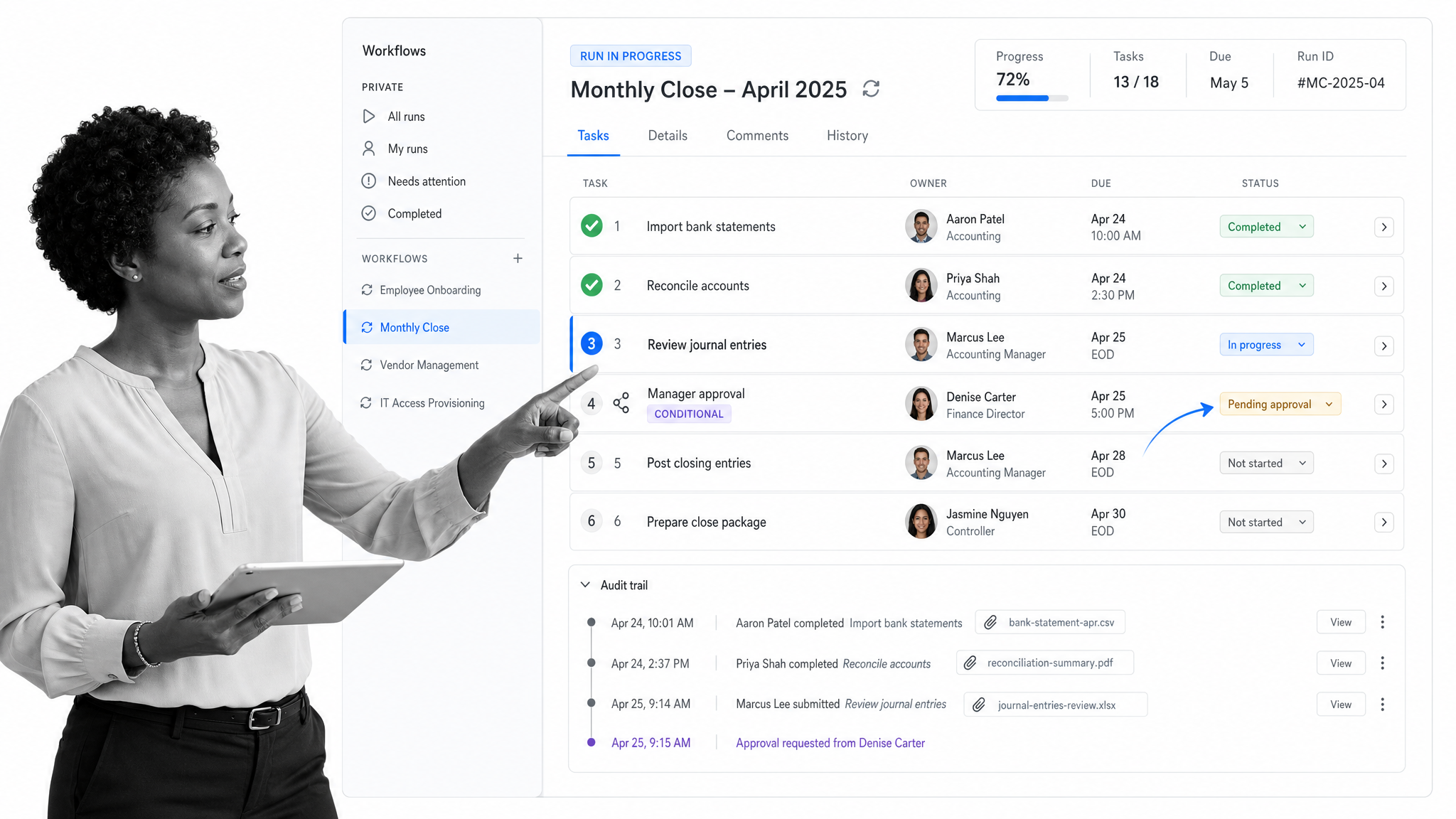
Best for recurring team workflows and compliance-heavy operations. Process Street is the best fit when time management depends on repeatable execution. Instead of relying on people to remember every handoff, approval, or follow-up, teams can run documented workflows with owners, due dates, forms, approvals, automations, and audit trails built in. It is especially useful for onboarding, client delivery, recurring reviews, finance operations, HR processes, and compliance work where skipped steps matter.
Choose Process Street when the time problem is process drift, missed handoffs, or repeated work that needs proof.
Todoist
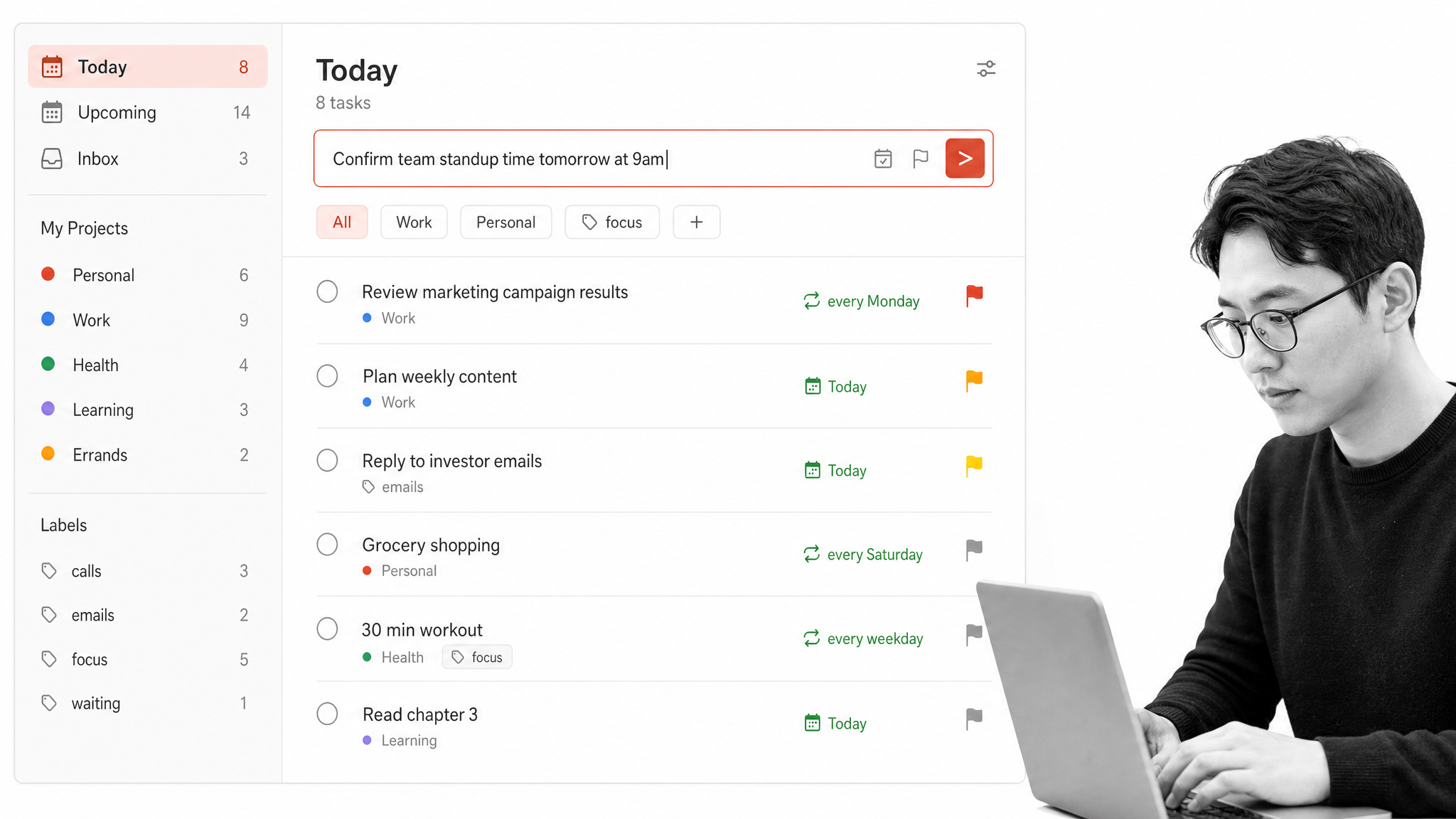
Best for fast personal task capture. Todoist remains one of the cleanest choices for capturing tasks quickly and organizing them by project, date, priority, label, and recurring schedule. It is strong for individuals who need low-friction task entry, mobile access, and simple planning without a heavy project management layer. Recent AI-assisted capture and task parsing make it more useful for turning notes, emails, or spoken reminders into structured tasks.
Choose Todoist when you need a dependable personal task system that stays out of the way.
Motion
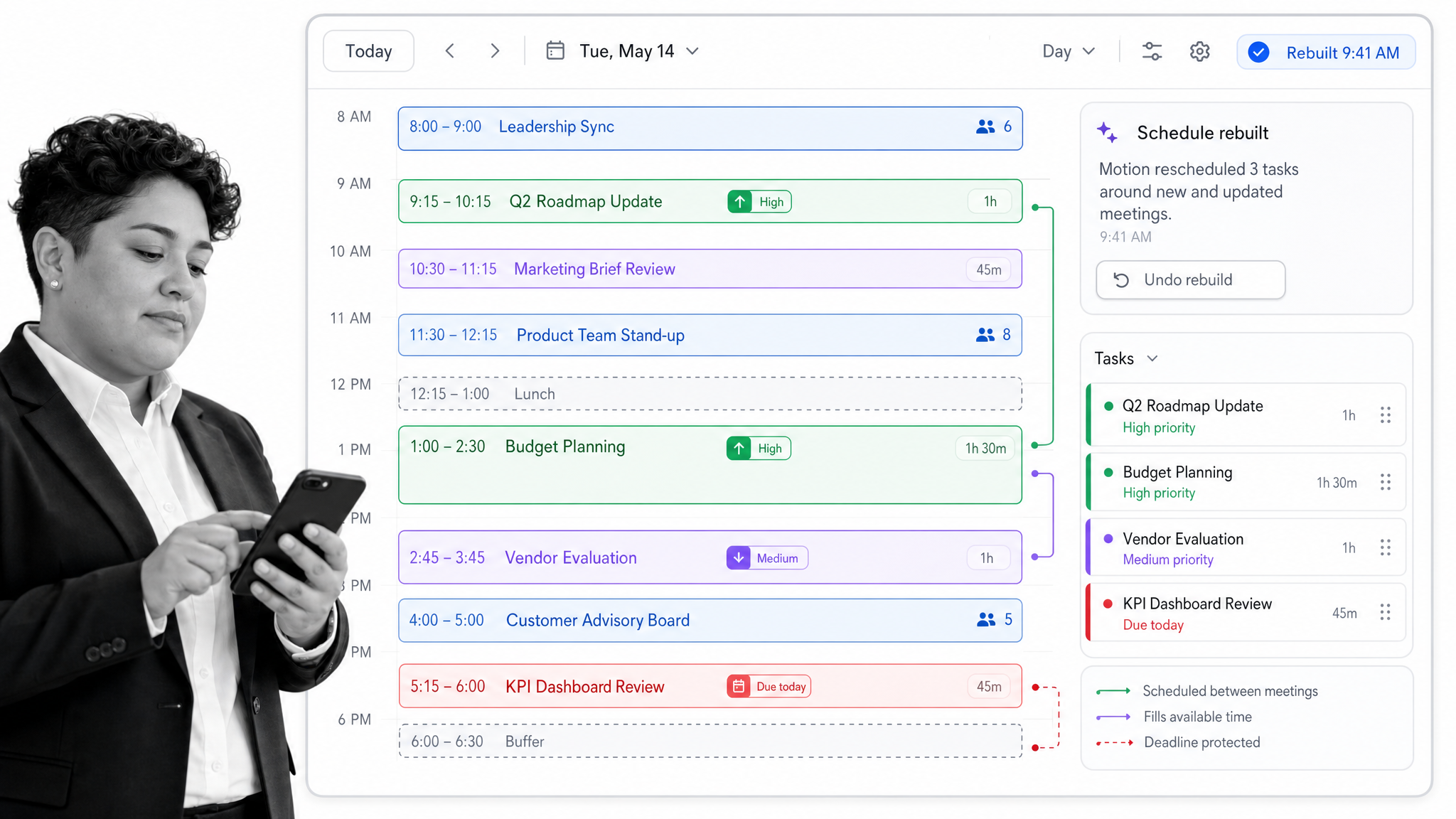
Best for automatic daily scheduling. Motion is built around automatic scheduling. You add tasks, deadlines, priorities, meetings, and availability, and Motion places work on your calendar. When the day changes, it rebuilds the schedule. That makes it useful for managers, founders, and busy operators who have too many priorities to manually time block every day.
Choose Motion when you want the calendar to actively decide what goes where.
Reclaim.ai
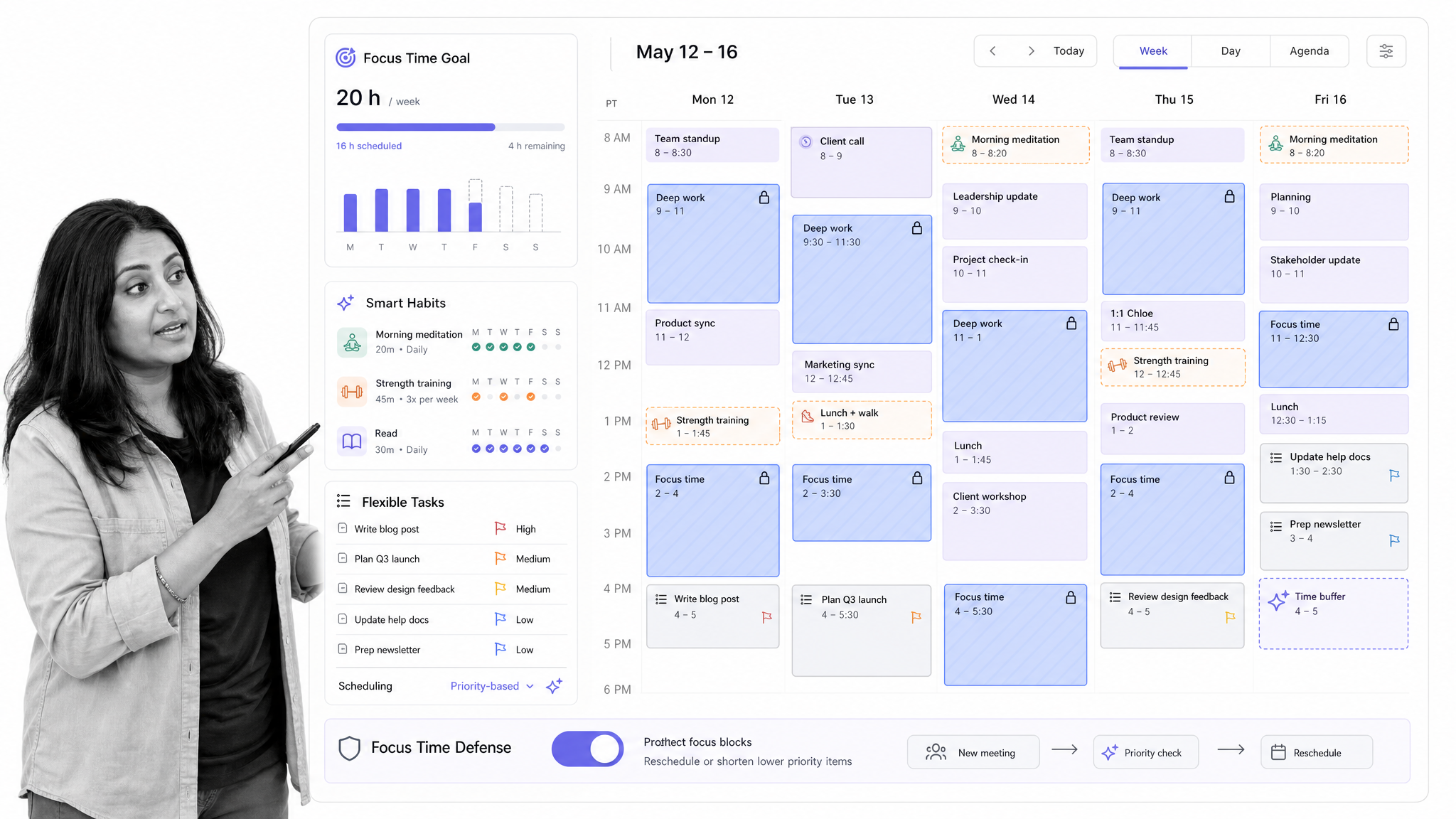
Best for protecting focus time. Reclaim.ai works well for people who already live in Google Calendar or Outlook and want automatic scheduling around meetings, habits, tasks, and focus time. It is less about building a full project system and more about defending time on a crowded calendar.
Choose Reclaim.ai when meetings consume your week and you need focus blocks to survive schedule changes.
Clockwise
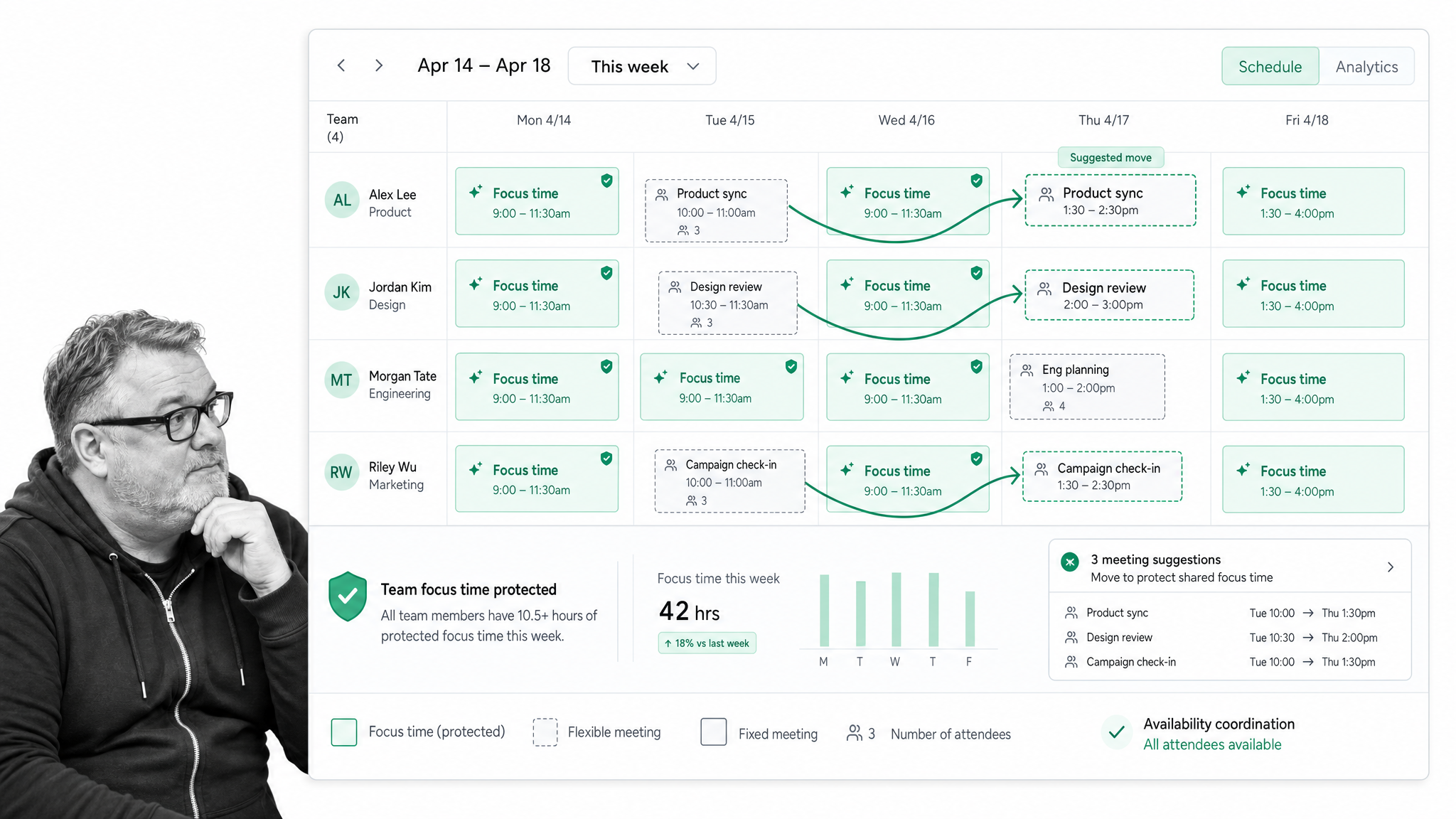
Best for team calendar optimization. Clockwise is strongest when the problem is not one person planning a day, but a team losing deep work to fragmented calendars. It can move flexible meetings, create focus blocks, and help teams coordinate availability without endless manual calendar cleanup.
Choose Clockwise when a team calendar needs fewer scattered meetings and more uninterrupted work time.
Sunsama
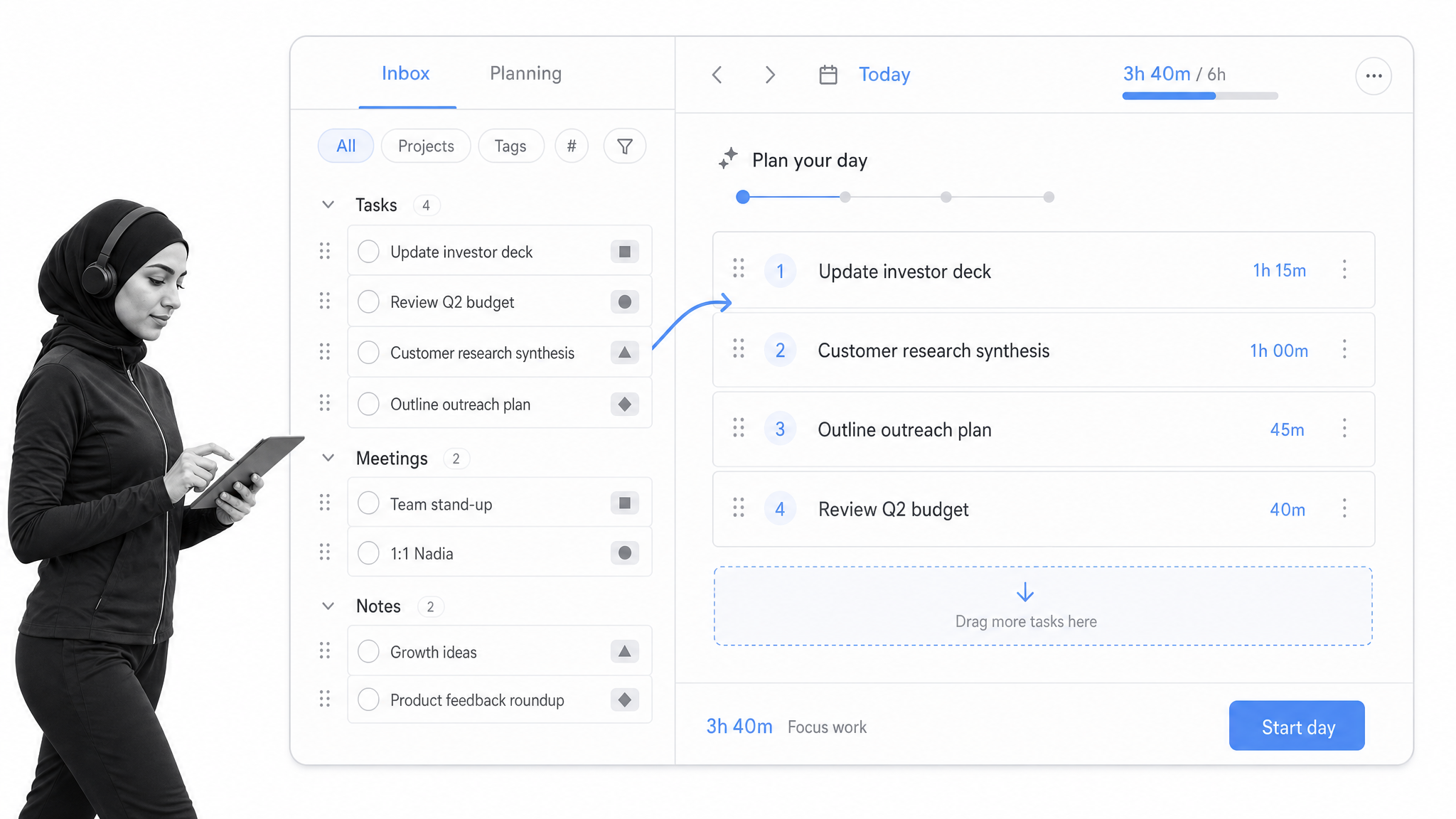
Best for guided daily planning. Sunsama is a daily planner for people who want a calm planning ritual. It pulls tasks from tools like Asana, Trello, Jira, Notion, email, and calendars, then helps you decide what realistically fits into the day. It is deliberately slower than a raw to-do list, which is the point.
Choose Sunsama when you want to plan fewer tasks and finish more of them.
Akiflow
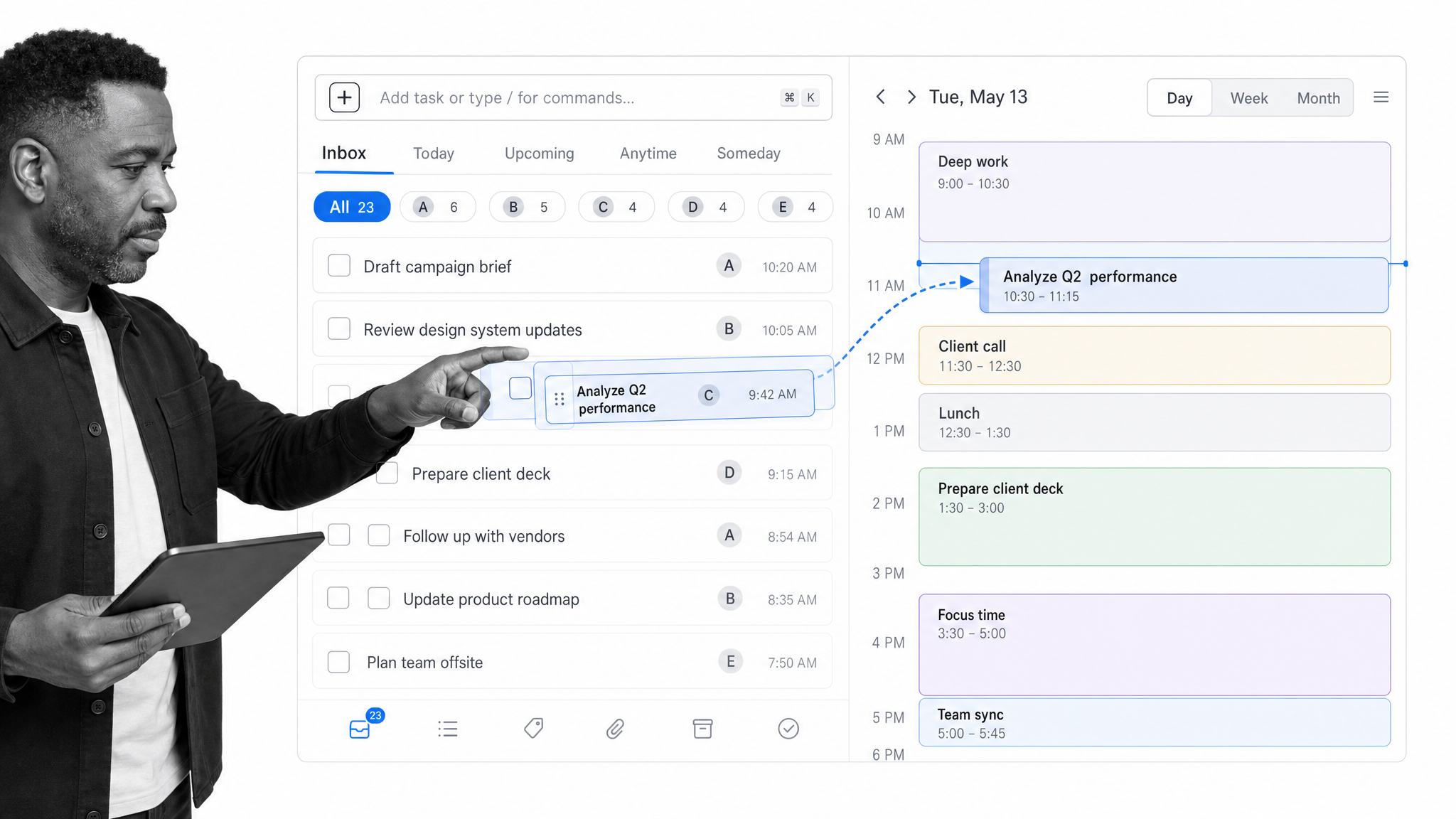
Best for task aggregation and time blocking. Akiflow brings tasks from multiple systems into one command center, then helps you time block work on your calendar. It suits people who already use several work apps and need one place to process tasks, meetings, and follow-ups.
Choose Akiflow when your task list is spread across too many tools.
Asana
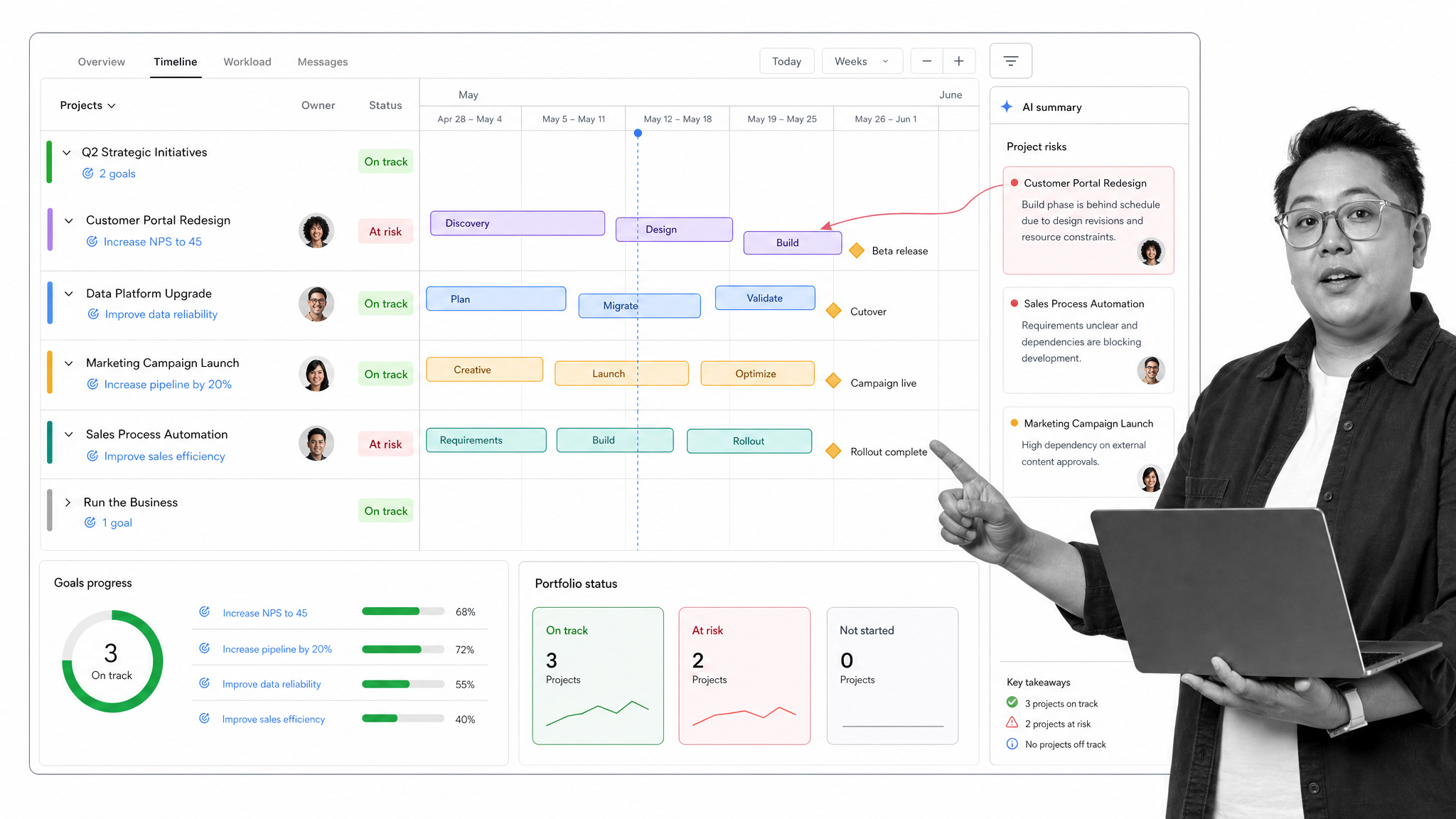
Best for cross-functional project work. Asana is a strong team work management platform with tasks, projects, timelines, portfolios, goals, forms, automations, reporting, and native time tracking. It is better for coordinating work across people than for personal focus. Its AI and automation features are useful when projects have many handoffs and status updates.
Choose Asana when the time problem is project coordination across multiple teams.
Trello
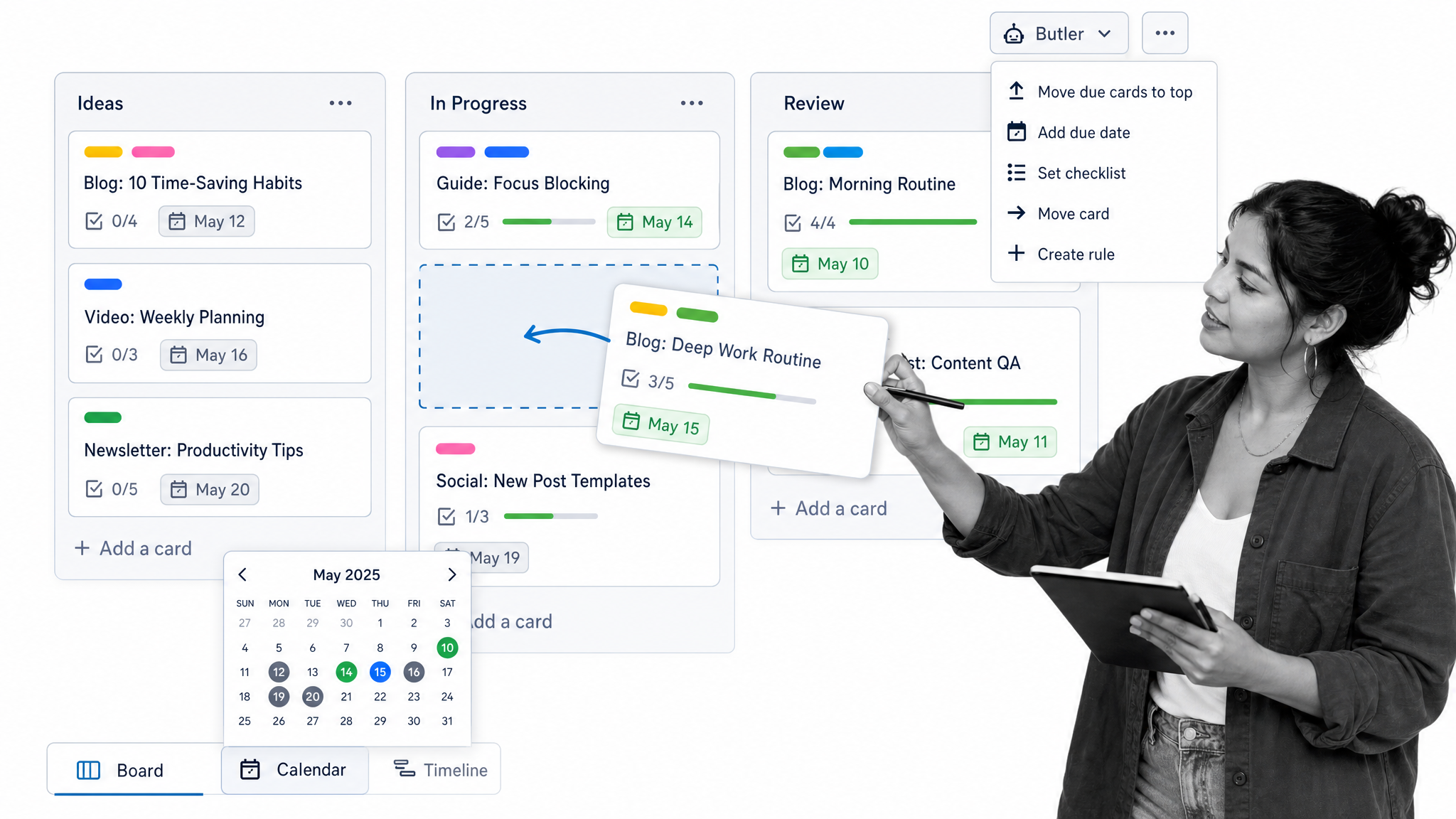
Best for visual planning boards. Trello is simple, visual, and still effective for teams that think in boards, lists, and cards. It is not the deepest time management platform, but it is quick to adopt and useful for lightweight editorial calendars, sprint boards, content workflows, and personal planning systems.
Choose Trello when a visual board is enough and adoption matters more than advanced reporting.
Notion
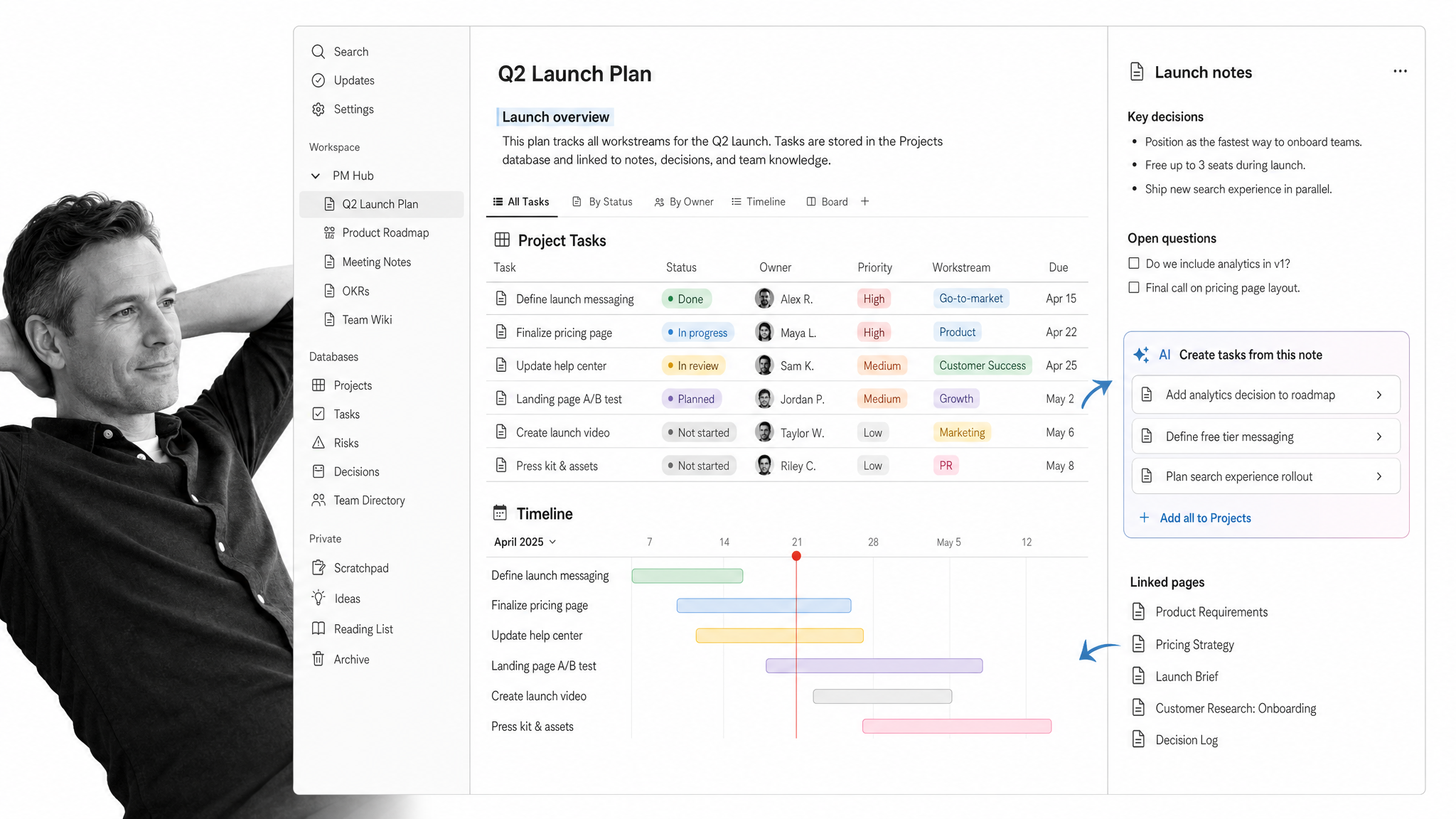
Best for custom planning systems. Notion works well when tasks, notes, docs, calendars, and databases need to live in one flexible workspace. It is not a dedicated time management app by default, but it can become a strong planning system for teams that are willing to design their own dashboards and templates.
Choose Notion when your time management system needs to live beside your knowledge base.
Microsoft Planner and To Do
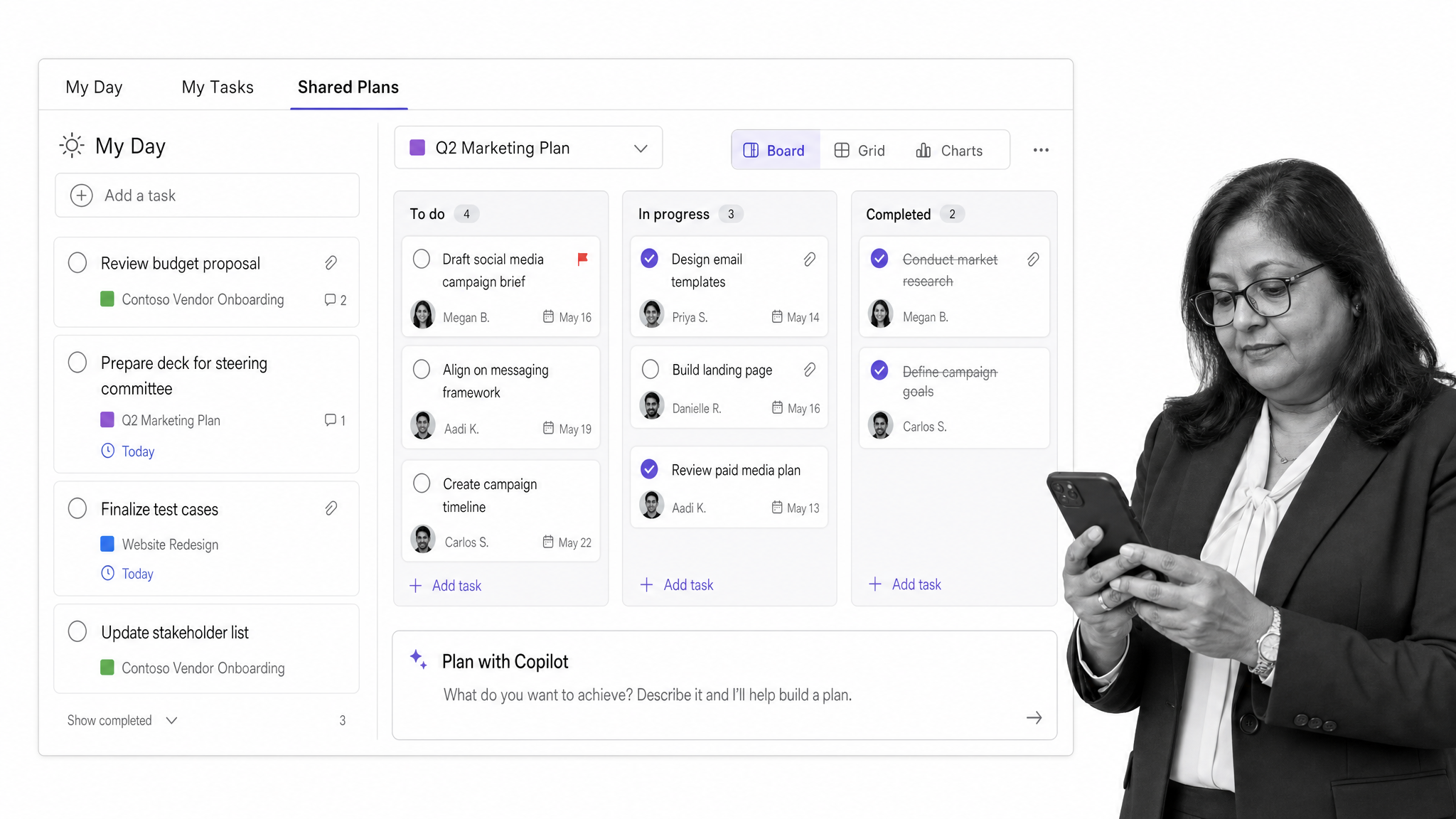
Best for Microsoft 365 teams. Microsoft To Do is useful for personal lists, while Planner brings task boards, team assignments, and Microsoft 365 integration into a shared work system. The newer Planner direction brings To Do, Planner, Project, Teams, and Copilot closer together, which makes it a practical default for companies already standardized on Microsoft.
Choose Microsoft Planner and To Do when your team already works in Outlook, Teams, and Microsoft 365.
ClickUp
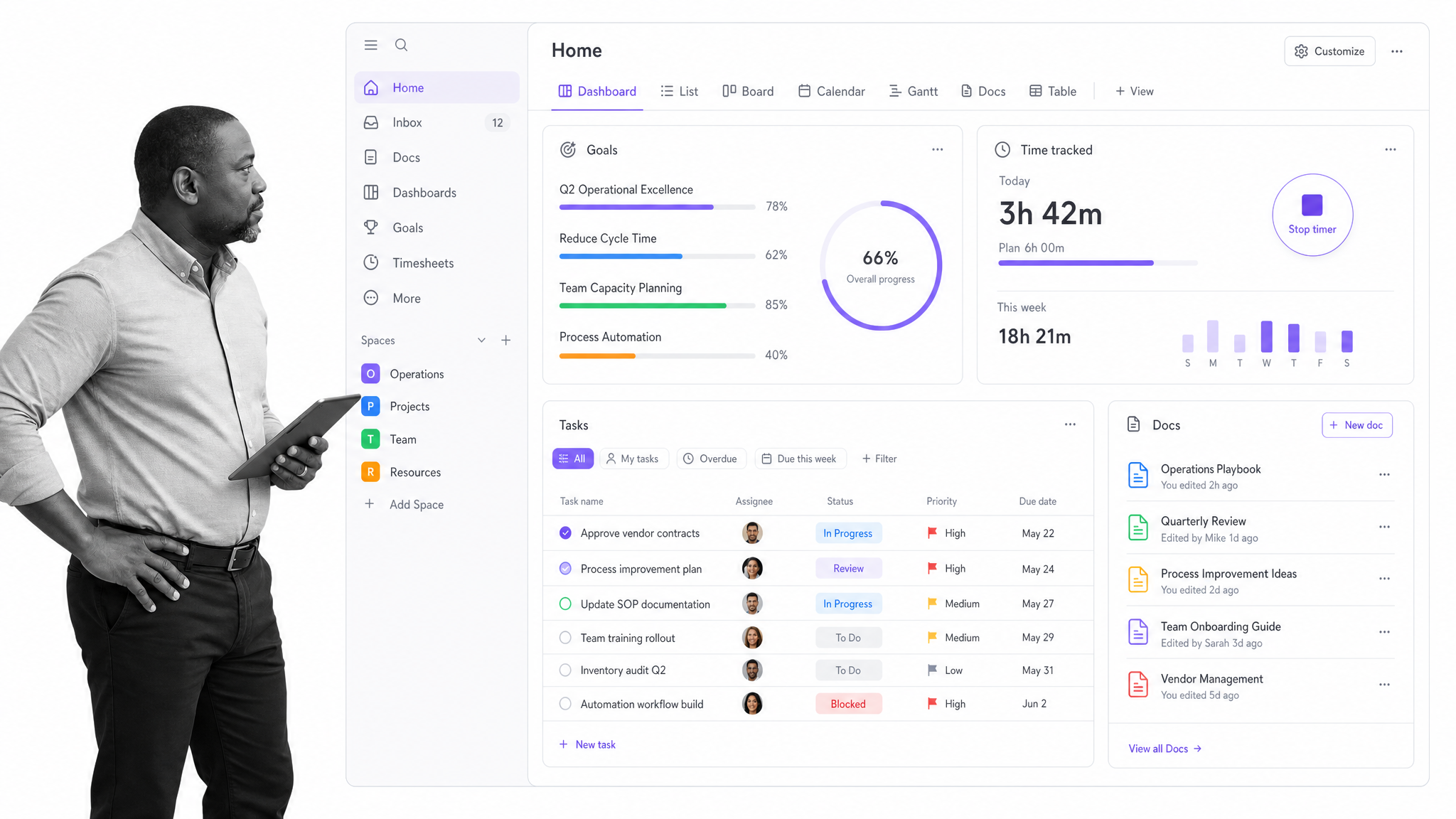
Best for all-in-one work management. ClickUp combines tasks, docs, dashboards, goals, time tracking, calendars, automations, and project views in one workspace. It can replace several tools for teams that want a broad operating hub, but the breadth can also feel heavy if you only need a simple task list.
Choose ClickUp when you want one configurable workspace for projects, time tracking, and reporting.
Clockify
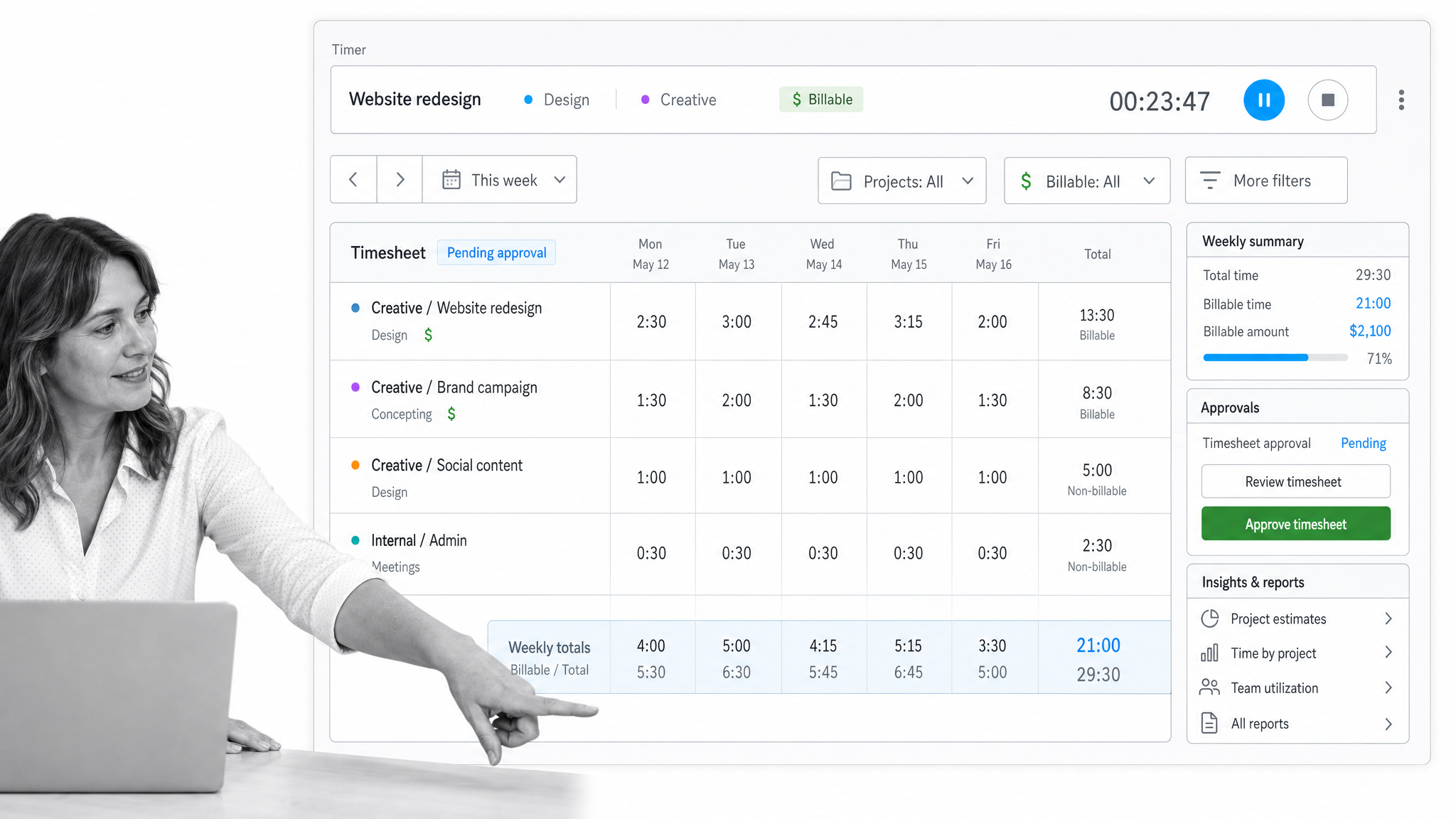
Best free time tracking option. Clockify is a practical time tracker for individuals and teams that need timers, timesheets, reports, billable hours, approvals, scheduling, and project estimates. Its free plan and straightforward interface make it one of the easiest ways to start measuring where work time goes.
Choose Clockify when you need time data without a complex rollout.
Toggl Track
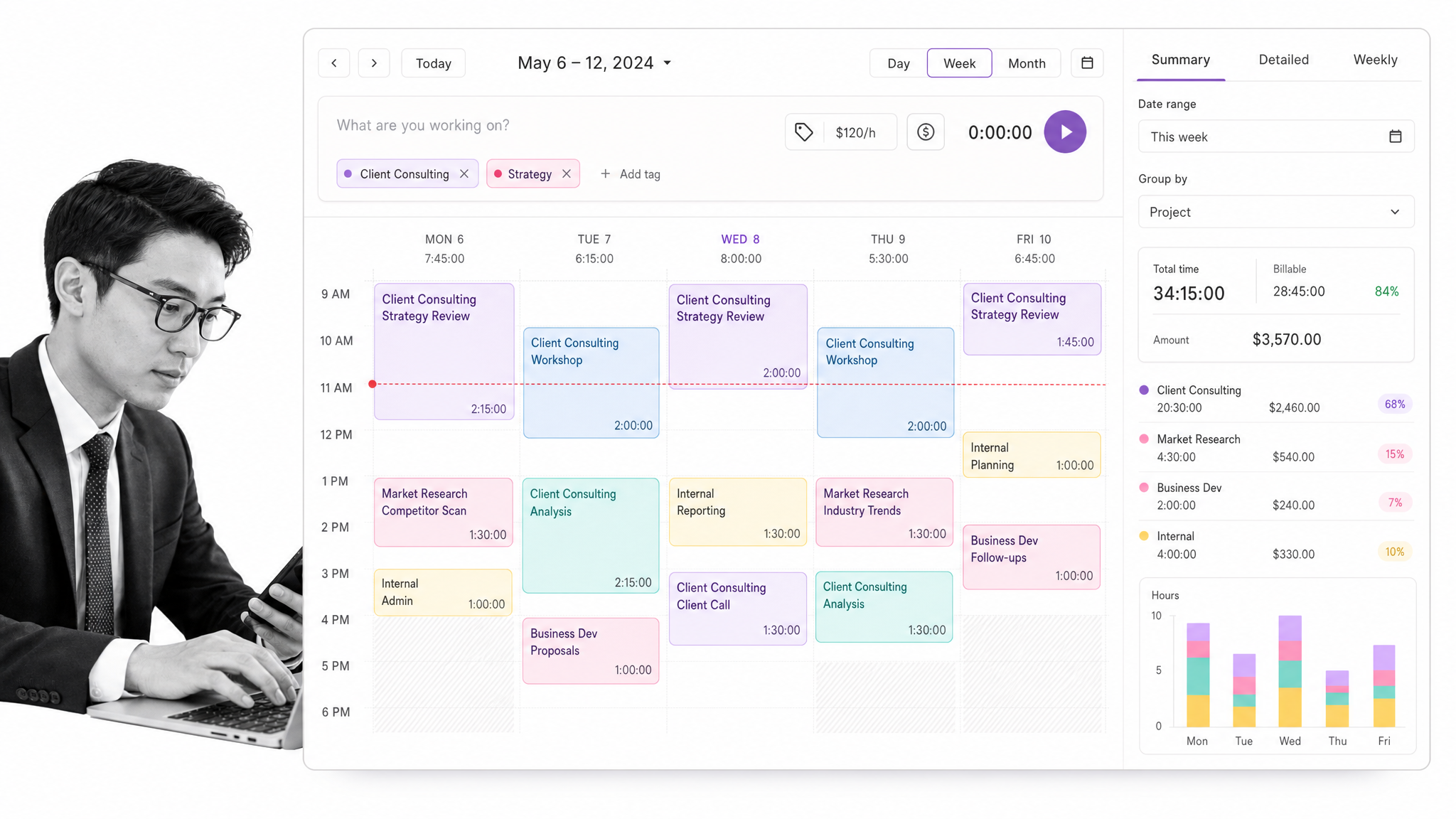
Best lightweight time tracking. Toggl Track is a clean time tracker for freelancers, consultants, agencies, and teams that want simple timers, project tags, reports, and billable time. It is less of a project management system and more of a focused measurement layer.
Choose Toggl Track when accurate time entries matter more than managing the work itself.
RescueTime
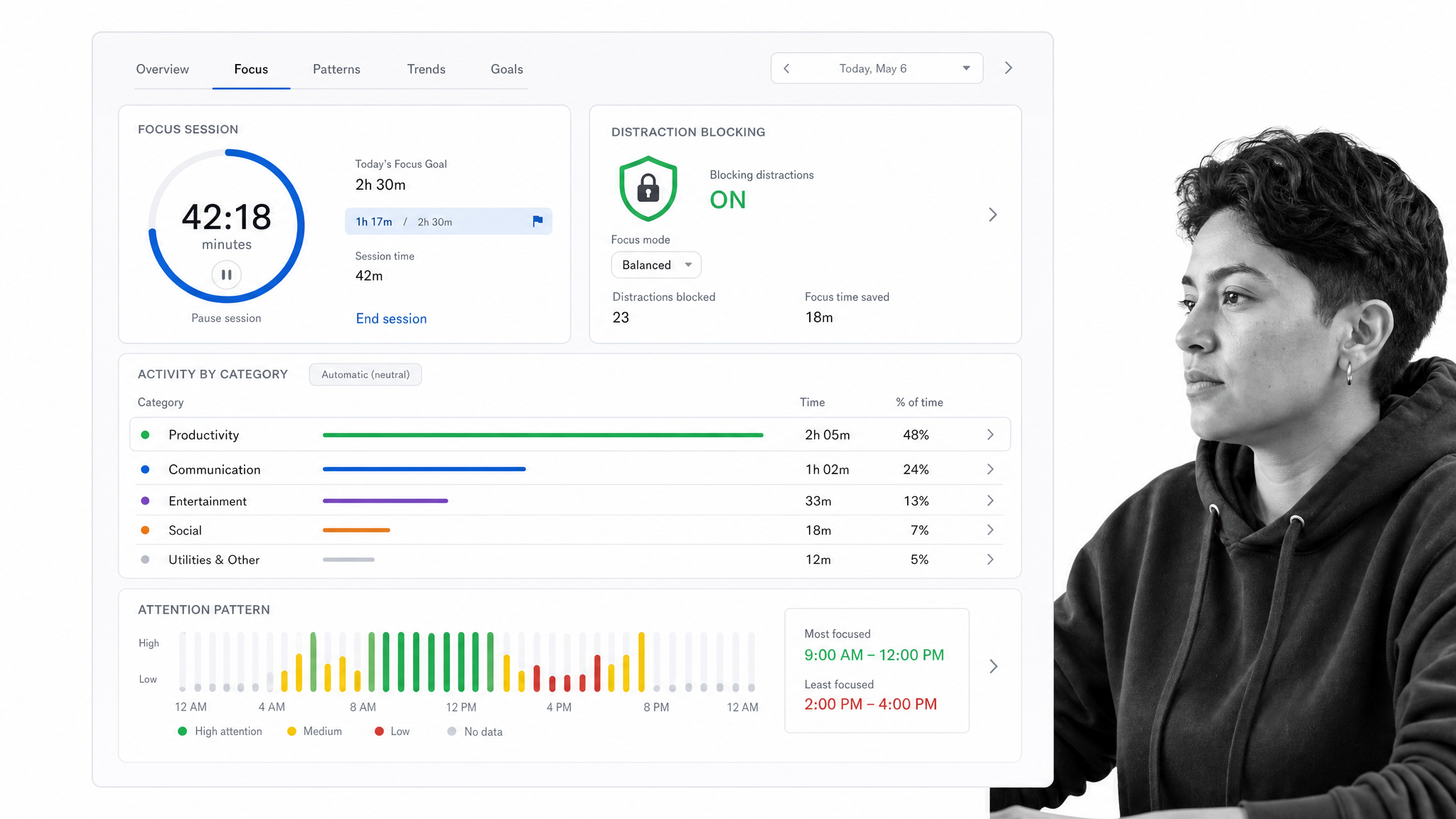
Best for focus and distraction awareness. RescueTime tracks how you spend time across apps and websites, then helps you understand patterns that create distraction or overload. It is useful when the problem is attention, context switching, or digital habits rather than task assignment.
Choose RescueTime when you need honest data about where your attention goes.
TickTick
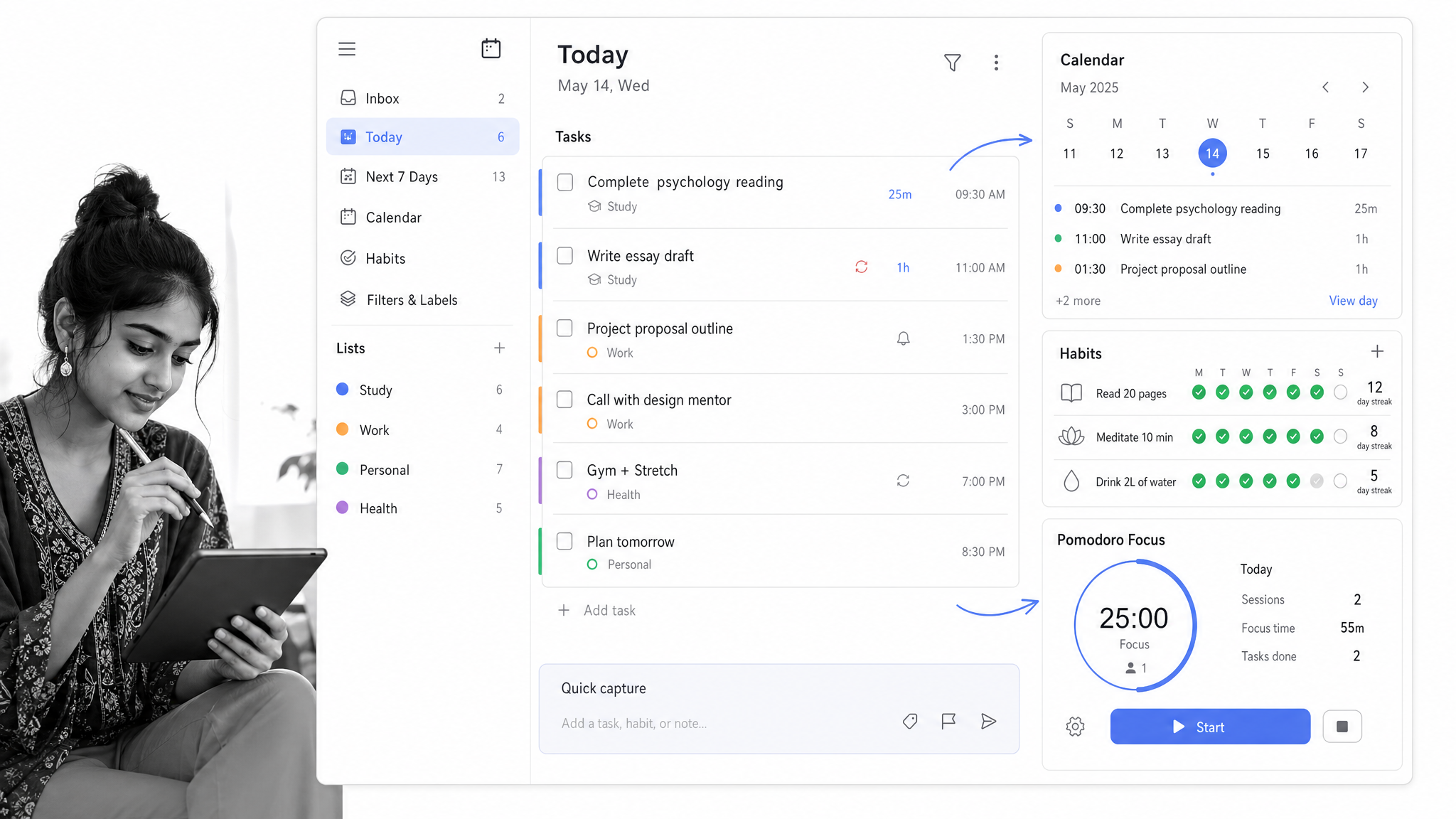
Best task app with habits and Pomodoro. TickTick combines to-do lists, calendar views, reminders, habits, and Pomodoro-style focus sessions. It is a good fit for personal productivity systems that mix tasks, routines, and lightweight time blocking.
Choose TickTick when you want tasks, habits, and focus sessions in one personal app.
TimeCamp
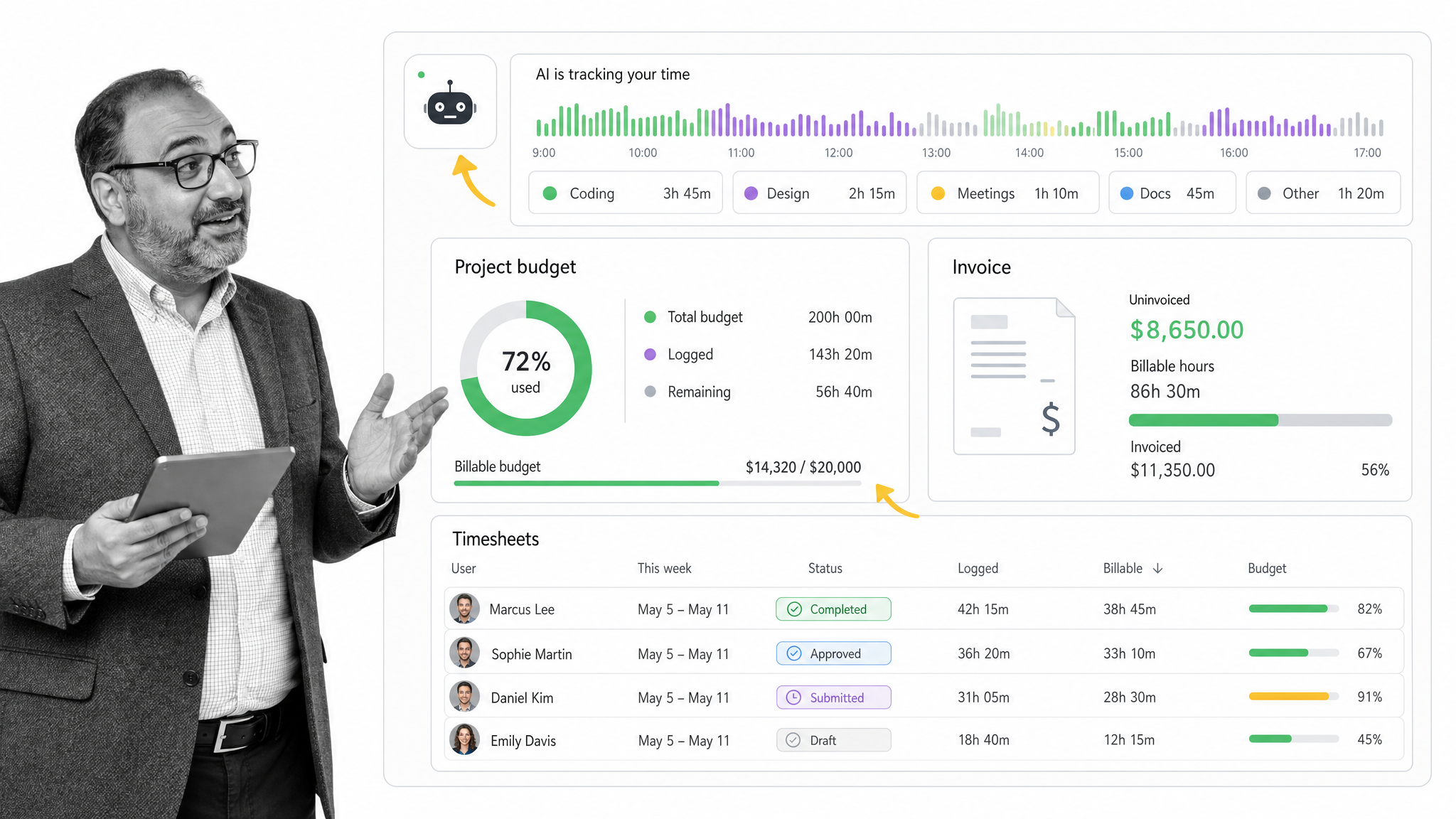
Best for automatic time tracking. TimeCamp is useful for teams that want automatic time tracking, productivity reports, billable hours, invoices, and project budget monitoring. It fits service teams that need time records without asking everyone to manually start and stop timers all day.
Choose TimeCamp when automatic time capture and budget visibility matter.
Evernote
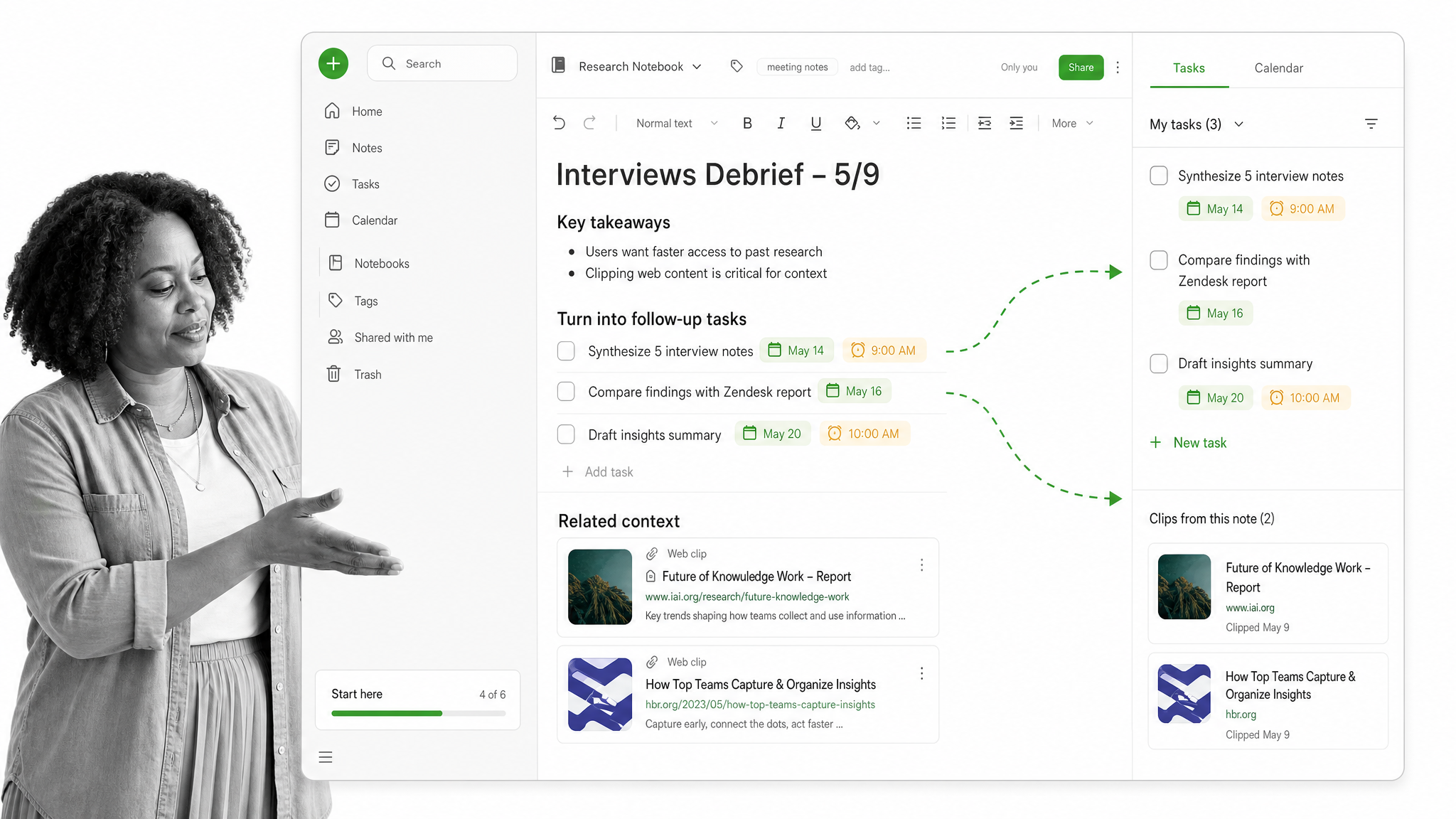
Best for notes that turn into tasks. Evernote is no longer the default recommendation for every productivity stack, but it still works for people who manage time through notes, clipped research, meeting records, and task follow-ups. It is best when the core problem is organizing information before it becomes action.
Choose Evernote when your tasks start as notes, research, and meeting context.
Any.do
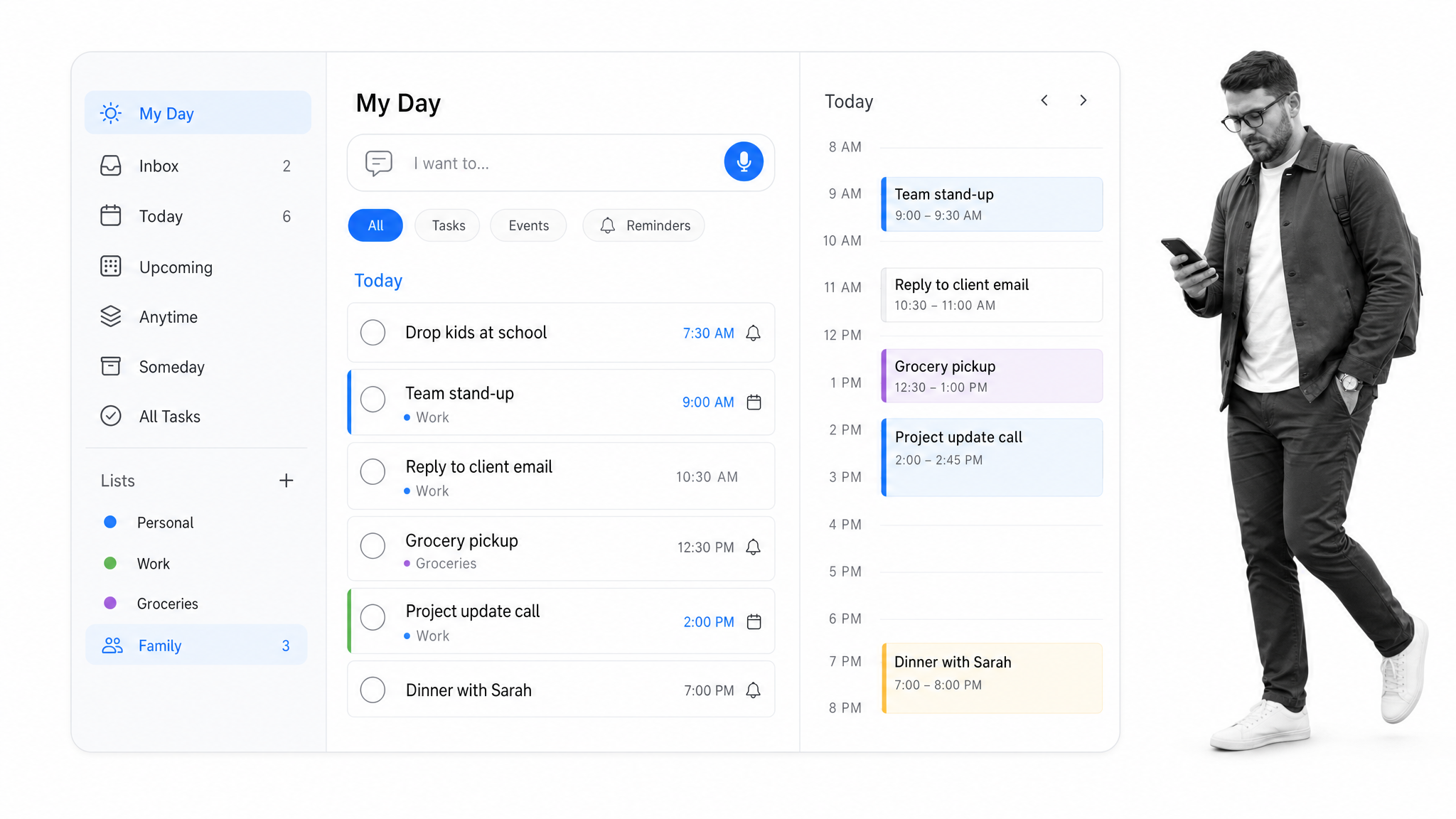
Best simple list and calendar app. Any.do is a simple planner for personal tasks, reminders, grocery-style lists, calendar events, and daily planning. It is not the best fit for complex team execution, but it is approachable for people who need a clean app for everyday commitments.
Choose Any.do when simple reminders and calendar-linked tasks are enough.
Tools to skip or reconsider
Some older recommendations still exist, but no longer deserve a headline spot for most readers. Google Keep is useful for quick notes, but it is too light for serious time management. Remember The Milk, MyLifeOrganized, Week Plan, 2Do, Focus Booster, and PomoDone or RoundPie can still fit niche personal systems, but most teams will get more durable value from modern task managers, AI schedulers, calendar-first planners, time trackers, or workflow platforms.
Best time management tools for students
Students usually need low friction, not enterprise features. A strong student stack is Todoist or TickTick for assignments, Google Calendar or Microsoft Outlook for classes, Notion or Evernote for notes, and a focus timer when procrastination is the main issue.
If group projects are part of the workload, Trello or Asana adds shared accountability without requiring a full business workflow system. The best student tool is the one that gets checked every day, not the one with the longest feature list.
How Process Street fits time management
Most time management advice focuses on individual discipline. Teams have a different problem: work depends on repeatable processes. If the onboarding checklist, monthly close, client handoff, vendor review, or compliance review lives in someone’s head, no calendar tool can make the process reliable.
Process Street turns recurring procedures into workflows with assigned owners, due dates, approvals, conditional logic, automations, and audit-ready records. That makes time management operational. The system does not just remind people to do work. It controls the steps, tracks completion, and creates proof.
For more on related approaches, see Process Street guides to time management strategies, time management tips, process management tools, and process management software.
FAQs
What are time management tools?
Time management tools are apps or platforms that help people capture tasks, prioritize work, schedule focus time, track hours, coordinate projects, or run recurring workflows. The best choice depends on whether the main problem is personal focus, team coordination, calendar overload, or repeatable process execution.
What is the best time management tool for teams?
For recurring operational work, Process Street is the strongest fit because it turns procedures into assigned, trackable workflows. For project coordination, Asana, Trello, ClickUp, and Notion are strong options. For team calendar optimization, Clockwise is purpose-built for protecting focus time.
What is the best time management app for individuals?
Todoist, TickTick, Sunsama, Akiflow, Motion, and Reclaim.ai are strong individual options. Todoist and TickTick are best for task capture. Sunsama and Akiflow are better for daily planning. Motion and Reclaim.ai are better when you want the calendar to schedule tasks automatically.
Are AI time management tools worth it?
AI scheduling tools are worth it when your plan changes often. Motion, Reclaim.ai, Clockwise, and Akiflow can reduce manual calendar maintenance by placing tasks, moving flexible work, and protecting focus blocks. They are less useful if your workload is simple or if your organization will not trust an automated calendar.
What is the difference between time tracking and task management?
Task management tools help you decide what needs to be done. Time tracking tools show how long work actually takes. Many teams need both: a task or workflow system for execution and a tracker like Clockify, Toggl Track, TimeCamp, or RescueTime for measurement.
How many time management tools should I use?
Use the fewest tools that cover the job. A practical stack is one task manager, one calendar or scheduler, one time tracker if you need reporting, and one workflow platform for recurring team processes. Too many tools create more coordination work than they remove.
