


Turn every policy into automated workflows with built-in enforcement and audit-ready proof.



9 Best Trello Alternatives & Competitors in 2026

The best Trello alternatives are Process Street for enforceable recurring SOP and compliance workflows, Asana for structured project and goal management, monday.com for visual work management across departments, and ClickUp for teams that want many project views in one workspace. Five more are compared below: Jira, Notion, Airtable, Wrike and Smartsheet.
Trello is worth replacing when a board of cards stops being enough. Trello is excellent for lightweight Kanban work: boards, lists, cards, checklists, Power-Ups, and simple workspace automation. The problem starts when the work needs stricter owners, approvals, evidence, dependencies, reporting, or a system of record beyond the board.
This page is maintained by the Process Street team, but the ranking is not a blanket claim that one product wins every use case. Process Street ranks first for teams whose core problem is enforceable, trackable, recurring process execution. For software teams, database-backed operations, knowledge management, or spreadsheet-style project controls, another alternative may fit better.
The criteria are practical: how each tool handles recurring work, how easy it is for non-technical teams to own, whether pricing is clear, how the product supports reporting and governance, and whether the tool helps people do the work correctly instead of only showing that work exists.
In this article, we are going to cover:
- Trello alternatives at a glance
- How to choose Trello alternatives
- Best Trello alternatives and competitors
- Trello alternatives by use case
- FAQs
Trello alternatives at a glance
Use this table as the short version before the deep dives. The best choice depends on the work pattern you are replacing: a simple Kanban board, a project plan, a governed SOP, a software backlog, a company wiki, a database app, or a spreadsheet-style portfolio.
| Tool | Best for | Standout feature | Free plan | Starting price |
|---|---|---|---|---|
| Process Street | enforceable recurring SOP and compliance workflows | workflow runs with approvals, conditional logic, required fields, and audit history | 14-day Pro trial | Contact sales |
| Asana | structured project and goal management | projects, goals, workflows, automations, forms, reporting, and Gantt views | Yes, Personal plan | $10.99 per user/month billed annually |
| monday.com | visual work management across departments | boards, dashboards, automations, templates, and workflow views | Yes, up to 2 seats | $9 per seat/month billed annually |
| ClickUp | teams that want many project views in one workspace | tasks, docs, goals, dashboards, time tracking, chat, forms, and Gantt charts | Yes, Free Forever | $7 per user/month billed annually |
| Jira | software teams and technical delivery | backlog, board, list, timeline, calendar, reports, dashboards, and automation | Yes, free for 10 users | $7.91 per user/month |
| Notion | docs, wiki, and task-light team workspaces | pages, databases, forms, sites, calendar, mail, charts, and workspace AI features | Yes | $10 per member/month |
| Airtable | database-backed workflows and lightweight apps | tables, records, forms, interfaces, automations, API usage, and per-seat workspaces | Yes | $20 per user/month billed annually |
| Wrike | cross-functional project and resource management | board, table, Gantt, dashboards, resource planning, request forms, and automation | Yes | $10 per user/month billed annually |
| Smartsheet | spreadsheet-style project and program management | sheets, reports, dashboards, forms, Gantt, board, calendar, and automations | Free trial | $9 per member/month billed yearly |
How to choose Trello alternatives
Start by deciding whether Trello failed because the board was too simple, or because the underlying process was never controlled. If you need more views, dependencies, and project reporting, compare project management software and best project management tools. If you need a repeatable workflow that assigns owners, collects inputs, routes approvals, and preserves a history of each run, compare the broader workflow management system category.
The difference matters. A project management board is useful when the work is fluid. A workflow run is useful when the work must happen the same way every time. Teams replacing Trello for onboarding, vendor reviews, finance close, QA checks, IT requests, or compliance tasks should evaluate project management software instead of simply picking the prettiest board.
Ask these questions before you shortlist tools:
- Does the work need a visible board, or a controlled sequence of steps?
- Do people need to upload evidence, fill required fields, or wait for approvals?
- Will managers need workload, timeline, dashboard, or portfolio reporting?
- Is the work better represented as tasks, records, documents, issues, or workflow runs?
- Can the team maintain the system without turning every change into an admin project?
A healthy stack can still include Trello. Many teams keep a lightweight board for brainstorming and use a governed process platform for recurring operations. The key is not to force every workflow into cards when the work needs stronger structure.
Best Trello alternatives and competitors
1. Process Street
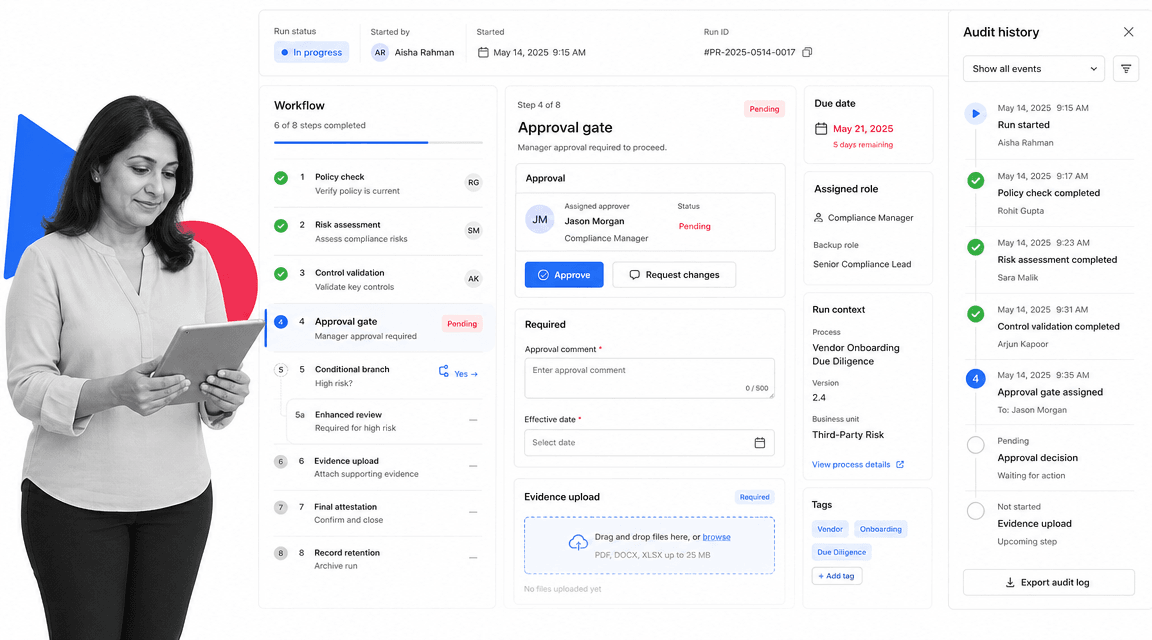
Best for: enforceable recurring SOP and compliance workflows.
Process Street is the strongest Trello alternative when the work is a recurring SOP, checklist, approval, or compliance-adjacent process that needs to be run and proven. Trello can show a card moving across a board. Process Street can turn the work into a workflow run with required fields, due dates, conditional paths, evidence, approvals, and a task history.
That makes it a better fit for operations, HR, finance, customer success, IT, quality, and compliance teams that need execution control. Instead of asking people to remember the policy behind the card, Process Street embeds the policy into the work. The workflow tells each person what to do, when to do it, what information to provide, and who approves the result.
Use Process Street pricing for current package details. The public pricing page lists Startup, Pro, and Enterprise tracks, a 14-day Pro trial, unlimited workflows and tasks, conditional logic, approvals, enforced task order, role assignments, scheduled workflows, analytics, and integrations.
Process Street key features:
- Workflow runs with task owners, due dates, and conditional logic.
- approval tasks that keep review inside the workflow.
- Required form fields, file uploads, and run history for operational proof.
- Recurring schedules and project managements for repeatable work.
- A compliance operations platform shape for teams that need control, not only visibility.
Process Street pros:
- Strong fit for SOPs, recurring operations, onboarding, reviews, and compliance work.
- Readable enough for non-technical teams to build and maintain.
- Keeps people, tasks, approvals, evidence, and integrations in one workflow record.
- Better than a board when missed steps create risk.
- Works well as the governed layer beside project, database, and ticketing tools.
Process Street cons:
- Not a replacement for pure software issue tracking or sprint planning.
- Not the best fit when all you need is a simple personal Kanban board.
2. Asana
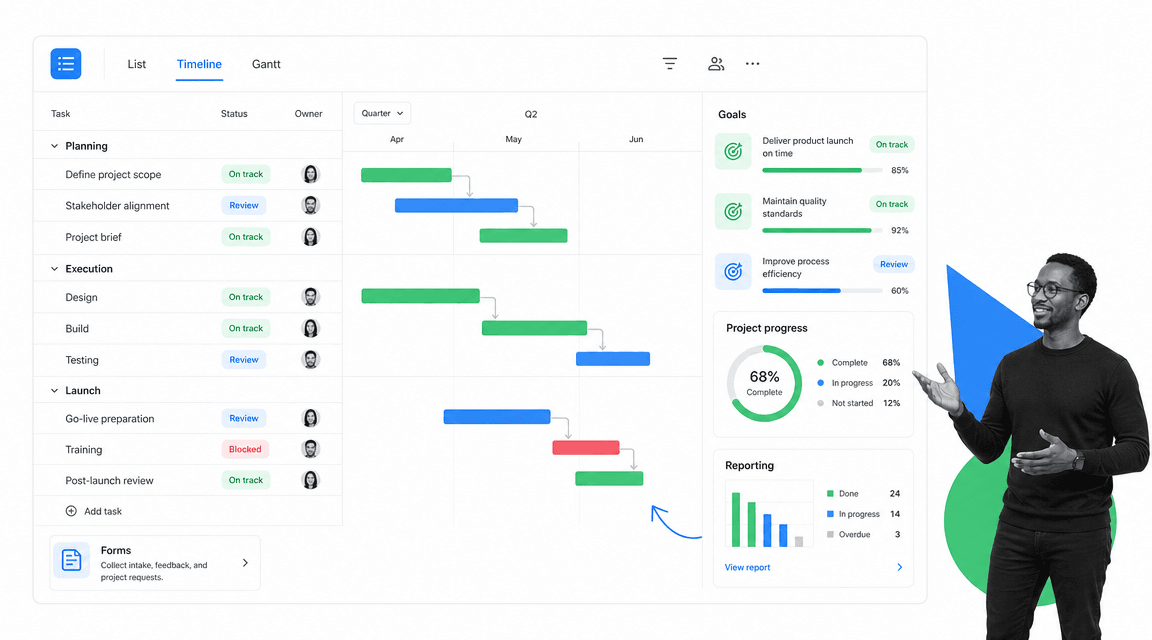
Best for: structured project and goal management.
Asana is a work management platform for projects, goals, workflows, automations, forms, reporting, and timeline-style planning. Its pricing page publishes a free Personal plan and paid tiers for teams that need more project control.
It beats Process Street when the main problem is project coordination across goals, milestones, and cross-functional plans. It is weaker when the work must follow a strict recurring SOP with required evidence and approval gates.
Asana key features:
- Projects and tasks with multiple planning views.
- Goals, reporting dashboards, forms, and templates.
- Workflow automation and AI features on paid plans.
- Gantt and timeline-style planning for team projects.
Asana pros:
- Clean project coordination surface.
- Good fit for teams moving beyond basic cards.
- Strong for goal-linked work management.
Asana cons:
- Can still feel task-centric for controlled SOP execution.
- Not designed primarily as an audit-proof workflow run system.
For current package details, see Asana pricing. Asana is a better fit when the team wants clean project coordination and goal-linked work management.
3. monday.com
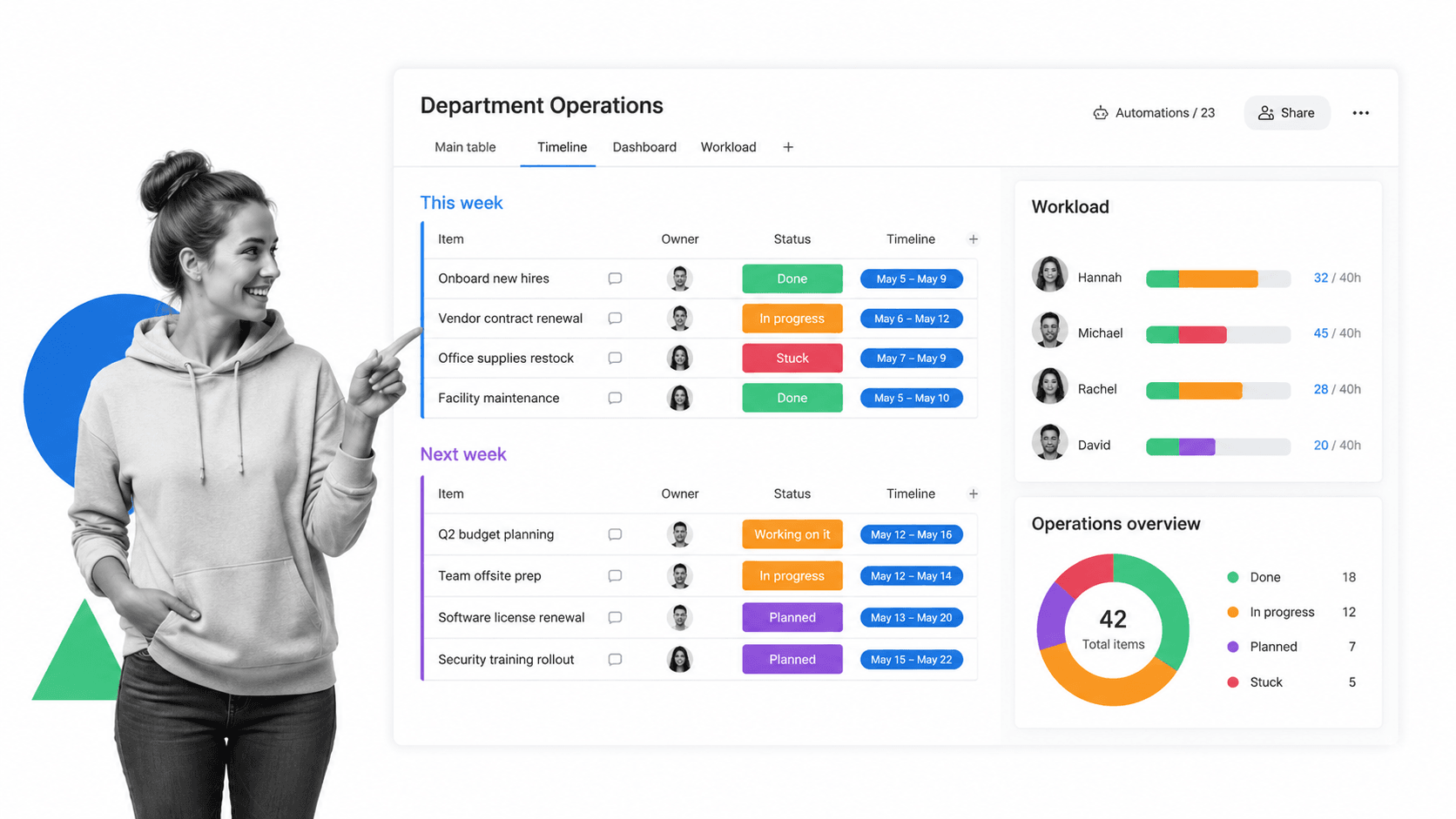
Best for: visual work management across departments.
monday.com is a visual work management platform built around boards, columns, dashboards, automations, templates, and workflow views. Its pricing page shows a free plan for very small teams and paid per-seat plans.
It beats Process Street when teams want a colorful work operating surface for departments, portfolios, dashboards, and flexible project boards. It is weaker when the process needs stricter procedural enforcement and run-level evidence.
monday.com key features:
- Boards with configurable columns.
- Dashboards and multiple work views.
- Automations, templates, and integrations.
- Workload and department planning surfaces.
monday.com pros:
- Strong visual planning experience.
- Flexible for many departments.
- Useful for leaders who want dashboards and board-based work tracking.
monday.com cons:
- Flexibility can create inconsistent operating patterns.
- Boards do not automatically enforce SOP evidence and approval discipline.
For current package details, see monday.com pricing. monday.com is a better fit when visual boards and department dashboards matter more than SOP enforcement.
4. ClickUp
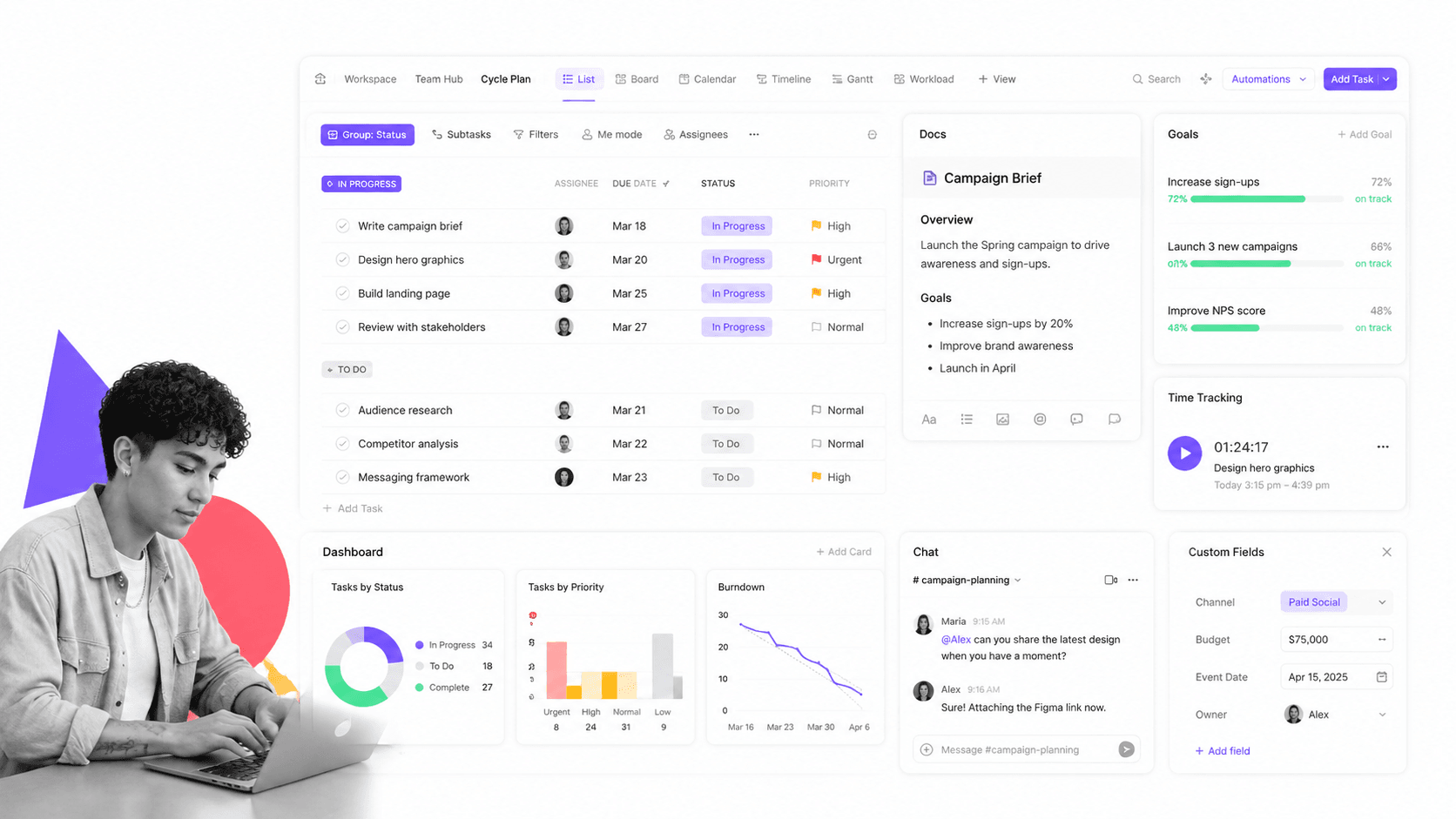
Best for: teams that want many project views in one workspace.
ClickUp is an all-in-one productivity workspace that combines tasks, docs, goals, dashboards, chat, time tracking, forms, Gantt charts, and many views. Its pricing page shows a Free Forever plan and paid team plans.
It beats Process Street when a team wants one broad workspace for tasks, docs, chat, goals, and project views. It is weaker when the core risk is people skipping required procedural steps or failing to leave evidence.
ClickUp key features:
- Tasks with many views.
- Docs, goals, dashboards, chat, forms, and time tracking.
- Gantt charts and custom fields.
- Integrations and storage expansion on paid plans.
ClickUp pros:
- Very broad workspace surface.
- Useful when teams want many views in one tool.
- Free plan makes evaluation easy.
ClickUp cons:
- Breadth can make administration feel heavy.
- Project flexibility is not the same as workflow enforcement.
For current package details, see ClickUp pricing. ClickUp is a better fit when the team wants a broad productivity workspace with many configurable views.
5. Jira
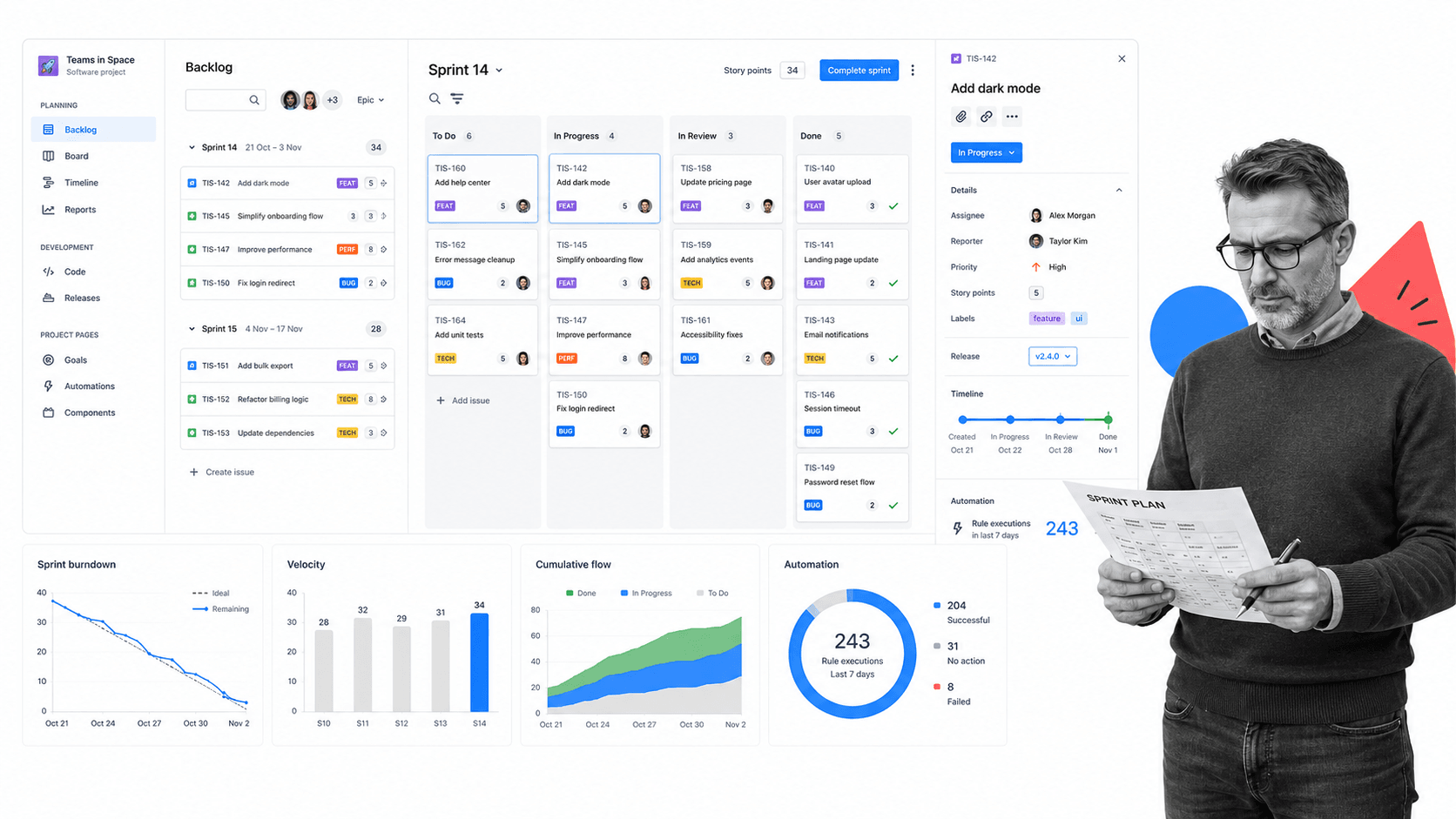
Best for: software teams and technical delivery.
Jira is Atlassian’s work and software planning product with backlog, list, board, timeline, calendar, reports, dashboards, goals, tasks, forms, and automation. Its pricing page shows a free plan for up to 10 users.
It beats Process Street when the work is software delivery, issue tracking, backlog planning, sprint management, and release coordination. It is weaker for non-technical recurring business processes that need a simple operator-facing workflow.
Jira key features:
- Backlog, board, list, timeline, and calendar views.
- Reports and dashboards.
- Automation rule runs by plan.
- Permissions, external collaboration, data residency, and storage on paid plans.
Jira pros:
- Strong fit for engineering teams.
- Deep issue and backlog management.
- Works well across Atlassian software delivery workflows.
Jira cons:
- Can feel too technical for general operations teams.
- Software issue tracking is not the same as SOP enforcement.
For current package details, see Jira pricing. Jira is a better fit when engineering delivery, issue tracking, and sprint planning are central.
6. Notion

Best for: docs, wiki, and task-light team workspaces.
Notion is a connected workspace for docs, pages, databases, basic forms, sites, calendar, mail, charts, and AI-assisted work. Its pricing page shows a free plan, Plus, Business, and Enterprise tracks.
It beats Process Street when the main problem is documentation, team knowledge, flexible pages, and lightweight project databases. It is weaker when the workflow must enforce task order, approvals, and evidence collection during execution.
Notion key features:
- Pages, docs, and wiki structure.
- Databases with subtasks, dependencies, and custom properties.
- Forms, sites, calendar, mail, and charts.
- Business and Enterprise features for AI, SSO, permissions, and advanced connections.
Notion pros:
- Strong for documentation and knowledge management.
- Flexible page and database model.
- Good fit for teams that want docs and light projects together.
Notion cons:
- Flexibility can leave process execution unenforced.
- Not ideal when proof of completed steps is the primary requirement.
For current package details, see Notion pricing. Notion is a better fit when knowledge management and collaborative docs are more important than enforced workflows.
7. Airtable
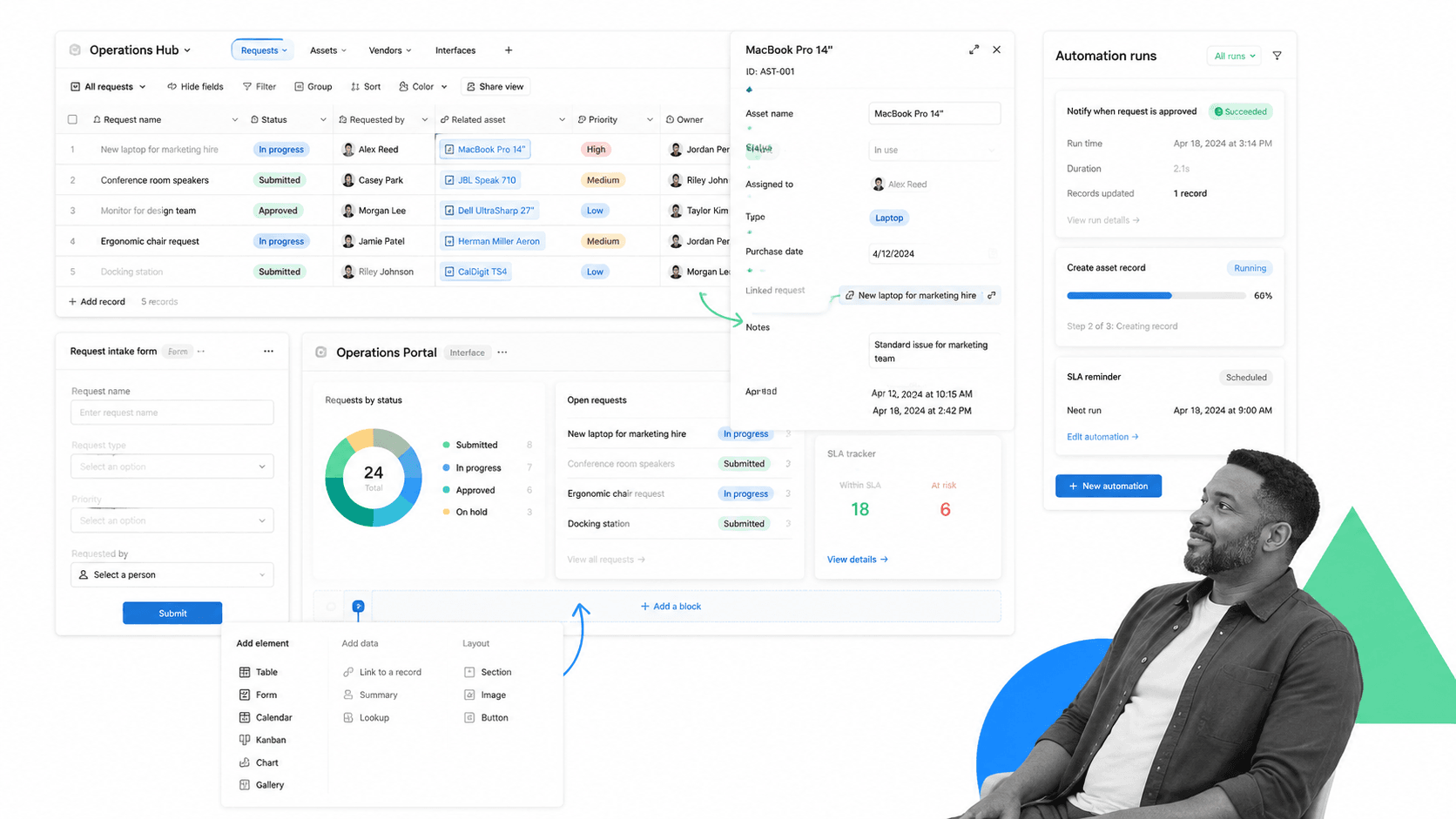
Best for: database-backed workflows and lightweight apps.
Airtable is a database-backed platform for teams that want structured records, tables, forms, automations, interfaces, and app-style workflows. Its pricing page explains free and paid plans charged per seat for users with edit permissions.
It beats Process Street when the work is mainly a structured database or lightweight internal app. It is weaker when each run needs a guided sequence, approval checkpoint, required evidence, and repeatable process proof.
Airtable key features:
- Bases with tables and records.
- Forms, interfaces, and configurable views.
- Automations and API usage by workspace limits.
- Per-seat Team, Business, and Enterprise Scale options.
Airtable pros:
- Great fit for structured operational data.
- Flexible for lightweight internal apps.
- Useful when records are more important than task sequences.
Airtable cons:
- Teams may need to design their own operating discipline.
- Not a dedicated SOP execution layer.
For current package details, see Airtable pricing. Airtable is a better fit when the work is really a structured database or lightweight internal app.
8. Wrike
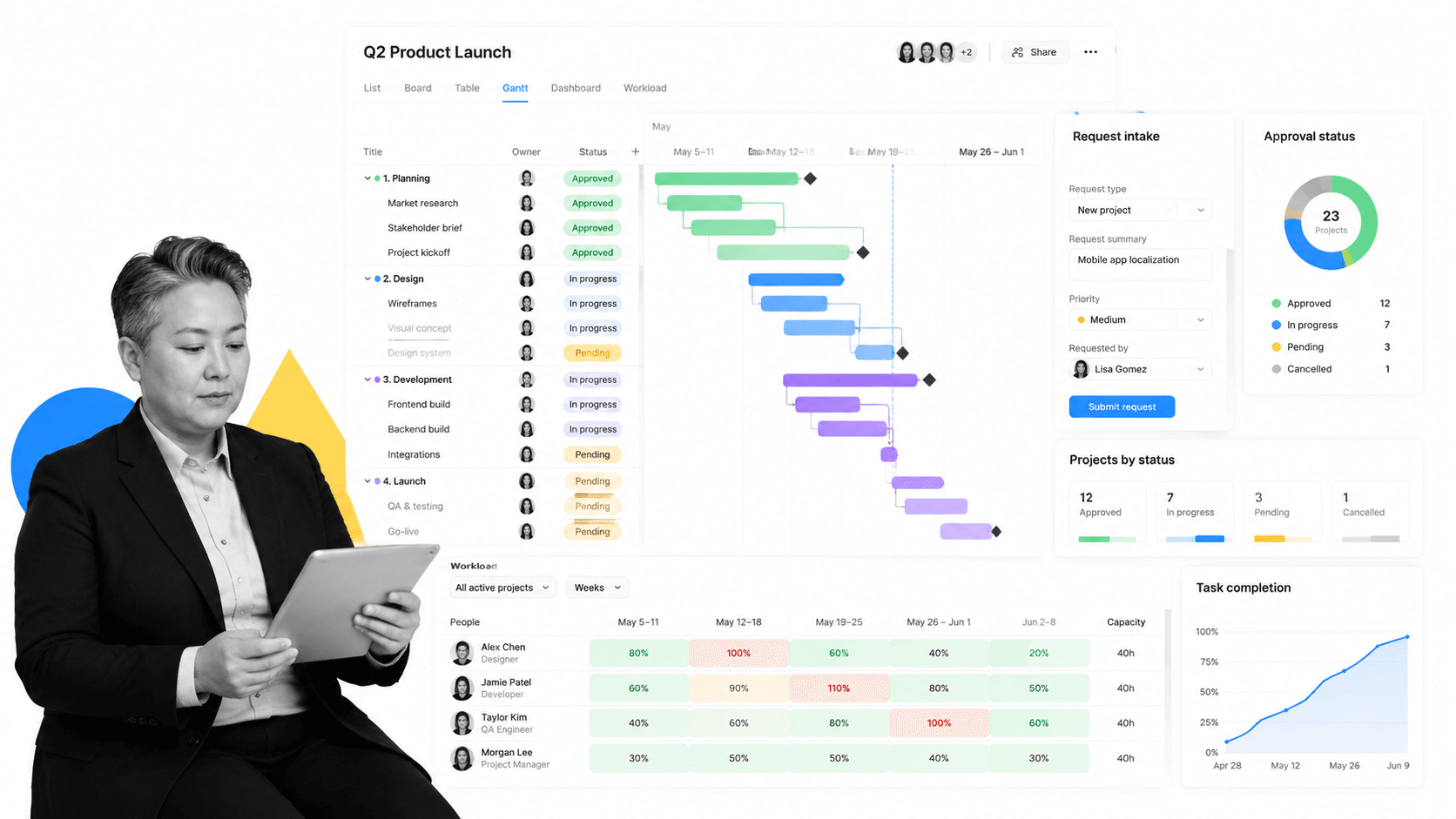
Best for: cross-functional project and resource management.
Wrike is a collaborative work management platform with free task management, board and table views, Gantt charts, dashboards, resource planning, request forms, and automation. Its pricing page lists free and paid plans.
It beats Process Street when resourcing, project schedules, dependencies, dashboards, and cross-functional delivery planning are the main need. It is weaker when a team needs a simple recurring workflow run with enforced steps and evidence.
Wrike key features:
- Project and task management with board and table views.
- Interactive Gantt charts and shareable dashboards.
- Request forms, approvals, and workload planning.
- Advanced reporting, budgeting, and resource capacity in higher tiers.
Wrike pros:
- Strong for complex project planning.
- Useful for resource and workload management.
- Good fit for cross-functional delivery teams.
Wrike cons:
- Can be heavier than needed for simple SOPs.
- Project controls do not automatically create audit-ready process execution.
For current package details, see Wrike pricing. Wrike is a better fit when project planning, resourcing, and cross-functional delivery are the primary need.
9. Smartsheet
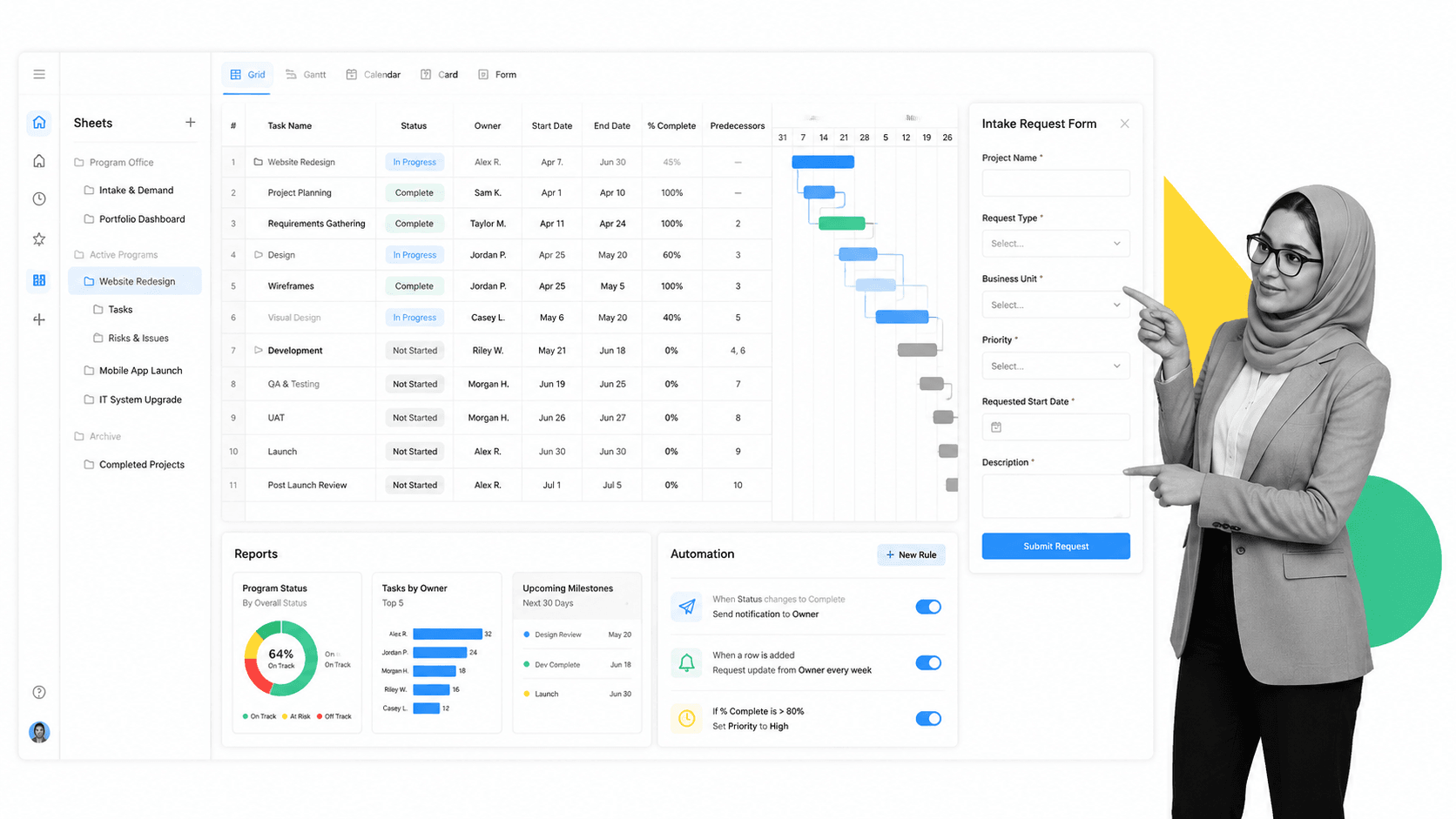
Best for: spreadsheet-style project and program management.
Smartsheet gives teams a spreadsheet-style way to manage projects, programs, forms, reports, dashboards, Gantt, board, calendar, and automation. Its pricing page positions Pro, Business, Enterprise, and Advanced Work Management plans.
It beats Process Street when the team naturally works in sheets, grids, reports, and portfolio-level structures. It is weaker when work needs a guided checklist experience for operators rather than a row-based control surface.
Smartsheet key features:
- Grid, Gantt, board, calendar, and table views.
- Forms, reports, dashboards, formulas, and templates.
- Automations, reminders, update requests, and approval requests.
- Enterprise and Advanced Work Management controls for larger programs.
Smartsheet pros:
- Familiar for spreadsheet-heavy teams.
- Strong reporting and program management surface.
- Good for structured project and portfolio data.
Smartsheet cons:
- Rows and sheets can still feel indirect for frontline execution.
- Advanced work management may require added configuration.
For current package details, see Smartsheet pricing. Smartsheet is a better fit when teams want spreadsheet familiarity with project and portfolio controls.
Trello alternatives by use case
The right Trello replacement depends on what you are trying to make safer, faster, or easier to manage.
- Choose Process Street when recurring work needs required steps, owners, approvals, evidence, and audit trails.
- Choose Asana when project plans, goals, forms, and reporting are the core need.
- Choose monday.com when teams want colorful boards, dashboards, and flexible department workflows.
- Choose ClickUp when you want tasks, docs, goals, dashboards, chat, and many views in one workspace.
- Choose Jira when the board is really a software backlog or sprint system.
- Choose Notion when the board belongs inside a wiki or documentation workspace.
- Choose Airtable when cards are really records in a database.
- Choose Wrike or Smartsheet when cross-functional projects need workload, Gantt, reporting, or portfolio controls.
If your Trello board is mostly a visual planning surface, replacing it with another project tool makes sense. If it represents a process that has to happen correctly every week, month, or customer handoff, start with automated workflow tools and build the governed workflow first. Then connect the planning tools around it.
Teams comparing adjacent options should also review free project management tools, free task management software, and project tracker if budget or lightweight adoption is the main constraint. If the workflow has compliance or quality risk, a lightweight board is usually not enough.
FAQs
What is the best Trello alternative?
The best Trello alternative depends on the work. Process Street is best for recurring SOP and compliance workflows, Asana and monday.com are strong for work management, ClickUp is broad and configurable, Jira fits software teams, Notion fits docs-heavy teams, and Airtable fits database-backed operations.
Is there a free Trello alternative?
Yes. Several Trello alternatives publish free plans, including Asana, monday.com, ClickUp, Jira, Notion, Airtable, and Wrike. Smartsheet offers a trial instead of positioning a permanent free plan on its pricing page. Always check vendor pricing pages because limits change.
Why is Process Street ranked first?
Process Street is ranked first for the ICP this page is judging: teams that need enforceable, trackable, recurring process and SOP workflows. It is not ranked first for every use case. For software delivery, docs, databases, or spreadsheet-style project controls, another specialist can be the better fit.
What is the closest alternative to Trello?
The closest Trello alternatives are tools with board views, such as monday.com, ClickUp, Asana, Jira, Wrike, Smartsheet, and Airtable. The closest fit depends on whether the board represents a project plan, software backlog, database, or recurring workflow.
Which Trello alternative is best for small teams?
Small teams often shortlist Process Street, Asana, monday.com, ClickUp, Notion, Airtable, and Wrike. Choose based on the job. Lightweight planning favors boards and docs, while recurring operations favor workflow runs with required fields and approvals.
Which Trello alternative is best for enterprise teams?
Enterprise teams should compare Process Street, Asana, monday.com, Jira, Wrike, Smartsheet, and Airtable. The decision should come down to governance, reporting, permissioning, integrations, and whether the work is a project, record, issue, document, or controlled process.
Can I migrate from Trello to Process Street?
Yes, but the migration should map the process, not just copy cards. Define the trigger, owner, task sequence, required fields, approvals, evidence, exception paths, and reporting needs. Process Street is strongest when those cards represent repeatable work that needs proof.
If Trello is no longer enough because the work needs accountability, proof, and repeatable execution, start with Process Street. Build the workflow that controls the work, then connect the surrounding tools.
Comparing something else? The full directory of software alternatives and competitor comparisons covers AI agents, workflow and BPM platforms, integration tools, and more.
