


Turn every policy into automated workflows with built-in enforcement and audit-ready proof.


6 Best Paychex Alternatives & Competitors in 2026
Last updated:
Why teams compare Paychex alternatives
Paychex alternatives make sense when the product no longer matches the job you need done. Paychex is strong at small-business payroll, benefits, tax filings, time, talent, and practical HR administration. The question is whether payroll should remain the center of your stack, or whether your next system should lead with HR records, global workforce operations, service support, or enforceable recurring processes.
Teams usually start this search for one of four reasons. They want a more transparent or simpler payroll price. They need broader HRIS capabilities. Their employee lifecycle now touches IT, finance, permissions, devices, or international operations. Or they have discovered that software can store payroll and employee data without ensuring the surrounding work is completed correctly every time.
This comparison uses five criteria: core use-case fit, payroll and tax scope, HR and workforce breadth, pricing model, and the level of process control or human support available. The ranking is explicit about where a process execution platform fits and where a payroll or HRIS competitor is the stronger choice.
If you only need payroll, prioritize the payroll engine and filing model. If you need an employee system of record, prioritize HRIS depth. If you need recurring onboarding, payroll review, policy, and offboarding work to be followed and proved, prioritize process execution. Mixing those jobs together is how teams buy an expensive platform that still leaves the real operational gap open.
In this guide, you will compare:
- Why teams compare Paychex alternatives
- Paychex alternatives at a glance
- How to evaluate Paychex alternatives
- 1. Process Street
- 2. OnPay
- 3. Rippling
- 4. BambooHR
- 5. RUN Powered by ADP
- 6. Gusto
- Choose the right Paychex alternative
- FAQs
- Make recurring HR work enforceable
Paychex alternatives at a glance
The short version: Process Street ranks first for teams whose real problem is enforceable, trackable, recurring HR and payroll-adjacent work. OnPay is the closest payroll-first option with a public starting price. Rippling is the stronger choice when HR changes must control IT, finance, apps, and devices. BambooHR fits HRIS-first teams. RUN Powered by ADP and Gusto fit buyers who value payroll depth and service support.
| Tool | Best for | Standout feature | Free plan | Starting price |
|---|---|---|---|---|
| Process Street | enforceable, trackable, recurring HR and payroll-adjacent processes | workflow runs with required steps, approvals, conditional logic, due dates, evidence, and task history | 14-day Pro trial | Contact sales |
| OnPay | small businesses that want focused full-service payroll | payroll runs, tax filing, employee pay choices, and connected HR basics | No permanent free plan | Published on official site |
| Rippling | teams connecting HR, payroll, IT, finance, and global operations | one workforce data layer across payroll, apps, permissions, and devices | No public free plan | From $8 per employee monthly, plus base fee |
| BambooHR | HRIS-first teams focused on employee records and people operations | employee records, reporting, hiring, onboarding, time off, and optional payroll | No public free plan | Core from $10 per employee monthly |
| RUN Powered by ADP | small businesses that want payroll plus expandable HR support | recurring payroll, tax filing, employee access, and tiered HR packages | No public free plan | Custom quote |
| Gusto | small and growing US teams that want payroll with benefits and practical HR tools | payroll, tax filing, employee self-service, benefits, time, and hiring tools | No permanent free plan | Published on official site |
The table is a routing tool, not a claim that one payroll product wins every job. Process Street holds the top position for recurring process execution. OnPay, Rippling, BambooHR, ADP, and Gusto each become the better fit when payroll processing, HRIS records, workforce systems, or service support is the primary requirement.
How to evaluate Paychex alternatives
Start by separating the payroll engine from the operating process around payroll. The engine calculates pay, deductions, taxes, and filings. The operating process collects approved changes, checks exceptions, confirms funding, documents review, resolves failed payments, and proves that each handoff happened. Some products focus on the first job. Process Street focuses on the second.
Define the system of record
Decide where employee identity, compensation, tax, benefits, and employment data must live. A payroll product or HRIS should own regulated employee and pay records. A workflow management system should own repeatable execution when the work spans multiple people, approvals, documents, and systems. Those can be two connected layers rather than one oversized purchase.
Map every recurring event
List hiring, onboarding, compensation changes, benefit elections, payroll review, leave, policy acknowledgments, role changes, and offboarding. A detailed human resource planning exercise reveals which events are data updates and which are multi-step processes. Use an employee onboarding template to expose handoffs that a feature checklist can miss.
Price the full bundle
Compare the base platform, per-person charges, payroll modules, HR modules, implementation, support, and required add-ons. Public starting prices help with early screening, but quote-led products can still be competitive when they replace multiple systems or services. Ask every vendor to price the same headcount, states, pay schedules, worker types, and support level.
Test exceptions, not only the happy path
A demo should show a late compensation change, missing approval, multi-state tax issue, contractor conversion, failed payment, and employee termination. The best workflow management software choice is the one that makes exceptions visible and assigns the next action, not the one with the longest feature page.
Plan the migration before signing
Review year-to-date payroll data, tax filings, employee records, integrations, bank lead times, and parallel-run requirements. The employee onboarding process for a new payroll system should have owners, dates, approval gates, and a rollback plan. A clean migration matters more than a cosmetic interface preference.
1. Process Street
Best for: Enforceable, trackable, recurring HR and payroll-adjacent processes.
Why Process Street ranks first
Process Street is the top pick when the apparent payroll-software problem is actually a process-control problem. Payroll data may be correct, but managers submit changes late. New-hire documents arrive incomplete. Compensation adjustments bypass approval. Offboarding tasks live across email, chat, tickets, and spreadsheets. The risk sits in execution between systems.
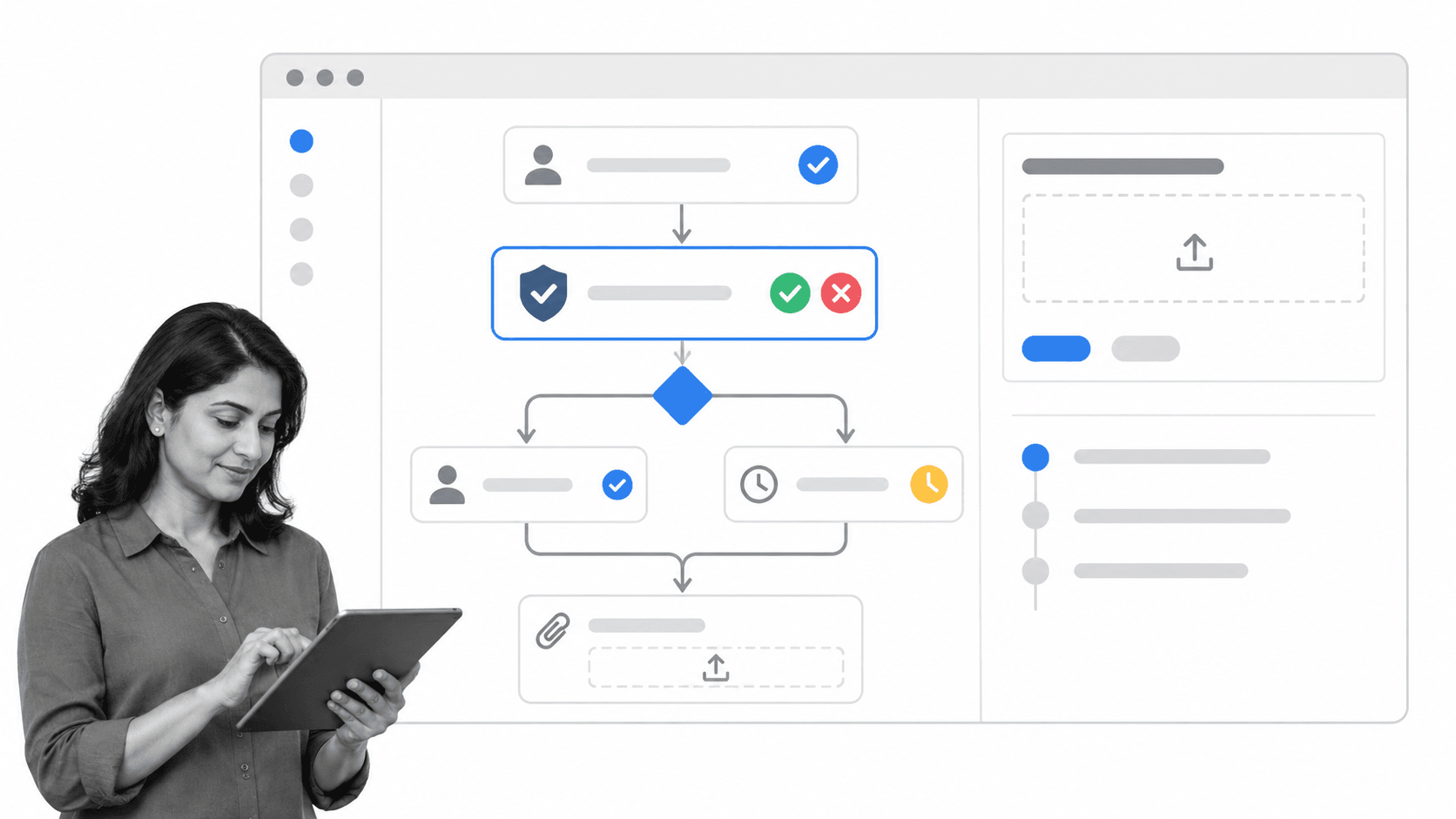
Process Street turns those recurring procedures into workflow runs with owners, required fields, approvals, conditional branches, dynamic due dates, evidence, and task history. A team can run a pre-payroll review, employee-change process, onboarding sequence, policy acknowledgment, benefits exception, or offboarding checklist the same way every time while keeping an auditable record of what happened.
That is a narrower claim than calling Process Street a payroll replacement. It does not calculate wages, move payroll funds, file payroll taxes, broker benefits, or serve as the HRIS of record. Those jobs belong in OnPay, Rippling, BambooHR, ADP, Gusto, Paychex, or another specialist system. Process Street governs the work around them.
The fit becomes clear when a procedure crosses teams. A compensation change may start with a manager request, require finance review, route by jurisdiction, update an HRIS, notify payroll, collect evidence, and close only after a second person verifies the result. A payroll platform can store the change. Process Street makes the entire procedure enforceable.
Key Process Street capabilities
- Unlimited workflows and tasks across current plans.
- Required form fields and role assignments for complete handoffs.
- Approvals and enforced task order for high-risk changes.
- Conditional logic that changes the path by worker type, location, or exception.
- Dynamic due dates, scheduled workflow runs, evidence uploads, and task history.
A practical payroll-adjacent workflow
A pre-payroll review can open on a schedule, assign HR and finance reviewers, pull the change list, require supporting evidence, route large or unusual adjustments to approval, record funding confirmation, and close only after payroll output is checked. The workflow does not replace the payroll calculation. It prevents the operational steps around that calculation from becoming tribal knowledge.
The same pattern works for onboarding. The onboarding workflow software can route employment documents, background checks, equipment, access, payroll setup, benefits enrollment, training, and manager signoff. The HRIS keeps the employee record. Process Street keeps the work moving and proves completion.
Pros
- Strong control over recurring procedures and exceptions.
- Approvals, required data, and task order are part of execution.
- Works across HR, payroll, finance, IT, security, and operations.
- Creates a durable history for audits, investigations, and continuous improvement.
- Lets teams keep a payroll or HRIS system of record instead of forcing a replacement.
Cons
- It is not payroll software and does not file payroll taxes.
- It is not an HRIS, benefits broker, or PEO.
Pricing and buying fit
Process Street offers a 14-day Pro trial and quote-led Startup, Pro, and Enterprise plans. See Process Street pricing for current packaging. The evaluation should focus on the number and risk of recurring processes, not only employee headcount.
Choose Process Street when missed steps, late approvals, scattered evidence, and inconsistent execution are the constraint. Choose a competitor when the core need is payroll calculation, tax filing, benefits administration, global employment, or an employee database. Many teams will use both layers together.
How to evaluate Process Street in a live pilot
Choose one recurring process with real operational risk, such as a compensation change, pre-payroll review, new-hire setup, or termination. Build the workflow with the people who perform the work. Add required inputs, owners, due dates, approval thresholds, exception branches, and evidence fields. Then run several real cases, including one incomplete request and one unusual exception, so the team sees how the procedure behaves under pressure.
Measure whether requests arrive complete, approvals happen on time, exceptions have visible owners, and reviewers can reconstruct what happened without searching email or chat. Also test how the workflow connects to the payroll or HRIS platform that keeps the underlying record. A successful pilot should improve execution without pretending that Process Street is the payroll calculator or employee database.
For procurement, map the candidate workflows, expected run volume, participants, integrations, permissions, reporting needs, and support requirements. Compare the cost with the operational exposure caused by late changes, missed access removal, incomplete evidence, and repeated manual follow-up. This produces a more meaningful buying case than comparing Process Street with payroll tools on a per-employee feature grid.
Where the workflow layer starts and ends
A useful boundary begins when someone requests or detects an employee event and ends when every affected system and stakeholder has been checked. The payroll platform should remain authoritative for earnings, deductions, taxes, payment status, and filings. The HRIS should remain authoritative for the employee record. Process Street can coordinate the decisions, evidence, approvals, updates, notifications, and verification that surround those records without creating a second unofficial database.
For example, a manager requesting a compensation change can provide the effective date, business reason, amount, and supporting document in required fields. Conditional logic can route the request by location, worker type, or threshold. Finance and HR can approve in sequence. Payroll can confirm the update in its system, and a separate reviewer can verify the first affected pay run. The workflow closes with evidence and a visible task history instead of a message saying the change was probably handled.
An offboarding process can use the same control model. HR confirms the employment event, payroll receives final-pay instructions, IT removes access, finance closes cards and expenses, a manager transfers records, and security reviews exceptions. Each function works in its own specialist system, but the recurring process has one accountable run. That reduces the chance that a completed payroll task hides an unfinished access or equipment task.
Governance, integrations, and operating ownership
The workflow owner should be the team accountable for the business procedure, not automatically the administrator of the payroll or HRIS product. HR may own onboarding and employee changes, finance may own pre-payroll review, and security may own privileged-access termination. Process Street lets each procedure define its own owners and permissions while managers and specialists participate only where their decisions or evidence are required.
Integrations and automations should remove predictable copying without hiding control points. A completed form can create or update work in another system, a scheduled run can open before every payroll deadline, and notifications can reach the right channel. High-risk changes should still pause at an explicit approval or verification step. The goal is reliable orchestration, not automation for its own sake.
Reporting should also focus on process health. Review late tasks, rejected approvals, recurring exceptions, rework, and the time between request and verified completion. Those measures expose where policy, training, capacity, or system design needs attention. Payroll reports show the financial result. Process execution data shows whether the organization followed the method that was supposed to produce that result.
2. OnPay
Best for: Small businesses that want focused full-service payroll.
OnPay overview
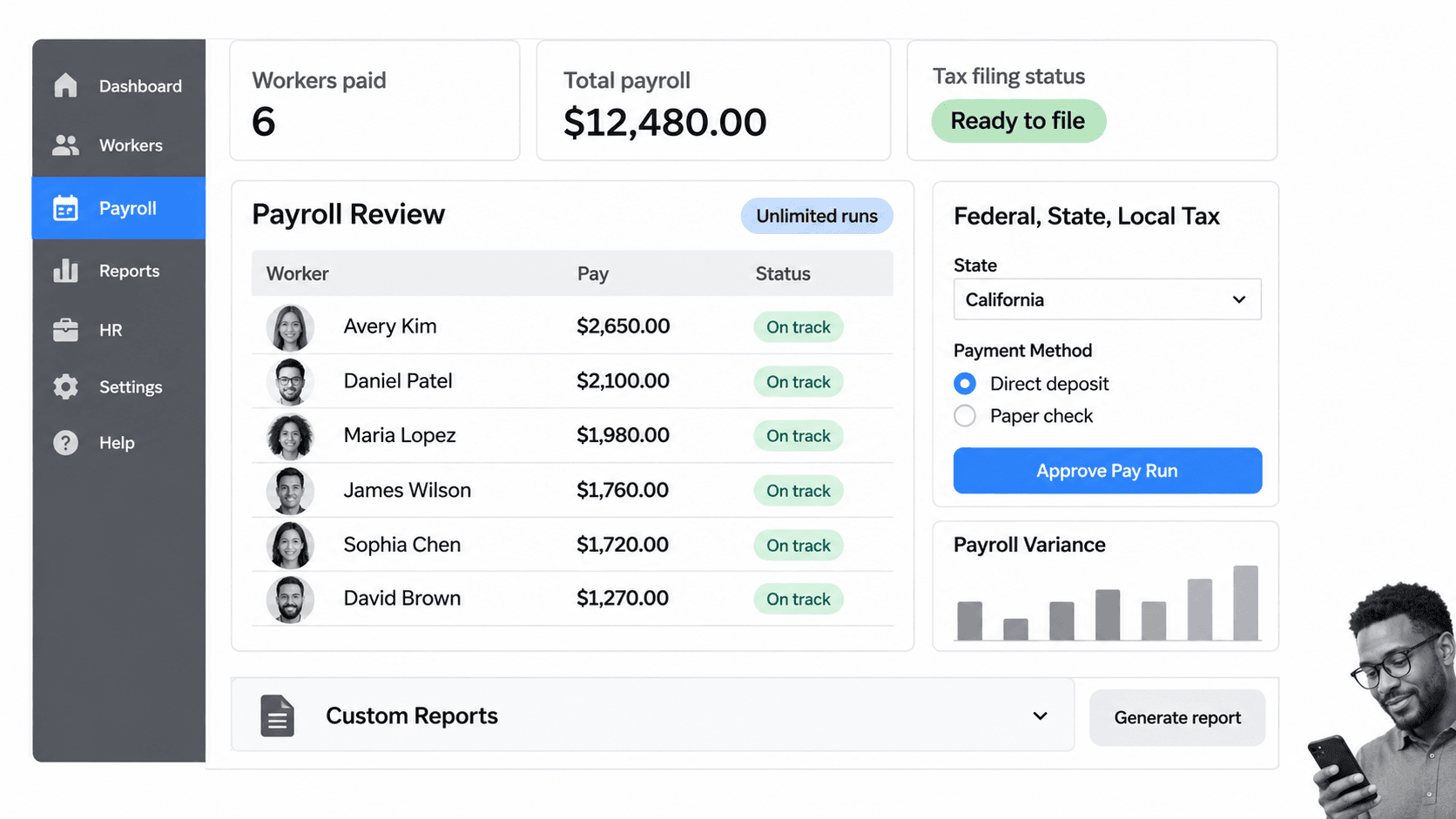
OnPay is the closest match in this list for a small business that mainly wants payroll, tax filing, and practical HR basics without buying a broad workforce platform. Its product page puts payroll first, then adds onboarding, benefits, employee self-service, PTO management, reporting, and compliance support around the pay run.
The pricing model is easy to understand. OnPay states that service starts at $49 plus $6 per person each month. It also states that monthly payroll runs are unlimited. That combination makes OnPay useful when the decision needs a visible baseline price instead of a sales-led quote.
OnPay is a better fit than Process Street when the core requirement is calculating payroll, moving money, filing payroll taxes, and producing worker tax forms. Process Street can govern the checklist around payroll review, approvals, exceptions, and evidence, but it does not calculate or file payroll taxes.
The tradeoff is scope. OnPay deliberately reads as payroll software with connected HR and benefits capabilities. If your real project is app provisioning, device control, advanced people analytics, or a company-wide process layer, another product on this list will fit the problem more directly.
Key features
- Unlimited monthly payroll runs.
- Federal, state, and local payroll tax handling.
- Direct deposit, paper-check, and prepaid-card payment options.
- Onboarding, employee self-service, PTO, benefits, and custom reporting around payroll.
Pros
- Transparent public starting price.
- Focused small-business payroll scope.
- Payroll tax work and HR basics live in one product.
- Unlimited runs support off-cycle or variable payroll needs.
Cons
- Not a general workflow-management platform.
- Less suitable when HR changes must orchestrate IT devices, app access, and finance systems.
Pricing and where it wins
OnPay lists service from $49 plus $6 per person each month on its official payroll page. Review the current product and pricing details on the official OnPay site.
When OnPay is the right fit
OnPay belongs on the shortlist when the buying team can describe the project as a payroll replacement in one sentence. The company still needs employee records and onboarding support, but the decisive requirement is an accurate pay run with direct-deposit choices and federal, state, and local tax work handled inside the payroll service. That is a clearer fit than using a broad workforce suite when the surrounding systems already work.
It is less compelling when a single employee change must coordinate identity, applications, devices, expense controls, and a long sequence of approvals across departments. OnPay can remain the payroll destination in that design, while a workforce platform or process layer handles the wider event. Separating those responsibilities keeps the payroll evaluation focused on the regulated transaction it must perform.
What to test before you switch
Ask OnPay to demonstrate a normal payroll, an off-cycle payroll, a multi-state employee, a contractor payment, a late compensation adjustment, and the correction path after an error. Confirm the available payment methods, tax-filing responsibilities, report exports, accounting connections, and the exact timing for funding and direct deposit. Use the same worker list and pay calendars for every vendor demo.
Before switching, reconcile year-to-date wages and taxes, identify every state and local account, and assign an owner for parallel-run checks. Document which records migrate, which remain archived, and how employees receive new self-service access. A low-friction payroll product still needs a controlled cutover because a missed jurisdiction or opening balance can create work long after launch.
3. Rippling
Best for: Teams connecting hr, payroll, it, finance, and global operations.
Rippling overview
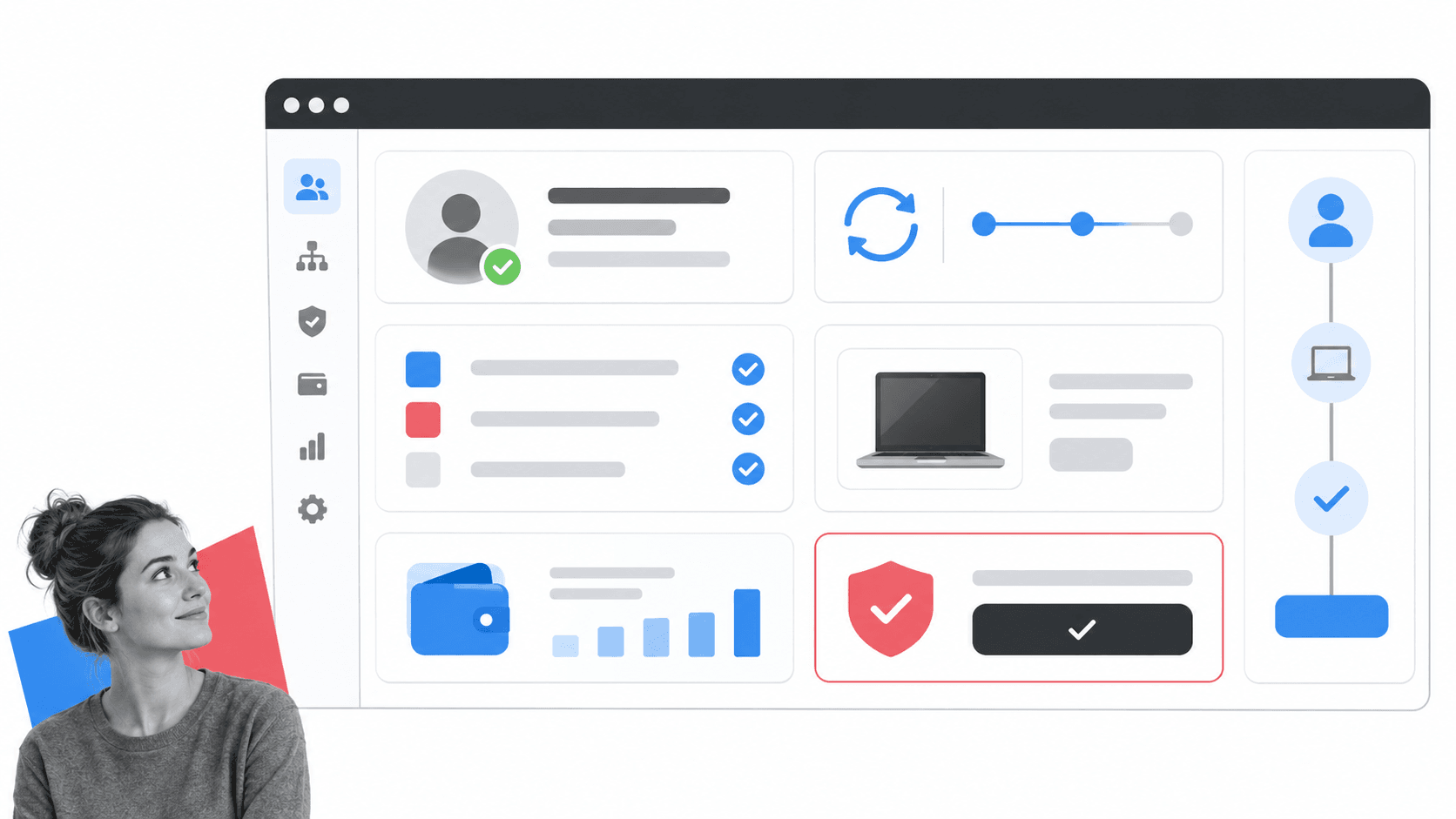
Rippling is the broadest workforce platform in this comparison. Its pricing and product pages group HR, payroll, IT, finance, and global operations around one employee-data layer. New-hire details, salary changes, and benefits deductions can flow into payroll without separate re-entry.
That architecture matters when the Paychex replacement project is larger than payroll. A new employee can require a pay profile, app access, device assignment, permissions, expense controls, time tracking, benefits, and global-worker handling. Rippling is designed to connect those surfaces from the same workforce record.
Rippling is a better fit than Process Street when the system of record must also manage identity, access, and devices. Process Street can enforce the operating procedure around onboarding or offboarding, but Rippling is the more direct choice when the employee record itself must control those workforce systems.
The tradeoff is buying complexity. Rippling provides custom quotes. Its pricing page says most products use per-employee, per-month pricing and that some may include a monthly base fee. Teams should scope required modules before comparing totals with Paychex or OnPay.
Key features
- HR data changes can sync into payroll.
- Federal, state, and local payroll tax calculation and filing.
- HR, payroll, IT, finance, and global modules on one platform.
- Workforce permissions, app access, device management, and workflow automation.
Pros
- Strong fit for cross-functional employee lifecycle management.
- Connects payroll to identity, apps, devices, and finance.
- Useful for distributed or globally complex workforces.
- Broader operational scope than payroll-only tools.
Cons
- Public pricing is quote-led.
- The module set may be more than a small payroll team needs.
Pricing and where it wins
Rippling asks buyers to request a custom quote and explains that most products use per-employee, per-month billing, with some base fees. Review the current product and pricing details on the official Rippling site.
When Rippling is the right fit
Rippling belongs on the shortlist when the employee record should trigger changes outside HR. Hiring may need to create payroll details, application access, permissions, a device order, an expense policy, and a global worker profile. In that environment, the value is not only a payroll run. It is the ability to coordinate multiple workforce systems from shared employee data and reduce repeated administration.
A smaller team with stable applications and straightforward payroll may not need that scope. Buyers should distinguish required modules from attractive demonstrations, then compare the complete annual bundle with the narrower alternatives. The platform is strongest when several departments will actively use its connected workforce model, not when payroll is the only process anyone intends to change.
What to test before you switch
Build a demo script around an employee lifecycle rather than a list of screens. Start with a new hire, assign location and compensation, provision two applications and one device, run payroll, change the employee’s role, revoke access, and complete termination. Verify which actions happen natively, which use integrations, and which still require a manual owner or approval outside the platform.
Request a module-by-module quote with base fees, per-person charges, implementation work, support, global services, and any minimum commitments shown separately. Map each quoted module to an owner and a measurable use case. That exercise prevents a broad platform from becoming shelfware and makes the comparison with Paychex, an HRIS, and a dedicated process layer materially fairer.
4. BambooHR
Best for: Hris-first teams focused on employee records and people operations.
BambooHR overview
BambooHR is the HRIS-first option in this list. Its Core plan includes employee records, reporting, workflows and approvals, hiring and onboarding, time off, benefits tracking, and employee-experience tools. Payroll is available as an add-on for US employees rather than being the only reason to buy the platform.
This makes BambooHR useful when a team likes the general shape of Paychex but wants the employee record, HR reporting, onboarding, and people-operations layer to lead the purchase. The product is more naturally evaluated as an HR system with payroll attached than as a payroll service with a few HR utilities.
BambooHR is a better fit than Process Street when the primary need is a canonical employee database, time-off administration, hiring records, or people analytics. Process Street can run the recurring work around those records, but it is not an HRIS of record.
Pricing is public for the core HR plans. For organizations with more than 25 employees, BambooHR lists Core at $10 per employee per month, Pro at $17, and Elite at $25. Organizations with 25 employees or fewer pay a flat monthly rate starting at $250. Payroll remains an add-on, so buyers should request a complete quote for the exact bundle.
Key features
- Employee records and custom reporting.
- Hiring, onboarding, time off, and benefits tracking.
- Built-in workflows and approvals for HR data changes.
- Optional US payroll with direct deposit, flexible schedules, and tax filing.
Pros
- HRIS functions lead the product experience.
- Public core-plan pricing supports early comparison.
- Strong fit for employee records and people operations.
- Payroll can share the same employee data.
Cons
- Payroll adds to the core plan rather than replacing the need to scope a bundle.
- Not designed as a cross-department SOP execution system.
Pricing and where it wins
BambooHR publishes Core from $10 per employee per month for organizations above 25 employees, with small-team flat pricing from $250 monthly. Payroll is an add-on. Review the current product and pricing details on the official BambooHR site.
When BambooHR is the right fit
BambooHR belongs on the shortlist when HR wants the employee record and people-operations experience to lead the decision. Hiring, onboarding, time off, benefit tracking, reporting, and employee information can sit together, while US payroll is evaluated as an optional extension. This is different from selecting a payroll engine first and accepting whatever HR layer happens to accompany it.
The distinction matters for teams that need cleaner HR reporting or a more intentional employee database. It matters less when the highest-priority problem is tax filing across a payroll operation, device and identity control, or cross-department process enforcement. BambooHR can participate in those workflows, but buyers should test the exact integration and ownership model instead of assuming the HRIS will execute every surrounding task.
What to test before you switch
Ask for a demonstration that begins with a candidate and ends with an active employee record. Include document collection, approval, onboarding tasks, time-off setup, benefit tracking, a compensation change, a custom report, and the optional payroll handoff. Confirm which steps are configurable in Core, Pro, or Elite and which require another product or manual work.
Price the plan and all required add-ons for the same headcount and expected growth. Review data migration, field mapping, report reconstruction, permissions, historical documents, and payroll timing before choosing a launch date. If payroll is included, perform parallel calculations and validate year-to-date balances. If it is not, define the employee fields and change events that must sync to the payroll provider.
5. RUN Powered by ADP
Best for: Small businesses that want payroll plus expandable hr support.
RUN Powered by ADP overview
RUN Powered by ADP is built for small-business payroll and HR. ADP offers four packages, starting with Essential Payroll and expanding through Enhanced, Complete Payroll and HR+, and HR Pro Payroll and HR. Each step adds more hiring, compliance, and HR support around the payroll engine.
The product handles federal, state, and local payroll tax deductions and filings. It also offers recurring payroll automation, a dashboard with the next payroll date and priority alerts, mobile access, employee self-service, flexible pay options, and accounting or business integrations.
RUN Powered by ADP is a better fit than Process Street when a buyer wants a payroll provider with expandable HR support and access to payroll specialists. Process Street can enforce the review and exception workflow, but ADP is the system that calculates payroll and files taxes.
The tradeoff is price transparency. ADP presents package names and inclusions but asks buyers to request pricing. A fair comparison needs a quote based on headcount, jurisdictions, pay frequency, required HR support, and selected add-ons.
Key features
- Federal, state, and local payroll tax handling.
- Recurring payroll automation and priority alerts.
- Mobile payroll access and employee self-service.
- Four packages spanning payroll through enhanced HR support.
Pros
- Payroll depth with expandable HR packages.
- Recurring payroll can reduce repetitive administration.
- Mobile and employee access are included in the product experience.
- Specialist support is part of the value proposition.
Cons
- Pricing requires a quote.
- Package and add-on choices can require more comparison work than a single-plan product.
Pricing and where it wins
RUN Powered by ADP uses request-pricing quotes across its Essential, Enhanced, Complete Payroll and HR+, and HR Pro packages. Review the current product and pricing details on the official RUN Powered by ADP site.
When RUN Powered by ADP is the right fit
RUN Powered by ADP belongs on the shortlist when a small business wants payroll at the center and expects to add HR assistance as needs grow. The package structure lets a buyer compare essential payroll with progressively broader hiring, compliance, and HR support. That can be valuable when the internal team wants access to specialist help instead of assembling every capability through separate software and advisers.
The product is less direct when the main requirement is a configurable company-wide process layer or an employee record that controls IT and finance systems. In those cases, RUN may still be the payroll destination while another system governs the lifecycle. The buying decision should be based on the payroll package and support model actually required, not the familiarity of the ADP name alone.
What to test before you switch
Ask ADP to show the complete path from a payroll change to tax filing, employee access, reports, alerts, and correction handling. Include recurring payroll, an off-cycle payment, multiple jurisdictions, a new hire, a terminated employee, and a request for specialist support. Record which capabilities belong to each package so the final quote can be checked against the demonstrated scope.
Review implementation responsibilities in detail. Identify who supplies prior payroll data, who registers tax jurisdictions, who validates balances, and how quickly support responds during the first live cycles. Compare the package price at current and projected headcount, including optional HR services and integrations. The service model is only an advantage when its ownership and response expectations are explicit.
6. Gusto
Best for: Small and growing us teams that want payroll with benefits and practical hr tools.
Gusto overview
Gusto is a payroll-first platform for small and growing US businesses that want payroll, tax administration, employee self-service, benefits, time tools, and practical HR capabilities in one buying path. It is a close Gusto alternative when the decision centers on software usability and connected people operations rather than a specialist-led service model.
Gusto is the stronger fit than Process Street when the core job is calculating payroll, paying workers, filing payroll taxes, administering benefits, or maintaining payroll records. Process Street can govern approvals, exception handling, pre-payroll review, and evidence around those activities, but it is not the payroll processor or benefits administrator.
The product is especially relevant to teams that want payroll and everyday HR tools to share employee data. Hiring, onboarding, time tracking, benefits, pay schedules, and employee access can sit closer to the pay run than they would in a process-only platform.
The tradeoff is category scope. A payroll and HR platform can complete the regulated transaction, while a cross-functional process may still require finance approval, IT access, security review, equipment, policy acknowledgment, and evidence held across several systems. Test the whole event, not only the payroll screen.
Key features
- Payroll runs and payroll tax administration.
- Employee self-service and payroll records.
- Benefits, time, hiring, and practical HR tools.
- Connected employee data across payroll-adjacent workflows.
Pros
- Payroll and practical HR tools share one product experience.
- Strong fit for small and growing US teams.
- Benefits and employee access sit close to payroll.
- A focused alternative when buyers do not need a broader HR and IT platform.
Cons
- Not a general cross-department SOP execution system.
- Global employment and complex enterprise orchestration may require other systems.
Pricing and where it wins
Gusto publishes current plan and add-on details on its official product pages. Verify the exact package for payroll, benefits, time, hiring, and support before comparing a final quote. Review the current product and pricing details on the official Gusto site.
When Gusto is the right fit
Gusto belongs on the shortlist when a US team wants payroll to remain the center of the purchase while adding benefits, employee self-service, hiring, time, and routine HR support around it. It is a clearer fit than Process Street when the product must calculate payroll and carry the official pay and tax records.
It is less direct when the unresolved problem is a long cross-functional procedure. A compensation change, for example, may need manager justification, finance approval, HR review, payroll entry, a second-person verification, and evidence retention. The payroll platform owns the pay record. A workflow layer can own the full procedure around it.
What to test before you switch
Ask Gusto to demonstrate a normal payroll, an off-cycle adjustment, a multi-state employee, a contractor payment, a benefits deduction change, a late compensation update, and the correction path after an error. Confirm tax responsibilities, funding timing, employee access, report exports, integrations, and the support path for each exception.
Before switching, reconcile year-to-date wages and taxes, document every jurisdiction, map benefits deductions, identify historical records that must remain available, and assign owners for a parallel payroll check. Keep the old service active until the replacement has completed the required validation and employees can access their records.
Choose the right Paychex alternative
Use the primary job to narrow the list. If you want the closest payroll-first alternative with a public starting price, begin with OnPay. If workforce data must control apps, permissions, devices, finance, and global operations, begin with Rippling. If employee records and HR administration lead the project, compare BambooHR. If service support matters, price RUN Powered by ADP and Gusto.
Choose Process Street when the system of record is already acceptable but the recurring work around it is not. That pattern is common in HR software for small businesses stacks: the data lives somewhere, yet onboarding, payroll review, policy changes, and offboarding still depend on reminders and personal memory.
Do not migrate every process at once. Start with one high-frequency, high-risk workflow. The employee onboarding tools inventory can help identify systems involved, while the employee onboarding guide provides the broader rollout context. Run the new path in parallel, measure exceptions, and expand after the handoffs are stable.
If BambooHR or Workday is also on the shortlist, the BambooHR alternatives and Workday alternatives comparisons clarify the difference between small and mid-market HRIS needs. For process-specific buying, compare onboarding management tools and broader business process automation tools before assuming the payroll suite should own every operational workflow.
Finish the evaluation with a written decision record. Name the primary job, required jurisdictions, worker types, systems of record, integrations, service expectations, migration owner, and success measures. Attach the final quotes and note which capabilities were demonstrated rather than merely listed. Then assign every implementation task and approval before data moves. This discipline makes it easier to explain why a focused payroll product, a broader workforce platform, an HRIS, a service-led provider, or Process Street is the right layer for the problem. It also gives the team a baseline for reviewing the purchase after the first several payroll cycles and employee events.
FAQs
What is the best Paychex alternative?
The best Paychex alternative depends on the primary job. OnPay is a close payroll-first option for small businesses. Rippling fits teams that need HR, payroll, IT, finance, and workforce operations together. BambooHR fits HRIS-first buyers. Process Street is the strongest choice when the problem is enforceable, recurring HR and payroll-adjacent processes rather than payroll calculation itself.
Why is Process Street ranked first?
Process Street ranks first for the ICP defined in this comparison: teams that need recurring HR, onboarding, payroll-review, policy, and offboarding workflows to be enforced, tracked, and proved. It is not ranked first as a payroll processor. If tax filing or payroll calculation is the main need, OnPay, ADP, Gusto, Rippling, BambooHR, or Paychex is the more appropriate category.
Is there a free Paychex alternative?
None of the six ranked products advertises a permanent free plan in the official sources reviewed for this page. Process Street offers a 14-day Pro trial. Free trials can support evaluation, but payroll migration should be tested with realistic worker types, jurisdictions, approvals, and exception cases before a team commits.
What is the closest alternative to Paychex?
OnPay is the closest option in this list for a small business that wants payroll, tax filing, direct-deposit choices, unlimited runs, and connected HR basics. RUN Powered by ADP and Gusto are also close payroll alternatives, especially when specialist support or broader service options matter.
Which Paychex alternative is best for small businesses?
OnPay is a strong small-business payroll choice when transparent entry pricing and a focused payroll product matter. RUN Powered by ADP and Gusto suit small businesses that want more service support. Process Street suits small teams whose payroll system works but whose recurring HR procedures remain inconsistent.
Which Paychex alternative is best for larger or more complex teams?
Rippling is the strongest fit in this list when employee changes must connect to apps, permissions, devices, finance, global payroll, or distributed workforce operations. BambooHR fits teams that want HRIS records and people operations to lead. Larger buyers should price the exact modules and implementation scope rather than compare headline starting prices.
Can Process Street replace payroll software?
No. Process Street does not calculate payroll, move payroll funds, file payroll taxes, broker benefits, or serve as an HRIS. It can run and prove the procedures around payroll, including change collection, approvals, pre-payroll review, exception handling, and post-payroll verification. Use it beside a payroll or HRIS system of record.
Make recurring HR work enforceable
If payroll is working but the surrounding HR work still depends on reminders, inboxes, and spreadsheets, use Process Street to turn that work into an enforceable system. Start with one recurring process, assign every handoff, require the evidence, and connect the payroll or HRIS platform that already owns the records.
Explore Process Street for workflow execution, or review onboarding management tools if employee onboarding is the first process you want to fix.
